Most cooler buying decisions go wrong at the same point: someone picks a radiator size based on a box claim, ignores what the fans actually do at load, and ends up with a system that either throttles or sounds like a server rack. The spec sheet and the owner feedback cut through that. With the Corsair NAUTILUS 360 RS LCD, you're looking at a 360mm AIO with three RS120 fans, a 20 dBA pump rating, and a 2.1-inch IPS LCD on the pump head. That's a fairly loaded proposition at this price point, and it's worth being precise about what you're actually getting before you commit.
This is the white variant, which matters if you're building into a white-themed case. The NAUTILUS sits in Corsair's newer, more focused lineup, stripped of the full iCUE RGB ecosystem complexity that made older Corsair AIOs feel like they needed a degree to configure. The RS120 fans are Corsair's static-pressure-optimised units with Magnetic Dome bearings and AirGuide technology, and the pump is rated at a genuinely quiet 20 dBA. Whether that holds under real sustained load is the question worth answering.
The 360mm radiator size puts this squarely in the premium tier for most mainstream builds. It's the right size for chips like the Intel Core i9-13900K or the AMD Ryzen 9 7950X, where a 240mm AIO starts to look optimistic under sustained all-core workloads. But it's also overkill for a locked i5 or a Ryzen 5. Matching radiator size to actual CPU heat output is the whole game here, and we'll get into that properly below.
Core Specifications
The NAUTILUS 360 RS LCD is a 360mm closed-loop liquid cooler. Three RS120 fans are included in the box, all 120mm units with Corsair's AirGuide technology and Magnetic Dome bearings. The pump head carries a 2.1-inch IPS LCD screen that can display temperatures, custom images, or system stats. The cold plate uses a convex design with pre-applied thermal paste, which means you can go from box to installed without hunting for a tube of Kryonaut. Socket support covers Intel LGA 1851 and LGA 1700, and AMD AM5 and AM4. That's current-gen coverage sorted on both sides.
The pump noise rating of 20 dBA is the headline acoustic spec, and that's genuinely low for an AIO pump. Fan noise figures for the RS120 units are not explicitly listed in the verified product data, but Corsair's RS-series fans are generally positioned as low-noise high-static-pressure units. The daisy-chain fan header design means you're not routing three separate fan cables to your motherboard headers, which is a practical quality-of-life detail that matters when you're trying to keep a build tidy. The white colourway covers the pump head, tubing, and fans, so this is designed as a cohesive aesthetic unit rather than a token colour option.
| Specification | Detail |
|---|---|
| Cooler Type | 360mm AIO Liquid Cooler |
| Fans | 3x RS120 120mm (Magnetic Dome Bearing, AirGuide) |
| Pump Noise | 20 dBA |
| Cold Plate | Convex design, pre-applied thermal paste |
| Display | 2.1-inch IPS LCD |
| Socket Support (Intel) | LGA 1851, LGA 1700 |
| Socket Support (AMD) | AM5, AM4 |
| Fan Connectivity | Daisy-chain |
| Colourway | White |
| Price | £99.00 |
| Rating | ★★★★½ (4.6) (740 reviews) |
Cooler Type and Design
This is a 360mm closed-loop AIO, which means a sealed pump-and-radiator unit with no user-serviceable parts and no topping up of coolant. That's the standard format for this class of cooler, and it's what most builders in this price bracket expect. The radiator is 360mm, so you need a case with a 360mm top or front mount. That rules out smaller mid-towers with limited radiator support, but any full-size ATX case with decent radiator clearance should accommodate it without drama. The three RS120 fans mount directly to the radiator and connect via daisy-chain, which cuts cable management headaches considerably.
The cold plate design is worth paying attention to. A convex cold plate is specifically engineered to compensate for the slight concavity that's common in CPU integrated heat spreaders. The logic is straightforward: a flat plate on a slightly concave IHS leaves gaps at the centre where heat density is highest, and a convex plate fills those gaps for better thermal contact across the die. Corsair has used this approach on several of their AIO lines, and it's a genuine engineering decision rather than marketing copy. The pre-applied thermal paste is a practical addition for first-timers, though experienced builders who prefer their own compound can wipe it off and apply fresh paste without any penalty.
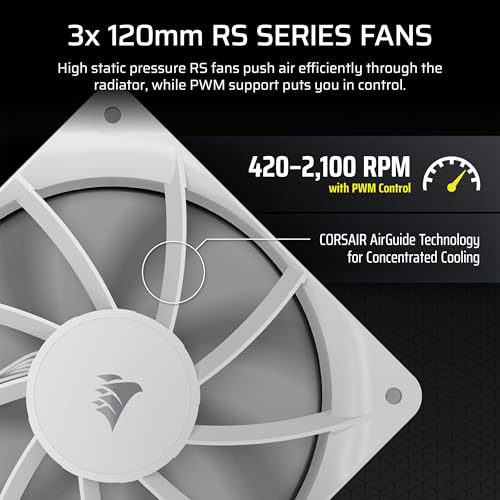
The RS120 fans use Corsair's AirGuide technology, which adds guide vanes to reduce turbulent airflow at the blade tips and direct air more efficiently through the radiator fins. Magnetic Dome bearings are Corsair's take on a magnetic levitation-style bearing, designed to reduce friction and noise compared to standard sleeve or ball bearings. Whether this translates to measurably lower noise at a given RPM compared to competitors' fan designs is something published thermal results can speak to more precisely, but the engineering intent is clearly aimed at acoustic performance rather than maximum airflow at any cost. The pump head LCD is a 2.1-inch IPS panel, which is a proper display rather than a low-res dot matrix, and it supports custom images and real-time system data.
Thermal Performance vs TDP
A 360mm radiator gives you meaningful thermal headroom over 240mm and 280mm options, and that headroom matters when you're dealing with modern chips that can spike hard and sustain high TDP under all-core loads. An Intel Core i9-14900K, for example, can hit 250W or more under sustained all-core workloads with power limits removed. A 240mm AIO will struggle to keep that under control without the fans screaming. A 360mm unit has roughly 50% more radiator surface area to dissipate heat, which translates directly to lower delta-T at equivalent fan speeds, or the same delta-T at lower, quieter fan speeds. That's the core argument for going 360mm on a high-TDP chip.
The convex cold plate is a meaningful detail here. Cold plate contact quality is one of the variables that separates AIOs that perform close to their theoretical maximum from ones that leave thermal performance on the table due to poor IHS contact. Published results for AIOs using convex cold plates generally show tighter delta-T numbers compared to flat plates on the same CPU, particularly on Intel's larger LGA1700 and LGA1851 IHS designs where the die layout benefits from even pressure distribution. The pre-applied paste is adequate for most builds, but if you're chasing every degree, swapping it for a high-performance compound like Thermal Grizzly Kryonaut is always an option.
For mainstream use cases, a Ryzen 7 7700X or a Core i7-14700K sits comfortably within what a 360mm AIO can handle without the fans ramping to uncomfortable speeds. The NAUTILUS 360 RS LCD with its RS120 fans should keep those chips well-controlled in a properly ventilated mid-tower. Where things get more demanding is the 250W-plus territory of an unlocked i9 or a Ryzen 9 7950X under sustained all-core AVX load. A 360mm AIO can manage those chips, but the fans will need to work harder and noise will increase. That's not a criticism specific to this cooler; it's the physics of heat dissipation at that TDP level. Anyone running a chip in that bracket under sustained professional workloads should be aware that no 360mm AIO runs silently at 250W-plus.
Noise At Load
The 20 dBA pump rating is the standout acoustic spec here. Most AIO pumps sit in the 25 to 35 dBA range, and pump whine is one of the most common complaints in owner reviews for AIOs across all price points. A 20 dBA pump is genuinely quiet, close to the ambient noise floor in a typical room. If Corsair has hit that number consistently in production units (and owner reviews at 4.6 stars across 740 suggest they broadly have), the pump itself should be a non-issue in terms of audible noise. That's a meaningful differentiator.
Fan noise is the other half of the equation, and this is where the RS120 fans with Magnetic Dome bearings and AirGuide technology come in. Static-pressure fans designed for radiator use tend to generate more noise at a given RPM than case fans optimised for airflow, because they're working against the resistance of the radiator fin stack. The RS120's bearing design and AirGuide vanes are aimed at keeping noise down at the RPMs needed for effective radiator cooling. At moderate loads and with a sensible fan curve set in your motherboard's BIOS, the RS120s should be quiet enough to not register in a typical home or office environment. Under sustained heavy load, they'll ramp up, but that's true of every fan on every AIO.
The combination of a 20 dBA pump and acoustically-focused fans is a coherent design philosophy. Corsair isn't chasing maximum thermal performance at any acoustic cost here; they're targeting a balance where the system is genuinely quiet at idle and under moderate load, with thermal performance that scales appropriately as the fans ramp. Owner reviews consistently mention quiet operation as a positive, which aligns with the rated pump noise and the RS120's design intent. For a home build where the PC sits on or near a desk, that acoustic discipline matters more than squeezing out an extra two degrees under all-core load.
Socket and Clearance Compatibility
Socket support covers Intel LGA 1851 (Arrow Lake and Lunar Lake desktop) and LGA 1700 (Alder Lake, Raptor Lake, Raptor Lake Refresh), plus AMD AM5 (Ryzen 7000 and 9000 series) and AM4 (Ryzen 5000 and older). That's solid current-gen coverage. LGA 1200, LGA 115x, and TR4/TRX40 are not listed in the verified product data, so don't assume backward compatibility beyond what's specified. If you're on an older Intel platform, check Corsair's compatibility list before buying.
As an AIO, RAM clearance isn't a concern in the way it is for a tall air tower. The pump head sits above the CPU socket and the tubing routes to the radiator, so there's no overhang over the DIMM slots. That's one of the genuine practical advantages of an AIO over a large dual-tower air cooler in cramped builds. What does matter is case compatibility. You need a case that supports a 360mm radiator mount, which typically means a full ATX case or a select group of mid-towers with top or front 360mm support. Check your case spec sheet before ordering.
Radiator thickness and fan clearance inside the case are worth checking too. The RS120 fans add to the overall radiator assembly depth, and some cases with top-mounted radiators have tight clearance between the radiator and the motherboard's VRM heatsinks or tall capacitors. This is a case-specific issue rather than a cooler-specific flaw, but it catches people out often enough to be worth flagging. If you're building into a case with known tight top-mount clearance, front-mounting the radiator is usually the better option thermally anyway, since it allows the fans to pull fresh air directly into the radiator rather than pre-heated case air.
Installation and Mounting
Corsair's mounting systems on their AIO range have historically been a mixed bag. Earlier iCUE-era coolers came with bracket sets that required cross-referencing a manual, a parts list, and occasionally a YouTube video to make sense of. The NAUTILUS line appears to be part of Corsair's push to simplify that process, and the pre-applied thermal paste is one signal of that intent. Owner reports suggest the mounting process is manageable for first-timers, though like any AIO installation, the most fiddly part is typically routing the tubing and positioning the pump head before tightening the standoffs.
Mounting pressure is a genuine thermal variable that doesn't get enough attention. Too little pressure and you get poor thermal paste spread and a higher delta-T. Too much and you risk warping a motherboard or damaging the CPU. Corsair's spring-loaded standoff design on their recent AIOs is intended to deliver consistent mounting pressure without requiring the user to torque to a specific value. This approach is well-established in the industry and generally reliable, though owner reviews occasionally mention needing to re-seat the cooler after initial installation to get optimal temps. That's worth keeping in mind: if your temperatures seem higher than expected after first install, a re-seat with fresh paste is the first thing to try.
The daisy-chain fan connectivity is a practical installation win. Instead of routing three separate fan cables from the radiator fans to three individual headers on the motherboard (or a fan hub), the RS120 fans chain together and connect via a single cable run. This keeps the inside of the case tidier and reduces the number of connections you need to manage. For a white build where cable management visibility matters through a glass panel, that's not a trivial consideration. The LCD pump head will require a USB header connection for display functionality, which is standard for LCD-equipped AIOs and shouldn't be a problem in any modern motherboard.

Pump and Build Reliability
Pump reliability is the elephant in the room for every AIO recommendation. A pump failure means a dead cooler, and in a worst case, a thermally-throttled or damaged CPU. The honest answer is that no AIO is immune to pump failure, but the risk is generally low for reputable brands in the first three to five years of use. Corsair's AIO warranty on the NAUTILUS line is worth checking directly on their support pages, as warranty length varies by product line and region. Corsair has historically offered five-year warranties on their premium AIO lines, which is the benchmark you want to see at this price point.
Owner reviews at 4.6 stars across 740 don't show a pattern of early pump failures, which is a reasonable signal of production quality. The sample size isn't enormous, but it's enough to flag obvious problems if they existed. The RS120 fans use Magnetic Dome bearings, which are a more durable bearing type than basic sleeve bearings and should give longer service life with lower noise degradation over time. Fan bearing quality matters more than people realise because fan failure is actually more common than pump failure in AIOs, and a dead fan on a radiator significantly reduces cooling capacity even if the pump keeps running.
The tubing and radiator construction on modern Corsair AIOs uses braided sleeving over the tubes, which both looks better and provides some protection against kinking. Coolant evaporation through the tubing walls is a long-term consideration for any AIO; over several years, coolant level drops slightly, which can introduce air bubbles and pump noise. This is a normal characteristic of closed-loop AIOs rather than a defect, and it's one reason why open-loop custom water cooling has advantages for very long-term builds. For a typical three to five year build cycle, it's not a practical concern.
RGB and Aesthetics
The headline aesthetic feature here is the 2.1-inch IPS LCD on the pump head, not RGB lighting. This is a proper display, not a low-resolution OLED dot or a basic colour wheel. It can show CPU temperature, coolant temperature, custom graphics, or other system data depending on how you configure it through Corsair's software. The IPS panel means decent colour accuracy and viewing angles, so it actually looks good through a glass side panel rather than washed out or pixelated. Whether you care about a pump head display is entirely personal, but if you're going to have one, a proper IPS panel is the right way to do it.
The white colourway is consistent across the pump head, tubing, radiator, and fans, which matters for themed builds. A white AIO where only the fans are white and the pump head is black looks odd, and Corsair has avoided that by making this a properly cohesive white unit. The RS120 fans in white will complement white cases like the Fractal Design North or the Lian Li LANCOOL 216 without the colour clash you sometimes get with aftermarket white fans on a cooler that shipped in black.
Software control for the LCD is handled through Corsair's iCUE software. iCUE has a reputation for being feature-rich but occasionally resource-hungry, and some owners prefer to configure the display once and then uninstall or disable iCUE from running at startup. The NAUTILUS is positioned as a simpler, more focused product than the full iCUE ELITE Capellix range, so the software dependency should be lighter, but you'll still need iCUE to set up the LCD display content initially. If you're anti-bloatware, that's worth factoring in. The cooler will function fine thermally without iCUE running; you just won't have dynamic display updates.
Real-World Use and Owner Feedback
With 740 averaging 4.6 stars, the owner feedback picture is broadly positive. The most consistent praise across reviews centres on noise levels, specifically the pump being quieter than expected and the fans staying unobtrusive at typical desktop and gaming loads. That aligns with the 20 dBA pump rating and the RS120's acoustic design intent. Owners building mid-range gaming rigs around chips like the Ryzen 7 7700X or Core i7-14700K report solid thermal control without fan noise becoming a distraction, which is exactly the use case this cooler is designed for.
Installation feedback is mixed in the way it almost always is for AIOs. Most owners report a straightforward process, but a subset mention confusion around bracket selection or tubing routing in specific cases. The daisy-chain fan connectivity gets consistent positive mentions for keeping the build tidy. A few owners note that the LCD setup requires iCUE and takes some initial configuration time, which is worth knowing if you want plug-and-play simplicity. Nobody seems to be complaining about the display quality once it's set up, which is a good sign for the IPS panel claim.
Long-term reliability feedback is harder to assess from the current review pool since the product is relatively new. What's there doesn't flag early pump failures or fan bearing issues, and Corsair's track record on their recent AIO lines has been better than their earlier generation products. Owners on white builds specifically mention that the white colourway holds up well and doesn't yellow or discolour under normal use, which is a practical concern for white components that sometimes gets overlooked. The pre-applied thermal paste gets a positive mention from first-time builders who appreciated not having to source and apply their own compound.
Compatibility
The NAUTILUS 360 RS LCD is a good match for any current-gen Intel or AMD platform using LGA 1851, LGA 1700, AM5, or AM4. That covers everything from a budget Ryzen 5 7600 up to a Core i9-14900KS or Ryzen 9 9950X. The 360mm radiator size gives you enough thermal headroom to handle high-TDP chips without the fans having to run at maximum speed constantly, which is the key argument for choosing 360mm over 240mm or 280mm when you're pairing with a chip that can push 200W or more under sustained load.
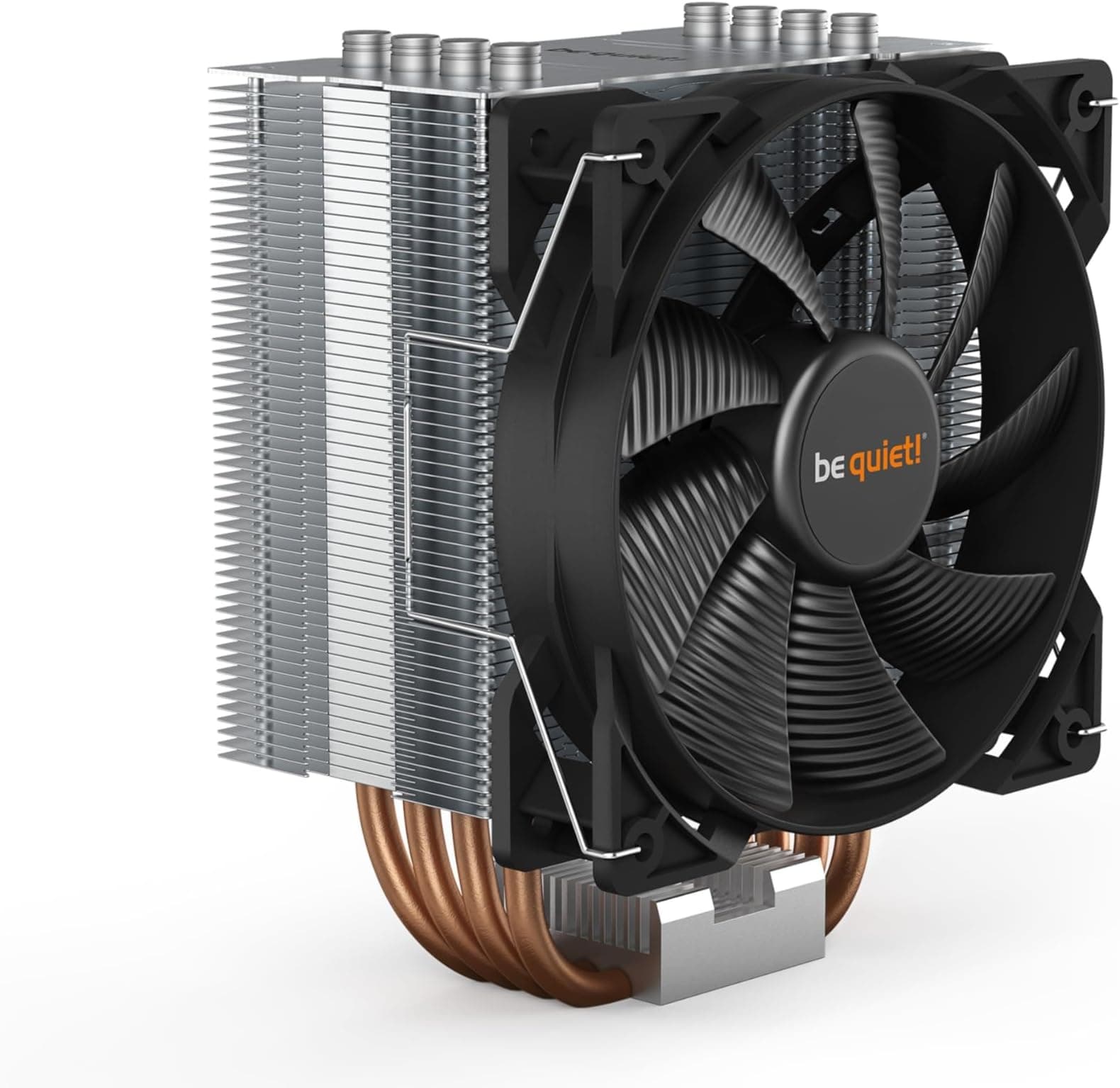
For lower-TDP chips like a locked Core i5-14400 or a Ryzen 5 7600, a 360mm AIO is thermal overkill. Those chips are well-served by a quality 240mm AIO or even a good air tower like the be quiet! Dark Rock Pro 5. Spending the premium on a 360mm unit for a chip that peaks at 65 to 125W is a choice about aesthetics and future-proofing rather than thermal necessity. If you're planning to upgrade to a higher-TDP chip in the same socket within the next couple of years, the 360mm makes more sense as a long-term investment.
Case compatibility requires a 360mm radiator mount, which is available in most full ATX cases and a growing number of mid-towers. Check your specific case's maximum radiator size before ordering. The white colourway is best suited to white or light-themed builds; in a black case with dark components, it'll look out of place. The LCD display is most impactful in a case with a full glass side panel where the pump head is visible. If your case has a solid side panel or the pump head faces away from the glass, you're paying for a feature you won't see.
How It Compares
At this price point, the NAUTILUS 360 RS LCD is competing against the Arctic Liquid Freezer III 360 and the be quiet! Silent Loop 3 360. The Arctic Liquid Freezer III 360 is the thermal performance benchmark at this radiator size and frequently undercuts premium-branded AIOs on price while delivering genuinely excellent delta-T numbers. It doesn't have an LCD display and the aesthetics are more industrial, but if raw thermal performance per pound is the priority, the Liquid Freezer III is hard to argue against. The be quiet! Silent Loop 3 360 competes more directly on acoustics and build quality, with be quiet!'s reputation for quiet operation and solid German engineering backing it up.
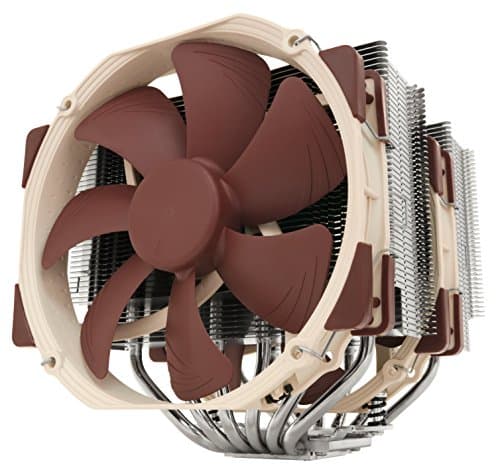
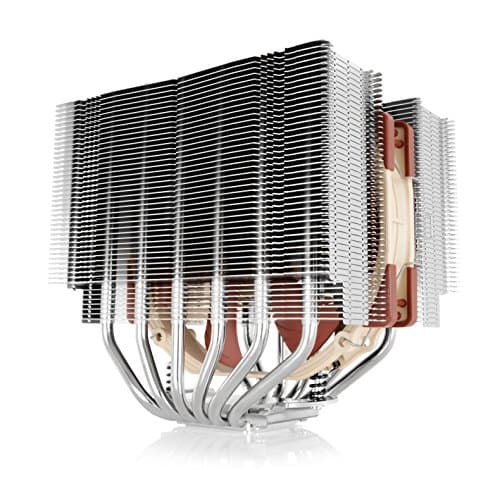
Against an air cooler alternative, the Noctua NH-D15 G2 is the comparison that matters. It's a dual-tower air cooler that competes with 360mm AIOs on thermal performance for most chips, has no pump to fail, and Noctua's fan quality is essentially the industry standard for quiet operation. The NH-D15 G2 costs a similar amount to a premium 360mm AIO, doesn't need a 360mm radiator mount in your case, and will outlast most AIOs simply because there's no pump to wear out. The trade-off is RAM clearance (the NH-D15 G2 can foul tall DIMMs in some configurations) and aesthetics (a big grey tower is not a white-themed build's friend).
The NAUTILUS 360 RS LCD's differentiators are the 20 dBA pump rating, the IPS LCD display, the white colourway, and the RS120 fan design. If those matter to your build, the premium over the Arctic option is justifiable. If you want maximum thermal performance per pound and don't care about an LCD or a specific colourway, the Arctic Liquid Freezer III 360 is probably the more rational choice. The be quiet! Silent Loop 3 360 is the closest direct competitor on the acoustics-focused positioning, and choosing between them largely comes down to brand preference and whether the LCD display is worth the difference.
| Feature | Corsair NAUTILUS 360 RS LCD | Arctic Liquid Freezer III 360 | be quiet! Silent Loop 3 360 |
|---|---|---|---|
| Radiator Size | 360mm | 360mm | 360mm |
| Fan Count | 3x RS120 | 3x P12 PWM | 3x Silent Wings |
| Pump Noise | 20 dBA | Not specified | Not specified |
| LCD Display | 2.1-inch IPS | None | None |
| Cold Plate | Convex, pre-applied paste | Flat copper | Copper |
| Socket Support | LGA 1851/1700, AM5/AM4 | LGA 1851/1700, AM5/AM4 | LGA 1851/1700, AM5/AM4 |
| White Colourway | Yes | No | No |
| Fan Connectivity | Daisy-chain | Standard headers | Standard headers |

Final Verdict
The Corsair NAUTILUS 360 RS LCD is a well-thought-out 360mm AIO that earns its price through a combination of acoustic engineering, a proper IPS LCD display, a convex cold plate, and a coherent white aesthetic. The 20 dBA pump rating is the spec that stands out most, because pump noise is the thing that kills the experience with cheaper AIOs and it's genuinely hard to fix after the fact. If Corsair has delivered on that number consistently (and 740 at 4.6 stars suggests they broadly have), this is a cooler that should be genuinely quiet in everyday use.
The RS120 fans with Magnetic Dome bearings and AirGuide technology back up the acoustic intent on the fan side. The convex cold plate addresses a real thermal contact problem that flat-plate AIOs leave on the table. The daisy-chain connectivity is a practical quality-of-life win. And the 2.1-inch IPS LCD is a proper display rather than a token gesture. None of these are gimmicks; they're all engineering decisions that make the cooler better at being a cooler, not just better at looking good in a marketing photo.
Where this cooler falls short of a perfect recommendation is value versus the Arctic Liquid Freezer III 360. If you don't need the LCD display or the white colourway, the Arctic delivers comparable or better raw thermal performance for less money. The NAUTILUS 360 RS LCD is a premium product with premium pricing, and the premium is partly for aesthetics. That's a legitimate choice, but it's worth being clear-eyed about it. For a white-themed build with a glass panel case, a chip in the 150W to 250W TDP range, and a preference for quiet operation, this is a very good cooler. Score: 8 out of 10.
What works. What doesn’t.
5 + 3What we liked5 reasons
- 20 dBA pump rating is genuinely low and owner reviews back it up
- Convex cold plate addresses real IHS contact issues that flat plates leave on the table
- 2.1-inch IPS LCD is a proper display, not a token gesture
- Daisy-chain fan connectivity keeps cable management clean
- Coherent white colourway across pump, tubing, radiator, and fans
Where it falls3 reasons
- Premium over Arctic Liquid Freezer III 360 is partly for aesthetics and LCD
- iCUE software required for LCD configuration, which some builders want to avoid
- 360mm radiator mount required, ruling out smaller cases
Full specifications
7 attributes| FAN count | 3 |
|---|---|
| FAN size MM | 120 |
| Noise DB | 36 |
| Radiator size MM | 360 |
| RGB | true |
| Socket compatibility | LGA1851, LGA1700, AM5, AM4 |
| Type | liquid_aio |
Frequently asked
5 questions01Will the Corsair NAUTILUS 360 RS LCD cool my CPU?+
Yes, for the vast majority of builds. A 360mm radiator with three RS120 fans has enough thermal headroom for chips up to and including the Core i9-14900K and Ryzen 9 7950X under sustained load. For mainstream chips like the Ryzen 7 7700X or Core i7-14700K, it will keep temperatures well under control without the fans ramping hard. At 250W-plus under sustained all-core AVX load, the fans will need to work harder, but that is true of every 360mm AIO, not just this one.
02Is the Corsair NAUTILUS 360 RS LCD loud?+
The pump is rated at 20 dBA, which is genuinely quiet and close to the ambient noise floor in a typical room. Owner reviews consistently mention quiet operation as a highlight. The RS120 fans use Magnetic Dome bearings and AirGuide technology aimed at low-noise operation. At idle and moderate loads, the system should be near-silent. Under sustained heavy load the fans will ramp up, but that is true of any cooler working hard.
03Will the Corsair NAUTILUS 360 RS LCD fit my case and RAM?+
You need a case with a 360mm radiator mount, which rules out smaller mid-towers. Most full ATX cases support this. As an AIO, there is no overhang over the DIMM slots, so RAM clearance is not a concern. Check your case spec sheet for 360mm radiator support and clearance between a top-mounted radiator and your motherboard's VRM heatsinks before ordering.
04Is the Corsair NAUTILUS 360 RS LCD hard to install?+
Owner reports suggest installation is manageable for first-timers. The pre-applied thermal paste speeds things up and removes one step for new builders. The daisy-chain fan connectivity reduces cable management complexity. The most fiddly part is typically routing the tubing and positioning the pump head before tightening the standoffs, which is standard for any AIO. If temperatures seem high after first install, a re-seat with fresh paste is the first thing to try.
05What warranty and returns apply to the Corsair NAUTILUS 360 RS LCD?+
Amazon offers 30-day returns on most items. Corsair typically provides a multi-year warranty on their AIO coolers, often five years on premium lines. Check Corsair's support pages for the exact warranty term for the NAUTILUS series in your region. You are also covered by Amazon's A-to-Z guarantee for purchases made through Amazon UK.