TL;DR
A proper streaming setup UK requires more than a decent PC and a microphone. UK-specific broadband constraints, HMRC tax obligations, GDPR responsibilities and music licensing rules all shape what a successful setup actually looks like in 2026. This guide gives you the framework to build the right setup for your tier, avoid the legal pitfalls that catch most new creators, and understand exactly when to upgrade.
Quick Answer
To start streaming in the UK, you need a device, OBS Studio (free), a USB microphone, and a broadband connection with at least 6 Mbit/s upload speed. Budget £200 to £400 for bare-bones gear, understand your HMRC obligations from day one, and choose your platform based on where your target audience already watches.
Key Takeaways
- A streaming setup UK needs at minimum 6 Mbit/s upload speed. FTTC users may struggle; FTTP users have more headroom.
- Single-PC streaming works well for most beginners. Dual-PC and capture card setups solve specific problems, not general ones.
- Modern GPU encoders (NVENC, AMD AV1) reduce CPU load by 30 to 60 percent versus software encoding at comparable quality.
- Twitch Affiliate requires just 50 followers and 3 average concurrent viewers. YouTube Partner needs 1,000 subscribers and 4,000 watch hours.
- Streaming income over £1,000 per tax year must be declared to HMRC via Self Assessment, regardless of how it arrives.
- UK GDPR applies the moment you collect email addresses, run analytics or store subscriber data. You become a data controller.
- Music licensing is not optional. Using unlicensed tracks risks DMCA strikes, VOD muting and potential account suspension.
The UK video games market was valued billion in 2023 (UKIE), and streaming has become one of its primary discovery channels. Thousands of UK creators launch streams every month, and most of them make the same avoidable mistakes: they buy equipment before testing their broadband, they ignore HMRC until their first tax letter arrives, and they play copyrighted music without a second thought. This guide exists to stop that happening to you.
What follows is a structured framework covering every decision you'll face, from choosing between a single-PC and dual-PC rig to understanding what Ofcom's broadband data actually means for your bitrate settings. It's organised so you can jump to the section most relevant to where you are right now, then follow the spoke links for deeper dives into specific topics.
What is a Streaming Setup and Why Does UK Context Matter?
A streaming setup is the combination of hardware, software, connectivity and workflow that lets you broadcast live video to an audience on platforms like Twitch or YouTube. At its simplest, it's a phone propped against a mug with OBS running on a laptop. At its most complex, it's a dual-PC rig with a dedicated capture card, an audio interface, a professional lighting grid and a hardware stream deck. Both are valid starting points. The question is which one suits your situation right now.
UK context matters for several reasons that guides written for a US audience consistently miss. First, broadband infrastructure here is still split between full-fibre (FTTP) and fibre-to-the-cabinet (FTTC) connections. According to Ofcom's Connected Nations report, 58 percent of UK premises had FTTP available as of early 2026, with median upload speeds of 10.7 Mbit/s. That sounds fine, but the remaining 42 percent on FTTC often see upload speeds of 2 to 8 Mbit/s depending on line length and cabinet congestion. At peak evening hours, those figures drop further. Your streaming bitrate ceiling is set by your weakest upload moment, not your average.
Second, UK tax law applies from your first pound of streaming income. HMRC's Trading Allowance gives you £1,000 of untaxed trading income per year, but once you exceed that, Self Assessment registration is mandatory. This isn't a grey area. Third, UK GDPR and the Data Protection Act 2018 apply the moment you collect any personal data from viewers, whether that's an email address for a newsletter, analytics from your website, or even chat logs stored on a third-party service. You become a data controller under the law, with real obligations to the ICO.
And then there's the ASA CAP Code, which governs how you label sponsored content and affiliate links. The rules are stricter than many creators realise. A casual mention of a brand that paid you, without a clear 'Ad' label visible before the viewer engages, is a breach. Gambling advertising carries additional restrictions around audience age profiles. None of this is designed to trip you up, but it will if you don't know it exists.
Hardware Tiers: From Bare-Bones to Full Pro
There's no single correct streaming setup UK. There are tiers, and the right tier depends on your goals, your budget and what you're actually streaming. Here's how to think about each one honestly.
Bare-bones (£200 to £400 total). A mid-range gaming PC or console (PS5, Xbox Series X), OBS Studio (free), a USB microphone and a webcam if you want face cam. This tier is entirely viable for building an audience. The USB microphone is non-negotiable because built-in laptop or monitor mics produce audio quality that drives viewers away within minutes. A decent USB condenser costs £50 to £80 and makes an enormous difference. Lighting at this tier is natural window light or a single ring light from Argos or Amazon. You're not trying to look like a BBC studio; you're trying to not look like you're streaming from a cupboard.
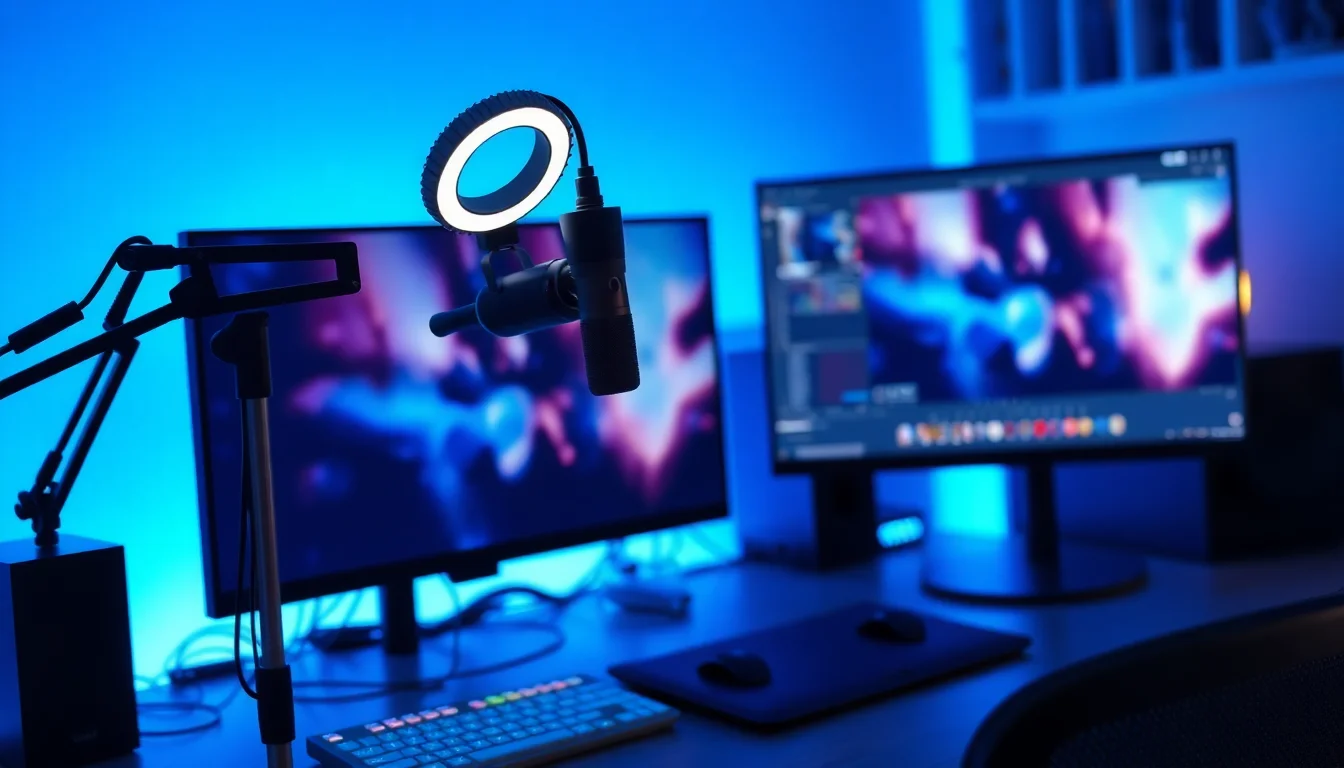
Semi-pro (£800 to £1,500 total). This is where most creators land after three to six months. You're adding a proper XLR microphone with an audio interface (or a high-quality USB mic like the Shure MV7), a key light and fill light setup, a 1080p or 4K webcam, and potentially a capture card if you're on console. You might also add a stream deck for scene switching, a pop filter and acoustic treatment for your recording space. OBS Studio remains free, though some creators add paid plugins or move to Streamlabs for its integrated alert system.
Full pro (£2,000 and above). Dual-PC setups, professional XLR microphones on shock mounts with dedicated preamps, green screen or physical backdrop, hardware video switchers, and redundant internet connections (primary broadband plus a 5G mobile hotspot as backup). At this tier, you're treating streaming as a business, which means your equipment costs may be deductible against your streaming income for tax purposes. Keep every receipt.
For a detailed breakdown of which microphone type suits each tier, the guide to streaming microphones comparing USB versus XLR options covers the full decision in depth, including when an audio interface genuinely improves quality versus when it's just an expensive extra step.
Single-PC vs Dual-PC vs Capture Card: A UK Decision Tree
This is the question that generates more confusion than almost any other in streaming. The answer isn't universal, so here's a decision tree that actually helps.
Are you streaming PC games? If yes, start with a single-PC setup. Modern processors (Intel 12th gen and above, AMD Ryzen 5000 and above) handle gaming and encoding simultaneously without significant frame drops, especially when you offload encoding to your GPU. If your CPU is older (pre-2019, quad-core or fewer), you may see performance issues. Test before buying anything. Stream a demanding game for 30 minutes with OBS running and monitor your CPU usage in Task Manager. If you're consistently above 85 percent, you have a problem to solve.
Are you streaming console gameplay (PS5 or Xbox)? You need a capture card. Consoles don't run OBS. You connect the console's HDMI output to a capture card, which feeds the signal to a PC running OBS. The PC doesn't need to be powerful for this purpose, which is why many console streamers use an older laptop as the streaming machine. The full guide to capture cards for console streaming in the UK covers which cards work with which consoles and what latency to expect.
Do you stream high-FPS competitive games (CS2, Valorant, Apex) and notice quality issues? A capture card in a dual-PC setup solves a specific problem here: the gaming PC runs at uncapped frame rates for competitive advantage, while the capture card feeds a clean signal to the streaming PC, which encodes independently. This means your in-game settings are never compromised by encoding overhead. But it costs more and adds complexity. It's not for beginners.
Is your single PC struggling with encoding? Before buying a capture card, check whether you're using GPU encoding. If OBS is set to software (x264) encoding and you have a modern Nvidia or AMD GPU sitting idle, switching to NVENC or AMF encoding in OBS settings will immediately reduce CPU load by 30 to 60 percent. This solves the problem for most users without spending a penny. Our comparison of GPU encoding versus software encoding explains the quality trade-offs in detail.
Understanding UK Broadband for Live Streaming
Your streaming setup UK is only as good as your internet connection. This is the component most guides gloss over, and it's the one most likely to cause problems on your first stream.
Live streaming is upload-intensive. Unlike watching video (which uses download bandwidth), streaming sends your video to Twitch or YouTube's ingest servers in real time. The recommended bitrate for 1080p60 streaming on Twitch is 6,000 Kbit/s (6 Mbit/s). YouTube recommends 4,500 to 9,000 Kbit/s for the same resolution and frame rate. And critically, you need that bandwidth to be stable, not just available at peak. A connection that shows 8 Mbit/s upload on a speed test but drops to 3 Mbit/s during evening congestion will cause your stream to buffer and drop frames for viewers.
FTTP (full-fibre) connections are the gold standard for streaming. Because the fibre runs all the way to your property, upload speeds are symmetric or near-symmetric (often 50 Mbit/s upload on a 150 Mbit/s download package), and congestion is less severe than on FTTC. If you're on FTTC, your upload speed is constrained by the copper wire from the cabinet to your home. On a typical FTTC connection, upload speeds range from 2 to 20 Mbit/s, with most residential lines sitting around 8 to 12 Mbit/s under good conditions.
The practical implications are these. If you're on FTTC with 8 Mbit/s upload, you can stream at 1080p60 at 6,000 Kbit/s, but you have very little headroom. Other devices on your network uploading simultaneously (smart home devices, cloud backups, other users on video calls) will eat into that headroom. Use a wired Ethernet connection, not Wi-Fi. Set up Quality of Service (QoS) rules on your router to prioritise streaming traffic. And consider scheduling streams for off-peak hours if your connection is marginal.
5G mobile broadband is a viable backup and, in some rural UK areas, the primary connection. Upload speeds on 5G can reach 50 to 200 Mbit/s in good coverage areas, but latency and consistency vary more than fixed-line connections, and data caps apply to most mobile tariffs. Streaming 1080p60 at 6 Mbit/s uses roughly 2.7 GB per hour. A four-hour stream consumes around 11 GB, which will exhaust most mobile data allowances quickly.
For a full breakdown of how to test your connection for streaming suitability, including how to measure bufferbloat and packet loss (two factors that speed tests miss entirely), the guide to UK broadband for streaming covers everything from router settings to ISP selection.
Twitch vs YouTube: Platform Choice and UK Monetisation Paths
Choosing your platform isn't just a personal preference decision. It's a strategic one that affects how quickly you can monetise, what your audience looks like, and how you'll be taxed on what you earn. Both platforms are genuinely viable for UK creators, but they reward different approaches.
Twitch is a live-first platform. Discovery happens through categories and raids. Viewers expect interaction, and the culture rewards consistency over production value, at least at the entry level. Twitch Affiliate status, which unlocks subscriptions, Bits and ad revenue, requires 50 followers, 500 minutes streamed across at least 7 unique broadcast days, and an average of 3 concurrent viewers. Those thresholds are achievable in weeks with consistent effort. The detailed guide to Twitch Affiliate requirements walks through exactly how to hit each metric efficiently.
Twitch's revenue model splits subscription income 50/50 between the platform and the creator at Affiliate level. Twitch Partners (a higher tier requiring application and approval) may negotiate better splits. Ad revenue on Twitch is CPM-based, typically £1 to £3 for UK gaming content, but ad blockers significantly reduce effective CPM because a large proportion of the Twitch audience uses them. Bits (Twitch's virtual currency) are purchased by viewers and given to creators; Twitch takes a cut before paying out.
YouTube is a search and recommendation engine that happens to support live streaming. The discovery advantage is significant: YouTube VODs are indexed by Google and can surface in search results years after upload. If you clip and upload your streams as edited videos, you compound your reach dramatically. The downside is that the YouTube Partner Programme requires 1,000 subscribers and 4,000 watch hours in the preceding 12 months before ad monetisation is enabled. For most new streamers, that takes longer than Twitch Affiliate. The guide to the YouTube Partner Programme requirements explains how watch hours from live streams count and how to accelerate the process.
YouTube CPM for UK gaming content typically runs £1 to £3, similar to Twitch, but YouTube's ad system is more mature and ad blocker penetration is lower among YouTube's broader audience. Channel memberships (YouTube's equivalent of subscriptions) are available once Partner status is achieved.
Many UK creators stream to both platforms simultaneously using tools like Restream or OBS's multistream plugins. This doubles your potential audience but splits your live chat, which can feel thin on both platforms simultaneously. It's worth trying, but the interaction quality often suffers.
Tax, GDPR and Legal Obligations for UK Streamers
This is the section most streaming guides skip entirely. It's also the section that costs creators the most money when they ignore it.
Tax. HMRC classifies streaming income as trading income under the Income Tax (Trading and Other Income) Act 2005. This includes ad revenue, subscriptions, Bits, donations, tips, sponsorship payments, affiliate commissions and the value of gifted products or services received in exchange for promotion. The Trading Allowance gives you £1,000 of untaxed trading income per tax year, but once you exceed that threshold, you must register for Self Assessment and file a tax return. The deadline for online Self Assessment returns is 31 January following the end of the tax year (5 April). Miss it and you face automatic penalties starting at £100.
The good news is that genuine business expenses are deductible against your streaming income. Equipment purchased exclusively for streaming (microphone, capture card, lighting, a dedicated streaming PC), a proportion of your broadband bill, software subscriptions and even a portion of your home office costs may all reduce your taxable profit. Keep receipts for everything from day one. For the full picture on what's deductible and how to structure your records, the guide to UK streaming tax and HMRC Self Assessment covers it in detail.
GDPR. UK GDPR and the Data Protection Act 2018 apply to any personal data you collect from viewers. If you run a mailing list (via Mailchimp, ConvertKit or similar), you're a data controller and must comply with ICO principles: collect only what you need, store it securely, tell people what you're doing with it, and delete it when it's no longer needed. Your privacy policy must be accessible and accurate. If you use Google Analytics on a streaming website or blog, you must obtain valid consent for non-essential cookies under the Privacy and Electronic Communications Regulations. Ignoring this isn't a technicality. ICO enforcement has increased significantly, and fines scale with the severity of the breach.
ASA CAP Code. The Advertising Standards Authority's CAP Code requires that paid promotions, sponsorships and affiliate links are clearly labelled as advertising before the viewer engages with the content. A small 'Ad' label in the stream title or a verbal disclosure at the start of a sponsored segment is the minimum. Gambling advertising carries additional restrictions: ads must not target under-18s and must not be placed where a significant proportion of the audience is under 18. Breaching the CAP Code can result in ASA investigations, required corrections and reputational damage. The ASA's non-broadcast advertising code is publicly available and worth reading if you plan to take sponsorships.
Music Licensing, Copyright and Avoiding DMCA Strikes
Music is the single most common source of legal trouble for new streamers, and the rules are genuinely confusing because live streams and VODs are treated differently by both platforms and rights holders.
During a live stream, playing a copyrighted track may or may not trigger an immediate mute or takedown. Twitch has licensing agreements with certain rights holders that cover live playback but explicitly exclude VODs. So your stream might run fine, but the recorded version gets muted or taken down within hours of the stream ending. YouTube's Content ID system is more aggressive and can flag content in real time during a live stream, potentially interrupting your broadcast.
The safest approach is royalty-free music or tracks licensed through a streaming-safe service. Options include Epidemic Sound (subscription-based, used by many UK YouTubers), Pretzel Rocks (designed specifically for streamers), and tracks released under Creative Commons licences on platforms like Free Music Archive. PRS for Music and PPL (the UK's performing rights organisations) license music for commercial use, but their standard licences cover venues and broadcasters, not individual streamers. There is no simple individual streaming licence available from PRS for Music that covers playing their repertoire on Twitch or YouTube.
If you want to play mainstream music on stream, you need a platform that has negotiated the relevant licences on your behalf. Soundtrack by Twitch was designed for this purpose, offering a library of licensed tracks that play to viewers but don't appear in VODs or clips. It's an imperfect solution (the selection is limited) but it avoids DMCA strikes for the tracks it covers.
Workflow, Scenes and Content Repurposing
A streaming setup UK isn't just hardware and connectivity. It's also the workflow you build around going live, and that workflow determines whether streaming is sustainable over months and years or burns you out in six weeks.
OBS Studio is the free, open-source standard for streaming software and the right starting point for almost every new streamer. It supports scenes (collections of sources that you switch between during a stream), alerts (follower notifications, subscription animations), overlays (branded frames, chat boxes, donation goals) and both local recording and live streaming simultaneously. The learning curve is real but manageable. Our OBS Studio setup guide for Twitch and YouTube walks through the full configuration process, including which encoder settings to use for different connection speeds.
Scenes are the building blocks of a professional-looking stream. A typical scene collection includes: a starting soon screen (plays before you go live), a main gameplay scene (game capture plus webcam plus overlays), a just chatting scene (full webcam, no game), a BRB screen (for breaks), and an ending screen. Switching between scenes during a stream keeps the viewer experience clean and signals that you're organised. For templates and accessibility considerations in scene design, the guide to streaming overlays, scenes and accessibility covers both visual design and inclusive practices.
Content repurposing is where many UK streamers leave significant value on the table. A two-hour gaming stream contains multiple clips worth editing into short-form content for TikTok, YouTube Shorts or Instagram Reels. Tools like Streamlabs Highlighter, Medal.tv and Crossclip automate much of this process. The edited VOD, uploaded to YouTube with a proper title and thumbnail, continues to attract viewers and watch hours long after the live stream ends. Those watch hours count toward your YouTube Partner Programme threshold. This is the compounding effect that makes streaming on YouTube particularly powerful for long-term growth.
Schedule consistency matters more than stream length. Two streams per week at consistent times, promoted in advance on social media, will outperform five streams per week at random hours. Your regular viewers need to know when to show up. Build a schedule you can sustain, not one that looks impressive on paper but collapses under real-life pressure.
Accessibility and Inclusive Streaming Practices
Accessibility in streaming is an area the industry is still catching up on, but it matters both ethically and practically. An accessible stream reaches a wider audience. That's not a secondary consideration; it's a growth strategy.
Closed captions are the most impactful accessibility feature you can add. OBS doesn't include automatic captioning natively, but third-party tools like Web Captioner (browser-based, free) or NVIDIA RTX Voice with caption output can generate live captions that appear as an overlay on your stream. These captions help deaf and hard-of-hearing viewers follow the content and also benefit viewers watching in noisy environments or without headphones.
Colour contrast in overlays and on-screen text matters for viewers with colour blindness or low vision. Avoid text overlays that use red on green or blue on yellow combinations. Test your overlay design using a colour blindness simulator (Coblis is a free web tool) before going live. High-contrast text, clear fonts and sufficient text size make your stream readable on small screens and at a distance.
Photosensitivity is a legal and ethical consideration. Rapidly flashing lights or strobing effects in overlays or game content can trigger seizures in viewers with photosensitive epilepsy. The Web Content Accessibility Guidelines (WCAG) recommend no more than three flashes per second. If your game includes unavoidable flashing content, a verbal warning at the start of the stream is the minimum courtesy.
Audio descriptions for visually impaired viewers are less common in gaming streams but worth considering if your content is commentary-heavy. Describing on-screen actions verbally (which many streamers do naturally) already provides a degree of audio description. Being conscious of it and doing it consistently costs nothing and broadens your potential audience.
Where to Go Next
This guide has given you the framework. Every section above points toward a more specific decision, and each of those decisions has a spoke article that goes deeper than we can here.
If your immediate question is about your internet connection, whether it can actually support 1080p60 streaming and what to do if it can't, start with the UK broadband guide for streamers. It covers bufferbloat testing, router configuration and what to realistically expect from FTTC versus FTTP connections.
If you're ready to configure OBS and want to get your encoder settings, scenes and alerts right from the start rather than retrofitting them later, the OBS Studio setup guide for Twitch and YouTube is the logical next step. It covers bitrate settings for different connection speeds, scene structure and the specific settings that differ between the two platforms.
If you're at the point of choosing a microphone and unsure whether USB or XLR is right for your tier, the streaming microphones guide comparing USB and XLR options explains the genuine quality difference, when an audio interface is worth the investment, and which USB options deliver XLR-quality audio without the extra hardware.
And if you've started earning money from streaming and haven't yet thought about HMRC, don't wait until January to figure it out. The UK streaming tax and Self Assessment guide explains exactly what you need to declare, what you can deduct, and how to set up a simple record-keeping system that won't take more than 15 minutes a month to maintain. The earlier you start, the easier it is. Tax surprises are always worse than tax preparation.
The streaming landscape in the UK is competitive but not saturated. The creators who build sustainable channels in 2026 will be the ones who got the fundamentals right early: stable broadband, clean audio, consistent scheduling, and a clear understanding of the legal and financial obligations that come with turning a hobby into income. You now have the framework. The rest is execution.
Frequently Asked Questions
A basic streaming setup UK requires a PC or console, a USB microphone, streaming software (OBS Studio is free), and a stable internet connection with at least 6 Mbit/s upload speed. If you're streaming from a console, add a capture card. Check your upload speed at speedtest.net first. If it falls below 6 Mbit/s, drop your bitrate to 4,500 Kbit/s or stream at 720p60. Budget roughly £200 to £400 for entry-level gear, though the software costs nothing.
A bare-bones streaming setup costs £200 to £400, covering a capable PC or console, a USB mic and a webcam. Semi-pro setups run £800 to £1,500 once you add a dedicated microphone, lighting rig and capture card. Full professional setups exceed £2,000 when you factor in dual PCs, professional audio interfaces, green screens and backup internet. Monthly running costs include broadband (£25 to £60), optional software subscriptions and potential music licensing fees through PRS for Music.
A capture card is genuinely worth buying if you're streaming console gameplay (PS5 or Xbox) from a PC that isn't primarily a gaming rig, or if you want to separate your in-game performance settings from your stream quality. For PC-only streaming, modern GPU encoders like Nvidia NVENC and AMD's AV1 encoder are free and reduce CPU load by 30 to 60 percent compared with software encoding, so a capture card adds little. Entry-level cards cost £50 to £150; mid-range cards run £150 to £300.
Yes, absolutely. Both Twitch and YouTube let you stream from day one with no subscriber requirement. Twitch Affiliate status, which unlocks subscriptions and bits, requires just 50 followers, 500 minutes streamed, 7 unique broadcast days and an average of 3 concurrent viewers. YouTube's Partner Programme requires 1,000 subscribers and 4,000 watch hours before ad monetisation kicks in, but there's nothing stopping you building that audience live from the start.
Yes. HMRC treats streaming income as trading income under ITTOIA 2005. If your untaxed income from streaming exceeds £1,000 in a tax year, you must register for Self Assessment and declare it. This covers ad revenue, subscriptions, donations, sponsorships and affiliate commissions. The £1,000 Trading Allowance can offset small amounts, but once you exceed it you need to track income and allowable expenses carefully. Keep records from your very first payment.
The most common mistakes are underestimating upload speed requirements (causing buffering and dropped frames), using copyrighted music without a licence (risking DMCA strikes and VOD muting), failing to label sponsorships and affiliate links clearly (breaching the ASA CAP Code), not reporting streaming income to HMRC, and ignoring GDPR when collecting emails or storing subscriber data. Each one is avoidable with a bit of preparation, and none of them are obvious until they bite you.
Relying on ads alone, you'd need hundreds of thousands of monthly views at a typical UK gaming CPM of around £1.50, which is unrealistic for most new streamers. In practice, £500 a month comes from combining income streams: subscriptions (you receive 50 percent of the £4.99 tier, so 200 subscribers nets roughly £500), tips via StreamElements or Ko-fi, and small sponsorship deals. Hybrid income reaches that figure far faster than ad revenue alone, usually from a few hundred engaged regulars rather than mass viewership.
Every streamer needs a device (PC, console or even a smartphone), free streaming software like OBS Studio, a microphone of any kind (USB is fine to start), a stable internet connection with at least 6 Mbit/s upload, and a platform account on Twitch or YouTube. Beyond the kit, you also need a basic understanding of UK tax obligations, GDPR rules if you collect any viewer data, and music licensing requirements to avoid strikes on your VODs.