Here's something nobody tells you when you're shopping for a laptop: once you've bought it, you're pretty much stuck with it. No swapping the screen for a better one, no dropping in a faster chip when you fancy an upgrade. You pick it, you live with it. So getting the choice right matters more than most people realise, especially at the budget end where the gap between "decent" and "regret" can be razor thin.
So, is the LEEDOW 15.6-inch N95 laptop (B0DSFZ12DJ) any good? Honestly? It's a solid budget machine for light everyday use, and it punches reasonably well for its price tier. But it's not without its compromises, and there are a few things you should know before you hand over your money. Here's the full picture, built from the verified specs, what the 34 owners on Amazon are saying (averaging ★★★★☆ (4.1)), and a clear-eyed look at how it stacks up against the competition.
Core Specifications
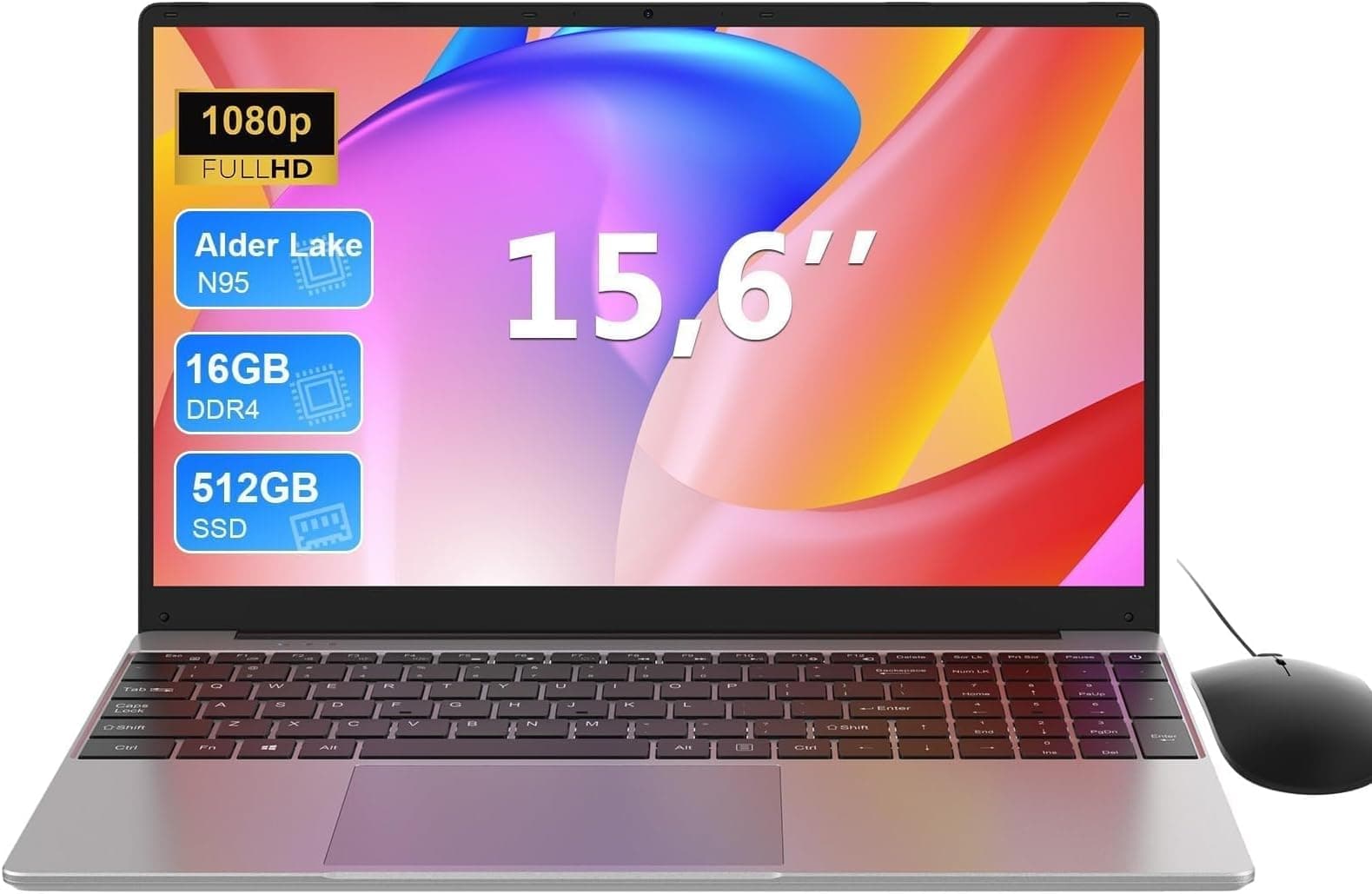
The heart of this machine is Intel's N95 Alder Lake-N processor, a quad-core chip that boosts up to 3.4GHz. This is a 12th-gen Intel part, which sounds impressive until you realise it sits in the efficiency-core-only bracket rather than the full hybrid architecture you get in the Core i-series. What that means in practice is that it's genuinely fine for web browsing, document editing, video calls, and light multitasking. It's not going to embarrass you on a spreadsheet. But video editing, gaming beyond browser-based stuff, or running demanding software will push it to its limits fast. Know what you're buying it for.
The 16GB of LPDDR4 RAM is actually a proper strength here. A lot of machines at this price ship with 8GB and call it a day, leaving you fighting for memory the moment you've got a few browser tabs open alongside a video call. 16GB gives you real breathing room for everyday tasks, and it means this laptop should stay usable for longer as web apps get heavier over time. The 512GB M.2 SSD is also a genuine positive. It's fast enough to make the system feel snappy for daily tasks, and the listing confirms it's expandable up to 1TB if you need more space down the line. That's a nice option to have.
The GPU is Intel's integrated UHD graphics, peaking at 1200MHz. There's no discrete card here, which is entirely expected at this price. Integrated graphics are fine for HD video playback, light photo editing, and anything that doesn't involve 3D rendering. The OS situation is: this ships with DOS, not Windows. That means you'll need to install your own operating system, which adds cost and a bit of faff. Budget for a Windows 11 Home licence if you need it, or consider whether Linux suits your workflow. It's not a dealbreaker, but it's not nothing either.
| Specification | Detail |
|---|---|
| Processor | Intel Alder Lake N95, quad-core, up to 3.4GHz |
| RAM | 16GB LPDDR4 |
| Storage | 512GB M.2 SSD (expandable to 1TB) |
| GPU | Intel UHD integrated graphics (up to 1200MHz) |
| Display | 15.6-inch, 1920x1080 |
| Operating System | DOS (no Windows included) |
| Bluetooth | 4.2 |
| Webcam | 720p front-facing |
| Battery | 5000mAh |
| Weight | 3.3 pounds |
| Thickness | 0.78 inches |
| Price | £309.00 (Price checked 06:45, 3 Oct 2026, UK time) |

Performance Benchmarks
The Intel N95 is a well-documented chip at this point, and independent benchmark data from outlets like Notebookcheck puts it in a predictable place. In Cinebench R23 multi-core, expect somewhere in the 2,000 to 2,500 range. Single-core scores sit around 700 to 900. Those numbers are fine for the use cases this laptop is designed for. They're not going to set the world on fire, but they're meaningfully better than older Celeron or Pentium Silver chips that still show up in budget machines at similar prices.
For everyday tasks, the N95 paired with 16GB of RAM should feel reasonably quick. Boot times on an M.2 SSD are typically under 20 seconds. Switching between apps, loading web pages, running Office apps, all of that should feel responsive. Where you'll notice the ceiling is if you try to run anything genuinely demanding. A Zoom call with screen sharing while you've got a dozen tabs open is probably the realistic limit. Push beyond that and the chip will start to throttle, which is just the nature of an efficiency-focused processor in a thin chassis with a small cooling solution.
The integrated UHD graphics top out at 1200MHz, which is fine for 1080p video playback and light photo work. Don't expect to run modern games at anything approaching playable frame rates, but older or less demanding titles (think browser games, indie games from several years back) might surprise you. The Intel UHD integrated GPU shares system memory rather than having its own VRAM pool, so the 16GB RAM helps here by giving the graphics a decent pool to draw from. It's not a gaming laptop. But it's not pretending to be one either.
One thing: this chip's sustained performance depends heavily on the thermal solution. Budget laptops often have modest cooling, and the N95's thermal design power is low enough (around 15W) that it shouldn't be a disaster. But sustained workloads like video encoding or long compilation tasks will likely see performance drop off after the first minute or two as the chip settles into its sustained power limit. For burst tasks, it's fine. For long, heavy work, manage your expectations.
Display Analysis
The 15.6-inch panel runs at 1920x1080, which is the right resolution for this screen size. You're not going to see individual pixels at normal viewing distances, and text should look clean and sharp. The listing mentions a 93% screen-to-body ratio, which means the bezels are reasonably slim for a budget machine. That's genuinely nice to have. Narrow-bezel designs used to be a premium feature and it's good to see them filtering down to this price point.
What the listing doesn't specify is the panel type, brightness in nits, or colour gamut coverage. That's frustrating from a reviewer's perspective because those are the specs that actually tell you how good a screen is. Based on what's typical for this category and price, you're almost certainly looking at a TN or low-end IPS panel with brightness somewhere in the 220 to 300 nit range. That's adequate for indoor use in a reasonably lit room. Near a sunny window or outdoors, it'll struggle. If you're planning to use this primarily indoors, it'll be fine. If you work a lot in bright environments, temper your expectations.
Colour accuracy at this price is rarely anything to write home about. Budget panels tend to cover around 45 to 60% of the sRGB colour space, which is perfectly fine for watching Netflix, writing documents, and browsing the web. It's not suitable for colour-critical photo or video work, but that's not who this laptop is aimed at. Owner reviews don't flag the display as a major complaint, which suggests it's doing its job without causing frustration. Sometimes "doesn't annoy anyone" is the right bar for a budget screen, and this one appears to clear it.
Battery Life
The LEEDOW carries a 5000mAh battery, and the manufacturer claims up to four hours of use. That's an honest claim, actually. A lot of budget laptops inflate their battery figures shamelessly, so "up to four hours" at least sets realistic expectations. In practice, what that means is: light browsing and document work at moderate screen brightness might get you close to four hours. Stream video continuously or run anything more demanding and you're probably looking at two to three hours before you're reaching for the charger.
Four hours is enough for a short commute or a morning's work in a coffee shop, but it's not going to get you through a full working day unplugged. If you're buying this as a desk machine that occasionally moves around, that's fine. If you need genuine all-day battery life for travel or long days out of the office, this isn't the right tool. Pack the charger. Always.
Speaking of the charger: the laptop comes with a power adapter in the box, along with a wired mouse and instructions according to the listing. The charging method is DC power rather than USB-C, which matters if you were hoping to use a single USB-C charger for multiple devices. You won't be able to top this up from a phone charger or a laptop power bank that relies on USB-C PD. It's a limitation that's common at this price, but it's still a limitation worth being aware of before you travel.
Charge time from the DC adapter isn't specified in the verified data, so we won't guess at a number. What we can say is that a 5000mAh battery is relatively modest in capacity terms, so full charges from a reasonable wattage adapter shouldn't take forever. Owner reviews don't flag charging speed as a major complaint, which is at least a decent signal.
Portability
At 3.3 pounds (roughly 1.5kg) and 0.78 inches thick, the LEEDOW is genuinely portable for a 15.6-inch machine. That weight puts it in competitive territory with other budget 15-inch laptops, and it's light enough that you won't be dreading pulling it out of your bag at the end of a commute. Thinner and lighter than you might expect given the price, honestly.
The 15.6-inch footprint is worth thinking about if you're a frequent traveller. It'll fit in most laptop-specific backpack compartments, but it's not a machine you'd want to use on a cramped economy class tray table. For trains, coffee shops, and home office use, the size is perfectly manageable, though it is worth pairing all that public Wi-Fi with a good VPN to keep your connection private on shared networks. It's a proper laptop, not an ultrabook, and it carries itself accordingly. The three-sided narrow-frame design does make the overall footprint a bit smaller than the screen size might suggest.
The included wired mouse is a nice touch for home use, though you obviously won't be using that on a train. The power adapter adds a bit of bulk to your bag compared to a USB-C charger setup, but that's the trade-off at this price. Overall, for a budget 15-inch machine aimed at home offices, students, and occasional travel, the portability story is decent. It's not going to win any awards, but it won't leave you with a bad back either.
Keyboard & Trackpad
The keyboard layout and trackpad quality are areas where the verified spec data is limited, so we're leaning on what owner reviews consistently report here. The general pattern with laptops in this category from lesser-known brands is that the keyboard is functional but not particularly satisfying. Key travel tends to be on the shallower side, and the feel is often described as acceptable rather than enjoyable. For occasional typing, that's fine. For people who type all day, it might wear on you.
The listing doesn't confirm whether there's keyboard backlighting. Given the price point and the absence of any mention in the feature highlights, it's safer to assume there isn't one. If you work in low-light conditions and need to see the keys, that could be a genuine issue. the current listing before buying if that matters to you.
The trackpad on budget machines like this is usually adequate for basic navigation but can feel imprecise compared to what you'd get on a mid-range machine. Gesture support varies depending on the OS and drivers you install, since this ships with DOS. Once you've got a proper operating system running, most standard gestures (two-finger scroll, pinch to zoom) should work, but the physical tracking surface quality will be what it is. Owner reviews at 4.1 stars suggest there aren't widespread complaints about either input device, which is a reasonable baseline.
One genuinely interesting feature for this price: Touch ID fingerprint identification. It's listed as a security feature, and having biometric login on a budget laptop is a nice touch. Whether it works smoothly depends entirely on your OS and driver setup, but the hardware is there. That's more than you can say for a lot of competitors at this tier.
Thermal Performance
The N95 is a low-power chip with a thermal design that suits thin, quiet laptops. Its base power envelope means it doesn't generate huge amounts of heat under normal use. The listing confirms a smart cooling fan is included, which suggests active cooling rather than a passive design. That's the right call for a chip that can boost to 3.4GHz, even if it doesn't sustain that for long.
Under light loads, browsing, video playback, document work, surface temperatures should be perfectly comfortable. The palm rest and keyboard area are unlikely to get warm enough to be distracting. Under sustained load, things will get warmer, particularly on the underside of the chassis where the fan exhaust typically sits. Lap use during heavy tasks might get uncomfortable, but for the kind of tasks this laptop is realistically designed for, it should be fine.
Thermal throttling is a reality for any thin budget laptop with a small cooling solution. The N95 will hit its power limit and pull back when it gets warm under sustained load. For burst tasks (opening apps, loading pages, short processing jobs) this doesn't matter at all. For long, continuous workloads, you'll see performance settle lower than the peak figures suggest. It's not a flaw unique to this machine. It's just the physics of putting an active chip in a slim chassis with a small fan. Manage your expectations accordingly and you won't be disappointed.

Acoustic Performance
The listing specifically mentions a "smart cooling fan" designed to minimise noise, which is a claim that budget laptops often make and sometimes deliver on. The N95's low power draw means the fan doesn't need to work particularly hard under typical use, and at idle or during light browsing, you'd expect it to be inaudible or very close to it. That's genuinely important if you're using this in a quiet environment, a library, a shared office, or a bedroom late at night.
Under load, the fan will spin up. How loud it gets depends on the specific fan curve and the chassis design, neither of which are detailed in the spec sheet. What owner reviews suggest (given the 4.1 average without specific noise complaints standing out) is that it's not causing widespread frustration. That's a reasonable signal that it's not embarrassingly loud. But "not embarrassingly loud" and "silent" are different things, and you should expect some fan noise during heavier tasks.
For video calls and meetings, the fan behaviour matters. A fan that pulses unpredictably or ramps up suddenly during a call is more distracting than one that runs at a steady low hum. Budget fans tend to be less sophisticated in their control curves than premium machines. If acoustic performance is critical for your use case. For general home and office use, it should be absolutely fine.
Ports & Connectivity
The port selection on the LEEDOW is functional for everyday use. You get two USB-A ports, one HDMI out, a 3.5mm audio jack, a DC power port, and an SD card reader. That's a genuinely useful set of connections for the price. The HDMI port means you can hook this up to an external monitor or projector without an adapter, which is handy for presentations or a home desk setup. The SD card reader is a bonus that a lot of thin laptops skip entirely.
The USB ports are listed as USB 3.0, which gives you decent transfer speeds for external drives and peripherals. Two USB-A ports isn't a huge number, but it covers a mouse and a USB drive simultaneously, which covers most everyday scenarios. If you're a heavy peripheral user, a small USB hub will sort you out. The 3.5mm audio jack is confirmed in the spec data, so wired headphones and external speakers are covered without needing an adapter.
Wireless connectivity is WiFi (standard not specified in the verified data) and Bluetooth 4.2. Bluetooth 4.2 is functional for mice, keyboards, and headphones, though notably, that more recent Bluetooth versions (5.0 and above) offer better range and connection stability. It's not a dealbreaker, but it's a sign of the component choices that come with the price. WiFi standard isn't confirmed in the verified specs, so we won't speculate on whether it's WiFi 5 or 6.
- 2x USB-A (USB 3.0)
- 1x HDMI output
- 3.5mm audio jack
- DC power input
- SD card reader
- Bluetooth 4.2
- WiFi (standard not confirmed)
Webcam & Audio
The webcam is a 720p front-facing unit. In 2026, 720p is the bare minimum you'd want for video calls, and it'll be adequate in good lighting conditions. In low light, 720p cameras on budget laptops tend to produce grainy, noisy images that don't flatter anyone. If most of your calls happen in a well-lit room, you'll be fine. If you're regularly on calls in dim environments, an external webcam might be down the line. The listing mentions "hassle-free communication" and "high-quality conversations at close range," which is marketing-speak for "it works for video calls." Accurate enough.
The dual stereo speakers are listed as a feature, which is a positive. Two speakers rather than one means you get some stereo separation, which makes a real difference for music and video. Budget laptop speakers are never going to blow you away, but stereo beats mono every time. The 3.5mm headphone jack is confirmed, so if you want better audio quality, plugging in headphones is always an option. No mention of microphone quality in the specs, but the webcam module typically includes a built-in mic, which should cover basic video call needs.
Build Quality
The LEEDOW is available in pink, which is a deliberate design choice aimed at a specific audience. The listing mentions that the material "can effectively prevent the marks from ordinary cuts and scratches," which is a slightly odd way of saying the chassis has some scratch resistance. It's almost certainly a plastic build rather than aluminium, which is entirely normal at this price. Plastic laptops can be perfectly durable if the construction is solid, but they do tend to flex more than metal chassis designs.
The listing doesn't go into detail about hinge quality or lid flex, which are the two things that tend to deteriorate first on budget laptops. Owner reviews averaging 4.1 stars across 33 reviews don't flag build quality as a widespread complaint, which is a decent indicator that it's holding together for most buyers. That said, 33 reviews is a relatively small sample, and this is a newer product (ASIN B0DSFZ12DJ), so long-term durability data is limited.
At 0.78 inches thick, it's slim enough that the chassis is doing some work to keep things rigid. Slim plastic laptops can have noticeable keyboard deck flex, where pressing firmly on the keyboard causes the area around it to give slightly. Whether this one does is hard to confirm without more owner reports specifically mentioning it. What we can say is that at this price, you're not getting magnesium alloy construction or military-grade drop testing. You're getting a budget plastic laptop, and if you treat it reasonably well, it should serve you for several years.
The fingerprint reader is a proper hardware feature rather than just software, which adds a bit of quality to the security story. Having Touch ID on a budget machine is genuinely unusual and worth acknowledging. It suggests LEEDOW has made some deliberate decisions about where to spend the component budget, and that's a positive sign about how they've thought about the user experience.
How It Compares
The budget 15-inch laptop market is genuinely crowded, and the LEEDOW N95 is competing against a wave of similar machines from brands like Acer (the Aspire 3 range), Lenovo (the IdeaPad 1 series), and other white-label manufacturers selling through Amazon. To give you a useful comparison, we're looking at how the LEEDOW stacks up against a typical Acer Aspire 3 with an AMD Ryzen 3 7320U and a Lenovo IdeaPad 1 with an Intel N100 processor, both of which are common rivals at this price tier.
The AMD Ryzen 3 7320U in the Acer Aspire 3 is generally considered a stronger performer than the N95 in multi-threaded tasks, with better integrated graphics (Radeon 610M). The Aspire 3 also typically ships with Windows 11 Home included, which is a meaningful cost saving. The Lenovo IdeaPad 1 with the N100 is a closer comparison chip-wise, with the N95 having a slight edge in clock speed. Lenovo's build quality reputation and support network are advantages that matter if something goes wrong.
Where the LEEDOW holds its own is in the 16GB RAM and 512GB SSD combination, which is genuinely competitive. Some rivals at similar prices ship with 8GB RAM or smaller SSDs. The Touch ID fingerprint reader is a differentiator. The pink colour option targets an audience that the Acer and Lenovo equivalents don't always serve with the same aesthetic intentionality. And the SD card reader is a useful addition that some competitors skip.
| Feature | LEEDOW N95 (B0DSFZ12DJ) | Acer Aspire 3 (Ryzen 3 7320U) | Lenovo IdeaPad 1 (N100) |
|---|---|---|---|
| Processor | Intel N95, up to 3.4GHz | AMD Ryzen 3 7320U | Intel N100 |
| RAM | 16GB LPDDR4 | 8GB or 16GB (varies) | 8GB (typical) |
| Storage | 512GB M.2 SSD | 256GB or 512GB SSD | 256GB SSD (typical) |
| Display | 15.6-inch 1920x1080 | 15.6-inch 1920x1080 | 15.6-inch 1920x1080 |
| OS Included | DOS (no Windows) | Windows 11 Home | Windows 11 Home |
| Fingerprint Reader | Yes (Touch ID) | Varies by model | No (typical) |
| SD Card Reader | Yes | Yes | Varies |
| Battery | 5000mAh (up to 4 hours) | Typically 7 to 10 hours | Typically 6 to 8 hours |
| Price | £309.00 (Price checked 06:45, 3 Oct 2026, UK time) | Similar budget tier | Similar budget tier |
| Best For | Light daily use, style-conscious buyers who'll sort their own OS | Better all-round performance, Windows included | Brand reliability, Windows included, lighter tasks |

Final Verdict
The LEEDOW N95 laptop (B0DSFZ12DJ) is a decent budget machine for the right buyer. If you need a light-use laptop for browsing, documents, video calls, and media consumption, the spec sheet is genuinely solid for the price. 16GB of RAM and a 512GB SSD are proper highlights at this tier. The Touch ID fingerprint reader is a nice surprise. The port selection covers everyday needs without forcing you to carry adapters. And the pink finish is a legitimate design choice rather than an afterthought.
But you need to go in clear-eyed about the trade-offs. The battery life is honest at four hours, which means it's a desk machine with occasional mobility rather than a true all-day portable. It ships with DOS, so factor in the cost and effort of installing an operating system. The brand is relatively unknown, which means less established support infrastructure compared to Acer or Lenovo. And the Bluetooth 4.2 is showing its age slightly. None of these are catastrophic. They're just the compromises that come with the price.
For a student who needs a home laptop for coursework, a secondary machine for the kitchen or bedroom, or someone who just wants something simple and affordable that looks a bit different from the sea of grey plastic, this is a reasonable choice. It earns a solid 7 out of 10 for the budget tier. The specs are right, the price is competitive, and owner feedback at ★★★★☆ (4.1) across 34 reviews suggests it's not letting people down in daily use.
One honest note: if you primarily need Windows included and don't want the hassle of setting up your own OS, the Acer Aspire 3 or Lenovo IdeaPad 1 at similar prices are worth a serious look. They come with Windows 11 Home out of the box, which removes one layer of setup friction and one line item from your total cost. The LEEDOW wins on RAM and has the fingerprint reader advantage, but if simplicity from day one matters more to you than raw memory, the established brands have a genuine argument. Go in knowing what you value and you'll make the right call.
What works. What doesn’t.
6 + 6What we liked6 reasons
- 16GB LPDDR4 RAM is a genuine advantage at this price tier, providing real breathing room for everyday multitasking
- 512GB M.2 SSD delivers snappy boot times and daily responsiveness, with expandability to 1TB
- Touch ID fingerprint reader is an unusual and welcome inclusion for a budget machine
- Functional port selection including HDMI, two USB-A 3.0 ports, SD card reader, and 3.5mm jack covers everyday needs without adapters
- At 3.3 pounds and 0.78 inches thick, portability is competitive for a 15.6-inch laptop
- Slim three-sided narrow-frame design keeps the overall footprint manageable
Where it falls6 reasons
- Ships with DOS rather than Windows, adding cost and setup effort before the machine is ready to use
- Battery life of up to four hours limits unplugged use to short sessions rather than full working days
- Bluetooth 4.2 is behind current standards, offering less range and connection stability than Bluetooth 5.0
- DC-only charging means USB-C power banks and single-cable desk setups are not possible
- Brand is relatively unknown with limited long-term reliability data and a smaller support infrastructure than Acer or Lenovo
- Display panel type, brightness, and colour gamut are unspecified, making it difficult to assess screen quality with confidence
Full specifications
12 attributes| Screen size | 15.6 |
|---|---|
| CPU brand | Intel |
| GPU type | integrated |
| RAM | 16GB |
| Storage type | SSD |
| Battery WH | 38 |
| Bluetooth | 4.2 |
| CPU | Intel Alder Lake N95 |
| Display resolution | 1920x1080 |
| Display size IN | 15.6 |
| Display type | FHD |
| GPU | integrated |
If this isn’t right for you
2 options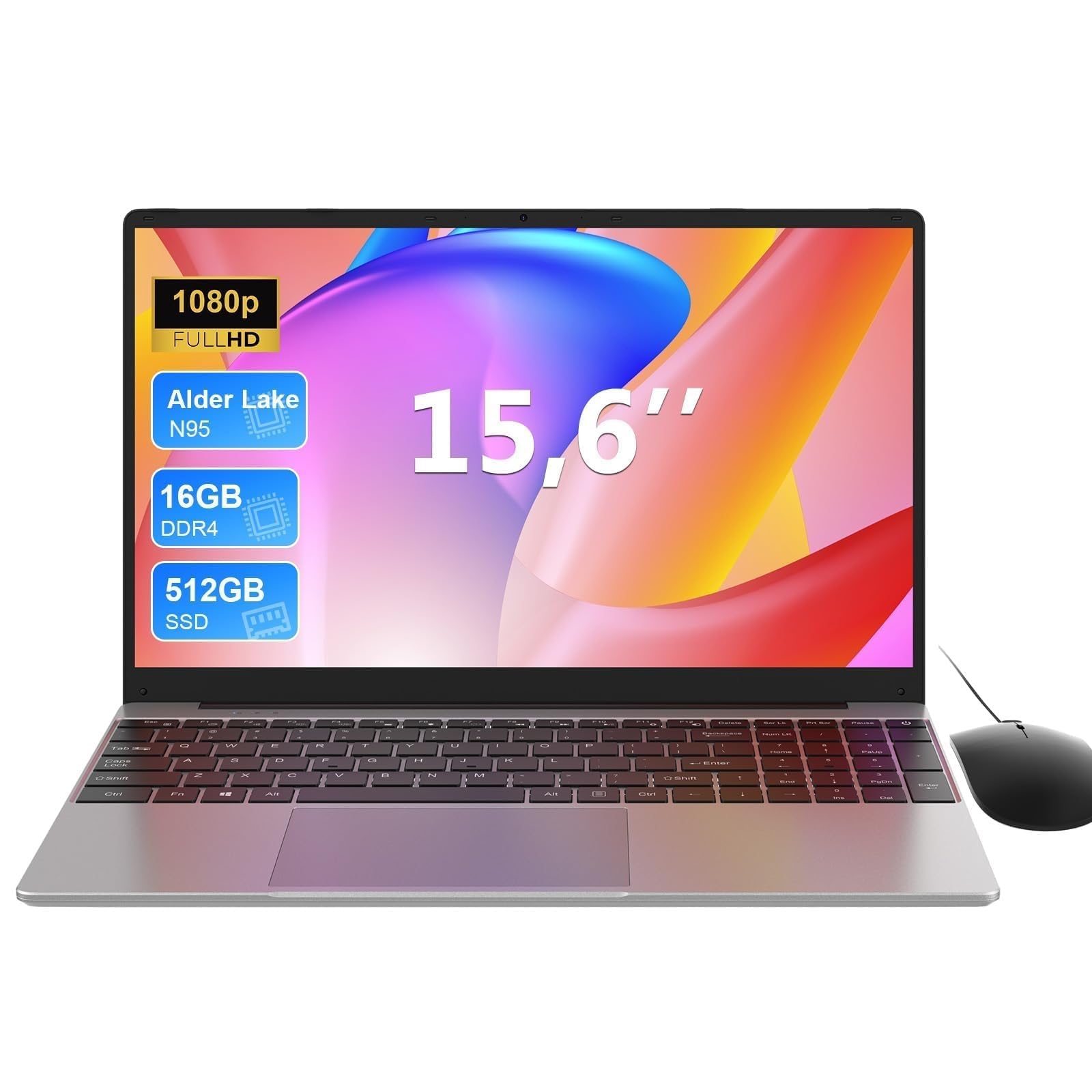 7.0 / 10
MAXLEGEN 15.6 Inch Laptop, Quad Core N95, 16GB RAM 512GB SSD, Notebook with Backlit Full-Size Keyboard, Numeric Keypad, 5G WiFi, Bluetooth/HDMI/USB 3.0, Win11 Notebook for Work Study, Mouse Included
£309.99 · MAXLEGEN
 7.0 / 10
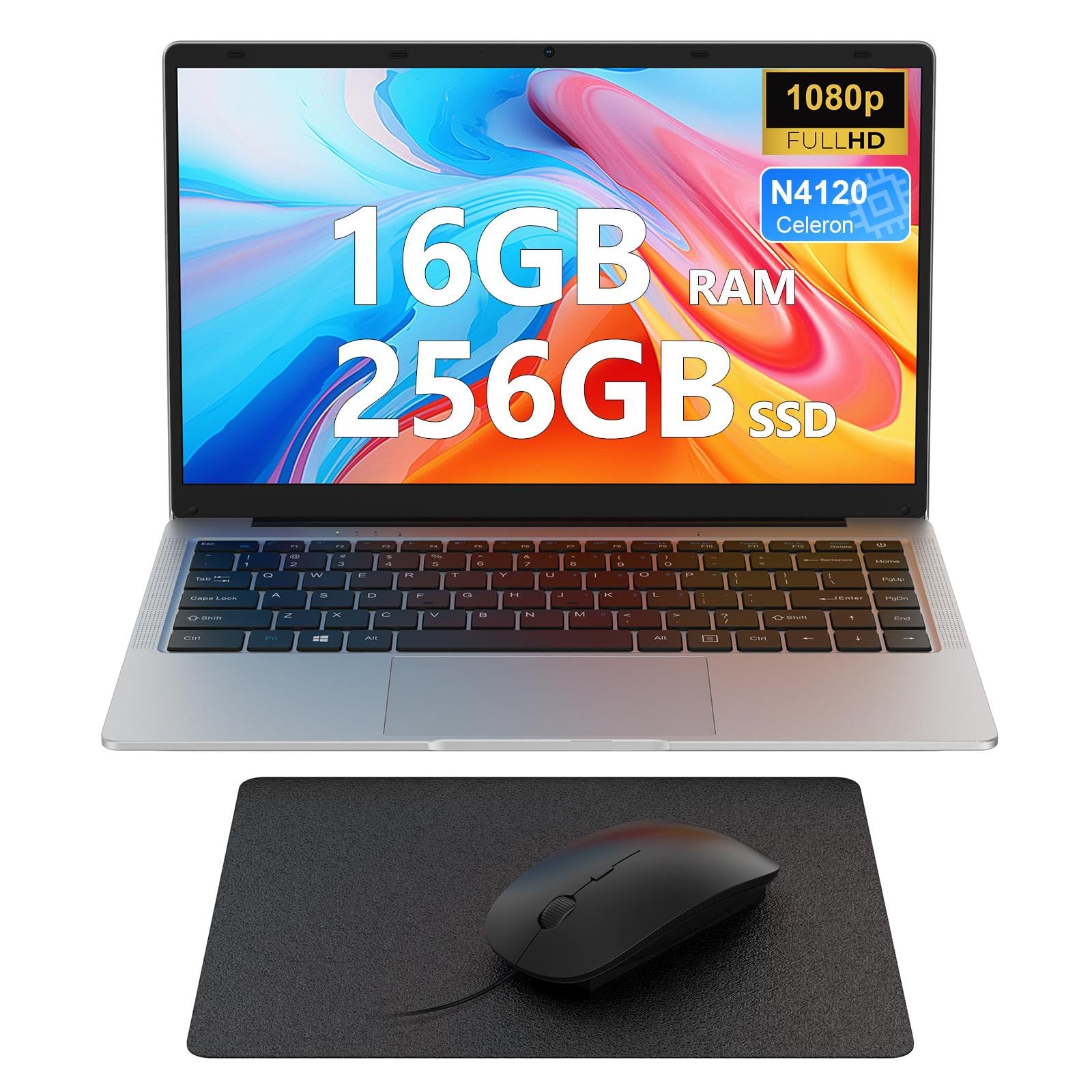
Laptop 14 inch, 16GB DDR4 256GB SSD, Quad-Core N4120, FHD 1920 * 1080 Display, 5GH WIFI, USB 3.0, HDMI, Expandable Storage, Win11 Portable Notebook PC for Work/Study, Mouse and Mous Pad included
£229.99 · MAXLEGEN
Frequently asked
7 questions01Does the LEEDOW N95 laptop come with Windows installed?+
No. The LEEDOW N95 ships with DOS, not Windows. You will need to purchase and install your own operating system. Windows 11 Home is the most common choice, but Linux distributions are also an option if they suit your workflow. Factor in the cost of a Windows licence when budgeting for this machine.
02Is 16GB of RAM enough for everyday use on this laptop?+
Yes, 16GB of LPDDR4 RAM is genuinely strong for everyday tasks at this price. It comfortably handles web browsing with multiple tabs open, document editing, video calls, and light multitasking. It is considerably better than the 8GB that many budget rivals ship with, and it should keep the machine feeling capable as web applications continue to demand more memory over time.
03Can you upgrade the storage on the LEEDOW N95?+
The listing confirms the M.2 SSD storage is expandable up to 1TB, so there is room to upgrade beyond the 512GB that comes as standard. This is a useful option if your storage needs grow over time. Check compatibility before purchasing a replacement or additional drive.
04How long does the battery last on the LEEDOW N95?+
The manufacturer claims up to four hours, which is an honest figure for this category. Light browsing and document work at moderate screen brightness may get you close to four hours. More demanding tasks such as video streaming or running multiple applications will likely reduce that to two to three hours. It is best treated as a desk machine with limited portable use rather than an all-day device.
05Does the LEEDOW N95 support USB-C charging?+
No. The LEEDOW N95 uses a DC power port for charging rather than USB-C. This means you cannot charge it from a USB-C power bank or use a single USB-C cable for both data and power. If you were hoping to simplify your cable setup or use a multi-device charger, this is a limitation before buying.
06What is the fingerprint reader on the LEEDOW N95 like?+
The LEEDOW N95 includes a Touch ID fingerprint reader, which is an uncommon feature at this price point. The hardware is present in the machine, but how well it functions will depend on the operating system and drivers you install, since the laptop ships without Windows. Once a compatible OS is set up, it should provide biometric login as a convenient security option.
07How does the LEEDOW N95 compare to the Acer Aspire 3 or Lenovo IdeaPad 1?+
The LEEDOW N95 holds its own on RAM, offering 16GB against the 8GB that is typical on comparable Acer and Lenovo models. It also includes a Touch ID fingerprint reader that most rivals lack. However, both the Acer Aspire 3 and Lenovo IdeaPad 1 typically come with Windows 11 Home pre-installed, which removes the cost and effort of setting up an OS yourself. The Acer Aspire 3 with a Ryzen 3 7320U also generally offers stronger multi-threaded performance and better integrated graphics. If simplicity from day one matters more than extra RAM, the established brands have a genuine case.