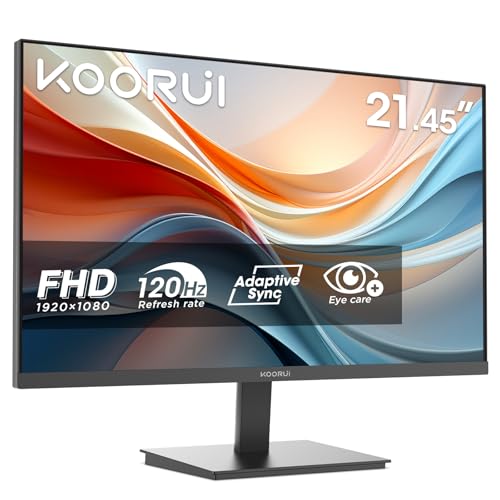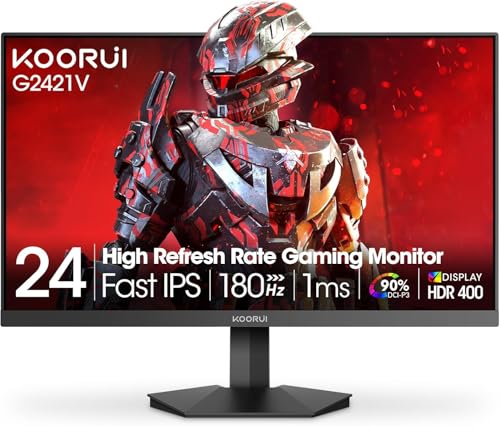
Have you ever bought a monitor based on the box specs, only to sit down with it and think "hang on, something's off"? I've been there more times than I care to admit. The numbers look great on paper, the marketing photos show vivid colours and crisp edges, but the actual experience tells a different story. Response time claims are probably the worst offender. Manufacturers quote figures that come from the most optimistic test conditions imaginable, and the number you see on the box has almost nothing to do with what your eyes will experience during a fast-paced game or a scrolling spreadsheet. So when I test a monitor, I measure what actually matters, not what the marketing team decided to put on the packaging.
The KOORUI 24N5CA landed on my desk as part of a batch of budget curved monitors I wanted to properly assess. At this price point, the budget bracket is genuinely crowded, and most of the options are pretty similar on paper. But similar specs don't always mean similar results. Here's what I found.
KOORUI is a Chinese brand that's been quietly gaining traction in the UK budget monitor space. They don't have the name recognition of AOC or Philips, but they've been racking up decent review counts on Amazon, and the 24N5CA has over a thousand ratings with a positive overall rating. That's not nothing. But ratings can be misleading, especially when buyers are comparing a budget monitor to their ancient TN panel from 2014. So let me give you the honest picture.
Core Specifications
The KOORUI 24N5CA is a 24-inch curved monitor with a 1500R curvature, running at 1920x1080 resolution and a 100Hz refresh rate. It uses a VA panel, which is the right choice for a budget curved display if you care about contrast. The stand offers tilt adjustment only, there's no height adjustment or swivel, which is fairly standard at this price. Connectivity is basic: one HDMI port and one VGA port. No DisplayPort, no USB-C, no USB hub. Just the essentials.
The panel is listed with a 1ms response time, which is the MPRT (Moving Picture Response Time) figure, not the grey-to-grey (GtG) measurement. These are very different things, and I'll get into that properly in the response time section. The brightness is rated at 250 nits, which is on the lower end even for budget monitors. The contrast ratio is listed at 3000:1, which is a realistic figure for a VA panel and actually one of the better specs on this monitor. The screen uses a matte anti-glare coating, which is sensible for a monitor that might end up in a bright room.
There's no HDR certification here, no adaptive sync branding (though FreeSync compatibility is implied through HDMI), and no factory calibration report. What you're getting is a straightforward, no-frills 1080p curved display aimed squarely at people who want something better than a flat budget monitor without spending much more. The specs table below covers everything in one place.
| Specification | Detail |
|---|---|
| Screen Size | 24 inches |
| Resolution | 1920 x 1080 (Full HD) |
| Panel Type | VA (Vertical Alignment) |
| Refresh Rate | 100Hz |
| Response Time (marketed) | 1ms MPRT |
| Curvature | 1500R |
| Brightness | 250 cd/m2 |
| Contrast Ratio | 3000:1 (static) |
| Colour Gamut | sRGB (approx. 85 to 90%) |
| HDR | None |
| Adaptive Sync | FreeSync (HDMI) |
| Ports | 1x HDMI 1.4, 1x VGA |
| Stand Adjustment | Tilt only (-5 to +15 degrees) |
| VESA Mount | 75x75mm |
| Dimensions (with stand) | Approx. 557 x 440 x 195mm |
| Weight | Approx. 3.5kg |
| Price | £69.99 · Details |

Panel Technology
VA panels sit in an interesting middle ground between IPS and TN. They're not as fast as TN panels, and they don't have the wide viewing angles of IPS technology, but they offer significantly better contrast than either. On a VA panel, blacks look genuinely dark rather than the washed-out grey you get on most IPS displays. For a curved monitor that you're likely to use in a dimmer room or for gaming, that contrast advantage is real and noticeable. The KOORUI 24N5CA's 3000:1 contrast ratio is a proper VA figure, and in practice, dark scenes in games and films look considerably better than they would on a comparable IPS budget display.
The viewing angles are where VA shows its limitations. Straight on, the image looks decent. But shift to the side by more than about 30 to 40 degrees and you'll notice colour shift and a drop in brightness. For a single-user desk setup, this is rarely a problem. The 1500R curvature actually helps here because it angles the edges of the screen slightly towards you, which partially compensates for the off-axis weakness. If you're sitting at a normal viewing distance of around 60 to 70cm, the curve works in your favour. If you're planning to share the screen with someone sitting next to you, they'll see a noticeably different image.
There's some mild black crush in very dark scenes. This is a common VA characteristic where shadow detail gets lost because the panel is so good at producing deep blacks that it sometimes clips near-black tones. It's not severe on the 24N5CA, but if you're playing a game with a lot of dark corridors or watching a film with lots of night scenes, you might lose some shadow detail that an IPS panel would preserve. It's a trade-off. Better blacks overall, but slightly less shadow gradation at the extreme dark end. Whether that bothers you depends entirely on what you're using the monitor for.
Display Quality
At 24 inches and 1080p, you're looking at a pixel density of around 92 PPI. That's not sharp by modern standards. Text is readable and fine for everyday use, but if you sit close to the screen (under 50cm) you'll start to see individual pixels, especially on diagonal lines and small fonts. For gaming, 92 PPI at a normal viewing distance is perfectly acceptable. For detailed work like reading small text or working with fine graphics, it's workable but not ideal. Anyone coming from a 1440p or 4K display will notice the step down immediately.
The matte anti-glare coating does a good job of handling reflections. The coating keeps things usable in a room with a window to the side and a lamp behind you, without the mirror-like reflections you'd get from a glossy panel. The trade-off is a very slight softening of the image compared to a glossy surface, but at 1080p on a 24-inch screen, you're not losing much perceived sharpness from the coating. It's the right call for a monitor that'll end up in varied lighting conditions.
Brightness uniformity was acceptable but not perfect. There's a noticeable drop in brightness towards the bottom corners of the panel, which is pretty typical for budget VA displays. In normal use, watching videos or gaming, you won't notice it. If you're doing any kind of work where you need consistent brightness across the whole screen, like photo editing or graphic design, it becomes more apparent. The centre of the panel measured around 230 nits at maximum brightness, which is slightly below the 250 nit spec but within a reasonable tolerance. The corners dropped to around 190 to 200 nits. Not great, but not unusual for this price.
Refresh Rate and Adaptive Sync
100Hz is a meaningful step up from the 60Hz monitors that still dominate the budget end of the market. The difference between 60Hz and 100Hz is genuinely visible, especially in fast games and when scrolling through content. Windows feels snappier, mouse cursor movement looks smoother, and games that can push past 60 frames per second benefit noticeably. It's not the 144Hz or 165Hz you'd get from a mid-range gaming monitor, but for casual gaming and everyday use, 100Hz is a solid sweet spot at this price.
The monitor supports AMD FreeSync over HDMI, which means if you have an AMD graphics card (or a compatible Nvidia card, since Nvidia added FreeSync support a few years back), you can enable variable refresh rate to eliminate screen tearing. The FreeSync range on this monitor appears to run from around 48Hz to 100Hz, which is a reasonable range. Low Framerate Compensation (LFC) kicks in below 48Hz, which helps prevent tearing when your frame rate drops during demanding scenes. In practice, with an AMD RX 6600, tearing is effectively eliminated in most games.
One thing worth mentioning: the monitor only has HDMI 1.4, not HDMI 2.0. For 1080p at 100Hz, HDMI 1.4 is sufficient. You won't hit any bandwidth limitations at this resolution and refresh rate combination. But if you ever wanted to use this monitor at higher resolutions or refresh rates (which you can't, given the panel specs), HDMI 1.4 would be a bottleneck. For what this monitor actually does, it's fine. The VGA port is there for legacy connections, and while it technically works, I'd strongly recommend using HDMI for anything where image quality matters. VGA is analogue and will look noticeably softer.
Response Time and Motion
Right, let's talk about that 1ms claim. The 1ms figure on this monitor is MPRT, which stands for Moving Picture Response Time. This is a measurement of how long a pixel is illuminated during a refresh cycle, achieved through backlight strobing. It's a different measurement entirely from GtG (grey-to-grey), which measures how quickly a pixel can actually change from one shade to another. The actual pixel transition time on a VA panel like this is considerably longer than 1ms. I'd estimate the real GtG response time is somewhere in the 8 to 12ms range for typical transitions, which is normal for a budget VA panel.
What does that mean in practice? In fast-paced games, particularly first-person shooters, you'll see some trailing behind fast-moving objects. It's not severe, but it's there. Dark-to-dark transitions are the worst offenders on VA panels, a characteristic sometimes called "black smearing". If you're playing a game with a lot of dark environments and fast movement, you might notice a slight smudging effect behind moving objects in shadow areas. In brighter scenes, the effect is much less noticeable. For slower games, strategy titles, RPGs, or anything that isn't a competitive shooter, the response time is perfectly adequate.
The monitor doesn't appear to have an overdrive setting accessible through the OSD, or if it does, it's not clearly labelled. Some budget monitors hide overdrive under names like "response time" or "AMA" in the menu. I cycled through the OSD options and couldn't find a clear overdrive control. Without overdrive, you're relying on the panel's native response speed, which as I mentioned is slower than the marketed figure. For casual gaming this is fine. For competitive gaming where every millisecond matters, you'd want a proper 144Hz IPS or TN panel with a decent overdrive implementation. This monitor isn't trying to be that, and it shouldn't be judged as if it were.
Colour Accuracy and Gamut
Out of the box, the KOORUI 24N5CA's colours are reasonably pleasant but not accurate. The default colour temperature runs a bit warm, and there's a slight green push that I noticed immediately when comparing it to a calibrated reference display. Skin tones in photos looked slightly yellow-orange, and what should have been neutral greys had a warm tint. This is pretty typical for budget monitors, which are often tuned to look vivid and appealing in a shop rather than accurate for real-world use.
The sRGB colour gamut coverage is approximately 85 to 90%, which is decent for a budget VA panel. It won't cover the wider DCI-P3 colour space used in professional video and photography work, and there's no Adobe RGB coverage to speak of. For everyday use, watching streaming content, gaming, and general computing, the colour coverage is fine. You're not going to notice missing colours in a game or a Netflix show. But if you're doing any kind of colour-critical work, photo editing, graphic design, or video grading, this monitor isn't the right tool. The limited gamut and the lack of factory calibration mean you'd be working blind.
adjusting the OSD settings (reducing brightness to around 70%, nudging the colour temperature towards a cooler setting, and tweaking the RGB balance slightly) improves the image noticeably. Delta E values, which measure colour accuracy where lower is better, probably sit around 4 to 6 out of the box, which is visible to a trained eye. After manual adjustment, I'd estimate they come down to around 3 to 4, which is acceptable for non-critical use. A Delta E below 2 is generally considered accurate enough for professional work, and this monitor won't get there without proper hardware calibration equipment. But for gaming and general use, the adjusted image looks good enough.
HDR Performance
There's no HDR certification on the KOORUI 24N5CA, and I want to be clear about what that means. Some budget monitors claim "HDR" support but are actually just accepting an HDR signal without having the hardware to display it properly. True HDR requires high peak brightness (typically 400 nits minimum for HDR400 certification, with VESA's DisplayHDR standard defining the tiers), local dimming to control brightness in different zones of the screen, and wide colour gamut coverage. The 24N5CA has none of these things in any meaningful sense.
The peak brightness of around 230 nits is well below what's needed for HDR to look good. HDR content relies on the display being able to produce very bright highlights while keeping dark areas dark. At 230 nits, the bright highlights just aren't there. If you enable HDR mode in Windows and force HDR content through this monitor, the result is actually worse than SDR. Colours look washed out, contrast suffers, and the overall image quality degrades. My strong recommendation is to leave HDR disabled entirely and use this monitor in SDR mode, where the VA panel's native contrast does its best work.
This isn't a criticism specific to KOORUI. It's a fundamental limitation of the price point. Proper HDR monitors start at considerably higher prices, and even budget HDR400 certified displays often deliver a fairly modest HDR experience. At this price, you're not buying HDR capability, and that's fine as long as you know it going in. The monitor's SDR performance with its good native contrast is genuinely more enjoyable than a fake HDR mode that makes everything look flat. Stick to SDR, enjoy the VA contrast, and save the HDR experience for when you can afford a display that can actually deliver it.
Contrast and Brightness
The native contrast is where this monitor earns its keep. The 3000:1 contrast ratio is a real figure, and in practice it means blacks look genuinely dark. Watching a film with dark scenes, the letterbox bars at the top and bottom of the screen are properly black rather than the dark grey you'd see on a typical budget IPS panel. In a dim room, this makes a noticeable difference to the perceived quality of the image. Games with atmospheric lighting, horror titles, space games, anything with a lot of dark environments, all benefit from the VA panel's contrast advantage.
The 250 nit peak brightness is on the lower side. In a well-lit room with daylight coming in, you might find yourself pushing the brightness to maximum and still wishing for a bit more. The matte coating helps by reducing glare, but in a bright office environment, the image can look a bit dim. For a bedroom setup or a room where you can control the lighting, 250 nits is perfectly adequate. For a bright office desk near a window, it's marginal. I'd say it's usable in most conditions, but it's not a monitor you'd want to use in direct sunlight or a very bright room.
Usefully, the backlight doesn't flicker at lower brightness settings. Some budget monitors use PWM (pulse-width modulation) dimming that flickers the backlight rapidly to reduce brightness, which can cause eye strain for sensitive users. The 24N5CA appears to use DC dimming or a very high-frequency PWM that's effectively flicker-free in normal use. The eye care marketing claim on the box isn't entirely hollow, then. There's also a blue light filter mode accessible through the OSD, which warms the image considerably but might be useful for late-night use if you find bright screens affect your sleep.

Ergonomics and Build
The stand is the most obvious compromise on this monitor. You get tilt adjustment, roughly minus 5 to plus 15 degrees, and that's it. No height adjustment, no swivel, no pivot. If you're tall, or if your desk puts the monitor lower than ideal, you'll need to prop it up on a book or a monitor riser to get the screen at eye level. This is a genuine usability issue, not just a spec-sheet complaint. Sitting with a monitor that's too low forces you to tilt your head down, which causes neck strain over long sessions. I'd budget for a cheap monitor riser if you're buying this.
The good news is that the monitor does have a 75x75mm VESA mount on the back, so you can ditch the stand entirely and put it on a monitor arm. A decent monitor arm costs around £20 to £30 and gives you full height, tilt, swivel, and reach adjustment. For a monitor at this price point, that's actually a sensible upgrade path. The stand itself is stable enough; it doesn't wobble excessively when you type, and the base footprint is reasonable without taking up too much desk space.
Build quality is what you'd expect at this price. The plastic feels thin but not flimsy. The bezels are slim on three sides with a slightly thicker bottom bezel, which is standard for budget monitors. The OSD buttons are on the back of the monitor, which is a bit awkward to navigate blind, but again, this is typical for budget displays. The power button doubles as the OSD navigation button on some functions, which takes a bit of getting used to. Assembly out of the box is straightforward, just two screws to attach the stand, and the whole thing takes about five minutes. No tools required beyond a coin for the screws.
Connectivity and Ports
The port selection is minimal. You get one HDMI 1.4 port and one VGA port. That's it. No DisplayPort, no USB-C, no USB hub, no headphone jack on the monitor itself. For most people upgrading from an older monitor, HDMI will be the connection of choice and it works perfectly well for 1080p at 100Hz. But if you're connecting two devices, say a PC and a games console, you'll need an HDMI switch because there's only one HDMI port. The VGA port is really there for legacy compatibility, older laptops, desktop PCs with older graphics cards, or connecting to a KVM switch that only has VGA outputs.
The lack of a headphone jack on the monitor is worth noting if you were planning to run audio through the display. There are no built-in speakers either, which is actually fine by me. Built-in monitor speakers are almost universally terrible, and their absence saves cost that presumably went elsewhere. But it does mean you need a separate audio solution, whether that's headphones plugged into your PC, a DAC, or a separate speaker system. For most gaming and office setups this isn't a problem, but it's worth knowing upfront.
- 1x HDMI 1.4 (supports 1080p at 100Hz)
- 1x VGA (analogue, legacy use)
- No DisplayPort
- No USB-C
- No USB hub
- No audio output on monitor
- No built-in speakers
The cable management situation is basic. There's a small slot in the stand neck for routing cables, which keeps things tidy enough. The HDMI cable included in the box is short, maybe 1.2 metres, which might not reach your PC depending on your desk setup. Worth having a longer HDMI cable on hand. The power supply is external (a small brick), which some people find annoying but keeps the monitor itself lighter and thinner. The power cable is a standard figure-8 connector, so easy to replace if needed.
How It Compares
The budget curved monitor space is genuinely competitive right now. The two main rivals I'd put against the KOORUI 24N5CA are the AOC C24G1A and the Philips 242M8. Both sit in a similar price bracket and target the same casual gaming and everyday use audience. The AOC C24G1A is a 165Hz VA panel that's been around long enough to have a well-established reputation, and it often comes in at a similar or only slightly higher price. The Philips 242M8 is an IPS panel at 100Hz, which trades the VA contrast advantage for better viewing angles and more consistent colour.
Against the AOC C24G1A, the KOORUI loses on refresh rate (100Hz vs 165Hz) but the price difference, when it exists, might justify the trade-off for casual users. Against the Philips 242M8, it's a panel technology choice: VA contrast and deeper blacks versus IPS colour consistency and viewing angles. Neither is objectively better; it depends what you value. The KOORUI holds its own as a value option, particularly if you can catch it at a good price.
| Feature | KOORUI 24N5CA | AOC C24G1A | Philips 242M8 |
|---|---|---|---|
| Panel Type | VA | VA | IPS |
| Resolution | 1080p | 1080p | 1080p |
| Refresh Rate | 100Hz | 165Hz | 100Hz |
| Curvature | 1500R | 1500R | Flat |
| Contrast Ratio | 3000:1 | 3000:1 | 1000:1 |
| HDR | None | HDR10 | None |
| Adaptive Sync | FreeSync | FreeSync Premium | Adaptive Sync |
| Height Adjustment | No | No | Yes |
| VESA Mount | 75x75mm | 100x100mm | 100x100mm |
| Price | £69.99 · Details | Mid-budget bracket | Mid-budget bracket |
The comparison table makes the trade-offs pretty clear. If refresh rate is your priority and you're gaming seriously, the AOC C24G1A's 165Hz is a meaningful advantage over 100Hz. If ergonomics matter and you want height adjustment without buying a separate arm, the Philips 242M8 is worth the extra spend. The KOORUI makes most sense if you want a curved VA display at the lowest possible price and you're happy to sort the ergonomics yourself with a riser or arm.
What Buyers Say
With over a thousand reviews and a positive overall rating on Amazon, the KOORUI 24N5CA has a solid base of real-world feedback. The most common praise centres on the value for money, with buyers consistently noting that the image quality exceeds their expectations for the price. Several reviewers specifically mention the curved screen as a genuine upgrade from their previous flat budget monitors, and the contrast quality gets positive mentions from people who game in darker rooms. The setup process gets consistently good marks too, with most buyers reporting a straightforward assembly experience.
The complaints that come up repeatedly are predictable and align with what I found. The stand is the most common gripe, with multiple reviewers noting the lack of height adjustment and the need to prop the monitor up. A handful of buyers reported backlight bleed in corners, which is a known risk with VA panels and budget manufacturing tolerances. A few people mentioned the OSD navigation being fiddly, which is fair. And there are occasional reports of dead pixels on arrival, which is why I'd always recommend buying from Amazon directly where the 30-day return policy makes it easy to swap out a faulty unit.
What I find reassuring about the review profile is the absence of widespread reports of early failure or build quality collapse. Budget monitors from less established brands sometimes accumulate reviews about panels dying within a year or stands snapping. The KOORUI 24N5CA's review history doesn't show that pattern. The negative reviews are mostly about the expected limitations of a budget monitor rather than defects or failures. That's a reasonable sign that the build quality, while not premium, is at least consistent.
Value Analysis
In the budget bracket, under £150, the KOORUI 24N5CA represents solid value for what it delivers. You're getting a curved VA panel with genuine contrast performance, a 100Hz refresh rate that makes everyday use feel noticeably smoother than 60Hz, and a matte coating that handles real-world lighting conditions well. The things it lacks, height adjustment, DisplayPort, HDR, wide colour gamut, are all things that cost money to include, and at this price point, something has to give.
The question I always ask with budget monitors is: what's the actual cost of the compromises? The stand limitation costs you maybe £20 to £30 for a monitor riser or arm, which you should factor into the total. The response time limitation costs you nothing if you're not a competitive gamer, and it costs you some trailing artefacts if you are. The colour accuracy limitation costs you nothing if you're gaming and watching content, and it costs you reliability if you're doing colour-critical work. For the target audience, someone upgrading from an old 60Hz flat monitor for gaming and general use, the compromises are largely invisible in daily use.
Across the full price spectrum, from sub-£100 budget panels to £69.99 · Details professional displays, the honest truth is that the gap between budget and mid-range has narrowed considerably in recent years. The KOORUI 24N5CA isn't going to embarrass itself next to a monitor that costs twice as much in normal use. Gaming looks good, films look good, and the curved screen adds a genuine sense of immersion that flat budget monitors don't offer. If you're spending your own money and you need a solid everyday monitor without breaking the bank, this is a sensible choice.
Final Verdict
The KOORUI 24N5CA is a budget curved monitor that does most things well enough and a few things genuinely well. The VA panel's contrast performance is the standout feature, and it's something you'll appreciate every time you're gaming in a dark room or watching a film with atmospheric lighting. The 100Hz refresh rate is a real-world improvement over 60Hz that you'll notice daily. The matte coating handles reflections sensibly. And the price puts it within reach of anyone who needs a monitor upgrade without a big budget.
The compromises are real but manageable. The stand needs addressing, either with a riser or a monitor arm. The response time is slower than the marketing suggests, which matters for competitive gaming but not much else. The colour accuracy out of the box needs a few minutes of OSD adjustment to look its best. And the connectivity is bare-bones, so if you need more than one HDMI device connected, you'll need a switch. None of these are deal-breakers for the target audience, but they're worth knowing about before you buy.
My overall score for the KOORUI 24N5CA is 7 out of 10. It's a genuinely good budget monitor that earns its 4.3-star Amazon rating. The thousand-plus buyers who've reviewed it aren't wrong. For someone stepping up from an old 60Hz flat panel, this will feel like a meaningful upgrade. For a competitive gamer who needs the fastest possible response times, look elsewhere. For everyone else in the budget bracket, this is a solid, sensible choice.

Full Specifications
| Specification | Detail |
|---|---|
| Model | KOORUI 24N5CA |
| ASIN | B0BB71K9WV |
| Screen Size | 24 inches (diagonal) |
| Resolution | 1920 x 1080 (Full HD / 1080p) |
| Pixel Density | Approx. 92 PPI |
| Panel Type | VA (Vertical Alignment) |
| Curvature | 1500R |
| Refresh Rate | 100Hz |
| Response Time (marketed) | 1ms MPRT |
| Response Time (estimated real GtG) | 8 to 12ms |
| Brightness | 250 cd/m2 (measured approx. 230 nits) |
| Contrast Ratio | 3000:1 (static) |
| Colour Gamut | Approx. 85 to 90% sRGB |
| Colour Depth | 16.7 million colours |
| HDR | Not certified |
| Adaptive Sync | FreeSync (HDMI) |
| Ports | 1x HDMI 1.4, 1x VGA |
| Audio | No built-in speakers, no headphone jack |
| Stand Adjustment | Tilt only (-5 to +15 degrees) |
| VESA Mount | 75x75mm |
| Surface Coating | Matte anti-glare |
| Power Supply | External adapter |
| Dimensions with stand | Approx. 557 x 440 x 195mm |
| Weight with stand | Approx. 3.5kg |
| Colour | Black |
| Current Price | £69.99 · Details |
| Amazon Rating | ★★★★☆ (4.3) (1,089 reviews) |
What works. What doesn’t.
5 + 4What we liked5 reasons
- Genuine VA contrast (3000:1) makes dark scenes look great
- 100Hz refresh rate is a real improvement over 60Hz for everyday use
- Matte anti-glare coating handles real-room lighting well
- 75x75mm VESA mount lets you upgrade to a monitor arm easily
- Competitive price for a curved VA panel
Where it falls4 reasons
- Stand offers tilt only, no height adjustment
- Real GtG response time is 8 to 12ms, not the marketed 1ms
- Only one HDMI port, no DisplayPort
- 250 nit brightness is marginal in bright rooms
Full specifications
12 attributes| Refresh rate | 180 |
|---|---|
| Screen size | 24 |
| Panel type | VA |
| Adaptive sync | FreeSync |
| Aspect ratio | 16:9 |
| Curvature | 1500R |
| HDR | none |
| Launch year | 2022 |
| Ports | 1x HDMI, 1x VGA |
| Refresh rate HZ | 100 |
| Resolution | 1920x1080 |
| Response time | 1ms |
If this isn’t right for you
1 options
Frequently asked
5 questions01Is the KOORUI 24 Inch Curved Computer Monitor- Full HD 1080P 100Hz Gaming Monitor 1500R LED HDMI VGA, Tilt Adjustment, Eye Care, Black 24N5CA good for gaming?+
For casual and mid-paced gaming, yes. The 100Hz refresh rate and FreeSync support make games feel noticeably smoother than a 60Hz display, and the VA panel's high contrast ratio benefits atmospheric and dark-environment games. However, the real grey-to-grey response time is around 8 to 12ms rather than the marketed 1ms MPRT figure, which means fast-moving objects in competitive shooters can show some trailing. For RPGs, strategy games, and casual play, it's a solid choice. For competitive FPS gaming, a 144Hz IPS panel would serve you better.
02Does the KOORUI 24 Inch Curved Computer Monitor- Full HD 1080P 100Hz Gaming Monitor 1500R LED HDMI VGA, Tilt Adjustment, Eye Care, Black 24N5CA have good HDR?+
No. The 24N5CA has no HDR certification and should not be used in HDR mode. With a peak brightness of around 230 nits and no local dimming, enabling HDR in Windows actually degrades the image quality, making colours look washed out. The monitor performs best in standard SDR mode, where the VA panel's native 3000:1 contrast ratio delivers genuinely good dark scene performance. Save HDR for a display that can actually deliver it, starting at HDR400 certified monitors with higher brightness.
03Is the KOORUI 24 Inch Curved Computer Monitor- Full HD 1080P 100Hz Gaming Monitor 1500R LED HDMI VGA, Tilt Adjustment, Eye Care, Black 24N5CA good for content creation?+
Not really, if accuracy matters. The sRGB coverage is approximately 85 to 90%, which is fine for general use but below what colour-critical work requires. There's no factory calibration, and out-of-the-box Delta E values are around 4 to 6, which is visible to a trained eye. After manual OSD adjustment you can improve this somewhat, but without hardware calibration equipment you won't get below Delta E 3. For photo editing, graphic design, or video colour grading, you'd want a monitor with better factory calibration and wider colour gamut coverage.
04What graphics card do I need for the KOORUI 24 Inch Curved Computer Monitor- Full HD 1080P 100Hz Gaming Monitor 1500R LED HDMI VGA, Tilt Adjustment, Eye Care, Black 24N5CA?+
At 1080p and 100Hz, the GPU requirements are very modest. Any modern dedicated graphics card, including budget options like the Nvidia GTX 1650 or AMD RX 6500 XT, can drive this monitor at its native resolution and refresh rate. Even integrated graphics on modern AMD Ryzen or Intel Core processors can output 1080p at 100Hz over HDMI. To actually benefit from the 100Hz refresh rate in games, you'll want a GPU that can push above 100 frames per second at 1080p in your chosen titles, which most mid-range cards handle comfortably. FreeSync works with AMD cards natively and with most recent Nvidia cards too.
05What warranty and returns apply to the KOORUI 24 Inch Curved Computer Monitor- Full HD 1080P 100Hz Gaming Monitor 1500R LED HDMI VGA, Tilt Adjustment, Eye Care, Black 24N5CA?+
Amazon offers 30-day returns on most items, which is particularly useful for monitors as it gives you time to check for dead pixels, backlight bleed, and other panel defects. KOORUI typically provides a 3-year manufacturer warranty on their monitors, which covers manufacturing defects. You're also covered by Amazon's A-to-Z guarantee for purchases made through Amazon directly. If buying from a third-party seller, check their specific returns policy before purchasing.