
VR-LAPTOP Decision guide
Best Laptops for Business Students Under £400 (UK 2026)
Choosing a laptop for a business degree on a tight budget? We cut through the noise and point you to three solid options under £400 worth your money.
 Top pick: Microsoft 2019 Microsoft Surface Laptop 3 with Intel Core i5-1035G7 (13.5-inch, 8GB RAM, 256GB SSD) (QWERTY English) Black (Renewed)
You've got a 9am finance lecture, a group presentation due Thursday, and a part-time job eating your evenings. The last thing you need is a laptop that takes three minutes to open Excel or dies halfway through a library session. Under £400 is a perfectly workable budget for a business degree, but there's a real spread of quality in this range and picking the wrong one means living with it for three or four years.
What actually matters
Battery life
Straight up, this is the number one priority. Business students move around constantly, from lectures to the library to the coffee shop, and hunting for a plug socket every few hours is proper faff. Aim for a laptop that genuinely delivers seven or eight hours of mixed use, not the manufacturer's optimistic figure. Anything under six hours real-world is going to cause you grief.
RAM
8GB is the floor. You'll regularly have Teams open alongside a browser with multiple tabs, a spreadsheet, and a presentation, and 4GB machines will slow to a crawl doing exactly that. 16GB is a bonus but not essential for standard business coursework. Don't compromise here for the sake of a nicer screen or a slimmer chassis.
Keyboard and trackpad
You'll type thousands of words of essays, reports, and emails on this thing. A mushy keyboard or a twitchy trackpad will grind you down faster than you'd expect. If you can, try before you buy. If you're ordering online, check reviews specifically for typing feel, not just specs.
Display
A 1080p screen is spot on for this budget. You don't need anything fancy, but a dim or washed-out panel makes long study sessions genuinely unpleasant. Full HD at reasonable brightness is all you're after.
What you can ignore
Dedicated graphics. Business software doesn't need a GPU. Any laptop pushing a discrete graphics card at this price has made compromises elsewhere to fit it in, usually battery life or build quality. Skip it.
Touchscreens. They sound appealing but add cost, reduce battery life, and most business students rarely use them after the first week. Save the money.
More than 256GB storage. OneDrive, Google Drive, and your university's own cloud storage mean local space matters less than it used to. A fast 256GB SSD beats a slow 512GB one every time.
Brand prestige. A well-specced Acer or HP will serve you better than a mid-range model from a flashier brand at the same price. The name on the lid doesn't submit your assignments.
Three worth considering
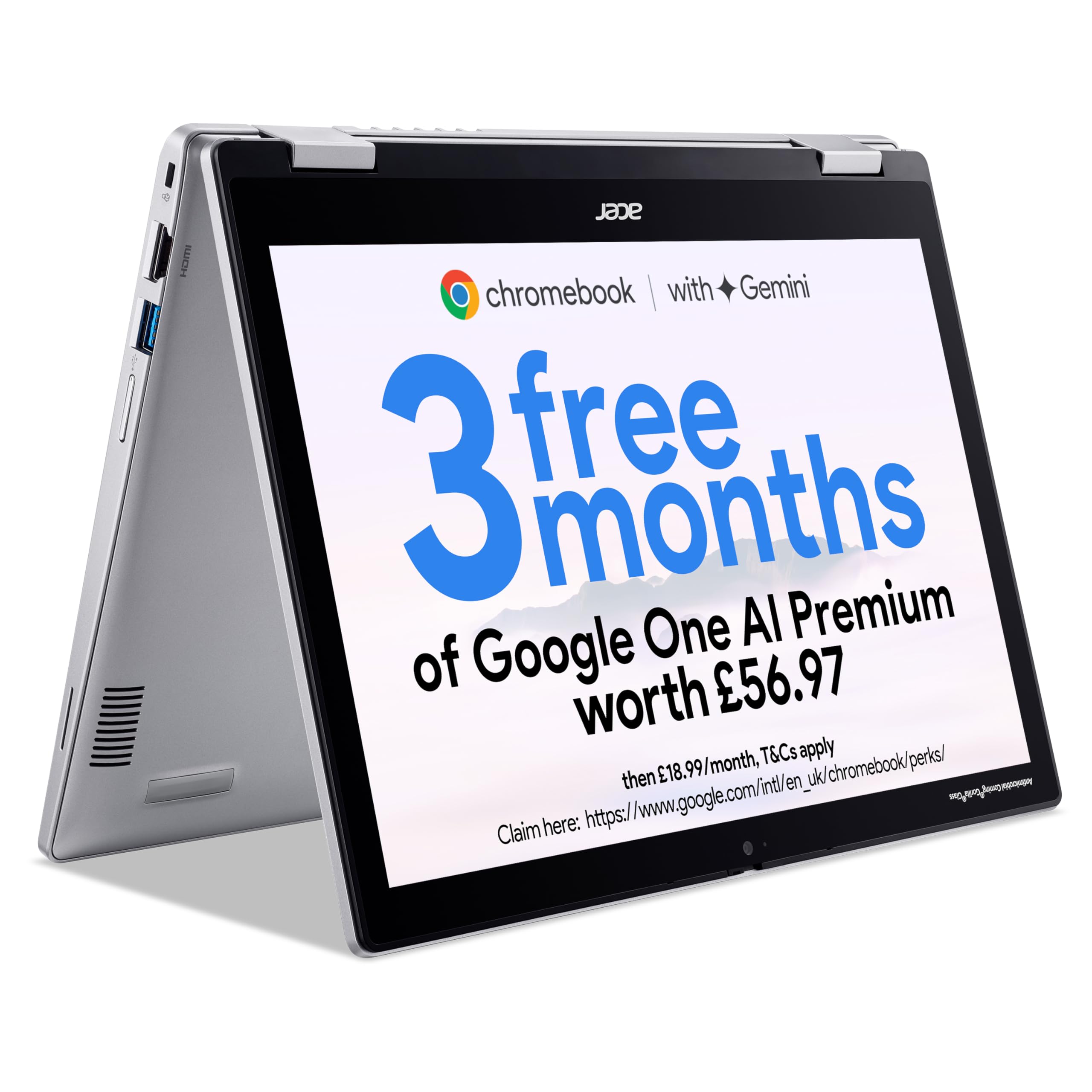
If your course relies heavily on Google Workspace or your university runs everything through a browser, the Acer Chromebook Spin 312 is a no-brainer. It's light, the battery is genuinely excellent, and the 2-in-1 form factor is handy for note-taking. The honest trade-off is ChromeOS: if your course requires Windows-only software like SPSS or specific accounting packages, this one isn't for you. But for students whose workflow lives in a browser and Google Docs, it does the job brilliantly and leaves money in your pocket.
The Microsoft Surface Laptop 3 at this budget is almost always a refurbished unit, and that's fine. The build quality is genuinely premium, the keyboard is one of the best you'll find at any price, and the display is sharp enough to make long essay sessions less of a strain. It's the pick for students who want something that feels proper rather than budget, and who'll be doing a lot of typing. Battery life is decent rather than class-leading, which is worth knowing upfront.
For students who want a new Windows laptop with solid everyday performance and no fuss, the HP Ryzen 3 Laptop is worth a serious look. The AMD Ryzen 3 chip handles business workloads without drama, and HP's build quality at this price point is reliable. It's not the most exciting machine on the list, but that's rather the point. The trade-off is that it's a straightforward workhorse rather than a head-turner, which for most business students is exactly what's needed.
ChromeOS vs Windows: the real decision
This is the fork in the road at this budget. ChromeOS laptops tend to offer better battery life and lower prices for the same hardware, but you're betting that your entire degree can run in a browser. For many business courses in 2026, that bet pays off. Windows gives you flexibility and compatibility with any software your university throws at you. The honest advice: check your course handbook, email your department if you're unsure, and only go ChromeOS if you're confident your required software runs on it. When in doubt, Windows is the safer call.
Before you buy: a checklist
- Check your university's recommended software list and confirm it runs on your chosen operating system.
- Verify RAM is 8GB minimum. Filter out anything lower before you even look at the rest of the spec.
- If buying refurbished, confirm the seller offers at least a 12-month warranty and check the stated battery health.
- Look up real-world battery life reviews, not manufacturer claims. A two-hour gap between the two is common.
- Check the return policy. If the keyboard or trackpad feels wrong when it arrives, you want to be able to send it back without a fight.
Three worth your money
Each link adds the product to your Amazon basket so you can compare them side-by-side at checkout.
Microsoft
2019 Microsoft Surface Laptop 3 with Intel Core i5-1035G7 (13.5-inch, 8GB RAM, 256GB SSD) (QWERTY English) Black (Renewed)
acer
Acer Chromebook Spin 312 CP312-1H Convertible Laptop - Intel N100, 4GB, 128GB eMMC, Integrated Graphics, 12.2" WUXGA Touchscreen, Chrome OS, Silver

Fusion5
Fusion5 14.1" A90B+ Pro 128GB Windows 11 Laptop - 4GB RAM, 128GB Storage, Full HD IPS, Bluetooth, Dual Band WIFI Laptop, USB 3.0, Expandable Storage
We're an Amazon Associate. If you click a product link and buy something, we earn a small commission at no extra cost to you. We only recommend products we'd use ourselves.
Top pick2019 Microsoft Surface Laptop 3 with Intel Core i5-1035G7 (13.5-inch, 8GB RAM, 256GB SSD) (QWERTY English) Black (Renewed)£209.99Add to cart →