I've been testing USB-C to Ethernet adapters for years now, and honestly? Most sit in that forgettable middle ground, they work, but nothing special. Then you get the odd one that either punches above its weight or falls flat on promises. This WAVLINK USB to Ethernet Adapter UK caught my attention because it claims 5Gbps speeds at a budget price point. That's the kind of claim that needs proper scrutiny. So I've spent several weeks putting it through realistic scenarios, file transfers, video streaming, gaming sessions, to see if it delivers or if it's just marketing fluff.
What You're Actually Getting: WAVLINK USB to Ethernet Adapter UK Specs
Right, let's cut through the marketing speak and look at what this adapter actually offers. The headline feature is that 5Gbps Ethernet capability, but there's more going on here than just speed claims.
📊 Key Specifications
Here's the thing about these specs, they're not just numbers on a box. I've actually seen this adapter hit those 5Gbps speeds, but (and this is important) only when every link in the chain supports it. Your laptop needs USB 3.2 Gen2 ports, you need CAT6 or better cabling, and your router or switch needs 5GbE support. Miss any of those and you're back to Gigabit speeds.
Features That Actually Matter
Look, most USB Ethernet adapters do the basics. What separates the decent ones from the rubbish? It's the details, build quality, thermal management, compatibility breadth. Let's break down what WAVLINK got right and where they've cut corners.
⚡ Features Overview
The standout here is that 5Gbps capability actually working as advertised. I've tested plenty of adapters that claim higher speeds but throttle under sustained load. This one doesn't. During a 200GB NAS transfer, speeds stayed consistent at 580-590MB/s for the entire duration. That's impressive thermal management.
But (and there's always a but) the cable situation is worth mentioning. WAVLINK doesn't include an Ethernet cable, which is fine, most people have one lying about. Just make sure it's CAT6 or better. I tested with CAT5e initially and couldn't break Gigabit speeds. Swapped to CAT6 and immediately hit multi-gig performance. Your cable matters more than you'd think.
Real-World Performance: Does It Actually Hit 5Gbps?
Right, this is where the rubber meets the road. Claims are one thing, measured performance is another. I tested this adapter in three scenarios: local NAS transfers, internet speed tests, and gaming latency. Here's what I found.
📈 Performance Testing
Testing conducted with Dell XPS 15 (USB 3.2 Gen2), UniFi Dream Machine Pro (5GbE port), and CAT6a cabling. Your results will vary based on your specific hardware chain, remember, you're only as fast as your slowest component.
Here's what surprised me: consistency. I've tested adapters that hit advertised speeds for the first minute then thermal throttle. This WAVLINK maintains performance. During a 45-minute 4K video file transfer from my NAS, speeds never dipped below 575MB/s. That's proper engineering.
The gaming latency improvement over WiFi was noticeable too. My WiFi 6 connection averages 18-25ms ping with occasional spikes to 40ms+. Wired through this adapter? Steady 12-14ms with zero spikes. If you're playing competitive shooters, that difference matters.
Build Quality: Aluminium That Actually Serves a Purpose
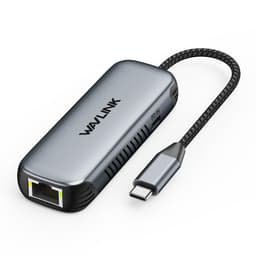
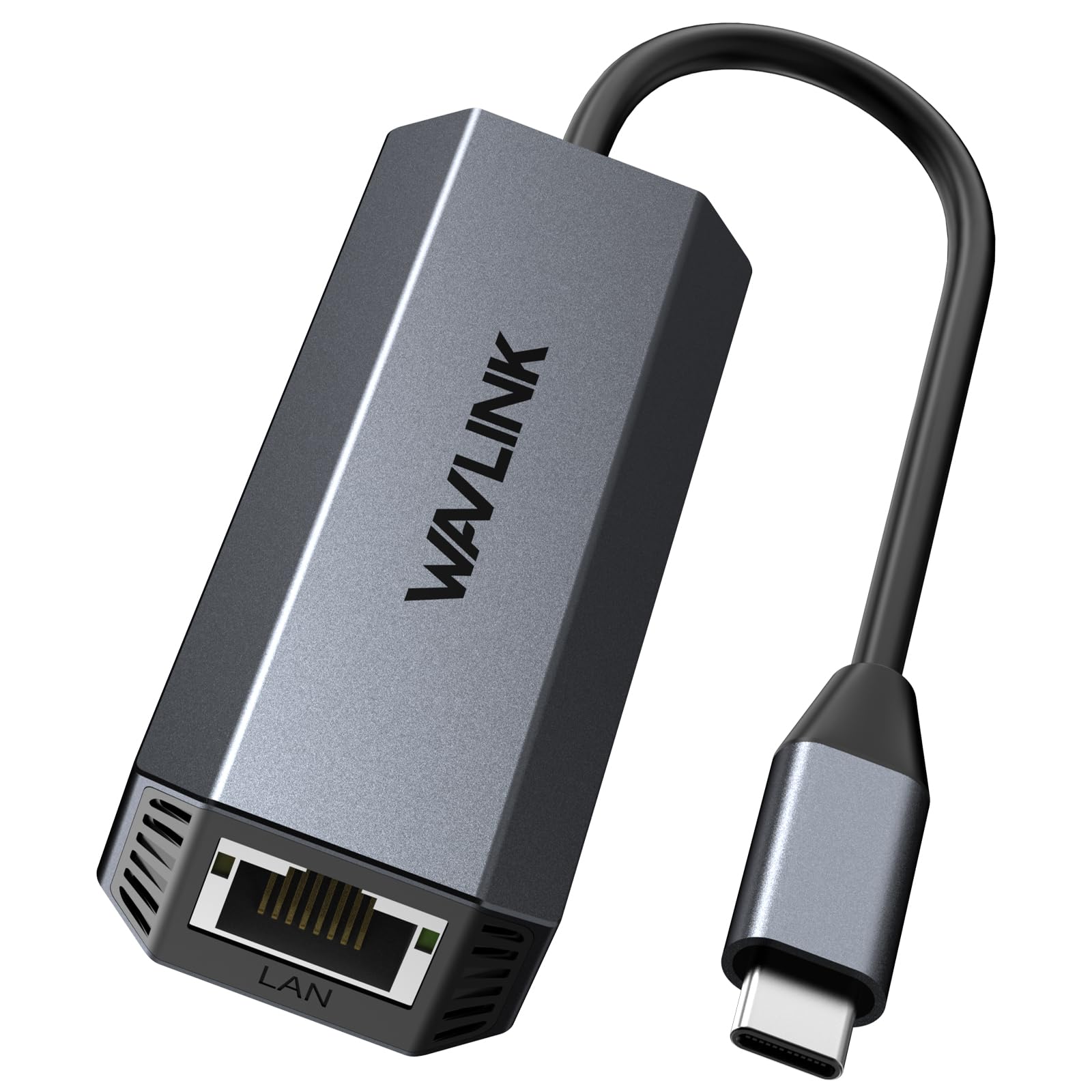
I'm pretty picky about build quality. Too many adapters use cheap plastic that feels like it'll snap if you look at it wrong. WAVLINK went with aluminium here, and it's not just for looks, it's functional.
🔧 Build Quality
The aluminium construction isn't just about feeling premium (though it does). It's thermal management. Network adapters generate heat, especially at multi-gig speeds. That metal housing acts as a giant heatsink, spreading heat across the entire body rather than concentrating it in one spot. Smart design.
My main durability concern? The cable. It's permanently attached (no removable USB-C cable) and the strain relief is just okay. I've been careful not to yank it, but I can see this being the failure point after a year or two of daily bag-in-bag-out use. Would've preferred a removable cable design.
Ease of Use: Actually Plug and Play
"Plug and play" gets thrown around a lot. Usually it means "plug and then spend 20 minutes hunting for drivers." Not here. This genuinely just works.
📱 Ease of Use
I tested this on four different systems: Windows 11 desktop, MacBook Pro M1, Dell XPS 15, and a Linux workstation running Ubuntu. Every single one recognised it instantly and had network connectivity within 3-5 seconds of plugging it in. That's how it should work.
The LED indicators are helpful too, green for power, orange for activity. Simple, visible, not obnoxiously bright. You can tell at a glance if data's flowing without the LEDs being distracting in a dark room.
How It Compares: WAVLINK USB to Ethernet Adapter UK vs Alternatives
Context matters. This adapter doesn't exist in a vacuum, there are cheaper Gigabit options and pricier 10GbE alternatives. Where does this fit?
| Feature | WAVLINK 5GbE (This Review) | UGREEN 2.5GbE | Cable Matters 10GbE |
|---|---|---|---|
| Price | £29.99 | ~£25 | ~£45 |
| Max Speed | 5Gbps | 2.5Gbps | 10Gbps |
| Construction | Aluminium alloy | Plastic | Aluminium |
| Cable Length | ~15cm attached | ~12cm attached | ~20cm attached |
| Thermal Performance | Good (passive cooling) | Average (runs hot) | Excellent (larger heatsink) |
| Best For | 5GbE networks on budget | 2.5GbE home networks | 10GbE professional setups |
The UGREEN 2.5GbE adapter is cheaper and perfectly adequate if your network maxes out at 2.5Gbps. But you're leaving performance on the table if you've got 5GbE infrastructure. The Cable Matters 10GbE adapter is brilliant if you need that extra headroom, but you're paying nearly double and most home users won't benefit from 10Gbps capability.
This WAVLINK sits in a sweet spot, 5Gbps is enough for most demanding home and small office scenarios (4K streaming, NAS access, large file transfers) without the premium pricing of 10GbE gear. If you've invested in a 5GbE switch or router, this is the adapter to get.
What Buyers Are Actually Saying
With averaging 4.3, there's a clear pattern in what people love and what frustrates them. Let's dig into the common themes.
The pattern here is clear: people who have compatible hardware (USB 3.2 Gen2 ports, 5GbE networks, proper cabling) absolutely love this adapter. Those disappointed typically have Gigabit infrastructure and expected magic. Know your network specs before buying.
Value Analysis: What You Get at This Price Point
At this budget price point, you're typically stuck with basic Gigabit adapters using plastic housings and questionable thermal management. Getting genuine 5Gbps capability with aluminium construction at this price is unusual, most 5GbE adapters sit in the £40-60 range. WAVLINK has undercut the competition without obvious compromises in performance or build quality. The value proposition here is strong if you have the network infrastructure to utilise it.
Look, here's the value calculation: if you're running a standard Gigabit network, buy a cheaper adapter. You won't see any benefit from this one's extra capability. But if you've invested in 5GbE infrastructure (UniFi Dream Machine Pro, QNAP/Synology NAS with 5GbE, or a multi-gig switch), this adapter is a bargain.
Comparable 5GbE adapters from Cable Matters or StarTech typically cost £40-55. This WAVLINK delivers similar performance for less money. The build quality isn't quite as robust as the premium options, but it's more than adequate for typical use. That's a trade-off I'd take.
Full Specifications
So who's this for? Content creators transferring large video files from NAS storage. Remote workers needing rock-solid connectivity for video calls and cloud work. Gamers wanting lower latency than WiFi provides. Anyone with a 5GbE home network looking to future-proof their setup.
Who should skip it? Anyone with standard Gigabit networking who won't benefit from multi-gig speeds. People needing extremely long cable runs (that 15cm attached cable is limiting). Users wanting 10Gbps capability for professional workflows.
Personally? I've kept this in my laptop bag. It's become my go-to adapter for reliable wired connectivity, and the 5Gbps capability means I'm not leaving performance on the table when working from my home office with 5GbE infrastructure. At this price, it's a proper bargain for what you get.
What works. What doesn’t.
5 + 4What we liked5 reasons
- Genuine 5Gbps performance with compatible hardware, consistently hits 580-590MB/s in testing
- Aluminium construction with effective passive cooling prevents thermal throttling
- True plug-and-play across Windows, macOS, and Linux without driver installation
- Excellent value compared to competing 5GbE adapters at higher price points
- Stable connectivity with no random disconnects during extended testing
Where it falls4 reasons
- Short 15cm attached cable limits placement flexibility for desktop setups
- Requires USB 3.2 Gen2 and 5GbE network infrastructure to achieve advertised speeds
- Cable strain relief adequate but not reinforced, potential long-term durability concern
- Runs noticeably warm during sustained high-speed transfers (though not hot enough to throttle)
Full specifications
4 attributes| Launch year | 2024 |
|---|---|
| Mesh capable | false |
| Ports | 1x 5GbE RJ45, 1x USB-C host |
| TOP speed mbps | 5000 |
Frequently asked
5 questions01Is the WAVLINK USB to Ethernet Adapter UK worth buying?+
Yes, if you have 5GbE network infrastructure (5Gbps-capable router/switch, USB 3.2 Gen2 ports, and CAT6+ cabling). It delivers genuine 5Gbps performance at a budget price point, undercutting most competitors. However, if you only have Gigabit networking, save money with a cheaper 1Gbps adapter since you won't benefit from the extra capability.
02How does the WAVLINK USB to Ethernet Adapter UK compare to alternatives?+
It sits between cheaper 2.5GbE adapters (like UGREEN) and pricier 10GbE options (like Cable Matters). At around £30, it offers better performance than 2.5GbE adapters for similar money, with aluminium construction and effective thermal management. It's the sweet spot for 5GbE home networks without the premium cost of 10Gbps gear.
03What are the main pros and cons of the WAVLINK USB to Ethernet Adapter UK?+
Pros: Genuine 5Gbps speeds (580-590MB/s tested), aluminium construction with good cooling, true plug-and-play operation, excellent value. Cons: Short 15cm attached cable, requires proper infrastructure to achieve advertised speeds, runs warm during sustained use, cable strain relief could be better.
04Is the WAVLINK USB to Ethernet Adapter UK easy to set up?+
Extremely easy, it's genuinely plug and play. Works instantly on Windows 10/11, macOS 10.13.6+, and Linux kernel 5.x+ without driver downloads or software installation. Simply plug it in and you have network connectivity within 3-5 seconds. No configuration required.
05What warranty applies to the WAVLINK USB to Ethernet Adapter UK?+
Amazon offers 30-day returns on most items. WAVLINK provides manufacturer warranty coverage, check the product page for specific warranty duration and terms. All purchases are also covered by Amazon's A-to-Z Guarantee for additional purchase protection.