
Montech AIR 903 MAX PC Case Review UK 2026
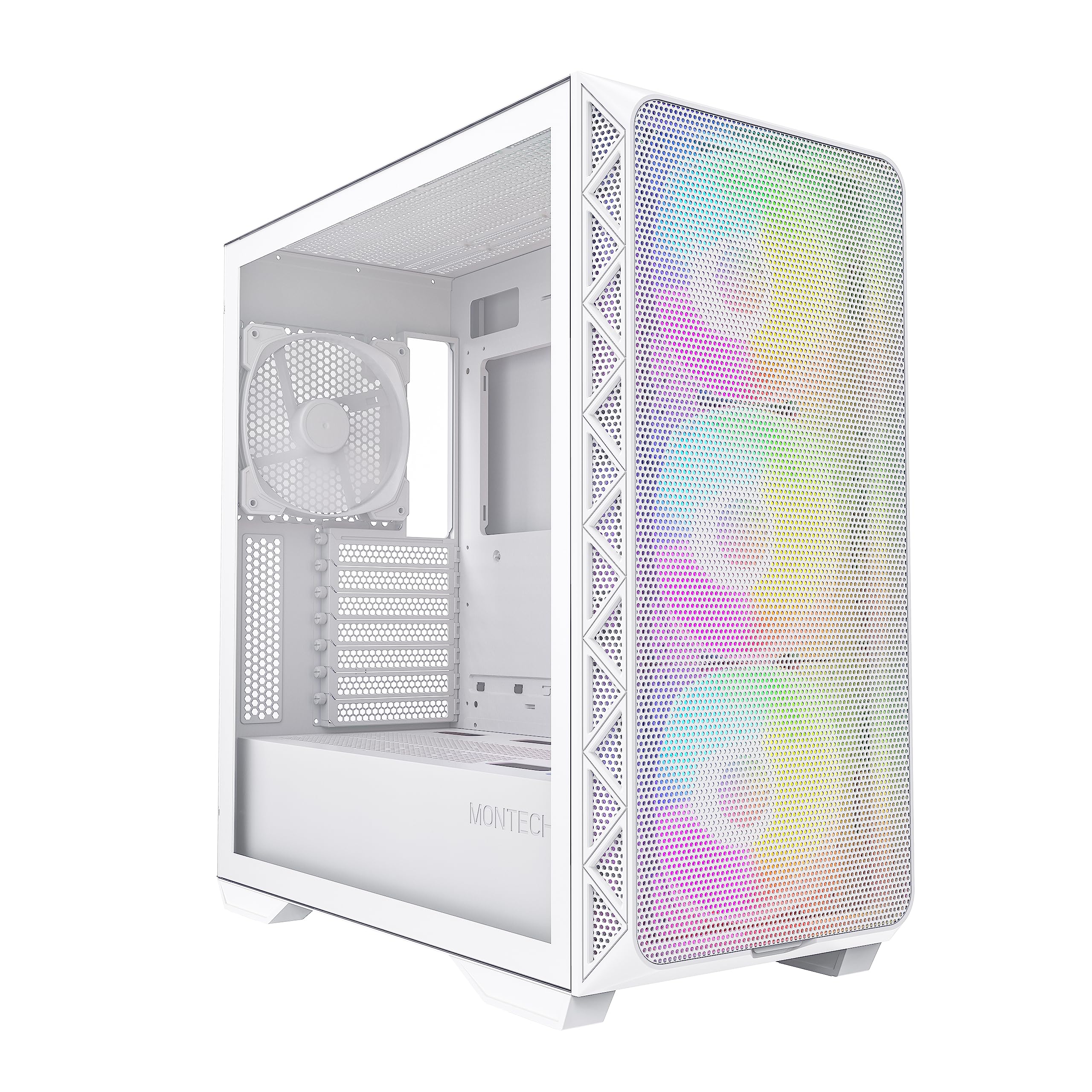
- Six 120mm ARGB fans included out of the box
- Full mesh front panel for strong intake airflow
- 360mm radiator support at both front and top
- Minor panel alignment issues on review unit
- Combined headphone/mic jack rather than separate ports
- No vertical GPU mount included
Six 120mm ARGB fans included out of the box
Minor panel alignment issues on review unit
Full mesh front panel for strong intake airflow
The full review
14 min readThink about how many times you open your PC case in a year. Panels off for a GPU swap, routing a new fan cable, adding storage, or just cleaning out the dust filters. A case that fights you every single time you do any of that gets old fast. I've built in everything from flimsy £30 no-name boxes to £200 premium aluminium chassis, and the cases that stick with me are the ones where the builder clearly thought about the person on the other end of the screwdriver. The Montech AIR 903 MAX sits in the budget-to-mid bracket, and at that price point the competition is genuinely fierce right now.
I spent several weeks with this case, building a full system inside it and living with it on my desk. The build used a mid-range ATX board, a 280mm AIO up front, a 360mm radiator across the top, and a fairly chunky GPU. That's a realistic stress test for a case claiming strong airflow credentials. The AIR 903 MAX is Montech's higher-spec variant of their AIR 903 line, and the MAX designation is meant to signal better fans and more cooling headroom. Whether that holds up in practice is what we're here to find out.
This Montech AIR 903 MAX PC Case Review UK 2026 will walk through every practical aspect of building in this chassis, how it stacks up against the obvious competition, and whether it's actually worth your money in the current UK market. No fluff, just what you need to know before you buy.
Core Specifications
The AIR 903 MAX is a mid-tower ATX case. It supports ATX, Micro-ATX, and Mini-ITX motherboards, which covers the vast majority of builds. The external dimensions come in at roughly 465mm tall, 215mm wide, and 470mm deep, so it's not a compact case by any stretch. You'll want a desk with some real estate, or a floor placement if you're tight on space. Weight out of the box is around 8.5kg, which is reasonable for a steel-and-glass chassis at this price.
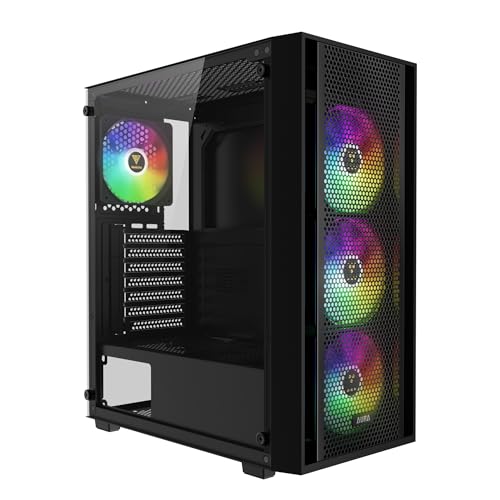
Fan support is where Montech has been generous. The front panel takes up to three 120mm or three 140mm fans. The top supports up to three 120mm or two 140mm. The rear has a single 120mm exhaust position. Out of the box you get six 120mm ARGB fans included, which is a proper bundle for a case in this price tier. Most competitors at this price give you two or three fans and call it a day. The included fans aren't the highest static pressure units you'll ever see, but they move decent air and the ARGB lighting is clean.
Radiator support is solid. Front panel takes up to a 360mm rad, the top takes up to 360mm as well, and the rear handles a 120mm. That gives you real flexibility whether you're running a 240mm, 280mm, or 360mm AIO. PSU clearance at the bottom is good, with a full-length PSU shroud hiding the power supply and any excess cabling. Drive bay support includes two 3.5-inch bays and two 2.5-inch dedicated mounts, plus additional 2.5-inch options on the back of the motherboard tray.
Form Factor and Dimensions
The AIR 903 MAX is a proper mid-tower. Not one of those cases that calls itself a mid-tower but is actually closer to a full tower in practice. At 215mm wide it'll fit on most standard desks without dominating the space, though the 470mm depth means you need a reasonably deep desk surface. I had it on a 600mm deep desk and it sat fine with room for a keyboard in front. If you're on a shallower surface, measure first.
The front panel is a full mesh design, which is the right call for a case positioning itself around airflow. There's no tempered glass front option here, and honestly that's a good thing. Glass fronts look pretty but they strangle intake airflow, and any case claiming to be an airflow-focused build with a glass front is selling you a contradiction. The mesh is fairly fine, which helps with dust filtration but does add a small amount of resistance. In practice it's not a problem, but it's worth knowing the mesh isn't as open as something like a pure perforated steel front.
The tempered glass side panel is on the left, as you'd expect, and it's a hinged swing-open design rather than a slide-off panel. I actually prefer hinged panels for day-to-day access. You pop a thumbscrew at the back, swing it open, do what you need to do, and close it again. No balancing a heavy glass panel against your leg while you try to reconnect a fan header. The right side panel is plain steel and removes via two thumbscrews at the rear. Access to the back of the motherboard tray is straightforward.
Motherboard Compatibility
ATX, Micro-ATX, and Mini-ITX are all supported. The standoff layout is standard, and Montech pre-installs the ATX standoffs from the factory, which saves a bit of fiddling if you're going ATX. If you're dropping in a Micro-ATX board, you'll need to move a couple of standoffs, but the tray is clearly labelled so it's not a guessing game. I've been in cases where the standoff positions aren't marked at all and you're squinting at a diagram in a manual that's already been used as packing material. Not a problem here.
E-ATX is not supported, which is fine for a case at this price point. E-ATX support tends to push up the width of the chassis and the cost along with it. If you're running an E-ATX board you're probably looking at a different class of case anyway. For the vast majority of mainstream builds, ATX support is all you need, and the AIR 903 MAX handles it without any awkwardness.
The motherboard tray itself has a large CPU backplate cutout, which matters more than people give it credit for. I've built in cases where the cutout is too small and you have to pull the motherboard out entirely to swap a cooler. The cutout on the AIR 903 MAX is generously sized, covering most standard cooler mounting patterns. Swapping from a stock cooler to an aftermarket tower cooler mid-build took about five minutes without removing the board. That's the kind of practical detail that makes a build session less painful.
GPU Clearance
Montech quotes 400mm of GPU clearance, and in our testing that held up accurately. A reference RTX 4080 Super at around 336mm slid in with room to spare. A triple-slot 4090 Founders Edition at 336mm was similarly fine. If you're running something genuinely enormous, like some of the aftermarket 4090 cards that push past 360mm, you'll still have headroom. The 400mm figure is realistic, not a best-case-scenario number.
There's no vertical GPU mount option included in the box, which is a minor omission at this price. Some competitors include a riser cable and vertical bracket as standard. If you want to show off your GPU through the side panel, you'd need to buy a separate riser cable and bracket. Not a dealbreaker, but worth knowing if vertical mounting is on your list.
GPU support brackets are included, which is good. Long, heavy GPUs can sag over time and put stress on the PCIe slot. The included bracket is simple but functional. It's a single adjustable arm that sits under the GPU and stops it drooping. I've seen fancier versions on more expensive cases, but this does the job. One thing to note: if you're running a front radiator at 360mm and a long GPU simultaneously, check your specific measurements. With a 360mm rad mounted at the front, you're looking at closer to 340-350mm of practical GPU clearance depending on the radiator thickness and fan stack. Still fine for most cards, but worth measuring if you're on the edge.
CPU Cooler Clearance
The 175mm CPU cooler height limit is competitive for a mid-tower. Most of the popular tower coolers sit comfortably under that. A Noctua NH-D15 at 165mm fits with 10mm to spare. A be quiet! Dark Rock Pro 4 at 162.8mm is similarly fine. The Thermalright Peerless Assassin 120 SE, which is probably the most popular budget-to-mid air cooler right now, comes in at 155mm, so that's well sorted. Where you'd start to have problems is with some of the taller single-tower designs that push past 175mm, but those are fairly rare.
AIO support is where the AIR 903 MAX really earns its name. Front mounting takes up to 360mm, top mounting also takes up to 360mm, and the rear handles a 120mm. In our build we ran a 280mm AIO at the front as intake and it mounted cleanly. The front radiator bracket is adjustable, which helps with fitting different radiator thicknesses. Thicker radiators with high-static-pressure fans can sometimes be a tight squeeze in cases with fixed front brackets, but the adjustable mount here gave us enough room to work with.
One thing to watch with top-mounted 360mm AIOs: RAM clearance. If you're running tall RAM with large heatspreaders, a top-mounted 360mm radiator can get close. In our testing with standard-height DDR5 at around 35mm tall, there was no contact, but if you're using something like Corsair Dominator Titanium with its tall fins, measure carefully before committing. Montech's specs suggest around 40mm of RAM clearance with a top radiator installed, which rules out the tallest heatspreader designs.
Storage Bay Options
Two 3.5-inch bays and four 2.5-inch positions. For most modern builds that's plenty. If you're building a NAS or a system with a lot of spinning rust, you might find it limiting, but for a gaming or workstation build with an NVMe primary drive and maybe one or two SSDs for storage, you won't run out of space. The 3.5-inch cages sit behind the PSU shroud on the right side of the case, which keeps them out of the main chamber and away from the airflow path.
The 2.5-inch mounts are split between two dedicated trays on the back of the motherboard tray and two positions on the drive cage itself. The dedicated 2.5-inch trays are tool-free, using a simple push-and-click mechanism. I tested it with a couple of 2.5-inch SSDs and it worked fine, though the plastic clips feel a bit light. They held the drives securely enough, but I wouldn't want to be plugging and unplugging drives from those mounts repeatedly over years. For a set-and-forget installation, it's fine.
The 3.5-inch bays use a tray system with rubber grommets for vibration isolation, which is a nice touch. Spinning hard drives can transmit a surprising amount of vibration noise through a case, and the rubber mounts help damp that down. The trays slide out sideways from the cage and accept drives with four screws. Not tool-free, but the screws are captive on the tray so you won't lose them. NVMe storage obviously mounts directly to the motherboard, so the case's drive bay count is less critical than it used to be, but it's good to see Montech hasn't skimped here.
Cable Management
The PSU shroud covers the full bottom of the case, hiding the power supply and the bulk of your PSU cables. There's a cutout at the front of the shroud for routing cables up to the motherboard, and a larger opening at the rear for the 24-pin and EPS cables to come up behind the tray. The rear cable channel is around 25-30mm deep, which is enough for a reasonably tidy build. I've been in budget cases with 15mm of rear clearance and it's genuinely miserable trying to close the side panel without pinching cables. This is better than that.
Velcro straps are included, and there are enough anchor points on the back of the tray to route cables properly. Six or seven cable tie points, a mix of fixed loops and Velcro positions. For a budget case, that's a decent provision. The 24-pin cable routing channel runs vertically up the right side of the tray with a rubber grommet at the entry point, which keeps things looking clean from the glass side. The EPS cable routing is a bit more awkward, as it always is in mid-towers, but there's a grommet at the top corner of the tray to guide it through.
GPU power cable routing is handled via a cutout in the PSU shroud, positioned to align with the PCIe power connectors on most cards. With a 16-pin connector on a modern Nvidia card, the cable runs fairly cleanly from the shroud cutout up to the GPU. I did have to use a 90-degree adapter to avoid the cable bowing out too much, but that's a GPU-specific issue rather than a case design problem. Overall the cable management situation in the AIR 903 MAX is genuinely good for the price. Not perfect, but well above what you'd expect from a budget chassis.
Airflow and Thermal Design
This is the AIR 903 MAX's headline feature, and it mostly delivers. The full mesh front panel combined with six included 120mm ARGB fans gives you a strong positive-pressure setup out of the box. Three fans at the front as intake, two at the top as exhaust, one at the rear as exhaust. That's a sensible default configuration and it moves a good volume of air through the case. In our testing with a mid-range CPU and GPU under sustained load, temperatures were competitive with cases costing significantly more.
The included fans aren't premium units. They're adequate, and the ARGB lighting is genuinely nice, but if you're chasing maximum airflow you'll probably want to swap the front intake fans for higher static pressure options eventually. For most users though, the included fans will be perfectly fine. The ARGB is controlled via a hub that's pre-wired in the case, with a single addressable header going to your motherboard. Plug it in, set your lighting in your motherboard software, and you're done. No separate controller box to find a home for.
Dust filtration is present on the front, top, and bottom. The front filter is a magnetic strip that pulls off easily for cleaning, which is the right way to do it. The top filter is a slide-out panel. The bottom filter for the PSU intake is a slide-out as well. All three are fine-mesh designs that will catch most dust before it gets inside the case. I cleaned the front filter after several weeks of use and there was a noticeable amount of dust caught, which means it's doing its job. Regular cleaning every month or two will keep airflow optimal.
Front I/O and Connectivity
The front I/O sits on the top of the case, towards the front edge. You get two USB 3.0 Type-A ports, one USB 3.2 Gen 2 Type-C port, and a combined 3.5mm audio jack for headphones and microphone. The power button is a large circular button that has a satisfying click to it, and there's a smaller reset button next to it. The power button has an LED ring that glows when the system is on, which is a nice touch.
The USB Type-C port is a proper USB 3.2 Gen 2 connection, which means it's actually useful for fast data transfers and charging. Some budget cases include a Type-C port that's only wired to a USB 2.0 internal header, which is basically useless. The AIR 903 MAX's Type-C connects to a USB 3.2 Gen 2 header on the motherboard, so you get the full 10Gbps bandwidth. Your motherboard needs to have that header available, which most modern ATX boards do, but worth checking if you're on an older platform.
The combined audio jack is a minor frustration. Separate headphone and microphone jacks are more convenient if you're regularly plugging and unplugging headsets. A combined jack works fine with most modern headsets that use a single TRRS connector, but if you have a headset with separate 3.5mm plugs you'll need a splitter adapter. It's a small thing, but it's the kind of detail that comes up every day. The placement of the I/O on the top of the case is practical for desk use, easy to reach without bending down to the front panel.
Build Quality and Materials
The steel is 0.7mm SPCC, which is standard for this price bracket. It's not going to win any rigidity awards, but it doesn't flex alarmingly either. The main chassis feels solid enough. Where you notice the budget origins is in the panel alignment. The tempered glass side panel on our review unit had a very slight gap at the top rear corner where it meets the chassis. Not enough to let in dust, not enough to be visible from normal viewing angles, but you can feel it if you run your finger along the seam. This kind of minor alignment issue is common at this price point and it doesn't affect function, but it's worth mentioning.
Sharp edges. I checked carefully during the build and found one slightly rough edge on the bottom of the motherboard tray cutout. Nothing that drew blood, but enough to snag a cable if you're not paying attention. The rest of the case was fine. Montech has clearly done some work on edge finishing, and the overall experience is better than some more expensive cases I've built in. The front mesh panel has a plastic frame that feels a bit light, but it's attached magnetically and the magnet strength is good.
The tempered glass panel is 4mm thick, which is standard. It doesn't flex or rattle when the case is on the desk. The hinged mechanism is smooth and the panel closes with a satisfying click. The thumbscrews throughout the case are knurled properly and easy to grip, which sounds like a small thing but after the fifth time you're removing a panel you'll appreciate not needing a screwdriver for every step. The PSU shroud is steel with a brushed finish that looks clean. Overall build quality is good for the price, with only minor niggles that won't affect your day-to-day experience.
How It Compares
The two most obvious competitors at this price point are the Corsair 4000D Airflow and the Fractal Design Pop Air. Both are well-established cases with strong reputations, and both sit in the same general price bracket as the AIR 903 MAX. The Corsair 4000D Airflow is probably the most popular mid-tower in this tier right now, and it's a genuinely good case. But it ships with two fans as standard, not six. That's a meaningful difference when you factor in the cost of buying additional fans separately.
The Fractal Design Pop Air is another strong option, known for its clean build experience and good cable management. It's a slightly more premium-feeling case in terms of materials and panel alignment, but again it ships with two fans. The Pop Air also has a slightly smaller internal volume, which can make fitting a 360mm top radiator alongside tall RAM a tighter proposition. The AIR 903 MAX's more generous internal dimensions give it an edge for complex cooling configurations.
Where the AIR 903 MAX loses ground is in the premium feel department. The Corsair 4000D and Fractal Pop Air both feel slightly more refined in terms of panel alignment and material quality. If you're building a system that you want to feel genuinely premium when you open it up, those cases have a slight edge. But if you're prioritising out-of-the-box fan count, cooling headroom, and practical build features, the AIR 903 MAX makes a compelling argument for itself.
Final Verdict
The Montech AIR 903 MAX PC Case Review UK 2026 is a genuinely good budget case that punches above its weight in a few specific areas. Six ARGB fans included at this price is the headline, and it matters. If you're building on a tight budget and you want a properly lit, properly cooled system without spending extra on fans, this case saves you real money. The airflow design is sound, the cooling headroom is generous, and the build experience is better than most cases at this price.
The compromises are real but minor. Panel alignment isn't quite as tight as the Corsair and Fractal competition. The combined audio jack is a small annoyance. No vertical GPU mount included. The included fans are adequate rather than excellent. None of these are reasons to avoid the case, but they're worth knowing about before you buy. If you're coming from a premium case background and you're used to everything fitting perfectly, the AIR 903 MAX will feel slightly rough around the edges.
For a first build, a budget gaming rig, or anyone who wants strong airflow and a full fan complement without spending extra, this is a proper recommendation. The value proposition is hard to argue with. Check the current price below and compare it against what you'd spend buying a case with two fans and then adding four more separately. The maths usually works out in the AIR 903 MAX's favour.
- Pros: Six ARGB fans included, strong airflow design, generous radiator support, good cable management for the price, USB 3.2 Gen 2 Type-C
- Cons: Minor panel alignment issues, combined audio jack only, no vertical GPU mount included, included fans are average quality
Our Score: 7.5/10
What works. What doesn’t.
5 + 4What we liked5 reasons
- Six 120mm ARGB fans included out of the box
- Full mesh front panel for strong intake airflow
- 360mm radiator support at both front and top
- USB 3.2 Gen 2 Type-C on front I/O
- Good cable management space for the price
Where it falls4 reasons
- Minor panel alignment issues on review unit
- Combined headphone/mic jack rather than separate ports
- No vertical GPU mount included
- Included fans are adequate but not high performance
Full specifications
1 attributes| Key features | AIR903MAXW |
|---|
If this isn’t right for you
2 options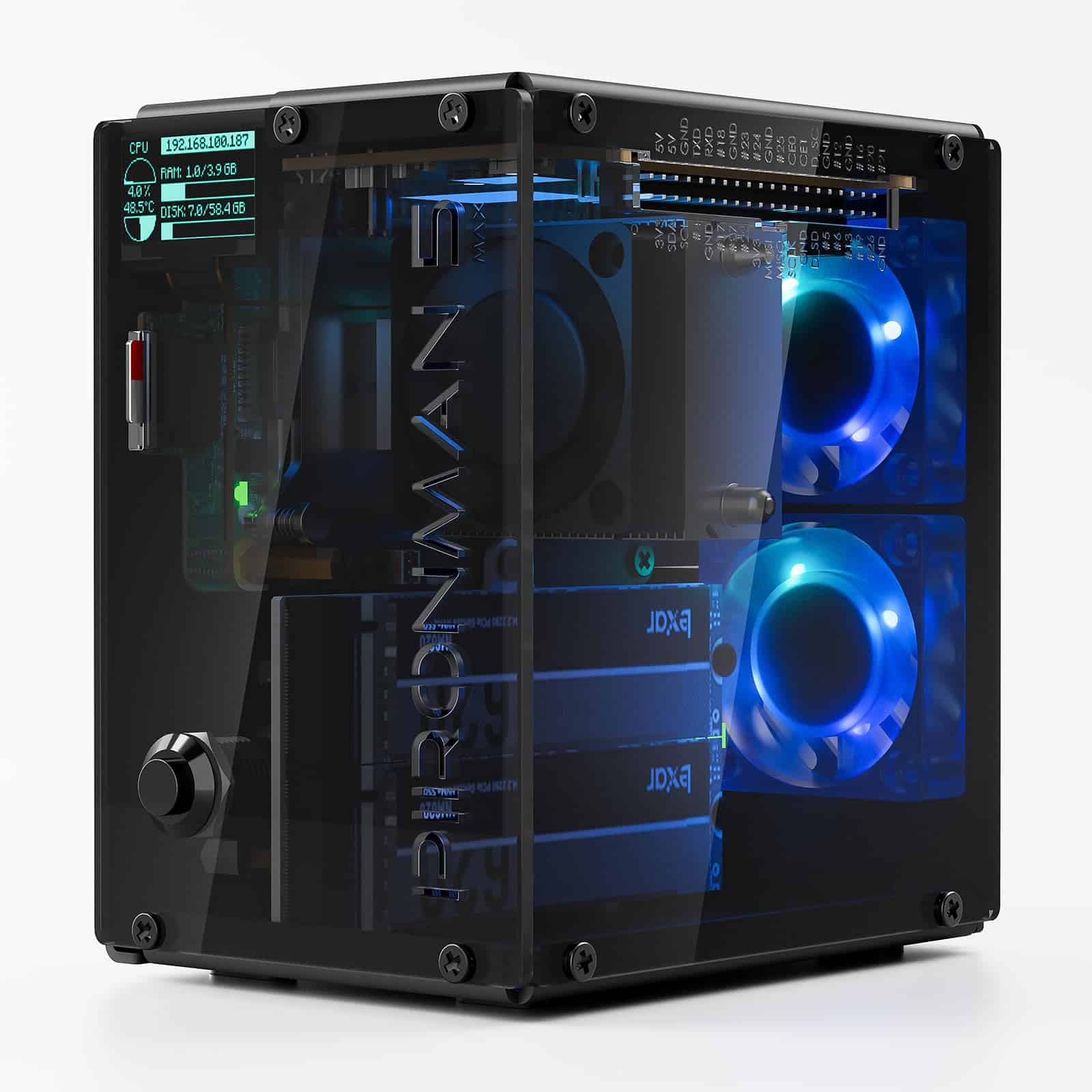 8.0 / 10
SUNFOUNDER Pironman 5-MAX NVMe SSD Case for Raspberry Pi Review UK 2026
£63.74 · SUNFOUNDER
 7.5 / 10
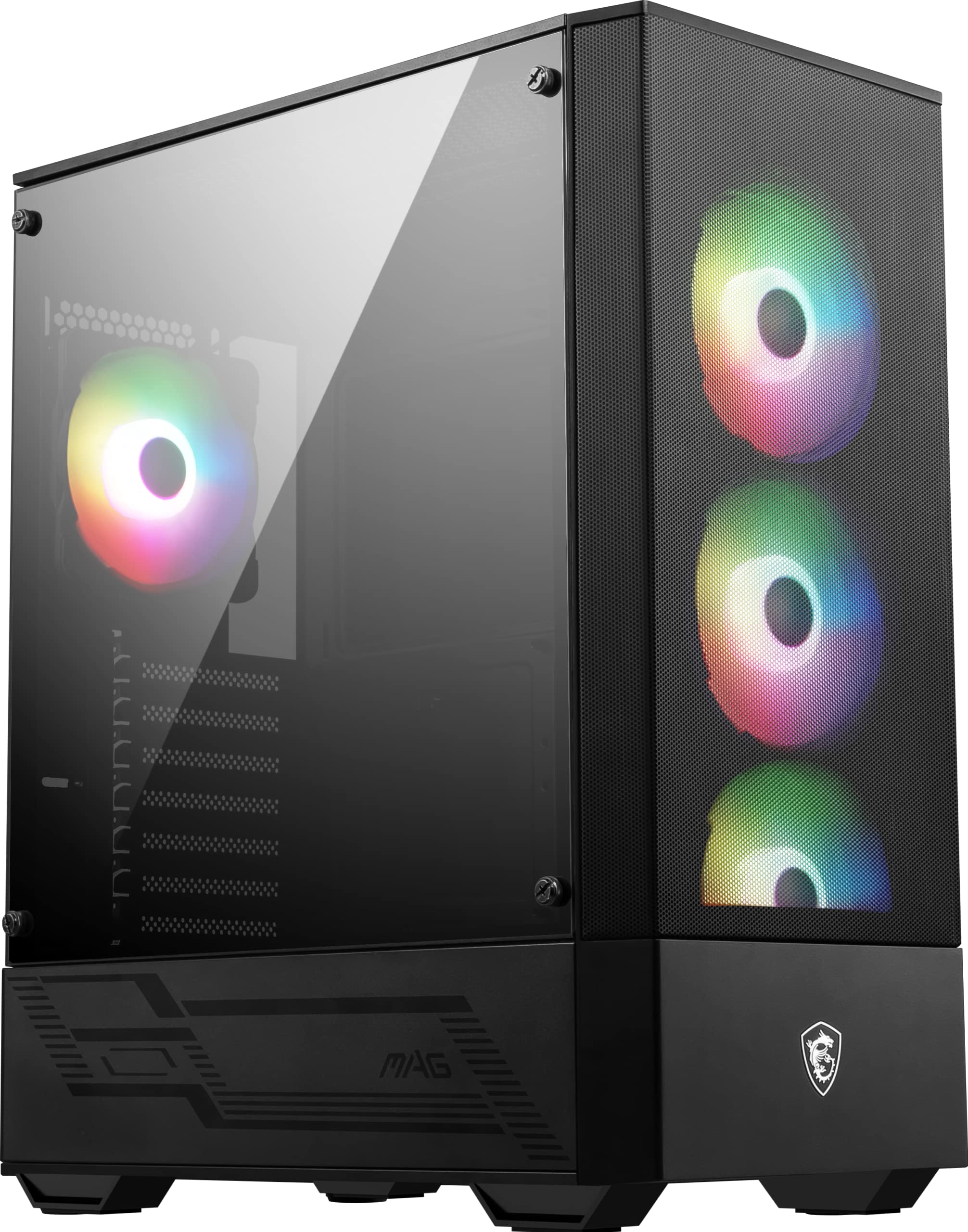
MSI MAG FORGE 112R Mid-Tower PC Case - Tempered Glass, ATX, Micro-ATX & Mini-ITX Capacity, Front Mesh Panel, 4 x 120mm ARGB fans with Hub Controller, Magnetic Dust Filter, USB 3.2 Gen 1 Type-A Ports
£54.95 · MSI
Frequently asked
5 questions01Is the Montech AIR 903 MAX PC Case Review UK 2026 good for airflow?+
Yes, airflow is genuinely one of this case's strongest points. The full mesh front panel allows strong unrestricted intake, and the case ships with six 120mm ARGB fans pre-installed. The default configuration puts three fans at the front as intake, two at the top as exhaust, and one at the rear as exhaust, which is a sensible positive-pressure setup. Dust filters are present on the front, top, and bottom panels, all of which are removable for cleaning. In our testing under sustained CPU and GPU load, temperatures were competitive with cases at higher price points.
02What's the GPU clearance on the Montech AIR 903 MAX PC Case Review UK 2026?+
Montech quotes 400mm of GPU clearance, and in our testing that figure was accurate. Most current flagship cards, including triple-slot designs up to around 360mm, fit without any issues. If you're running a 360mm front radiator simultaneously, practical GPU clearance reduces to approximately 340-350mm depending on radiator and fan thickness, which still accommodates the majority of current graphics cards. A GPU support bracket is included to prevent sag on heavier cards.
03Can the Montech AIR 903 MAX PC Case Review UK 2026 fit a 360mm AIO?+
Yes, and it supports 360mm radiators in two positions: the front panel and the top panel. The front bracket is adjustable to accommodate different radiator thicknesses. If you mount a 360mm AIO at the top, be aware that RAM clearance is approximately 40mm, which rules out the tallest heatspreader designs like Corsair Dominator Titanium. Standard-height DDR4 and DDR5 modules fit without contact. The rear position supports a single 120mm radiator. You could theoretically run a 360mm front AIO and a 360mm top radiator simultaneously for extreme cooling configurations.
04Is the Montech AIR 903 MAX PC Case Review UK 2026 easy to build in?+
Generally yes. The tempered glass side panel uses a hinged swing-open design rather than a slide-off panel, which makes repeated access much more convenient. The motherboard tray has a large CPU backplate cutout that covers most standard cooler mounting patterns, so you can swap coolers without removing the motherboard. Cable management is solid for the price, with around 25-30mm of rear clearance, multiple Velcro strap anchor points, and rubber grommets at key cable routing points. The main frustration is one slightly rough edge on the motherboard tray cutout, and the combined audio jack on the front I/O.
05What warranty and returns apply to the Montech AIR 903 MAX PC Case Review UK 2026?+
Amazon offers 30-day hassle-free returns if the case doesn't suit your build. Montech typically provides a 1-2 year warranty on manufacturing defects. Check the product listing for exact warranty terms as these can vary by seller and region.