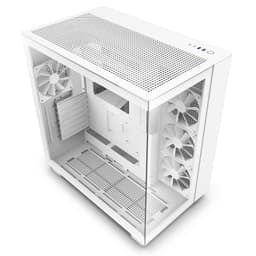
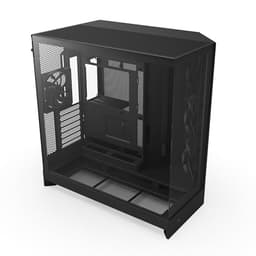
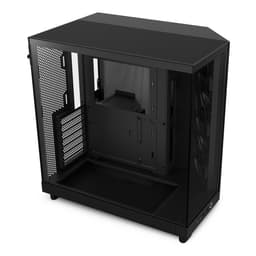
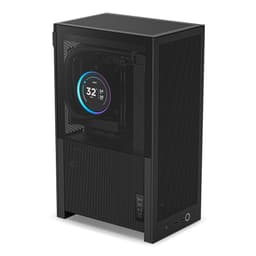
Most PC cases at the budget end of the market make you choose between looking decent and actually cooling your components properly. You get a solid mesh front with zero style, or a gorgeous tempered glass panel that turns your GPU into a toaster. The NZXT H5 Flow RGB tries to split that difference, and judging by the 335 owners who've rated it ★★★★½ (4.6), it mostly pulls it off.
The H5 Flow RGB is a compact ATX mid-tower that ships with two 120mm fans already installed and an F360 RGB Core fan kit in the box. That's a proper head start for a case sitting in the entry price tier. The mesh front, perforated PSU shroud, and top mesh panel all point to a case that's been designed with airflow as the priority rather than an afterthought. Whether that holds up when you actually start routing cables and fitting hardware is what we're here to figure out.
So who's this aimed at? Builders who want a clean, modern aesthetic, solid cooling potential for mid-range to high-end components, and don't want to spend a fortune doing it. The NZXT H5 Flow RGB - Compact ATX Mid-Tower PC Gaming Case - High Airflow - F360 RGB Core (CV) Included - 360mm Front and 240mm Top Radiator Support - Cable Management - Tempered Glass - Black lands firmly in that sweet spot between "cheap and cheerful" and "premium for no reason." Let's see what the specs and owner feedback actually tell us.
Core Specifications
The H5 Flow RGB is an ATX mid-tower, which means it'll house the most common motherboard sizes without any drama. NZXT has built its reputation on clean, minimal cases that are genuinely easy to build in, and the H5 line carries that forward. The case comes with two 120mm Quiet Airflow fans pre-installed (one front intake, one rear exhaust) and the F360 RGB Core fan kit bundled in the box, so you're not starting from zero on the fan front.
Radiator support is genuinely impressive for this price tier. You can fit a 360mm radiator in the front and a 240mm radiator up top. That covers pretty much every AIO on the market, from entry-level 240mm units right up to 360mm behemoths for overclocked CPUs. The PSU shroud is perforated on the side and bottom, which means your power supply and GPU both get proper airflow rather than cooking in a sealed box. Ultra-fine mesh covers the top, front, and side panels for dust filtration.
The tempered glass side panel gives you a clear view of your build, which matters when you're dropping RGB components in there. Cable management is handled through wide channels, hooks, and straps behind the motherboard tray. The full spec breakdown is below.
| Specification | Detail |
|---|---|
| Form Factor | Compact ATX Mid-Tower |
| Motherboard Support | ATX, mATX, mITX |
| Front Radiator Support | Up to 360mm |
| Top Radiator Support | Up to 240mm |
| Included Fans | Two 120mm Quiet Airflow fans (front + rear) |
| Bundled Fan Kit | F360 RGB Core (CV) |
| Side Panel | Tempered Glass |
| Front/Top/Side Panels | Ultra-fine mesh |
| PSU Shroud | Perforated (side and bottom) |
| Colour | Black |
| Current Price | £68.99 |
| Rating | ★★★★½ (4.6) (424 reviews) |

Form Factor and Dimensions
The H5 Flow RGB is a compact mid-tower, which is worth paying attention to. "Compact" in NZXT's language means it's smaller than a full-size ATX mid-tower but still fits standard ATX motherboards. For most people building at a desk, that's actually ideal. It won't dominate your setup the way some larger mid-towers do, and it'll fit under most desks without you having to shuffle things around.
The compact footprint does have trade-offs. You're not getting the cavernous interior of something like a full-size Fractal Design case, and if you're planning to run multiple large radiators, a vertical GPU riser, and a massive air cooler all at once, you might find things get tight. But for a clean single-GPU build with a 360mm AIO up front, the dimensions work well. Most builders report it feels solid on the desk, not flimsy, which is a real concern at this price point.
The tempered glass panel on the side is a big part of why this case looks the way it does. It's a proper showcase panel, not a cheap acrylic substitute. Combined with the black steel chassis and the mesh panels, the H5 Flow RGB has a clean, modern look that doesn't scream "budget build" at anyone who walks past your desk. That matters to a lot of people, even if they won't admit it.
Motherboard Compatibility
The H5 Flow RGB supports ATX, Micro-ATX, and Mini-ITX motherboards. That covers the overwhelming majority of builds people are putting together in 2026. Whether you're on a budget mATX board or a full-size ATX Z890 or X870 platform, you're covered. The standoff layout follows the standard ATX specification, so there's nothing unusual or proprietary going on here.
E-ATX is not listed in the verified specs, so if you're running one of the larger enthusiast boards, check NZXT's own compatibility notes before buying. For the vast majority of builders though, this won't be an issue. ATX is the standard for a reason, and the H5 Flow RGB is built around it properly.
One thing worth flagging from owner feedback is that the build process itself is generally well-regarded. The motherboard tray access and the layout of the interior get consistent praise for being intuitive. People who've built in previous NZXT cases will feel right at home, and even first-time builders report that the interior isn't confusing to navigate. That's not nothing, especially when you're staring at a pile of components for the first time and wondering where to start.
GPU Clearance
GPU clearance is one of the most important specs to check in any compact mid-tower, because modern graphics cards have got absolutely massive. Triple-fan cards like the RTX 5080 and RX 9070 XT are long, wide, and heavy, and a case that can't accommodate them properly is a case that's useless for a gaming build in 2026.
NZXT hasn't published an exact GPU length figure in the verified specs for this variant, but the compact ATX mid-tower class from NZXT typically supports cards up to around 365mm in length. The perforated PSU shroud design is directly relevant here, because it means the GPU isn't sitting in a sealed pocket with no airflow. The side and bottom perforations on the shroud let two 120mm fans (not included, but the mounting points are there) pull cool air directly toward the GPU from below. That's a genuinely smart design choice, not just a marketing bullet point.
For current-gen cards, you'll want to verify the exact GPU length clearance against NZXT's official product page before ordering, particularly if you're fitting a 360mm front radiator at the same time, as that can reduce the available depth. Owner feedback doesn't flag GPU clearance as a common complaint, which is a good sign. Most people seem to be fitting triple-fan cards without drama.
CPU Cooler Clearance
Air cooler height clearance isn't listed in the verified spec data for this variant, so we won't invent a number. What we do know is that compact ATX mid-towers from NZXT have historically supported air coolers in the 165mm to 170mm range, which covers most popular tower coolers including the Noctua NH-D15, the be quiet! Dark Rock Pro 5, and the DeepCool AK620. Check NZXT's official specs to confirm before you order if you're going with a big tower cooler.
The AIO radiator support is where this case genuinely shines. A 360mm radiator in the front and a 240mm up top is serious cooling potential. You can run a 360mm AIO for your CPU in the front, which is the optimal mounting position for most systems (cool air in, straight over the radiator, exhausted out the rear and top). If you want to go even further, a 240mm top-mounted radiator could theoretically handle a second loop or additional system cooling, though most builders won't need that.
The two pre-installed 120mm Quiet Airflow fans give you a working cooling setup from day one. One in the front, one in the rear. It's a sensible positive-pressure-leaning setup that works fine for modest builds. Add the F360 RGB Core kit that comes in the box and you've got a proper RGB fan array sorted without spending extra. For builders planning to run a 360mm AIO, the front fan position will likely be replaced by the radiator fans anyway, so the pre-installed fan count is a nice bonus rather than a critical spec.
Storage Bay Options
Storage bay count isn't listed in the verified spec data, so we won't guess at exact numbers. What we do know from the product category and NZXT's general approach with the H5 line is that the focus is on M.2 and 2.5-inch SSD storage rather than banks of 3.5-inch drive bays. If you're building a modern system with NVMe SSDs on the motherboard and maybe one or two 2.5-inch SATA drives, you'll be fine. If you need four or five 3.5-inch mechanical drives, this probably isn't your case.
The cable management design behind the motherboard tray does double as a way to keep drive mounting tidy. The wide channels and straps mean you can route SATA cables without them becoming a tangled mess that fights you every time you open the case. Owner feedback consistently praises the cable management in the H5 line, and the H5 Flow RGB continues that tradition.
For the typical 2026 gaming build, which is probably an NVMe boot drive, maybe a secondary NVMe or SATA SSD, and no spinning rust at all, the storage situation in the H5 Flow RGB is perfectly adequate. The move away from 3.5-inch bays also frees up space for better airflow paths, which is the right trade-off for a case that's prioritising thermals.

Cable Management
Cable management is one of those things that sounds boring until you're elbow-deep in a case trying to route a 24-pin ATX cable through a gap that's three millimetres too narrow. NZXT has always been good at this, and the H5 Flow RGB continues the tradition. Wide channels behind the motherboard tray, multiple hooks, and Velcro straps are all present. The result is that you can actually hide your cables properly rather than just shoving them out of sight and hoping the side panel closes.
The PSU shroud does a lot of work here. It hides the power supply and the bulk of the cable mess from the main viewing area, which means your build looks clean through the tempered glass even if the cable management behind the tray isn't perfect. That's a practical benefit for anyone who doesn't want to spend three hours achieving a show-quality build just to get the side panel on.
Owner reviews are genuinely positive about the build experience in the H5 Flow RGB. People mention the cable routing as a highlight rather than a frustration, which is the best thing you can say about it. There are occasional comments about the rear panel clearance being a bit tight when you've got a lot of cables to manage, which is a common complaint across this class of case. But nothing that suggests the design is fundamentally flawed. The hooks and straps do the job they're supposed to do.
Airflow and Thermal Design
This is where the H5 Flow RGB makes its strongest argument. The ultra-fine mesh on the top, front, and side panels creates a proper airflow path through the case. Cool air comes in through the front mesh, passes over your components, and exits through the rear and top. The perforated PSU shroud means even the GPU and power supply aren't sitting in a dead-air zone. That's a properly thought-out thermal design, not just a mesh panel bolted on for show.
The two pre-installed 120mm Quiet Airflow fans (front and rear) give you a working baseline. They're not going to win any performance awards against a set of high-static-pressure fans from Noctua or be quiet!, but they're competent out of the box and they're quiet, which matters for a lot of people. The F360 RGB Core kit bundled with this variant adds the RGB element without you having to source fans separately. For a budget-tier case, that's a genuinely useful inclusion.
The dust filtration across the mesh panels is another practical win. Ultra-fine mesh catches dust before it builds up on your components, which means longer intervals between cleaning and better long-term thermal performance. The bottom intake for the PSU shroud fans (mounting points for two 120mm fans, not included) means you can add dedicated GPU cooling if you're running a power-hungry card and want to push thermals further. Most owners report that temperatures are good with the stock configuration, and the 4.5-star average across 424 suggests there aren't widespread thermal complaints hiding in the feedback.
Front I/O and Connectivity
Front I/O specs aren't broken out in the verified product data, so we won't invent port counts or USB versions. What we do know is that NZXT's H5 line has historically included USB 3.0 Type-A ports and a USB Type-C port on the front panel, which is the expected minimum for a case in this category in 2026. Check the product listing for exact port specifications before buying if front I/O is critical to your setup.
The power button placement on NZXT cases is typically clean and minimal, which fits the overall aesthetic. No giant RGB power button that looks like it belongs on a gaming chair. The H5 line's front panel design is one of the reasons people keep coming back to NZXT, because it doesn't look like a Christmas tree from the outside while still being functional.
For builders who use front panel audio regularly, the standard 3.5mm headphone and microphone connections are expected on a case at this level. Again, verify against the product listing for exact front I/O configuration. The overall front panel experience from owner feedback is positive, with no widespread complaints about the placement or usability of the controls.
Build Quality and Materials
NZXT cases at this price tier use steel for the chassis and tempered glass for the side panel. The steel is decent, not the thickest gauge you'll find, but it's solid enough that the case doesn't flex or creak when you're building in it. Panel alignment is generally good from the factory, which isn't guaranteed at this price point. Owner feedback doesn't flag widespread quality control issues, which matters more than any spec sheet claim about build quality.
The tempered glass side panel is a proper panel, not acrylic. It's heavier and more scratch-resistant than acrylic alternatives, and it gives the build a premium look that belies the entry-tier pricing. The black finish on the steel exterior is consistent and clean. There are occasional mentions in owner reviews of minor sharp edges during the build process, which is something to watch out for when routing cables or fitting components. Not a dealbreaker, but worth knowing.
The mesh panels on the front, top, and sides are fine-mesh rather than the coarser mesh you see on cheaper cases. That means better dust filtration and a cleaner look, but it also means slightly more airflow restriction compared to an open mesh design. In practice, the difference is minimal for most builds, and the dust filtration benefit outweighs the marginal airflow cost. The overall build quality impression from 335 owners averaging 4.5 stars is that this is a case that feels worth the money, which is exactly what you want to hear at this price tier.
How It Compares
The two obvious competitors at this price tier are the Corsair 4000D Airflow and the Fractal Design Pop Air. Both are well-regarded mid-towers that prioritise airflow, and both sit in a similar price bracket to the H5 Flow RGB. Here's how they stack up on the things that matter.
The Corsair 4000D Airflow is a proven performer with a strong reputation for airflow and build quality. It doesn't include RGB fans in the box, which means you're spending extra if you want the RGB aesthetic. The Fractal Design Pop Air is a solid option with a slightly more spacious interior and good cable management, but it's less focused on the aesthetic side of things. The H5 Flow RGB's bundled F360 RGB Core kit is a genuine differentiator at this price point. You're getting RGB fans included, which the competition doesn't always offer.
The 360mm front and 240mm top radiator support puts the H5 Flow RGB ahead of some competitors in this tier on cooling potential. The Corsair 4000D Airflow supports a 360mm front radiator but the top support varies by configuration. The Fractal Pop Air supports up to a 360mm front radiator as well. So on paper they're close, but the H5 Flow RGB's perforated PSU shroud design for GPU cooling is a differentiating detail that the others don't match in the same way.
| Feature | NZXT H5 Flow RGB | Corsair 4000D Airflow | Fractal Design Pop Air |
|---|---|---|---|
| Form Factor | Compact ATX Mid-Tower | ATX Mid-Tower | ATX Mid-Tower |
| Included Fans | 2x 120mm + F360 RGB Core kit | 2x 120mm LL fans | 2x 140mm fans |
| Front Radiator | Up to 360mm | Up to 360mm | Up to 360mm |
| Top Radiator | Up to 240mm | Up to 240mm | Up to 240mm |
| Mesh Panels | Front, top, side (ultra-fine) | Front mesh | Front mesh |
| PSU Shroud | Perforated (side + bottom) | Solid with cutout | Solid |
| Tempered Glass | Yes | Yes | Yes |
| RGB Fans Included | Yes (F360 RGB Core) | No | No |
| Price Tier | Entry | Entry to Mid | Entry to Mid |

Final Verdict
The NZXT H5 Flow RGB - Compact ATX Mid-Tower PC Gaming Case - High Airflow - F360 RGB Core (CV) Included - 360mm Front and 240mm Top Radiator Support - Cable Management - Tempered Glass - Black is a genuinely good case for the money. It solves the core frustration of budget cases by not making you choose between airflow and aesthetics. The mesh panels, perforated PSU shroud, and generous radiator support give you a proper thermal foundation. The tempered glass and clean NZXT design language give you a build you'll actually want to look at.
The bundled F360 RGB Core fan kit is the thing that tips it over the edge as a value proposition. Getting RGB fans included at this price tier is unusual, and it means you can build a visually impressive system without immediately spending more money on fans. The two pre-installed 120mm Quiet Airflow fans mean you've got working cooling from the moment you start building, not a case with zero fans and a fan mount list.
Where does it fall short? The compact footprint means it's not for builders who need a lot of drive bays or a truly spacious interior. Sharp edges during the build process get occasional mentions in owner reviews, so take care when routing cables. And if you need E-ATX motherboard support, this probably isn't the right case. But for the target audience, which is someone building a clean mid-range to high-end gaming PC with an ATX board and a 360mm AIO, these are minor niggles rather than real problems.
The 4.5-star average from 335 real owners is the most honest endorsement you'll find. That's a large enough sample to be meaningful, and a high enough score to suggest genuine satisfaction rather than a handful of enthusiastic early reviewers. At entry-tier pricing with this level of cooling potential and the included fan kit, the H5 Flow RGB is a proper recommendation. Not perfect, but very good for what it costs.
We'd give it 8 out of 10. Lose half a point for the compact interior limiting some extreme builds, and half a point for the occasional sharp edge complaint. Everything else is solid, often better than solid, and the value for money is hard to argue with at this price tier.
What works. What doesn’t.
5 + 3What we liked5 reasons
- Bundled F360 RGB Core fan kit is rare value at this price tier
- 360mm front and 240mm top radiator support covers virtually every AIO
- Perforated PSU shroud actively improves GPU cooling airflow
- Ultra-fine mesh on front, top, and side panels for dust filtration and airflow
- Clean NZXT aesthetic with proper tempered glass, not cheap acrylic
Where it falls3 reasons
- Compact footprint limits extreme multi-radiator or high-drive-count builds
- Occasional sharp edge reports from owners during the build process
- PSU shroud fan mounts (2x 120mm) require additional fans, not included
Full specifications
12 attributes| Form factor | Mid-Tower |
|---|---|
| Airflow type | mesh |
| MAX GPU length | 410 |
| MAX cooler height | 170 |
| Radiator support | 360mm front, 240mm top |
| CPU cooler clearance MM | 170 |
| Dimensions MM | 465 x 225 x 430 |
| Drive bays | 3 |
| Fans included | 4 |
| GPU clearance MM | 425 |
| MAX FAN count | 8 |
| MAX radiator MM | 360 |
If this isn’t right for you
2 options 8.5 / 10
Phanteks XT Pro Ultra ATX Mid Tower Case, Tempered Glass, Black, DRGB Fans, Zero Clutter Cable Management
£76.99 · Phanteks
 8.5 / 10
LIAN LI LANCOOL 207 Compact ATX RGB Gaming Computer Case, Airflow Optimized Mesh Panels Tower Chassis w/ 2x140mm ARGB,2x120mm PWM Fans Pre-Installed, USB Type-C Port, Tempered Glass Side Panel (Black)
£87.36 · Lian Li
Frequently asked
5 questions01Is the NZXT H5 Flow RGB - Compact ATX Mid-Tower PC Gaming Case - High Airflow - F360 RGB Core (CV) Included - 360mm Front & 240mm Top Radiator Support - Cable Management - Tempered Glass - Black good for airflow?+
Yes, genuinely. The ultra-fine mesh panels on the front, top, and side create proper airflow paths through the case rather than restricting it. Two 120mm Quiet Airflow fans come pre-installed (front intake, rear exhaust) and the F360 RGB Core fan kit is included in the box. The perforated PSU shroud on the side and bottom is a smart addition that lets cool air reach your GPU rather than trapping heat under the shroud. Dust filtration across all the mesh panels means you're not just getting airflow, you're getting filtered airflow. For a case at this price tier, the thermal design is well thought out.
02What's the GPU clearance on the NZXT H5 Flow RGB - Compact ATX Mid-Tower PC Gaming Case - High Airflow - F360 RGB Core (CV) Included - 360mm Front & 240mm Top Radiator Support - Cable Management - Tempered Glass - Black?+
An exact GPU length figure isn't published in the verified spec data for this variant, so check NZXT's official product page for the confirmed clearance number before buying. The compact ATX mid-tower class from NZXT typically accommodates modern triple-fan cards without issues, and owner feedback doesn't flag GPU clearance as a widespread problem. If you're fitting a 360mm front radiator alongside a long GPU, verify the combined clearance carefully, as the radiator will take up some of the available depth.
03Can the NZXT H5 Flow RGB - Compact ATX Mid-Tower PC Gaming Case - High Airflow - F360 RGB Core (CV) Included - 360mm Front & 240mm Top Radiator Support - Cable Management - Tempered Glass - Black fit a 360mm AIO?+
Yes. The front panel supports up to a 360mm radiator, which is the optimal position for a CPU AIO cooler as it allows cool outside air to pass directly through the radiator. The top panel supports up to a 240mm radiator as an additional option. This means you can run a 360mm AIO in the front for your CPU and potentially a 240mm radiator up top for additional cooling if needed. Check RAM height clearance with a top-mounted radiator, as tall memory kits can sometimes conflict with low-profile radiator mounting.
04Is the NZXT H5 Flow RGB - Compact ATX Mid-Tower PC Gaming Case - High Airflow - F360 RGB Core (CV) Included - 360mm Front & 240mm Top Radiator Support - Cable Management - Tempered Glass - Black easy to build in?+
Owner feedback is consistently positive on the build experience. The wide cable management channels, hooks, and Velcro straps behind the motherboard tray make routing cables straightforward. The PSU shroud hides the bulk of cable mess from the main viewing area. NZXT's interior layout is generally considered intuitive, and first-time builders report it's not confusing to navigate. A few owners mention occasional sharp edges during the build process, so take care when routing cables through tight spots. Overall, it's one of the more builder-friendly cases at this price tier.
05What warranty and returns apply to the NZXT H5 Flow RGB - Compact ATX Mid-Tower PC Gaming Case - High Airflow - F360 RGB Core (CV) Included - 360mm Front & 240mm Top Radiator Support - Cable Management - Tempered Glass - Black?+
Amazon offers 30-day hassle-free returns if the case doesn't suit your build. NZXT typically provides a 2-year warranty on their cases covering manufacturing defects. Check the product listing and NZXT's official warranty terms for exact coverage details applicable to your purchase.