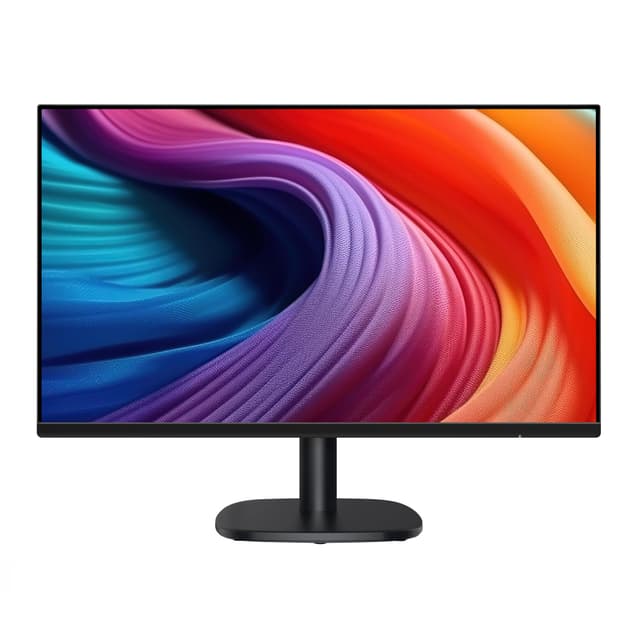
Office work demands more from a monitor than casual browsing. You need clarity for reading spreadsheets, comfortable viewing angles for eight-hour stretches, and enough screen real estate to manage multiple windows without constant switching. Since last year, monitor manufacturers have refined their office-focused offerings with better colour accuracy, improved blue light filtering, and more flexible stand options. This guide compares the best monitors available now, ranging from budget 22-inch displays to larger 27-inch setups, all chosen for productivity rather than gaming performance.
Quick Verdict
Best Overall: AOC 24B3HA2 offers the ideal balance of size, refresh rate and IPS technology for extended office use at a reasonable price.
Best Value: Acer Nitro KG242YGbmipfx delivers a 24-inch IPS panel and 120Hz performance for under £65, making it the most affordable option without compromising on panel quality.
Specification Comparison
The Acer Nitro KG242YGbmipfx represents outstanding value for office workers with tight budgets. Despite its gaming-oriented branding, this monitor suits productive work exceptionally well, offering features typically found in monitors costing significantly more. The sub-£65 price point makes it an attractive choice for companies outfitting multiple workstations or individuals building a home office on a shoestring budget.
The IPS panel technology matches premium office monitors, delivering colour accuracy and wide viewing angles essential for professional environments. The 120Hz refresh rate and 1ms response time combine to create visibly smoother interactions than standard 60Hz displays, reducing the sense of visual dragging when panning through large documents or repositioning windows. This smoothness translates to less eye fatigue during full working days, despite the modest price.
The 24-inch diagonal balances screen real estate with manageable physical footprint, fitting comfortably on standard office desks without dominating the workspace. The 1920 x 1080 resolution remains sharp at typical 60-70cm viewing distances, with pixel density sufficient for reading small font sizes without squinting. The monitor includes essential ergonomic adjustments, though users requiring extensive height modification should verify compatibility with their desk setup.
The main limitation is the gaming aesthetic, which some office environments may find inappropriate. However, the functional performance absolutely justifies the price for anyone prioritising pure value. This monitor excels in call centres, data entry roles, and general administrative positions where reliability matters more than prestige.
Pros
- IPS panel at this price point is exceptional value, matching displays costing twice as much
- 120Hz refresh rate creates noticeably smoother desktop interaction than budget 60Hz monitors
- 1ms response time eliminates any sense of lag during rapid window switching or scrolling
- Under £65 price makes it ideal for equipping multiple workstations
Cons
- Gaming-focused branding may not suit conservative office aesthetics
- No USB connectivity for data-forward office setups
The Amazon Basics 24-inch Monitor targets office workers seeking a no-frills display focused purely on reliable performance at the absolute lowest price point. This monitor suits employers looking to equip multiple workstations in data entry, customer service, or administrative roles where monitor cost directly impacts overall project budgets. The straightforward specification list eliminates features unnecessary for basic office work whilst maintaining functional standards.
The IPS panel provides adequate colour consistency for general office tasks, though without the enhanced accuracy of premium alternatives. The 1920 x 1080 resolution delivers readable text and clear document presentation at standard viewing distances. The 100Hz refresh rate exceeds basic requirements, providing noticeably smoother scrolling than 60Hz alternatives without the tdp-vs-actual-draw" class="vae-glossary-link" data-term="tdp-vs-actual-draw">power consumption penalties of higher frequencies. The 24-inch size balances usability with desk compatibility for most standard office setups.
VESA mounting compatibility allows flexible positioning options, either on included stands or wall-mounted in space-constrained environments. The built-in speakers, whilst unlikely to win audio quality awards, provide functional capability for video calls and multimedia without requiring separate speaker investment. Minimal bezel design maximises viewable area within the physical footprint, helping achieve the competitive price point by avoiding elaborate frame construction.
This monitor excels in cost-conscious organisations where standardisation around single models simplifies procurement and support. It represents genuine value for roles not demanding exceptional colour accuracy or gaming-level responsiveness. Users upgrading from older displays will notice significant improvements in clarity and refresh smoothness despite the budget positioning.
Pros
- Exceptional value at entry-level pricing without sacrificing essential office functionality
- IPS panel ensures acceptable colour consistency for standard office environments
- Built-in speakers provide basic capability for video conferencing without separate purchases
- VESA mounting support allows flexible desk or wall positioning
Cons
- No adjustable stand height, limiting ergonomic customisation for taller or shorter individuals
- 100Hz refresh rate, whilst acceptable, lags behind alternatives at comparable price points
How We Picked
We prioritised office-relevant specifications over gaming performance metrics, selecting monitors from the available catalogue based on real-world productivity use. Screen size preference ranged from 22 inches for space-constrained setups through 27 inches for professionals maximising workspace. We examined panel technology choices, favouring IPS panels for their superior viewing angles and colour consistency critical in collaborative environments and professional roles.
Refresh rate expectations centred on practical benefits rather than marketing claims. We recognised that 100Hz, 120Hz, and 180Hz options all exceed genuine office requirements but deliver noticeable smoothness differences during extended work. Response time evaluation focused on perceptual impact during typical office tasks rather than gaming responsiveness benchmarks. Resolution remained constant across most selections at 1920 x 1080, acknowledging this as the established office standard balancing sharpness with processing efficiency.
Price analysis drove selection of value options, identifying models delivering similar specifications across wide cost ranges. We considered ergonomic features including stand adjustment range, VESA mounting compatibility, and blue light reduction capabilities relevant to all-day professional use. Reliability reputation and warranty coverage influenced selections, prioritising manufacturers with established support networks in UK office environments.
Buying Guide
Screen size selection depends primarily on available desk space and role requirements. Twenty-four inches represents the office standard, providing workspace sufficient for side-by-side application windows without excessive head movement. Twenty-seven-inch displays suit roles involving extensive data comparison or financial analysis, though requiring verified desk clearance. Twenty-two-inch and smaller options suit space-constrained environments or secondary display positions, accepting text size limitations.
Panel technology choice distinguishes office monitors significantly. IPS panels deliver superior colour accuracy and horizontal viewing angles essential for shared screen viewing and professional environments requiring colour consistency. VA panels offer superior contrast and black levels beneficial for document readability but restrict viewing angles, making them unsuitable for collaborative scenarios. TN panels, increasingly rare, prioritise speed over accuracy and viewing angles, inappropriate for office work.
Resolution standards have stabilised at 1920 x 1080 for 24-inch displays, providing adequate sharpness for typical office viewing distances. Higher resolutions like 2560 x 1440 appear in gaming monitors but rarely in office-focused selections and introduce performance penalties affecting window responsiveness. Refresh rate expectations have evolved with modern displays routinely offering 100Hz minimum, noticeably improving desktop smoothness compared to older 60Hz standards.
Ergonomic flexibility matters substantially for monitors occupying permanent desk positions. Height-adjustable stands, pivot capability, and tilt ranges allow customisation critical for preventing repetitive strain injuries during eight-hour working days. VESA mounting compatibility enables wall-mounted positioning in space-constrained environments, though monitors intended for this setup require verified monitor arm compatibility and weight support ratings.
Connectivity requirements warrant consideration of USB hub capability, audio output options, and port quantity. Modern office work increasingly demands video conferencing capability, making built-in speakers and microphone support valuable. Power consumption affects total cost of ownership, particularly for organisations operating hundreds of displays continuously. Blue light reduction features, though sometimes overstated, provide genuine benefit for reducing eye fatigue during extended screen exposure.
Final Verdict
The AOC 24B3HA2 emerges as the overall winner, combining the office essentials of 24-inch size, IPS technology, and sufficient refresh rate within reasonable budget constraints. This monitor delivers everyday performance without sacrificing professional standards or requiring acceptance of gaming compromises. The clear IPS panel, responsive 1ms latency, and 100Hz refresh rate create the reliable, comfortable experience office professionals deserve. Whilst the Acer Nitro KG242YGbmipfx offers exceptional value for budget-conscious buyers and the Acer EK271G provides expanded workspace for those requiring larger displays, the AOC 24B3HA2's balanced specification profile, professional aesthetics, and proven reliability make it the sensible choice for most office environments.