Best Overall Value
Price: £39.99 | Rating: ★★★★☆ (4.4)
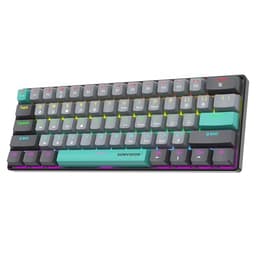
Here's the thing: Hall Effect keyboards used to cost serious money. The AULA WIN60 HE changes that. For well under £50, you're getting magnetic Hall Effect switches with adjustable actuation, rapid trigger functionality, and an 8000Hz polling rate. That's a spec sheet that would embarrass keyboards costing three times as much.
The 60% layout keeps the footprint tiny, which is exactly what most competitive gamers want. More mouse room, less clutter. The RGB backlight is bright and even across the board, and the per-key customisation works well through the companion software. It's not the most polished software experience in the world, but it gets the job done.
Rapid trigger is the headline feature here. It means the key reregisters the moment it starts moving back up, rather than waiting for a fixed reset point. In fast-paced shooters like CS2 or Valorant, that translates to genuinely faster inputs. The adjustable actuation lets you dial in exactly how light or heavy you want the press to feel, which is a proper luxury at this price.
The build quality is decent for the money. The case has a bit of flex if you push it, and the keycaps are standard ABS rather than PBT, so they'll shine up over time. But for gaming performance? Nothing in this roundup touches the WIN60 HE at this price point. It's the reason it takes the top spot.
Pros
- Hall Effect switches with rapid trigger under £50
- 8000Hz polling rate for ultra-low latency
- Adjustable actuation point
- Compact 60% layout frees up desk space
- Solid RGB with per-key control
Cons
- ABS keycaps will shine with heavy use
- 60% means no function row or numpad
- Software could be more polished
- Case has slight flex under pressure
Buy on Amazon
Best Under £50
Price: £46.99 | Rating: ★★★★½ (4.5)
The Attack Shark X68 HE is the most technically impressive gaming keyboard in this entire roundup. Full stop. The 0.01mm rapid trigger accuracy is extraordinary. For context, most Hall Effect keyboards advertise 0.1mm accuracy. The X68 HE claims ten times that precision, which, if accurate, puts it in the same conversation as keyboards costing well over £150.
Snap Tap (sometimes called SOCD correction) is included too. This means if you press both left and right movement keys simultaneously, the keyboard prioritises the most recently pressed key. It's a feature competitive players actively seek out, and it's here for under £60.
The 65% layout is a sensible middle ground, keeping arrow keys and a few navigation keys while staying compact. The RGB is bright and customisable. Build quality feels solid, with a satisfying weight to it. The magnetic switches have a smooth, linear feel that suits fast gaming well.
Where does it fall short of the WIN60 HE? Mainly the layout. Some players will prefer the pure 60% of the AULA, and the WIN60 HE has a slight edge in software usability. But on raw specs, the X68 HE is extraordinary value. If you're a competitive FPS player who wants every technical advantage without spending big, this is your board.
Pros
- 0.01mm rapid trigger accuracy
- 8000Hz polling rate
- Snap Tap for competitive advantage
- Solid build with good weight
- Compact 65% layout with arrow keys
Cons
- Wired only, no wireless option
- Software takes some getting used to
- Less established brand than Logitech or SteelSeries
Buy on Amazon
Best Under £100
Price: £79.99 | Rating: ★★★★½ (4.6)
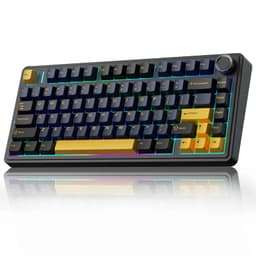
The EPOMAKER X Aula F75 MAX is what happens when a budget keyboard tries to do everything, and mostly succeeds. At under £80, you're getting a TFT display screen on the keyboard itself (showing time, battery, and system info), a volume knob, gasket mounting, hot swap sockets, and tri-mode wireless. That's a feature list that would be impressive at £150.
The gasket mount is the real star. It gives the keyboard a bouncy, cushioned feel that absorbs the impact of each keystroke and produces a deeper, more satisfying sound. Combined with the creamy Reaper switches, the typing experience is genuinely premium. This is the board you buy when you want something that feels expensive without actually being expensive.
Hot swap means you can swap out the Reaper switches for anything you prefer without soldering. That's a big deal for customisation enthusiasts. The 75% layout keeps function keys and a compact navigation cluster, making it practical for both gaming and everyday use.
The TFT screen is a nice touch rather than a necessity, but it does make the board feel special. Battery life on 2.4GHz is solid, and Bluetooth works reliably for switching between devices. If you want the most feature-rich board in the best RGB gaming keyboards under £100 category, this is it.
Pros
- TFT display screen is genuinely useful
- Gasket mount for premium typing feel
- Hot swappable switches
- Tri-mode wireless (2.4GHz, BT, USB-C)
- Volume knob is a quality-of-life win
Cons
- Approaching the £80 mark, not the cheapest
- TFT screen adds complexity that some won't use
- White/purple colourway is polarising
Buy on Amazon£79.99
Best Build Quality
Price: £39.49 | Rating: ★★★★½ (4.6)
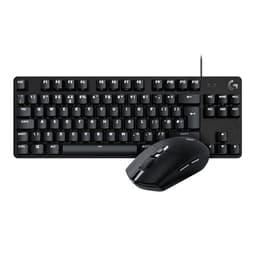
Buying a keyboard and mouse together makes sense for a lot of people, especially when building a new gaming setup from scratch. This Logitech bundle pairs the G413 TKL SE mechanical keyboard with the G305 LIGHTSPEED wireless mouse, and the combined price is genuinely good value for two Logitech products.
The G305 is the real draw here. The HERO sensor is one of the best in its class, accurate and consistent across surfaces. LIGHTSPEED wireless is Logitech's proprietary 2.4GHz technology and it's properly lag-free. For gaming, it's as good as wired. The G413 TKL SE is a solid if unspectacular mechanical keyboard with tactile switches and decent anti-ghosting. The RGB is single-colour white backlight rather than full RGB, which is worth knowing if colourful lighting is important to you.
So the keyboard is the weaker half of this bundle in terms of RGB credentials. But the overall value proposition is strong. Two reliable Logitech peripherals, both with proper gaming credentials, for under £75. If you need to kit out a whole desk and want brand reliability, this bundle makes a lot of sense.
Pros
- G305 HERO sensor is excellent
- LIGHTSPEED wireless is genuinely lag-free
- Good combined value for two Logitech products
- Logitech G HUB software is well-supported
Cons
- G413 TKL SE has white backlight, not full RGB
- Keyboard is the weaker part of the bundle
- No hot swap or wireless on the keyboard
Buy on Amazon
Best Wireless All-Rounder
Price: £67.91 | Rating: ★★★★½ (4.5)
The AULA F75 sits in a sweet spot. It's not as feature-heavy as the EPOMAKER F75 MAX, but it's cheaper and still brings tri-mode wireless, hot swap, and solid RGB in a 75% layout. For someone who wants wireless flexibility and the ability to swap switches without spending close to £80, this is a proper option.
The 2.4GHz connection is stable and responsive enough for gaming. Bluetooth works well for switching to a second device. The hot swap sockets accept standard 3-pin and 5-pin switches, so you've got plenty of options if you want to change the feel. The RGB is bright and even, with per-key control through the software.
Build quality is decent. It's not gasket-mounted like the EPOMAKER boards, so the typing sound is a bit more clacky and hollow. But the structure feels solid enough, and the 75% layout is practical for both gaming and productivity. A good all-rounder that doesn't ask you to compromise too much in any one area.
Pros
- Tri-mode wireless at a competitive price
- Hot swappable switches
- Practical 75% layout
- Good RGB with per-key control
Cons
- No gasket mount, so sound is less premium
- No volume knob or TFT screen
- Software is basic compared to Logitech or Corsair
Buy on Amazon
Best Typing Feel
Price: £62.39 | Rating: ★★★★½ (4.5)
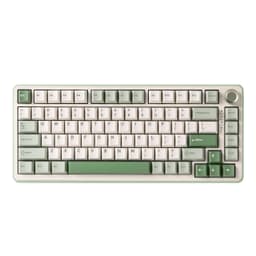
YUNZII is a brand that's earned a solid reputation in the custom keyboard community, and the B75 PRO shows why. Pre-lubed switches straight out of the box is a detail that matters. Lubing switches properly takes time and effort, and most budget boards don't bother. The Milk switches here feel smooth and satisfying from the first keystroke.
The gasket mount adds that cushioned, bouncy feel that makes extended typing sessions much more comfortable. Combined with the pre-lubed switches, the B75 PRO has one of the best stock typing experiences in this roundup. The volume knob is a nice touch, and the matcha green colourway is genuinely attractive if you want something a bit different.
Wireless works well across all three modes. Hot swap is included. The 75% layout is practical. The RGB is solid. At around £66, it's not the cheapest option here, but the pre-lubed switches and gasket mount justify the price over the basic AULA F75. If you type a lot as well as game, the B75 PRO is worth the extra spend.
Pros
- Pre-lubed switches out of the box
- Gasket mount for premium feel
- Attractive matcha green colourway
- Volume knob included
- Hot swappable
Cons
- YUNZII software is less polished than big brands
- No TFT screen
- Milk switches are linear, tactile fans need to swap
Buy on Amazon
Best Brand Reliability
Price: £58.00 | Rating: ★★★★½ (4.6)
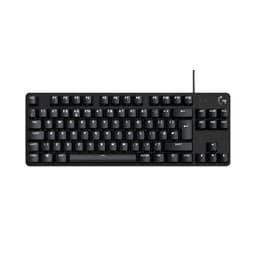
The Logitech G413 TKL SE is the no-nonsense option. No hot swap, no wireless, no gasket mount. Just a well-built TKL mechanical keyboard from a brand with proper UK support, a two-year warranty, and software that actually works reliably. Sometimes that's exactly what you need.
The tactile switches have a satisfying bump without being too loud. Anti-ghosting and N-key rollover mean every keypress registers correctly, which matters in fast-paced games. The TKL layout keeps things compact without losing the function row or navigation keys. It's a practical layout for most gamers.
The backlight is white rather than full RGB, which is the main caveat for anyone specifically hunting the best RGB gaming keyboards under £100. If colourful lighting is a priority, look elsewhere. But if you want a dependable mechanical keyboard from a trusted brand at under £45, the G413 TKL SE delivers exactly that. The Logitech G HUB software is one of the better peripheral apps out there, and the build quality feels solid and durable.
Pros
- Trusted Logitech brand with proper warranty
- Reliable G HUB software
- Tactile mechanical switches feel good
- Solid TKL build quality
- Under £45
Cons
- White backlight only, not full RGB
- No wireless option
- No hot swap
- Fairly basic feature set
Buy on Amazon£58.00
Best Silent Option
Price: £34.95 | Rating: ★★★★½ (4.6)
Not everyone wants a clicky mechanical keyboard. If you share a room, game late at night, or just prefer a quieter typing experience, the SteelSeries Apex 3 TKL is worth serious consideration. The silent membrane switches are genuinely quiet without feeling completely dead under the fingers.
The IP32 water and dust resistance rating is a practical bonus. Spill a drink on this and it'll probably survive. That's not something most keyboards in this price range can claim. The 8-zone RGB illumination is not per-key, so you won't get intricate lighting patterns, but it looks decent in a dark room and the SteelSeries Engine software gives you reasonable control over it.
SteelSeries Engine is one of the better peripheral software packages available, which counts for something. The TKL layout is sensible. Build quality is solid for the price. The main limitation for RGB enthusiasts is that 8-zone lighting rather than per-key. But as a quiet, spill-resistant gaming keyboard with decent software backing, the Apex 3 TKL fills a genuine gap in this roundup.
Pros
- IP32 water and dust resistance
- Genuinely silent switches
- SteelSeries Engine software is excellent
- Solid TKL build
- Trusted gaming brand
Cons
- 8-zone RGB, not per-key
- Membrane switches, not mechanical
- No wireless option
- No hot swap
Buy on Amazon
Best for Streamers
Price: £59.99 | Rating: ★★★★☆ (4.4)
The Corsair K55 RGB PRO is the odd one out in a roundup focused on gaming performance. It's a membrane keyboard, so competitive gamers should look elsewhere. But for streamers, content creators, or casual players who want macro keys and deep software integration, it makes a lot of sense.
Six dedicated macro keys on the left side can be programmed through iCUE to trigger anything from scene switches to Discord mutes. The Elgato integration is the standout feature. If you use an Elgato Stream Deck or capture card, the K55 RGB PRO can be set up to work alongside it directly through iCUE. That's a genuinely useful workflow tool for streamers.
The IP42 rating is better than the SteelSeries Apex 3 TKL's IP32, offering more protection against dust and spills. The RGB is per-zone rather than per-key, but it looks fine. At around £34, it's one of the cheaper options in this roundup. The membrane feel won't satisfy mechanical keyboard fans, but for its target audience, it's a proper decent pick.
Pros
- 6 dedicated macro keys
- Elgato integration for streamers
- iCUE software is feature-rich
- IP42 dust and spill resistance
- One of the cheapest options here
Cons
- Membrane switches, not mechanical
- Per-zone RGB, not per-key
- Not suited to competitive gaming
- No wireless
Buy on Amazon£59.99
Best for Beginners
Price: £65.65 | Rating: ★★★★☆ (4.2)
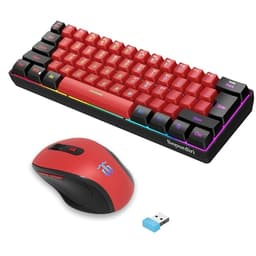
Look, the Snpurdiri combo is not going to impress anyone who knows their keyboards. The switches are membrane, the RGB is basic, and the mouse is a compact vertical design that won't suit everyone. But here's what it does well: it gives you a complete wireless desk setup for well under £50, and it works.
The 2.4GHz wireless connection is stable. The 60% keyboard layout is compact and tidy. The vertical mouse design is actually ergonomically interesting, reducing wrist strain for some users. For a first gaming setup, a secondary desk, or someone who just wants to go wireless without spending much, this combo makes sense.
The RGB is limited but present. The keyboard feels light and a bit hollow, and the mouse won't satisfy anyone used to a proper gaming sensor. But as a beginner entry point into the world of best RGB gaming keyboards under £100, the Snpurdiri combo removes the barrier to entry almost entirely. It's the easiest recommendation for someone who just wants to get started.
Pros
- Complete wireless keyboard and mouse combo
- Very affordable price point
- 2.4GHz wireless is stable
- Ergonomic vertical mouse is interesting
- Compact 60% layout
Cons
- Membrane keyboard, not mechanical
- Mouse sensor is basic
- RGB is limited
- Build quality reflects the price
Buy on Amazon
Cheapest Option
Rating: ★★★★½ (4.7)
The SUMVISION SEEKER DESTROYER sits at the very bottom of this roundup on price, and it's honest about what it is. The "mechanical feel" in the name is doing a lot of work. These are membrane switches designed to feel a bit like mechanical ones. They don't, really. But at under £18, you're not paying for mechanical switches.
What you do get is a compact 60% wired keyboard with backlit keys, broad compatibility across Windows, Mac, PS5, and Xbox, and free UK tech support from a British brand. That last point is worth something. If something goes wrong, you're not dealing with a distant overseas support team.
The RGB backlight is single-colour rather than full RGB, so again, it's not the strongest contender in a roundup specifically about RGB gaming keyboards. But for an absolute beginner, a child's first gaming keyboard, or a spare board to keep at a secondary setup, the SEEKER DESTROYER does the job without asking much in return. Just don't expect it to compete with anything else on this list.
Pros
- Extremely affordable
- UK brand with free tech support
- Works with PS5, Xbox, Mac, and Windows
- Compact 60% layout
Cons
- Membrane switches, not true mechanical
- Single-colour backlight, not full RGB
- Build quality is very basic
- Not suitable for competitive gaming
Check availability