Getting a laptop wrong is an expensive mistake. Unlike a phone where you can trade up in a year without too much pain, a laptop tends to stick around. You use it every day, you carry it everywhere, and if it's slow, cramped, or dies halfway through a train journey, you'll be quietly furious about it for years. So the question with something like the HP 14s-dq3001sa isn't just "is it cheap?" It's "is it cheap in a way I'll regret, or cheap in a way that actually makes sense?"
This is a budget laptop. No point dancing around it. You've got an Intel Celeron N4500, 4GB of RAM, 64GB of eMMC storage, and a 1366x768 display. On paper, that reads like a spec sheet from 2015. But the price reflects that, and for a certain kind of buyer, specifically someone who needs a basic Windows machine for browsing, email, video calls, and the odd Word document, this might actually be exactly what they need. The question is whether HP has done enough to make those compromises liveable.
With 629 reviews and a ★★★★☆ (4.2) average rating, there's clearly a decent chunk of people who are happy with it. But averages can hide a lot. So here's the honest breakdown, spec by spec, based on what the numbers actually mean and what owners consistently report.
Core Specifications
Start with the CPU, because it sets the ceiling for everything else. The Intel Celeron N4500 is a dual-core chip based on Intel's Jasper Lake architecture. It runs up to 2.8GHz on a single core and draws very little power, which is why it turns up in budget laptops and Chromebooks. It's not quick. It was never meant to be. But for light tasks, it gets the job done without turning your lap into a radiator, and it's kind to the battery. That's the trade-off HP made here, and honestly, for the target audience, it's not an unreasonable one.
The 4GB of RAM is where things get trickier. Windows 11 itself will happily consume 2 to 3GB just sitting there, which leaves precious little headroom for anything else. Open Chrome with a handful of tabs, and you'll start to feel the squeeze. Owners frequently mention that the machine handles one or two tasks fine but starts to slow noticeably when you push it. That's not a surprise given the spec, but it's worth being clear-eyed about. If you're the sort of person who keeps 20 tabs open while streaming music and downloading something in the background, this will frustrate you. If you're more disciplined about what you've got running, you'll manage.
The 64GB of eMMC storage is the other big caveat. eMMC is slower than a proper SSD, closer to what you'd find in a tablet than a traditional laptop. It's fine for the operating system and a handful of apps, but 64GB fills up faster than you'd think once Windows updates have had their way with it. You'll want to lean on cloud storage or an external drive if you're keeping photos, videos, or large files. The included one-year Microsoft 365 Personal subscription does come with 1TB of OneDrive storage, which genuinely helps offset this, but it does mean you're dependent on a decent internet connection to access your stuff.
The Intel UHD Graphics handles everything you'd expect at this level: YouTube, Netflix, video calls, basic photo viewing. It won't run demanding games, but HP's own marketing says it'll handle 720p gaming, which is accurate for very undemanding titles. Don't expect anything beyond that. The GPU shares system memory, which further tightens that already-slim RAM headroom.
| Specification | Detail |
|---|---|
| Processor | Intel Celeron N4500 (dual-core, up to 2.8GHz) |
| RAM | 4GB |
| Storage | 64GB eMMC |
| Graphics | Intel UHD Graphics |
| Display | 14 inch, 1366x768, anti-glare |
| Operating System | Windows 11 |
| Ports | 2x USB-A, 1x USB-C, 1x HDMI, 1x 3.5mm audio, 1x SD card reader |
| Included Software | Microsoft 365 Personal (12 months) + 1TB OneDrive |
| Price | Check price |
Performance Benchmarks
The Celeron N4500 sits at the very bottom of the modern Intel laptop chip hierarchy. In CPU benchmarks, it scores somewhere around 2,800 to 3,200 in Cinebench R23 multi-core, which puts it well below even budget mid-range chips like the Intel Core i3-1215U (which scores north of 7,000 in the same test). That gap is real, and it shows in day-to-day use. Startup times, app loading, and anything that requires a burst of processing power will be noticeably slower than on a machine with a current-gen Core i3 or AMD Ryzen 3.
That said, benchmarks only tell part of the story. The N4500 is designed for sustained light workloads, not sprints. Owners report that it handles email, web browsing, Microsoft Word, and video streaming without drama. It's when you start multitasking aggressively, or when Windows decides to run an update in the background, that things get sluggish. Several owner reviews mention the machine feeling slow when first setting up, partly because Windows 11 is doing a lot of background indexing and updating on a fresh install. Give it a day or two and it settles down.
The eMMC storage also plays a role in perceived performance. It's not as fast as even a budget SATA SSD, so file operations and app launches take a touch longer than you'd see on a machine with proper flash storage. It's not painful, but it's noticeable if you've used a faster laptop recently. For someone upgrading from an old mechanical hard drive machine, though, it'll feel like a revelation. Context matters here.
For the tasks this laptop is actually sold for, basic productivity and entertainment, the performance is adequate. Not quick, not slick, but adequate. Think of it like a reliable small car rather than something sporty. It'll get you where you're going without fuss, as long as you're not trying to tow a caravan at the same time.
Display Analysis
The 14-inch display runs at 1366x768, which is HD resolution. On a 14-inch panel, that works out at around 112 pixels per inch. It's not sharp by modern standards. Text is readable but lacks the crispness you get on a Full HD (1920x1080) panel, and if you're used to a decent phone screen or a higher-res laptop, it'll look a bit soft. For someone who's been using an old laptop with a similar resolution, it'll feel perfectly normal.
The anti-glare coating is genuinely useful. HP's marketing leans into this, and for once they're not wrong. The non-reflective, low-gloss finish means you can use this near a window without the screen turning into a mirror. That's a practical win for anyone working in a living room, cafe, or anywhere with ambient light. Glossy panels look prettier in a dark showroom but are miserable in real conditions, so the anti-glare approach here is the right call for this type of machine.
The micro-edge bezel design gives you a larger screen-to-body ratio than you'd expect at this price, which is a nice touch. Colour accuracy and brightness aren't going to win any awards. This is a TN or IPS budget panel (HP doesn't specify the panel type officially), and the colour gamut will be limited. For streaming video, casual browsing, and document work it's fine. If you're doing any kind of photo or video editing where colour accuracy matters, this is the wrong laptop. But then, if you're doing that kind of work, you shouldn't be looking at a Celeron machine anyway.
Battery Life
HP claims up to 12 hours of battery life. Real-world figures from owners tend to land somewhere between 6 and 9 hours for mixed use, which is a fairly typical gap between manufacturer claims and actual use. The low-power Celeron chip does genuinely help here. It's not drawing much juice even under load, which means lighter tasks stretch the battery further. Browsing and video streaming seem to sit comfortably in the 7 to 8 hour range for most people, which is a solid result at this price.
The HP Fast Charge feature is worth mentioning because it's actually useful. HP says you can go from flat to 50% in around 45 minutes when the laptop is powered off. That's a handy safety net if you forget to charge overnight. You're not going to get the same turnaround if the machine is running, but as a "plug it in for 45 minutes before you head out" solution, it works well. Owners seem to appreciate this more than you'd expect, particularly those using it as a secondary machine they don't always remember to keep topped up.
USB-C charging support is not confirmed in the verified specifications, so it's not something to assume. The machine charges via its own power brick. For most home and office users that's fine, but if you were hoping to charge from a portable battery pack or share a charger with your phone, that's not a given here. Worth checking before you buy if that matters to your setup.
Overall, the battery story is one of the more positive aspects of this machine. The Celeron's power efficiency genuinely pays off here. For a full day of light work, most owners aren't reaching for the charger until evening, which is exactly what you want from a portable machine.
Portability
HP markets this as thin and portable, and for a budget 14-inch laptop, that's broadly accurate. The micro-edge bezel keeps the footprint compact for the screen size. It's not going to win any ultrabook slimness competitions, but it's not a chunky old-school brick either. It sits in the middle ground that most budget laptops occupy: light enough to carry daily without complaining, not so light that you're paying a premium for engineering.
At this price point, the chassis is plastic rather than aluminium, which keeps weight down but does mean it's less rigid than pricier machines. For commuters and students who need something that fits in a backpack and doesn't weigh them down, it works well, though a machine that lives on cafe, airport and hotel networks is a good reason to run a decent VPN to keep your connection private on shared Wi-Fi. The 14-inch form factor is a sensible size, big enough to actually use comfortably, small enough to fit in most bags without dominating them.
The charger is a standard HP barrel-plug adapter, which adds a bit of bulk to your bag. It's not unusually large, but it's worth factoring in if you're packing light. For someone who mostly works from one place and occasionally takes the laptop out, this is a non-issue. For a frequent traveller who wants to minimise what they carry, it's a minor annoyance rather than a dealbreaker.
Keyboard & Trackpad
The keyboard on the HP 14s is a full-size layout without a number pad, which is standard for 14-inch machines. The key travel is reasonable for a budget laptop, and owners generally report it's comfortable enough for extended typing sessions. It's not going to feel like a ThinkPad, but it's not the mushy, shallow experience you sometimes get on the cheapest machines. For someone writing emails, reports, or doing coursework, it'll do the job without making your fingers miserable.
There's no keyboard backlight, which is worth knowing upfront. If you work in low-light conditions, whether that's a dim bedroom, a plane, or a dark office, you'll be typing blind. For some people that's a complete non-starter. For others it's irrelevant because they touch-type anyway. But it's the sort of thing that doesn't show up in the headline specs and then annoys you six months in.
The precision touchpad supports multi-touch gestures, which is a genuine quality-of-life improvement over basic non-precision touchpads. Two-finger scrolling, pinch-to-zoom, and three-finger gestures all work properly. Owners don't flag the trackpad as a problem area, which is usually a good sign. Budget touchpads can be genuinely awful, so a precision touchpad here is a welcome inclusion. The surface area is adequate for a 14-inch machine, and tracking accuracy seems to be consistent based on owner feedback.
Thermal Performance
The Celeron N4500 has a very low thermal design power, which means it doesn't generate much heat. In practice, this machine runs cool during light tasks. Browsing, streaming, and document work produce very little warmth, and the palm rest stays comfortable throughout. That's a meaningful practical benefit for a laptop you're actually going to use on your lap or at a desk for hours.
Under heavier load, temperatures rise but the chip's low TDP means it doesn't get dramatically hot. The trade-off is that the chip will throttle its performance when it does get warm, which can compound the slowdown you'd already expect from a Celeron under sustained load. For the kind of tasks this laptop is designed for, you're unlikely to push it hard enough to trigger serious throttling. But if you're doing something more demanding, like a long video export or a big download combined with other tasks, you might notice things slow down more than you'd like.
The underside ventilation keeps things manageable. Owners don't frequently mention the laptop getting uncomfortably hot, which suggests HP's thermal management is doing its job adequately. For lap use during normal tasks, you shouldn't have any issues. It's one of the benefits of a low-power chip: the thermal story is simple and quiet.
Acoustic Performance
This is one area where the Celeron N4500 earns its keep. Because it runs so cool under light loads, the fan doesn't need to work hard, and many owners report it's almost silent during normal use. Browsing, streaming, writing documents, even video calls tend to produce very little fan noise. For library use, open-plan offices, or video meetings where a whirring laptop is genuinely distracting, this is a real plus.
Under heavier load the fan does spin up, but it's not dramatic. The Celeron simply doesn't generate enough heat to demand aggressive cooling, so even when it does kick in, it's a gentle whoosh rather than a jet engine. Compared to more powerful budget laptops with Core i5 chips that spin their fans aggressively, this is a noticeably quieter machine.
The dual stereo speakers are decent for the price. They're not going to shake the room, but for watching YouTube or having a video call without headphones, they're adequate. Owners don't complain about them, which is about the best you can say for budget laptop speakers. If audio quality matters to you, the 3.5mm headphone jack is there, and a decent pair of headphones will transform the experience.
Ports & Connectivity
The port selection on the HP 14s-dq3001sa is actually pretty good for a budget machine. You get two USB-A ports, one USB-C, one full-size HDMI, a 3.5mm headphone jack, and an SD card reader. That's a proper spread of connectivity that a lot of pricier ultrabooks don't bother including. The HDMI means you can plug into a monitor or TV without an adapter. The SD card reader is genuinely useful for photographers or anyone who uses a camera. And having two USB-A ports means you're not immediately scrambling for a hub.
The USB-C port's capabilities beyond data transfer are not fully specified in HP's official documentation for this model, so don't assume it supports video output or power delivery without confirming with HP directly. The USB Power Delivery standard allows USB-C to handle charging, but whether this specific port supports that is not confirmed here. Worth a quick check if you're planning to use it for anything beyond data.
WiFi and Bluetooth are present (this is a modern laptop, of course they are), though the specific WiFi standard isn't listed in the verified specifications. At this price tier, you'd typically expect Wi-Fi 5 (802.11ac) or Wi-Fi 6, but confirming that with HP's official spec sheet before purchase is sensible if wireless performance is critical to you.
- 2x USB-A
- 1x USB-C
- 1x HDMI
- 1x 3.5mm audio jack
- 1x SD card reader
Webcam & Audio
HP doesn't publish a specific resolution for the webcam on this model, which usually means it's a basic 720p unit. That's fine for video calls on Teams, Zoom, or Google Meet. You're not going to look cinematic, but you'll be recognisable and clear enough for a professional call. Low-light performance on budget webcams is generally mediocre, so if you're regularly calling from a dimly lit room, a ring light is worth considering. Owners don't specifically flag the webcam as a problem, which suggests it does what it needs to do at this price.
The microphone is built-in and functional. For solo calls in a reasonably quiet environment, it picks up voice clearly enough. In noisy environments, a headset with a dedicated microphone will always be better, but for home or office use, the built-in mic is serviceable. There's no mention of noise cancellation technology, so don't expect it to filter out background noise intelligently.
The dual stereo speakers deliver enough volume for personal use. Watching a show in a quiet room, having a call without headphones, listening to music at low volume, all of that works. They're not bass-heavy and won't fill a room, but they're not tinny and unpleasant either. The 3.5mm jack is the real hero here for anyone who cares about audio quality, because plugging in a decent pair of wired headphones immediately transforms the listening experience.
Build Quality
The HP 14s-dq3001sa is a plastic machine. That's not a criticism at this price, it's just a fact. Plastic keeps costs down, keeps weight manageable, and is perfectly adequate for everyday use. The lid has some flex if you press on it, and the keyboard deck isn't completely rigid, but neither is dramatically worse than the competition at this price point. It's built to survive a bag, not a fall onto a hard floor.
The hinge feels solid enough based on owner reports. It opens to a reasonable angle for desk use, and it doesn't wobble dramatically when you're typing. Budget laptops sometimes have hinges that feel cheap and loose after a few months, and while there are a few owner comments about the build feeling a bit plasticky, there aren't widespread reports of structural problems. For a machine that's going to live on a desk or in a bag most of its life, it should hold up fine.
The finish is matte black, which is inoffensive and reasonably fingerprint-resistant. It's not going to look as premium as a brushed aluminium machine, but it's not going to look grubby after a week either. HP's budget build quality has improved over the past few years, and this feels like a machine that was designed to be functional and durable rather than flashy. For the price, that's the right priority.
One thing worth noting: because the RAM and storage are soldered and eMMC respectively, there's no upgrade path. What you buy is what you get, forever. That's common at this price tier, but it does mean you need to be honest with yourself about whether 4GB and 64GB will still be enough in three years' time. If you think you'll need more, it's worth spending a bit more upfront on a machine with expandable RAM or a proper SSD slot.
How It Compares
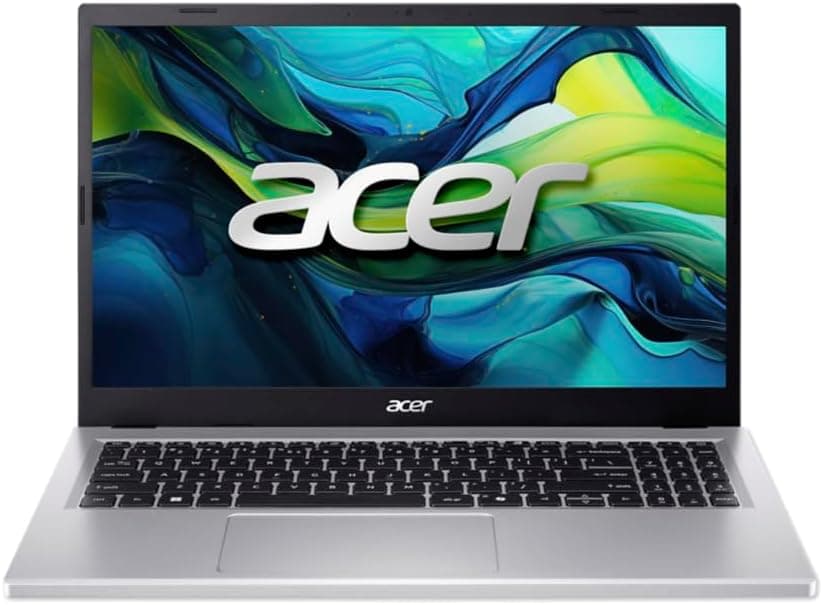
The main competition for the HP 14s-dq3001sa sits in the same budget tier. The Acer Aspire 3 with an AMD Ryzen 3 processor is a frequent alternative recommendation in this price bracket. It typically offers a more capable CPU, Full HD display, and sometimes more RAM for a similar or slightly higher price. If you can stretch the budget a bit, the Acer often represents better raw performance per pound. The AMD Ryzen 3 chips in that range are significantly quicker than the Celeron N4500 in multi-threaded tasks.
The Lenovo IdeaPad 1 is another competitor that pops up in this space. Lenovo often ships similar Celeron or Pentium-based configurations at similar prices, though build quality and port selection vary by specific model. The HP 14s has a notably good port spread for the price, which gives it an edge over some Lenovo configurations that cut corners on connectivity.
Where the HP 14s genuinely wins is the included Microsoft 365 Personal subscription. That's a real-world saving of around £60 to £70 on its own, which effectively reduces the net cost of the laptop considerably. Combined with 1TB of OneDrive storage, it's a meaningful bundle for someone who was going to pay for Microsoft 365 anyway. Factor that in when comparing prices, because a bare laptop at a lower sticker price might end up costing more once you add the software.
The anti-glare display and the HP Fast Charge are also genuine differentiators. Not every budget laptop includes either. If you're frequently working near windows or need a quick charge before heading out, those features add practical value that doesn't show up in a straight spec comparison.
| Feature | HP 14s-dq3001sa | Acer Aspire 3 (Ryzen 3) | Lenovo IdeaPad 1 |
|---|---|---|---|
| Processor | Intel Celeron N4500 | AMD Ryzen 3 (varies by config) | Intel Celeron / Pentium (varies) |
| RAM | 4GB | 4GB to 8GB | 4GB |
| Storage | 64GB eMMC | 128GB to 256GB SSD | 64GB to 128GB eMMC/SSD |
| Display | 1366x768, anti-glare | 1920x1080 (typical) | 1366x768 to 1920x1080 |
| Ports | USB-A x2, USB-C, HDMI, SD, 3.5mm | Varies by config | Varies by config |
| Included Software | Microsoft 365 Personal (12 months) | Not typically included | Not typically included |
| Fast Charge | Yes (0 to 50% in ~45 mins) | Varies | Varies |
| Price | Check price | Typically slightly higher | Similar range |
| Best For | Basic daily tasks, great port selection, included software value | Better performance, more storage, Full HD display | Brand loyalty, varies widely by config |
Final Verdict
The HP 14s-dq3001sa is a laptop that knows exactly what it is. It's not trying to be fast, it's not trying to be thin and light in an impressive way, and it's definitely not trying to impress anyone with its display resolution. What it's trying to do is give someone a functional, reliable Windows 11 machine for the absolute basics, and on that front, it largely succeeds. The ★★★★☆ (4.2) rating from 629 reviews backs that up. People buying this for the right reasons are generally happy with it.
The right reasons are: you need a basic laptop for browsing, email, video calls, and light document work. You don't need speed, you need reliability. You're going to use OneDrive for storage rather than cramming everything locally. You appreciate the included Microsoft 365 subscription because you were going to pay for it anyway. You work near windows and want an anti-glare screen. You sometimes forget to charge and appreciate Fast Charge. If that's you, this makes a lot of sense at the price. It's also a solid choice as a first laptop for a student, a secondary machine for occasional use, or something for a family member who just needs "a laptop" without complication.
Who should skip it? Anyone who regularly multitasks heavily, anyone who keeps dozens of browser tabs open, anyone who does photo or video editing, anyone who games beyond very casual titles, and anyone who needs a proper SSD with room to grow. The 4GB RAM and 64GB eMMC are real limitations that you'll bump into if you push the machine. The 1366x768 display will also feel dated if you're used to Full HD screens. For those people, spending a bit more on something with a Ryzen 3 or Core i3, proper SSD storage, and a Full HD panel is the smarter long-term move, even if it hurts more upfront.
As a budget machine for light use, this is a solid 7 out of 10. The port selection is better than it has any right to be at this price. The anti-glare display is a practical win. The battery life is genuinely good. The Microsoft 365 bundle adds real value. The performance limitations are real but predictable. Buy it with clear eyes about what it can and can't do, and it'll serve you well. Buy it expecting a general-purpose workhorse and you'll be disappointed within a month.
What works. What doesn’t.
6 + 6What we liked6 reasons
- Excellent port selection for the price, including two USB-A ports, HDMI, and an SD card reader
- Included 12-month Microsoft 365 Personal subscription with 1TB OneDrive storage adds genuine real-world value
- Anti-glare display coating is practically useful in ambient light conditions
- HP Fast Charge reaches 50 percent battery in around 45 minutes from flat
- Runs quietly during normal use thanks to the Celeron N4500's low thermal output
- Battery life in real-world mixed use comfortably reaches seven to eight hours
Where it falls6 reasons
- Intel Celeron N4500 is a slow chip that shows its limits quickly under multitasking
- 4GB of RAM leaves very little headroom once Windows 11 is running, let alone with multiple applications open
- 64GB eMMC storage fills up rapidly and is slower than even a budget SATA SSD
- 1366x768 display resolution looks soft and dated compared to Full HD alternatives at similar prices
- No keyboard backlight, which is a genuine inconvenience in low-light environments
- RAM and storage are not upgradeable, so what you buy is what you have for the machine's lifetime
Full specifications
12 attributes| Storage type | eMMC |
|---|---|
| Battery life H | 12 |
| Battery WH | 41 |
| Bluetooth | 5.4 |
| CPU | Intel Celeron N4500 |
| Display refresh HZ | 60 |
| Display resolution | 1366x768 |
| Display size IN | 14 |
| GPU | Intel UHD Graphics |
| Launch year | 2023 |
| OS | Windows 11 Home in S mode |
| Ports | 2x USB-A, 1x USB-C, 1x HDMI, 1x 3.5mm audio, 1x SD card reader |
If this isn’t right for you
2 options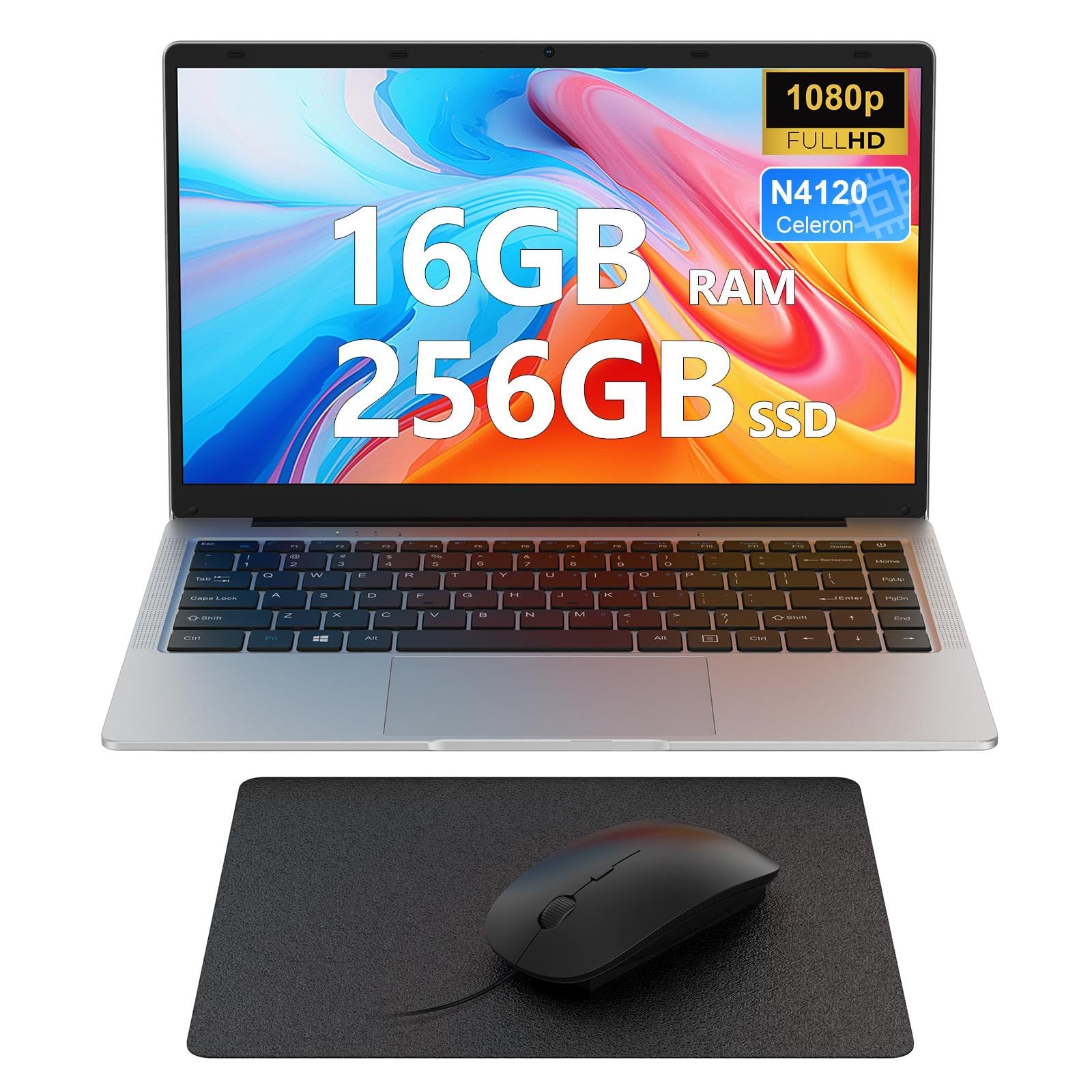 7.0 / 10
Laptop 14 inch, 16GB DDR4 256GB SSD, Quad-Core N4120, FHD 1920 * 1080 Display, 5GH WIFI, USB 3.0, HDMI, Expandable Storage, Win11 Portable Notebook PC for Work/Study, Mouse and Mous Pad included
£203.99 · MAXLEGEN
 6.5 / 10
laptop 16-inch , 8GB DDR 256GB SSD portable laptop computer, expandable to 1TB, AMD A9-9400 Radeon R5 CPU up to3.2 GHz, Those who make payment must watch the video interface, webcam, slim laptops
£229.99 · Morostron
Frequently asked
7 questions01Is the HP 14s-dq3001sa good enough for everyday use?+
For light everyday tasks such as browsing, email, video calls on Teams or Zoom, and writing documents in Microsoft Word or Google Docs, yes. It handles those jobs without serious drama. The limitations appear when you push it harder, opening many browser tabs at once, running background downloads alongside active applications, or trying to do anything that requires sustained processing power. If your daily use stays within the light-tasks bracket, it is genuinely adequate.
02Can you upgrade the RAM or storage on the HP 14s-dq3001sa?+
No. The RAM is soldered directly to the motherboard and cannot be replaced or supplemented. The storage is eMMC, which is also fixed and not replaceable with a standard SSD. This is common at this price tier, but it does mean the machine will always have 4GB of RAM and 64GB of storage. If you anticipate needing more of either in the next few years, it is worth considering a more expensive model with expandable memory or an M.2 SSD slot from the outset.
03How does the included Microsoft 365 subscription affect the value of this laptop?+
It adds meaningful real-world value. A standalone Microsoft 365 Personal subscription costs approximately £60 to £70 per year in the UK, and it includes the full desktop versions of Word, Excel, PowerPoint, and Outlook, plus 1TB of OneDrive cloud storage. For someone who was already planning to pay for Microsoft 365, that subscription effectively offsets a substantial portion of the laptop's purchase price. The 1TB of OneDrive storage also helps compensate for the limited 64GB local storage on the device.
04What is the battery life like in real-world use?+
HP claims up to 12 hours, but real-world figures from owners tend to sit between six and nine hours depending on what you are doing. Mixed use combining browsing, some video streaming, and occasional document work typically lands in the seven to eight hour range. The HP Fast Charge feature is a practical bonus, allowing the laptop to reach roughly 50 percent charge in around 45 minutes when powered off, which is useful if you forget to charge overnight before heading out.
05How does the HP 14s-dq3001sa compare to the Acer Aspire 3 with a Ryzen 3 processor?+
The Acer Aspire 3 with an AMD Ryzen 3 chip typically offers significantly faster processing performance, a Full HD 1920x1080 display, and larger SSD storage, often at a similar or modestly higher price. If raw performance and display quality are priorities, the Acer is generally the stronger option. Where the HP 14s holds its own is in port selection, the included Microsoft 365 subscription, the anti-glare display coating, and HP Fast Charge. Factoring in the software bundle, the effective cost difference between the two narrows considerably.
06Does the HP 14s-dq3001sa support USB-C charging?+
USB-C charging support is not confirmed in HP's verified specifications for this model. The laptop charges via a standard HP barrel-plug power adapter. The USB-C port is present for data transfer, but whether it supports power delivery or video output has not been officially confirmed. If charging via USB-C or powering an external display through that port is important to your setup, it is worth checking directly with HP before purchasing.
07Is this laptop suitable for students?+
It depends on the course. For students who primarily write essays, browse research materials, use cloud-based tools, and attend online lectures or tutorials, it is a practical and affordable option. The included Microsoft 365 subscription is particularly relevant for students. However, students on courses involving heavy software such as video editing, 3D modelling, programming with demanding tools, or data analysis workloads will find the Celeron N4500 and 4GB of RAM insufficient. The lack of keyboard backlight may also be a mild inconvenience for late-night study sessions.