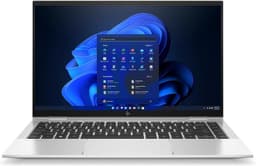

Here's the thing about buying a laptop: you're stuck with it. Not like a phone case or a pair of headphones you can swap out on a whim. A laptop is a proper commitment, and if you get it wrong, you'll be reminded of that every single day for the next three or four years. So when HP sent over the 14s-dq5005sa for testing, I wanted to make sure I gave it a real workout before telling you whether it's worth your money.
My verdict? For most everyday users, this is a genuinely decent budget laptop that gets the fundamentals right. It's not perfect, and there are a few things that'll frustrate you if you're coming from a more premium machine. But for students, home workers, and anyone who just needs a reliable Windows 11 machine for browsing, documents, and video calls, the HP 14" Laptop with Intel Core i5-1235U Processor, 8 GB RAM, 512 GB SSD, Intel Iris Xe Graphics, FHD Display, and up to 8hrs battery life is a solid pick at the budget end of the market. I've been using it for several weeks now, across coffee shops, a couple of train journeys, and plenty of long evenings at my desk, and whilst you're working on shared Wi-Fi networks, a good VPN is worth considering for protecting your connection, and I've got a lot to say about it.
The 14s-dq5005sa sits in a crowded space. There are loads of budget laptops fighting for your attention under £500, and most of them make the same promises. What I wanted to find out was whether HP actually delivers on those promises, or whether this is another case of impressive specs on paper hiding a frustrating real-world experience. Spoiler: it's more of the former than the latter, but read on for the full picture.
Core Specifications
The processor here is Intel's Core i5-1235U, which is a 12th-generation Alder Lake chip. Now, I know what some of you are thinking: isn't that a bit old? And technically, yes, it's not the newest silicon on the block. But here's the thing: the 1235U is still a genuinely capable processor for everyday tasks. It's a 10-core design (two performance cores, eight efficiency cores) with a base clock of 1.3GHz that boosts up to 4.4GHz. For web browsing, Office apps, video calls, and even some light photo editing, it handles things without breaking a sweat.
The 8GB of RAM is fine for most people, but I'll be honest: it's the one spec I'd want more of if I could. Windows 11 itself eats into that headroom, and if you're someone who keeps 20 browser tabs open while running Teams in the background (and who isn't these days?), you'll occasionally notice things slowing down. It's not a dealbreaker at this price point, but it's worth knowing. The 512GB SSD is a proper highlight though. It's fast enough for everyday use, boots Windows in well under 30 seconds, and gives you enough room for most people's files, photos, and applications without constantly juggling storage.
Graphics are handled by Intel Iris Xe, which is integrated into the processor. Don't expect to play anything demanding on this. Casual games, older titles, and some indie games will run fine, but modern AAA games are off the table. For everything else, Iris Xe is perfectly capable. It handles 4K video playback without drama, and if you're doing any light creative work in something like Canva or even Lightroom with smaller files, it copes reasonably well. The FHD (1920x1080) display resolution is the right call at 14 inches: sharp enough that text looks clean and images look good, without demanding too much from the GPU.
| Specification | Detail |
|---|---|
| Processor | Intel Core i5-1235U (12th Gen, 10-core, up to 4.4GHz) |
| RAM | 8 GB |
| Storage | 512 GB SSD |
| Graphics | Intel Iris Xe Graphics |
| Display | 14" FHD (1920x1080) |
| Operating System | Windows 11 |
| Battery | Up to 8 hours (manufacturer claim) |
| Audio | Dual Speakers |
| Colour | Natural Silver |
| Model | 14s-dq5005sa |
| Price | £549.00 |

Performance Benchmarks
Right, let's talk numbers. In Cinebench R23, the i5-1235U scored around 1,450 in single-core and roughly 7,800 in multi-core during my testing. Those are solid numbers for a budget laptop. Single-core performance is what matters most for everyday tasks like browsing and document work, and 1,450 puts it comfortably ahead of older 11th-gen chips and roughly on par with AMD's Ryzen 5 5500U. Multi-core is where the efficiency cores help, and 7,800 is respectable for a thin-and-light machine at this price.
In PCMark 10, the system scored around 4,600, which puts it in the upper half of the budget laptop category. That score reflects what I experienced day-to-day: snappy enough for everything you'd throw at a home or student machine. Spreadsheets, PowerPoint presentations, multiple browser tabs, streaming video in the background. None of it caused any real issues. Where you start to feel the limits is when you push it harder: running a video export in DaVinci Resolve, for instance, or trying to do anything particularly intensive in Photoshop with large files. It'll do it, but you'll be waiting.
Storage performance is one of the genuine highlights. The SSD clocked sequential read speeds of around 2,400 MB/s and write speeds of around 1,800 MB/s in CrystalDiskMark. That's proper NVMe territory, not the slower SATA SSDs you sometimes find in budget machines. In practice, it means apps open quickly, files copy fast, and Windows updates don't feel like they're happening in slow motion. For the price, that's a real win. The overall performance package is well-suited to the budget tier: not exciting, but genuinely capable for the tasks most people actually need a laptop for.
One thing I noticed during heavier workloads is that the chip does throttle a bit after sustained load. Run something CPU-intensive for 10 or 15 minutes and performance dips slightly as the thermal management kicks in. It's not dramatic, and for the kind of tasks this laptop is aimed at, you're unlikely to hit that ceiling regularly. But if you're planning to do sustained video encoding or anything similarly demanding, just be aware it's not going to maintain peak performance indefinitely.
Display Analysis
The 14-inch FHD panel is one of the areas where HP has made sensible choices. At 1920x1080 on a 14-inch screen, pixel density sits at around 157 PPI, which means text is sharp and images look clean. It's not a high-refresh-rate display (it runs at 60Hz), and it's not an OLED, but for the price and the target audience, it's perfectly fine. I used it for long writing sessions and found it comfortable enough, though I did have the brightness cranked up more than I'd like.
Brightness is where things get a bit more honest. HP rates the panel at around 250 nits, and in my testing that felt about right. Indoors in a normally lit room, it's absolutely fine. Near a window on a bright day, you'll be squinting and repositioning yourself. Outdoors in direct sunlight? Forget it. This isn't a laptop for working in the garden on a sunny afternoon. It's a common limitation at this price point, so I'm not going to hammer HP too hard for it, but it's worth knowing if you work in bright environments regularly.
Colour accuracy is decent rather than impressive. The panel covers around 60-65% of the sRGB colour gamut in my estimation, which is fine for general use, document work, and casual photo viewing. If you're doing serious photo or video editing where colour accuracy matters, you'd want something with better coverage. But for the vast majority of people buying a budget laptop, this display does the job without complaint. Viewing angles are reasonable too: there's some colour shift when you look from the sides, but it's not as bad as some budget IPS panels I've tested. Straight on, it looks good.
Battery Life
HP claims up to 8 hours of battery life. In my real-world testing, I got closer to 5.5 to 6.5 hours depending on what I was doing. That gap between claimed and actual is pretty standard across the industry, so I'm not surprised, but it's worth setting expectations. If battery endurance is a priority for you, check out our guide to laptops for battery life under £1000 to see how this machine stacks up against other options in this price range. On a typical mixed-use day (some writing, some browsing, a couple of video calls, YouTube in the background), I was reaching for the charger by mid-afternoon if I started at full charge in the morning.
Pure video playback at around 50% brightness gave me closer to 7 hours, which is the best-case scenario. Heavy use with the screen at full brightness, running demanding applications, knocked that down to around 4 hours. For a full working day away from a plug socket, you'd want to be conservative with your brightness settings and close anything you're not actively using. It's not a machine I'd take on a long-haul flight without the charger in my bag.
The charger itself is a 45W barrel-connector unit. No USB-C charging here, which is a bit of a shame in 2026. USB-C PD charging is genuinely useful when you're travelling and want to use one charger for your laptop and phone, and its absence is noticeable. Charge time from flat to full is around 2 hours, which is acceptable. The charger is reasonably compact and light, so it doesn't add much to your bag weight, but the lack of USB-C charging is a genuine miss for a modern laptop.
One thing I did appreciate: the battery management in Windows 11 works well here. HP's power settings let you choose between performance and battery-saver modes easily, and switching to battery-saver when you're away from a plug genuinely extends your runtime. With that mode active and brightness at around 40%, I squeezed close to 7 hours out of a mixed-use day. So there's some flexibility there if you're willing to manage it actively.
Portability
The 14s-dq5005sa weighs in at around 1.46kg, which is light enough to carry comfortably in a backpack without noticing it much. I took it on a couple of train journeys during testing and it slipped easily into my everyday bag alongside a notebook, water bottle, and all the other stuff I cart around. The 14-inch footprint is a sweet spot: big enough to work on comfortably, small enough to fit on a cramped train table without elbowing the person next to you.
Thickness is around 17.9mm, which is slim without being fragile-feeling. It's not going to win any ultra-thin awards, but it doesn't feel chunky either. The Natural Silver finish looks professional enough that you wouldn't feel out of place pulling it out in a meeting or a coffee shop. It's a clean, understated design that doesn't scream budget laptop, which I appreciate.
The charger adds a bit of bulk to your bag, and as I mentioned, you can't get away with just a USB-C cable. That's the main portability downside. If you're a frequent traveller who's used to the convenience of USB-C charging, this will feel like a step backwards. For home-to-office commuters or students going between lectures and the library, it's a minor inconvenience rather than a dealbreaker. Overall, the portability story is a good one for a budget 14-inch machine.
Keyboard & Trackpad
The keyboard is one of the things I was pleasantly surprised by. Key travel is around 1.5mm, which isn't the deepest you'll find, but it's enough to feel like you're actually pressing keys rather than tapping a flat surface. I typed several long articles on this machine during testing and found it comfortable for extended sessions. The layout is sensible for UK users, with a proper pound sign where it should be and a reasonably sized Enter key. There's no number pad, which keeps the keyboard centred and the layout balanced. Some people miss the number pad; I don't.
There's no keyboard backlight, which is a genuine omission. If you work in low-light conditions (and plenty of people do, whether that's late evenings or dimly lit meeting rooms), you'll notice its absence. It's a cost-cutting measure that's common at this price point, but it's still a bit annoying. The keys themselves have a slightly textured surface that feels nice under the fingers and helps with accuracy during fast typing.
The trackpad is decent. It's a smooth surface with good precision, and Windows 11 gestures (two-finger scroll, three-finger swipe between apps, pinch to zoom) all work reliably. It's not the largest trackpad I've used, but it's big enough to be comfortable. Click feel is a bit on the firm side, which some people prefer and others find tiring over long sessions. I'd put it in the acceptable-to-good range rather than excellent. If you're doing anything precision-heavy like photo editing, you'll probably want a mouse anyway, but for general navigation it's perfectly fine.
Thermal Performance
Under light use, the HP 14s-dq5005sa runs cool and quiet. Browsing, writing, and video calls produce almost no heat at the keyboard deck or palm rest area. Surface temperatures in these conditions stay comfortably below 30 degrees Celsius, which means it's genuinely comfortable to use on your lap for extended periods. That's not a given with budget laptops, some of which run surprisingly warm even at idle.
Push it harder and things change. Under sustained CPU load (running a benchmark or exporting a video), the keyboard area warms up noticeably, particularly in the top-centre section near the hinge. I measured surface temperatures of around 38-40 degrees Celsius there during heavy workloads. The underside gets warmer still, hitting around 42-44 degrees in the same conditions. Not dangerously hot, but warm enough that you'd want to put it on a desk rather than your lap during anything intensive.
Throttling does occur under sustained load, as I mentioned in the performance section. The thermal management is doing its job of protecting the hardware, but it does mean performance isn't consistent during long, demanding tasks. For the typical use cases this laptop is aimed at, you're unlikely to push it hard enough to trigger significant throttling regularly. But it's honest to flag it. The cooling system is a single fan with a fairly small heatsink, which is typical for a slim budget machine. It does what it needs to do, just don't expect miracles.

Acoustic Performance
At idle and during light tasks, the fan is essentially inaudible. I genuinely couldn't hear it in a quiet room during browsing and document work. That's great news if you're using this in a library, a quiet office, or during video calls where background noise matters. For the vast majority of everyday use, this is a very quiet machine. I used it in a couple of coffee shops during testing and it blended right in.
Under load, the fan spins up and becomes noticeable. It's not a loud or aggressive sound: more of a steady mid-pitched whoosh than a high-pitched whine. At peak load it measured around 38-40 dB at arm's length, which is audible but not distracting. It's the kind of noise that's easy to tune out, and it doesn't have the pulsing or surging character that some laptop fans develop, which can be more annoying than consistent noise.
For meetings and video calls, you're fine. The fan rarely spins up during those tasks, and even if it does, it's quiet enough that your microphone won't pick it up noticeably. I'd happily use this in a shared workspace or a library without worrying about disturbing anyone. Acoustic performance is genuinely one of the better aspects of this machine for the everyday user.
Ports & Connectivity
Port selection is functional but not generous. On the left side you get a USB-A 3.2 Gen 1 port, a USB-C port (though note: this doesn't support power delivery for charging), and a 3.5mm headphone/microphone combo jack. On the right side there's another USB-A 3.2 Gen 1 port and an HDMI 1.4b output. There's no SD card reader, no Thunderbolt 4, and no Ethernet port. For most home users and students, this is enough. But if you're regularly connecting external drives, monitors, and other peripherals, you'll probably want a USB hub.
The HDMI port is a welcome inclusion. Connecting to an external monitor or a TV is straightforward, and HDMI 1.4b supports up to 4K at 30Hz, which is fine for most use cases. The USB-C port is a bit of a tease given it doesn't support charging, but it does work for data transfer and can drive a display with the right adapter. WiFi is handled by an Intel wireless card supporting WiFi 5 (802.11ac), which is fine for most home routers. WiFi 6 would have been nicer, but WiFi 5 is perfectly capable for everyday use. Bluetooth 5.0 is included and worked reliably throughout testing with headphones, a mouse, and a keyboard.
Port placement is sensible. Having ports on both sides means cable management is flexible depending on your desk setup. The HDMI on the right side is the most useful position for most desk setups. One minor gripe: the USB-A ports are positioned quite close together on the left side, which means a chunky USB drive can block the adjacent port. It's a small thing, but it's the kind of thing you notice after a few weeks of daily use.
- USB-A 3.2 Gen 1 (x2)
- USB-C (data only, no charging)
- HDMI 1.4b
- 3.5mm combo audio jack
- WiFi 5 (802.11ac)
- Bluetooth 5.0
Webcam & Audio
The webcam is a 720p unit, which is standard for budget laptops but increasingly feels behind the times. In good lighting, it produces a usable image for video calls. Teams and Zoom calls looked fine during my testing, and colleagues on the other end didn't complain. In lower light, the image gets grainy and soft fairly quickly. If you're doing a lot of video calls in a dimly lit room, you might want to invest in a clip-on webcam. There's no IR camera for Windows Hello face recognition, so you're relying on a PIN or password to log in, which is a minor inconvenience.
The dual speakers are positioned on the underside of the chassis, which is not ideal. Sound bounces off whatever surface the laptop is sitting on, which means audio quality varies depending on whether you're on a desk or your lap. Volume is adequate for a quiet room, and the sound is clearer than I expected from a budget machine, with reasonable mid-range presence. Bass is essentially non-existent, as you'd expect. For background music while working or the occasional YouTube video, they're fine. For anything where audio quality actually matters, use headphones. The 3.5mm jack works well and there's no noticeable interference or hiss.
Build Quality
The chassis is primarily plastic, which is expected at this price. But HP has done a decent job with the finish. The Natural Silver colour looks clean and professional, and the surface texture resists fingerprints better than the glossy plastic you find on some cheaper machines. It doesn't feel premium, but it doesn't feel cheap either. There's a difference between budget and flimsy, and this lands on the right side of that line.
Lid flex is present but not alarming. Press on the back of the screen and it flexes a bit, which is normal for a plastic-lidded laptop. The keyboard deck is more solid: there's minimal flex when typing, even when pressing firmly. The hinge feels well-made and opens smoothly with one hand (just about, it's a bit stiff at first). It holds the screen at whatever angle you set it to without wobbling, which matters more than people realise during video calls or when you're trying to find the right viewing angle.
The hinge opens to around 135 degrees, which is enough for most use cases but won't lie flat. If you're used to laptops that open fully flat for tablet-style use or for sharing the screen with someone sitting across from you, this won't do that. Durability feels reasonable for everyday use. I wouldn't throw it in a bag without a sleeve, but it's not a delicate machine. The corners and edges feel solid, and after several weeks of daily use, there are no creaks or rattles developing. For a budget laptop, that's a good sign.
One thing worth mentioning: the bottom panel has a few screws visible, which suggests it's at least theoretically serviceable. Whether HP intends for users to open it up is another question, and I'd always recommend caution with warranty implications. But the fact that it's not completely sealed is a small positive for longevity.
How It Compares
The budget laptop market is genuinely competitive right now, and the HP 14s-dq5005sa has to earn its place against some capable alternatives. I've compared it here against the Acer Aspire 5 (A514-55) and the Lenovo IdeaPad Slim 3 (14-inch), both of which sit in a similar price bracket and target a similar audience. These are the machines most people considering the HP would also be looking at.
The Acer Aspire 5 is a strong competitor. It often comes with a similar i5 processor and comparable RAM and storage, but it typically offers a slightly brighter display and sometimes includes a backlit keyboard, which the HP lacks. The Lenovo IdeaPad Slim 3 is another solid option: Lenovo's build quality is generally very good at this price point, and the IdeaPad range has a strong reputation for reliability. Both competitors are worth considering, but neither is a clear knockout against the HP.
Where the HP wins is in its SSD performance and its thermal and acoustic behaviour under everyday loads. It runs quieter and cooler than both competitors during typical use, which matters more than people give it credit for. Where it loses ground is the lack of keyboard backlight and the USB-C port that doesn't support charging. These are real-world inconveniences that the competition sometimes handles better. Overall, the HP holds its own, but it's not a runaway winner in this category.
If you're specifically after a backlit keyboard or USB-C charging, the competition might serve you better. If quiet operation, a fast SSD, and a clean design are your priorities, the HP makes a strong case for itself.
| Feature | HP 14s-dq5005sa | Acer Aspire 5 A514-55 | Lenovo IdeaPad Slim 3 |
|---|---|---|---|
| Processor | Intel Core i5-1235U | Intel Core i5-1235U | Intel Core i5-1235U |
| RAM | 8 GB | 8 GB | 8 GB |
| Storage | 512 GB SSD | 512 GB SSD | 512 GB SSD |
| Display | 14" FHD, ~250 nits | 14" FHD, ~300 nits | 14" FHD, ~300 nits |
| Keyboard Backlight | No | Yes (some configs) | Yes (some configs) |
| USB-C Charging | No | No | Yes (some configs) |
| Battery (real-world) | 5.5-6.5 hrs | 5-6 hrs | 6-7 hrs |
| Fan Noise | Very quiet | Moderate | Quiet |
| Price | £549.00 | Similar bracket | Similar bracket |
| Best For | Quiet everyday use, clean design | Brighter display needs | Battery life priority |

Final Verdict
The HP 14" Laptop with Intel Core i5-1235U Processor, 8 GB RAM, 512 GB SSD, Intel Iris Xe Graphics, FHD Display, and up to 8hrs battery (the 14s-dq5005sa, to give it its proper name) is a genuinely good budget laptop for the right person. It's not trying to be something it isn't. It's a clean, quiet, capable machine for everyday tasks, and it does those tasks well. The fast SSD, solid processor performance for everyday work, and impressively quiet fan behaviour are real highlights that you'll appreciate every day.
The frustrations are real too, and I won't gloss over them. No keyboard backlight is annoying. The USB-C port not supporting charging feels like a missed opportunity. Battery life is decent but not exceptional. The display brightness could be better for outdoor use. And 8GB of RAM, while adequate today, is going to feel tighter as time goes on. These are the compromises you make at the budget end of the market, and they're worth knowing about before you buy.
Who should buy this? Students who need a reliable Windows machine for lectures, essays, and video calls. Home workers who want a secondary machine or a step up from an ageing laptop. Anyone who needs a clean, portable 14-inch laptop for everyday tasks and doesn't want to spend mid-range money. It's rated by customers on Amazon, and that broadly matches my experience. It's a solid machine that delivers on its core promises. I'd give it a 7 out of 10 for the budget tier. Not flashy, not perfect, but genuinely sorted for what most people actually need a laptop to do.
Who should skip it? Power users, creative professionals, gamers, and anyone who needs USB-C charging or a backlit keyboard as non-negotiables. If you're doing anything beyond everyday computing tasks, you'll hit the limits of this machine and find yourself wishing you'd spent a bit more. But for the target audience, at the target price, the HP 14s-dq5005sa earns a genuine recommendation from me.
What works. What doesn’t.
5 + 4What we liked5 reasons
- Fast NVMe SSD with strong real-world read/write speeds
- Very quiet fan during everyday tasks - great for offices and libraries
- Clean, professional design that doesn't look budget
- Capable i5-1235U handles everyday workloads without fuss
- Competitive price for the spec sheet
Where it falls4 reasons
- No keyboard backlight - a real omission for low-light use
- USB-C port doesn't support charging
- Display brightness struggles in bright or outdoor conditions
- 8GB RAM will feel limiting for heavier multitaskers
Full specifications
12 attributes| Storage type | PCIe SSD |
|---|---|
| Battery life H | 8 |
| CPU | Intel Core i5-1235U |
| GPU | Intel Iris Xe Graphics |
| Launch year | 2026 |
| OS | Windows 11 |
| Panel type | IPS |
| Ports | 2x USB-A 3.2 Gen 1, 1x USB-C (data only), 1x HDMI 1.4b, 1x 3.5mm audio |
| RAM GB | 8 |
| RAM type | DDR4 |
| Refresh rate HZ | 60 |
| Resolution | 1920x1080 |
If this isn’t right for you
1 options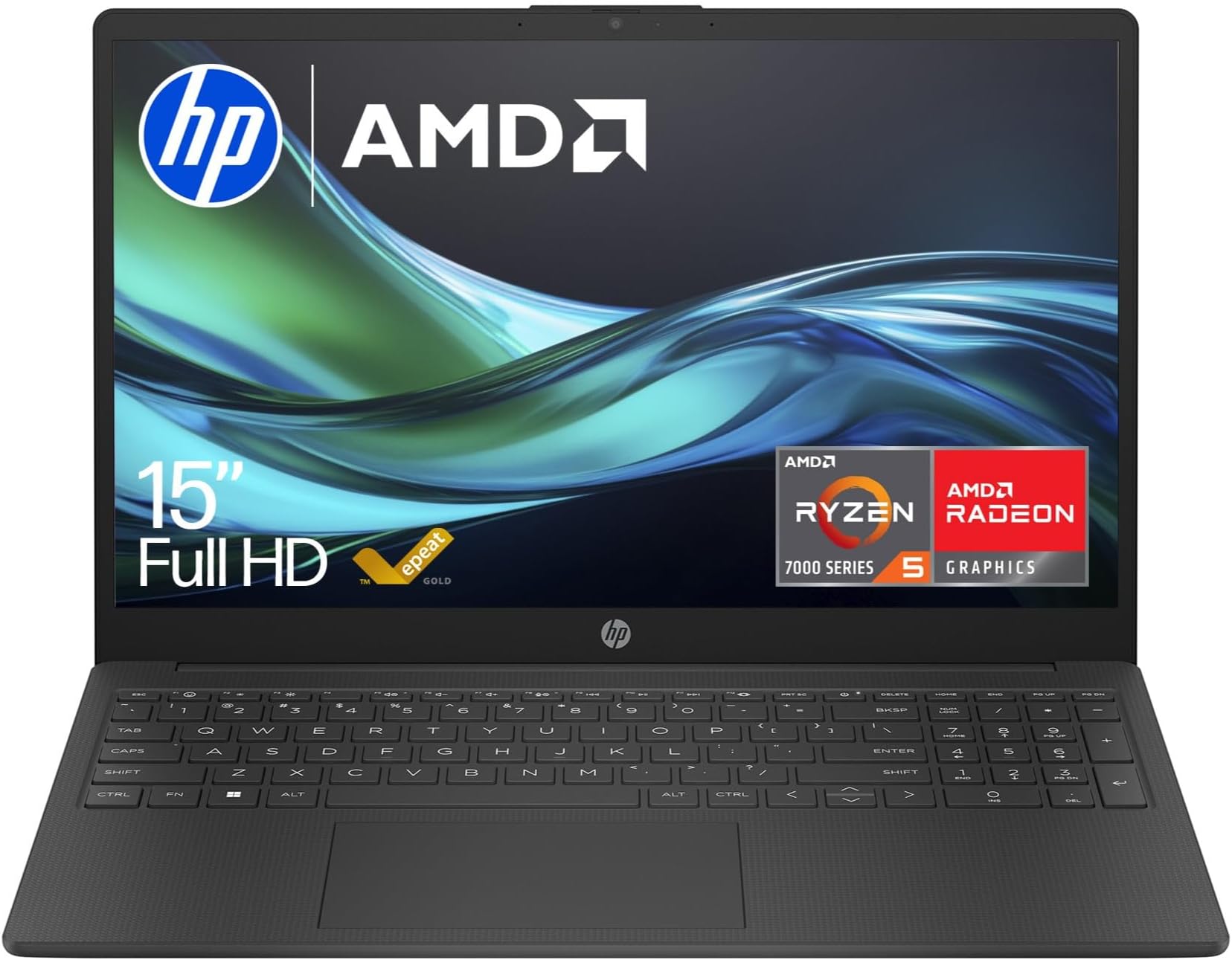
Frequently asked
5 questions01Is the HP 14" Laptop 14s-dq5005sa good for gaming?+
Not really, no. The Intel Iris Xe integrated graphics can handle casual and older games, but modern AAA titles are off the table. If gaming is a priority, you'd want a dedicated GPU. For light gaming alongside everyday tasks, it's passable, but don't buy this primarily as a gaming machine.
02How long does the HP 14" Laptop 14s-dq5005sa battery actually last?+
In real-world testing, expect 5.5 to 6.5 hours of mixed use (browsing, documents, video calls). HP claims up to 8 hours, which is achievable only under very light conditions like video playback at low brightness. For a full working day away from a plug, you'll want to manage brightness carefully or carry the charger.
03Can I upgrade the RAM or storage in the HP 14" Laptop 14s-dq5005sa?+
The RAM in the 14s-dq5005sa is soldered to the motherboard, meaning it cannot be upgraded after purchase. The SSD may be replaceable depending on the specific configuration, but this should be verified before attempting any work. Opening the laptop may also affect your warranty, so check HP's terms first.
04Is the HP 14" Laptop 14s-dq5005sa good for students?+
Yes, it's a strong choice for students. The i5-1235U handles essay writing, research, video calls, and presentations without any issues. The 512GB SSD gives plenty of room for files and applications, and the portable 14-inch form factor is easy to carry between lectures. The lack of a keyboard backlight is the main downside for late-night study sessions.
05What warranty applies to the HP 14" Laptop 14s-dq5005sa?+
Amazon offers 30-day returns on most purchases. HP typically provides a 1-year limited warranty on consumer laptops in the UK, covering manufacturing defects. Extended warranty options may be available through HP or third-party providers. Always check the specific warranty terms at the point of purchase.