Best Overall Value
The Evnia is the wildcard that a lot of people end up loving. It's a 27-inch curved QHD panel at 180Hz, wrapped in a clean white chassis that looks far pricier than it is. Curved screens split opinion, but at 27 inches the gentle wrap genuinely pulls you into games without distorting the desktop for everyday work.
Being a VA-style curved panel, contrast is the standout: blacks go properly deep, which makes dark game scenes and films pop in a way IPS struggles to match. FreeSync Premium keeps things smooth, and 180Hz at QHD is a lovely mix of sharpness and speed. The trade-off with this panel type is slightly slower pixel response in the darkest transitions, so competitive shooter players might notice a touch of smear that the faster IPS and rapid-VA screens avoid.
Two HDMI 2.0 and a DisplayPort 1.4 cover consoles and PC. For a QHD curved screen with this much style under £200, it's a genuinely strong shout. You can read our full Philips Evnia 27M2C5501 review for the deeper dive.
Pros
- Deep contrast, great for dark scenes
- QHD 180Hz curved, immersive for games
- Striking white design, feels premium
Cons
- Slight dark-scene smear vs IPS rivals
- Curve won't suit everyone's desk work
Buy on Amazon£169.00Read full review
Best for Fast Esports
Play a lot of competitive shooters? This is your screen. The MAG 274CXF runs a Rapid VA panel at a blistering 280Hz with a 0.5ms minimum response time, and that speed is the whole point. In CS2, Valorant or Apex, higher refresh gives you smoother tracking and a real edge, and this delivers it well under £200.
It sticks with 1080p rather than QHD, which is the smart call for esports: your GPU can actually hit those triple-digit frame rates, and the lower resolution keeps things easy to drive. The 1500R curve is subtle and helps the 27-inch size feel wrapped around you. Rapid VA also brings that lovely deep contrast, so it doesn't feel washed out like older TN speed panels did.
If you mainly play story-driven or slower games, that 280Hz is overkill and the QHD screens will look sharper. But for pure fast-twitch play, few things at this price keep up. We covered the wider MSI MAG range in our MSI MAG gaming monitor review.
Pros
- 280Hz Rapid VA, superb for esports
- Deep VA contrast, no washed-out look
- Subtle 1500R curve adds immersion
Cons
- 1080p looks softer than QHD at 27"
- 280Hz wasted on slower single-player games
Buy on Amazon£148.97Read full review
Best High-Refresh QHD
Samsung's Odyssey-family screen brings QHD resolution and a 240Hz refresh rate together, which is a rare pairing under £200. That's the pitch: the sharpness of 1440p with a refresh rate normally reserved for pricier gaming displays. For someone with a strong GPU who wants both detail and speed, it makes a lot of sense.
The panel is bright and the colours are dependable, as you'd expect from Samsung. You also get their gaming OSD tools and generally tidy build quality. It's a flat panel rather than curved, which some people prefer for mixed work-and-play use. Response times are quick enough that most players won't have complaints in the heat of a match.
The catches? The stand is fairly basic and HDR is entry-level at best. And to actually push 240Hz at QHD you'll want a genuinely capable graphics card, otherwise you're paying for headroom you can't use. But as a do-it-all high-refresh QHD screen from a trusted brand, it earns its spot on our Best Monitors Under £200 UK 2026 | 12 Compared & Ranked list.
Pros
- QHD and 240Hz together under £200
- Reliable Samsung panel and OSD
- Flat screen suits work and play
Cons
- Basic stand and entry-level HDR
- Needs a strong GPU to hit 240Hz QHD
Buy on Amazon£199.32
Best Spec Sheet for the Money
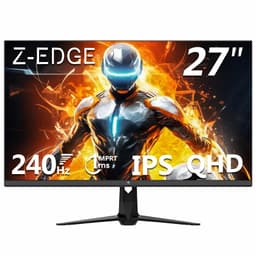
On paper, the Z-Edge reads like a mistake in your favour. QHD resolution, a 240Hz IPS panel, 400 nits of brightness, HDR10, FreeSync, dual DisplayPort and dual HDMI. That's a flagship-sounding spec sheet at a price that makes you look twice. For chasing raw numbers per pound, nothing else here comes close.
The honest catch is the brand. Z-Edge isn't a household name like ASUS or Samsung, so support and long-term reliability are less proven, and owner feedback is thinner on the ground. The panel itself performs well by most accounts, with the IPS clarity you'd hope for and enough brightness for a well-lit room. Note that 240Hz runs over DisplayPort, while HDMI tops out at 144Hz, so plug in correctly to unlock the full rate.
If you're comfortable buying a less established brand to get big numbers cheap, it's a tempting punt. We go deeper into that gamble in our Z-Edge 27 inch QHD 240Hz review.
Pros
- QHD 240Hz IPS with 400 nits, huge spec
- Dual DisplayPort and dual HDMI
- Serious value if the numbers matter most
Cons
- Lesser-known brand, less proven support
- 240Hz only over DisplayPort, HDMI is 144Hz
Buy on Amazon£179.99Read full review
Best 24" All-Rounder
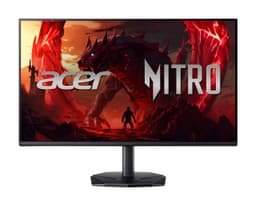
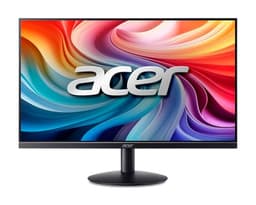
The Acer Nitro is the sensible middle-ground pick. A 24-inch IPS panel at 120Hz with 99% sRGB coverage covers casual gaming and everyday work equally well, and it does it for a fair chunk less than the top-end screens here. 120Hz is a noticeable step up from the standard 60Hz, and for the money it feels smooth without demanding a top GPU.
What I like about this one is the port selection. DisplayPort, HDMI and even legacy VGA means it'll plug into pretty much anything, including older office PCs, plus there are built-in speakers and an audio out. Those 2W speakers are tiny and best used only in a pinch, but they're handy for video calls or background audio.
99% sRGB is genuinely useful if you dabble in photo editing, keeping colours believable. At 250 nits it's not the brightest, so a very sunny room could challenge it. Still, as an affordable jack-of-all-trades it's an easy recommendation.
Pros
- 120Hz IPS with accurate 99% sRGB
- Loads of ports including VGA
- Great price for a name-brand screen
Cons
- 250 nits is a bit dim for bright rooms
- Speakers are weak, use in a pinch only
Buy on Amazon£79.90
Best for Eye Comfort
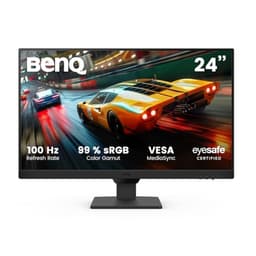
Here's the thing: not everyone buying a monitor is a gamer. Plenty of you spend eight-plus hours a day staring at spreadsheets, and the GW2490E is built for exactly that. BenQ's eye-care tech, flicker-free backlight, low blue light modes and adaptive brightness, genuinely helps reduce that end-of-day eye fatigue. And it's the cheapest name-brand IPS panel on this whole list, which is why it takes Best Value.
The IPS panel gives clean, consistent colour and wide viewing angles, so it's comfortable for shared screens and long sessions. 100Hz means it's smooth for scrolling and light gaming too, even if it won't satisfy competitive players. You get two HDMI ports, a DisplayPort and built-in speakers for calls.
It's a 24-inch 1080p screen, so nothing exotic on the resolution front, and the speakers are modest. But for a calm, reliable, easy-on-the-eyes display at a low price, it's exactly what a budget office setup needs.
Pros
- Genuine eye-care features for long days
- Cheapest trusted-brand IPS here
- Adaptive brightness and flicker-free
Cons
- 100Hz limits serious gaming
- Basic built-in speakers
Check availability
Best 27" for Office
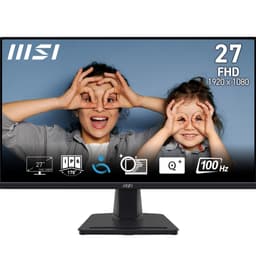
Want a big screen for work without spending much? The MSI PRO MP275 gives you a roomy 27-inch IPS panel at 100Hz for well under £100. The larger size makes a real difference for spreadsheets, documents and having two windows side by side, which is where a lot of budget buyers actually spend their time.
MSI markets it as eye-friendly, with anti-flicker and blue-light reduction, and owners generally find it comfortable for long working days. 100Hz keeps the desktop feeling smooth, and the built-in speakers handle Teams and Zoom calls fine. VGA alongside HDMI means it slots into older office kit too.
The honest compromise is resolution: 1080p stretched across 27 inches looks a touch softer than a 24-inch screen at the same resolution, so text isn't razor-sharp up close. If you sit a normal distance away it's a non-issue. For an affordable big-screen office display, it's a smart buy.
Pros
- Large 27" IPS for spreadsheets and multitasking
- Eye-friendly and flicker-free for long days
- Very affordable, often under £100
Cons
- 1080p looks soft stretched over 27"
- Tilt-only stand
Best Slim Home Office
The SB242Y is the tidy, unfussy choice for a home office corner. It's an ultra-slim, frameless 23.8-inch 1080p panel that looks smart on a desk and won't dominate the room. For working from home, browsing and video calls, it covers the basics cleanly and cheaply.
You get up to 100Hz, which is more than most office screens bother with and makes everyday scrolling and window-dragging feel that bit slicker. The frameless design is a nice touch if you ever want a dual-monitor setup, as the bezels almost vanish between two panels. HDMI and VGA keep it compatible with newer and older machines alike.
It's a no-frills product, so don't expect wide gamut colour, USB ports or built-in speakers, and the stand only tilts. For its price, though, it's a clean, reliable display that does the job asked of it. A sensible pick for a straightforward home setup.
Pros
- Slim, frameless, smart-looking design
- Up to 100Hz, smoother than typical office screens
- Great for dual-monitor setups
Cons
- No speakers or USB ports
- Tilt-only stand, basic colour coverage
Buy on Amazon£90.42
Best Under £100
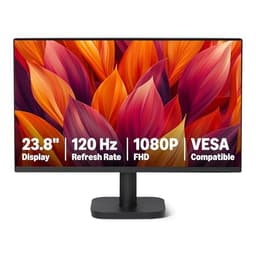
Don't sleep on the Amazon Basics screen. For under £100 you get a 23.8-inch 1080p panel running at 120Hz, plus a DisplayPort, which is genuinely uncommon at this price. That refresh rate makes it feel noticeably smoother than the bog-standard 60Hz budget screens it competes with.
It's aimed squarely at office and home use, and for that it's perfectly capable. Web browsing, documents, video and casual gaming all run fine. The port trio of HDMI, DisplayPort and VGA means it'll connect to almost anything, and it's VESA compatible if you'd rather wall-mount or use an arm (which I'd suggest, given the basic stand).
Where it shows its price is build quality and colour: the chassis is plain plastic, and the panel won't wow anyone on vibrancy. There's no pretence of being a gaming or creative display. But as a cheap, functional 120Hz screen from a brand with easy returns, it's a solid entry point on our Best Monitors Under £200 UK 2026 | 12 Compared & Ranked list.
Pros
- 120Hz and DisplayPort under £100
- Flexible ports, VESA compatible
- Easy Amazon returns and support
Cons
- Plain build, unremarkable colour
- Basic stand, better on an arm
Buy on Amazon£88.46
Best Under £55
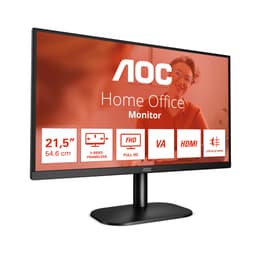
Sometimes you just need a cheap, dependable screen, and the AOC 22B2H is our pick for the smallest budget. Under £55 for a 22-inch 1080p display with a frameless design and a VA panel is proper value. VA is the pleasant surprise here: contrast is deeper than the cheap TN panels that usually haunt this price, so blacks look richer and images have more depth.
At 75Hz it's a small step above 60Hz, enough to feel slightly smoother in day-to-day use. LowBlue mode and flicker-free backlight keep it comfortable for longer sessions, which matters if this is a work-from-home or study screen. HDMI and VGA cover connectivity for old and new machines.
Being 22 inches and 1080p, it's compact, and it makes an ideal second monitor or a first screen for a child's or student's desk. The 7ms response and 75Hz cap mean gaming is casual-only. For the money, though, it's a smart, honest little display. We go into more detail in our AOC 22 inch monitor review.
Pros
- VA contrast at a rock-bottom price
- Frameless, flicker-free, lowBlue mode
- Ideal second screen or student display
Cons
- Only 75Hz and 7ms, casual gaming only
- Small 22" size and tilt-only stand
Buy on Amazon£69.97Read full review