
VR-DESKTOP Decision guide
Best Desktop for Video Editors: £1500, 2200 UK Guide
Colour grading in DaVinci Resolve or cutting 4K in Premiere? Find the right desktop for video editors between £1500 and £2200 in the UK.
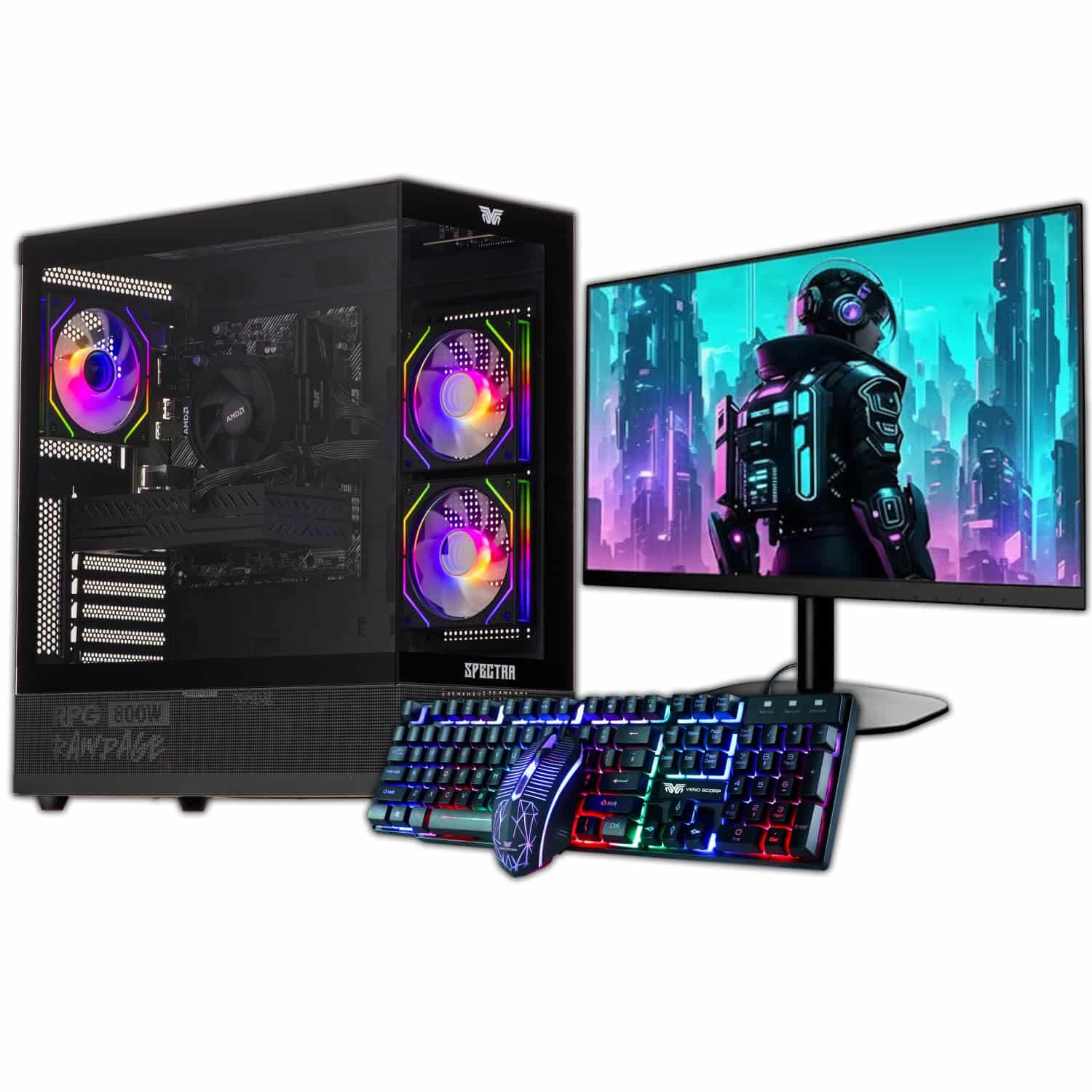 Top pick: Veno Scorp Veno Scorp Budget Gaming PC Intel i5 GTX 750
It is half ten at night, the client wants the cut by nine tomorrow, and your current machine is sitting at 47 minutes remaining on a ten-minute 4K export. You know this feeling. Whether you are cutting corporate promos in Premiere, grading short films in DaVinci Resolve, or turning around YouTube content at pace, the machine underneath you either keeps up or costs you sleep. Between £1500 and £2200 you can get something that genuinely does the job, but the right choice depends on your software, your footage format, and how you actually work.
What actually matters
GPU with proper video acceleration
For video editing, the graphics card is not a gaming luxury. Resolve, Premiere, and Final Cut all lean on GPU acceleration for playback, effects, and export. An Nvidia card with NVENC encoding or Apple Silicon with its media engine will cut export times by a factor that feels almost unfair compared to CPU-only rendering. This is the spec to prioritise above everything else at this budget.
RAM: 32GB as a floor
Sixteen gigabytes will have you reaching for proxy workflows constantly, which is faff you do not need when you are on a deadline. Thirty-two is the sensible minimum for 4K, and if the machine you are eyeing ships with 16GB but has easy upgrade slots, factor in the cost of bumping it up before you commit.
Fast NVMe storage
Dropped frames during playback are almost always a storage bottleneck, not a CPU one. A Gen 4 NVMe drive as your primary project disk makes scrubbing timelines feel responsive. Capacity matters too: 1TB fills up faster than you reckon when you are working with RAW or ProRes files.
CPU core count and clock speed
A modern eight-core or better processor handles most editing tasks without complaint. You do not need to obsess over this one as much as the GPU and RAM, but avoid anything below six cores if you are running multiple applications alongside your NLE.
What you can ignore
Extreme core counts: A 24-core HEDT processor sounds impressive but most NLEs do not scale linearly past eight or ten cores for editing tasks. You are paying for cores that sit idle during a colour grade.
High-refresh-rate gaming monitors bundled in deals: A 240Hz panel is irrelevant to video work. Colour accuracy and resolution matter far more. If a bundle is padding the price with a gaming monitor, consider whether you would rather put that money into RAM or storage.
Liquid cooling aesthetics: RGB loops and custom loops look great in a case tour. They do not make your exports faster. A decent air cooler keeps thermals sorted and costs a fraction of the price.
Wi-Fi 7 as a selling point: A desktop editing machine should be on ethernet. Fast wireless is a nice-to-have, not a reason to choose one system over another.
Three worth considering
The CyberPowerPC Luxe Gaming PC (2026 build with RTX 5070 Ti) is the pick for editors who live in DaVinci Resolve or Premiere on Windows and want raw GPU muscle. The RTX 5070 Ti is a serious card for CUDA-accelerated grading and NVENC exports, and at this budget it is genuinely difficult to build something faster yourself without the faff of sourcing parts. The honest trade-off is that it is a big tower, so if your desk space is tight, measure before you order. For anyone cutting high-resolution footage professionally and wanting headroom for the next few years, this is a no-brainer.
The Apple iMac M4 24-inch is the one for Final Cut Pro users and anyone shooting ProRes who wants a clean, single-unit setup with a calibrated display built in. The M4 media engine handles ProRes RAW natively and the machine is whisper quiet, which matters if you are also recording voiceover or working in a shared space. The trade-off is the 24-inch screen: it is a lovely panel but a busy multicam timeline can feel cramped, and you cannot upgrade the internals later. Pair it with an external monitor and it becomes a proper editing station.
The older CyberPowerPC Luxe Gaming PC (2025 edition) is worth a look if you find it discounted toward the lower end of your budget and want to put the saving into RAM or a better monitor. The GPU generation behind the 2026 model, but still a capable Windows editing rig for 1080p and standard 4K workflows. Honest caveat: if your work is trending toward 6K or heavy effects, stretch to the newer build.
Mac versus Windows for video editing at this budget
This is the question that actually splits editors. If your workflow is Final Cut Pro, the iMac M4 is the obvious answer and the ecosystem advantage is real. If you are on Premiere or Resolve, Windows gives you more GPU options, easier upgrades, and better plugin compatibility. ProRes shooters on a Mac pipeline will find life genuinely easier staying in the Apple world. Everyone else, especially those collaborating with Windows-based clients or studios, will find a well-specced Windows desktop more flexible and often faster for the money. Neither is wrong. It comes down to your software and your footage.
Before you buy: a checklist
- Confirm the GPU supports hardware acceleration in your specific NLE. Check the software vendor's compatibility page, not just the spec sheet.
- Check RAM is user-upgradeable. Some all-in-ones and compact desktops solder memory, which locks you in permanently.
- Verify the primary drive is NVMe, not SATA SSD. The speed difference for large file handling is significant.
- Account for display cost if the desktop is a tower. A colour-accurate monitor adds to the total spend and should be budgeted from the start.
- Check the return and warranty terms. A machine that develops a fault mid-project needs a clear path to repair or replacement without weeks of downtime.
Three worth your money
Each link adds the product to your Amazon basket so you can compare them side-by-side at checkout.
Veno Scorp
Veno Scorp Budget Gaming PC Intel i5 GTX 750

CyberPowerPC
CyberPowerPC Luxe Gaming PC - Intel Core Ultra 7 265KF, Nvidia RTX 5070 Ti, 32GB RAM, 2TB NVMe SSD, 750W PSU, Windows 11, Liquid Cooling, Amethyst 360M Airflow White

Aether Pro Intel
- Gawfolk 27 inch 4K 180Hz Monitor Review UK (2026) - Specs, Value & Verdict
- Best Desktop PCs for Small Businesses: £600 to £1,000 (UK)
- Stormforce Gaming Carbon Elite AMD Review: Ryzen 7 8700G Compact Desktop
- Best Desktop PCs for Small Businesses: £1,500 to £2,200 (UK)
- Best Desktops for YouTube content creators
We're an Amazon Associate. If you click a product link and buy something, we earn a small commission at no extra cost to you. We only recommend products we'd use ourselves.
Top pickVeno Scorp Budget Gaming PC Intel i5 GTX 750£289.00Add to cart →