
VR-DESKTOP Decision guide
Best Desktop PCs for Streamers: £1500, £2200 UK Guide
Streaming demands more than gaming alone. Find the right desktop for £1500, £2200 with honest advice on CPU, RAM, and encoding that actually matters.
 Top pick: Vibox Vibox VIII-544 Gaming PC • Intel Core i9 12900KF 5.2GHz • Nvidia RTX 3050 6GB • 16GB RAM • 1TB SSD • Windows 11 • WiFi
It's 8pm, your stream goes live at 8:30, and you're watching OBS throw encoder overload warnings while your game stutters in the corner of a second monitor. You've got alerts firing, a browser open, Discord pinging, and a CPU that's clearly had enough. Streaming isn't just gaming. It's multitasking at pace, under pressure, in public. Getting the hardware right means the difference between a clean broadcast and an apologetic post-stream tweet. The good news is that the £1500 to £2200 budget band gets you properly sorted.
What actually matters
CPU core count and clock speed
Streaming taxes the CPU harder than almost any other consumer workload. Even with hardware encoding via NVENC, your processor is still managing game logic, OBS scene transitions, overlay rendering, and audio simultaneously. You want at least a modern 12-core chip here. Anything less and you'll feel it during busy scenes or when a raid drops 500 viewers into your chat at once.
GPU with hardware encoding
Nvidia's NVENC encoder, especially on RTX 40 and 50 series cards, is genuinely transformative for streamers. It takes the encoding workload almost entirely off the CPU, meaning your game performance doesn't tank the moment you go live. AMD's AV1 encoder has caught up considerably, but Nvidia's implementation is still the more mature option for OBS users right now.
RAM capacity and speed
32GB is the realistic minimum if you're streaming and gaming at the same time. OBS alone can chew through several gigabytes, and once you add a game, a browser with your stream dashboard open, and Discord, 16GB starts to feel dodgy fast. Fast DDR5 matters less than raw capacity at this use case.
Storage and write speed
If you're recording locally while streaming, a slow drive will cause dropped frames. An NVMe SSD with decent sequential write speeds keeps your local recordings clean. A secondary drive for VOD storage is worth planning for too, because stream archives pile up quickly.
What you can ignore
Extreme GPU VRAM above 16GB. Unless you're running AI upscaling tools or editing 4K footage between streams, 16GB of VRAM is more than enough. Paying a premium for 24GB at this budget is largely wasted money for a streamer.
Overclocking headroom. You're not going to be manually tuning voltages mid-stream. A well-cooled stock configuration is far more valuable than a chip with unlocked multipliers you'll never touch.
Integrated graphics. On a dedicated streaming desktop, iGPU capability is irrelevant. Don't let a spec sheet pad it out as a selling point.
Thunderbolt 4 ports. Useful for video editors and photographers. For streaming, your capture card, microphone, and camera all connect via USB or PCIe. Thunderbolt is a nice-to-have, not a need.
Three worth considering
The CyberPowerPC Luxe Gaming PC (2026 RTX 5070 Ti build) is the strongest all-round pick for streamers who game seriously. The RTX 5070 Ti's NVENC encoder is exceptional, the CPU pairing gives you real multitasking grunt, and the whole thing arrives ready to plug in with no faff. The honest trade-off is that pre-builts at this price point occasionally ship with budget-tier cases and cooling that you might want to upgrade later. For someone who wants to go live tonight without touching a screwdriver, it's a no-brainer.
The Apple iMac M4 24-inch is a genuinely interesting option for streamers whose content leans heavily on post-production. The M4's media engine handles encoding with remarkable efficiency, the built-in display is spot on for monitoring your stream layout, and the whole setup is tidy. The real caveat: if your game library lives on Windows, this isn't your machine. It's best suited to streamers doing IRL content, just chatting, or creative streams where macOS tooling shines.
The CyberPowerPC Luxe Gaming PC (2025 build) sits at the more accessible end of this budget and still delivers a solid streaming rig. It's a sensible choice if you reckon you don't need the very latest GPU generation and want to put the saving toward a better microphone or capture card setup. The trade-off is that you're one GPU generation behind, which matters if you want AV1 encoding at its best or plan to stream at 4K down the line.
Gaming PC versus all-in-one: which actually suits a streamer
This is the real decision most streamers in this budget wrestle with. A tower like the CyberPowerPC builds gives you upgradeability, raw encoding power, and the flexibility to swap components as your stream grows. An all-in-one like the iMac M4 gives you a cleaner desk, a brilliant display, and a quieter workflow, but you're locked in. If streaming is your primary income or you're scaling up fast, the tower wins straight up. If streaming is one part of a broader creative setup and you're on macOS already, the iMac earns its place.
Before you buy: a checklist
- Confirm your internet upload speed can actually support your target bitrate. Hardware won't fix a 10Mbps upload.
- Check whether your preferred streaming software (OBS, Streamlabs, XSplit) has full support for the GPU's encoder on your chosen OS.
- Verify the desktop has enough USB ports for your microphone, camera, capture card, and headset without needing a hub immediately.
- Look at the warranty terms. A one-year return-to-base warranty is the minimum worth accepting on a pre-built at this price.
- Plan your storage from day one. Decide whether you'll record locally and budget for a secondary drive if the base config only ships with one SSD.
Three worth your money
Each link adds the product to your Amazon basket so you can compare them side-by-side at checkout.
Vibox
Vibox VIII-544 Gaming PC • Intel Core i9 12900KF 5.2GHz • Nvidia RTX 3050 6GB • 16GB RAM • 1TB SSD • Windows 11 • WiFi

ADMI
ADMI Gaming PC - AMD Ryzen 5 5500 - NVIDIA RTX 3050 6GB GDDR6-16GB 3200MHz DDR4-1TB NVMe - X= Airflow RGB (White) - WiFi - Windows 11
ionz
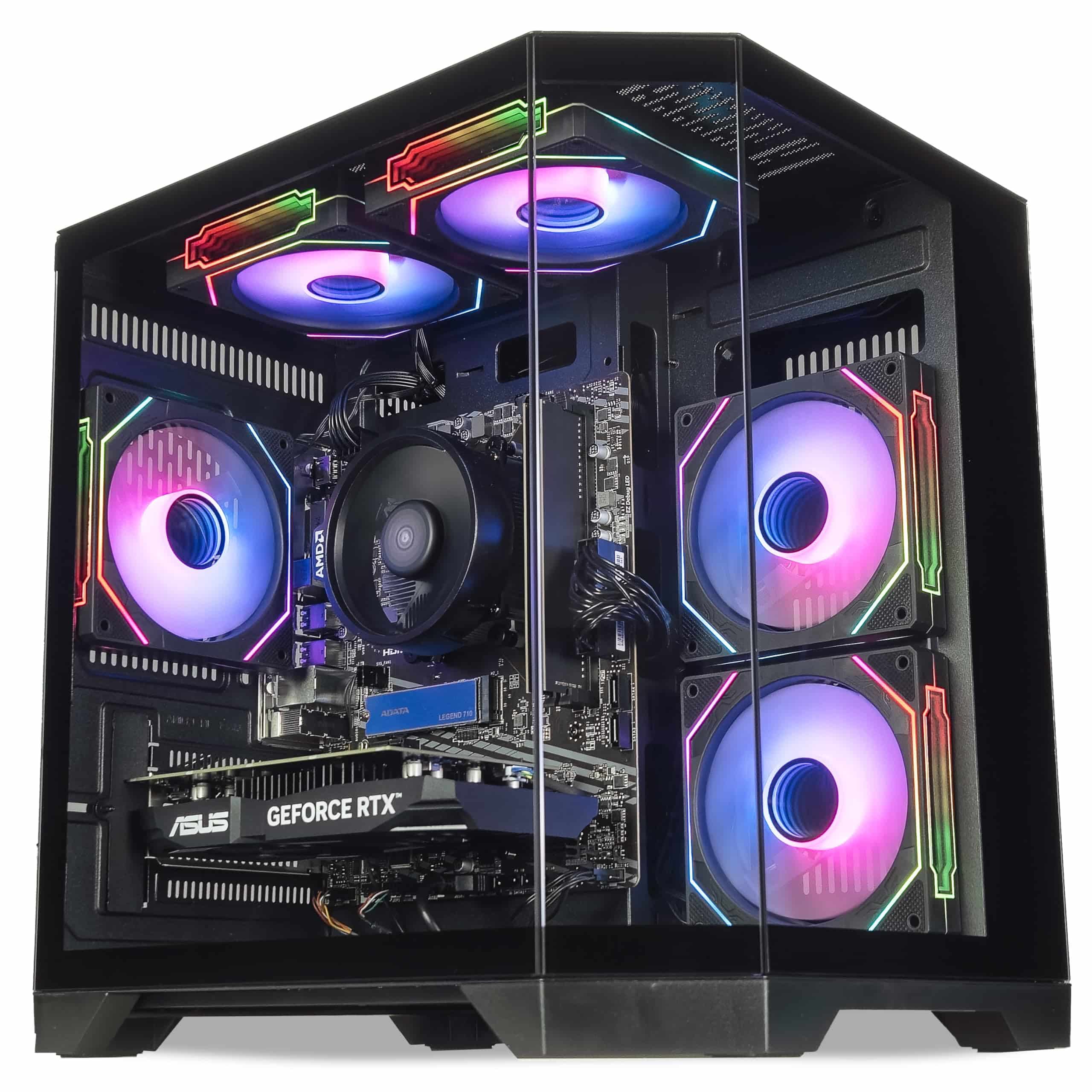
ionz Gaming PC - Desktop Computer, Ryzen 5 5600, NVIDIA RTX 5060,16GB RAM 1TB NVMe SSD, Windows 11, 650W 80+ PSU, WiFi, Black - APEX Mini | Black
We're an Amazon Associate. If you click a product link and buy something, we earn a small commission at no extra cost to you. We only recommend products we'd use ourselves.
Top pickVibox VIII-544 Gaming PC • Intel Core i9 12900KF 5.2GHz • Nvidia RTX 3050 6GB • 16GB RAM • 1TB SSD • Windows 11 • WiFi£949.95Add to cart →