Choosing your first CPU is one of the most important decisions in any PC build, yet it is also one of the most confusing. The market has shifted considerably over the past year: AMD's AM5 platform has become far more accessible as prices have dropped, the Ryzen 5 9600X now sits at a genuinely competitive price point, and older AM4 chips such as the Ryzen 5 5600X continue to offer exceptional value for budget builders. Meanwhile, Intel's mainstream desktop line-up has seen less movement, making AMD the dominant choice for most first-time builders in 2025. This guide is aimed squarely at people who are buying their first CPU, whether that means a modest gaming rig, a family PC, or a workstation for creative work on a tight budget. Each pick has been chosen with simplicity, value, and upgrade potential in mind, so you are not locked into a dead-end platform the moment you press the power button for the first time.
Quick Verdict
Best Overall: AMD Ryzen 5 5600X. It delivers excellent gaming and productivity performance on the mature, affordable AM4 platform, with a huge range of compatible motherboards at every price point. Best Value: AMD Ryzen 5 5600GT. Integrated Radeon graphics mean you do not need a discrete GPU to get started, making it the most cost-effective entry point for a first build in 2025.
The Ryzen 5 5600X has been a staple recommendation for beginners since its launch, and in 2025 it remains one of the most sensible starting points for anyone building their first gaming or general-purpose PC. Based on AMD's Zen 3 architecture, it offers six cores and twelve threads with a boost clock of up to 4.6 GHz, and it fits into the AM4 socket, which means motherboard options range from very affordable B450 and B550 boards right up to premium X570 models. That flexibility is enormously valuable for a first-time builder who may be working with a tight overall budget.
In terms of raw gaming performance, the 5600X punches well above its current price. It keeps up with or beats many older eight-core chips in the majority of games, because most titles still rely heavily on single-core speed rather than core count. The 65W TDP also means it runs cool and quiet with even a modest cooler, and AMD includes a Wraith Stealth cooler in the box, so you do not need to budget for cooling separately unless you plan to overclock. For beginners, that bundled cooler is a genuine convenience.
Productivity tasks such as video editing, photo work, and light 3D rendering are handled comfortably. The 5600X is not a workstation chip, but for a first build that doubles as a creative machine, it is more than adequate. The 35 MB of combined cache (32 MB L3 plus 3 MB L2) helps with tasks that benefit from fast data access, and the chip supports DDR4 memory, which is cheaper than DDR5 and widely available.
The one caveat is that AM4 is a mature platform with no future CPU upgrade path beyond the existing Ryzen 5000 series. If you plan to upgrade your CPU in two or three years, you will likely need a new motherboard as well. For a first build, though, that is rarely a concern, and the cost savings versus AM5 are substantial. The 5600X is the chip we would recommend to most beginners without hesitation.
Pros
- Excellent single-core performance for gaming at its price point
- Wide choice of affordable AM4 motherboards, including budget B450 options
- Includes Wraith Stealth cooler, saving money on a first build
Cons
- No integrated graphics, so a discrete GPU is required to use the system
- AM4 platform has no further CPU upgrade path beyond Ryzen 5000
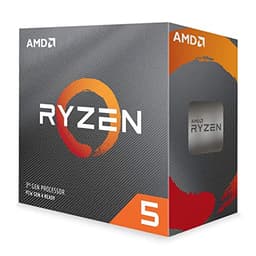
The Ryzen 5 3600 is the oldest chip on this list, launched in 2019 on AMD's Zen 2 architecture, and its inclusion here is deliberate. For a beginner who is working with the tightest possible budget, the 3600 remains a functional and capable processor that can still handle everyday computing, light gaming, and general productivity tasks without difficulty. Its six cores and twelve threads were considered genuinely impressive at launch, and while newer chips have moved the goalposts considerably, the 3600 has not become useless.
The boost clock of 4.2 GHz is lower than any other chip on this list, and the Zen 2 architecture has lower IPC than Zen 3 or Zen 4, which means it will feel slower in demanding applications. In gaming, it can bottleneck a modern discrete GPU in CPU-limited scenarios, particularly in open-world games and titles with complex AI. For esports titles, older games, and general desktop use, however, it remains perfectly adequate.
The AM4 platform compatibility is a genuine strength. The 3600 works in a vast range of motherboards, and second-hand B450 and X470 boards can be found for very little money. If you are building a PC primarily for office work, web browsing, media consumption, or light gaming, the 3600 will serve you well without requiring a large outlay. The 65W TDP and included Wraith Stealth cooler keep things simple.
The honest caveat is that the 5600X and 5600GT are not dramatically more expensive and offer substantially better performance. The 3600 is best suited to someone who genuinely cannot stretch the budget further, or who is building a secondary machine rather than a primary gaming rig. It is not a chip we would recommend for a new build in 2025 if any alternative is available, but it is honest to include it for those with the most constrained budgets.
Pros
- Very low entry price makes it accessible for the most budget-constrained first builds
- Compatible with a wide range of affordable second-hand AM4 motherboards
Cons
- Lower IPC and boost clock than Zen 3 chips means it can bottleneck modern GPUs in demanding games
- No integrated graphics, so a discrete GPU is required
- Zen 2 architecture is showing its age in CPU-heavy workloads and newer titles
The Ryzen 5 4500 occupies an interesting position in the market. It uses AMD's Zen 2 architecture (the same generation as the Ryzen 5 3600) but in a slightly different configuration: it has six cores and twelve threads with a 65W TDP, and it fits the AM4 socket. The boost clock of 4.1 GHz is fractionally lower than the 3600's 4.2 GHz, and the cache configuration is notably smaller at 11 MB total versus the 3600's 35 MB. That cache difference is meaningful in practice, as the 3600's larger L3 cache gives it an advantage in gaming and memory-intensive tasks.
So why include the 4500? Because it is priced at a point that makes it a reasonable stepping stone for a beginner who wants something newer than the 3600 but cannot yet afford the 5600X. It is built on a 7nm process, runs cool, and is compatible with the full range of AM4 motherboards. For a general-purpose home PC, a student machine, or a light office workstation, it does the job without fuss.
The 4500 does not include integrated graphics, so a discrete GPU is required. It also lacks the PCIe 4.0 support found on Zen 3 chips, which means it will not take full advantage of fast NVMe SSDs or the latest graphics cards. For a beginner who is pairing it with a mid-range GPU and a standard SATA SSD, these limitations are unlikely to matter in practice.
In direct comparison with the 5600X and 5600GT, the 4500 is the weaker choice at a price point that is not dramatically lower. We would encourage most beginners to stretch to the 5600X or 5600GT if at all possible, as the performance gap is meaningful. The 4500 is best suited to a very specific scenario: a beginner building a secondary or low-priority machine where cost is the only consideration.
Pros
- Affordable entry point on the mature AM4 platform with a wide range of compatible boards
- 65W TDP and included cooler make it easy to manage thermally in any case
Cons
- Smaller 11 MB cache compared to the Ryzen 5 3600 results in lower gaming performance despite the newer platform
- No PCIe 4.0 support limits future storage and GPU upgrade potential
- No integrated graphics requires a discrete GPU to complete the build
Buying Guide
Platform and Socket: AM4 vs AM5
The single most important decision for a beginner is which platform to build on. AMD's AM4 platform is mature and affordable. Motherboards are cheap, DDR4 memory is inexpensive, and there is a huge second-hand market for compatible components. The downside is that AM4 has no future CPU upgrade path beyond the existing Ryzen 5000 series. If you buy a B550 board and a Ryzen 5 5600X today, the best chip you could ever upgrade to is a Ryzen 9 5950X. That is still a significant upgrade, but the platform will eventually be retired.
AMD's AM5 platform is the current and future standard. It supports Ryzen 7000 and 9000 series chips, uses DDR5 memory, and will continue to receive new CPUs for several years. The platform costs more to build on today, but the upgrade path is longer and the chips are faster. For a beginner who plans to keep their PC for five or more years and upgrade the CPU rather than the whole system, AM5 is the smarter long-term choice.
Core Count: How Many Do You Actually Need?
For gaming, six cores and twelve threads is the sweet spot in 2025. Most games do not benefit meaningfully from more than six to eight cores, and spending money on additional cores is often better spent on a faster GPU. For content creation, streaming, video editing, or running multiple applications simultaneously, eight cores provide a tangible advantage. Beginners who are unsure of their use case should start with six cores and upgrade later if needed.
Integrated Graphics: A Practical Advantage
If you are building your first PC and are not certain you will have a discrete GPU from day one, choosing a chip with integrated graphics is a sensible precaution. It allows you to boot the system, install Windows, and use the PC while you save for a GPU. It also provides a fallback if your discrete GPU ever develops a fault. The Ryzen 5 5600GT, Ryzen 5 7600, Ryzen 5 9600X, and Ryzen 7 9700X all include integrated graphics, making them more flexible for a first build.
Cooling: Bundled vs Aftermarket
Every chip on this list includes a bundled cooler from AMD. For a beginner, these coolers are adequate for normal use and remove the need to budget for cooling separately. If you plan to run the CPU under sustained heavy load, such as extended video rendering or gaming sessions in a warm room, a modest aftermarket cooler costing around £20 to £40 will keep temperatures lower and noise levels down. You do not need an expensive 360mm AIO for any chip on this list.
Memory: DDR4 vs DDR5
AM4 chips use DDR4 memory, which is cheaper and widely available. AM5 chips require DDR5, which has become more affordable but still costs more than DDR4 at equivalent capacities. For a first build, 16 GB of RAM is the practical minimum for gaming and general use, and 32 GB is recommended if you plan to do any content creation. Check your chosen motherboard's memory compatibility list before purchasing, as not all RAM kits are guaranteed to work at their rated speeds on every board.
Budget Allocation
A common mistake for first-time builders is spending too much on the CPU and too little on the GPU. In a gaming PC, the graphics card has a greater impact on frame rates than the CPU in most scenarios. As a rough guide, aim to spend no more than 20 to 25 percent of your total build budget on the CPU, and allocate the largest single share to the GPU. The chips on this list are all priced to leave room for a capable graphics card without breaking the bank.
For most beginners in 2025, the AMD Ryzen 5 5600X remains the overall winner. It offers excellent gaming and productivity performance, sits on the affordable and well-supported AM4 platform, includes a bundled cooler, and leaves plenty of budget for a good GPU and other components. It is the chip that delivers the best all-round experience for the widest range of first-time builders.
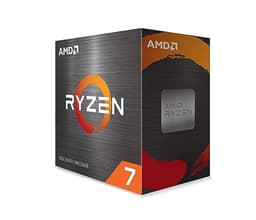
If your budget is very tight and you want to avoid buying a GPU immediately, the AMD Ryzen 5 5600GT is the smarter choice. Its integrated Radeon graphics mean you can build a complete, functional PC without a discrete card, and you can add one later when funds allow. For a beginner who is building a long-term platform and can absorb the higher platform costs, the AMD Ryzen 5 9600X on AM5 is the most future-proof six-core option, while the AMD Ryzen 7 9700X is the pick for anyone who knows they will be doing content creation alongside gaming. Whichever chip you choose from this list, you are starting with a solid foundation.