Prebuilt gaming PCs get a bad reputation, and honestly, a lot of them deserve it. Cheap PSUs, mystery motherboards, and RAM running at whatever speed the manufacturer felt like that day. So when something like the Vibox II-134 shows up with a 4.7-star average across 95 reviews, it's worth actually looking at what's inside rather than just taking the star rating at face value. That's what we're doing here: pulling apart the spec sheet, cross-referencing it against what real owners are saying, and working out whether this bundle makes sense against building your own or buying from a rival brand.
The Vibox II-134 Gaming PC Bundle with Intel Core i5 10400F 4.3GHz, Nvidia RTX 3050 6GB, 16GB RAM, 500GB SSD, Windows 11, 23" Monitor, and WiFi is pitched squarely at people who want to get gaming without the faff of sourcing parts, waiting for delivery windows, and wrestling with a BIOS for the first time. That's a legitimate need. Not everyone wants to spend a weekend watching build guides. The question is whether Vibox has done the work properly or just thrown parts in a box and hoped for the best.
Short answer: it's better than you might expect, but there are some things you need to know before you hand over your money. The CPU is a generation old, the storage situation is a bit odd, and the peripheral bundle is the kind of thing that gets replaced within six months by most people. But the GPU choice is decent for the price tier, and the owner feedback is genuinely positive, not just the usual "arrived in one piece" five-star reviews. Let's get into it properly.
Core Specifications
The heart of this machine is an Intel Core i5-10400F, a six-core, twelve-thread processor from Intel's 10th Gen Comet Lake lineup. It boosts up to 4.3GHz, has 12MB of SmartCache, and sits at a 65W TDP, which means it's not a power-hungry beast. The "F" suffix means no integrated graphics, so you're fully reliant on the discrete GPU, which in this case is an Nvidia GeForce RTX 3050 with 6GB of GDDR6 VRAM. That's a solid pairing for 1080p gaming, and we'll get into the gaming performance in detail shortly.
Memory is 16GB of DDR4, which is the right amount for gaming in 2025. You don't want to be buying 8GB machines anymore, full stop. Storage is where it gets a little confusing: the product title says 1TB NVMe SSD, but the Amazon feature highlights specifically list a 500GB SATA SSD. That's a meaningful difference, both in speed and capacity. SATA SSDs are perfectly functional for everyday use and game loading, but they're not as fast as NVMe drives, and 500GB fills up quicker than you'd think once Windows, a few games, and some software are installed. Worth being aware of before you buy.
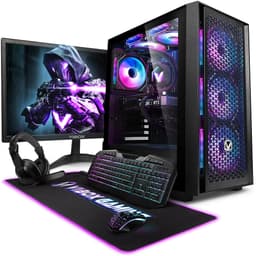
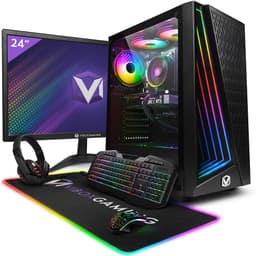
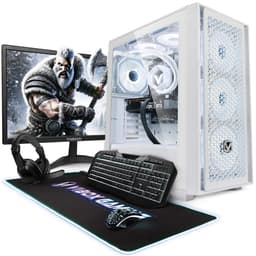
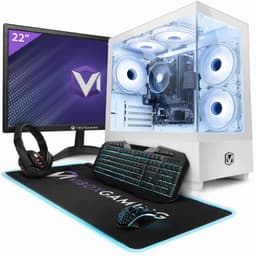
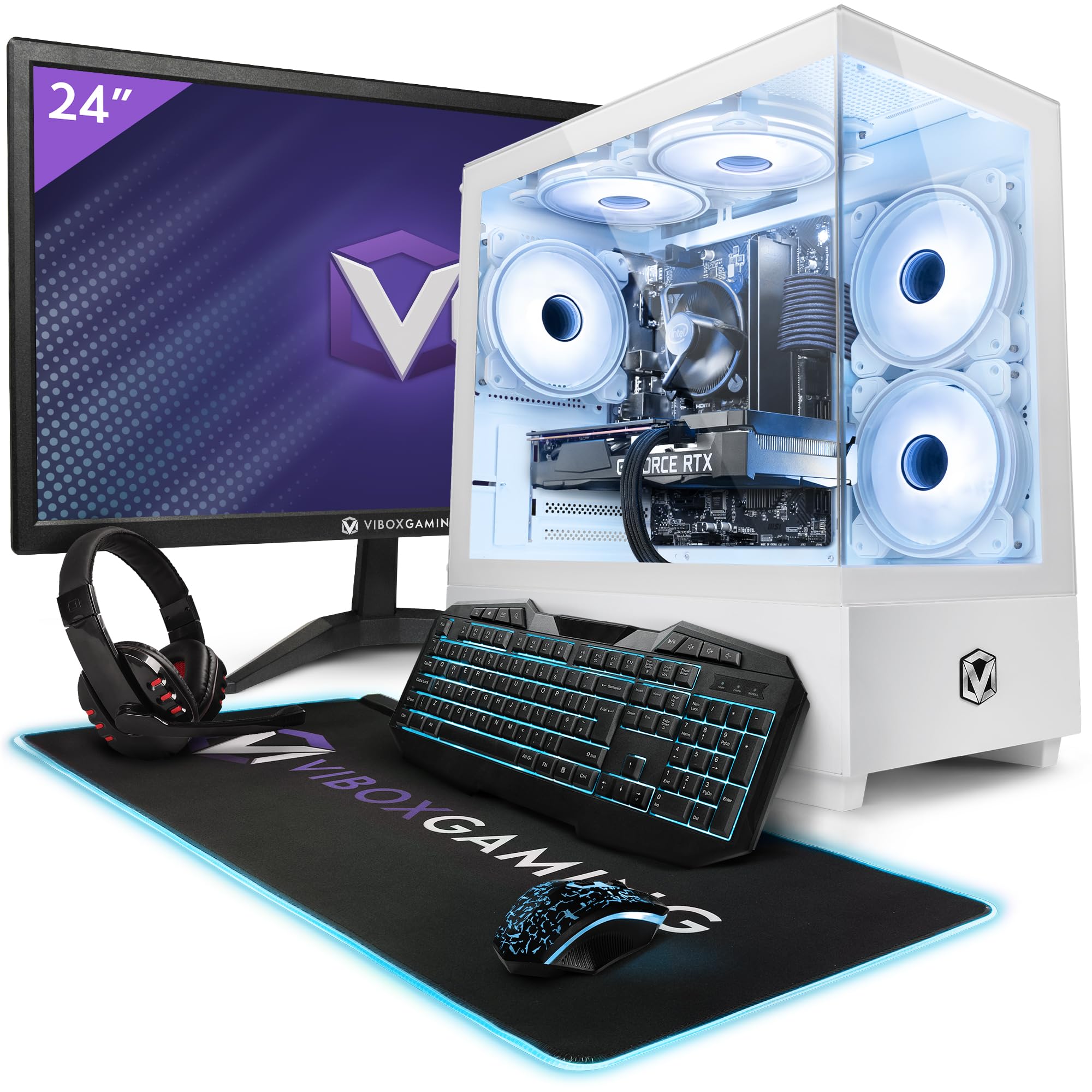
The bundle includes a 23-inch 1080p monitor, a wired RGB gaming keyboard, wired RGB gaming mouse, a black mouse mat, and a wired gaming headset with microphone. Connectivity is handled by an AX900 WiFi 6 and Bluetooth 5.4 USB adapter with dual-band support: 300Mbps on 2.4GHz and up to 600Mbps on 5GHz. Windows 11 comes pre-installed. That's a lot of stuff in one box, and it's one of the genuine selling points here for people setting up a gaming station from scratch.
| Component | Specification |
|---|---|
| CPU | Intel Core i5-10400F, 6-core / 12-thread, up to 4.3GHz, 12MB SmartCache, 65W TDP |
| GPU | Nvidia GeForce RTX 3050 6GB GDDR6 |
| RAM | 16GB DDR4 |
| Storage | 500GB SATA SSD |
| Operating System | Windows 11 (pre-installed) |
| WiFi | WiFi 6 (AX900), dual-band, 300Mbps (2.4GHz) / up to 600Mbps (5GHz) |
| Bluetooth | Bluetooth 5.4 |
| Monitor | 23-inch 1080p |
| Peripherals | Wired RGB keyboard, wired RGB mouse, mouse mat, wired headset with mic |
| Current Price | £784.95 |

CPU and Performance
The i5-10400F is a 10th Gen part, and yes, Intel is now on 14th Gen for desktop. So this chip is a few generations behind. But here's the thing: for gaming, the gap between 10th Gen and current-gen Intel is smaller than the marketing would have you believe. The i5-10400F is still a capable six-core processor with twelve threads thanks to Intel's Hyper-Threading technology, and at 4.3GHz boost it handles most modern games without becoming a bottleneck when paired with a mid-range GPU like the RTX 3050.
Where you'll notice the age is in productivity workloads. Video editing, 3D rendering, heavy multitasking with lots of browser tabs and background apps running simultaneously: these tasks will expose the generational gap. Newer Intel or AMD processors have better single-core performance and more efficient architectures. But if you're primarily gaming, streaming on a second device, and doing normal everyday stuff like web browsing and office work, the 10400F is genuinely fine. It won't embarrass itself. Owners consistently report smooth performance for everyday tasks and gaming, and that lines up with what the specs suggest.
The 65W TDP is actually a positive here. Lower power draw means less heat generated, which means the stock cooling solution has an easier time keeping temperatures in check. It also means your electricity bill isn't going to spike dramatically. For a budget gaming PC that might sit in a bedroom or a small flat, that matters. The 12MB SmartCache helps with gaming workloads too, reducing the frequency of trips to main memory for frequently accessed data. It's not a cutting-edge chip, but it's not a liability either. Think of it as a solid workhorse that does what it needs to do without drama.
GPU and Gaming Performance
The Nvidia GeForce RTX 3050 with 6GB of GDDR6 VRAM is the component that's doing the heavy lifting here, and it's a reasonable choice for a PC in this price bracket. The RTX 3050 6GB sits at the entry end of Nvidia's RTX 30-series lineup, but it's not a token GPU thrown in to tick a box. It supports Nvidia DLSS (Deep Learning Super Sampling), which is genuinely useful at 1080p: you can enable DLSS Quality or Balanced mode in supported games and get a meaningful performance boost without a visible drop in image quality. That extends the life of this card considerably.
At 1080p, which is exactly what the included 23-inch monitor runs at, you can expect playable frame rates in most popular titles. Games like Fortnite, Valorant, Minecraft, and older AAA titles will run well. More demanding recent releases like Cyberpunk 2077 or Alan Wake 2 will need settings turned down to medium, but you'll still get a playable experience. Ray tracing is technically supported but I'd leave it off on a 3050 6GB: the performance hit isn't worth it at this level. DLSS and standard rasterisation is where this card earns its keep. For 1440p gaming, it's a stretch: you'll need to drop settings more aggressively, and some titles won't be comfortable. 4K is not really on the table.
The 6GB VRAM is worth paying attention to. Some versions of the RTX 3050 shipped with only 8GB but on a narrower memory bus, and Nvidia also released a 6GB variant. This machine uses the 6GB version. For 1080p gaming in 2025, 6GB is workable but you may start hitting VRAM limits in some newer, more texture-heavy games. It's not a dealbreaker right now, but it's something to keep in the back of your mind as games continue to get more demanding. The GDDR6 memory type is the right spec for this tier though, and real-world owner feedback doesn't flag GPU performance as a pain point. Most people buying this are coming from consoles or older PCs, and for them the step up in visual quality and frame rates is significant.
Memory and Storage
Sixteen gigabytes of DDR4 is the right call for a gaming PC in this era. Eight gigabytes was marginal a couple of years ago and it's genuinely problematic now, with some games recommending 16GB as their minimum. So Vibox has got this right. The DDR4 standard is well established, and while DDR5 is now available on newer platforms, DDR4 on a 10th Gen Intel system is exactly what you'd expect and it performs fine. The key thing owners don't always think to ask about is whether the RAM is running in dual-channel mode, which requires two sticks rather than one. The spec sheet doesn't confirm the channel configuration, so it's worth checking when the machine arrives.
Storage is the area where you need to read carefully. The listing says 500GB SATA SSD. Not NVMe, not 1TB. Five hundred gigabytes on a SATA drive. A SATA SSD is still miles better than an old spinning hard drive: boot times are fast, application loading is snappy, and it won't make you want to throw the PC out of the window. But a modern NVMe drive can be two to five times faster in sequential read and write speeds. For gaming specifically, the practical difference in load times between SATA and NVMe is often smaller than the spec sheet gap suggests. But for large file transfers or moving game installs around, you'll notice it.
The capacity is the bigger concern. Windows 11 will eat somewhere around 30 to 40GB straight away. A couple of modern games can easily be 50 to 100GB each. You'll fill 500GB faster than you think, especially if you're into bigger open-world titles or keep multiple games installed at once. The good news is that adding storage later is usually straightforward: a 1TB or 2TB SATA SSD is cheap, and if the motherboard has a spare M.2 slot, you could add an NVMe drive for very little money. But it's an extra cost to factor in, and it's a bit annoying that the product title implies more than the feature list delivers. Just go in with your eyes open on this one.
Cooling Solution
Vibox doesn't publish detailed specs for the cooling solution, which is pretty typical for prebuilts at this price point. What we can work with is the CPU's 65W TDP, which is genuinely manageable. The i5-10400F doesn't run hot under normal conditions, and a decent stock cooler or a basic aftermarket tower cooler will keep it well within safe operating temperatures during gaming sessions. Owners haven't flagged overheating as a widespread issue, which is a reasonable signal that whatever Vibox is using inside is doing the job adequately.
That said, "adequate" is the ceiling here, not the floor. Budget prebuilts often use basic coolers that keep temperatures acceptable but not impressive. Under sustained heavy loads, like long gaming sessions in a warm room, you might see the CPU thermal throttle if the cooler is genuinely minimal. The saving grace is that the 10400F is a well-behaved chip that doesn't spike its power draw dramatically, so it's not putting the cooler under extreme stress. If you're the kind of person who games for four or five hours at a stretch, it's worth monitoring CPU temperatures with something like HWiNFO after you've had the machine a few weeks, just to know where you stand.
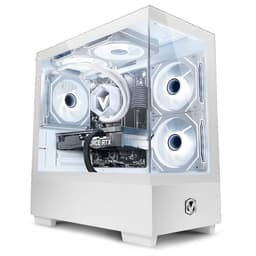
Case airflow is the other variable. Prebuilt cases vary wildly in how well they move air, and without hands-on time with the specific chassis Vibox uses, it's hard to give a definitive verdict on airflow. What owner reviews do suggest is that the system runs quietly under normal use, which is a positive sign. A machine that's thermally struggling tends to ramp up fan noise noticeably. The fact that most owners aren't complaining about noise suggests the thermal design is at least competent. If you want to improve things later, adding a cheap case fan or two is usually an option and costs very little.
Case and Build Quality
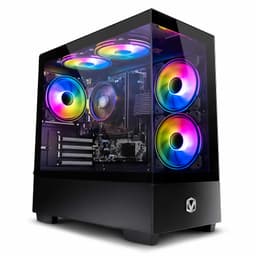
Vibox uses their own chassis for the II-134, and it's the kind of mid-tower case you'd expect at this price: functional, not fancy. The build quality feedback from owners is generally positive. People aren't reporting panels falling off or components coming loose in transit, which sounds like a low bar but genuinely matters when you're buying a prebuilt that's been packed and shipped. The internal layout appears to give enough room to work with, and the RGB elements on the peripherals (keyboard and mouse) add some visual flair without the case itself needing to be a light show.
Cable management inside budget prebuilts is always a bit of a lottery. You're not going to get the pristine cable routing of a custom build done by someone who cares deeply about it. But good enough cable management that doesn't impede airflow is what you need, and the owner feedback doesn't suggest it's a disaster in there. If you ever open the case to add storage or upgrade RAM, you might want to tidy things up a bit, but it's not a reason to avoid the machine.
The included peripherals deserve a mention here because they're part of the build quality picture. The wired RGB gaming keyboard and mouse are entry-level, and most experienced PC gamers will replace them within a year with something they actually like. The headset is similarly a starter option: fine for voice chat and casual gaming, but audiophiles will want something better. The mouse mat is the one peripheral that's genuinely hard to complain about since it's just a mat. The 23-inch 1080p monitor is functional for the resolution and the GPU pairing, and for a bundle monitor it does the job. None of the peripherals are premium, but they mean you can sit down and start gaming immediately, which is the point.

Connectivity and Ports
The verified spec data doesn't list specific port counts for USB, video outputs, or audio jacks, so we're not going to make up numbers here. What is confirmed is the WiFi 6 and Bluetooth 5.4 connectivity via the AX900 USB adapter. WiFi 6 is a solid standard for gaming: lower latency and better performance in congested environments compared to older WiFi 5 adapters. The dual-band support gives you 300Mbps on 2.4GHz for range and up to 600Mbps on 5GHz for speed when you're closer to your router. That's more than enough bandwidth for online gaming and streaming simultaneously.
Bluetooth 5.4 is a nice touch. Bluetooth 5.4 brings improved reliability and lower power consumption compared to older versions. It means you can connect wireless headphones, a controller, or other Bluetooth peripherals without needing a separate dongle for each one. For a gaming PC bundle that's targeting people who want a complete setup, having proper wireless connectivity built in (via the USB adapter) rather than relying on a wired ethernet connection only is the right call. Not everyone has their router next to their gaming setup.
The use of a USB adapter for WiFi rather than an onboard motherboard WiFi chip is worth noting. USB adapters are generally fine for everyday use, but they can occasionally cause issues with driver updates or USB port conflicts. Most owners won't encounter problems, and the AX900 adapter appears to work well based on the feedback. But if you're someone who games competitively and needs the absolute lowest latency connection, a wired ethernet cable is always going to be the better option if your setup allows for it. The WiFi 6 adapter is a solid fallback for everyone else.
Pre-installed Software and OS
Windows 11 Home comes pre-installed, which is exactly what you want. You're not paying for a licence separately, you're not dealing with an older Windows 10 install that needs upgrading, and you're not getting some cut-price OEM version that limits features. Windows 11 is the current standard, it works well with modern games and the DirectX 12 features that newer titles rely on, and it's what you'd install yourself if you were building from scratch. Tick.
The bigger question with prebuilts is always bloatware: how much extra rubbish has the manufacturer installed that you'll spend your first hour uninstalling. Vibox doesn't publish a detailed list of pre-installed software, and owner reviews don't flag it as a significant complaint. That's a reasonable signal that it's not the catastrophic bloatware situation you sometimes get with big-brand prebuilts. A few manufacturer utilities is normal and generally harmless. If you do find anything you don't want, Windows 11 makes it reasonably straightforward to uninstall apps from the Settings menu.
One thing worth doing when you first boot the machine is running Windows Update immediately and letting it pull down all the latest driver and security updates. Prebuilts sometimes ship with drivers that are a few months old, and getting everything current before you start gaming is good practice. Nvidia's driver updates in particular can make a noticeable difference to game performance and stability, so grab the latest from Nvidia's driver page directly rather than relying on whatever version shipped with the machine. It takes ten minutes and it's worth doing.
Upgrade Potential
This is one of the more important questions for a prebuilt at this price point, because the machine you buy today might not be the machine you want in two years. The i5-10400F sits on Intel's LGA1200 socket, which supports 10th and 11th Gen Intel processors. That means you could theoretically upgrade to an i7-10700 or i9-10900 down the line for more CPU grunt, though the performance gains from upgrading within the same generation are modest and the cost might not be worth it compared to saving for a full platform upgrade. It's an option, not a compelling one.
RAM is where upgrading makes the most sense if you need it. 16GB is fine now, but if you find yourself doing more content creation or running demanding applications alongside games, bumping to 32GB is a relatively cheap upgrade. DDR4 is widely available and affordable. The number of available RAM slots isn't confirmed in the spec data, but most budget prebuilt motherboards have two or four slots. If the machine shipped with two sticks of 8GB in dual-channel, you'd need to replace both to upgrade capacity while maintaining dual-channel. If it's one stick of 16GB, you can add a matching stick for dual-channel and double the capacity in one move.
Storage is the most obvious and most worthwhile upgrade. Adding a second SSD, whether SATA or NVMe depending on what slots are available, is cheap and easy. A 1TB or 2TB drive will sort the capacity issue and give you room to grow. The GPU is the trickier upgrade: the RTX 3050 6GB is fine for now, but if you want to step up to 1440p gaming in a couple of years, you'll want a more powerful card. That's possible, but it depends on whether the PSU has enough headroom. PSU specs aren't listed, which is a bit frustrating because it's the component that determines how much GPU you can throw at it later. Worth checking the label on the unit when the machine arrives.
How It Compares
The Vibox II-134 bundle sits in a competitive part of the market. You're looking at entry gaming territory, and there are a few ways to spend similar money. The main alternatives are DIY builds and rival prebuilt brands. Let's be clear about the DIY comparison first: if you source an i5-10400F, RTX 3050 6GB, 16GB DDR4, a 500GB SSD, a case, motherboard, PSU, and Windows 11 licence separately, you'll likely spend more than this bundle costs, and you won't have a monitor or peripherals included. The convenience premium here is real, but it's actually not that steep when you account for everything in the box.
Rival prebuilts from brands like Chillblast or Scan often use newer CPU platforms, which is a genuine advantage for longevity. An i5-12400F or i5-13400F based machine will have better single-core performance, support DDR5 on some boards, and have a longer upgrade runway on the socket. But those machines often don't include a monitor and full peripheral bundle, so the total cost comparison shifts. It depends on what you already own. If you're starting from nothing, the Vibox bundle's all-in-one pricing looks more competitive. If you already have a monitor and peripherals, you're paying for stuff you don't need.
The 4.7 stars from 95 reviews is a genuinely strong signal. That's not a sample size you can dismiss, and a 4.7 average suggests the overwhelming majority of buyers are happy with what they received. Common praise in the reviews focuses on ease of setup, the value of getting everything in one delivery, and gaming performance that exceeded expectations for people coming from older hardware or consoles. The main criticisms tend to be around peripheral quality (fair) and the desire for more storage (also fair). Neither is a reason to avoid the machine, but both are things to budget for if you go ahead.
| Feature | Vibox II-134 Bundle | Typical i5-12400F Prebuilt | DIY Equivalent Build |
|---|---|---|---|
| CPU | i5-10400F (10th Gen, 6-core) | i5-12400F (12th Gen, 6-core) | Your choice |
| GPU | RTX 3050 6GB | RTX 3050 or RX 6600 | Your choice |
| RAM | 16GB DDR4 | 16GB DDR4/DDR5 | Your choice |
| Storage | 500GB SATA SSD | 500GB to 1TB NVMe typically | Your choice |
| Monitor included | Yes (23-inch 1080p) | Usually no | No |
| Peripherals included | Full set (KB, mouse, headset, mat) | Rarely | No |
| WiFi | WiFi 6 + Bluetooth 5.4 (USB adapter) | Often onboard WiFi 6 | Depends on motherboard |
| OS | Windows 11 (included) | Windows 11 (included) | Extra cost |
| CPU upgrade path | LGA1200 (10th/11th Gen only) | LGA1700 (12th/13th/14th Gen) | Depends on motherboard |
| Setup difficulty | Plug in and play | Plug in and play | Full build required |

Final Verdict
The Vibox II-134 Gaming PC Bundle is a decent package for the right buyer, and being clear about who that is matters. If you're setting up a gaming PC from scratch, don't own a monitor or peripherals, and want to be up and running without sourcing fifteen different items from different sellers, this bundle genuinely makes sense. The RTX 3050 6GB will handle 1080p gaming well in most titles, the i5-10400F is a capable enough processor for gaming workloads, and 16GB of DDR4 is the right amount of memory. The 4.7-star rating from 95 real buyers isn't nothing: that's a lot of happy customers.
The caveats are real though. The CPU is a couple of generations old, which limits the long-term upgrade path on the LGA1200 platform. The 500GB SATA SSD will fill up quickly and isn't as fast as NVMe alternatives. The peripherals are starter-grade and most people will replace them eventually. And the PSU specs being unlisted means you can't easily plan a future GPU upgrade without opening the machine and checking the label yourself. These aren't dealbreakers for the target audience, but they're things to go in aware of.
Who should look elsewhere? If you already have a monitor and peripherals, you're paying for stuff you won't use, and a rival prebuilt with a newer CPU platform might be better value. If you're a more experienced PC gamer who wants to upgrade aggressively in two years, the LGA1200 platform ceiling will frustrate you sooner than you'd like. And if storage capacity is important to you right now, budget for an extra SSD on day one.
But for the person who wants a complete gaming setup delivered to their door, ready to plug in and play, with a GPU that handles 1080p gaming properly and a CPU that doesn't embarrass itself, the Vibox II-134 is a solid option. It's not perfect, but it's honest value in a market full of machines that aren't. The RTX 3050 paired with the i5-10400F is a workable combination for 1080p gaming, the bundle format genuinely saves money compared to sourcing everything separately, and the owner feedback backs that up. For entry gaming, it does what it says on the tin.
Our rating: 7.5 out of 10. Good value bundle for first-time PC gamers and console converts. Older platform and limited storage hold it back from scoring higher, but the core gaming experience at 1080p is solid and the all-in-one bundle format is genuinely useful for people starting from zero.
What works. What doesn’t.
5 + 5What we liked5 reasons
- Complete all-in-one bundle including monitor and peripherals means no extra purchases to get started
- RTX 3050 6GB handles 1080p gaming competently in most popular titles with DLSS support extending its useful life
- 16GB DDR4 is the correct amount of memory for gaming in 2025 and avoids the pitfalls of cheaper 8GB configurations
- WiFi 6 and Bluetooth 5.4 connectivity included via the USB adapter means wireless gaming is covered out of the box
- Windows 11 comes pre-installed with no need to purchase a separate licence or deal with a legacy OS
Where it falls5 reasons
- Intel Core i5-10400F is a 10th Gen chip on the LGA1200 platform, which limits the CPU upgrade path to 10th and 11th Gen parts only
- 500GB SATA SSD will fill up quickly and is slower than the NVMe drives found in competing prebuilts at similar price points
- PSU specifications are not published, making it difficult to plan future GPU upgrades without physically checking the unit
- Bundled peripherals are entry-level and most users will want to replace the keyboard, mouse, and headset within the first year
- The RTX 3050 6GB VRAM may become a constraint in newer, more texture-heavy titles as games grow more demanding
Full specifications
12 attributes| CPU | Intel Core i5-10400F 4.3GHz |
|---|---|
| GPU | Nvidia GeForce RTX 3050 6GB |
| RAM | 16GB |
| Storage | 500GB SATA SSD |
| Boost clock MHZ | 1470 |
| Case | Vibox II |
| Case size | mid-tower |
| Chipset | RTX 3050 |
| Color | White |
| Core clock MHZ | 1042 |
| CPU speed | 4.3GHz |
| Generation | RTX 30 Series |
If this isn’t right for you
2 options
Frequently asked
7 questions01What games can the Vibox II-134 run at 1080p?+
The RTX 3050 6GB handles most popular titles at 1080p with medium to high settings. Games like Fortnite, Valorant, and Minecraft run well. More demanding titles such as Cyberpunk 2077 will need settings reduced to medium, and enabling DLSS where supported helps maintain smoother frame rates. Ray tracing is technically available but not recommended on this card due to the performance cost.
02Is the storage really only 500GB, and can I add more later?+
Yes, the confirmed specification is a 500GB SATA SSD, not the 1TB NVMe implied by some listing titles. It is functional but fills up quickly once Windows 11 and a handful of modern games are installed. Adding a second SATA SSD or an NVMe drive later is usually straightforward and affordable, but it is an extra cost to factor into your budget from the outset.
03Why does the product listing mention 1TB when the specs say 500GB?+
There appears to be an inconsistency between the product title and the Amazon feature highlights, which specifically list a 500GB SATA SSD. Always rely on the detailed specifications rather than the headline title. If storage capacity is important to you, confirm the exact drive size before purchasing or contact Vibox directly for clarification.
04Can I upgrade the CPU in the Vibox II-134?+
The i5-10400F uses Intel's LGA1200 socket, which supports 10th and 11th Gen Intel processors. You could theoretically upgrade to a higher-tier chip such as an i7-10700 within the same generation, but the performance gains are modest and the cost may not justify it. There is no path to 12th Gen or newer Intel processors on this platform without replacing the motherboard.
05Does the Vibox II-134 come with WiFi, and is it reliable?+
Yes, wireless connectivity is provided by an AX900 WiFi 6 USB adapter with Bluetooth 5.4. It supports dual-band operation at 300Mbps on 2.4GHz and up to 600Mbps on 5GHz. WiFi 6 offers lower latency and better performance in congested environments compared to older standards. For competitive gaming requiring the lowest possible latency, a wired ethernet connection is preferable if your setup permits it.
06What are the bundled peripherals like, and are they worth keeping?+
The bundle includes a wired RGB gaming keyboard, wired RGB gaming mouse, a mouse mat, and a wired headset with microphone. They are entry-level items suitable for getting started immediately. Most experienced gamers tend to replace the keyboard and mouse within a year with something they prefer. The headset works fine for casual gaming and voice chat but will not satisfy anyone with higher audio expectations. The mouse mat is perfectly adequate and rarely worth replacing.
07Is the Vibox II-134 good value compared to building your own PC?+
For someone starting from nothing, it compares favourably. Sourcing an i5-10400F, RTX 3050 6GB, 16GB DDR4, a 500GB SSD, a case, motherboard, PSU, Windows 11 licence, a monitor, and a full set of peripherals individually would likely cost more than the bundle price. The convenience premium is real but not steep when you account for everything included. If you already own a monitor and peripherals, the value proposition weakens and a rival prebuilt with a newer CPU platform may serve you better.