Most people buy a gaming chair and fall in love with it on day one. The padding feels plush, the recline is satisfying, and the whole thing looks dead impressive on a desk setup photo. Then three months pass. The foam compresses. Your lower back starts aching by hour four. And you realise you've been sitting in a glorified bucket seat that was designed to look like a racing car, not support a human spine through eight hours of work or play. I've been through this cycle more times than I care to admit, which is exactly why I now test chairs properly before recommending them to anyone.
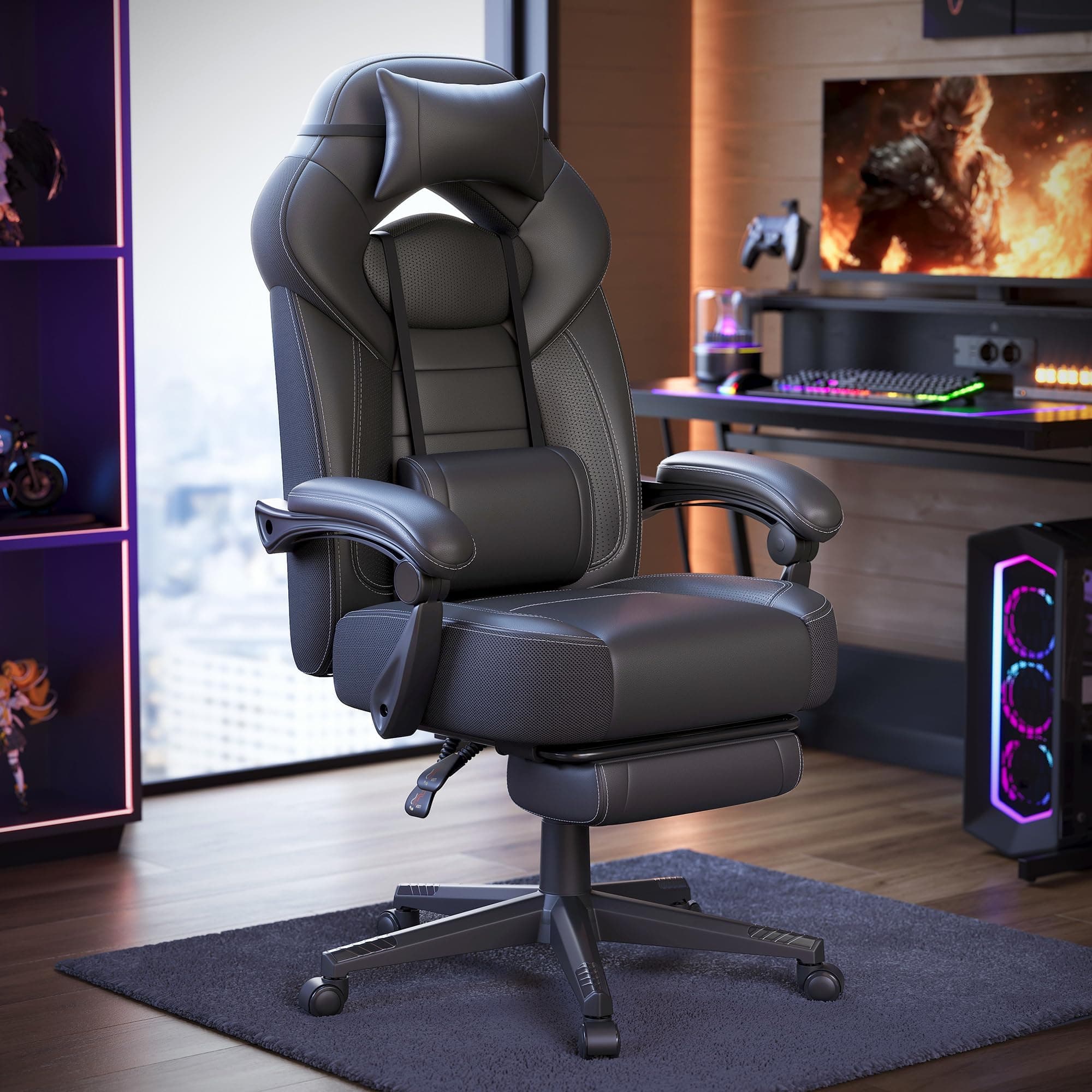
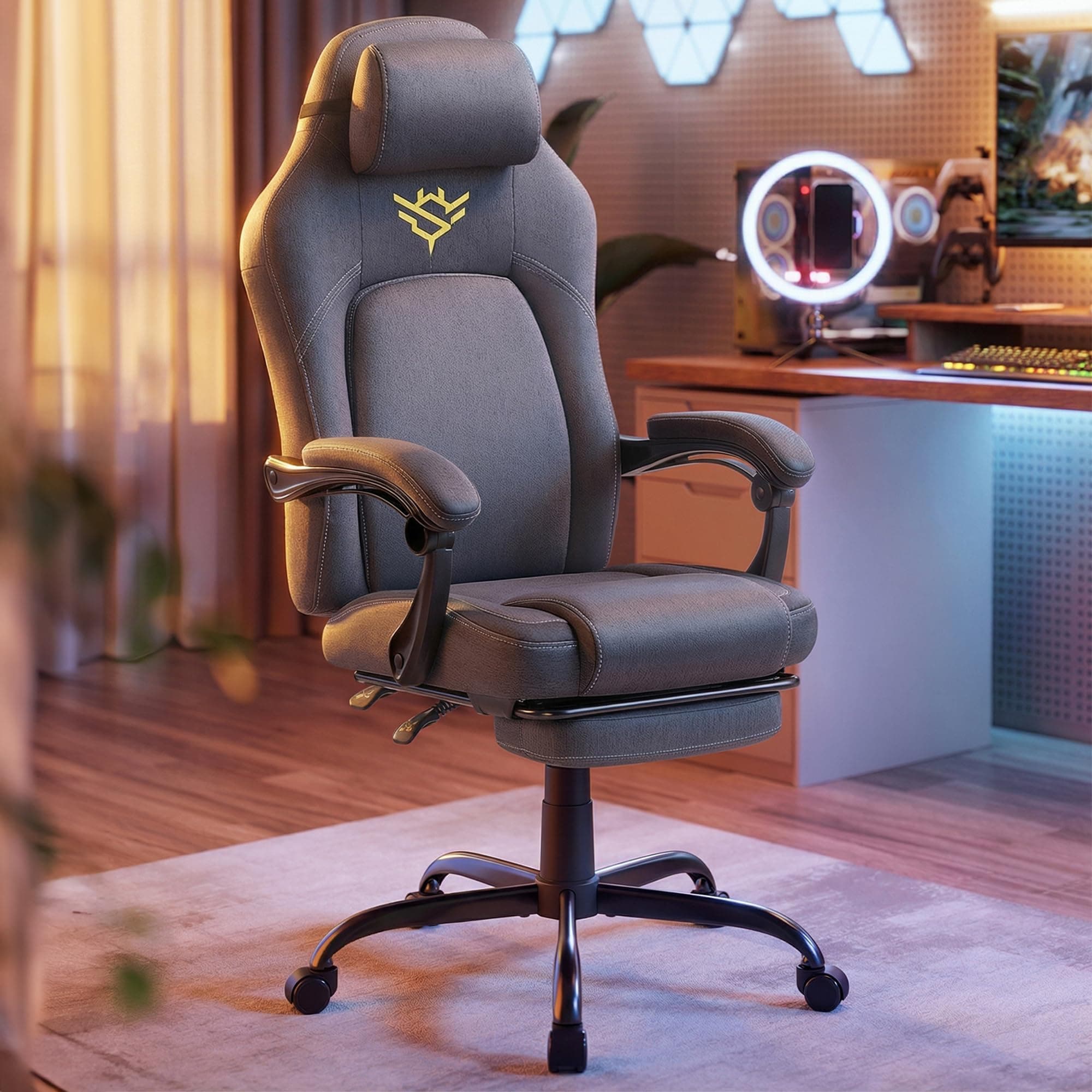
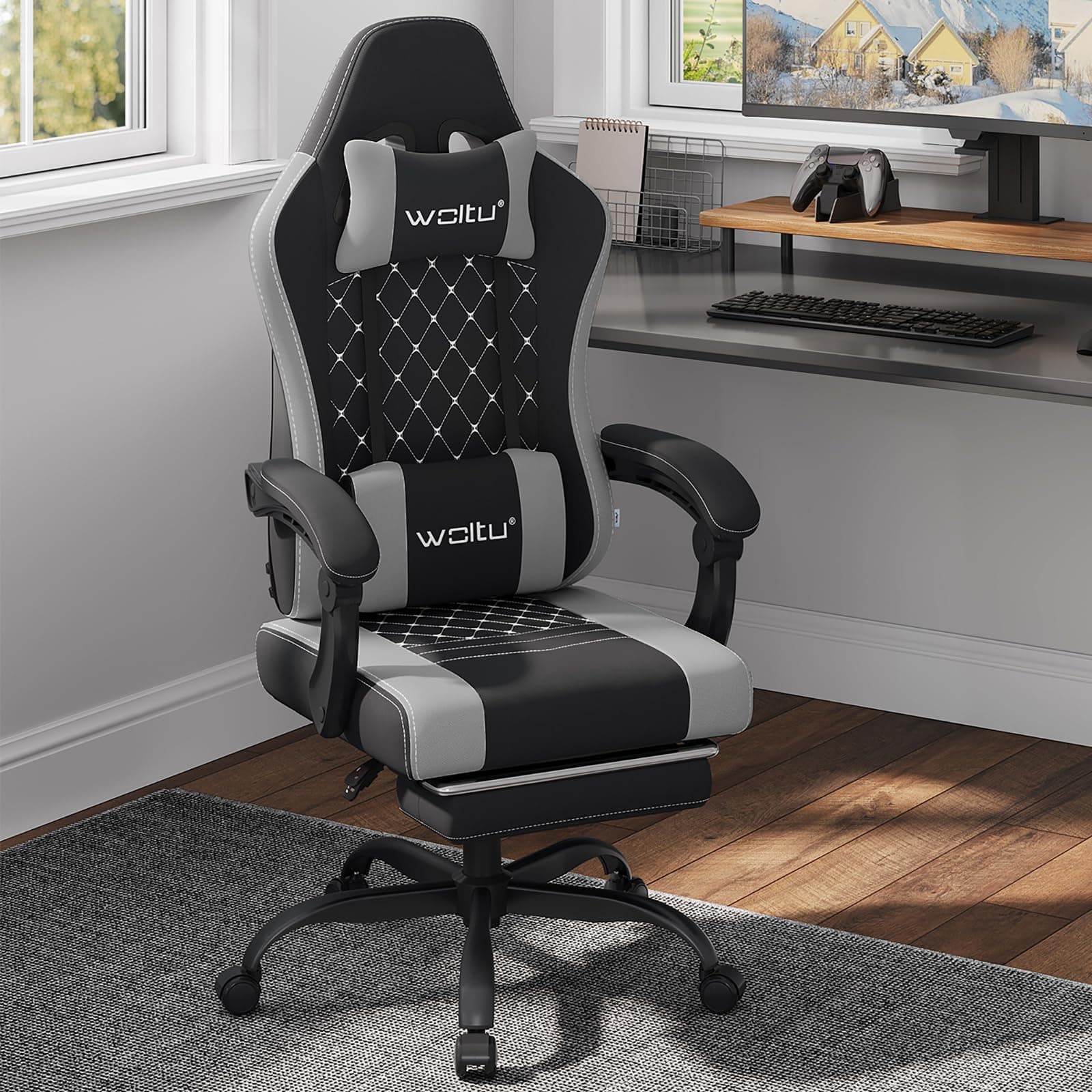
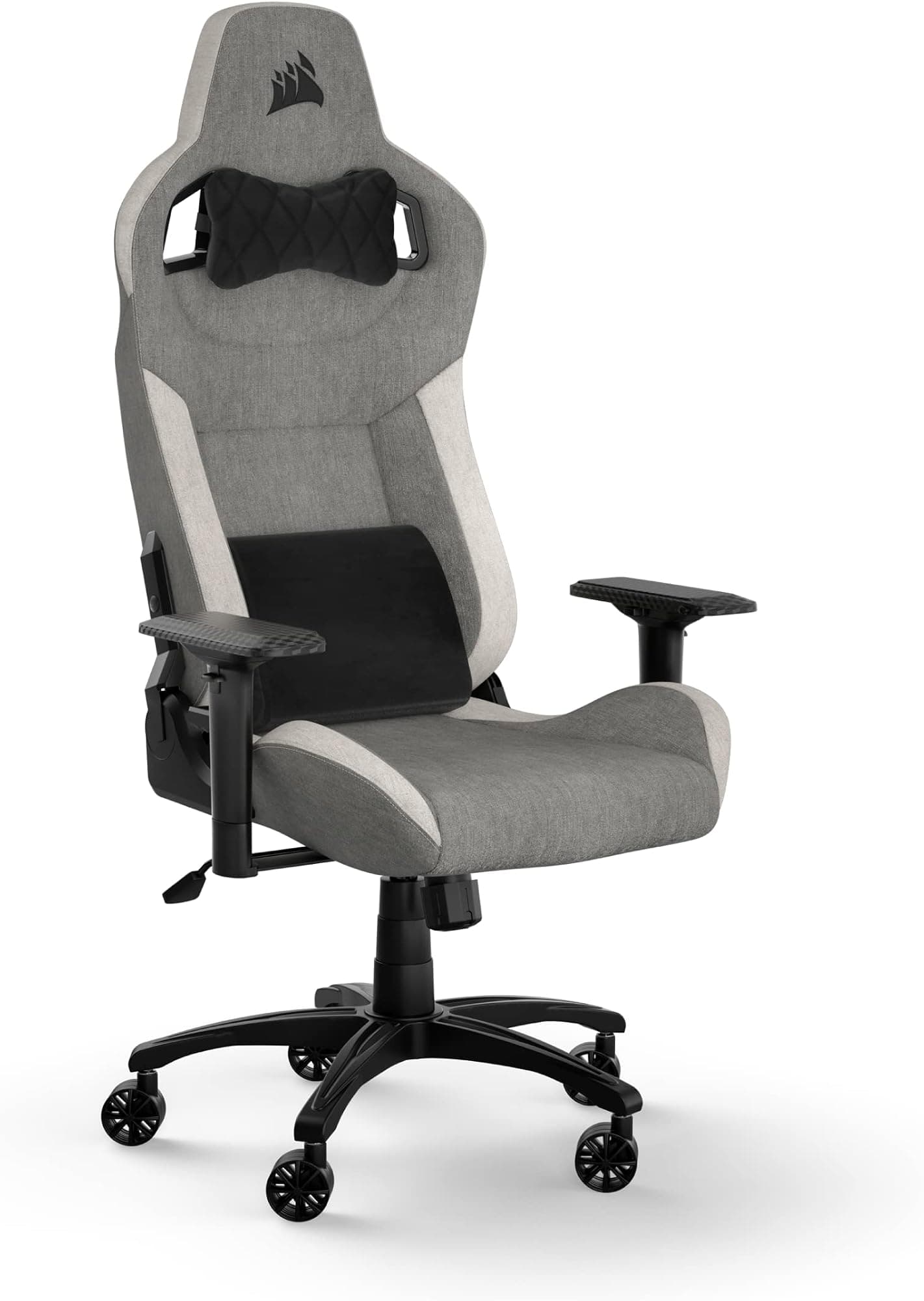
The TRIUMPHKEY Gaming Chair with Massage Lumbar Supportlanded in early May 2026. That means daily use, long sessions, a bit of slouching (deliberately, to see how the lumbar support responds), and a fair amount of just sitting there working while trying to forget I was reviewing a chair. That last bit is actually the best test. If you stop noticing the chair, it's doing something right. If you're constantly shifting around or reaching back to adjust a pillow that won't stay put, it's not.
This is a budget chair, and I want to be upfront about that from the start. At this price tier, you're not getting the engineering of a Herman Miller or even a mid-range Secretlab. But budget doesn't have to mean bad. The question is whether TRIUMPHKEY has made sensible compromises or just cut corners everywhere. After a month of daily use, I've got a pretty clear answer. Let me walk you through it.
Core Specifications
Before we get into the feel of the thing, let's talk numbers. The TRIUMPHKEY Gaming Chair is built around a steel frame, which is the right call at this price point. Aluminium bases and frames are lovely but they add cost, and steel is perfectly adequate for most users if it's properly welded and finished. The chair supports users up to around 150kg, which is a reasonable capacity for a budget product. The seat itself is upholstered in PU faux leather, which is standard for this category, and the foam density is something I'll get into properly in the materials section.
The recline range goes from roughly 90 degrees upright to about 155 degrees, which is a decent spread. You won't be sleeping flat in this thing, but you can get a proper recline going for those moments when you want to watch something without sitting bolt upright. The armrests are 3D adjustable on this model, meaning height, width, and pivot, which is actually a step above what you'd expect at this price. The gas lift is a Class 3 cylinder, which is the standard you'd want to see for safety and longevity.
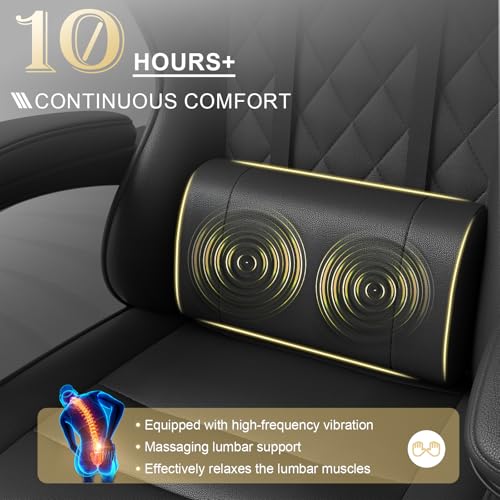
The massage lumbar support is the headline feature here, and it's worth addressing early. It's a built-in cushion with a small vibration motor, powered via USB. It's not going to replicate a proper massage, but it does provide a low-level vibration that some people find genuinely helpful for easing tension during long sessions. I'll give it a proper assessment in the ergonomics section, but the key spec to know is that it runs off USB power and has a few intensity settings. The headrest pillow is a separate cushion attached via an elastic strap, which is the budget-standard approach.
| Specification | Detail |
|---|---|
| Frame Material | Steel |
| Upholstery | PU faux leather |
| Weight Capacity | ~150kg |
| Recline Range | 90 to ~155 degrees |
| Armrests | 3D adjustable (height, width, pivot) |
| Gas Lift | Class 3 |
| Lumbar Support | Massage cushion, USB powered |
| Headrest | Removable pillow (elastic strap) |
| Base Material | Nylon |
| Wheels | PU-coated casters (360 degree) |
| Recommended Height | 160cm to 190cm |
| Price | Check price |

Ergonomics and Lumbar Support
Right, this is the section I care most about, and probably the one you're most interested in if you're reading a review from an ergonomics specialist rather than a gaming influencer. The honest truth about most gaming chairs is that their lumbar support is an afterthought. You get a pillow strapped to the back, it migrates upward over the course of a session, and by hour three you're sitting with your lower back completely unsupported. The TRIUMPHKEY takes a slightly different approach by integrating the lumbar support into the chair back itself, with the massage function built in. That's actually a meaningful design decision, and it's one of the things that made me want to test this chair properly.
The lumbar cushion is built into the backrest rather than strapped on, so it can't be shifted up or down. That's a limitation if you want it sitting at a very specific spot on your spine, but it also means it won't slide out of place the way a loose pillow does, and I'd call that a fair trade. The massage side is powered over USB and TRIUMPHKEY describes it as a two-point vibration designed to ease tension in the lower back. Honestly? I'd set expectations low. A vibrating cushion isn't going to stand in for a sports massage or even a proper foam roller session. Treat it as a pleasant extra for long desk stints rather than the reason you buy the chair, and I think you'll be happy enough with it.
The headrest pillow is the weaker link ergonomically. It attaches via an elastic strap looped around the top of the chair back, and while it stays in place reasonably well when you're sitting upright, it tends to shift when you recline significantly. For users who sit in a fairly consistent upright-to-slightly-reclined position, it's fine. If you're someone who moves around a lot, you'll be repositioning it regularly. The neck support itself is adequately padded, but it's positioned quite high, which means shorter users may find it pushing against the back of their head rather than supporting the neck. Proper neutral spine alignment requires the headrest to contact the cervical curve, not the skull, and this one doesn't always get there depending on your height.
The seat pan has a modest waterfall edge, which is good for reducing pressure on the backs of the thighs during long sessions. The depth isn't adjustable, which is a common budget-chair limitation, but the standard depth of around 50cm works reasonably well for users of average leg length. Taller users with longer femurs may find themselves sitting slightly forward to avoid the edge cutting into the back of the knee, which then moves them away from the lumbar support. It's a compromise, and it's worth knowing about before you buy.
Size and Fit
The TRIUMPHKEY is broadly a medium-sized gaming chair, and it fits that description pretty accurately. The seat width is around 53cm at its widest point, which accommodates most body types comfortably. If you're on the broader side, say above 45cm hip width, you'll notice the bolsters on either side of the seat. They're not aggressive racing-seat bolsters, thankfully, but they are present, and they do create a slight narrowing effect. For most UK users, this won't be an issue. For larger users, it might feel a touch snug.
The recommended height range of 160cm to 190cm is realistic rather than aspirational. I'm 178cm and found the proportions worked well for me. A colleague who's 185cm tried it for an afternoon and said it felt slightly compact around the upper back, which tracks with the seat back dimensions. Below 165cm, the seat depth may feel a bit long, pushing you away from the backrest unless you add a cushion or sit forward. That's not unique to this chair, it's a common issue with gaming chairs that are designed around an average male body, but it's worth flagging. If you're on the taller end of the spectrum, our guide to best gaming chairs for tall people covers options with better proportions for longer frames.
The seat-to-floor height adjusts via the gas lift it ranged from about 43cm to 53cm at its lowest and highest positions respectively. That's a reasonable range that covers most desk heights. The footprint of the base is standard five-star nylon, spanning roughly 70cm across, which means it'll fit comfortably under most desks without the legs getting in the way. If you're working with limited space, our guide to best gaming chairs for small spaces covers other compact options worth considering. The PU-coated casters roll smoothly on both hard floors and carpet, though on thick carpet there's a bit more resistance than you'd get with a premium chair. Nothing that would bother most people, but worth knowing if you've got deep-pile carpet throughout.
Armrests
The 3D armrests are one of the genuine highlights of this chair, and I don't say that lightly. At this budget price point, getting 3D adjustability is unusual. Most chairs in this tier offer fixed armrests or at best height-only adjustment. The TRIUMPHKEY gives you height, width, and pivot, which means you can actually position your arms in a way that supports your shoulders properly rather than just accepting whatever angle the chair dictates. Proper armrest positioning is genuinely important for reducing shoulder and neck tension, and having that flexibility here is a meaningful ergonomic win.
In practice, the height adjustment works via a button underneath the armrest pad, and it clicks into position at several discrete heights. The range is adequate, covering roughly 20cm of vertical travel. The width adjustment requires loosening a bolt underneath the seat, sliding the armrest rail inward or outward, and re-tightening. It's not a quick adjustment, but once you've set it, it stays put. The pivot function lets the pad rotate inward or outward by maybe 20 to 25 degrees, which is useful for keyboard work where you want your forearms angled slightly inward.
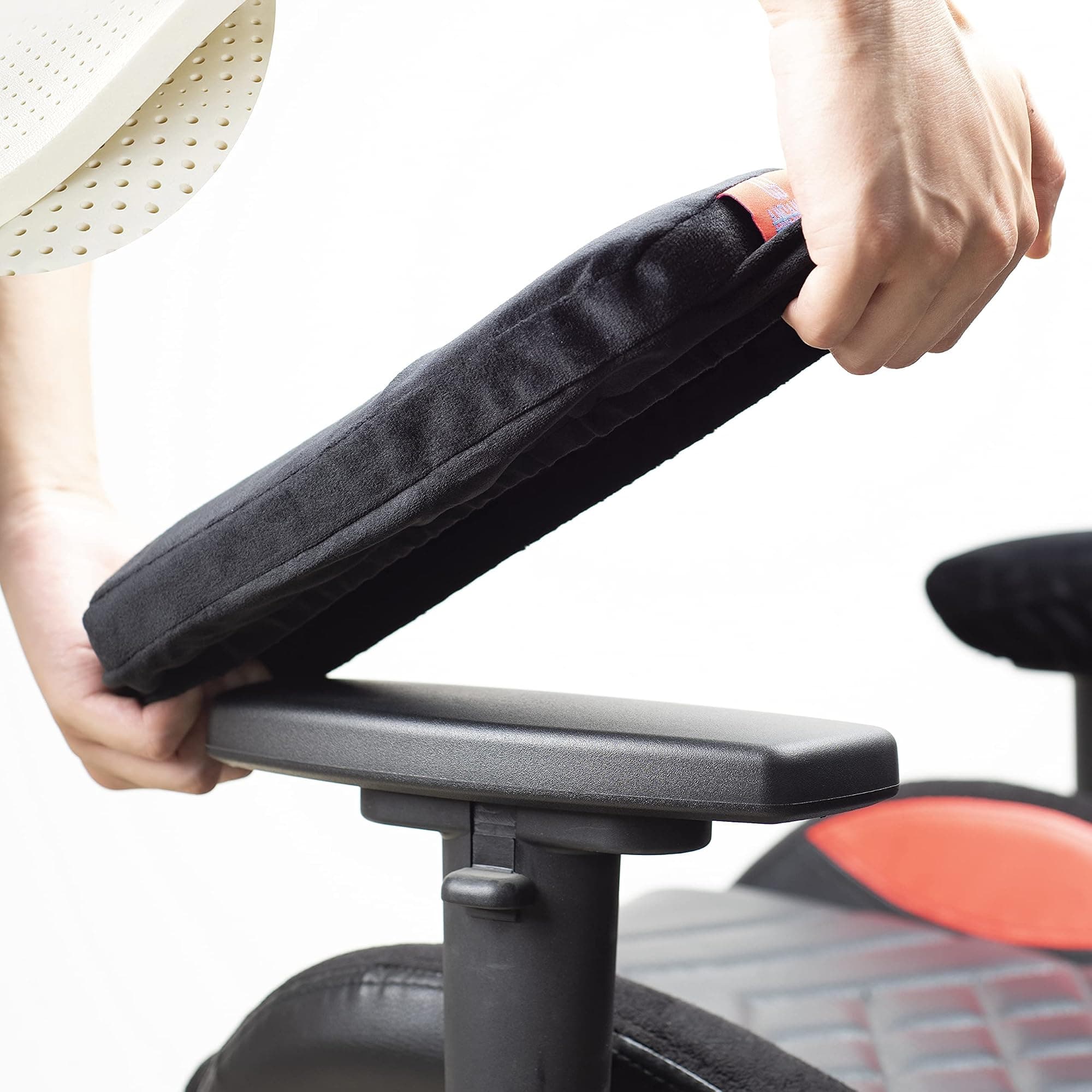
The padding on the armrests is decent but not exceptional. It's a firm foam covered in PU, and it does the job for general use. After extended sessions, I found myself wishing for a slightly softer pad, particularly during long typing stretches. The good news is that aftermarket armrest pad covers are cheap and widely available, so if this bothers you it's an easy fix. The locking mechanism on the height adjustment is reliable. I didn't experience any unexpected drops or creep during the review period, which is more than I can say for some chairs at twice the price. Overall, the armrests punch above their weight for this price tier.
Comfort Over Long Sessions
This is where budget chairs usually fall apart, and I want to be honest about what I found. For the first couple of weeks, the TRIUMPHKEY was genuinely comfortable for sessions of up to four or five hours. The foam felt supportive, the lumbar cushion was doing its job, and I wasn't experiencing the lower back fatigue that plagues so many racing-style chairs. Then around week three, I started noticing the seat foam beginning to compress slightly under sustained use. Not dramatically, but enough to notice. By the end of the month, the seat felt noticeably firmer than it did on day one.
This is a known issue with budget-tier foam, and it's not unique to TRIUMPHKEY. The foam density in chairs at this price point is typically lower than what you'd find in mid-range or premium products, which means it compresses faster under body weight. The polyurethane foam used in most budget gaming chairs has a shorter effective lifespan than high-resilience foam or memory foam alternatives. So go in expecting the seat to soften over time rather than stay exactly as it feels on day one. That's not a dealbreaker at this money, but if you're sitting for long stretches every day, it's the part of the chair most likely to feel different six months to a year down the line.
Hot spots are worth discussing too. After about four hours of continuous sitting, I noticed some pressure building under the sit bones, which is where the foam compression is most pronounced. Getting up for five minutes and coming back resolved it, but if you're the type who sits for six or seven hours without a break (which, for what it's worth, you really shouldn't be doing regardless of chair quality), you'll feel it. The backrest foam holds up better than the seat foam, which is actually the more important area for spinal support, so that's a positive. The massage lumbar feature does help break up the monotony of long sessions, even if it's not solving any structural problems.
Breathability is a real concern during warmer months, and I'll cover the materials in detail in the next section, but the short version for comfort purposes is this: after about 90 minutes, the PU leather back starts to feel warm. Not unbearable, but you'll notice it. If you run hot or you're using this chair through a British summer (yes, both of them), that's worth factoring in. A desk fan helps, but it's a workaround rather than a solution.
Materials and Breathability
The TRIUMPHKEY uses PU faux leather throughout, which is the standard choice for budget gaming chairs. Real leather is expensive and requires maintenance. Mesh is breathable but adds cost and complexity. PU leather is cheap to produce, looks decent in product photos, and wipes clean easily. The trade-off is breathability, and it's a significant one. PU leather doesn't breathe at all. Your body heat has nowhere to go, and you end up with a warm, slightly sticky feeling on your back and thighs during longer sessions. This is a fundamental material limitation, not a TRIUMPHKEY-specific flaw, but it's worth being clear about.
The quality of the PU leather on this chair is mid-range for the budget category. It doesn't feel papery or cheap to the touch, and after a month of use I haven't seen any cracking or peeling, which is the main failure mode for low-quality PU. The stitching on the seams is reasonably tidy, and the seams themselves are positioned away from the main contact points, which is good design. The underside of the seat and the back panel use a breathable fabric rather than PU, which helps slightly with airflow, but the main sitting surfaces are all PU.
Durability over the longer term is harder to assess after just a month, but I can make some informed observations. The PU leather on the seat edges, where the material flexes most when you sit down and stand up, is showing the earliest signs of wear. There's a very slight lightening of colour at the front edge of the seat. It's minor, but it's there. Budget PU leather typically starts to peel or crack at stress points after 18 to 24 months of daily use, in my experience across dozens of chairs. If you're buying this expecting it to last five years looking pristine, that's probably not realistic. If you're buying it as a two-year chair with the expectation of replacing it, that's a more honest framing. The polyurethane coating on budget chairs simply doesn't have the longevity of genuine leather or high-quality bonded alternatives.

Tilt and Recline
The recline mechanism on the TRIUMPHKEY is a standard lever-operated system, and it works as you'd expect. Pull the lever, lean back, and the chair reclines. The range goes from a proper upright 90 degrees through to roughly 155 degrees, which is a comfortable reading or watching angle without being fully flat. There's a locking mechanism that lets you fix the recline at any point in the range, which is useful if you want to settle into a particular angle for a long session without the chair slowly creeping back to upright.
The tilt tension is adjustable via a knob underneath the seat, which lets you control how much resistance you feel when reclining. This is a feature I always check, because a chair with no tension adjustment either feels like it's going to tip you backward or requires you to actively push against it to recline at all. The TRIUMPHKEY's tension knob has a reasonable range, and I found a comfortable middle setting within a few minutes of adjustment. It's not the most refined mechanism I've used, but it does the job without drama.
There's also a rocking or tilt function that lets the whole chair tilt forward and back on the base, which some people find helpful for staying active while seated. The active sitting principle behind this is sound, and having the option is nice. The locking mechanism for the tilt is a separate lever from the recline lock, which is the correct design. Some budget chairs conflate these two functions and end up with a confusing single-lever system. TRIUMPHKEY has kept them separate, which I appreciate.
Build Quality
The steel frame feels solid. I'm not going to pretend it has the rigidity of a premium chair, but there's no flex or creak when you sit down, shift around, or recline. The welds look clean from what I can see, and after a month of daily use nothing has loosened or shifted. The gas lift cylinder is a Class 3 unit, which is the standard you want to see for safety. Class 3 cylinders are rated for continuous use and are less likely to fail catastrophically than the unrated cylinders that occasionally appear in very cheap chairs. If you want to understand why gas lift class matters, the gas lift mechanism is worth a quick read.
The nylon base is the one area where I'd have preferred to see a different material choice. Nylon is lighter than aluminium and cheaper to produce, but it's also less resistant to impact damage. If you knock the base against a hard surface or drop something on it, nylon can crack in a way that aluminium won't. For most users in a typical home office or gaming setup, this will never be an issue. But it's worth knowing, particularly if you move your chair around frequently or have a habit of being a bit rough with your kit. The five-star design is stable and the base doesn't wobble, which is the main thing.
The casters are PU-coated, which is a good sign. Bare plastic casters scratch hard floors and don't roll as smoothly. The PU coating protects your floor and gives a slightly softer roll. They spin freely and don't have any flat spots or grinding after a month of use. The armrest mechanisms feel solid, with no play or wobble in the joints. The recline mechanism is smooth and the levers have a positive, clicky feel when you engage them. Overall, the build quality is better than I expected for a chair at this price point. It's not going to last a decade, but it's not going to fall apart in six months either, assuming normal use.
Assembly Experience
Assembly took me about 25 minutes working alone, which is on the quicker end for gaming chairs. The packaging was well organised, with the parts separated into clear groups and the hardware in a labelled bag. The instruction sheet is a single folded page with illustrated steps, and while it's not the most detailed guide I've ever seen, it's clear enough that you won't be scratching your head for long. The illustrations are accurate to the actual parts, which sounds like a low bar but isn't always the case with budget chairs.
The main steps are attaching the base to the gas lift, inserting the gas lift into the seat mechanism, attaching the backrest to the seat, and then fitting the armrests. The backrest attachment is the fiddliest part, requiring you to align bolt holes while holding the backrest in position. A second pair of hands would make this easier, but I managed it solo by propping the backrest against a wall while I got the first bolt started. The bolts themselves are standard hex bolts, and the included Allen key is adequate for the job, though a proper hex key set would make things faster.
One minor gripe: the massage lumbar USB cable is routed through the chair back and exits at the bottom of the backrest. The cable is long enough to reach a USB port on a standard desktop tower or a desk-mounted USB hub, but if your nearest USB port is on the other side of your desk, you might need an extension. It's a small thing, but worth knowing before you start planning your cable management. The headrest pillow attaches via elastic strap in about 30 seconds, and the lumbar cushion is already integrated into the chair back, so there's no separate fitting required for those. Overall, assembly is genuinely manageable for one person and shouldn't take more than 30 to 40 minutes even if you're not particularly handy.
How It Compares
At this budget gaming chair price point, the TRIUMPHKEY's main competition comes from similarly priced chairs from brands like Homall and Devoko. These are the chairs that dominate the budget Amazon gaming chair space, and they all share broadly similar DNA: PU leather upholstery, steel frames, nylon bases, and racing-style aesthetics. The question is what you get for your money in terms of ergonomic features and build quality.
The Homall Gaming Chair is probably the most direct competitor, and it's been around long enough to have a substantial review base. It's a solid budget chair, but it typically comes with fixed or height-only armrests and a loose lumbar pillow rather than an integrated massage unit. The Devoko Gaming Chair similarly offers basic ergonomics at a low price, with decent foam and a straightforward recline mechanism. Neither of them offers the 3D armrests or the massage lumbar feature that the TRIUMPHKEY brings to the table. Whether those features matter to you depends on your priorities, but from a pure feature-count perspective, the TRIUMPHKEY is competitive.
Where the competition has an edge is in review volume and track record. Both Homall and Devoko have thousands of real-world reviews that give you a sense of long-term durability. The TRIUMPHKEY is newer to the market, and the absence of a substantial review base means you're taking more of a gamble on long-term performance. That's not a reason to avoid it, but it's a reason to keep your expectations calibrated to the budget tier rather than hoping for premium longevity.
| Feature | TRIUMPHKEY Gaming Chair | Homall Gaming Chair | Devoko Gaming Chair |
|---|---|---|---|
| Price Tier | Budget | Budget | Budget |
| Armrest Adjustability | 3D (height, width, pivot) | Height only (most models) | Height only (most models) |
| Lumbar Support | Integrated massage cushion (USB) | Loose pillow | Loose pillow |
| Recline Range | 90 to ~155 degrees | 90 to ~180 degrees (some models) | 90 to ~155 degrees |
| Gas Lift Class | Class 3 | Class 3 | Class 3 |
| Base Material | Nylon | Nylon | Nylon |
| Review Track Record | New to market | Established, thousands of reviews | Established, good review base |
| Upholstery | PU faux leather | PU faux leather | PU faux leather |
Final Verdict
After about a month of daily use, I've got a clear picture of what the TRIUMPHKEY Gaming Chair with Massage Lumbar Support is and isn't. It's a budget chair that makes some genuinely smart ergonomic choices, particularly the integrated lumbar massage unit and the 3D armrests, which are features you'd normally have to spend more to get. The build quality is solid for the price tier, assembly is manageable solo, and the overall comfort for sessions up to four or five hours is decent. These are real positives, and they matter.
But the limitations are real too. The PU leather will warm up during long sessions, the seat foam is already showing early signs of compression after a month, and the headrest pillow is the kind of elastic-strap solution that works fine until it doesn't. The lack of a substantial review base means there's genuine uncertainty about long-term durability, and the seat depth won't suit everyone, particularly shorter users or those with longer legs who need a different proportional fit. These aren't deal-breakers, but they're honest trade-offs you should know about.
If I'm scoring this chair, I'd put it at a 6.5 out of 10. That's a respectable score for a budget product. It's not trying to be something it isn't, and within its price tier it offers more ergonomic thoughtfulness than most of its direct competitors. The massage lumbar feature is a genuine differentiator, even if it's more of a nice-to-have than a back-health solution. For someone who needs a functional, reasonably comfortable chair for everyday gaming or home office use and doesn't want to spend mid-range money, this is a sensible choice. Just go in with realistic expectations about foam longevity and breathability, and you won't be disappointed.
For anyone considering this chair, it's also worth reading up on DSE (Display Screen Equipment) guidance from the HSE, which covers proper workstation setup including chair height, monitor position, and break frequency. No chair, regardless of price, is a substitute for good sitting habits and regular movement. The TRIUMPHKEY will support you better than a dining chair or a cheap office chair, but it works best as part of a broader approach to ergonomic health rather than a standalone solution.
What works. What doesn’t.
5 + 4What we liked5 reasons
- 3D armrests at a budget price point is a genuine ergonomic win
- Integrated massage lumbar cushion stays in place unlike loose pillow alternatives
- Solid steel frame with no creaking or flex after a month of daily use
- Class 3 gas lift cylinder for safety and longevity
- Straightforward solo assembly in under 30 minutes
Where it falls4 reasons
- Seat foam showing compression after just one month of daily use
- PU leather gets warm quickly during longer sessions
- Headrest pillow shifts when reclining significantly
- No established long-term review track record for durability confidence
Full specifications
8 attributes| Material | PU leather |
|---|---|
| Lumbar support | built-in massage cushion |
| Armrest type | 3D |
| Footrest | true |
| Headrest | true |
| Height range CM | 160-190 |
| MAX weight KG | 150 |
| Recline angle MAX | 145 |
If this isn’t right for you
2 options

Frequently asked
5 questions01Is the TRIUMPHKEY Gaming Chair with Massage Lumbar Support comfortable for long gaming sessions?+
For sessions up to four or five hours, comfort is decent, particularly in the first few weeks of use. The integrated massage lumbar cushion helps with lower back tension, and the 3D armrests allow proper arm positioning. However, after about a month of daily use the seat foam shows early signs of compression, and the PU leather surface becomes noticeably warm after around 90 minutes. For very long sessions of six hours or more, you'll likely want to take regular breaks regardless of chair quality.
02What height and weight range is the TRIUMPHKEY Gaming Chair with Massage Lumbar Support suitable for?+
The chair is best suited to users between 160cm and 190cm tall, with the sweet spot being 165cm to 185cm. The weight capacity is approximately 150kg. Users below 165cm may find the seat depth a little long, pushing them away from the backrest. Users above 185cm may find the upper back area slightly compact. Hip width up to around 45cm is comfortable within the seat bolsters.
03Does the TRIUMPHKEY Gaming Chair with Massage Lumbar Support have good lumbar support?+
The lumbar support is integrated into the chair back rather than being a loose pillow, which is a meaningful advantage over many budget competitors. It stays in position during normal use and includes a USB-powered vibration massage function with multiple intensity settings. The vertical position is not adjustable, which may not suit all body types, but for users in the recommended height range it sits at roughly the correct lumbar curve position. It's a genuine ergonomic feature rather than a marketing gimmick, though it works best as a complement to good sitting habits rather than a substitute for them.
04Is the TRIUMPHKEY Gaming Chair with Massage Lumbar Support difficult to assemble?+
Assembly is manageable for one person and took approximately 25 minutes. The packaging is well organised, the instruction illustrations are clear and accurate, and the hardware is labelled. The trickiest step is aligning the backrest bolt holes while holding the backrest in position, which is easier with a second person but doable solo by propping the backrest against a wall. All necessary tools are included, though a proper hex key set speeds things up. The massage lumbar USB cable exits at the base of the backrest and may need an extension cable depending on your desk setup.
05What warranty applies to the TRIUMPHKEY Gaming Chair with Massage Lumbar Support?+
Amazon offers 30-day returns for most products purchased through their platform. TRIUMPHKEY typically provides a manufacturer warranty of between 2 and 5 years, though you should confirm the specific terms on the product listing or by contacting the seller directly before purchase, as warranty terms can vary by region and retailer.