VR-DESKTOP Decision guide
Best Desktop for Software Developers: £600, £1000 UK Guide
Compiling code, running Docker, juggling terminals, your desktop needs to keep up. Here are the best options between £600 and £1000 for UK developers.
 Top pick: CyberPowerPC CyberPowerPC Luxe Gaming PC - Intel Core Ultra 7 265KF, Nvidia RTX 5070 Ti, 32GB RAM, 2TB NVMe SSD, 750W PSU, Windows 11, Liquid Cooling, Amethyst 360M Airflow White
It is half past ten, your CI pipeline has just failed on a dependency conflict, you have three terminal windows open, a local Postgres instance running, and your IDE is indexing in the background. The last thing you need is a machine that starts swapping to disk. Between £600 and £1000 there are desktops that handle this kind of pressure properly, and a few that look the part but quietly buckle. Here is how to tell them apart.
What actually matters
CPU performance and core count
Picking the best desktop for software developers comes down to a few unglamorous truths: your machine spends most of its day compiling, indexing, and juggling a dozen browser tabs while your IDE eats RAM for breakfast. At £600 you can build something genuinely capable, and at £1000 you're into territory where multi-core builds and heavy container workloads stop being a chore. As of August 2026, the field has shifted again, with Ryzen and Apple silicon both making strong cases depending on how you work. So which chip, how much memory, and where's the sweet spot for your budget? Below, I've broken down exactly what matters for dev work, plus specific machines at both price points that I'd actually recommend to a friend.
RAM and memory bandwidth
Sixteen gigabytes is the floor for comfortable development work in 2026. If you run Docker containers alongside your IDE, a browser with forty tabs, and a local database, you will feel 8GB within a week. Thirty-two gigabytes is the sweet spot for anyone doing microservices work or spinning up VMs regularly. Unified memory architectures, like the M4, use RAM more efficiently than traditional setups, so the numbers do not always translate directly.
Storage speed
A fast NVMe SSD makes a noticeable difference when your IDE is scanning a large monorepo or your build tool is reading hundreds of small files. Any NVMe drive will feel quick, but look for PCIe Gen 4 where possible. Spinning hard drives are a hard no for a primary development machine.
Connectivity and ports
Developers tend to have a lot plugged in: external monitors, USB hubs, keyboards, the occasional hardware dongle for testing. Check the rear IO before you buy. Thunderbolt or USB4 is genuinely useful if you run high-res external displays or fast external storage.
What you can ignore
Dedicated GPU: Unless you are training ML models or doing GPU-accelerated rendering, integrated graphics handles dual 4K monitors and everything else in your workflow without complaint. Paying a premium for a discrete card at this budget just eats into RAM or CPU quality.
RGB lighting: It does nothing for compile times. Several machines at this price point charge a small premium for addressable lighting that you will probably turn off within a fortnight.
Massive storage out of the box: Two terabytes sounds appealing, but if it is a slower QLC drive rather than a fast NVMe, you would rather have half the space and twice the speed. Check the drive spec, not just the headline capacity.
Optical drives or legacy ports: If a machine is advertising a DVD drive as a feature in 2026, that budget has gone somewhere unhelpful. You almost certainly do not need one.
Three worth considering
The Apple Mac Mini M4 is the pick for developers who live in a Unix-adjacent environment and want the best performance-per-watt at this budget. The M4 chip is genuinely rapid for compilation, the machine runs near-silent under sustained load, and macOS gives you a native terminal, Homebrew, and broad compatibility with the tools most backend and full-stack developers use daily. It sits comfortably within the upper end of this budget. The honest trade-off is that RAM is soldered and cannot be upgraded later, so if you reckon you will need 24GB or more, configure it correctly at purchase. For the right developer, this is a no-brainer.
The BOSGAME M2 Mini Gaming PC is worth a look if you want a compact Windows machine and do not want to spend Mac Mini money. It is a tidy little box that handles everyday development tasks, runs WSL2 without drama, and takes up almost no desk space. The trade-off is that it is not the machine for heavy Docker workloads or anything that demands sustained CPU throughput for long periods. It suits developers working on lighter stacks, scripting, or anyone who needs a capable secondary machine or home office box that does not dominate the desk.
The ionz Gaming PC is the pick if you want a full-tower Windows machine with room to grow. It comes with a discrete GPU you probably do not need right now, but the real appeal is upgradeability: more RAM slots, standard storage bays, and a proper ATX form factor mean this machine can evolve with your workload. It is the most practical choice for developers who want to add RAM down the line, experiment with a GPU compute project, or simply prefer a traditional desktop they can crack open and modify without any faff.
macOS vs Windows: does it actually matter for developers?
Honestly, it depends on your stack. If you write Ruby, Python, or Node and deploy to Linux servers, macOS feels natural because the tooling just works out of the box and you are already in a Unix environment. If your team is Windows-first, your stack is.NET, or you need specific Windows-only software, then the BOSGAME or ionz machines make more sense and save you the adjustment period. Neither platform is dodgy for development in 2026. The gap has narrowed considerably with WSL2 on Windows. Pick based on your existing workflow, not received wisdom.
Before you buy: a checklist
- Confirm the RAM is either 16GB minimum or upgradeable. If it is soldered, buy the spec you will need in two years, not the spec you need today.
- Check the storage is NVMe, not SATA SSD and certainly not HDD. Look for the actual drive model in the spec sheet if you can find it.
- Count the ports on the rear IO and match them to your current setup: monitors, peripherals, and any USB hubs you rely on.
- If you are buying the Mac Mini, decide on RAM and storage before checkout. There is no upgrading it afterwards, and Apple's upgrade pricing is pricey at point of sale but cheaper than replacing the machine.
- Check the return and warranty terms. A one-year manufacturer warranty is the minimum. For a machine you will use daily for development work, knowing you are covered matters.
Three worth your money
Each link adds the product to your Amazon basket so you can compare them side-by-side at checkout.
CyberPowerPC
CyberPowerPC Luxe Gaming PC - Intel Core Ultra 7 265KF, Nvidia RTX 5070 Ti, 32GB RAM, 2TB NVMe SSD, 750W PSU, Windows 11, Liquid Cooling, Amethyst 360M Airflow White
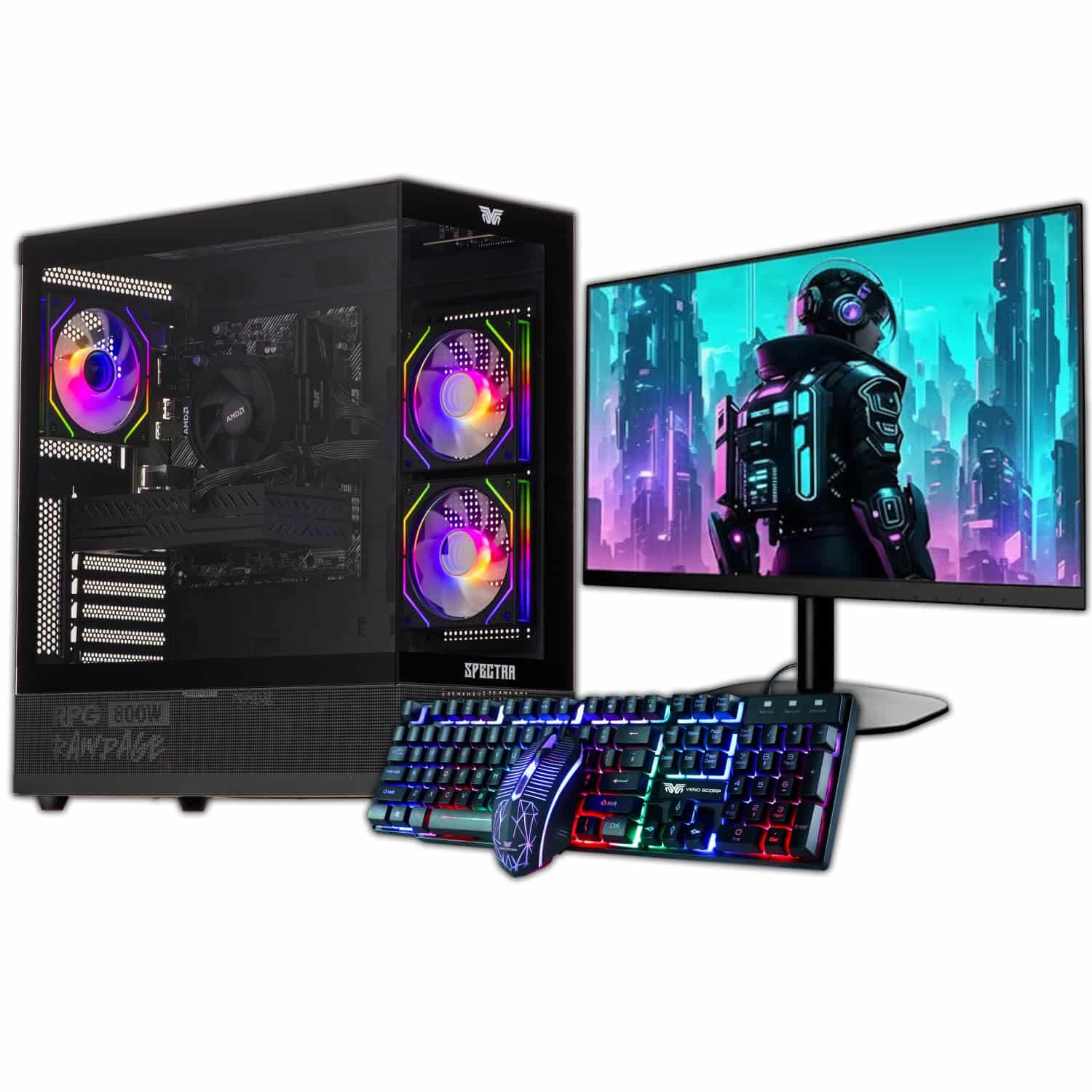
Veno Scorp
Veno Scorp Budget Gaming PC Intel i5 GTX 750

Aether Pro Intel
We're an Amazon Associate. If you click a product link and buy something, we earn a small commission at no extra cost to you. We only recommend products we'd use ourselves.
Top pickCyberPowerPC Luxe Gaming PC - Intel Core Ultra 7 265KF, Nvidia RTX 5070 Ti, 32GB RAM, 2TB NVMe SSD, 750W PSU, Windows 11, Liquid Cooling, Amethyst 360M Airflow White£2049.00Add to cart →