
VR-DESKTOP Decision guide
Best Desktop PCs for Video Editors: £1,000, £1,500 UK Guide
Cutting 4K footage in Premiere or DaVinci? We break down the best desktops for video editors between £1,000 and £1,500 in the UK. Find your match here.
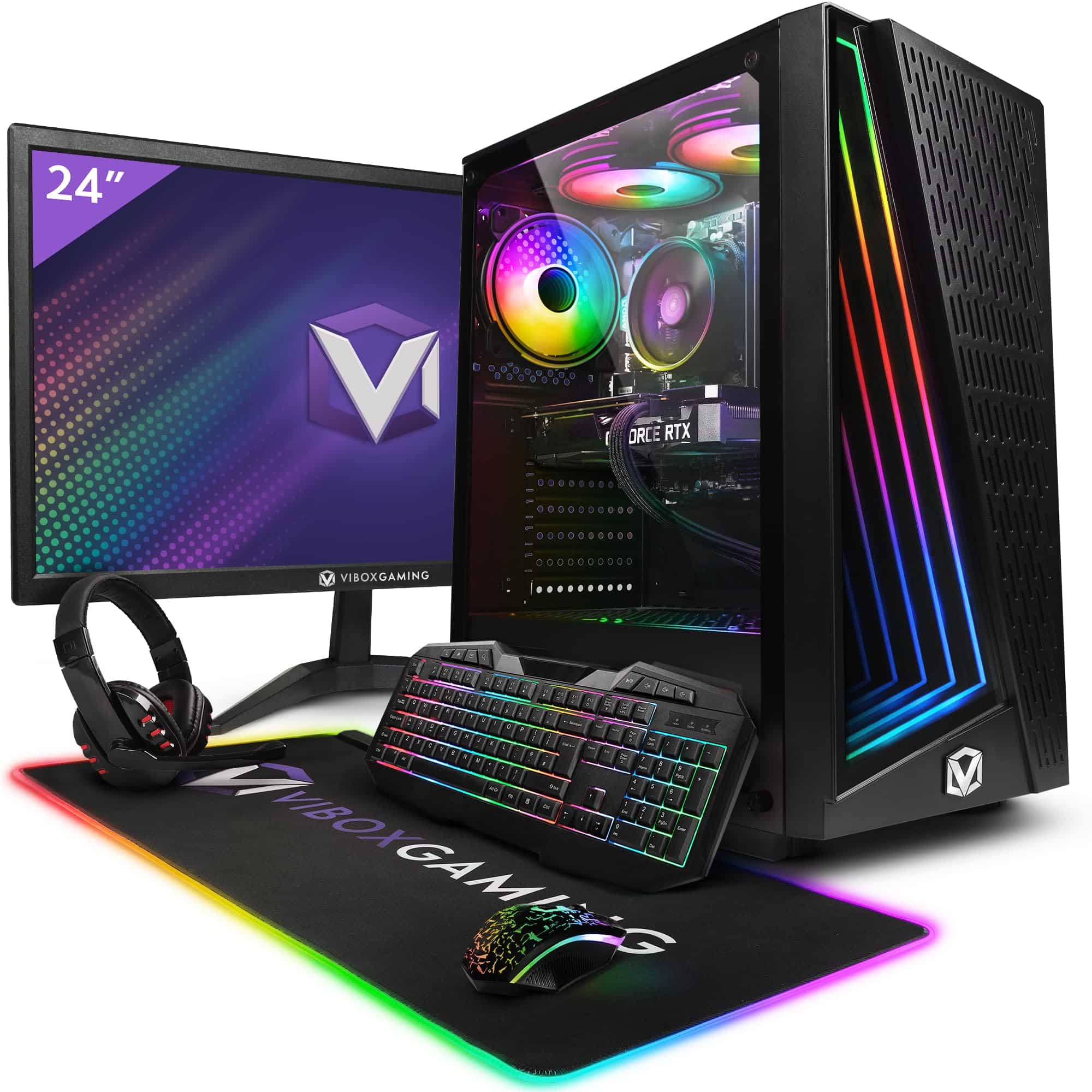 Top pick: Vibox Vibox V Gaming PC (Ryzen 5 5500, RTX 5060 Ti, Black)
It's 10pm, your client wants the cut by 9am, and DaVinci Resolve is sitting at 78% on a render that started before dinner. If that sounds familiar, your current machine is the problem, not your workflow. Spending between £1,000 and £1,500 on a proper editing desktop changes that picture entirely. You get real GPU acceleration, enough RAM to stop proxying everything, and export times that don't make you want to bin the whole project.
What actually matters
RAM
For video editing, RAM is the first thing to check. 16GB is the floor, not the target. If you're cutting 4K timelines with multiple streams, colour grading in Resolve, or running Premiere alongside After Effects, you want 32GB. Less than that and you'll be babysitting your timeline instead of editing it.
GPU with hardware acceleration
Modern NLEs lean on the graphics card hard. DaVinci Resolve in particular offloads colour processing, noise reduction, and effects to the GPU. An RTX 4060 or RTX 5060 both support NVENC and CUDA acceleration, which cuts export times noticeably compared to CPU-only rendering. This is not an area to compromise on at this budget.
Storage speed
Editing directly from a slow drive is a recipe for dropped frames and frustration. You want NVMe SSD as your primary working drive. Capacity matters too: 1TB fills up faster than you'd reckon once you're storing raw 4K footage, proxies, and project files side by side.
CPU core count
A higher core count helps with background encoding and multi-stream playback. It's not the headline spec it once was now that GPU acceleration does so much of the heavy lifting, but a modern 8-core or better processor keeps things moving when you're exporting while still working on the next sequence.
What you can ignore
Extreme overclocking headroom. You're not chasing benchmark scores. Stable, sustained performance under load matters far more than peak clock speeds you'll never actually hit during a long render.
High-refresh-rate gaming monitors bundled in deals. A 144Hz or 240Hz display is irrelevant for editing. Spend that money on colour accuracy instead, or put it towards more RAM.
Fancy RGB lighting. It looks nice in a YouTube setup tour. It does nothing for your timeline. Don't let a flashy case push you towards a weaker spec machine.
Integrated graphics comparisons. At this budget, you're getting a discrete GPU. Integrated graphics benchmarks are a distraction. Focus on the dedicated card's VRAM and acceleration support.
Three worth considering
The Vibox VII Gaming PC (i7-12700KF, RTX 5060, White) is the pick for editors who want the most GPU headroom in this budget band. The RTX 5060 is a step up in raw rendering performance and future-proofs you against increasingly GPU-hungry Resolve features. The i7-12700KF handles multi-core export tasks without breaking a sweat. The honest trade-off: it's a gaming-branded machine, so the aesthetic is unapologetically bold. That won't bother everyone, but if you're setting up a client-facing studio space, it's worth knowing. For editors doing heavy colour work or running Resolve's AI tools regularly, this is the one to go for.
The Vibox IV Gaming PC (Ryzen 7 5700X, RTX 4060, Black) sits at the more accessible end of this budget and still delivers a genuinely capable editing rig. The RTX 4060 handles GPU acceleration in Premiere and Resolve without complaint, and the Ryzen 7 5700X is a solid multi-threaded performer for export workloads. The trade-off is that the RTX 4060 will feel the pressure sooner than the 5060 as AI-assisted editing tools become standard. For editors working primarily in 1080p or light 4K, though, this is a no-brainer at its price point.
The Apple Mac Mini M4 is a different beast entirely. It's compact, whisper-quiet, and the M4 chip's unified memory architecture makes Final Cut Pro feel genuinely effortless. If your workflow is built around Final Cut, or you're already in the Apple ecosystem, this is spot on. The trade-off is real though: you'll need to budget for a monitor, peripherals, and potentially software licences separately. Editors who rely on specific Windows-only plugins should check compatibility before committing.
Windows or macOS: the decision that actually shapes your workflow
This is the fork in the road. If you're a Final Cut Pro user, the Mac Mini M4 is the obvious choice and the performance-per-pound argument is strong. If you're on Premiere Pro, Resolve, or use third-party plugins with Windows-only support, the Vibox options give you more raw GPU muscle for the money and a more flexible upgrade path down the line. Neither is wrong. It comes down to your software stack, not brand loyalty.
Before you buy: a checklist
- Confirm your primary NLE and check it supports GPU acceleration on the hardware you're buying, particularly CUDA for Nvidia cards or Metal for Apple Silicon.
- Check the RAM configuration: 32GB is the target for comfortable 4K editing, so verify whether the machine ships with that or whether you'd need to upgrade.
- Verify the storage setup: you want at least 1TB NVMe SSD as the working drive, with room to add a secondary drive for archive footage.
- If you're buying the Mac Mini, cost up a monitor, keyboard, and mouse before comparing prices with the Vibox options, which include the full tower setup.
- Check the returns and warranty policy of the retailer, particularly for pre-built PCs. A dodgy unit that fails mid-project is a nightmare, so knowing your cover upfront is worth the five minutes.
Three worth your money
Each link adds the product to your Amazon basket so you can compare them side-by-side at checkout.


We're an Amazon Associate. If you click a product link and buy something, we earn a small commission at no extra cost to you. We only recommend products we'd use ourselves.
Top pickVibox V Gaming PC (Ryzen 5 5500, RTX 5060 Ti, Black)£1064.95Add to cart →