VR-DESKTOP Decision guide
Best Desktop PCs for Small Businesses: £600, £1000 Guide
Running a small business on a tight IT budget? Here are the best desktop PCs between £600 and £1000 that actually hold up under daily pressure.
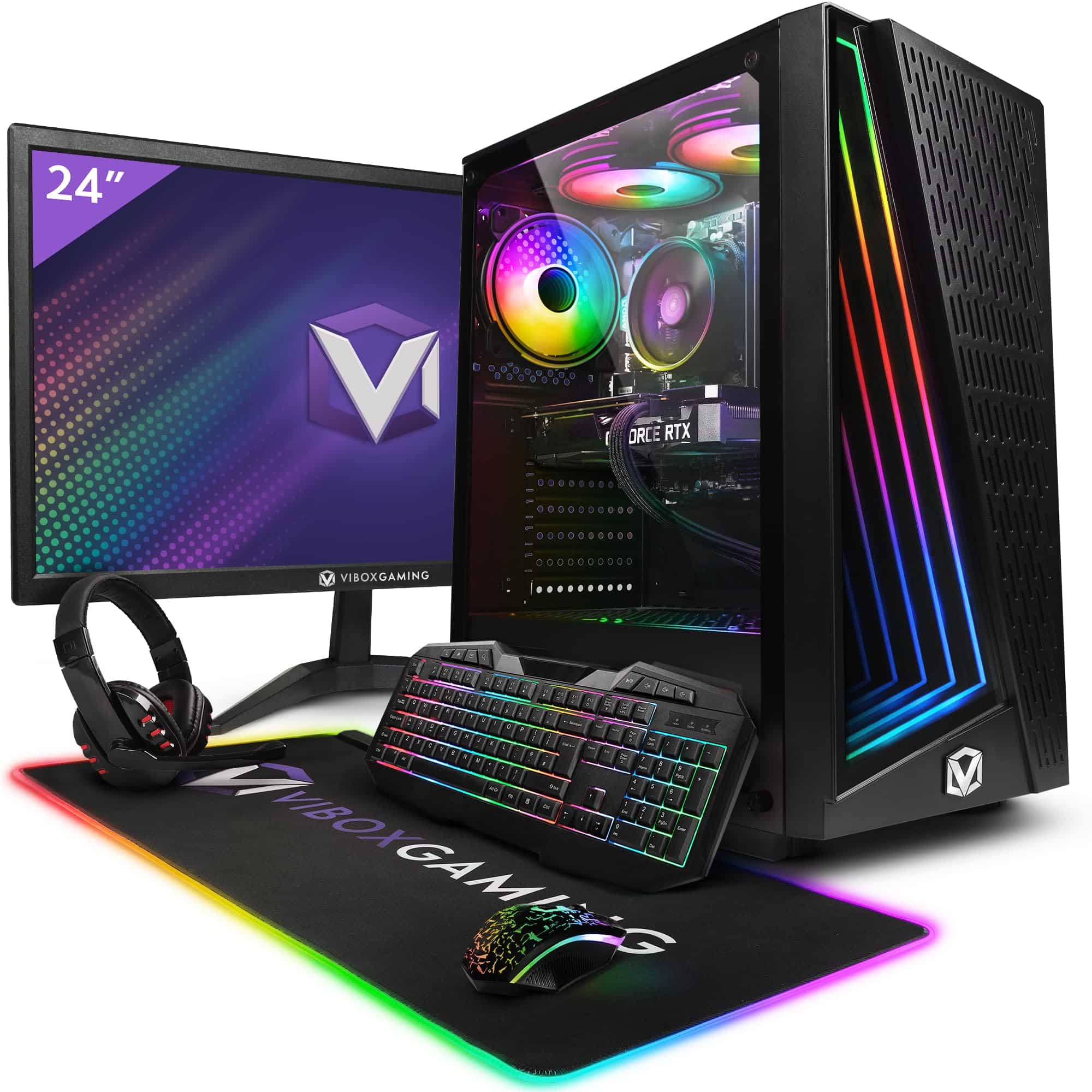 Top pick: Vibox Vibox V Gaming PC (Ryzen 5 5500, RTX 5060 Ti, Black)
It is half nine on a Tuesday, the accountant is on a video call, someone needs to pull up last quarter's invoices in Sage, and the delivery driver is waiting for a printed manifest. This is the reality of running a small business, and a sluggish or unreliable desktop is not just annoying, it costs you actual money. Somewhere between £600 and £1000 sits a sweet spot where you get proper performance, a sensible warranty, and enough headroom to last four or five years without an upgrade panic.
What actually matters
Processor
For business workloads, a modern mid-range chip is more than enough. You want something from the last two or three generations, whether that is Intel Core i5 or i7, AMD Ryzen 5 or 7, or Apple Silicon. Older chips start to feel sluggish under simultaneous tasks, and in a small office where the same machine might run accounting software, a browser, and a video call at once, that lag adds up fast.
RAM
Sixteen gigabytes is the floor for comfortable business use in 2026. Thirty-two is better if your team works with large spreadsheets, design files, or keeps a lot of browser tabs open. Do not let a supplier talk you into 8GB on the basis that it is 'enough for office work.' It was, in 2019.
Storage
A 512GB SSD is the minimum worth considering. Boot times, file access, and application loading are all dramatically faster on solid-state storage compared to older spinning drives. If you store large files locally, go for 1TB. Cloud-first businesses can get away with 512GB provided the internet connection is reliable.
Connectivity and ports
Small businesses accumulate peripherals: printers, card readers, USB drives, external monitors. Check the port selection carefully. A machine with only two USB-C ports sounds modern until you realise your receipt printer uses USB-A and your monitor needs HDMI. Adaptors are a faff, and they fail at the worst moments.
What you can ignore
Dedicated graphics. Unless someone on your team does video editing or design work as a core part of the job, a discrete GPU is money spent on something you will never use. Integrated graphics handle spreadsheets, video calls, and even light photo work without complaint.
Top-end storage speeds. PCIe Gen 5 NVMe drives are genuinely fast, but the difference between Gen 4 and Gen 5 is invisible in everyday office tasks. Do not pay a premium for it.
Overclocking headroom. Business machines do not need to be pushed beyond their rated speeds. Stability and reliability matter far more than peak performance, and overclockable chips usually cost more for no practical benefit here.
RGB lighting or gaming aesthetics. Some mini PCs and small-form-factor machines come with lighting effects. Fine if you like it, but do not let it influence your decision. It adds nothing to productivity and occasionally adds to the price.
Three worth considering
If budget is the primary concern and Windows compatibility is non-negotiable, the GMKtec Mini PC with Intel Core i7-11390H is a no-brainer for small offices. It is compact enough to mount behind a monitor, runs Windows business software without complaint, and the i7-11390H handles multitasking well. The honest trade-off is that 11th-gen Intel is not the newest architecture on the market, so you are buying into a chip that is a couple of years old. For most office workloads that is completely fine, but if you expect to keep this machine for six-plus years, factor that in.
The Apple Mac Mini M4 is the pick for businesses already in the Apple ecosystem, or those who want the most efficient machine at this price point. The M4 chip is genuinely rapid, the machine runs cool and quiet, and multi-monitor support is excellent. The trade-off is real though: if your business relies on Windows-only software, this is the wrong choice without additional cost and complexity. For creative agencies, consultancies, or anyone already using iPhones and iPads for work, it is spot on.
The BOSGAME M2 Mini Gaming PC sits in an interesting position. The discrete GPU makes it the right call for businesses where someone does video editing, rendering, or detailed design work as part of their daily role. It is more machine than a pure office setup needs, but if that use case fits, you are getting proper graphics capability without buying a full tower. The trade-off is size and power consumption compared to the other two, though it is still compact by desktop standards.
Windows or macOS for your business software?
This is the decision most small business owners do not think about until after they have bought the machine. If your accountant uses Sage, your team uses a Windows-specific CRM, or you rely on any bespoke software built for Windows, the Mac Mini is off the table unless you budget for Parallels or a separate Windows licence. That adds cost and a layer of complexity that most small businesses do not need. If your stack is browser-based, Google Workspace, or Microsoft 365 online, macOS works perfectly well and the M4 is a genuinely strong option. Be honest about your software before you decide.
Before you buy: a checklist
- List every piece of software your team uses daily and confirm it runs on the operating system you are buying.
- Count the peripherals you need to connect and check the machine has enough ports, or budget for a quality hub.
- Confirm the warranty length. For a business machine, two years minimum is sensible; three is better.
- Check whether the RAM is upgradeable. Some mini PCs solder it in, which means you are stuck with what you buy.
- Think about where the machine will physically sit. Mini PCs are easy to mount or tuck away, but make sure ventilation is not blocked in a tight cabinet or shelf.
Three worth your money
Each link adds the product to your Amazon basket so you can compare them side-by-side at checkout.


- Gawfolk 27 inch 4K 180Hz Monitor Review UK (2026) - Specs, Value & Verdict
- Best Desktop PCs for Small Businesses: £600 to £1,000 (UK)
- Stormforce Gaming Carbon Elite AMD Review: Ryzen 7 8700G Compact Desktop
- Best Desktop PCs for Small Businesses: £1,500 to £2,200 (UK)
- Best Desktops for YouTube content creators
We're an Amazon Associate. If you click a product link and buy something, we earn a small commission at no extra cost to you. We only recommend products we'd use ourselves.
Top pickVibox V Gaming PC (Ryzen 5 5500, RTX 5060 Ti, Black)£1064.95Add to cart →