Finding the best motherboard for ryzen 7 5800x requires careful consideration of socket compatibility, VRM quality, and feature sets that complement this powerful 8-core processor. The Ryzen 7 5800X demands a motherboard that can handle its power requirements whilst providing modern connectivity options like PCIe 4.0 and fast DDR4 support. With numerous B550 and X570 options available in the UK market, choosing the right motherboard can significantly impact your system’s performance and future upgrade potential.
Key Takeaways
- All Ryzen 7 5800X motherboards must use the AM4 socket with B550 or X570 chipsets
- VRM quality matters more than phase count for stable power delivery
- B550 chipsets offer PCIe 4.0 support at lower prices than X570
- WiFi 6 and multiple M.2 slots are essential for future-proofing
- Budget options start from £90 whilst premium boards reach £150
| Product | Price | VRM Phases | WiFi | Rating |
|---|---|---|---|---|
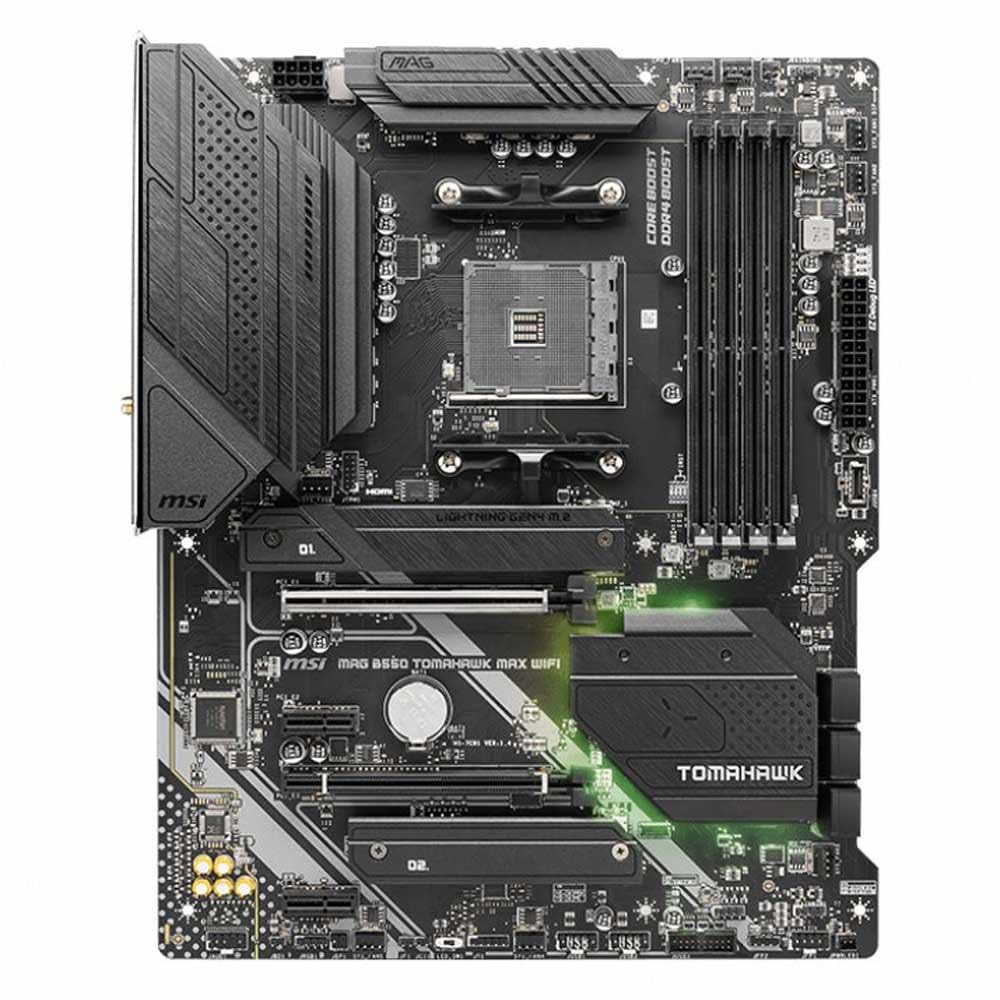
| MSI MAG B550 TOMAHAWK MAX WIFI | £159.99 | 12+2 | WiFi 6 | ★★★★☆ (4.3) |
| Gigabyte B550M AORUS ELITE AX | £132.23 | 12+2 | WiFi 6 | ★★★★½ (4.5) |
| MSI B550-A PRO | £108.60 | 10+2 | No | ★★★★½ (4.5) |
| ASUS ROG STRIX B550-F Gaming | £149.94 | 12+2 | WiFi 6 | ★★★★½ (4.6) |
Compatibility Guide: best motherboard for ryzen 7 5800x
The Ryzen 7 5800X requires an AM4 socket motherboard with either B550 or X570 chipset support. Older B450 and X470 boards may work with BIOS updates, but lack PCIe 4.0 support that maximises the 5800X’s capabilities. The B550 chipset provides the sweet spot for most users, offering PCIe 4.0 for the primary GPU slot and one M.2 slot, plus modern USB connectivity.
VRM (Voltage Regulator Module) quality is crucial when selecting the best motherboard for ryzen 7 5800x. Look for boards with at least 10+2 phase designs using quality components. The 5800X draws up to 142W under load, so robust power delivery ensures stable performance and longevity. Heat dissipation through VRM heatsinks becomes essential during sustained workloads.
Memory support varies between boards, but all modern B550 motherboards handle DDR4-3200 officially, with overclocking support up to DDR4-4400+. The 5800X benefits significantly from fast memory, making DDR4-3600 with tight timings the sweet spot for performance. Ensure your chosen board has proper trace layouts for memory overclocking if you plan to push beyond JEDEC standards.
Expansion capabilities differ between ATX and micro-ATX form factors. Full-size ATX boards typically offer more PCIe slots, additional M.2 connectors, and better spacing for large graphics cards. Micro-ATX options save space but may limit future expansion. Consider your case size and upgrade plans when choosing between form factors.
Who Should Buy What
💼 For Creators
Priority: Connectivity, stability, expansion
Recommended: MSI MAG B550 TOMAHAWK MAX WIFI
MSI MAG B550 TOMAHAWK MAX WIFI, Best Overall
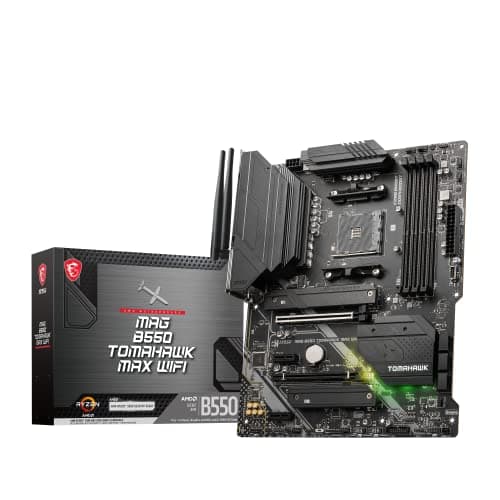
The MSI MAG B550 TOMAHAWK MAX WIFI represents the ideal balance of features and value for the best motherboard for ryzen 7 5800x. Its 12+2 phase VRM design with quality components handles the 5800X’s power demands effortlessly, even during extended gaming or productivity sessions. The board includes WiFi 6, Bluetooth 5.1, and comprehensive connectivity options including multiple M.2 slots and USB 3.2 Gen 2 ports. Build quality feels premium with reinforced PCIe slots and robust heatsinks throughout.
Pros
- Excellent VRM cooling and power delivery
- WiFi 6 and comprehensive connectivity
- Strong build quality with reinforced slots
Cons
- Limited RGB lighting compared to gaming boards
- No USB-C front panel header
Gigabyte B550M AORUS ELITE AX, Best Micro-ATX
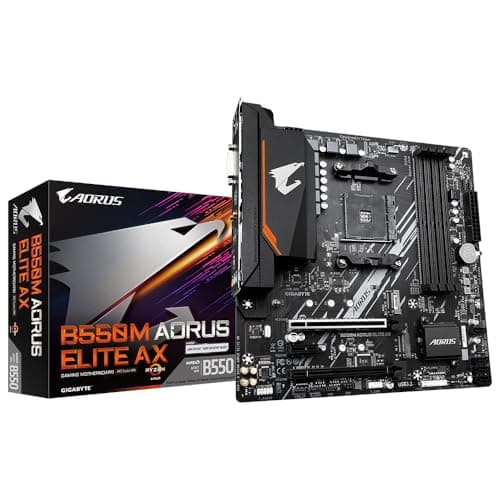
For compact builds requiring the best motherboard for ryzen 7 5800x in micro-ATX format, the Gigabyte B550M AORUS ELITE AX delivers flagship features in a smaller package. Despite its compact size, it maintains a robust 12+2 phase VRM with adequate cooling for the 5800X. WiFi 6 connectivity, multiple M.2 slots, and quality audio components make it ideal for space-conscious builds without compromising performance. The board’s layout maximises compatibility with large graphics cards and tower coolers.
Pros
- Compact form factor with full features
- Strong VRM design for micro-ATX
- WiFi 6 and quality audio codec
Cons
- Limited expansion slots due to size
- Fewer USB ports than ATX alternatives
MSI B550-A PRO, Best Budget
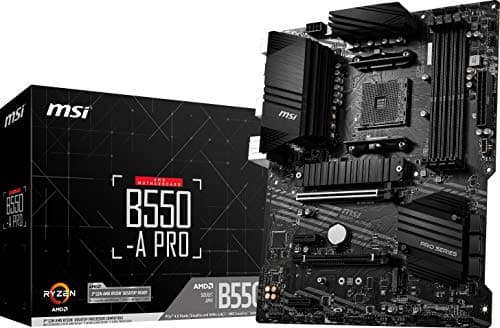
Budget-conscious builders seeking the best motherboard for ryzen 7 5800x without breaking the bank will appreciate the MSI B550-A PRO’s no-nonsense approach. Its 10+2 phase VRM provides adequate power delivery for stock and moderate overclocking scenarios. Whilst lacking WiFi and premium features, it includes essential connectivity like PCIe 4.0, multiple M.2 slots, and USB 3.2 support. The board’s clean layout and reliable components make it perfect for straightforward gaming or productivity builds.
Pros
- Excellent value at under £100
- Adequate VRM for stock operation
- Essential features without bloat
Cons
- No WiFi connectivity
- Basic audio codec and limited RGB
ASUS ROG STRIX B550-F Gaming, Best for Gaming
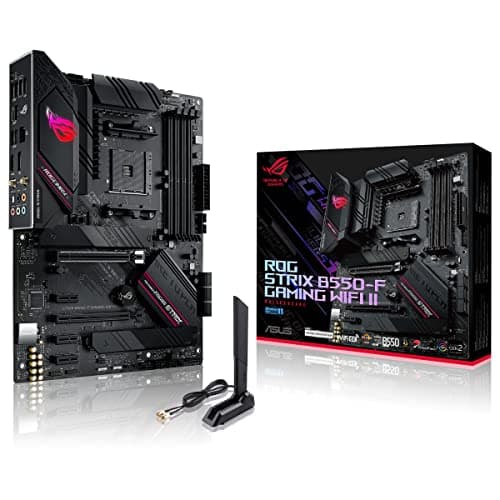
Gaming enthusiasts searching for the best motherboard for ryzen 7 5800x with premium aesthetics and features will find the ASUS ROG STRIX B550-F Gaming compelling. Its 12+2 phase VRM with ProCool power connectors ensures stable power delivery during intense gaming sessions. Comprehensive RGB lighting, premium audio with SupremeFX, and gaming-focused features like AI overclocking set it apart. The board’s robust construction and excellent BIOS interface make it ideal for enthusiasts who want both performance and visual appeal.
Pros
- Premium build quality and aesthetics
- Excellent BIOS and overclocking features
- Comprehensive RGB and premium audio
Cons
- Higher price than basic alternatives
- Some features may be unnecessary for casual users
Understanding VRM Design and Power Delivery
VRM (Voltage Regulator Module) design significantly impacts motherboard performance with power-hungry CPUs like the Ryzen 7 5800X. The VRM converts 12V power from your PSU into the lower voltages required by the CPU, typically around 1.2-1.4V. Phase count indicates how many power stages work together to deliver clean, stable power.
More phases generally mean better power distribution and lower temperatures, but component quality matters more than raw numbers. A well-designed 8-phase VRM with quality MOSFETs often outperforms a cheap 16-phase design. Look for boards with adequate heatsinks covering the VRM components, especially if you plan to overclock your 5800X.
The 5800X’s 105W TDP can spike higher during boost scenarios, making robust power delivery essential for maintaining stable clocks. Quality motherboards use digital PWM controllers that adjust power delivery in real-time, ensuring optimal efficiency and reducing heat generation. This becomes particularly important during sustained workloads like rendering or gaming.
Common Mistakes to Avoid
- Mistake: Choosing motherboards based solely on phase count without considering component quality
Instead: Research VRM reviews and thermal performance under load - Mistake: Buying older B450 boards to save money
Instead: Invest in B550 for guaranteed compatibility and PCIe 4.0 support - Mistake: Ignoring memory QVL lists when planning high-speed DDR4
Instead: Check manufacturer compatibility lists for guaranteed overclocking support - Mistake: Forgetting about future expansion needs
Instead: Consider M.2 slot count and PCIe lane allocation for future upgrades
Final Verdict
Selecting the best motherboard for ryzen 7 5800x depends on your specific requirements and budget constraints. The MSI MAG B550 TOMAHAWK MAX WIFI emerges as the top choice for most users, combining excellent VRM design, comprehensive connectivity, and solid build quality at a reasonable price point.
Budget builders should consider the MSI B550-A PRO, which provides essential features without unnecessary extras. Gaming enthusiasts willing to pay premium prices will appreciate the ASUS ROG STRIX B550-F Gaming’s advanced features and aesthetics. Regardless of your choice, ensure the motherboard includes adequate VRM cooling, PCIe 4.0 support, and sufficient expansion options for your intended use case.