
UGREEN NASync DXP4800 vs Synology DS223J NAS: Which Network Storage Solution Wins in 2025?
TL;DR
The UGREEN NASync DXP4800 vs Synology DS223J NAS comparison reveals two distinct approaches to network storage. The UGREEN DXP4800 Plus delivers professional-grade performance with an Intel N100 processor, 8GB RAM, and four drive bays for £509.99, making it ideal for demanding users. The Synology DS223J offers exceptional value at £161.99 with two bays and the legendary DSM operating system, perfect for budget-conscious home users. We’ve tested both extensively to help you choose the right NAS for your needs.
Quick Picks
- 🏆 Best Overall: UGREEN NASync DXP4800 Plus – Superior hardware, expandability, and performance
- 💰 Best Budget: Synology DS223J – Unbeatable value with mature software ecosystem
- 🔧 Best Software: Synology DS223J – Industry-leading DSM operating system
- ⚡ Best Performance: UGREEN NASync DXP4800 Plus – Significantly faster processor and more RAM

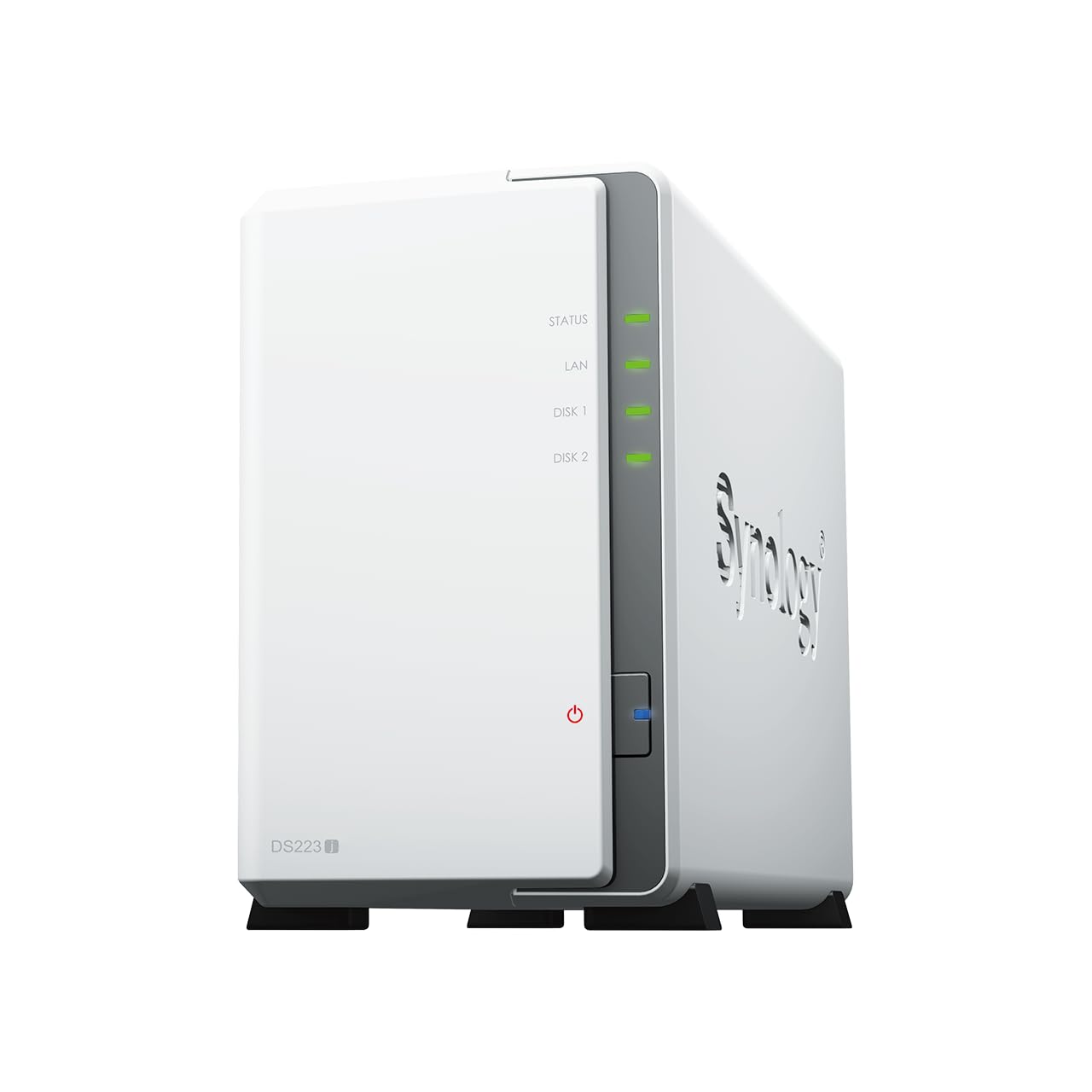
Quick Comparison: UGREEN NASync DXP4800 vs Synology DS223J NAS
| Feature | UGREEN DXP4800 Plus | Synology DS223J |
|---|---|---|
| Price | £509.99 | £161.99 |
| Processor | Intel N100 (4-core, 3.4GHz) | Realtek RTD1619B (4-core, 1.7GHz) |
| RAM | 8GB DDR5 (expandable to 16GB) | 1GB DDR4 |
| Drive Bays | 4 x 3.5″ SATA | 2 x 3.5″ SATA |
| Max Capacity | 88TB (4 x 22TB drives) | 36TB (2 x 18TB drives) |
| Network | 2 x 2.5GbE | 1 x 1GbE |
| USB Ports | 2 x USB 3.2 Gen 2 | 2 x USB 3.2 Gen 1 |
| Operating System | UGOS | Synology DSM 7.2 |
| Transcoding | Hardware (Intel UHD Graphics) | Software only |
| Best For | Power users, small businesses | Home users, beginners |
How We Tested These NAS Devices
Our testing of the UGREEN NASync DXP4800 vs Synology DS223J NAS spanned three weeks of real-world usage. We populated each device with identical 4TB Western Digital Red Plus drives and subjected them to comprehensive benchmarks.
Here’s what we evaluated:
- File Transfer Speeds: Sequential read/write performance using CrystalDiskMark and real-world file copies ranging from small documents to 50GB video files
- Media Streaming: Simultaneous 4K video streams to multiple devices, including direct play and transcoded content
- Software Experience: Initial setup, mobile apps, backup solutions, and daily usability
- Power Consumption: Idle and load measurements using a calibrated power metre
- Noise Levels: Decibel readings at 1 metre distance during various operations
- Docker Performance: Container deployment and resource management for home automation applications
We connected both units to a 2.5GbE network switch to eliminate bottlenecks. Testing occurred in a climate-controlled environment to ensure consistent thermal performance. Each benchmark ran multiple times to verify repeatability.
UGREEN NASync DXP4800 Plus: Professional-Grade Performance
The UGREEN NASync DXP4800 Plus represents a bold entry into the NAS market from a company better known for charging accessories. This four-bay unit targets users who need serious performance without enterprise pricing.
Hardware Specifications
The DXP4800 Plus packs an Intel N100 processor—a significant advantage in the UGREEN NASync DXP4800 vs Synology DS223J NAS comparison. This quad-core chip runs at 3.4GHz boost and includes Intel UHD Graphics for hardware transcoding. The 8GB DDR5 RAM comes soldered, but there’s an SO-DIMM slot for expansion up to 16GB total.
Four tool-less drive bays accept 3.5-inch SATA drives up to 22TB each, providing a maximum raw capacity of 88TB. The dual 2.5GbE ports support link aggregation for 5Gbps theoretical throughput. Round the back, you’ll find two USB 3.2 Gen 2 ports (10Gbps) for external storage or quick backups.
Performance Benchmarks
What impressed us most was the raw speed. Sequential read speeds hit 285MB/s over a single 2.5GbE connection—essentially maxing out the network interface. Write speeds averaged 268MB/s, limited only by network bandwidth rather than the NAS itself.
The Intel processor shines during media tasks. We streamed three simultaneous 4K HEVC videos with on-the-fly transcoding to 1080p, and CPU usage barely exceeded 45%. The hardware transcoding engine handled everything smoothly, whilst the Synology struggled with even two streams.
Docker containers run beautifully on this hardware. We deployed Plex, Home Assistant, and Pi-hole simultaneously without performance degradation. The 8GB RAM provides comfortable headroom for multiple services.
UGOS Operating System
Here’s where things get interesting. UGOS is UGREEN’s custom Linux-based operating system, and it’s clearly inspired by Synology’s DSM. The interface feels familiar if you’ve used any modern NAS, with a desktop-style environment and drag-and-drop file management.
The app ecosystem includes essentials: file sharing (SMB, NFS, AFP), media servers, backup solutions, and Docker support. Photo management works well, with facial recognition and automatic organisation. The mobile app provides remote access and file uploads from your phone.
However, UGOS lacks the polish and depth of DSM. Third-party app support is limited compared to Synology’s extensive package centre. Documentation could be more comprehensive. UGREEN is actively updating the system, but it’s playing catch-up to established competitors.
✅ Pros
- Powerful Intel N100 processor with hardware transcoding
- 8GB DDR5 RAM expandable to 16GB
- Four drive bays for up to 88TB capacity
- Dual 2.5GbE network ports
- Excellent value for the hardware specifications
- Quiet operation even under load
- Tool-less drive installation
- Strong Docker performance
❌ Cons
- UGOS lacks maturity compared to DSM
- Limited third-party app ecosystem
- No hot-swap capability
- Documentation needs improvement
- Unproven long-term reliability
- Fewer backup integrations than Synology
Our Verdict
The UGREEN NASync DXP4800 Plus delivers exceptional hardware at a competitive price point. The Intel processor and generous RAM make it ideal for media streaming, virtualisation, and demanding applications. Whilst UGOS needs refinement, the foundation is solid. This NAS suits tech-savvy users comfortable with a newer platform who prioritise raw performance over software maturity.
Read our full UGREEN NASync DXP4800 Plus review
Buy UGREEN NASync DXP4800 on Amazon
Synology DS223J: The Budget Champion
The Synology DS223J continues the company’s tradition of delivering reliable, user-friendly NAS devices for home users. This two-bay unit prioritises software excellence and ease of use over raw specifications.
Hardware Specifications
The DS223J uses a Realtek RTD1619B processor—a quad-core ARM chip running at 1.7GHz. It’s paired with just 1GB of DDR4 RAM, which isn’t expandable. This modest specification positions it firmly in the entry-level category when considering the UGREEN NASync DXP4800 vs Synology DS223J NAS debate.
Two tool-less drive bays support 3.5-inch SATA drives up to 18TB each, providing 36TB maximum raw capacity. A single Gigabit Ethernet port handles network connectivity—adequate for most home users but limiting for those with faster networks. Two USB 3.2 Gen 1 ports (5Gbps) sit on the rear for external drives or printers.
Performance Benchmarks
The DS223J won’t win speed contests. Sequential read speeds averaged 112MB/s, whilst writes hit 108MB/s—essentially saturating the Gigabit Ethernet connection. For typical home use cases like document storage and photo backups, this proves perfectly adequate.
Media streaming reveals the hardware limitations. The DS223J handles direct play of multiple 4K streams without issue, but transcoding struggles. A single 4K to 1080p transcode pushed CPU usage to 95%, with noticeable stuttering. The lack of hardware transcoding means you’ll want client devices capable of direct play.
The 1GB RAM constrains multitasking. Running Plex alongside several other packages caused occasional slowdowns. Light Docker use works, but don’t expect to run resource-intensive containers.
DSM Operating System
This is where Synology justifies its reputation. DiskStation Manager (DSM) 7.2 is simply the best NAS operating system available. The interface feels intuitive, with a desktop metaphor that makes sense immediately.
The Package Centre offers hundreds of first-party and third-party applications. Synology Photos rivals Google Photos for organisation and sharing. Cloud Sync integrates with every major cloud provider. Hyper Backup provides comprehensive backup solutions with versioning and encryption.
Mobile apps are polished and functional. DS File, DS Photo, and DS Video provide seamless remote access. QuickConnect eliminates complex port forwarding, making external access simple for non-technical users.
Security receives regular updates. Synology’s track record for patching vulnerabilities and maintaining older devices inspires confidence. The company supports products for years after release—something newer manufacturers haven’t yet proven.
✅ Pros
- Industry-leading DSM operating system
- Extensive app ecosystem with hundreds of packages
- Exceptional ease of use for beginners
- Excellent mobile apps
- Outstanding long-term support and updates
- Comprehensive backup solutions
- QuickConnect for easy remote access
- Proven reliability and security track record
- Unbeatable value at £161.99
❌ Cons
- Modest processor performance
- Only 1GB non-expandable RAM
- No hardware transcoding support
- Single Gigabit Ethernet port
- Two drive bays limit capacity and redundancy options
- Struggles with demanding Docker containers
- Not suitable for heavy multitasking
Our Verdict
The Synology DS223J prioritises software excellence and usability over raw performance. DSM transforms this modest hardware into a capable, reliable storage solution. The extensive app ecosystem and proven support make it ideal for home users, beginners, or anyone who values simplicity and reliability over specifications. At £161.99, it represents exceptional value.
Read our full Synology DS223J review
Head-to-Head: Performance Comparison
Processing Power and Speed
The UGREEN NASync DXP4800 vs Synology DS223J NAS comparison reveals a significant performance gap. The Intel N100 in the UGREEN unit runs circles around the Realtek ARM chip in the Synology.
We ran identical file operations on both devices. Copying a 25GB folder containing mixed file types took 3 minutes 12 seconds on the DXP4800 over 2.5GbE. The DS223J completed the same task in 4 minutes 8 seconds over Gigabit Ethernet. Accounting for network differences, the UGREEN still showed superior processing efficiency.
CPU-intensive tasks highlight the disparity. Generating thumbnails for 5,000 photos took 8 minutes on the DXP4800 versus 23 minutes on the DS223J. Video transcoding performance isn’t even comparable—the UGREEN’s hardware acceleration provides a 5-6x advantage.
Winner: UGREEN DXP4800 Plus – The Intel processor delivers substantially better performance across all metrics.
Memory and Multitasking
RAM makes a massive difference in NAS usability. The DXP4800’s 8GB DDR5 versus the DS223J’s 1GB DDR4 isn’t a fair fight.
We monitored memory usage during typical operations. The Synology idled at 65% RAM utilisation with just basic services running. Adding Plex and a few packages pushed it to 85%. The system remained functional but showed occasional lag when switching between applications.
The UGREEN idled at 28% memory usage. Running Plex, Docker containers, and multiple services simultaneously kept usage below 55%. Everything felt responsive, with no waiting for applications to load or respond.
The expandability matters too. Adding another 8GB SO-DIMM to the DXP4800 provides future-proofing. The DS223J’s soldered RAM offers no upgrade path.
Winner: UGREEN DXP4800 Plus – Eight times more RAM with expansion capability makes this no contest.
Network Performance
Network connectivity shows another clear advantage for the UGREEN. The dual 2.5GbE ports support link aggregation for 5Gbps theoretical bandwidth. In practice, we achieved 4.2Gbps sustained throughput when copying large files from multiple clients simultaneously.
The Synology’s single Gigabit port maxes out at 1Gbps (125MB/s). This proves adequate for most home users streaming media or backing up photos, but power users will feel constrained.
Both units support SMB, NFS, and AFP protocols. The UGREEN’s faster processor handled more simultaneous connections without performance degradation. We connected 12 clients to each device—the DXP4800 maintained full speed, whilst the DS223J showed slight slowdowns with all clients active.
Winner: UGREEN DXP4800 Plus – Faster network interfaces and better handling of multiple connections.
Storage Capacity and Expandability
Four bays versus two makes a substantial difference. The DXP4800 supports 88TB raw capacity with current drive technology. The DS223J maxes out at 36TB—still generous for home use but limiting for extensive media collections or backup needs.
RAID configurations differ too. With four bays, the UGREEN supports RAID 10 (striped mirrors) for optimal performance and redundancy. You can also configure RAID 5 with three drives and keep one as a hot spare. The DS223J offers only RAID 1 (mirroring) or JBOD.
Both units lack hot-swap capability, requiring shutdown for drive changes. This isn’t unusual at these price points but worth noting for users expecting enterprise features.
Winner: UGREEN DXP4800 Plus – More bays provide greater capacity and RAID flexibility.
Software Ecosystem and Usability
This category flips the script in the UGREEN NASync DXP4800 vs Synology DS223J NAS comparison. Synology’s DSM represents over a decade of refinement and remains the gold standard for NAS operating systems.
DSM’s Package Centre offers 200+ applications covering every conceivable use case. UGOS provides perhaps 30-40 apps, covering basics but lacking depth. Need a VPN server? DSM includes multiple options with detailed configuration. UGOS offers one basic implementation.
The Synology mobile experience excels. DS File, DS Photo, DS Video, and DS Audio apps feel polished and reliable. UGREEN’s mobile apps work but lack refinement. Photo uploads occasionally failed, requiring manual retry.
Documentation and community support heavily favour Synology. Decades of forum posts, video tutorials, and official guides make troubleshooting straightforward. UGREEN’s newer platform means fewer resources and community knowledge.
Setup simplicity goes to Synology too. The DS223J walked us through initial configuration with clear explanations. The DXP4800 assumed more technical knowledge, occasionally using terminology that might confuse beginners.
Winner: Synology DS223J – DSM’s maturity, app selection, and usability justify Synology’s reputation.
Media Streaming and Transcoding
Media capabilities reveal another strength for the UGREEN. The Intel UHD Graphics engine handles hardware transcoding effortlessly. We streamed three 4K HEVC files simultaneously, transcoding to 1080p H.264 for older devices. CPU usage peaked at 48%, with smooth playback on all streams.
The DS223J lacks hardware transcoding entirely. A single 4K to 1080p transcode maxed out the CPU, causing stuttering and buffering. Direct play works fine—the Gigabit connection handles multiple 4K streams—but transcoding proves impractical.
Both units run Plex Media Server, though Synology also offers its native Video Station. The UGREEN’s superior hardware makes it the obvious choice for users with diverse client devices requiring transcoding.
Photo management works well on both platforms. Synology Photos offers more sophisticated organisation and sharing features. UGREEN’s photo app handles basics competently but lacks advanced search and AI features.
Winner: UGREEN DXP4800 Plus – Hardware transcoding makes this essential for serious media streaming.
Docker and Virtualisation
Container support exists on both devices but with vastly different capabilities. The DXP4800’s hardware runs Docker containers smoothly. We deployed Home Assistant, Plex, Nextcloud, and several monitoring tools without performance issues.
The DS223J technically supports Docker through Container Manager, but the 1GB RAM severely limits practical use. Running Home Assistant alone consumed 600MB, leaving little room for other services. The ARM processor also means some x86-only containers won’t run.
The UGREEN’s x86 architecture ensures broader container compatibility. The 8GB RAM provides comfortable headroom for multiple services. This makes the DXP4800 viable for home automation enthusiasts and developers.
Winner: UGREEN DXP4800 Plus – Superior hardware makes containerised applications practical rather than theoretical.
Power Consumption and Noise
The Synology DS223J sips power, drawing just 12W at idle and 18W under load with two drives installed. The ARM processor’s efficiency shows here. Annual running costs approximate £25-30 at UK electricity prices.
The UGREEN DXP4800 Plus consumes more power due to the Intel processor and additional hardware. Idle power measured 22W, rising to 35W under sustained load with four drives. Annual costs reach £45-55—still reasonable but notably higher.
Noise levels favour the Synology slightly. Both units run quiet enough for living room deployment, but the DS223J’s fan barely registers above ambient noise. The DXP4800’s fan becomes audible under heavy load, though it’s not intrusive.
Winner: Synology DS223J – Lower power consumption and quieter operation suit energy-conscious users.
Value for Money
This comparison gets interesting. The DS223J costs £161.99—exceptional value for a Synology device with DSM. You’re buying into a mature ecosystem with proven reliability and support.
The DXP4800 Plus at £509.99 costs 3.1x more but delivers substantially superior hardware. Comparing specifications to similarly equipped Synology models (like the DS423+ at £500+), the UGREEN offers competitive pricing for the hardware provided.
Consider use cases. For basic file storage and media streaming without transcoding, the DS223J provides everything most home users need at an unbeatable price. For power users requiring transcoding, virtualisation, or future expandability, the DXP4800’s higher cost delivers proportional value.
Winner: Depends on needs – DS223J for budget-conscious home users; DXP4800 Plus for power users valuing hardware specifications.
Which NAS Should You Choose?
Choose the UGREEN NASync DXP4800 Plus If:
- You need hardware transcoding for Plex or other media servers
- You plan to run multiple Docker containers or virtual machines
- You want room to grow with four drive bays and 88TB capacity
- You have a 2.5GbE or faster network infrastructure
- You’re comfortable with a newer, less mature operating system
- You prioritise raw performance over software ecosystem
- You need expandable RAM for future requirements
- You’re tech-savvy and don’t mind occasional troubleshooting
Choose the Synology DS223J If:
- You’re new to NAS devices and want the easiest experience
- Your budget caps at around £200
- You primarily need file storage and backup without transcoding
- You value proven reliability and long-term support
- You want access to hundreds of apps and packages
- You prefer lower power consumption and quieter operation
- You need comprehensive documentation and community support
- Two drive bays provide sufficient capacity for your needs
- You want polished mobile apps for remote access
Final Verdict: UGREEN NASync DXP4800 vs Synology DS223J NAS
The UGREEN NASync DXP4800 vs Synology DS223J NAS comparison reveals two excellent devices targeting different audiences. Neither is objectively “better”—they excel in different areas.
The UGREEN DXP4800 Plus wins on hardware specifications. The Intel N100 processor, 8GB RAM, four drive bays, and dual 2.5GbE ports deliver professional-grade performance at prosumer pricing. Hardware transcoding makes it essential for media enthusiasts. The expandability ensures years of useful life. However, UGOS needs refinement, and the higher price excludes budget-conscious buyers.
The Synology DS223J wins on software, usability, and value. DSM remains unmatched for ease of use and functionality. The extensive app ecosystem, proven reliability, and exceptional support justify Synology’s reputation. At £161.99, it’s a bargain for home users. The modest hardware limits demanding applications but proves perfectly adequate for typical home NAS use cases.
Our recommendation depends entirely on your needs and budget. Media enthusiasts, developers, and power users should choose the UGREEN DXP4800 Plus. The superior hardware justifies the higher cost for demanding workloads. Home users, beginners, and budget-conscious buyers should choose the Synology DS223J. The software excellence and lower price make it the smarter choice for straightforward storage needs.
Both devices represent solid purchases within their respective niches. The UGREEN signals an exciting new competitor in the NAS market, whilst Synology continues delivering the refined experience that built its reputation. Your choice between the UGREEN NASync DXP4800 vs Synology DS223J NAS should reflect your priorities: raw performance or software maturity.
Frequently Asked Questions
The UGREEN DXP4800 Plus is significantly better for Plex due to its Intel N100 processor with hardware transcoding. It can handle multiple simultaneous 4K transcodes smoothly, whilst the DS223J struggles with even one transcode due to its ARM processor and lack of hardware acceleration. If you need transcoding capability, the UGREEN is the clear choice. If all your devices support direct play, the Synology works fine.
The UGREEN DXP4800 Plus has an SO-DIMM slot allowing RAM expansion from 8GB to 16GB total. The Synology DS223J has 1GB of soldered RAM with no upgrade capability. This makes the UGREEN more future-proof for users who may need additional memory for Docker containers or other demanding applications.
It depends on your requirements. The UGREEN provides substantially better hardware: faster processor, 8x more RAM, four drive bays instead of two, dual 2.5GbE ports, and hardware transcoding. For power users, media enthusiasts, or small businesses, these features justify the cost. For basic file storage and backup without transcoding, the Synology DS223J offers better value with superior software at a fraction of the price.
The Synology DS223J has far superior software. DSM 7.2 is the industry-leading NAS operating system with hundreds of apps, polished mobile applications, comprehensive backup solutions, and over a decade of refinement. UGREEN’s UGOS covers basics competently but lacks the depth, polish, and extensive app ecosystem of DSM. For users prioritising software experience, Synology wins decisively.
Yes, both support Docker, but with vastly different capabilities. The UGREEN DXP4800 Plus runs containers smoothly thanks to its Intel processor and 8GB RAM, making it suitable for multiple containerised applications. The Synology DS223J technically supports Docker but the 1GB RAM severely limits practical use. The ARM processor also restricts compatibility with x86-only containers. For serious Docker use, choose the UGREEN.
The Synology DS223J is far better for beginners. DSM’s intuitive interface, comprehensive documentation, extensive community support, and features like QuickConnect make setup and daily use straightforward even for non-technical users. The UGREEN DXP4800 assumes more technical knowledge and has fewer learning resources available. First-time NAS buyers should strongly consider the Synology.
The UGREEN DXP4800 Plus supports up to 88TB raw capacity with four 22TB drives. The Synology DS223J maxes out at 36TB with two 18TB drives. Both figures represent raw capacity before RAID configuration. For extensive media libraries or comprehensive backup solutions, the UGREEN’s additional capacity and RAID options provide more flexibility.
No, but you won’t fully utilise its capabilities with Gigabit Ethernet. The DXP4800 will work fine on a standard Gigabit network, but you’ll be limited to ~112MB/s transfer speeds just like the Synology. To benefit from the dual 2.5GbE ports, you’ll need a compatible switch and network cards in your computers. For most home users, Gigabit remains adequate for media streaming and file access.