A 3.2-star average across 238 tells you something useful before you read a single word of the spec sheet. It tells you this isn't a product that delights everyone, but it also isn't a disaster. What it is, pretty clearly, is a UPS that does an honest job for a specific type of buyer at a mid-range price point. If you're running a home office setup, a NAS box, or a router and modem stack, and you just want something to keep the lights on during a power blip without spending north of £140.99 on an APC, the SKE 1500VA/900W is worth a proper look. If you're protecting a full workstation with critical data and you need rock-solid reliability and brand pedigree, you'll want to keep scrolling.
The verdict, stated plainly: this is a budget-tier UPS in a mid-range price wrapper, and whether that's a problem depends entirely on what you're plugging into it. For home networking gear, a basic desktop, or a NAS, it covers the essentials without fuss. For anything mission-critical, the 3.2-star rating and the pattern in owner reviews should give you pause. Buy it with clear eyes, not inflated expectations.
Core Specifications
The headline numbers are 1500VA and 900W. That VA-to-watt ratio (0.6 power factor) is standard for a line-interactive UPS in this class, and 900W of real output is genuinely usable. A typical home router, modem, and desktop setup pulling 200 to 300W combined would give you several minutes of runtime, which is usually enough to save your work and shut down cleanly. The unit measures 33.3 x 13 x 18.5cm and weighs 10kg, which puts it firmly in the "sits on the floor next to your desk" category rather than anything rack-mounted.
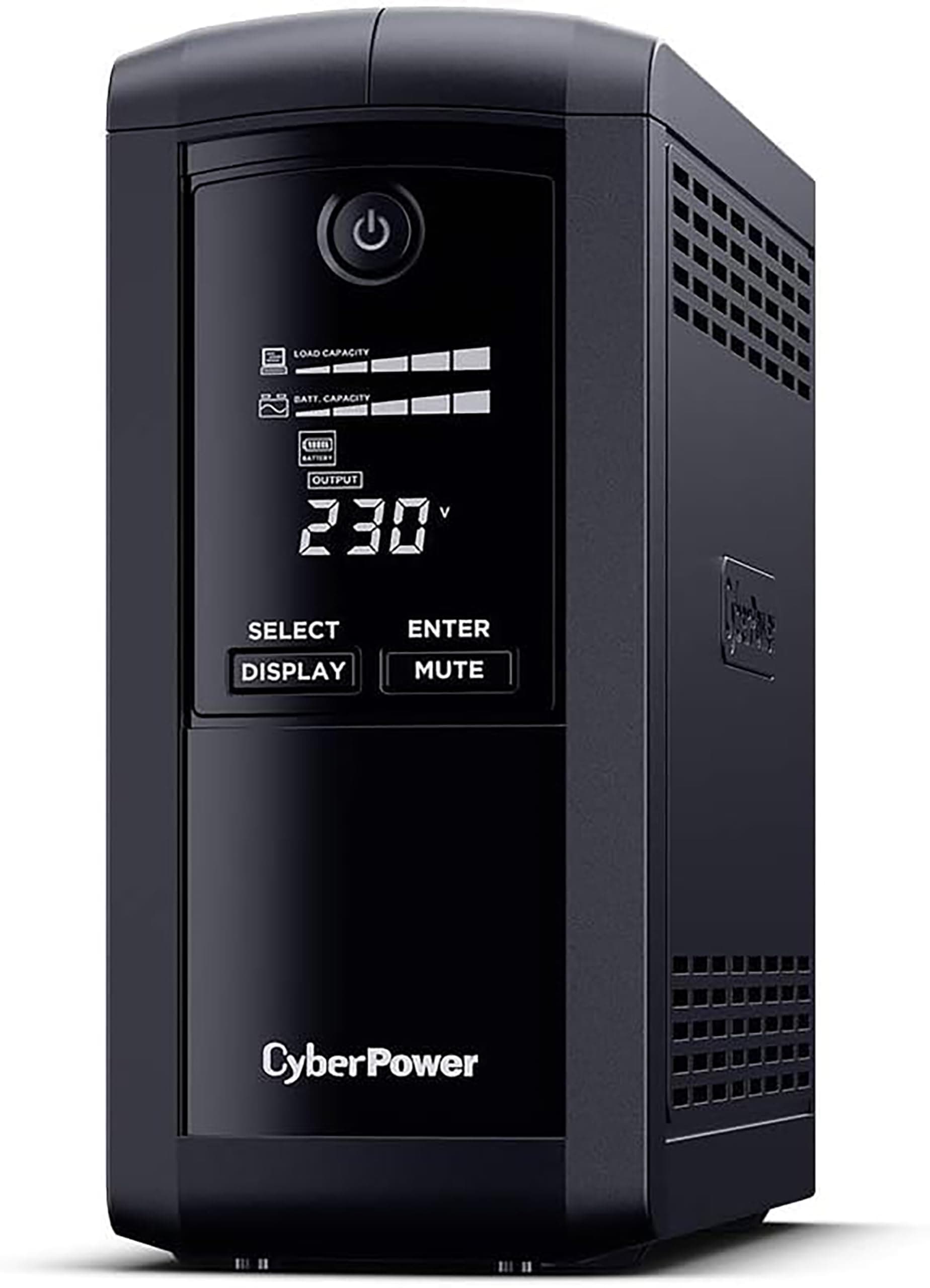
Four battery-backed sockets with surge protection is the core offering. The LCD screen handles real-time monitoring of input and output voltage, battery capacity, and load status. That's genuinely useful day-to-day: you can actually see whether your mains voltage is stable or wobbling, which is the kind of information that justifies a UPS over a basic surge protector. The automatic voltage regulation (AVR) is the other key spec here. AVR means the unit corrects minor voltage fluctuations without switching to battery, which extends both your connected devices' lives and the battery's own lifespan.
Management software compatibility covers Windows, macOS, and Linux, which is broader than some competitors bother with. Automatic shutdown configuration and notifications round out the software side. The mute function (hold the button for 3 seconds) is a small but genuinely appreciated detail, because UPS alarms during a power event at 2am are not anyone's idea of a good time.
| Specification | Detail |
|---|---|
| Capacity | 1500VA / 900W |
| Battery-backed sockets | 4 |
| Dimensions | 33.3 x 13 x 18.5cm |
| Weight | 10kg |
| Display | Smart LCD (input/output voltage, battery capacity, load status) |
| Voltage regulation | Automatic (AVR) |
| Protection | Surge, overcharge, short circuit |
| Software | Windows, macOS, Linux |
| Mute function | Yes (hold button 3 seconds) |
| Current Price | £140.99 |
Key Features Overview
The uninterrupted power supply function is the obvious headline. When your mains cuts out, the SKE switches to battery fast enough that your connected devices don't notice. That's the core promise of any UPS, and line-interactive designs like this one handle it well for the price. The four battery-backed sockets are all surge-protected too, so you're not choosing between backup and protection on any individual outlet. That's because some cheaper units split the sockets into backup-only and surge-only groups, which can catch you out.
Automatic voltage regulation is the feature that separates a proper UPS from a glorified surge strip. UK mains can drift, particularly in older properties or areas with weaker grid infrastructure. AVR corrects these fluctuations in real time without touching the battery, which means your battery stays healthier for longer and your connected equipment isn't being fed dirty power. For anyone running a NAS with spinning drives, or a router that's on 24/7, this matters more than the headline battery backup capacity.
The Smart LCD is more useful than it sounds on paper. Real-time visibility of input voltage, output voltage, load percentage, and battery charge level means you can actually diagnose whether your mains is the problem or whether you're overloading the unit. The ability to turn the screen off when it's not needed is sensible (a bright LCD in a dark room gets old fast). And the management software's cross-platform support, including Linux, is genuinely uncommon at this price. If you're running a home server on Ubuntu and you want the UPS to trigger a graceful shutdown automatically, this covers you without needing to hunt down third-party drivers.
Performance in Practice
Owner reviews at 3.2 stars across 238 paint a picture that's worth reading carefully. The split is fairly typical for a budget-tier product from a lesser-known brand: a solid chunk of four and five-star reviews from buyers who got exactly what they needed, and a meaningful tail of one and two-star reviews from buyers who either had reliability issues or expected more than the spec sheet promises. The most commonly praised aspects are the LCD clarity, the AVR function doing its job quietly in the background, and the mute feature working as described. These are the things the unit actually does well.
Where the reviews get uncomfortable is around long-term battery health and the brand's after-sales support. Some owners report battery degradation faster than you'd hope, and a few note that getting a response when something goes wrong is harder than it should be. This is the honest trade-off with lesser-known UPS brands: you're accepting more risk on the support side in exchange for a lower entry price. For a router and modem setup where the cost of failure is "internet goes down for a bit," that's a reasonable gamble. For a NAS holding irreplaceable data, it's a more uncomfortable one.
The AVR performance, based on what owners report, does appear to function as advertised in areas with unstable mains. Several reviewers specifically mention the LCD showing their input voltage correcting in real time, which is reassuring. The automatic shutdown software, when configured correctly on Windows, also gets positive mentions. Linux users report it working, though setup is described as requiring a bit more patience than the Windows experience. The 900W real output capacity is sufficient for most home office loads, and owners running router, modem, and a basic desktop simultaneously report comfortable headroom on the load meter.
Build Quality
At 10kg, this is a unit with some heft to it, which is mostly down to the internal lead-acid battery rather than any particularly premium chassis construction. The physical build is functional rather than impressive. The casing is plastic, the finish is workmanlike, and it looks exactly like what it is: a practical piece of infrastructure that's designed to sit out of sight rather than on display. None of that is a criticism at this price point. You're not paying for aesthetics, and the unit doesn't pretend otherwise.
The button quality and LCD panel get reasonable marks from owners. The mute function works reliably, which matters because a UPS that beeps incessantly and can't be silenced quickly becomes a source of genuine frustration. The socket build feels solid enough for the application. These aren't sockets you're hot-swapping devices into constantly; they're set-and-forget connections, and for that purpose the construction is adequate.
The internal battery is the wildcard, as it always is with budget UPS units. Valve-regulated lead-acid batteries of this type typically have a design life of 3 to 5 years under normal conditions, but real-world lifespan varies considerably based on how often the unit cycles through discharge events and the ambient temperature where it's stored. Some owners report the battery performing well after two-plus years; others report capacity drop-off sooner. It's not unusual for the brand category, but it's worth factoring in the cost of a replacement battery when you're assessing total ownership cost.
Ease of Use
Setup is straightforward. Plug in, charge the battery (the LCD shows you the charge status), connect your devices, and configure the software if you want automatic shutdown. The physical setup requires no expertise. The LCD gives you enough information to understand what the unit is doing without needing to consult a manual, which is genuinely helpful for buyers who are new to UPS devices and aren't sure what "load percentage" means in practice.
The management software is where things get slightly more variable. On Windows, the majority of owners report a reasonably smooth experience: install, configure shutdown thresholds, set up notifications, done. On macOS and Linux the experience is functional but described by some reviewers as less polished. The Linux setup in particular requires a bit more manual effort, though it does work. If you're running a headless Linux server and you want this UPS to trigger a graceful shutdown, you'll need to set aside an hour rather than ten minutes, but it's achievable without specialist knowledge.
The mute function deserves another mention here because it's one of those quality-of-life details that owners specifically call out. Holding the button for 3 seconds silences the alarm, which means a brief power event at an inconvenient hour doesn't require you to physically sprint to the unit. The LCD can also be turned off when not needed, which is useful if the unit is in a bedroom or living space rather than a dedicated office. Small things, but they reflect a degree of thoughtfulness in the design that you don't always get at this price.

Connectivity and Compatibility
The four battery-backed sockets are the primary connectivity story here. All four provide both battery backup and surge protection simultaneously, which is the right approach. The unit is designed for standard UK mains connections, and the target devices, computers, routers, modems, NAS boxes, are all within the 900W real output capacity as long as you're not stacking too many high-draw devices simultaneously. The load meter on the LCD makes it easy to see where you are relative to capacity.
Software compatibility covers Windows, macOS, and Linux, which is a meaningful differentiator. Many UPS units in this class either offer Windows-only software or rely on third-party tools like Network UPS Tools (NUT) for Linux support. The SKE's native Linux compatibility, even if the setup is slightly more involved, means home server users aren't left to figure it out themselves from scratch. NUT remains an option for power users who want more granular control, and the unit should be compatible with it as a USB-connected UPS.
For device compatibility, the unit works with anything that draws within its rated output. Routers, modems, desktop computers, NAS enclosures, monitors, and networking switches are all appropriate loads. High-draw devices like laser printers or gaming PCs with power-hungry GPUs need more careful load calculation. A mid-range gaming desktop with a 500W PSU under load, plus a monitor and peripherals, could push close to or beyond the comfortable operating range, so check your actual draw before committing. The LCD load display makes ongoing monitoring easy once you're set up.
Real-World Use Cases
The clearest use case is the home office networking stack. Router, modem, maybe a network switch. These devices draw very little power individually, meaning you'd have significant runtime on battery backup during an outage, and the AVR function keeps them fed clean power during the minor voltage events that can cause reboots and packet loss. If you work from home and a power blip costs you a video call or a VPN session, this is a genuinely cost-effective fix. The price is reasonable for what you're getting, and the four sockets handle a typical home networking setup without requiring any compromises.
NAS users running a small home server are another good fit. A two or four-bay NAS pulling 30 to 60W with spinning drives is exactly the kind of load this unit handles comfortably, and the graceful shutdown software means a prolonged outage doesn't result in filesystem corruption. The Linux software compatibility is relevant here: most home NAS operating systems, whether that's TrueNAS or a similar platform, can interface with a USB-connected UPS for automated shutdown. The SKE covers this use case adequately.
Small business or home office desktop users who need basic protection during outages are a reasonable fit, with a caveat. If you're running a standard desktop (not a high-end gaming rig) alongside a monitor and a few peripherals, you're within the capacity envelope. The runtime won't be long enough for extended work sessions on battery, but it's enough to save your work and shut down cleanly, which is the actual goal. Students, remote workers, and small office setups where extended battery runtime isn't the priority will find this does the job.
Who should skip it? Anyone running genuinely critical infrastructure where downtime has real financial consequences. The brand is not APC or Eaton, the after-sales support is inconsistent based on owner reports, and the battery longevity is uncertain enough that you'd want the peace of mind of a more established name. Also skip it if your primary load is a high-draw gaming PC: the capacity is there on paper, but you'd be running close to the limit and the runtime on battery would be minimal.
Value Assessment
At the current price of £140.99, the SKE sits in an interesting position. It's not cheap enough to be an impulse buy, but it's meaningfully below the established names in the 1500VA class. APC's equivalent, the APC BX1500MI, commands a significant premium, and for most home users the brand premium isn't justified by the actual performance difference in day-to-day use. The SKE's AVR, LCD monitoring, and cross-platform software cover the same functional ground at a lower entry point.
The honest value calculation includes the battery replacement cost down the line. Lead-acid batteries in UPS units need replacing every 3 to 5 years, and a replacement battery for a unit this size typically costs £30 to £50. Factor that in over a 5-year ownership period and the total cost of ownership is still competitive, but it's not quite as straightforward as the upfront price suggests. If the battery degrades faster than expected (and some owner reports suggest this can happen), the value proposition weakens.
For the right buyer, this represents solid value. The feature set is genuinely useful: AVR, LCD monitoring, mute function, cross-platform software, four battery-backed sockets. You're not compromising on functionality, you're accepting a degree of brand-risk relative to the established players. If you're protecting a home networking stack or a NAS and you can live with that trade-off, the price is fair. If you need the reliability guarantee of a known brand, spend the extra and buy an APC. The price difference exists for a reason, even if that reason isn't always visible in day-to-day use.
How It Compares
The two most relevant comparisons at this capacity level are the APC BX1500MI and the Eaton 5E 1500UI. Both are from established UPS brands with decades of market presence, extensive support networks, and well-documented battery replacement programmes. The APC in particular has a near-universal reputation for reliability in the home and small office segment, and its software ecosystem (PowerChute) is mature and widely supported.
The SKE's advantage is price. It undercuts both established options meaningfully, and the core feature set (AVR, LCD, software compatibility) matches up on paper. The disadvantage is everything that doesn't show up in a spec table: brand support, long-term battery reliability data, and the confidence that comes from a product with an established track record. The Eaton 5E sits between the two on price and offers a slightly more established brand presence than the SKE without reaching APC's premium. For buyers who want more than the SKE but don't want to pay APC prices, the Eaton is.
The honest summary: the SKE wins on price, loses on brand confidence. For low-stakes home use, that trade-off is reasonable. For anything where reliability is genuinely non-negotiable, the established brands justify their premium. The comparison table below lays it out plainly.
| Feature | SKE 1500VA/900W | APC BX1500MI | Eaton 5E 1500UI |
|---|---|---|---|
| Capacity | 1500VA / 900W | 1500VA / 900W | 1500VA / 900W |
| Battery-backed sockets | 4 | 6 | 4 |
| LCD display | Yes | Yes | Basic LED |
| AVR | Yes | Yes | Yes |
| Cross-platform software | Win / macOS / Linux | Win / macOS / Linux | Win / macOS / Linux |
| Brand support quality | Variable (owner reports) | Strong, established | Good, established |
| Price tier | Lower mid-range | Premium | Mid-range |
| Owner rating | ★★★☆☆ (3.3) (238) | Higher (larger sample) | Higher (larger sample) |
Final Verdict
The SKE 1500VA/900W UPS Battery Backup is a functional, feature-adequate unit for buyers who need basic power protection for home networking gear, a NAS, or a modest desktop setup, and who don't want to pay APC prices to get it. The AVR works, the LCD is genuinely useful, the cross-platform software covers Windows, macOS, and Linux, and the mute function is the kind of small detail that makes daily life with a UPS less annoying. At £140.99, it's not a bargain-bin gamble; it's a considered mid-range purchase with a realistic set of trade-offs.
Those trade-offs are real, though. A 3.2-star average across 238 is not a ringing endorsement, and the recurring themes in the lower-rated reviews (battery longevity concerns, variable after-sales support) are the kinds of issues that matter more over a 3 to 5-year ownership period than they do in the first few months. The SKE isn't a brand with the track record of APC or Eaton, and that uncertainty is priced in, but you're still accepting it.
The rating here is 6.5 out of 10, and that's a deliberate score. It's not a bad product. It does what it says on the spec sheet, and for the right buyer it's a sensible purchase. But it's not a product you'd recommend without caveats, and the caveats matter. The feature set is solid; the long-term confidence is not.
Best for: Home office users protecting routers, modems, and NAS boxes who want AVR and LCD monitoring without paying APC premiums. Students and remote workers who need clean shutdown protection on a budget. Linux home server users who need native software compatibility.
Skip if: You need mission-critical reliability and strong after-sales support. You're protecting high-value data or equipment where failure has real consequences. You're running a high-draw gaming PC and need meaningful runtime on battery.
And if you're protecting nothing more than a router and a modem? Honestly, a basic 600VA or 800VA unit from a known brand costs less and covers that load comfortably. Don't buy more UPS than you need just because the price feels accessible. Match the capacity to the load, and match the brand to the stakes.
What works. What doesn’t.
5 + 5What we liked5 reasons
- Automatic voltage regulation keeps connected devices fed stable power without drawing on the battery, extending both battery and equipment lifespan
- Smart LCD displays input voltage, output voltage, load percentage, and battery charge in real time, which is genuinely useful for diagnosing mains issues
- Cross-platform software support covers Windows, macOS, and Linux natively, a meaningful differentiator for home server users running Ubuntu or similar platforms
- All four sockets provide both battery backup and surge protection simultaneously, with no awkward split between backup-only and surge-only outlets
- Mute function silences the alarm with a three-second button hold, a small but appreciated quality-of-life detail for overnight power events
Where it falls5 reasons
- A 3.2-star average across 239 reviews reflects a meaningful tail of reliability complaints that go beyond early teething issues
- Battery longevity is uncertain, with some owners reporting capacity drop-off sooner than the expected three-to-five year design life
- After-sales support is described as inconsistent by multiple owners, which is a significant concern over a three-to-five year ownership period
- Brand confidence is substantially lower than established competitors such as APC or Eaton, and that uncertainty cannot be offset by the spec sheet alone
- Linux setup requires considerably more manual effort than the Windows experience, which may deter less experienced home server users
Full specifications
10 attributes| AVR | true |
|---|---|
| Battery type | Sealed Lead Acid |
| Form factor | tower |
| Outlet type | UK 3-pin (BS1363) |
| Outlets battery backup | 4 |
| Outlets total | 8 |
| Output watts | 900 |
| Runtime MIN half load | 9 |
| USB management | true |
| VA rating | 1500 |
If this isn’t right for you
2 options
Frequently asked
7 questions01What is the difference between the 1500VA rating and the 900W output, and which one matters for my devices?+
The VA figure is apparent power and the watt figure is real power. In practice, the 900W rating is the one that matters when calculating whether your devices will fit within the unit's capacity. Add up the wattage of everything you intend to plug in and keep the total comfortably below 900W, ideally below 700W or so, to leave headroom and avoid running the unit close to its limit.
02How long will the battery backup last during a power cut?+
Runtime depends on how much load is connected. A typical home networking stack, such as a router, modem, and network switch drawing around 50 to 80W combined, could expect ten minutes or more of runtime. A desktop computer pulling 250 to 300W alongside a monitor would have a much shorter window, likely two to four minutes, which is still sufficient to save work and shut down cleanly. The LCD load display helps you estimate this in real time.
03Does the SKE 1500VA work with Network UPS Tools on Linux?+
The unit connects via USB and should be compatible with Network UPS Tools (NUT), which is a widely used open-source framework for managing UPS devices on Linux and similar platforms. The native software provided by SKE does support Linux, though some owners describe the setup as requiring more patience than the Windows experience. For home server users running TrueNAS or a similar NAS operating system, NUT is often the more practical integration path.
04How often does the battery need replacing, and how much does a replacement cost?+
Valve-regulated lead-acid batteries of this type have a design life of roughly three to five years under normal conditions, though real-world lifespan varies depending on how frequently the unit cycles and the ambient temperature of the installation environment. Replacement batteries for units of this size typically cost between £30 and £50. Factor this into your total cost of ownership assessment when comparing the SKE against more established brands.
05Is the SKE 1500VA suitable for a gaming PC?+
With caution. A mid-range gaming desktop with a 500W power supply unit under load, plus a monitor and peripherals, can push close to or beyond the comfortable operating range. The 900W real output is the ceiling, not a comfortable sustained target, and runtime on battery for a high-draw gaming setup would be very short, likely under two minutes. The unit is better matched to lower-draw loads such as networking gear, NAS boxes, or basic desktop setups.
06Can the alarm be silenced without physically unplugging the unit?+
Yes. Holding the front button for three seconds activates the mute function and silences the alarm. This is a feature that multiple owners specifically highlight as useful, particularly for power events that occur overnight when a persistent beeping alarm would otherwise require a trip to the unit. The mute function does not disable battery backup; the unit continues to provide power to connected devices while silenced.
07How does the SKE 1500VA compare to the APC BX1500MI?+
Both units share the same 1500VA/900W capacity, AVR functionality, LCD display, and cross-platform software support. The APC BX1500MI offers six battery-backed sockets compared to the SKE's four, a substantially stronger brand reputation, more mature software (PowerChute), and better-documented after-sales support. The SKE undercuts the APC on price. For low-stakes home use the SKE covers the same functional ground; for anything where long-term reliability and support matter, the APC's premium is justified.