Your power supply is the one component that can take everything else down with it if it's rubbish. A dodgy PSU doesn't just fail quietly. It can corrupt data, crash systems under load, and in worst-case scenarios, damage the hardware downstream. So when you're speccing out a build around a high-end GPU, getting the PSU right isn't optional. It's foundational. The MSI MAG A850GL PCIE5 Power Supply Unit, 850W, 80 Plus Gold, Fully Modular, ATX 3.0, PCIe 5.0 GPU Support, Black Flat Cables, 7 Year Warranty lands in the mid-range bracket with a spec sheet that punches well above its price tier, and over 937 owner reviews averaging 4.5 stars suggest it's not just marketing noise.
The short verdict? This is a genuinely well-specified PSU for anyone building or upgrading around a modern GPU. Gold efficiency, ATX 3.0 compliance, a native 16-pin PCIe 5.0 connector, fully modular cabling, and a seven-year warranty at a mid-range price point is a combination that's hard to argue with. The competition in this bracket is fierce, but MSI has put together a coherent package here. There are a few things worth understanding before you buy, which is exactly what this review covers.
If you're trying to work out how much power your whole build actually needs before committing, our PSU calculator is worth a few minutes of your time first.
Core Specifications: MSI MAG A850GL PCIE5 Power Supply Unit at a Glance
850 watts, 80 Plus Gold certified, fully modular, ATX 3.0 compliant, PCIe 5.0 ready. That's the headline. But the details underneath those bullet points are what actually determine whether a PSU is worth your money, and the MAG A850GL holds up well under scrutiny. The MSI product page confirms the key specs, and the Amazon listing backs them up with the feature highlights that matter most for a modern gaming build.
The 105-degree-rated capacitors are a particularly good sign. Cheaper PSUs use capacitors rated to 85 degrees Celsius, which throttle their lifespan considerably when the unit is working hard inside a warm case. Specifying 105-degree caps is what separates a PSU that's built to last from one that degrades quietly over two or three years of heavy use. Combined with a fluid dynamic bearing fan (more on that in the thermal section), MSI is clearly aiming for longevity here, not just headline wattage.
The seven-year warranty is the longest in this price bracket. Most competitors offer five years at this tier. That extra two years isn't just a confidence signal. It means MSI is backing the internal component quality with real money, and that matters when you're buying something that lives in your PC for the next several years.
| Specification | Detail |
|---|---|
| Wattage | 850W |
| Efficiency Rating | 80 Plus Gold (up to 90%) |
| Modularity | Fully Modular |
| ATX Standard | ATX 3.0 |
| PCIe 5.0 Support | Yes, native 16-pin connector (up to 600W) |
| Fan | 120mm FDB (Fluid Dynamic Bearing) |
| Capacitor Rating | 105 degrees Celsius |
| ATX 24-pin | 1 |
| EPS 8-pin | 1 |
| PCIe 8-pin | 2 |
| SATA | 6 |
| Molex | 3 |
| 12VHPWR (16-pin) | 1 (native PCIe 5.0) |
| Protection | OCP, OVP, OPP, SCP, OTP, UVP |
| Warranty | 7 years |
| Price | £99.98 |

Wattage and Capacity
850 watts is a solid, sensible number for a modern high-end gaming build. Not too conservative, not overkill. An RTX 4080 has a TDP of around 320W, an RTX 4090 sits at 450W, and AMD's RX 7900 XTX pulls around 355W. Add a modern high-end CPU (a Core i9 or Ryzen 9 class chip under full load can pull 125W to 253W), storage, fans, and RGB lighting, and you're looking at realistic peak draw somewhere in the 600W to 750W range for most enthusiast builds. That leaves meaningful headroom on an 850W unit, which is exactly where you want to be.
Running a PSU at 50% to 70% of its rated capacity is the sweet spot for both efficiency and longevity. Constantly hammering a PSU at 95% of its rated output is a bad idea regardless of the brand. The 850W rating here means you're operating comfortably in that efficiency window with an RTX 4080 or RX 7900 XTX build, and you've still got room for an RTX 4090 without sweating it. If you're running something more modest, like an RTX 4070 or RX 7800 XT, this PSU is arguably more than you need, though the price difference between 750W and 850W Gold units is often minimal enough that the extra headroom is worth having.
Where ATX 3.0 compliance becomes genuinely important is with power excursions. Modern GPUs, particularly Nvidia's Ada Lovelace cards, can spike their power draw massively and briefly during rendering workloads. The MAG A850GL is rated to handle up to 2x total power excursions and 3x GPU power excursions, which means it won't choke or trip protection circuits when your GPU has a momentary appetite spike. Older ATX 2.x PSUs can struggle with this, which is one of the reasons ATX 3.0 compliance matters more than it used to. The ATX standard has evolved specifically to address this, and MSI has implemented it properly here.
Efficiency Rating: 80 Plus Gold Explained
The 80 Plus certification scheme rates PSUs on how efficiently they convert AC power from the wall into DC power for your components. A Bronze-rated unit achieves around 82% to 85% efficiency at typical loads. A Gold-rated unit like the MAG A850GL hits up to 90% efficiency at 50% load. That doesn't sound like a massive difference on paper, but it compounds meaningfully over time. The energy that doesn't make it through the conversion process becomes heat inside your case, which means a less efficient PSU runs hotter, makes your cooling work harder, and costs more to run.
At 50% load (around 425W draw, which is realistic for a high-end gaming session), a Gold unit loses roughly 10% to heat versus a Bronze unit losing 15% to 17%. Over a year of daily gaming, that difference in wasted electricity is real money on your energy bill, and it's real thermal stress on your components. It's not a dramatic saving per month, but across a seven-year warranty period it adds up, and the Gold certification is increasingly the baseline expectation at this price point anyway.
Honestly, in 2026, there's very little excuse for buying a Bronze-rated PSU at mid-range prices unless you're genuinely budget-constrained. Gold is the sensible minimum for any build using a discrete GPU, and Platinum or Titanium ratings become only if you're running a workstation that's on 24/7 or you're particularly obsessive about efficiency. For a gaming rig that runs a few hours a day, Gold is the practical sweet spot between upfront cost and running cost, and the MAG A850GL delivers it properly.
Modularity and Cable Management
Fully modular means every single cable detaches from the PSU, including the 24-pin ATX main power cable. This matters for two reasons. First, you only route the cables your build actually needs, which keeps the inside of your case cleaner and improves airflow. Second, the flat cable design MSI uses here (as opposed to the old braided round cables) sits flatter against the case panels and is genuinely easier to tuck away. Owner reviews consistently mention the cable quality as a highlight, which is good to hear because cheap, stiff cables that fight you during installation are one of the more annoying PSU problems.
The triple-layer sleeved cables with management combs are a nice touch. Cable combs are the little plastic clips that keep individual wires in a flat, parallel arrangement rather than fanning out messily. They're more of an aesthetic feature than a functional one, but they do make the inside of a windowed case look considerably more sorted. MSI also includes premium copper alloy connectors, which matters for contact resistance and long-term reliability at the connection points. Cheaper PSUs often cut corners here with lower-grade connector materials that can develop resistance over time.
The cable configuration covers the essentials well. You get one 24-pin ATX, one EPS 8-pin for the CPU, two PCIe 8-pin connectors, the native 16-pin PCIe 5.0 connector, six SATA connectors, and three Molex. Six SATA is generous. Most builds with a couple of SSDs and a few case fans won't need all of them, but if you're running a storage-heavy setup with multiple drives, you'll appreciate not having to use a splitter. Three Molex is more than enough for any reasonable number of legacy accessories or fan hubs that still use that connector.
Connectors and Compatibility
The connector lineup on the MSI MAG A850GL PCIE5 Power Supply Unit is well thought out for modern builds. The star of the show is the native 16-pin PCIe 5.0 connector, which can deliver up to 600W to a compatible GPU without needing an adapter. This is important. The early PCIe Gen 5 power connector implementations that relied on adapters from multiple 8-pin cables had a documented history of melting issues with certain cable and connector combinations. A native 16-pin connector bypasses that problem entirely. If you're running an RTX 4090 or any current-gen GPU that uses the 16-pin connector, this is the right way to power it.
The two PCIe 8-pin connectors remain relevant for anyone running an older GPU or a card that doesn't use the 16-pin standard. And with six SATA and three Molex connectors rounding out the package, the MAG A850GL covers virtually every connectivity scenario a gaming or enthusiast build might need. A quick summary of the connector set:
- 1x ATX 24-pin (motherboard main power)
- 1x EPS 8-pin (CPU power)
- 1x Native 16-pin PCIe 5.0 (up to 600W GPU power)
- 2x PCIe 8-pin (legacy GPU or additional GPU power)
- 6x SATA
- 3x Molex
One thing: a single EPS 8-pin connector means this PSU is best suited to mainstream and high-end consumer builds, but not server-grade or HEDT (High-End Desktop) platforms that sometimes specify dual EPS connectors. For the vast majority of gaming builds, including those running an i9 or Ryzen 9, a single EPS 8-pin is perfectly adequate. If you're building a Threadripper or Xeon workstation, you'd want to check your motherboard's specific power requirements before buying.
Voltage Regulation and Ripple
This is where the internal design of a PSU really shows its quality, and it's also where cheaper units tend to cut corners in ways that aren't visible from the outside. The MAG A850GL uses an LLC half-bridge topology with a DC-to-DC converter design. Without going too deep into the electronics, this combination is widely regarded as the architecture of choice for a high-quality PSU. The LLC resonant converter is efficient at converting the intermediate voltage, and the DC-to-DC stage generates the 3.3V and 5V rails from the main 12V rail with much better regulation than older group-regulated designs.
What this means in practice is tighter voltage regulation under varying loads. The ATX specification allows for plus or minus 5% deviation on the 12V rail. Budget PSUs often use most of that tolerance. A well-designed unit with LLC half-bridge and DC-to-DC architecture typically keeps regulation within 1% to 2%, which means your CPU and GPU are getting cleaner, more stable power regardless of what else is drawing from the supply at any given moment. Ripple suppression benefits from the same design choices. Excessive ripple (voltage noise on the DC rails) can cause instability in sensitive components over time.
The active Power Factor Correction (active PFC) design also matters. Active PFC improves the power factor of the unit, which means it draws cleaner current from the mains and reduces reactive power losses. It's a quality indicator as much as a practical feature. Budget PSUs sometimes use passive PFC or none at all, which is a reliability and efficiency compromise. MSI specifying active PFC at this price point is the right call.

Thermal Performance
The 120mm fluid dynamic bearing fan is the right choice for a PSU in this class. FDB fans use a thin film of fluid (typically oil) between the shaft and the bearing housing, which reduces friction, noise, and wear compared to sleeve bearing fans. The practical upshot is that FDB fans last longer and stay quieter across their operating life. Sleeve bearing fans are cheaper to manufacture, which is why you find them in budget PSUs, but they degrade more noticeably over time, particularly when mounted horizontally (as PSUs usually are), which accelerates wear on sleeve bearings specifically.
The 105-degree-rated capacitors are directly relevant to thermal performance too. Inside a warm case with a high-end GPU running flat out, internal PSU temperatures can climb significantly. Capacitors rated to 85 degrees Celsius are operating uncomfortably close to their limits in these conditions, which accelerates aging and eventually causes capacitor failure. The 105-degree rating gives meaningful thermal headroom. It's one of the clearest indicators that MSI used quality components in this build rather than speccing down to hit a price point.
The MAG A850GL doesn't feature a zero-RPM mode, which means the fan runs at all times rather than switching off under light loads. Some enthusiasts prefer zero-RPM for near-silent operation during idle or light workloads. But frankly, the FDB fan on this unit is quiet enough at low speeds that the absence of zero-RPM mode isn't a meaningful problem for most users. Owner reviews consistently describe the fan as quiet during normal use, with noise only becoming noticeable under sustained heavy load, which is expected behaviour for any PSU.
Acoustic Performance
No specific decibel figures are published for the MAG A850GL, so anyone quoting you exact dB numbers is making them up. What the spec sheet does tell us is that you've got a 120mm FDB fan, and what owner reviews tell us is that it's quiet. Properly quiet during gaming sessions, not just "quiet for a PSU" quiet. Multiple owners specifically mention that they can't hear it over their case fans, which is the best real-world benchmark you can apply to a PSU fan.
The fan's dynamic control curve means it spins slowly during light loads and ramps up only when the unit is working hard. Under a sustained all-core CPU stress test combined with a GPU benchmark, you'd expect to hear it more. That's normal and expected. A PSU that runs silently while dumping 800 watts of heat would be a physics violation. But for typical gaming workloads, which rarely sustain maximum power draw for extended periods, the MAG A850GL should stay in the background acoustically.
If you're building a genuinely silent PC and zero fan noise during idle is a hard requirement, you'd want to look at PSUs with a zero-RPM mode that cuts the fan entirely below a certain temperature threshold. The MAG A850GL doesn't offer that. But for the vast majority of gaming builds where acoustic performance means "I don't want to hear the PSU over my case fans," this unit delivers. The FDB bearing design also means it'll stay quiet as it ages, rather than developing the rattly, grinding noise that worn sleeve bearing fans are notorious for.
Build Quality
The internal design choices on the MAG A850GL read like a checklist of what a quality PSU should have. LLC half-bridge topology, DC-to-DC converters for the minor rails, active PFC, 105-degree capacitors, and an FDB fan. These aren't budget compromises. They're the internal architecture you'd expect from a unit positioned at the upper end of the mid-range bracket, and they're what separates a PSU that performs consistently over its rated warranty life from one that degrades or fails prematurely.
The copper alloy connectors are worth a specific mention. Connector quality is one of the less glamorous aspects of PSU design but it's genuinely important for long-term reliability. Cheap connectors develop higher contact resistance over time, particularly under thermal cycling (heating and cooling repeatedly as the system powers on and off). Higher contact resistance means more heat at the connector, which accelerates degradation further. It's a slow failure mode but a real one. Copper alloy connectors resist this better than cheaper alternatives.
The physical build quality reported by owners is generally positive. The unit feels solid, the modular connectors have a satisfying click when seated, and the cable quality is consistently praised. A few owners have noted that the flat cables are slightly stiffer than some competitors' offerings, which can make routing in tight cases a bit more fiddly. That's a minor complaint, and flat cables are almost always stiffer than round ones by design. It's a trade-off most people will happily accept for the cleaner routing they enable.
Protection Features
The MAG A850GL covers the full suite of protection features you'd expect from a quality PSU: Over Current Protection (OCP), Over Voltage Protection (OVP), Over Power Protection (OPP), Short Circuit Protection (SCP), Over Temperature Protection (OTP), and Under Voltage Protection (UVP). That's six protection mechanisms covering the main failure modes that can damage your hardware or the PSU itself. Budget PSUs sometimes omit OTP or UVP, which are less common failure modes but real ones, particularly in systems that run hot or in environments with unstable mains power.
OCP is arguably the most important for day-to-day protection. It cuts power if any rail draws more current than its rated maximum, which prevents a failing component from pulling excessive current and causing a cascade failure. OVP does the same for voltage spikes. SCP is your last line of defence against a catastrophic short circuit, which without protection could destroy the PSU and potentially damage connected components. The fact that all six are present here is reassuring and consistent with the quality-focused design choices evident elsewhere in the unit.
OTP (Over Temperature Protection) is particularly relevant given the thermal discussion above. If the PSU's internal temperature exceeds a safe threshold, OTP shuts the unit down rather than letting it cook itself or the components downstream. In a poorly ventilated case or during an unusually prolonged heavy workload, this is the protection feature that prevents a thermal runaway scenario. Having it present alongside the FDB fan and 105-degree capacitors means MSI has taken a layered approach to thermal safety rather than relying on any single mechanism. That's the right engineering philosophy for a unit with a seven-year warranty backing it.
How It Compares
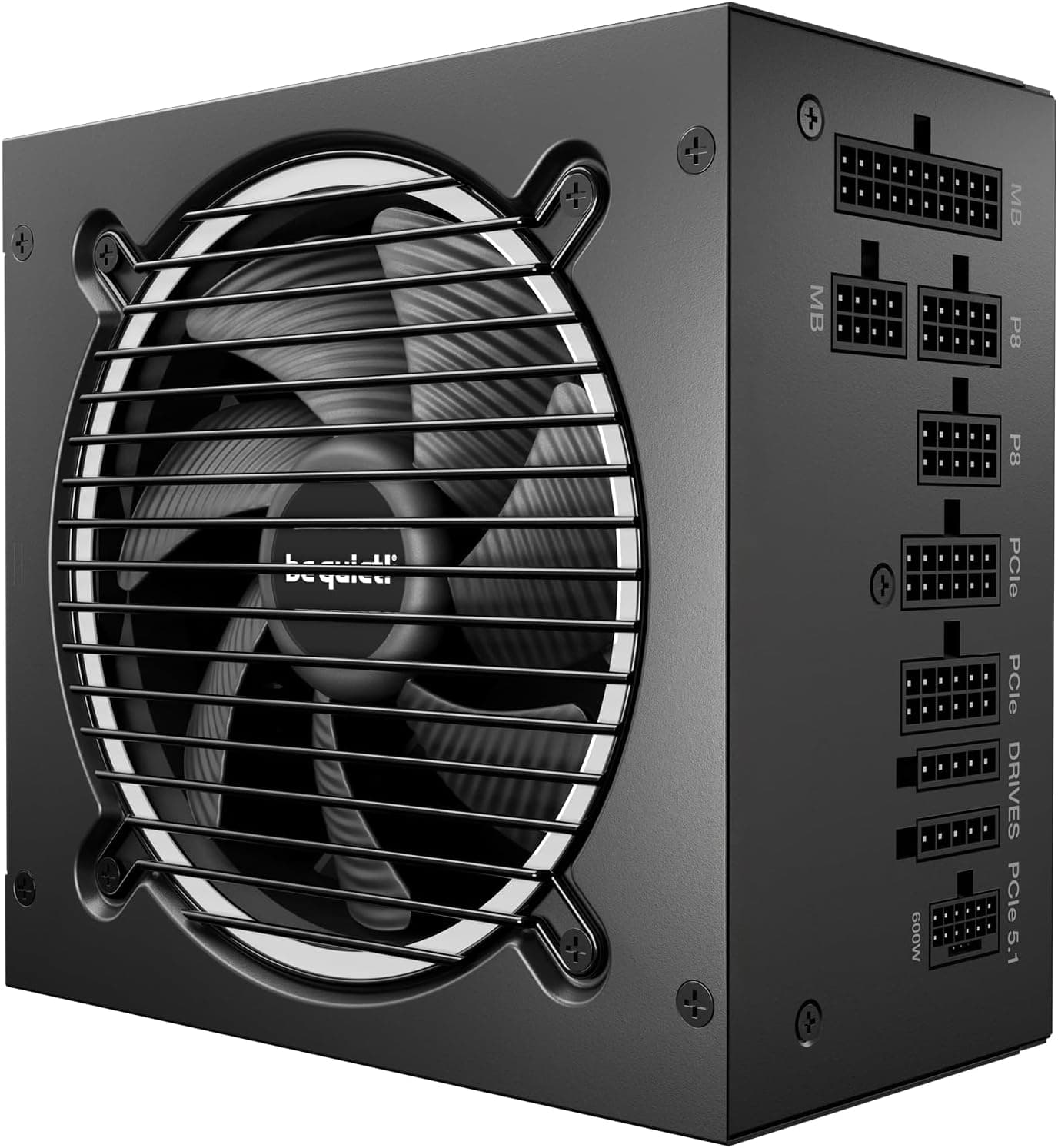
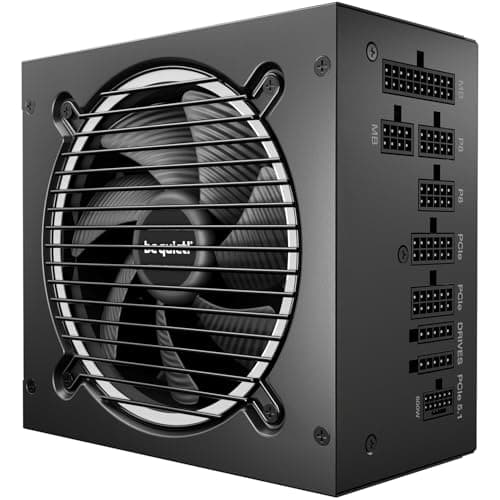
The obvious competitors at this wattage and price tier are the Corsair RM850x and the be quiet! Pure Power 12 M 850W. Both are well-regarded units with strong reputations in the enthusiast community. The Corsair RM850x is a perennial favourite, with Gold efficiency, full modularity, and a solid track record. It typically carries a ten-year warranty, which is longer than the MSI's seven years, though Corsair has historically priced the RM850x a bit higher than where the MAG A850GL sits. The be quiet! Pure Power 12 M 850W is another Gold-rated fully modular option with a five-year warranty, generally priced competitively in the same bracket.
Where the MSI MAG A850GL PCIE5 Power Supply Unit differentiates itself is ATX 3.0 compliance and the native 16-pin PCIe 5.0 connector. The Corsair RM850x (depending on revision) and some be quiet! units at this tier don't always include a native 16-pin connector, requiring an adapter instead. For a build centred on a current-gen Nvidia or AMD GPU that uses the 16-pin standard, the native implementation on the MSI is a genuine advantage. The seven-year warranty is also better than be quiet!'s five years at a comparable price point, though it falls short of Corsair's ten-year offering.
Honestly, you can't go badly wrong with any of these three. But if your build includes a PCIe 5.0 GPU and you want ATX 3.0 compliance without paying a premium for it, the MAG A850GL is the most straightforward choice at this price tier. The competition has to offer adapter solutions where MSI offers a native one, and that's a meaningful distinction when you're talking about a connector that has a documented history of problems when implemented with adapters.
| Feature | MSI MAG A850GL PCIE5 | Corsair RM850x | be quiet! Pure Power 12 M 850W |
|---|---|---|---|
| Wattage | 850W | 850W | 850W |
| Efficiency | 80 Plus Gold | 80 Plus Gold | 80 Plus Gold |
| Modularity | Fully Modular | Fully Modular | Fully Modular |
| ATX 3.0 | Yes | Varies by revision | Yes |
| Native 16-pin PCIe 5.0 | Yes (up to 600W) | Adapter on older revisions | Yes |
| Fan Bearing | FDB (Fluid Dynamic) | FDB | FDB |
| Capacitor Rating | 105 degrees Celsius | 105 degrees Celsius | 105 degrees Celsius |
| Warranty | 7 years | 10 years | 5 years |
| Price | £99.98 | Check Amazon | Check Amazon |

Final Verdict: MSI MAG A850GL PCIE5 Power Supply Unit, 850W, 80 Plus Gold, Fully Modular, ATX 3.0, PCIe 5.0 GPU Support
The MSI MAG A850GL PCIE5 is a well-engineered PSU that gets the fundamentals right and adds genuinely useful modern features on top. Gold efficiency, full modularity, ATX 3.0 compliance, a native 16-pin PCIe 5.0 connector rated to 600W, 105-degree capacitors, an FDB fan, a comprehensive protection suite, and a seven-year warranty. At the mid-range price point it occupies, that's a strong package. The ★★★★½ (4.5) rating across 936 owner reviews backs up what the spec sheet promises: this is a unit that performs consistently and owners are happy with it.
The ATX 3.0 compliance and native 16-pin connector are the features that make this a particularly smart buy right now. If you're building around an RTX 4080, RTX 4090, RX 7900 XTX, or any current-gen GPU that uses the 16-pin power standard, the MAG A850GL gives you the right connector without adapters, and the power excursion headroom to handle the transient spikes those GPUs produce. That's not a nice-to-have in 2026. It's the correct specification for the hardware you're pairing it with.
Who should skip it? If you're building a more modest system around a mid-range GPU like an RTX 4070 or RX 7700, an 850W Gold unit is more PSU than you need. A 650W or 750W Gold unit from a reputable brand will serve you just as well for less money, and the wattage headroom you'd be paying for on the 850W won't see meaningful use. The smarter buy in that scenario is something like a 650W Gold unit at a lower price. Spend the difference on storage or RAM. Similarly, if a ten-year warranty is important to you and you don't need ATX 3.0 specifically, the Corsair RM850x is worth comparing directly at whatever it's trading for.
But for anyone building or upgrading around a high-end current-gen GPU, the MSI MAG A850GL PCIE5 Power Supply Unit is a genuinely excellent choice at its price point. It's not the cheapest 850W Gold unit you can find, and it shouldn't be. The internal quality justifies the positioning. Buy it, cable it up, and forget about it for seven years. That's the best thing you can say about a PSU.
What works. What doesn’t.
5 + 3What we liked5 reasons
- Native 16-pin PCIe 5.0 connector supports up to 600W without adapters
- ATX 3.0 compliant with 3x GPU power excursion headroom
- 80 Plus Gold efficiency up to 90% at 50% load
- Seven-year warranty is best in class at this price tier
- 105-degree capacitors and FDB fan built for longevity
Where it falls3 reasons
- No zero-RPM mode for silent idle operation
- Single EPS 8-pin limits compatibility with some HEDT platforms
- 850W is more than most mid-range GPU builds actually need
Full specifications
9 attributes| Efficiency rating | Gold |
|---|---|
| Form factor | ATX |
| ATX version | ATX 3.0 |
| FAN size MM | 120 |
| Generation | MAG A850GL PCIE5 |
| Modularity | fully_modular |
| Pcie 5 ready | true |
| Warranty years | 7 |
| Wattage W | 850 |
Will it run on what you have?
Free toolIf this isn’t right for you
2 options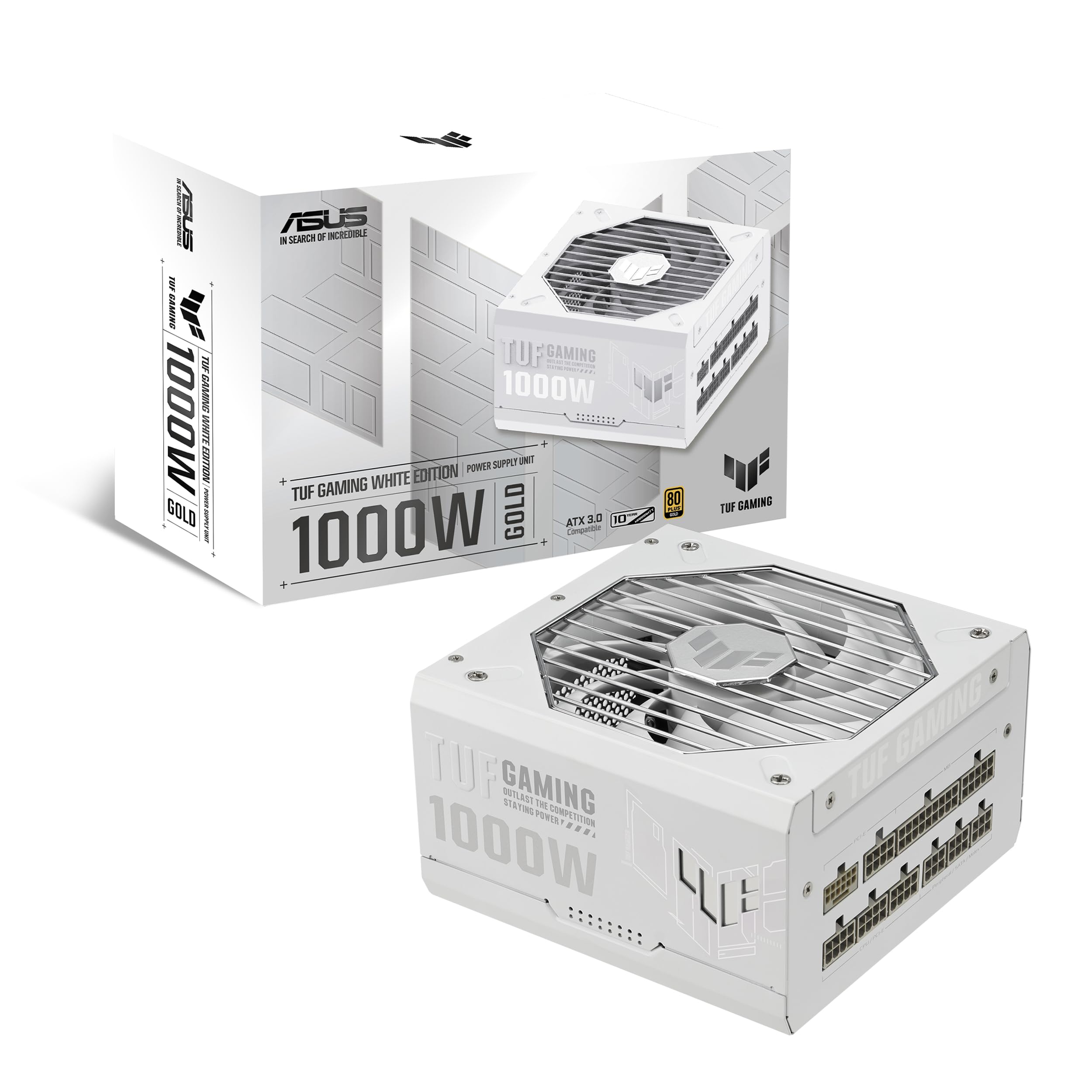 8.5 / 10
TUF Gaming 1000W Gold White Edition (1000 Watt, ATX 3.1 Compatible, Fully Modular Power Supply, 80+ Gold Certified, Military-grade Components, Dual Ball Bearing, PCB Coating, 10 Year Warranty)
£132.07 · ASUS
 8.5 / 10
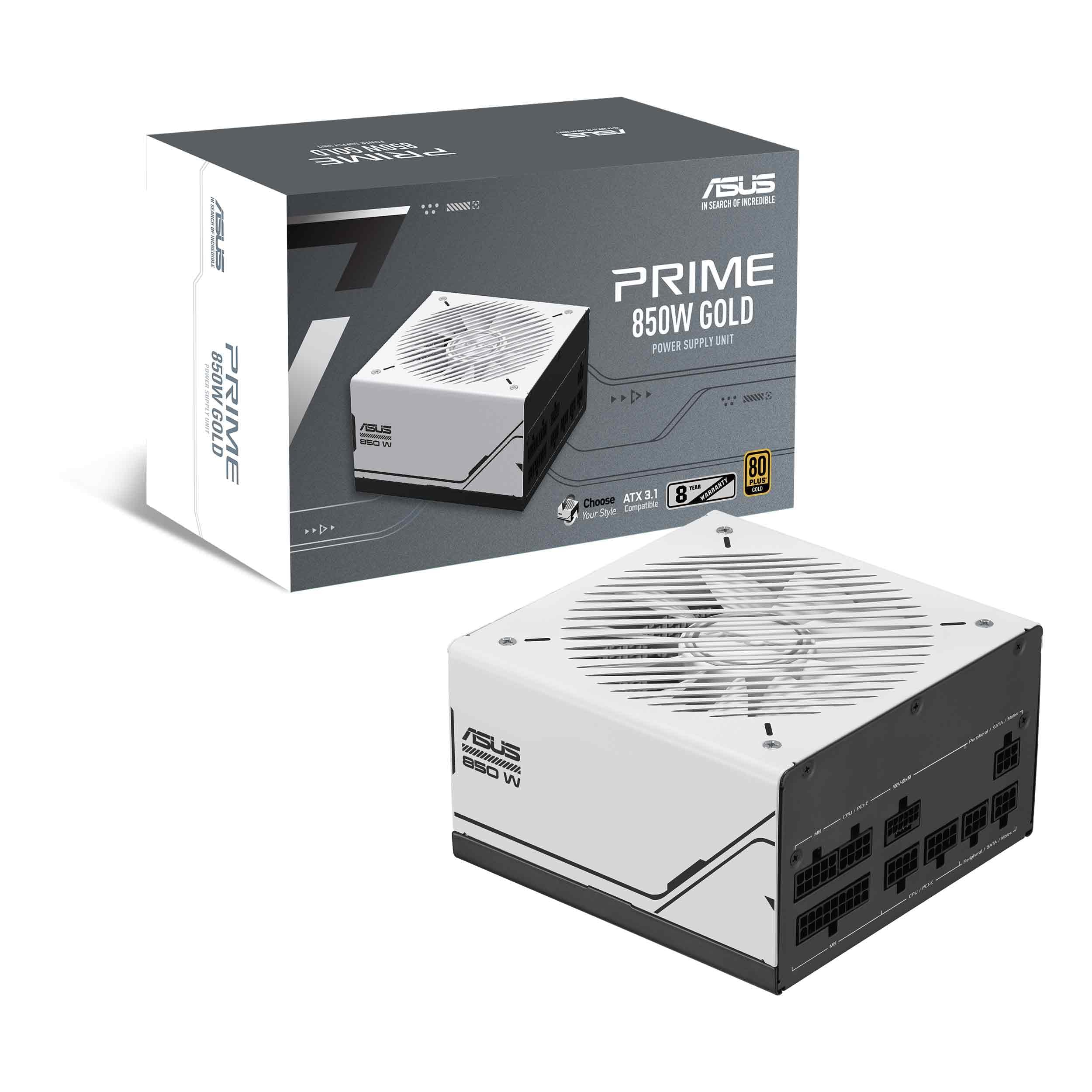
Asus Prime 850W Gold Gaming PSU, Double Ball Bearing Fan, Fully Modular, 80+ Gold, ATX 3.0, PCIe 5.0
£104.99 · ASUS
Frequently asked
5 questions01Is the MSI MAG A850GL PCIE5 Power Supply Unit good for gaming?+
Yes, it's an excellent choice for gaming builds, particularly those centred on high-end current-generation GPUs. The 850W Gold-rated output provides ample headroom for an RTX 4090 or RX 7900 XTX paired with a high-end CPU, and ATX 3.0 compliance means it handles the power excursion spikes that modern GPUs produce. For mid-range GPU builds, it's more PSU than strictly necessary, but the headroom and seven-year warranty make it a solid long-term investment.
02What wattage PSU do I need for an RTX 4090 build?+
The RTX 4090 has a TDP of around 450W. Add a high-end CPU (up to 253W under full load for something like a Core i9-13900K), storage, fans, and other components, and realistic peak draw sits around 750W to 800W for a top-end build. An 850W Gold unit like the MAG A850GL gives you the right headroom without going overboard. For an RTX 4080 build, 750W is the practical minimum but 850W gives you more comfortable headroom.
03Is 80 Plus Gold efficiency worth it over Bronze?+
At mid-range prices, yes. A Gold-rated PSU achieves up to 90% efficiency at 50% load versus around 85% for Bronze. The difference means less wasted energy as heat, lower electricity costs over time, and less thermal stress on internal components. For a gaming PC used several hours a day, the efficiency difference is noticeable on your energy bill over a year, and across a seven-year warranty period it adds up meaningfully. Gold is the sensible baseline for any build with a discrete GPU.
04How long is the warranty on the MSI MAG A850GL PCIE5 Power Supply Unit?+
Seven years, which is the longest warranty in the mid-range PSU bracket and a strong indicator of MSI's confidence in the internal component quality. Most competitors at this price tier offer five years. The warranty covers manufacturing defects and component failures. As always, keep your proof of purchase and register the product if MSI offers registration, as this simplifies any warranty claim process.
05Is the MSI MAG A850GL PCIE5 Power Supply Unit fully modular?+
Yes, it is fully modular. Every cable, including the 24-pin ATX main power cable, detaches from the PSU unit itself. This means you only connect the cables your build actually needs, which reduces cable clutter, improves airflow inside the case, and makes installation and future upgrades considerably tidier. The flat cable design and included management combs make routing even cleaner compared to traditional round sleeved cables.