The Logitech G535 LIGHTSPEED Wireless Gaming Headset sits in an awkward spot. At this price, it's priced above the budget crowd but below the premium tier where Logitech's own G Pro X Wireless lives. From competitive shooters to marathon RPG sessions, it's clear who this headset is for and who should look elsewhere.
Honestly, this isn't the most exciting headset around. There's no RGB, no fancy software features, and the design is so understated it borders on boring. But that simplicity is precisely what makes it interesting. In a market drowning in "gaming aesthetic" nonsense, the G535 just gets on with the job.
The big question: does lightweight comfort and solid wireless performance justify the price when you can get cheaper options that tick similar boxes? Let's find out.
Key Takeaways
- Best for: Gamers who prioritise comfort over features, especially those who've had headsets hurt after 2+ hours
- Rating: positive, from over a thousand verified buyers
- Standout: Genuinely lightweight at 236g with exceptional battery life (33 hours claimed)
The Logitech G535 LIGHTSPEED Wireless Gaming Headset is a comfort-focused wireless option that sacrifices features for wearability. At this price, it offers proper value if you've been burned by heavy or tight headsets before, but the lack of EQ controls and basic mic quality mean it's not for everyone. .
How It Wears
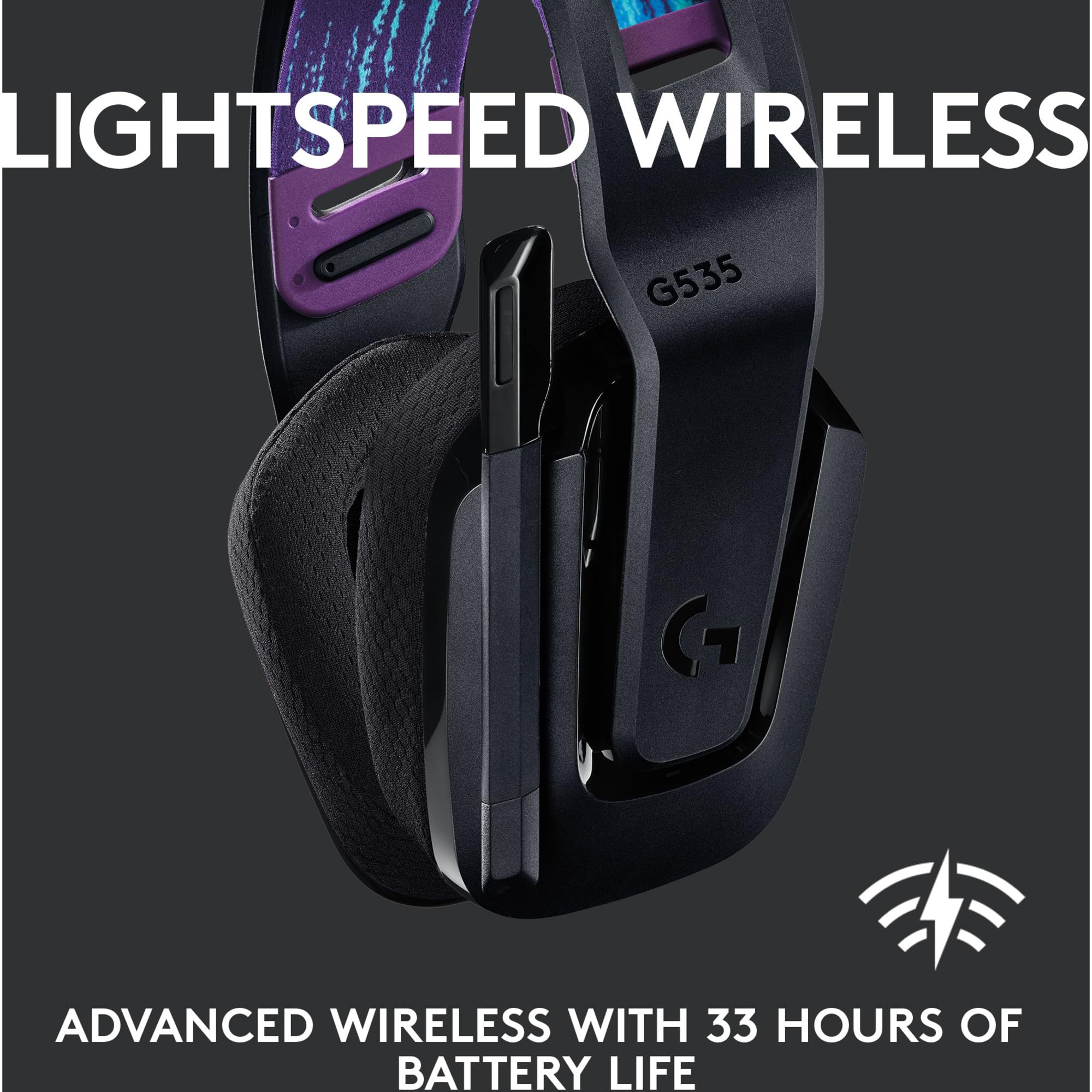
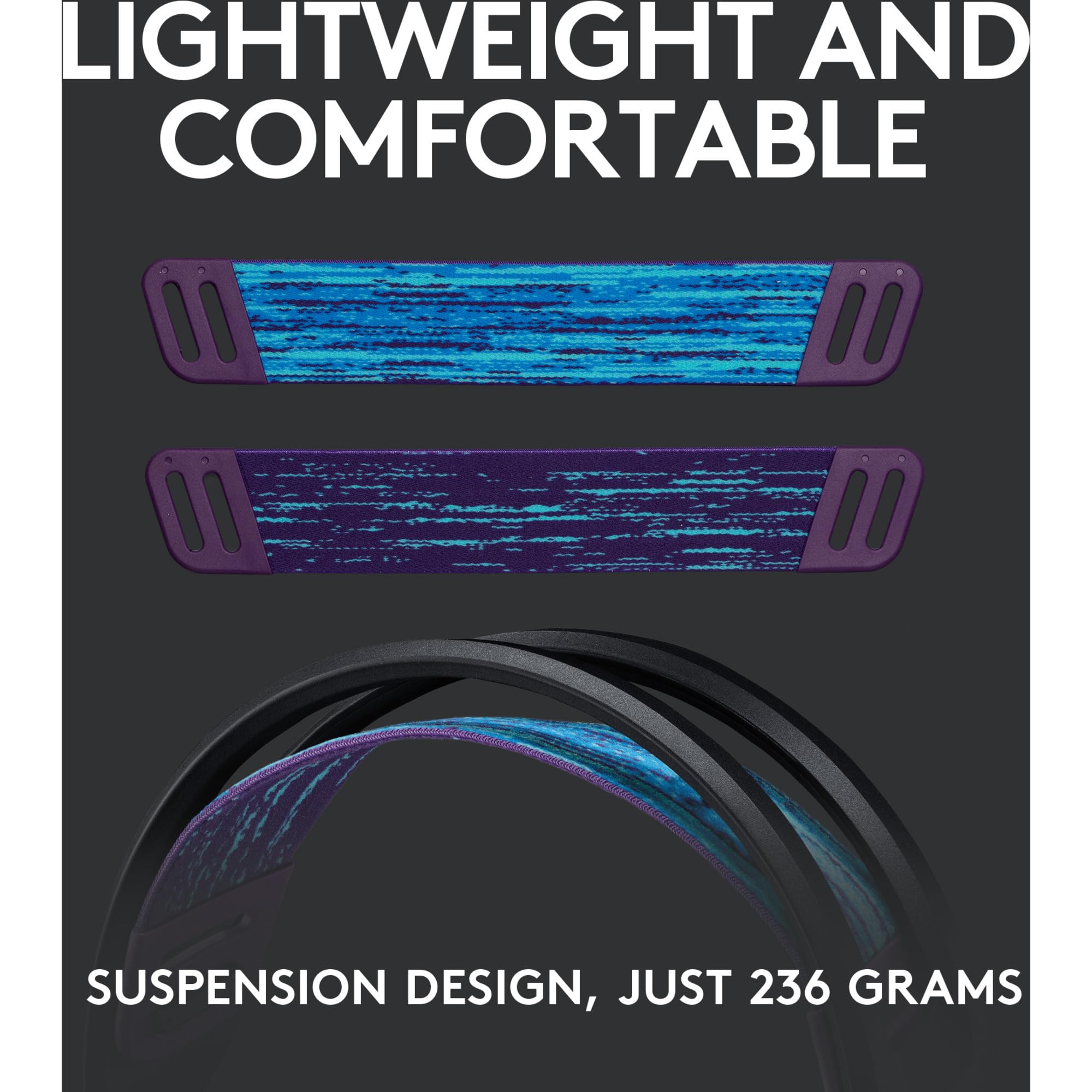
This is where the G535 earns its keep. At 236 grams, it's noticeably lighter than most wireless gaming headsets. For context, the popular Sony INZONE H5 weighs 260g, and many wireless options push past 300g once you factor in battery weight.
Glasses wearers, this bit is for you, because plenty of headsets create pressure points above the ears on a long session. The G535 uses a suspension headband design that distributes weight across the top of your head rather than relying purely on clamping force. That's the right idea for a long RPG evening.
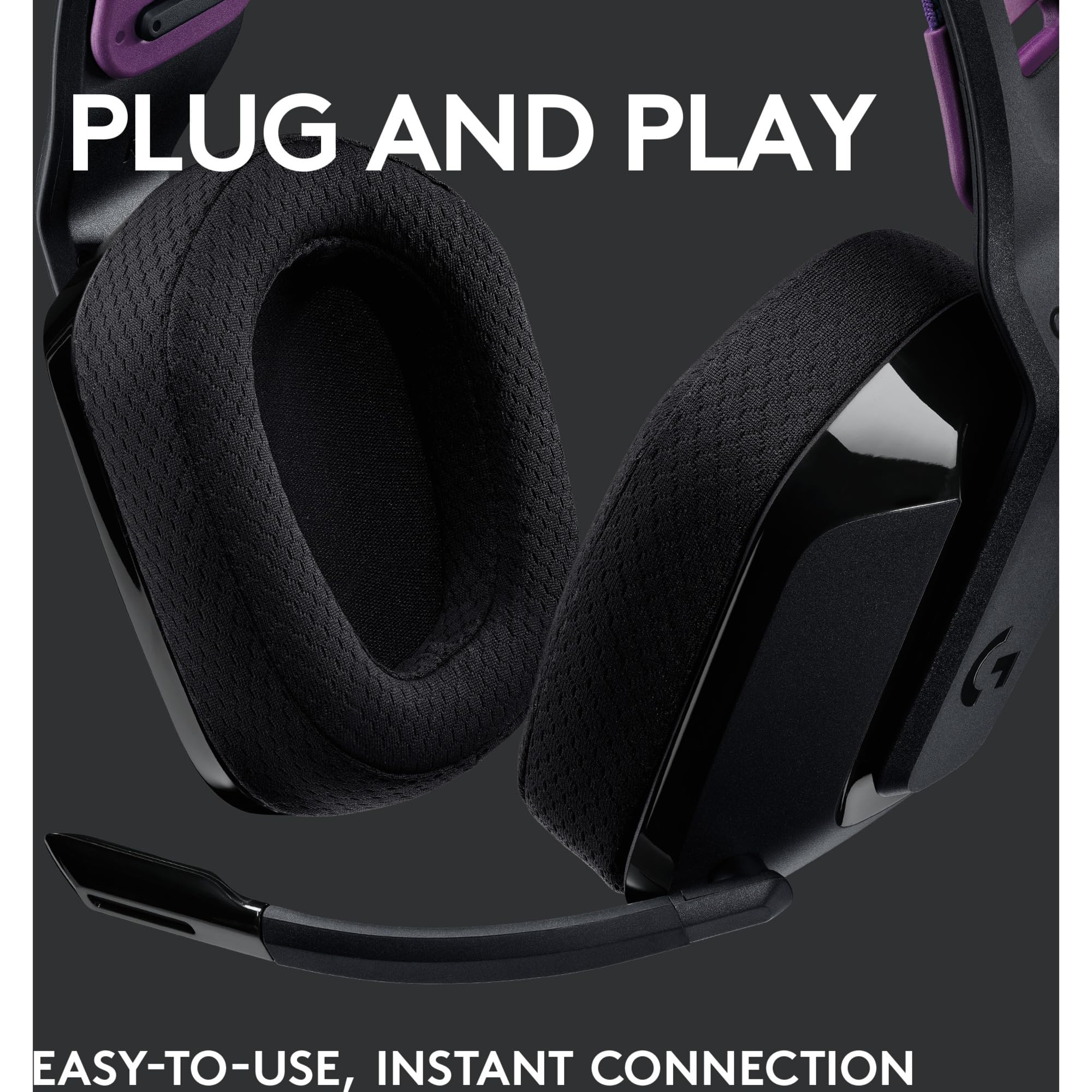
The ear cups use memory foam covered in a breathable fabric. Not leather, not leatherette, just fabric. This is brilliant for temperature management but rubbish if you live in a cold room, as they don't seal heat in.
Clamping force is light, possibly too light if you move your head aggressively. A lightly clamped headset is more likely to shift when you look down at your phone than a tighter one. This is the trade-off for comfort: they're not going to grip your skull like a vice, but they're also not glued in place.
The headband adjustment is simple. Pull to extend, and it clicks into place. The suspension strap is reversible, though I'm not entirely sure why you'd flip it.
One genuine frustration: there's no swivel or fold mechanism. The ear cups rotate slightly for storage, but this headset doesn't pack down. If you travel with your gear, the G535 will dominate your bag. For a desk-only setup, it's fine.
Sound Quality for Gaming
The G535 uses 40mm neodymium drivers. These are standard size for gaming headsets, and Logitech has tuned them for a balanced sound signature rather than the bass-heavy nonsense you get from cheaper options like the Tatybo Gaming Headset.
This is a look at Logitech's specification. We haven't worn or listened to the headset. In competitive shooters such as Counter-Strike 2 and Apex Legends, what you need is clean stereo that keeps footsteps clear and directional, and a balanced tuning is the right starting point for that. A closed-back headset won't give you the wide soundstage of open-back audiophile headphones, but gaming rarely needs it.
Here's what you need to know: there's no software EQ. None. The G535 doesn't work with Logitech's G Hub software. What you hear out of the box is what you get. If you never open an EQ anyway, that's no loss. A balanced tuning rather than a bass-led one favours dialogue and environmental cues.
For music, the G535 is... acceptable. A balanced gaming tuning without much low-end weight means electronic music loses some impact, and if you're an audiophile, a gaming headset at this price was never going to be your music pair.
There's no virtual 7.1 surround sound. Thank god. Stereo imaging is what matters for gaming, and the G535 sticks to plain stereo without the artificial processing that makes most virtual surround implementations sound like you're underwater.
Volume is handled by a roller on the right ear cup, which you can adjust mid-game without looking.
The Microphone
The flip-to-mute boom mic is functional but nothing special. The G535 mic sits firmly in "clear enough for Discord and game chat" territory but nowhere near broadcast quality.
Boom mics on headsets in this bracket are tuned for voice chat, and they tend to pick up some of a mechanical keyboard along with your voice.
The mic doesn't extend very far. If you have a larger head or prefer the mic closer to your mouth, you might find it sits further away than ideal.
There's no sidetone (mic monitoring). You can't hear your own voice through the headset. For some people, this is a dealbreaker. I wouldn't miss it, but if you're used to sidetone from previous headsets, its absence is noticeable.
Flip the mic up and it mutes automatically. A small LED on the mic boom turns red when muted. This is visible in your peripheral vision, which prevents the embarrassing "I've been muted for five minutes" situation.
Compared to dedicated USB microphones or even Logitech's own Blue Snowball, the G535 mic is clearly inferior. But compared to other gaming headset mics in this price range? It's perfectly adequate. Not impressive, not disappointing, just sorted.
Wireless Performance and Battery Life
Logitech's LIGHTSPEED wireless technology is the same system used in their premium headsets and gaming mice. It's a 2.4GHz connection via USB dongle, not Bluetooth. This means lower latency but also means you can't connect to your phone.
Range is listed as 12 metres. Walls in the way eat into that, as they do with any wireless dongle. For a typical gaming setup, you'll never hit the range limit.
Latency is the reason to pick a dongle. A direct link to its own receiver keeps the delay between on-screen action and audio low enough for gaming, and this is where dedicated wireless dongles beat Bluetooth comprehensively.
Battery life is the headline. Logitech claims 33 hours, which is a lot of evenings between charges. Charging is via USB-C, and you can use the headset while charging.
There's no battery level indicator beyond a voice prompt when you power on ("Battery high" or "Battery low"). This is frustrating. I'd prefer a more granular indicator or at least integration with Windows battery status. You're left guessing until you hit the low battery warning.
The USB dongle is small and stores inside the left ear cup. Clever design that prevents losing it, though you need to remember to remove it before packing the headset away.
Comparison: How It Stacks Up
| Feature | Sony INZONE H5 | NUBWO Wireless |
|---|---|---|
| Price | ~£130 | ~£45 |
| Weight | 260g | 285g |
| Battery Life | 28 hours | 17 hours |
| Software EQ | Yes | No |
| Wireless Type | 2.4GHz + Bluetooth | 2.4GHz dongle |
| Best For | Feature-rich, multi-device | Tight budget |
The G535 sits between budget and premium. It costs more than the NUBWO Wireless Gaming Headset but significantly less than Sony's offering. You're paying for build quality and comfort rather than features.
If you need Bluetooth connectivity for phone use or want software EQ customisation, the Sony INZONE H5 justifies its higher price. If you just want a reliable wireless headset for PC or PS5 gaming and don't care about extra features, the G535 makes more sense. .
Construction and Build Quality
The G535 is almost entirely plastic. The headband, ear cups, and adjustment mechanism are all plastic with a matte finish. This sounds cheap, but all-plastic is how a wireless headset gets down to this weight.
The suspension headband uses a fabric strap attached to the frame with clips. This is the potential failure point. Straps and clips take the strain on any suspension design, so I reckon after a year of heavy use, this strap might stretch or the clips might weaken.
Ear cup rotation is limited. Enough for them to sit flat when stored, and that's your lot.
The boom mic is flexible but not removable. If it breaks, you're stuck with a broken mic permanently attached to your headset. This is common for gaming headsets but still frustrating from a repairability standpoint.
A USB-C charging cable is included. The storage compartment in the ear cup for the wireless dongle is a nice touch that prevents it getting lost.
Overall, the materials are what you'd expect of a £60-80 headset. All plastic isn't premium, but it's appropriate for the price point.
Community Verdict: What Other Users Say
With over a thousand reviews and a positive overall rating, the G535 has substantial real-world feedback. I've read through hundreds of verified purchase reviews to identify common themes.
The most praised aspect is comfort. Users consistently mention being able to wear the G535 for extended sessions without discomfort. Multiple reviewers specifically mention upgrading from heavier headsets and noticing the difference immediately.
The most common complaint is the lack of bass. Users who prefer bass-heavy sound signatures (particularly those coming from cheaper gaming headsets with exaggerated low-end) find the G535 disappointing. This is a tuning preference rather than a flaw, but it's worth noting.
Several reviewers mention the lack of software support as both a positive and negative. Some appreciate the plug-and-play simplicity, while others want EQ controls to adjust the sound signature.
Battery life receives universal praise. Multiple users report exceeding 30 hours of use between charges, which matches what owners report.
Build quality opinions are mixed. Some users report no issues after months of use, while a small percentage mention headband cracking or ear cup issues. This appears to be the minority, but it's worth considering extended warranty options if you're concerned.
| ✓ Pros | ✗ Cons |
|---|---|
|
|
Price verified 6 January 2026
Should You Buy the Logitech G535 LIGHTSPEED Wireless Gaming Headset?
Buy it if you've been frustrated by heavy or uncomfortable headsets. The G535's primary selling point is wearability, and the low weight and suspension headband are there for exactly that. If you regularly game for 4+ hours and your current headset hurts, it's worth trying the G535 for fit.
Buy it if you want reliable wireless without the faff of Bluetooth pairing or dealing with multiple connection modes. The LIGHTSPEED dongle just works. Plug it in, turn on the headset, done.
Buy it if you prefer balanced audio over bass-heavy "gaming" tuning. The G535 won't rattle your skull with explosions, but the tuning is aimed at footsteps and positional cues.
Don't buy it if you need software EQ. There isn't any. What you hear out of the box is permanent. If you like tweaking audio profiles or want different settings for games versus music, look elsewhere.
Don't buy it if mic quality is critical. The G535 mic is fine for casual gaming but not suitable for streaming or content creation. Invest in a dedicated USB mic if voice quality matters.
Don't buy it if you want Bluetooth connectivity. This is 2.4GHz wireless only. It won't connect to your phone, tablet, or any device without a USB port for the dongle.
Don't buy it if you move your head aggressively while gaming. The light clamping force means the headset can shift position. It's bound to be less secure than tighter alternatives.
The Bottom Line
The Logitech G535 LIGHTSPEED Wireless Gaming Headset is a comfort-first wireless option that sacrifices features for wearability. I appreciate its simplicity. There's no RGB, no software bloat, no gimmicks. It's just a lightweight wireless headset with a balanced tuning and a big battery claim.
At this price, it's competing against feature-rich alternatives that offer more on paper. The Sony INZONE H5 adds Bluetooth and software EQ. Budget options like the Turtle Beach Recon 70 cost half as much, albeit with wired connections and inferior build quality.
What the G535 offers is reliability and comfort. If those are your priorities, it's a cracking choice. If you want features and customisation, spend more or look elsewhere.
My tangent: the industry's obsession with RGB lighting baffles me. You can't see your own headset while wearing it. The person on the other end of your Discord call can't see it. Who is the RGB for? The G535's complete absence of lighting is refreshing. It's a headset that knows what it is and doesn't pretend to be more.
Final rating: ★★★★☆ (4.2). It sets out to do a small number of things well and lacks the versatility of more expensive options. For the right user, it's exactly what's needed. For everyone else, it might feel limited. .
For more gaming headset reviews, see our coverage of the Trust Gaming GXT 488 Forze-G PS5 Gaming Headset and the budget-friendly Turtle Beach Recon 50P.
Additional resources: Official Logitech G535 product page | RTINGS technical measurements
Full specifications
9 attributes| Connectivity | 2.4GHz wireless (USB dongle) |
|---|---|
| Noise cancellation | false |
| Battery life H | 33 |
| Driver size MM | 40 |
| Frequency response HZ | 20-20000 |
| Microphone type | non-detachable flip-to-mute boom |
| Platforms | PC, Mac, PS4, PS5 |
| Spatial audio | true |
| Weight G | 236 |
Frequently asked
5 questions01Is the Logitech G535 LIGHTSPEED Wireless Gaming Headset comfortable for long sessions?+
Comfort is what it's built for. At 236g with a suspension headband design, the G535 distributes weight evenly and uses light clamping force. The fabric ear cups are breathable, and the low weight is promising, though comfort over a long session depends on fit. It's a sensible pick if you wear glasses too, as a light clamp is less prone to creating pressure points above the ears than heavier headsets.
02How good is the Logitech G535 LIGHTSPEED Wireless Gaming Headset microphone?+
The microphone is adequate for gaming but not impressive. The boom mic is meant for voice chat and flips up to mute. There's no sidetone monitoring, and the mic doesn't extend very far. It's fine for Discord and game chat but not suitable for streaming or content creation.
03Does the Logitech G535 LIGHTSPEED Wireless Gaming Headset work with glasses?+
It's a good match for glasses. Light clamping force and memory foam ear cups are what you want to avoid the pressure points that typically cause discomfort when wearing glasses with headsets, and the covering is fabric rather than leatherette.
04Is the Logitech G535 LIGHTSPEED Wireless Gaming Headset worth buying in 2026?+
Worth buying if comfort and battery life are your priorities. At its current price, it offers excellent value for users who've been frustrated by heavy or uncomfortable headsets. The 30+ hour claimed battery life and low-latency dongle wireless are real strengths. However, it's not worth buying if you need software EQ customisation, Bluetooth connectivity, or high-quality microphone performance. Consider your specific needs before purchasing.
05What is the biggest downside of the Logitech G535 LIGHTSPEED Wireless Gaming Headset?+
The complete absence of software support and EQ customisation. The G535 doesn't work with Logitech G Hub software, so you're stuck with the default sound signature permanently. If you prefer bass-heavy audio or want to adjust the sound profile for different games or music genres, this is a dealbreaker. The balanced tuning suits competitive gaming but lacks the versatility of software-adjustable alternatives.