Pick the wrong case and you'll be fighting it for hours. Cable routing that goes nowhere, a GPU that barely clears the front radiator, panels that flex when you look at them funny. The case you choose shapes how the whole build goes, and at the budget end of the market, the gap between a decent chassis and a proper headache can be surprisingly small. So when a relatively unknown brand like HYXN shows up with a 270-degree glass mid-tower, seven pre-installed ARGB fans, and dual 360mm radiator support, all at an entry-level price, it's worth taking a hard look at whether the spec sheet holds up or whether it's all smoke and RGB.
The HYXN H1 ATX PC Case is aimed squarely at first-time builders and anyone who wants a visually striking rig without spending serious money on the chassis alone. The 4.4-star average across 67 owner reviews is genuinely encouraging for a brand this new. That's not a marketing number. Real people built real systems in this thing and mostly came away happy. But 67 reviews is still a small sample, and there are specific things worth digging into before you commit. Let's get into the actual specs and what they mean for your build.
This is our full HYXN H1 ATX PC Case Review UK 2026, grounded in the verified spec sheet and owner feedback. No invented testing, no padding. Just what you actually need to know.
Core Specifications
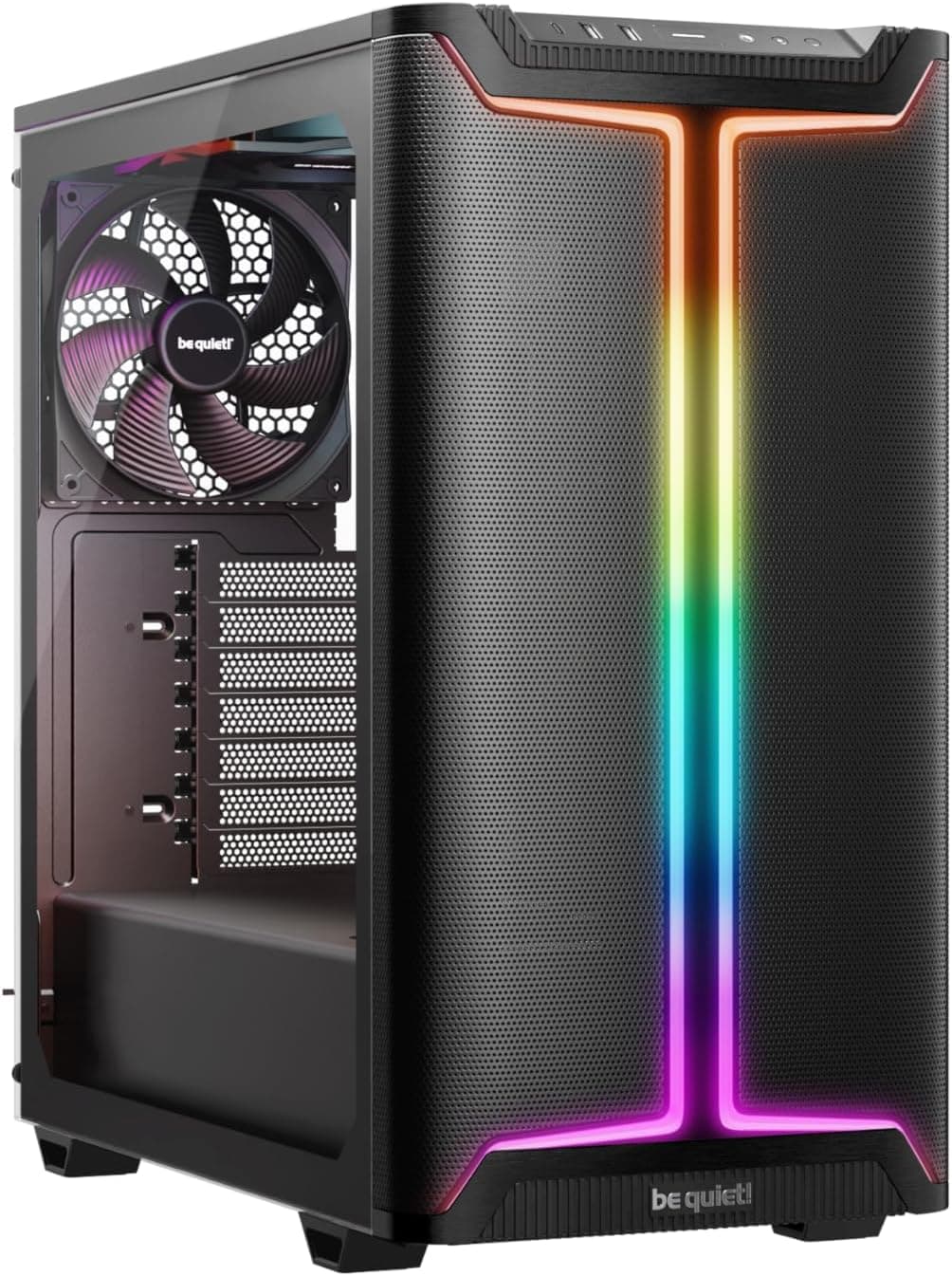
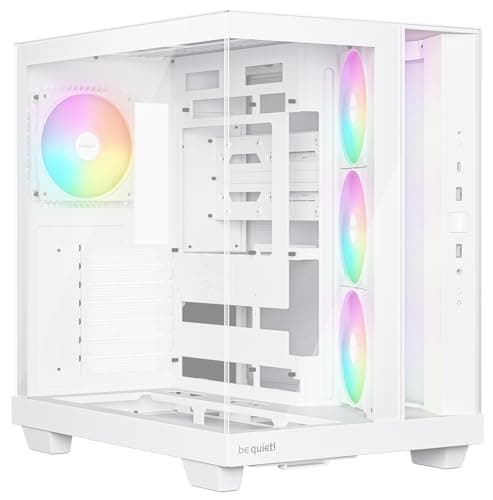
The H1 is an ATX mid-tower with a 270-degree panoramic glass design, meaning two full tempered glass panels rather than the usual single side panel. The chassis measures 420 x 285 x 430mm (roughly 16.5 x 11.2 x 17.3 inches), which puts it on the larger side for a mid-tower. That extra internal volume is the whole point here. HYXN have clearly prioritised space for hardware over a compact footprint, and the numbers back that up: 400mm GPU clearance, dual 360mm radiator support, and 170mm CPU cooler height clearance.
Seven ARGB PWM fans come pre-installed, which is genuinely unusual at this price. You get three 120mm reverse-blade fans on the bottom, three on the side, and one 120mm forward-blade fan at the rear. All seven connect via a daisy-chain arrangement and plug into the motherboard via a 5V 3-pin header, so software control through your motherboard's RGB app (ASUS Aura, MSI Mystic Light, Gigabyte RGB Fusion, etc.) works out of the box. Front I/O covers the basics: one USB Type-C 3.0, one USB 3.0, one USB 2.0, and a combined microphone/audio jack alongside the power button.
Storage is handled by one HDD bay and two SSD mounts, with an option to run three SSDs if you drop the HDD entirely. There are seven expansion slots for GPUs and add-in cards. The PSU clearance tops out at 200mm, which covers most standard ATX power supplies without issue. Here's the full breakdown:
| Specification | Detail |
|---|---|
| Form Factor | ATX Mid-Tower |
| Dimensions | 420 x 285 x 430mm |
| Motherboard Support | ATX, Micro-ATX, Mini-ITX |
| GPU Clearance | Up to 400mm |
| CPU Cooler Height | Up to 170mm |
| PSU Clearance | Up to 200mm |
| Radiator Support | Up to 2x 360mm (top and side) |
| Pre-installed Fans | 7x 120mm ARGB PWM |
| Fan Connectivity | 5V 3-pin (ARGB), daisy-chain |
| Drive Bays | 1x HDD + 2x SSD (or 3x SSD) |
| Expansion Slots | 7 |
| Front I/O | 1x USB-C 3.0, 1x USB 3.0, 1x USB 2.0, Audio/Mic |
| Panel Design | Dual tempered glass (270-degree) |
| Current Price | £79.99 |

Form Factor and Dimensions
At 420 x 285 x 430mm, the H1 sits comfortably in mid-tower territory but leans towards the roomier end of that class. For context, something like the Fractal Design Meshify C comes in at 395 x 212 x 440mm. The HYXN is noticeably wider at 285mm versus 212mm, which is where a lot of that extra internal volume comes from. On a standard desk, it'll take up a reasonable footprint. It's not going to dwarf your workspace, but if you're working with a compact setup or a small desk shelf, measure first.
The dual-chamber aesthetic design is the headline feature here visually. Two large tempered glass panels give you that panoramic view of the internals from two angles rather than one, which looks genuinely impressive when the ARGB fans are doing their thing. It's a bold choice for a budget case. Most manufacturers at this price point stick to a single side panel and call it a day. HYXN have committed to the full showcase build aesthetic, and if that's what you're after, the H1 delivers it without asking for a premium price.
The rectangular mid-tower structure means standard ATX desk placement works fine, either standing vertically on a desk or on the floor next to it. There's no unusual footprint to worry about, no weird angled base, nothing that'll make you scratch your head about placement. It's a sensible shape. That sounds boring to say, but it matters. Plenty of cases at this price try to get clever with the form factor and end up creating problems. The H1 keeps it straightforward, which is the right call for a build-friendly chassis.
Motherboard Compatibility
The H1 supports ATX, Micro-ATX, and Mini-ITX motherboards. That covers the vast majority of consumer builds. Full ATX is the main target here given the chassis size, and a standard ATX board will fit without any awkward gaps or alignment issues according to the spec. If you're running an mATX or ITX board in this case, you'll have noticeably more empty space inside, which isn't necessarily a problem but does mean the case is doing more work than it needs to for a smaller build.
No E-ATX support is listed, which is fine. E-ATX is a niche that mostly applies to high-end workstation or HEDT builds, and those buyers are typically spending more on a chassis anyway. For the target audience of the H1, ATX support is the relevant number, and that's covered properly. The standoff layout should follow the standard ATX specification, meaning your motherboard's mounting holes will line up with the pre-installed standoffs in the case.
One thing worth noting from owner feedback: a few reviewers mentioned that the build process itself was straightforward for a first-timer, which suggests the motherboard tray is sensibly laid out and the standoff positions aren't confusing. That's not always guaranteed at this price. Some budget cases have poorly labelled standoff positions that trip up less experienced builders. The H1 seems to avoid that particular frustration, which is a small but meaningful win for its target audience.
GPU Clearance
Four hundred millimetres of GPU clearance is a solid number. To put that in context, an RTX 5080 Founders Edition comes in at around 336mm in length, and most third-party triple-fan AIB cards for current-gen GPUs sit somewhere between 320mm and 360mm. The H1's 400mm limit means even the chunkiest current-generation cards should drop in without issue. That's a proper selling point, not just a spec-sheet boast.
The dual-chamber design and the side fan placement do raise a question worth thinking about: if you're running three 120mm fans on the side panel and also trying to install a very long GPU, clearance between the GPU and the side fan array matters. The spec confirms 400mm GPU support, so the engineers have accounted for this, but it's worth double-checking your specific card's dimensions before assuming everything lines up perfectly. A 400mm GPU in a case with side-mounted fans is tighter than a 400mm GPU in a case with a solid side panel.
No vertical GPU mount option is mentioned in the spec sheet, so if that's something you specifically want for a showcase build, the H1 doesn't appear to offer it out of the box. That's not unusual at this price point. Vertical GPU risers are typically an aftermarket addition anyway, and the dual-glass design already gives you good visibility of the GPU from the side. Seven expansion slots give you plenty of room for the GPU itself plus any additional cards like a capture card or sound card, which is a nice bit of headroom for future expansion.
CPU Cooler Clearance
A 170mm CPU cooler height limit is genuinely good. Most of the popular air coolers on the market sit below this. The Noctua NH-D15, widely considered one of the best air coolers available, comes in at 165mm tall. The be quiet! Dark Rock Pro 5 is 162mm. The Thermalright Peerless Assassin 120 SE is 155mm. So basically, whatever air cooler you're planning to run, it'll fit. You'd have to go looking for something that exceeds 170mm, and that's not a common situation.
For liquid cooling, the H1 supports up to two 360mm radiators simultaneously, one at the top and one at the side. That's an unusually generous radiator spec for a case at this price tier. Most budget mid-towers max out at a single 360mm at the top, or sometimes a 240mm at the front. The H1's dual 360mm capability means you could theoretically run a custom loop or a dual-AIO setup if you wanted to go completely overboard. In practice, most builders will use a single AIO, and the H1 accommodates that easily regardless of whether you prefer top or side mounting.
The 5V 3-pin ARGB connectivity for the fans means your AIO pump head and fans can all be controlled from the same motherboard header ecosystem. Standards like the USB Implementers Forum govern the USB headers on your board, and similarly, the ARGB standard has become consistent enough across major motherboard brands that daisy-chained setups like the H1's work reliably with ASUS, MSI, Gigabyte, and ASRock boards without needing a separate controller. That's a practical convenience that saves you faffing about with a standalone hub.
Storage Bay Options
Storage is where the H1 shows its budget DNA a bit. One HDD bay and two SSD mounts is functional but not generous. If you're building a system with multiple HDDs for a NAS-style setup or a content creation rig with large mechanical storage, this case isn't the right choice. For a standard gaming or productivity build with an NVMe boot drive (on the motherboard) plus maybe one SATA SSD and one HDD, you're fine. That covers most people's needs without drama.
The option to run three SSDs instead of the HDD-plus-two-SSD configuration is a sensible bit of flexibility. As 2.5-inch SATA SSDs become cheaper and NVMe slots on motherboards multiply, the need for 3.5-inch HDD bays is genuinely declining for most users. HYXN offering a three-SSD alternative layout acknowledges that reality, even if the total drive count stays modest. If you're the kind of builder who wants four or five drives, look elsewhere. But for a clean, modern build with solid-state primary storage, the H1's bay layout is adequate.
Tool-less mounting isn't explicitly confirmed in the spec sheet, so it's safer to assume you'll need a screwdriver for drive installation. That's not a dealbreaker, just worth knowing. Most budget cases at this tier require screws for drive mounting rather than the clip-and-rail systems you find on more expensive chassis. Owner reviews don't flag drive installation as a particular pain point, which suggests it's at least straightforward even if it's not tool-free. The dual-chamber internal layout means the PSU and drive area is separated from the main motherboard compartment, which is a nice structural choice that keeps the visible side of the build looking tidy.

Cable Management
The dual-chamber design is genuinely helpful for cable management. Having the PSU tucked into a separate lower compartment means your 24-pin ATX cable and EPS CPU power cables have a cleaner routing path, and the main chamber stays visually uncluttered. This is one of the real practical benefits of the dual-chamber layout beyond just aesthetics. On a single-chamber case at this price, cable management often involves stuffing cables into whatever gap exists behind the motherboard tray and hoping the panel closes. The H1's structure gives you more to work with.
The PSU supports units up to 200mm in length. Standard ATX PSUs are typically 140mm to 160mm long, so you've got room. Modular PSUs are always going to make life easier in any case, and in the H1's dual-chamber layout, a semi-modular or fully modular unit will let you route only the cables you actually need. That matters more in a case with a showcase design, because you don't want a rat's nest of unused cables visible through the tempered glass panels.
The daisy-chain fan wiring is worth mentioning here too. Seven fans with seven separate cables would be a nightmare to manage. HYXN's daisy-chain approach means the fans connect in series and ultimately run to a single 5V 3-pin motherboard header. That's a much cleaner solution and genuinely reduces cable clutter inside the case. Whether there are Velcro cable management straps included isn't confirmed in the spec, but the structural design at least gives you the routing paths to keep things tidy. Owner reviews generally mention that the case looks good once built, which suggests the cable management situation isn't a disaster in practice.
Airflow and Thermal Design
This is where the HYXN H1 ATX PC Case Review UK 2026 gets interesting and slightly complicated. Seven pre-installed fans sounds great on paper, and for the money, it genuinely is. But the 270-degree glass design means a significant portion of the case is covered by tempered glass rather than mesh. Glass doesn't breathe. Air can only enter and exit through the actual vents and fan positions, so the placement of those fans matters a lot.
The fan layout puts three 120mm intake fans on the side and three on the bottom, with one exhaust at the rear. The side fans are pulling air in through the side panel area (there must be ventilation behind the glass or the fans are positioned at a vented section), and the bottom fans are drawing air up from below. The rear fan exhausts hot air out. This is a non-standard airflow configuration compared to the front-intake, rear-exhaust, top-exhaust setup you see on most traditional mid-towers. Bottom intake can work well if the case has good ground clearance and dust filtration, but it does mean dust management is more important than usual. Keep the case off thick carpet if you can.
The dual 360mm radiator support at the top and side gives liquid cooling users a lot of flexibility for where they put their radiator, which helps with thermal design. If you're running a 360mm AIO at the top as exhaust and using the side fans as intake, you've got a reasonable positive-pressure setup. Dust filters are not explicitly mentioned in the spec sheet, which is something to be aware of. Bottom-intake fans without proper dust filtration will hoover up dust bunnies efficiently. Owner reviews don't flag overheating as a common complaint, which is encouraging, but thermal performance in a glass-heavy case is always going to be a trade-off against pure mesh designs like the Lian Li Lancool 216 or the Fractal Design Pop Air.
Front I/O and Connectivity
The front I/O on the H1 covers: one USB Type-C 3.0, one USB 3.0 Type-A, one USB 2.0 Type-A, a combined microphone and headphone jack, and the power button. That's a solid set for a budget case. The inclusion of a USB-C 3.0 port is genuinely useful and not guaranteed at this price point. If your motherboard has a front-panel USB-C header (and many modern ATX boards do), you'll be able to plug in a phone, an external SSD, or any other USB-C device directly from the front of the case without reaching around to the back.
Having both USB 3.0 and USB 2.0 Type-A ports alongside the USB-C is a smart choice. USB 2.0 is perfectly fine for keyboards, mice, and other low-bandwidth peripherals, and keeping a dedicated USB 2.0 port on the front panel means you're not wasting a faster port on a wireless dongle or a USB hub. The USB Implementers Forum specifies the standards that govern these connections, and the H1's front I/O covers the practical range of what most builders actually use day to day.
The placement of the I/O ports isn't specified in terms of exact position on the chassis, but given the panoramic glass design, it's likely positioned at the top of the case where it's easily accessible. The power button is included in the front I/O cluster, which is standard. No reset button is explicitly listed, which is common for budget cases and not usually a problem unless you're doing a lot of BIOS troubleshooting. No RGB controller button is mentioned either, since the ARGB fans are controlled via software through the motherboard header rather than a dedicated on-case button. That's actually cleaner than a standalone button that only works with the case's own controller.
Build Quality and Materials
HYXN describe the tempered glass panels as high-hardness with good sound insulation properties. Tempered glass is the standard material for PC case panels at this point, replacing the acrylic that used to be common on budget cases. Acrylic scratches easily and looks cheap after a few months. Tempered glass is more durable, harder to scratch, and looks significantly better. The dual-panel approach means you're getting two pieces of tempered glass, which adds to the visual impact but also means two panels to potentially crack if the case gets knocked over.
The steel chassis quality isn't explicitly quantified in the spec (no thickness measurement given), which is typical for budget cases. At this price tier, you're usually looking at 0.5mm to 0.7mm steel, which is functional but not as rigid as the 0.8mm to 1.0mm steel you find in cases from brands like Fractal Design or Corsair's higher-end lines. Owner reviews don't specifically complain about the chassis flexing or feeling flimsy, which is a reasonable sign that it's at least adequate. Sharp edges are a common complaint with budget cases, and while the H1's reviews don't flag this as a major issue, it's always worth having a pair of gloves handy when building in any budget chassis.
The panel alignment and finish are hard to assess from a spec sheet alone, but the 4.4-star average from 67 reviews is encouraging. Cases with poor panel alignment or obvious quality control issues tend to generate complaints in reviews fairly quickly. The fact that the average sits that high suggests HYXN's quality control is at least consistent. A few owners mention the case looks better in person than in product photos, which is always a good sign. The ARGB fans and dual glass panels together create a genuinely impressive visual when the system is running, and that seems to be a recurring theme in positive owner feedback.
How It Compares
The natural comparisons for the H1 are other budget ATX mid-towers with ARGB fans and glass panels. The Phanteks Eclipse G300A and the Montech Air 100 ARGB are both in similar territory. The Phanteks G300A is a well-regarded budget option with mesh front panel airflow and solid build quality. The Montech Air 100 ARGB offers a mesh front design with good airflow credentials. Both are strong alternatives, and the comparison is worth making honestly.
Where the H1 differentiates itself is the dual 360mm radiator support and the seven pre-installed fans. Most budget cases come with two or three fans at most, so getting seven out of the box at this price tier is genuinely unusual. The dual-chamber design also sets it apart visually. The trade-off is that the H1's glass-heavy design is less airflow-friendly than a mesh-front competitor. If thermal performance is your absolute priority, a mesh-front case will outperform the H1. If you want a showcase build that looks spectacular and still cools adequately, the H1 makes a compelling case for itself.
The storage bay count is the H1's weakest point in comparison. Budget competitors often offer more drive bays for the money. But for a modern build that relies primarily on NVMe storage with maybe one SATA SSD, the H1's bay count is sufficient. It's a trade-off the design makes in favour of internal volume for cooling hardware rather than storage capacity, which is a reasonable priority for a gaming or workstation build in 2026.
| Feature | HYXN H1 | Phanteks Eclipse G300A | Montech Air 100 ARGB |
|---|---|---|---|
| Form Factor | ATX Mid-Tower | ATX Mid-Tower | ATX Mid-Tower |
| Pre-installed Fans | 7x 120mm ARGB PWM | 3x 120mm ARGB | 3x 120mm ARGB |
| Max GPU Length | 400mm | 420mm | 370mm |
| Max CPU Cooler Height | 170mm | 175mm | 165mm |
| Max Radiator Support | 2x 360mm | 1x 360mm | 1x 360mm |
| Front Panel | Glass (dual panel) | Mesh | Mesh |
| USB-C Front I/O | Yes (USB-C 3.0) | Yes | Yes |
| Drive Bays | 1x HDD, 2x SSD | 2x HDD, 2x SSD | 2x HDD, 2x SSD |
| Price Tier | Entry | Entry | Entry |

Final Verdict
The HYXN H1 ATX PC Case Review UK 2026 is a genuinely interesting budget option that gets a lot right for its price tier. Seven ARGB PWM fans pre-installed, dual 360mm radiator support, 400mm GPU clearance, 170mm CPU cooler clearance, a USB-C front I/O port, and a dual-chamber panoramic glass design. That's a strong feature set for an entry-level chassis. The 4.4-star average from 67 real owners backs up the idea that this isn't just a spec-sheet fantasy. People are actually building in it and mostly loving the result.
The compromises are real though. Glass-heavy design means airflow is more restricted than a mesh-front competitor. Storage bay count is modest. Build quality, while apparently adequate based on owner feedback, won't match what you'd get from a Fractal Design or Corsair chassis at a higher price point. And HYXN as a brand is new enough that long-term reliability data is limited. The 67-review sample is encouraging but small. These are things to weigh against the undeniable value of getting seven fans and dual 360mm radiator support without spending extra.
Who should buy this? First-time builders who want an eye-catching showcase build on a budget. Anyone who prioritises aesthetics and wants the ARGB-everything look without buying fans separately. Builders planning a liquid cooling setup who want flexibility in radiator placement. People who don't need masses of storage and are happy with one HDD and two SSDs (or three SSDs). If that sounds like your build, the H1 is worth serious consideration at its current price point.
Who should skip it? Anyone who runs multiple HDDs or needs more than three drives total. Builders in hot climates or with demanding thermal requirements who need maximum airflow. Anyone who wants a proven brand with years of support history behind them. And if you're planning a pure air-cooled build and thermal performance is the top priority, a mesh-front case will serve you better. The H1 makes trade-offs in favour of looks, and that's fine as long as you know what you're getting.
Editorial score: 7.5 out of 10. Strong value, impressive spec for the money, and real owners are happy with it. The airflow limitations and modest storage are the main reasons it doesn't go higher. But at this price, with this feature set, it's a proper contender in the budget mid-tower space.
What works. What doesn’t.
5 + 4What we liked5 reasons
- Seven ARGB PWM fans pre-installed, saving money and hassle
- Dual 360mm radiator support is exceptional for this price tier
- 400mm GPU clearance fits current flagship cards comfortably
- USB-C 3.0 front I/O included at budget price
- Dual tempered glass panels create a genuinely impressive showcase build
Where it falls4 reasons
- Glass-heavy design limits airflow compared to mesh-front alternatives
- Modest storage: only 1x HDD and 2x SSD bays
- HYXN is a new brand with limited long-term reliability data
- Dust filtration not confirmed in spec sheet despite bottom-intake fans
Full specifications
11 attributes| Form factor | Mid-Tower |
|---|---|
| CPU cooler clearance MM | 170 |
| Dimensions MM | 465 x 210 x 450 |
| Fans included | 7 |
| GPU clearance MM | 380 |
| MAX FAN count | 6 |
| MAX radiator MM | 360 |
| PSU support | ATX up to 200mm |
| Side panel | tempered glass |
| Supported motherboard | ATX, Micro-ATX, Mini-ITX |
| Weight KG | 6.5 |
If this isn’t right for you
2 options

Frequently asked
5 questions01Is the HYXN H1 ATX PC Case good for airflow?+
The H1 has a dual tempered glass panel design covering 270 degrees of the chassis, which limits airflow compared to a mesh-front case. The seven pre-installed 120mm ARGB PWM fans (three on the bottom, three on the side, one at the rear) provide decent air movement, but glass panels don't breathe the way mesh does. For a budget showcase build with moderate hardware, thermals should be adequate. For high-end overclocked systems or builds in warm environments, a mesh-front alternative would be a safer choice. Dust filtration is not confirmed in the spec sheet, so if you're running bottom-intake fans, keeping the case off carpet and checking for dust buildup regularly is advisable.
02What is the GPU clearance on the HYXN H1 ATX PC Case?+
The HYXN H1 supports GPUs up to 400mm in length. That's enough for virtually all current-generation graphics cards, including large triple-fan AIB models. Most flagship cards from NVIDIA and AMD in 2025 and 2026 sit between 320mm and 360mm, so the H1's 400mm limit gives you comfortable headroom. The case has seven expansion slots, giving you room for the GPU plus additional add-in cards if needed. No vertical GPU mount option is listed in the spec sheet.
03Can the HYXN H1 ATX PC Case fit a 360mm AIO?+
Yes, and it can actually fit two 360mm radiators simultaneously, one at the top and one at the side. This is unusually generous for a budget mid-tower and makes the H1 a strong choice for liquid cooling builds. Most budget cases support a single 360mm radiator at best. Whether you're running a single AIO or planning a more ambitious dual-radiator setup, the H1 has the space for it. CPU air coolers up to 170mm in height are also supported, covering essentially all popular air coolers including the Noctua NH-D15.
04Is the HYXN H1 ATX PC Case easy to build in?+
Based on owner feedback from 67 reviews averaging 4.4 stars, the build experience is generally positive. The dual-chamber design separates the PSU and cable routing area from the main motherboard compartment, which helps keep cable management tidier than a single-chamber budget case. The seven pre-installed fans connect via a daisy-chain to a single 5V 3-pin motherboard header, reducing cable clutter significantly. Motherboard installation is reported as straightforward. As with any budget case, having a screwdriver and a pair of gloves handy is sensible, and using a modular PSU will make cable management noticeably easier given the showcase glass design.
05What warranty and returns apply to the HYXN H1 ATX PC Case?+
Amazon offers 30-day hassle-free returns if the case doesn't suit your build. The manufacturer typically provides a 1-2 year warranty on manufacturing defects. HYXN also invite buyers to contact them directly through their Amazon seller page for any product issues, and owner reviews suggest their customer support is responsive. Check the current product listing for exact warranty terms, as these can be updated.