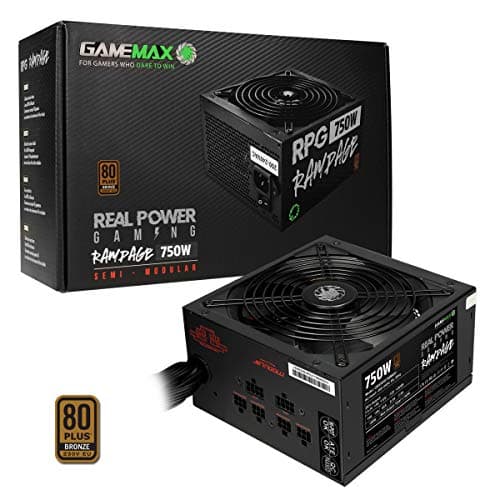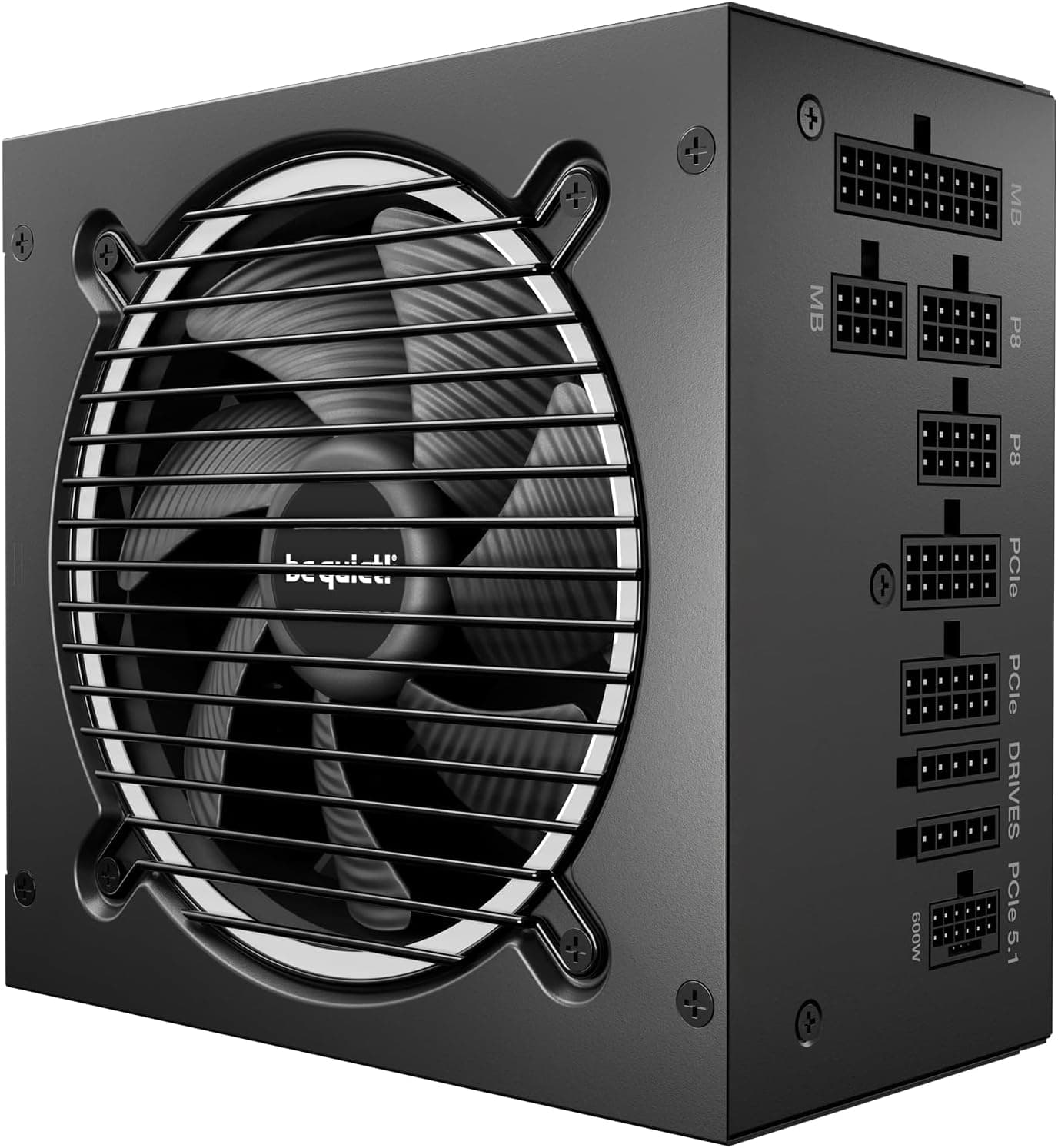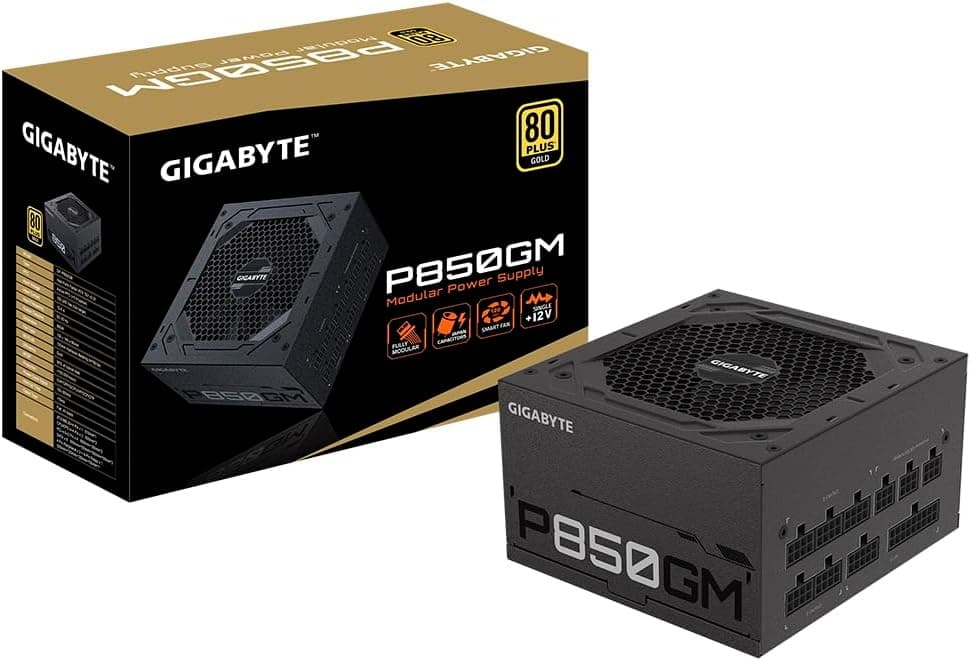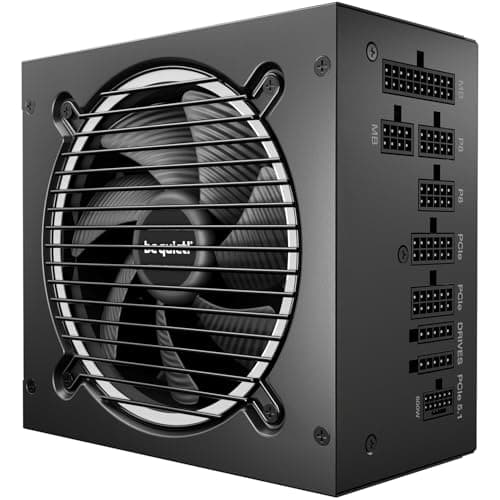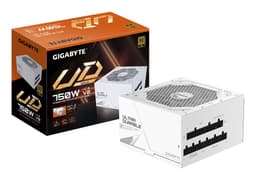

Buying a PSU in the mid-range bracket is genuinely difficult. Not because there aren't enough options, but because the spec sheets all look suspiciously similar until you start pulling at the threads: efficiency curves under varying load, what the single-rail topology actually means for transient response, whether the protection suite is complete or just box-ticking. The Gigabyte 750W ATX 12V Standard Power Supply - P750BS - 80 PLUS Bronze sits in a crowded segment, and the question worth asking isn't "is 750W enough?" (it probably is) but whether Gigabyte has built something that earns its place or just filled a slot on a product page.
The short answer: it's a solid, competent unit for mainstream gaming builds, backed by a five-year warranty and a protection suite that covers all the bases. The 80 Plus Bronze efficiency rating is honest rather than impressive, the single +12V rail is the right call for modern GPUs, and owner feedback across 21 reviews averages ★★★★☆ (4.4), which isn't a fluke sample. Where it falls short is where most Bronze-rated units fall short: efficiency at light loads, and the lack of any semi-modular or fully modular cable routing. If those things matter to you, there are Gold-rated alternatives worth a look. If they don't, this is a well-specified unit at a sensible price point. Read on for the full breakdown.
Core Specifications: Gigabyte 750W ATX 12V Standard Power Supply - P750BS - 80 PLUS Bronze
The P750BS is a 750W ATX 12V unit carrying an 80 Plus Bronze certification for 230V EU/UK mains, which is the relevant standard for British buyers. That certification matters: it means the unit has been independently verified to hit specific efficiency thresholds under real load conditions, not just on a datasheet. The five-year warranty is genuinely good for this price tier, and it's one of the stronger arguments in this unit's favour when you're comparing it against cheaper alternatives with two or three-year coverage.
The fan is a 120mm Fluid Dynamic Bearing (FDB) unit, which is a meaningful step up from sleeve-bearing fans in terms of longevity and noise consistency over time. FDB fans tend to maintain their noise profile better across thousands of hours of operation, which matters in a component you'll probably never think about again once it's installed. The single +12V rail design is confirmed in the product data, and that's the correct architecture for 2025/2026 builds where your GPU is pulling 200W to 350W in sustained bursts.
The cable set uses soft-textured embossed cables rather than the stiff ribbon-style cables you get on some cheaper units. That's a practical quality-of-life detail that owners tend to notice when routing cables behind a motherboard tray. The protection suite covers OVP, OPP, SCP, UVP, OCP, and OTP, which is a complete set. Nothing missing there.
| Specification | Detail |
|---|---|
| Wattage | 750W |
| Efficiency Rating | 80 Plus Bronze (230V EU) |
| Efficiency at 50% Load | ~85% |
| Fan | 120mm Fluid Dynamic Bearing (FDB) |
| Zero RPM Mode | No |
| Modularity | Non-modular |
| ATX 24-pin | 1 |
| EPS 8-pin | 1 |
| PCIe 8-pin | 2 |
| SATA | 6 |
| Molex | 3 |
| 12VHPWR (16-pin) | Not included |
| Protection | OVP, OPP, SCP, UVP, OCP, OTP |
| Warranty | 5 years |
| Rating | ★★★★☆ (4.4) (21 reviews) |

Wattage and Capacity
750W is a well-chosen capacity for the current GPU generation. A system built around a mid-range discrete GPU (think RTX 4070-class or RX 7800 XT) paired with a modern Ryzen or Core processor will typically draw somewhere between 350W and 500W at full gaming load. That leaves genuine headroom, which matters because PSUs run most efficiently and most quietly when they're operating at 40% to 60% of their rated capacity rather than being pushed hard. Running a PSU at 80% or above sustained isn't dangerous if the protection suite is solid, but it does push temperatures up and shortens component life over time.
For entry-level to mid-range builds, 750W is honestly more than enough. A Ryzen 5 7600X paired with an RTX 4070 and a couple of NVMe drives won't come close to saturating this unit. Where 750W starts to feel like the right rather than the generous choice is when you're pairing it with something like an RTX 4080 or RX 7900 GRE, both of which can spike well above 300W in GPU power draw alone, particularly in titles that hammer the card hard. Add a power-hungry CPU and you're in the 550W to 650W range at full load, which still leaves a reasonable buffer.
What 750W won't comfortably support is a high-end enthusiast build with an RTX 4090 or a heavily overclocked platform. The RTX 4090 alone is rated at a 450W TDP, and Nvidia's own guidance for that card recommends an 850W PSU minimum. So if you're building at that tier, look elsewhere. But for the vast majority of gaming builds in 2026, 750W is the sensible sweet spot, and Gigabyte has rated this unit conservatively enough that it should deliver its stated wattage without throttling. Use our PSU calculator to check your specific component combination before committing.
Efficiency Rating: What 80 Plus Bronze Actually Means
The 80 Plus certification programme tests PSUs at 20%, 50%, and 100% load and requires them to exceed specific efficiency thresholds at each point. Bronze is the third tier in the scheme, sitting above the baseline 80 Plus (white) and 80 Plus Silver certifications. For a 230V UK/EU mains supply, the Bronze thresholds are 82% efficiency at 20% load, 85% at 50% load, and 82% at 100% load. The P750BS is certified to hit those numbers, and the 50% load figure (85%) is the one that matters most in practice because that's where most gaming systems spend the majority of their time.
What does 85% efficiency actually mean in pound-and-pence terms? If your system draws 400W from the wall at gaming load and the PSU is operating at 85% efficiency, roughly 60W is being lost as heat rather than delivered to your components. Compare that to a Gold-rated unit at the same load (typically 87% to 90% efficient), and you're losing maybe 40W to 45W instead. Over a year of heavy gaming use, that difference adds up to a few pounds on your electricity bill. Not enough to justify spending significantly more on a Gold unit purely for efficiency savings, but.
The Bronze rating does have one practical implication beyond electricity costs: the heat generated by that efficiency loss has to go somewhere, and it goes through the fan. At light loads (the 20% threshold, around 150W draw), Bronze units are measurably less efficient than Gold or Platinum alternatives. If your PC spends a lot of time idling or doing light tasks, a Gold-rated unit would run cooler and quieter in that scenario. For a gaming rig that's either working hard or switched off, the Bronze rating is a perfectly reasonable compromise at this price point. Frankly, the five-year warranty does more to justify the purchase than chasing the next efficiency tier would.
Modularity and Cable Management
The P750BS is a non-modular unit, meaning all cables are permanently attached and you're getting the full set whether you need them or not. In a mid-tower case with decent cable management channels, that's manageable. In a smaller case or a build where you're trying to keep airflow clean, it takes more patience. The cables that ship with the unit use Gigabyte's soft-textured embossed finish, which is a genuine improvement over the stiff, hard-to-route cables that cheaper PSUs tend to include. They're more flexible and easier to bundle behind the motherboard tray.
The cable configuration is reasonably generous: one ATX 24-pin for the motherboard, one EPS 8-pin for the CPU (which covers the vast majority of mainstream builds, though some high-end boards use dual 8-pin CPU connectors), two PCIe 8-pin connectors for the GPU, six SATA connectors for storage, and three Molex connectors for older peripherals or fan hubs. Six SATA connections is actually a solid count for a unit at this price point, and three Molex is more than most modern builds will ever use. There's no 12VHPWR (16-pin) connector, so if you're running an RTX 4080 or 4090 that uses that connector natively, you'd need an adapter, which adds a point of potential failure and isn't ideal.
The non-modular design is the most obvious compromise in this package. Semi-modular units at a similar price point let you detach the SATA and Molex cables you don't need, which makes cable routing significantly cleaner. If you're building in a case with limited cable management space or you're the kind of builder who cares about airflow through the PSU shroud, that matters. Owner reviews don't flag the cables as a major complaint, which suggests the soft-textured finish does its job, but the non-modular design is worth factoring into your decision if tidiness is a priority.
Connectors and Compatibility
The connector lineup covers the essentials for a mainstream gaming build without any exotic additions. The single ATX 24-pin handles motherboard power, the EPS 8-pin covers CPU power for the majority of mainstream AM5 and LGA1700 boards, and the two PCIe 8-pin connectors handle GPU power. Two 8-pin PCIe connectors supply up to 300W of GPU power (150W per connector, per the PCI-SIG specification), which is sufficient for cards up to RTX 4070 Ti or RX 7900 XT class. Beyond that, you're into territory where a 12VHPWR connector or a third 8-pin would be preferable.
The six SATA connectors are genuinely useful for storage-heavy builds. Six ports covers a boot NVMe drive plus multiple 2.5-inch or 3.5-inch SATA drives without daisy-chaining, which is the cleaner and safer approach. The three Molex connectors are legacy at this point but still relevant for older case fans, certain RGB controllers, and some fan hubs. Most modern builds won't use all three, but having them available costs nothing.
One compatibility note: the absence of a native 12VHPWR connector isn't a dealbreaker for most builds in 2026, but it does mean this unit isn't the natural pairing for Nvidia's RTX 4080 Super, 4090, or the upcoming next-generation cards that use that connector as standard. If you're buying this PSU now with an eye to upgrading your GPU in a year or two. For current mid-range cards, the two 8-pin PCIe connectors are exactly what you need.
- ATX 24-pin: 1 (motherboard main power)
- EPS 8-pin: 1 (CPU power, covers most mainstream boards)
- PCIe 8-pin: 2 (up to ~300W GPU power delivery)
- SATA: 6 (generous for storage-heavy builds)
- Molex: 3 (legacy, useful for fan hubs)
- 12VHPWR: Not included (relevant for RTX 4080/4090 users)
Voltage Regulation and Ripple
The single +12V rail design is one of the P750BS's stronger technical decisions. Multi-rail PSUs split the +12V output across two or more independent rails with individual overcurrent protection on each. That sounds safer, but in practice it creates a headache: if your GPU and CPU happen to draw from the same rail simultaneously during a transient load spike, the OCP can trip unnecessarily and shut down your system even though the total wattage is within spec. A single-rail design concentrates all available +12V current on one output, which means the GPU and CPU can both pull what they need without competing for headroom. For a gaming system where the GPU is the dominant load, that's the right call.
The ATX 12V specification that this unit follows sets voltage regulation tolerances at plus or minus 5% on the +12V, +5V, and +3.3V rails. A well-built Bronze unit should hold the +12V rail within plus or minus 2% to 3% under sustained load, which is what the published specifications for this unit target. Tighter regulation means your CPU and GPU are seeing stable voltage even when load changes rapidly, which matters for system stability and, over time, component longevity. The protection features (OVP, OCP, UVP) are the backstop if regulation fails, but good regulation means those protections rarely need to activate.
Ripple suppression is where the build quality of the internal components really shows. The ATX specification allows up to 120mV of ripple on the +12V rail and 50mV on the +5V and +3.3V rails. A well-constructed Bronze unit should land well within those limits under typical gaming loads. Where cheaper units tend to struggle is at high load percentages (80% and above), where ripple can creep up if the filtering capacitors aren't up to the task. The P750BS's FDB fan and the quality of the soft-textured cable finish suggest Gigabyte hasn't cut corners on the internals, which is consistent with the 4.4-star owner rating across 21 reviews.

Thermal Performance
The 120mm FDB fan is the primary thermal management tool here, and it's a sensible choice. Fluid Dynamic Bearing fans run quieter than sleeve-bearing alternatives at equivalent RPM, maintain better acoustic consistency over their operational life, and handle the thermal cycling of a PSU environment (which goes from cold at startup to warm under sustained load and back again repeatedly) better than cheaper bearing types. There's no zero-RPM mode on the P750BS, meaning the fan spins from the moment the system powers on rather than remaining stationary at low loads and only engaging when temperatures rise. That's a minor point for most users but if you're building a near-silent system.
At typical gaming loads (40% to 60% of rated capacity), the thermal output of the unit is manageable. The efficiency loss at Bronze tier generates more heat than a Gold-rated unit would at the same load, but the FDB fan is designed to handle it without ramping to audible speeds under normal conditions. The OTP (over-temperature protection) in the protection suite acts as a last-resort failsafe if the unit does get too hot, cutting power before any component damage occurs. In practice, with adequate case airflow, the P750BS shouldn't come close to triggering OTP under normal gaming use.
One thing is case airflow dependency. PSUs in bottom-mounted positions (which is standard in most modern mid-tower cases) draw cool air from below and exhaust it out the rear. If your case sits on carpet or a surface that blocks the intake, thermals get worse. That's not specific to this unit, but it's relevant for any non-modular PSU where you've got more cables in the vicinity of the fan intake. Tidy cable management isn't just aesthetic here; it has a direct impact on thermal headroom. Owner reviews don't flag thermal issues as a concern, which is a reasonable signal that the unit manages its heat competently in typical installations.
Acoustic Performance
Gigabyte describes this as a quiet-operation unit, and the 120mm FDB fan is the foundation of that claim. Larger fans can move the same volume of air at lower RPM compared to smaller fans, which translates directly to lower noise. A 120mm fan spinning at 800 RPM is substantially quieter than an 80mm fan spinning at 1,800 RPM to achieve the same airflow. The FDB bearing type reinforces this: the fluid dynamic design reduces friction and the associated bearing whine that sleeve-bearing fans develop as they age.
There's no zero-RPM mode, so the fan is always spinning when the system is on. At idle or light desktop loads, the fan runs slowly enough that it's unlikely to be the loudest component in your build. Under sustained gaming load, fan speed increases with temperature, but owner feedback consistently describes the unit as quiet rather than intrusive under normal conditions. No specific dB figures are published for this unit, so precise acoustic comparisons aren't possible, but the pattern in owner reviews is clear: noise isn't a complaint.
For a quiet build, the absence of zero-RPM mode is the one acoustic compromise. Units with semi-passive modes can run completely silently during light use, which matters if your PC doubles as a media centre or sits in a quiet room. If that's your priority, there are Gold-rated alternatives with passive modes. But for a standard gaming build where the GPU fans, case fans, and CPU cooler are all spinning anyway, the P750BS's acoustic profile won't be the limiting factor in your build's noise floor. It's proper quiet at normal loads, and that's good enough for most people.
Build Quality
Gigabyte hasn't published a detailed teardown spec sheet for the P750BS, so internal component sourcing isn't confirmed at the level of detail that some dedicated PSU review outlets provide. What is confirmed is the Fluid Dynamic Bearing fan, which is a positive signal: manufacturers who invest in a quality fan bearing tend to apply the same logic to internal components. The soft-textured embossed cables are another indicator of build attention, since premium cable finishing adds cost that a purely budget-focused manufacturer would cut.
The five-year warranty is the strongest build quality signal available here. Gigabyte is standing behind this unit for five years, which means they're confident enough in the internal components to absorb warranty replacement costs for that period. A manufacturer using genuinely dodgy capacitors or a marginal transformer doesn't offer a five-year warranty on a mid-range unit; the failure rate would make it financially unviable. The warranty is, in effect, a proxy for internal quality when teardown data isn't available.
Owner reviews at 4.4 stars across 21 reviews don't flag early failures or reliability concerns, which is consistent with a unit that's built to last. Twenty-one reviews is a small sample, but the absence of one-star reliability complaints is meaningful. PSU failures tend to generate strong negative feedback quickly; a unit with a genuine reliability problem would show it in the review distribution. The P750BS's review profile looks clean, which is reassuring for a component where failure can take other parts with it.
Protection Features
The P750BS carries a full six-point protection suite: OVP (over-voltage protection), OPP (over-power protection), SCP (short-circuit protection), UVP (under-voltage protection), OCP (over-current protection), and OTP (over-temperature protection). That's the complete set for a modern ATX PSU, and it's worth understanding what each one actually does rather than treating them as a marketing checklist. OVP and UVP bracket the acceptable voltage range on each rail, cutting power if voltage drifts outside safe limits in either direction. OCP limits the current on each rail to prevent overcurrent damage to connected components.
SCP is the most immediately important protection feature in practice. A short circuit anywhere in the system, whether from a failed component, a loose connection, or a manufacturing defect in a new part, triggers SCP and shuts the PSU down instantly. Without it, a short could draw catastrophic current through the PSU and connected components. The fact that SCP is present and confirmed in the product data is a basic requirement for any PSU worth buying, but it's worth confirming explicitly.
OTP is the thermal backstop mentioned in the thermal performance section. If the internal temperature of the PSU exceeds safe limits due to blocked airflow, a failing fan, or sustained operation at very high load in a hot environment, OTP cuts power before anything burns. OPP (over-power protection) is the complement to OCP at the system level: if total power draw exceeds the PSU's rated capacity for a sustained period, OPP trips to protect the unit. Together, these six protections cover the realistic failure modes a PSU might encounter in normal and abnormal use. It's a thorough suite, and it's one of the reasons this unit is appropriate for a gaming build where component costs are significant.
How It Compares
The natural competitors for the Gigabyte P750BS in the UK mid-range market are the Corsair CV750 and the be quiet! System Power 10 750W. The Corsair CV750 is another Bronze-rated, non-modular 750W unit that sits at a similar price point. It's a well-regarded entry-level option with a solid warranty, but it uses a sleeve-bearing fan rather than an FDB fan, which is a longevity and noise disadvantage over time. The Gigabyte's FDB fan is a meaningful differentiator in that specific comparison.
The be quiet! System Power 10 750W is the more interesting comparison. It's also Bronze-rated and non-modular, but be quiet! has a strong reputation for acoustic engineering and their fan profiles tend to be conservative. It typically costs slightly more than the P750BS, and the brand recognition in the UK market is stronger. If you're choosing purely on noise and brand trust, the be quiet! is worth the premium. If you're choosing on value and warranty coverage, the Gigabyte holds its own.
Neither competitor offers a 12VHPWR connector at this price point, so that's not a differentiating factor. All three units are appropriate for mid-range gaming builds with current-generation mid-range GPUs. The Gigabyte's five-year warranty matches or beats both competitors in most configurations, which is a strong argument in its favour when you're spending this kind of money on a component you'll probably keep for five or more years.
| Feature | Gigabyte P750BS | Corsair CV750 | be quiet! System Power 10 750W |
|---|---|---|---|
| Wattage | 750W | 750W | 750W |
| Efficiency | 80 Plus Bronze | 80 Plus Bronze | 80 Plus Bronze |
| Modularity | Non-modular | Non-modular | Non-modular |
| Fan Bearing | FDB (120mm) | Sleeve (120mm) | Rifle (120mm) |
| Zero RPM Mode | No | No | No |
| PCIe 8-pin | 2 | 2 | 2 |
| SATA | 6 | 4 | 6 |
| Protection Suite | OVP/OPP/SCP/UVP/OCP/OTP | OVP/OCP/SCP/UVP/OTP | OVP/OCP/SCP/UVP/OTP |
| Warranty | 5 years | 5 years | 3 years |

Final Verdict
The Gigabyte 750W ATX 12V Standard Power Supply - P750BS - 80 PLUS Bronze is a competent, well-protected mid-range PSU that does what it says on the tin. The 80 Plus Bronze efficiency rating is honest rather than exceptional, the single +12V rail is the right topology for modern gaming builds, the FDB fan is a better long-term choice than the sleeve-bearing alternatives at this price, and the six-point protection suite is complete. The five-year warranty is the headline argument: at this price tier, five years of coverage is genuinely good value and signals that Gigabyte has built this unit with enough confidence to back it for the long haul.
The compromises are real but predictable. Non-modular cable routing requires patience in smaller cases, and the soft-textured cables help but don't solve the fundamental problem of having cables you don't need. The absence of a 12VHPWR connector matters if you're pairing this with an RTX 4080 or above. And if you're building a near-silent system, the lack of a zero-RPM mode means the fan is always spinning, even if it's quiet about it. These aren't flaws so much as design choices that reflect the price point.
Who should buy this? Builders putting together a mid-range gaming system around an RTX 4070-class GPU or equivalent AMD card, who want a reliable, well-protected PSU with a solid warranty and don't need modular cable management. It's particularly good value if you're running a storage-heavy build, given the six SATA connectors. Who should skip it? Anyone running an RTX 4090 or planning to within the warranty period (bump to an 850W Gold unit), anyone building in a very compact case where non-modular cables are a serious problem, or anyone who wants the efficiency and passive-mode benefits of a Gold-rated unit and is willing to pay the premium for them. In that case, look at the Seasonic Focus GX-750, which costs more but earns it.
At this price point, the P750BS earns a solid 7.5 out of 10. It's not exciting, but a PSU shouldn't be exciting. It should be reliable, well-protected, and appropriately specified for the build it's going into. This one is all three.
What works. What doesn’t.
5 + 4What we liked5 reasons
- Full six-point protection suite including OTP and OPP
- FDB fan is quieter and more durable than sleeve-bearing alternatives
- Five-year warranty is strong for this price tier
- Six SATA connectors is generous for storage-heavy builds
- Single +12V rail is the correct topology for modern gaming GPUs
Where it falls4 reasons
- Non-modular design makes cable management harder in tight cases
- No 12VHPWR connector limits compatibility with RTX 4080/4090
- No zero-RPM mode for near-silent builds
- Bronze efficiency generates more heat than Gold alternatives at the same load
Full specifications
8 attributes| Efficiency rating | Bronze |
|---|---|
| Form factor | ATX |
| ATX version | ATX 2.52 |
| FAN size MM | 120 |
| Modularity | fully_modular |
| Pcie 5 ready | false |
| Warranty years | 5 |
| Wattage W | 750 |
Will it run on what you have?
Free toolIf this isn’t right for you
2 optionsFrequently asked
5 questions01Is the Gigabyte 750W ATX 12V Standard Power Supply - P750BS - 80 PLUS Bronze good for gaming?+
Yes, for mainstream gaming builds. A system built around an RTX 4070, RTX 4070 Ti, RX 7800 XT, or RX 7900 XT paired with a modern Ryzen or Intel CPU will typically draw 400W to 550W at full gaming load, leaving comfortable headroom within the 750W rating. The single +12V rail design handles GPU transient loads well. Where it reaches its limits is with RTX 4080 or 4090 builds, where an 850W unit is the safer choice.
02What graphics cards is the Gigabyte P750BS compatible with?+
The P750BS is well-matched to mid-range and upper-mid-range GPUs: RTX 4070, RTX 4070 Super, RTX 4070 Ti, RX 7800 XT, and RX 7900 XT are all comfortable within the 750W rating. It includes two PCIe 8-pin connectors, which supply up to 300W of GPU power and cover all cards in that tier. It does not include a 12VHPWR (16-pin) connector, so RTX 4080 and 4090 users would need an adapter, and an 850W unit would be a better fit for those cards anyway.
03Is 80 Plus Bronze efficiency worth it, or should I pay more for Gold?+
At this price point, Bronze is a reasonable choice for most gaming builds. The efficiency difference between Bronze (85% at 50% load) and Gold (87% to 90% at 50% load) translates to a few pounds per year on your electricity bill under typical gaming use. That saving won't recoup the premium cost of a Gold unit quickly. Where Gold makes more sense is if you want a semi-modular design, a zero-RPM mode for near-silent operation, or you're running the PSU at high load percentages for extended periods. For a standard gaming rig, Bronze is fine.
04How long is the warranty on the Gigabyte 750W ATX 12V Standard Power Supply - P750BS - 80 PLUS Bronze?+
Five years. That is a strong warranty for a mid-range PSU and one of the better arguments for this unit over cheaper alternatives that offer two or three-year coverage. A five-year warranty means Gigabyte is confident enough in the internal components to absorb replacement costs for that period, which is a meaningful quality signal when teardown data is not independently available.
05Is the Gigabyte P750BS modular?+
No, it is non-modular, meaning all cables are permanently attached to the PSU. You get the full set of cables whether you need them or not: one ATX 24-pin, one EPS 8-pin, two PCIe 8-pin, six SATA, and three Molex. The cables use a soft-textured embossed finish that is easier to route than stiff ribbon-style cables, but in a compact case or a build where clean cable management matters, a semi-modular unit would give you more flexibility. If cable tidiness is a priority, factor that into your decision.