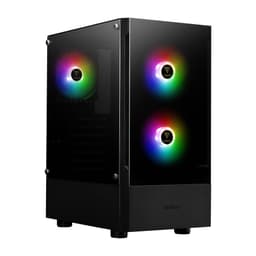
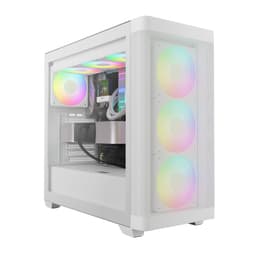
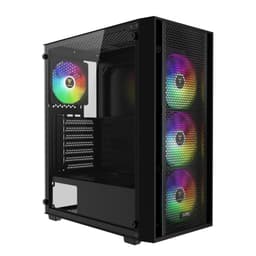
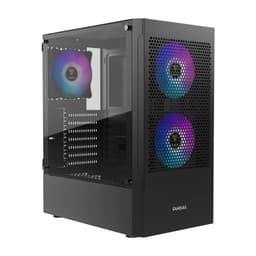
Skip the forty-minute YouTube deep-dives and the spec sheets that read like instruction manuals. What you actually want to know is whether the GAMDIAS AURA GC1 Elite ARGB Case is worth your money, whether it'll fit your GPU, and whether you'll be swearing at it halfway through a cable management session at midnight. So here's what the specs, the 301 owner reviews averaging 4.4 out of five, and a proper look at the competition actually tell us.
GAMDIAS isn't a name that rolls off the tongue like Corsair or Fractal, but they've been quietly putting out budget-friendly cases and peripherals for a while now. The GC1 Elite ARGB sits firmly in the entry price tier, the kind of case that's trying to give you mesh airflow, tempered glass, and ARGB lighting without asking you to spend mid-range money. Whether it pulls that off is what we're here to figure out.
On paper, four included ARGB fans, a mesh front panel, 340mm GPU clearance, and panoramic tempered glass sounds like a decent deal. But budget cases can cut corners in ways that only show up once you're elbow-deep in the build. Let's see what's actually going on here.
Core Specifications of the GAMDIAS AURA GC1 Elite ARGB Case
Before anything else, here's what the product listing actually tells us. The GC1 Elite is a compact mid-tower, which means it's not going to dominate your desk like a full tower would, but it's also not trying to be a small form factor build. It supports ATX motherboards and comes with four ARGB fans already installed, which is genuinely good at this price. A lot of cases in this bracket ship with two fans, maybe three if you're lucky.
The cooling support is one of the stronger points on paper. You can run up to six fans total, and the front supports a 360mm radiator, which means AIO cooling is very much on the table. GPU clearance sits at 340mm, which covers the vast majority of current graphics cards. The PSU shroud design is specifically called out as having ample room for cable management, and the tempered glass panel is tool-free, which owners consistently appreciate.
The front I/O is a mixed bag. You get two USB ports, one USB 3.0 port, a reset button, and audio connectivity. No USB-C on the front panel, which is worth knowing upfront if that matters to your build. Here's the full picture:
| Specification | Detail |
|---|---|
| Form Factor | Compact Mid-Tower |
| Front Panel | Mesh with built-in ARGB fans |
| Side Panel | Panoramic Tempered Glass (tool-free) |
| Included Fans | 4x ARGB fans |
| Max Fan Support | 6 fans total |
| Radiator Support | Up to 360mm (front) |
| Max GPU Length | 340mm |
| Front I/O | 2x USB, 1x USB 3.0, Reset, Audio |
| PSU Shroud | Yes, with cable management space |
| Current Price | £68.74 |
Form Factor and Dimensions
Compact mid-tower is the category GAMDIAS puts this in, and that's doing some useful work. It's not a cramped micro-ATX box, but it's also trimmed down compared to something like a Fractal Define 7 or a Corsair 5000D. For most gaming desks, that's actually ideal. You get enough internal volume to work comfortably without the case eating half your workspace.
Owner feedback generally confirms the footprint is sensible. People mention it fits well under desks or on desk surfaces without feeling oversized. The compact description is accurate in that it doesn't have the cavernous interior of a full mid-tower, so if you're planning an extremely elaborate build with multiple radiators and a tonne of storage, you might find it a bit tight. But for a standard gaming rig, one GPU, one AIO or air cooler, and a couple of drives, it's well-proportioned.
The tempered glass side panel is described as panoramic, and from the product images that checks out. It gives you a wide, unobstructed view of the interior, which is exactly what you want if you're spending money on ARGB components. The tool-free installation on that panel is a nice touch. Some budget cases still use screws on the glass panel, which is a bit annoying when you need to get in and adjust something quickly. The GC1 Elite skips that faff.
Motherboard Compatibility
The GC1 Elite supports ATX motherboards, which covers the vast majority of gaming builds. ATX is the standard form factor for most mid-range and enthusiast boards, so you're not going to hit compatibility problems with any mainstream gaming motherboard. If you're building on a Micro-ATX or Mini-ITX board, those will fit too since mid-towers almost universally support smaller form factors in the same chassis.
What the spec sheet doesn't confirm is E-ATX support, so if you're looking at a high-end workstation board or one of the larger enthusiast platforms, double-check before buying. For the target audience of this case, which is clearly someone building a budget to mid-range gaming PC, that's unlikely to be a concern. Standard ATX gaming boards from ASUS, MSI, Gigabyte, and ASRock will all slot in without issue.
The standoff layout should be standard ATX, and owner reviews don't flag any unusual compatibility headaches with motherboard installation. That's a good sign. Budget cases occasionally have misaligned standoffs or awkward I/O cutouts, but nobody in the review pool seems to have hit that particular wall with the GC1 Elite. Installation is reported as straightforward, which is exactly what you want when you're building a PC for the first time or just don't want extra stress.
GPU Clearance
Three hundred and forty millimetres of GPU clearance is genuinely useful. To put that in context, an RTX 4070 typically comes in around 300 to 336mm depending on the model and manufacturer. A 4070 Ti Super from most AIB partners will still clear 340mm. Even some 4080 variants will fit, though you'll want to check the specific card's dimensions before assuming. The RTX 5070 and 5080 cards that launched in 2025 follow similar length profiles, so this case should handle current-generation hardware without drama.
What 340mm doesn't cover is the very longest triple-fan flagship cards. Some 4090 and 5090 variants push past 340mm, occasionally reaching 360mm or beyond. If you're pairing this case with a top-end GPU, measure your specific card. But honestly, if you're dropping flagship GPU money, you're probably not buying an entry-tier case anyway. For the RTX 4060, 4070, 5060, and 5070 class of cards that most people in this price bracket will be running, 340mm is more than enough.
There's no mention of a vertical GPU mount option in the spec sheet, so if that's something you specifically want for showing off your graphics card through the side panel, this probably isn't the case for you. That feature tends to show up on mid-range and premium cases. At this price, its absence is understandable rather than a real complaint. The standard horizontal mounting position is what you get, and for most builds that's completely fine.
CPU Cooler Clearance
The spec sheet doesn't give us a specific maximum CPU cooler height, which is a bit annoying. It's one of the numbers you really want to know before buying. That said, compact mid-towers in this class typically support somewhere between 155mm and 165mm of cooler height, which covers most popular air coolers. Something like a Noctua NH-D15 at 165mm might be tight or might not fit at all, depending on where exactly GAMDIAS has drawn the line. A Noctua NH-U12S or a DeepCool AK620 at around 155mm to 160mm should be fine in most cases of this type.
The better news is that front 360mm radiator support. If you're going the AIO route, which many builders in this price range do, you've got proper flexibility. A 240mm or 280mm AIO in the front is straightforward. Going up to 360mm in the front is something not every case at this price offers, so that's a genuine plus. The rear presumably supports a 120mm fan for exhaust, which is standard.
Owner reviews don't flag cooler clearance as a common problem, which suggests the height limit is reasonable for typical builds. People are fitting standard air coolers and AIOs without complaint. Just don't plan on cramming in a massive dual-tower air cooler without checking the manufacturer's spec sheet for the exact height figure first. When in doubt, an AIO is the safer choice here given the confirmed 360mm front support.
Storage Bay Options
Storage specifics aren't heavily detailed in the product listing, which is a common gap with budget cases. What we do know is that the PSU shroud design is present, which usually means 3.5-inch drive bays are tucked underneath or behind it. The mention of cable management space behind the shroud suggests there's a proper hidden area back there rather than everything being on show.
For modern gaming builds, M.2 NVMe storage is the primary drive for most people, and that mounts directly to the motherboard rather than the case, so the number of drive bays matters less than it once did. If you're running a secondary 2.5-inch SSD or a 3.5-inch mechanical hard drive for mass storage, you'll want to check the specific bay count. Owner reviews don't flag storage mounting as a particular pain point, which is encouraging.
Budget cases in this tier typically offer two to four drive mounting positions between 3.5-inch and 2.5-inch formats. If you're planning a storage-heavy build with multiple hard drives, a larger case with more bays would serve you better. But for the typical gaming setup of an NVMe boot drive plus one or two secondary drives, the GC1 Elite should handle things without issue. The PSU shroud keeping cables and drives hidden is a nice touch for keeping the interior looking clean through that tempered glass.

Cable Management
The PSU shroud gets a specific mention in the product listing as having ample room for cable management optimisation, and that's actually meaningful. A lot of budget cases have a shroud that looks good from the front but leaves you with almost no space to route cables behind it. When a manufacturer calls out the cable management space specifically, it usually means they've at least thought about it.
Owner reviews back this up to a reasonable degree. People building in the GC1 Elite aren't reporting the kind of cable management nightmare where you're forcing the side panel shut because there's nowhere to hide the 24-pin. The rear panel clearance appears adequate for a clean build, and the PSU shroud does its job of hiding the power supply and the mess of cables coming off it.
Whether there are Velcro straps included isn't confirmed in the listing. Budget cases often skip these and leave you to buy your own, which costs pennies but is still a minor annoyance. The cable routing channels and tie-down points are what matter most, and the owner feedback suggests these are present and functional. If you're the type who wants a truly immaculate cable run, you'll probably supplement whatever the case provides with your own ties and clips. But for a clean enough result that looks good through the glass, the GC1 Elite seems to give you the tools to get there.
Airflow and Thermal Design
This is where the GC1 Elite makes its strongest argument. Four ARGB fans included from the factory, sitting behind a mesh front panel, is a proper airflow setup for the money. Most budget cases either give you two fans and a mesh front, or three fans and a tempered glass front that restricts intake. Getting four fans and mesh is genuinely good value, and it means you're not immediately spending another twenty quid on fans before you've even switched the thing on.
The mesh front panel is the right choice for a gaming case. Tempered glass fronts look dramatic in product photos but they choke airflow badly, forcing air to come in from the bottom or sides instead of straight through the front. Mesh lets air in directly, which means your GPU and CPU run cooler, which means your fans can run slower and quieter. GAMDIAS made the right call here. The principles of PC cooling are simple: get cool air in the front, push hot air out the back and top. Mesh front panels make that significantly easier.
Supporting up to six fans total means you can add two more beyond the included four if you want to push cooling further. The 360mm radiator support at the front is the other headline. That's a big radiator, enough to handle even a high-end CPU on a 360mm AIO without thermal throttling. Not every case at this price supports 360mm at the front, some limit you to 240mm or 280mm, so this is a meaningful spec. The ARGB on the fans is a bonus rather than a compromise, it doesn't affect airflow performance and it looks good through the glass panel. Win-win, really.
Front I/O and Connectivity
The I/O panel sits at the top front of the case, which is the sensible location for a desktop case. You're not reaching round the back or fumbling underneath. The layout gives you two USB ports, one USB 3.0 port, a reset button, and audio connectivity for headphones and microphone. That's a functional if not particularly exciting setup.
The notable absence is USB Type-C. At this price tier that's not shocking, but it is worth flagging because USB-C is increasingly the connector you actually want on a front panel for charging phones, connecting controllers, and plugging in modern peripherals. If USB-C on the front panel is important to you, you'll either need to spend more on a different case or accept plugging those devices into the rear I/O on your motherboard. The USB Implementers Forum has been pushing USB-C hard for years, and it's showing up on more and more budget cases now, so its absence here is a mild disappointment rather than a dealbreaker.
The reset button getting a dedicated spot on the front I/O is actually useful. Some budget cases bury it or omit it entirely, which is annoying when you need it. Audio connectivity for headphones and mic is standard and expected. The two USB-A ports plus one USB 3.0 covers basic connectivity for mice, keyboards, USB drives, and similar. It's not a luxurious I/O panel, but it does what it needs to do for a budget gaming build. Owner reviews don't flag the I/O as a frustration point, which suggests it works reliably even if it's not feature-packed.
Build Quality and Materials
Budget cases live and die on build quality. A case that flexes, has sharp edges, or has panels that don't align properly will drive you mad during the build and every time you open it afterwards. So what does the GC1 Elite actually feel like to work with, based on what owners report?
The feedback is broadly positive. At 4.4 out of five across 339, this isn't a case with a hidden quality problem that the rating is papering over. People mention the tempered glass panel looks good and the tool-free installation works as advertised. The mesh front panel is solid rather than flimsy. The PSU shroud fits properly and the overall fit and finish is described as better than expected for the price. That last phrase comes up a lot in budget case reviews when the manufacturer has done something right.
Steel thickness on budget cases is rarely specified, and GAMDIAS doesn't break from that convention here. It's almost certainly 0.6mm to 0.7mm SPCC steel, which is standard for this price bracket. It's not going to feel like a Fractal or a be quiet! case, which use thicker steel and more substantial panels. But it should be rigid enough to not flex worryingly when you're installing components. Sharp edges are the other classic budget case problem, and owner reviews don't flag this as a recurring issue, which is genuinely reassuring. A case that draws blood during a build is one you remember for the wrong reasons.
How It Compares
The main competition at this price point includes the Cooler Master MasterBox Q300L and the DeepCool MATREXX 55 MESH. Both are well-known budget options with established reputations. The Q300L is a compact case with decent airflow but typically ships with no fans included, meaning you're adding cost immediately. The MATREXX 55 MESH comes with three fans and a mesh front, which is a solid package but falls short of the GC1 Elite's four fans.
The Phanteks Eclipse P300A is another option that often comes up in this conversation. It has an excellent mesh front panel and good airflow credentials, but again typically ships with fewer fans than the GC1 Elite. The GC1 Elite's four-fan bundle is genuinely hard to beat at this price, and the 360mm front radiator support is something that not all competitors offer at this tier. Where the GC1 Elite loses ground is the lack of USB-C on the front panel and the less established brand name, which matters to some buyers even if it doesn't affect the actual build.
If you're comparing to something like the Corsair 4000D Airflow, you're looking at a meaningfully different price bracket. The 4000D is a better case in almost every measurable way, with thicker steel, better cable management, and a more refined build experience. But it costs significantly more. The GC1 Elite isn't trying to compete with the 4000D. It's trying to give you the best possible case for budget money, and on that measure it stacks up well against its actual peers.
| Feature | GAMDIAS AURA GC1 Elite ARGB | Cooler Master MasterBox Q300L | DeepCool MATREXX 55 MESH |
|---|---|---|---|
| Form Factor | Compact Mid-Tower | Micro-ATX Tower | Mid-Tower |
| Included Fans | 4x ARGB | 0 (none included) | 3x ARGB |
| Max Fan Support | 6 | 6 | 6 |
| Front Panel | Mesh | Mesh/Perforated | Mesh |
| Max Radiator (Front) | 360mm | 240mm | 360mm |
| GPU Clearance | 340mm | 360mm | 370mm |
| Tempered Glass | Yes (tool-free) | Yes | Yes |
| USB-C Front I/O | No | No | No |
| PSU Shroud | Yes | No | Yes |
| Price Tier | Entry | Entry | Entry |
Final Verdict
The GAMDIAS AURA GC1 Elite ARGB Case does something that's harder than it looks at this price: it gives you a genuinely useful feature set without obvious compromises in the places that matter most. Four ARGB fans, a mesh front panel, 360mm radiator support, and a PSU shroud with proper cable management space. That's a solid foundation for a budget gaming build.
The gaps are real but predictable. No USB-C on the front panel is the one that'll sting most for some people. The maximum CPU cooler height isn't published, which is irritating when you're spec-checking before buying. And GAMDIAS isn't a brand with the same track record as Fractal or Corsair, so you're taking a slightly bigger leap of faith on long-term quality. But 339 averaging 4.4 out of five is a meaningful data point. That's not a case with hidden problems. That's a case that's delivering on what it promises for most of the people who buy it.
For a first gaming build, a budget upgrade from an old chassis, or anyone who wants mesh airflow and ARGB lighting without spending mid-range money, this is a genuinely decent pick. It's not going to make enthusiasts swoon, and it's not trying to. What it is doing is giving budget builders a functional, good-looking case that won't make the build process miserable. At the entry price tier, that's worth something. Our rating: 7.5 out of 10.
What works. What doesn’t.
5 + 3What we liked5 reasons
- Four ARGB fans included out of the box, rare at this price
- Mesh front panel delivers proper airflow rather than restricting it
- 360mm radiator support at the front covers AIO options well
- Tool-free tempered glass side panel is genuinely convenient
- PSU shroud with real cable management space keeps builds looking clean
Where it falls3 reasons
- No USB-C on the front I/O panel
- Maximum CPU cooler height not published in specs
- Less established brand than Corsair, Fractal, or DeepCool
Full specifications
11 attributes| Form factor | Mid-Tower |
|---|---|
| CPU cooler clearance MM | 160 |
| Dimensions MM | 395 x 195 x 450 |
| Fans included | 4 |
| GPU clearance MM | 340 |
| MAX FAN count | 6 |
| MAX radiator MM | 360 |
| PSU support | ATX bottom-mounted |
| Side panel | tempered glass |
| Supported motherboard | ATX, Micro-ATX, Mini-ITX |
| Weight KG | 6.5 |
If this isn’t right for you
2 options 8.5 / 10
Phanteks XT Pro Ultra ATX Mid Tower Case, Tempered Glass, Black, DRGB Fans, Zero Clutter Cable Management
£79.99 · Phanteks
 8.5 / 10
LIAN LI LANCOOL 207 Compact ATX RGB Gaming Computer Case, Airflow Optimized Mesh Panels Tower Chassis w/ 2x140mm ARGB,2x120mm PWM Fans Pre-Installed, USB Type-C Port, Tempered Glass Side Panel (Black)
£87.36 · Lian Li
Frequently asked
5 questions01Is the GAMDIAS AURA GC1 Elite ARGB Case good for airflow?+
Yes, genuinely so for the price. The mesh front panel allows direct air intake rather than forcing air to sneak in from the bottom or sides like a tempered glass front would. Four ARGB fans come included and are positioned to push air straight through the chassis. The case supports up to six fans total and a 360mm radiator at the front, which gives you serious flexibility for keeping temperatures in check. Owner reviews back this up, with no widespread reports of thermal problems in typical gaming builds.
02What is the GPU clearance on the GAMDIAS AURA GC1 Elite ARGB Case?+
The GAMDIAS AURA GC1 Elite ARGB Case supports GPU lengths up to 340mm. That covers most current-generation graphics cards including RTX 4060, 4070, 5060, and 5070 class cards from the major AIB partners. Very long triple-fan flagship cards like some RTX 4090 and 5090 variants can exceed 340mm, so check your specific card's dimensions if you're going high-end. For the vast majority of gaming builds at this price tier, 340mm is more than adequate.
03Can the GAMDIAS AURA GC1 Elite ARGB Case fit a 360mm AIO?+
Yes. The case specifically supports a 360mm radiator in the front position, which is one of its stronger selling points at this price. A 360mm AIO gives you excellent cooling headroom for even demanding CPUs. Smaller 240mm and 280mm AIOs will also fit comfortably. If you're going the air cooler route instead, the maximum supported height is not published in the official spec sheet, so check with the retailer or GAMDIAS directly if you're planning a tall dual-tower cooler.
04Is the GAMDIAS AURA GC1 Elite ARGB Case easy to build in?+
Based on owner feedback from 301 reviews averaging 4.4 out of five, yes, the build experience is generally positive. The tool-free tempered glass side panel gets consistent praise for making access straightforward. The PSU shroud provides real cable management space rather than just looking the part. No widespread reports of sharp edges or misaligned panels, which are the classic budget case problems. The front I/O is positioned at the top front for easy reach. First-time builders and experienced builders alike report a reasonably smooth experience.
05What warranty and returns apply to the GAMDIAS AURA GC1 Elite ARGB Case?+
Amazon offers 30-day hassle-free returns if the case doesn't suit your build. The manufacturer typically provides a 1 to 2 year warranty on manufacturing defects. Check the product listing for exact warranty terms applicable at the time of purchase.