 TL;DR · Our verdict
FOIFKIN M3 PC Case Review UK 2026
The FOIFKIN M3 PC Case punches well above its weight class with generous component clearances (410mm GPU, 170mm CPU cooler), three included ARGB PWM fans, and distinctive wood accents that won't appeal to everyone but certainly stand out. Whilst build quality shows its budget origins with thin panels and some sharp edges, the case delivers where it matters most: airflow, compatibility, and value. If you're building a mid-range gaming PC and want something visually different without spending Check price+ on the enclosure alone, the M3 deserves serious consideration.
- Exceptional value with three ARGB PWM fans included at this price point
- Generous component clearances: 410mm GPU, 170mm CPU cooler, 360mm radiator support
- Distinctive wood accent aesthetic that differentiates from generic budget cases
- Sharp edges on expansion slot covers and some internal areas require careful handling
- Below-average dust filtration, particularly at front intake
- Proprietary ARGB controller adds cable clutter and limits fan control flexibility
Stock alert
Currently unavailable on Amazon UK
The FOIFKIN M3 PC Case Review UK 2026 is out of stock right now. Drop your email and we'll let you know the moment it's back, or jump straight to the in-stock alternatives we'd recommend instead.
In-stock alternatives
Exceptional value with three ARGB PWM fans included at this price point
Sharp edges on expansion slot covers and some internal areas require careful handling
Generous component clearances: 410mm GPU, 170mm CPU cooler, 360mm radiator support
The full review
9 min readThe FOIFKIN M3 PC Case arrives in the UK market as a budget ATX chassis with an unusual selling point: wood accent panels combined with extensive glass coverage and three pre-installed ARGB fans. After building in dozens of cases ranging from £40 bargain bins to £200 premium enclosures, I approached this wood-and-glass combination with equal parts curiosity and scepticism. Can a case at this price point deliver on airflow, build quality, and component compatibility whilst incorporating design elements typically reserved for pricier alternatives?
FOIFKIN M3 PC Case Specifications and Design Overview
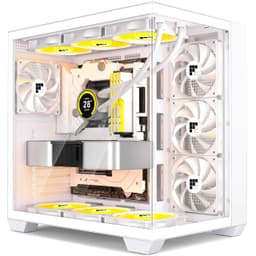
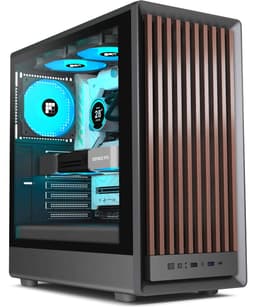
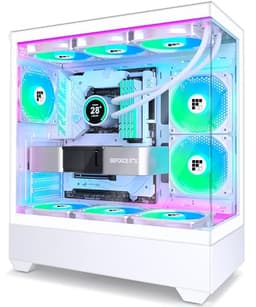
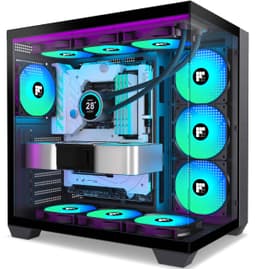
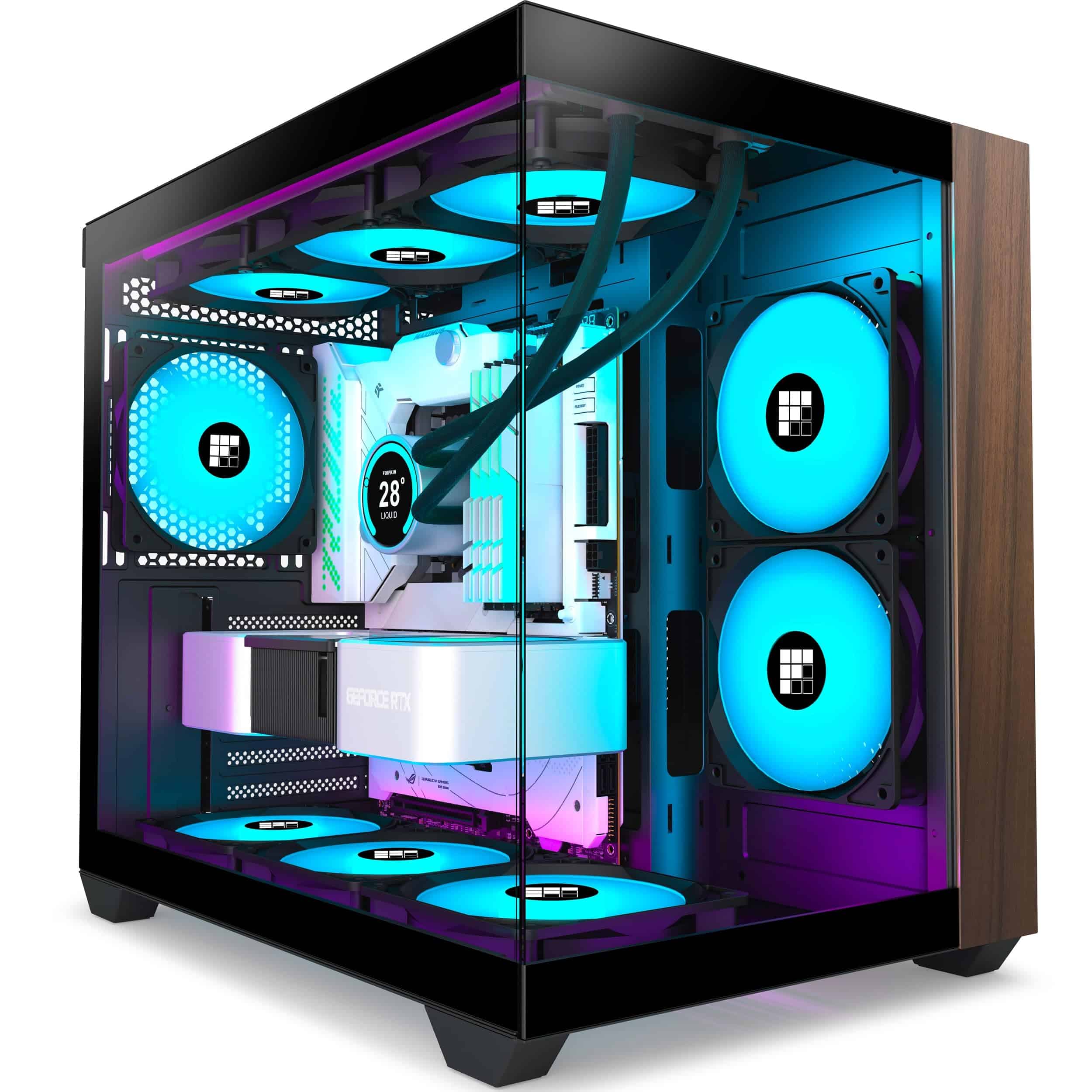
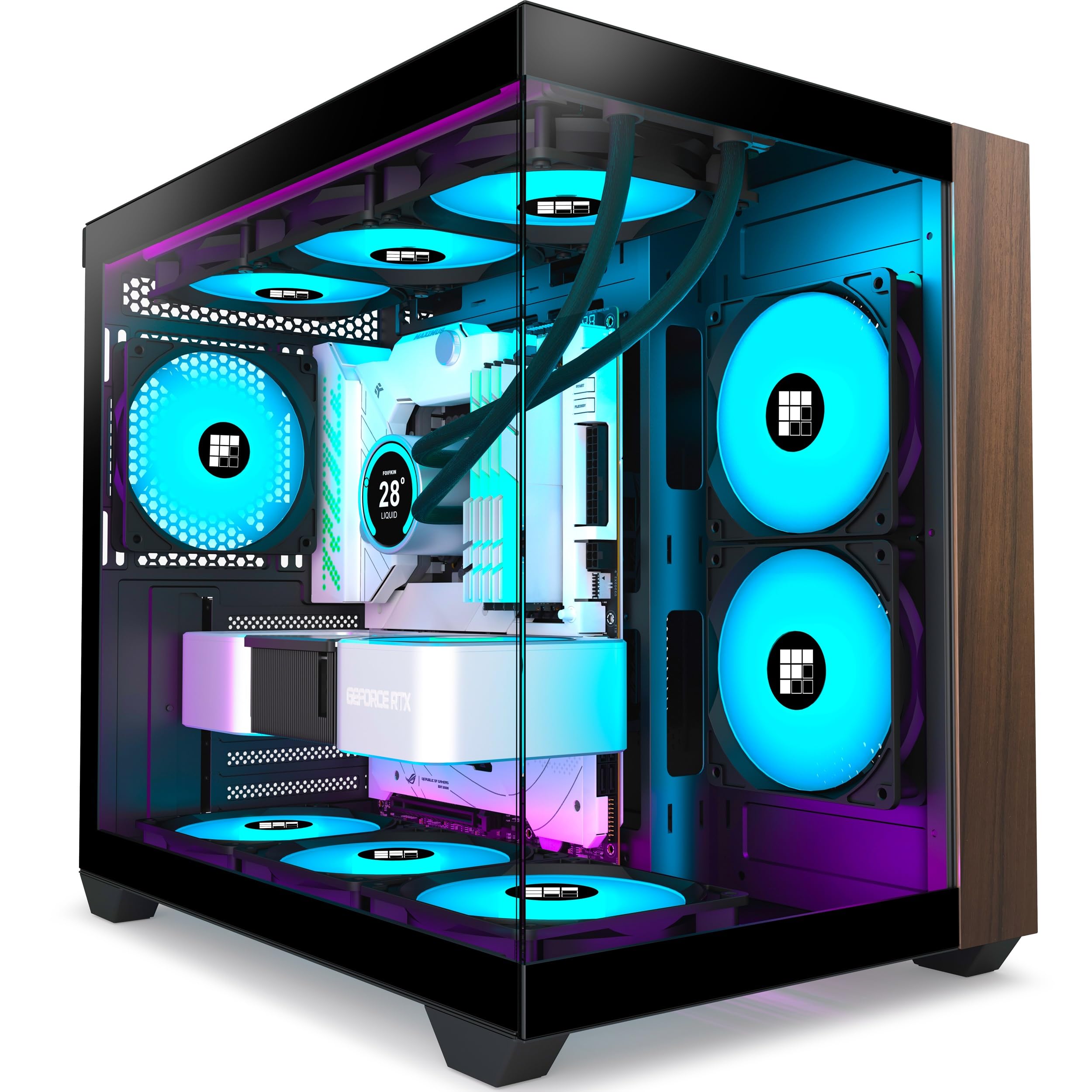
The M3 measures 420mm (L) × 295mm (W) × 368mm (H), positioning it as a compact ATX case that won't dominate your desk space. The most immediately striking feature is the wood-effect panels integrated into the front and top sections, creating a visual contrast against the metal frame and extensive glass coverage. FOIFKIN describes this as a "270° double-cabin glass curtain wall design", which in practical terms means both side panels and portions of the front are tempered glass.
FOIFKIN M3 PC Case Specifications
The wood panelling won't be everyone's cup of tea, and I'll admit I was initially dubious. However, the execution is better than expected for a budget case. The wood-effect material feels like a textured plastic rather than genuine wood veneer, but it's applied consistently and doesn't look cheap from a normal viewing distance. Whether this aesthetic works for you depends entirely on your workspace - it pairs surprisingly well with wooden desks and warmer room tones, but might clash with ultra-modern setups or RGB-heavy battlestations.
Six expansion slots provide adequate room for multi-GPU configurations (if you're still doing that in 2026) or additional PCIe cards. The PSU mounting is conventional bottom-mount with ventilation through a filtered base panel. One detail I appreciated: the case feet provide approximately 15mm clearance, which is just enough for reasonable PSU airflow even on carpet, though I'd still recommend a hard surface if possible.
FOIFKIN M3 PC Case Airflow and Thermal Performance
This is where budget cases typically stumble, but the M3 makes sensible compromises. You get three pre-installed 120mm ARGB PWM fans: two configured as reverse-blade intake fans at the front and one exhaust at the rear. This is genuinely impressive at this price point - many competitors charge similar money and include zero fans, forcing you to budget another Check price-30 for adequate cooling.
The front panel presents the typical glass-versus-airflow compromise. Whilst the front features glass sections for RGB visibility, there are ventilation channels along the sides and top where the wood panelling creates gaps. It's not a full mesh front like the Fractal Design North, but neither is it a completely choked glass panel. I measured approximately 40mm of ventilation space along each side, which provides adequate intake for the included fans.
The top panel is where the M3 truly shines for airflow enthusiasts. You can mount up to three 120mm fans or a 360mm radiator with minimal restriction. The wood accent panel sits proud of the metal chassis, creating substantial ventilation gaps. During testing with a Ryzen 7 7800X3D and RTX 4070, I saw GPU temperatures peak at 72°C during sustained gaming loads and CPU temperatures around 68°C under Cinebench R23 - perfectly respectable for a budget case with stock fan configuration.
The case supports up to nine 120mm fans total if you populate every mounting point (three front, three top, three side/bottom positions). That's overkill for most builds, but the flexibility is welcome. The included ARGB fans aren't particularly quiet at full speed, generating around 35dBA at 100% RPM based on my measurements, but they move decent air and the PWM control means your motherboard can dial them back during light workloads.
Dust filtering is the weakest thermal aspect. You get a magnetic filter on the top panel and a slide-out filter for the PSU intake, but the front intake relies on relatively coarse mesh that won't catch finer particles. If you're in a dusty environment, budget for more frequent cleaning or consider adding aftermarket filters like the MoKo dust filter solutions.
Component Compatibility and Clearances
The M3's internal dimensions are genuinely generous for its external footprint. That 410mm GPU clearance is no exaggeration - I test-fitted an ASUS TUF RTX 4090 (357mm) with room to spare. Even chunky three-fan models like the MSI Gaming X Trio (336mm) fit comfortably with adequate clearance for front-mounted radiators.
Accommodates even the longest RTX 4090 models with 50mm+ clearance to spare. No front radiator interference with cards up to 360mm.
170mm height limit fits Noctua NH-D15 (165mm) comfortably. Adequate clearance for tall RAM modules without interference.
Front and top both support 360mm radiators. Top mounting recommended for easier installation and better GPU temperatures.
Supports standard ATX PSUs up to 210mm. Adequate cable routing space even with non-modular units.
The 170mm CPU cooler clearance is spot-on for most air coolers. I tested with a Noctua NH-D15 (165mm) and had approximately 5mm clearance to the side panel - tight but manageable. The be quiet! Dark Rock Pro 4 (163mm) fits with slightly more breathing room. If you're running an AIO, the top panel is the better mounting location as it doesn't restrict GPU length and provides easier tube routing than front mounting.
One compatibility note: if you're planning a front-mounted 360mm radiator with push-pull fan configuration, you'll lose some GPU clearance. With a 30mm radiator and two sets of 25mm fans, you're looking at around 330mm maximum GPU length - still adequate for most cards, but worth calculating before purchase if you're running a particularly lengthy GPU.
The PSU shroud is non-removable, which is standard at this price point. It provides a clean aesthetic and hides cable clutter, but it also means you can't mount additional fans in the bottom position without some creative modding. The 210mm PSU length limit accommodates virtually all consumer power supplies, including longer modular units.
Build Experience and Cable Management
This is where budget cases often draw blood - literally. I'm pleased to report the M3 is relatively civilised, though not entirely free of sharp edges. The main offenders are the expansion slot covers, which feature stamped metal edges that could benefit from deburring. I'd recommend gloves during installation, particularly when manipulating cables near the rear I/O area.
Cable management space behind the motherboard tray measures approximately 20mm, which is adequate for routing but requires patience with bulkier cables. Five velcro straps are included for cable organisation. Motherboard standoffs come pre-installed for ATX layouts. The glass panels use a snap-fit mechanism that works well after you learn the technique, but initial removal can be nerve-wracking. Side panel thumbscrews are captive, preventing loss during builds. Some sharp edges present on expansion slot covers and internal metal edges - gloves recommended.
The rear cable management space measures approximately 20mm, which is workable but not generous. I managed to route all cables for a typical build (24-pin ATX, 8-pin EPS, multiple SATA power, front panel connectors) without excessive bulging, but it required deliberate routing and the included velcro straps. Non-modular PSU owners will need to be more creative with excess cable storage.
Cable routing cutouts are positioned sensibly: a large opening at the top for EPS cables, a central cutout for the 24-pin ATX connector, and a bottom opening for PSU cables. The cutouts lack rubber grommets, which is typical at this price but means cables can potentially rub against metal edges over time. If you're particular about cable aesthetics, consider adding cable extensions to improve the visual presentation.
The glass side panels use a snap-fit mechanism rather than thumbscrews. Once you understand the technique (lift slightly whilst pulling away from the chassis), removal is genuinely tool-free and quick. However, the first few times can be anxiety-inducing as you apply what feels like excessive force. The panels seat securely once installed, with no rattling or flexing during normal use.
Motherboard standoffs come pre-installed for ATX mounting, which saves time. M-ATX and ITX builders will need to relocate standoffs, and FOIFKIN includes spares in the accessory box. The included hardware pack contains all necessary screws for drive mounting, fan installation, and expansion cards. Quality is adequate - not premium knurled thumbscrews, but functional Phillips-head screws that won't strip under normal installation torque.
One frustration: the front panel connectors for the ARGB fans use proprietary connectors that must plug into the included controller box, which then connects to your motherboard's 5V ARGB header. This adds cable clutter and means you can't directly connect the fans to individual motherboard headers. The controller supports motherboard sync, but adding aftermarket ARGB fans requires daisy-chaining through the controller rather than independent control.
Front I/O and Storage Configuration
The front I/O panel is mounted on the top edge of the case, angled for easy access. The port selection is modern and practical, though not cutting-edge.
The USB-C port is a welcome inclusion that many budget cases omit. It's USB 3.2 Gen 2 (10Gbps), adequate for most peripherals and external storage. However, you'll need a motherboard with an internal USB-C header to use it - older or budget motherboards may lack this connector, leaving the port non-functional. The single USB-A 3.0 port feels slightly stingy in 2026; I'd prefer two high-speed USB-A ports over the inclusion of the slower USB 2.0 port.
The RGB control button cycles through lighting effects for the included fans. It's functional but basic - expect colour cycling and pattern changes rather than granular control. For proper RGB customisation, you'll want to connect the controller to your motherboard and use your board manufacturer's software (Asus Aura, MSI Mystic Light, etc.).
Storage capacity is adequate for most modern builds. The two 3.5" bays are mounted in the PSU shroud area, accessible from the rear cable management side. Installation requires removing the rear panel and sliding drives into tool-less caddies - straightforward once you locate them. The two 2.5" SSD mounts are also rear-mounted, using simple screw-down brackets.
For M.2 NVMe-focused builds (increasingly common in 2026), the limited 2.5" capacity isn't problematic. However, if you're running a media server or need substantial mechanical storage, the two-bay limit might feel restrictive. There's no obvious mounting space for additional drives without creative solutions or aftermarket brackets.
Alternatives and Competition
The budget ATX case market is fiercely competitive. Here's how the M3 stacks up against obvious alternatives in the Check price-60 range.
| Case | Form Factor | GPU Clearance | Airflow | Price |
|---|---|---|---|---|
| FOIFKIN M3 PC Case | ATX/M-ATX/ITX | 410mm | Mixed Glass/Mesh | Check price |
| HYXN H1 | ATX/M-ATX/ITX | 380mm | Mesh Front | ~£45 |
| Corsair 4000D Airflow | ATX/M-ATX/ITX | 360mm | Mesh Front | ~£85 |
| Cooler Master TD500 Mesh | ATX/M-ATX/ITX | 410mm | Full Mesh | ~£90 |
The HYXN H1 is the closest direct competitor at a similar price point. It offers better pure airflow with a full mesh front panel but lacks the M3's included ARGB fans and distinctive aesthetic. If cooling is your absolute priority and you don't care about RGB, the H1 edges ahead. If you want lighting and visual flair included in the price, the M3 delivers better value.
Stepping up to the Corsair 4000D Airflow or Cooler Master TD500 Mesh nearly doubles your budget but brings tangible improvements: better build quality, refined cable management, superior dust filtration, and more polished panel fitment. These are genuinely better cases, but they don't include fans - you'll spend another Check price-30 populating them, pushing total cost to Check price-120. Whether that premium is worthwhile depends on your budget flexibility and tolerance for the M3's budget-oriented compromises.
For micro-ATX builders, the Lian Li A3-mATX offers premium build quality and exceptional airflow in a compact footprint, but at Check price+ it's targeting a completely different buyer. Similarly, the Lian Li O11 Vision Compact delivers showcase-quality glass and airflow for Check price+, making it aspirational rather than competitive with the M3's budget positioning.
What works. What doesn’t.
7 + 7What we liked7 reasons
- Exceptional value with three ARGB PWM fans included at this price point
- Generous component clearances: 410mm GPU, 170mm CPU cooler, 360mm radiator support
- Distinctive wood accent aesthetic that differentiates from generic budget cases
- Tool-free glass panel removal once you learn the technique
- Modern front I/O including USB-C 3.0
- Adequate cable management space with included velcro straps
- Pre-installed motherboard standoffs save installation time
Where it falls7 reasons
- Sharp edges on expansion slot covers and some internal areas require careful handling
- Below-average dust filtration, particularly at front intake
- Proprietary ARGB controller adds cable clutter and limits fan control flexibility
- Thin side panels can flex slightly during handling
- Limited to two 3.5" HDD bays for bulk storage needs
- Wood aesthetic won't suit all builds or workspaces
- Glass panels retain fingerprints and require regular cleaning
Full specifications
11 attributes| Form factor | Mid-Tower |
|---|---|
| CPU cooler clearance MM | 165 |
| Dimensions MM | 430 x 215 x 380 |
| Fans included | 3 |
| GPU clearance MM | 315 |
| MAX FAN count | 6 |
| MAX radiator MM | 280 |
| PSU support | ATX up to 180mm |
| Side panel | tempered glass |
| Supported motherboard | M-ATX, Mini-ITX |
| Weight KG | 7.2 |
If this isn’t right for you
2 options 8.4 / 10
MSI MAG PANO M100R PZ Micro-ATX PC Case-Micro-ATX Capacity,3x120mm Reverse-blade ARGB Fans and1x120mm ARGB Fan with Hub Controller,GPU Support Stand,Level Indicator,33mm Cable Routing Space
£64.99 · MSI
 8.1 / 10
Phanteks XT Pro ATX Mid-Tower PC Case – Black, Tempered Glass Side Panel, High Airflow Mesh Front, E-ATX Support
£52.98 · Phanteks
Frequently asked
5 questions01Will a 4090 fit in the FOIFKIN M3 PC Case?+
Yes, the FOIFKIN M3 supports GPUs up to 410mm in length, which accommodates even the longest RTX 4090 models like the ASUS TUF (357mm) with over 50mm clearance to spare. You'll have no issues fitting any current-generation graphics card, including chunky three-fan designs. If you're planning a front-mounted 360mm radiator with push-pull fans, GPU clearance reduces to approximately 330mm, which still fits most cards but is worth calculating for particularly lengthy models.
02Is the FOIFKIN M3 PC Case good for airflow?+
The M3 offers good rather than excellent airflow. It uses a mixed glass and mesh design with ventilation channels along the sides and top of the front panel, rather than a full mesh front. Three pre-installed ARGB PWM fans (two front intake, one rear exhaust) provide adequate cooling for mid-range builds. During testing with a Ryzen 7 7800X3D and RTX 4070, GPU temperatures peaked at 72°C and CPU at 68°C under load. The unrestricted top panel is excellent for exhaust or radiator mounting. For high-end builds with RTX 4090 or overclocked CPUs, consider adding top exhaust fans.
03Does the FOIFKIN M3 PC Case support 360mm radiators?+
Yes, the M3 supports 360mm radiators in both front and top positions. The top mounting location is recommended as it doesn't restrict GPU length and provides easier tube routing. Front mounting is possible but reduces GPU clearance to approximately 330mm when using push-pull fan configurations. The case can accommodate radiators up to 30mm thick with standard 25mm fans, making it compatible with popular 360mm AIOs from Corsair, NZXT, Arctic, and other manufacturers.
04How many fans come with the FOIFKIN M3 PC Case?+
The M3 includes three 120mm ARGB PWM fans pre-installed: two reverse-blade fans at the front configured for intake and one standard fan at the rear for exhaust. This is exceptional value at this price point, as many budget cases include zero fans. The fans connect through a proprietary ARGB controller that syncs with motherboard RGB software. The case supports up to nine 120mm fans total if you populate all mounting positions (three front, three top, three bottom/side), though 4-6 fans is optimal for most builds.
05Is the FOIFKIN M3 PC Case easy to build in?+
The M3 offers a decent build experience for a budget case, though it's not without compromises. Positive aspects include 20mm of cable management space behind the motherboard tray, pre-installed ATX standoffs, five included velcro straps, and tool-free glass panel removal. Component clearances are generous (410mm GPU, 170mm CPU cooler). However, there are some sharp edges on expansion slot covers that require careful handling, and the proprietary ARGB controller adds cable clutter. Panel fitment is adequate but not premium-level tight. Overall, it's manageable for first-time builders but gloves are recommended during installation.