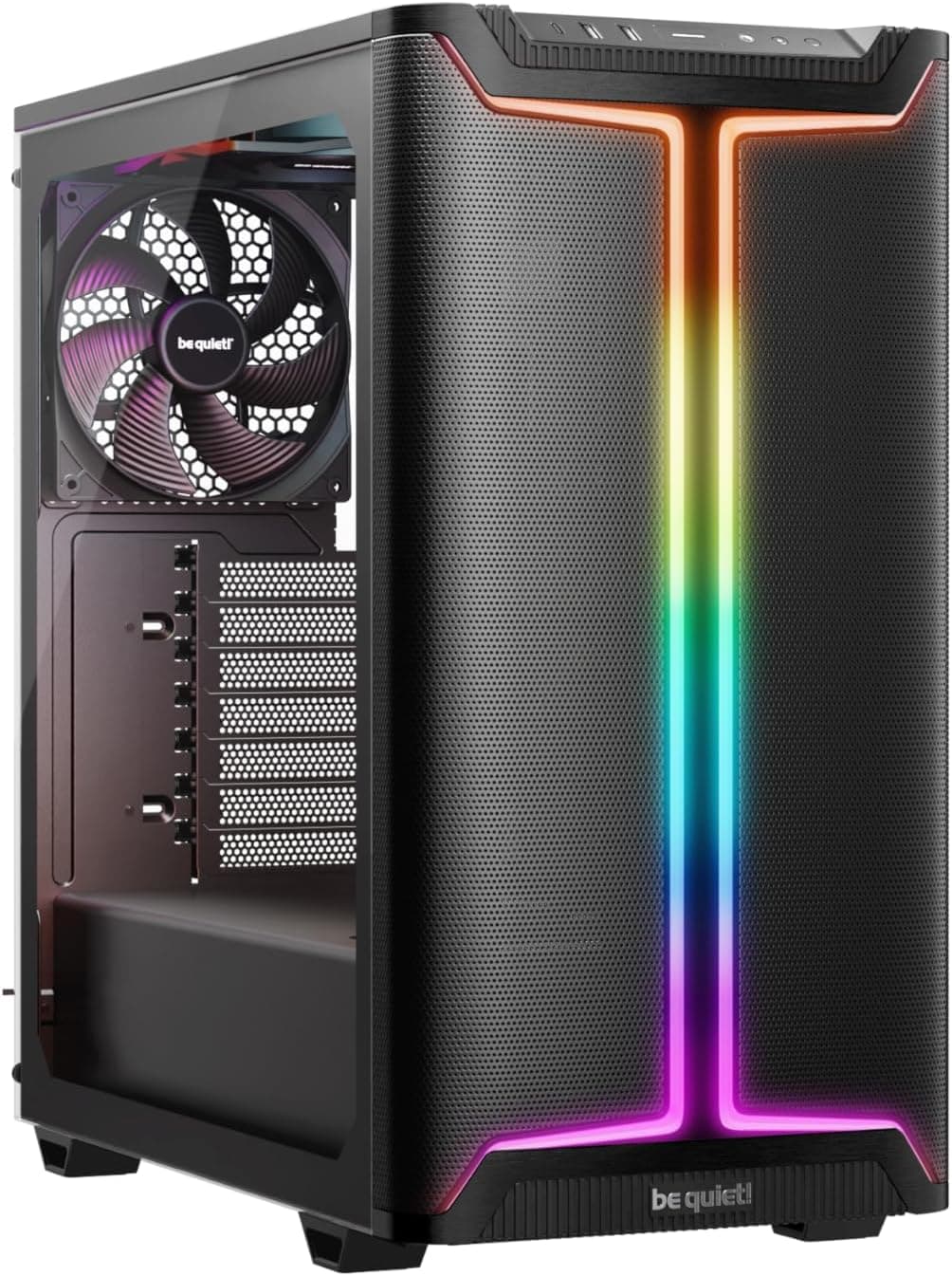
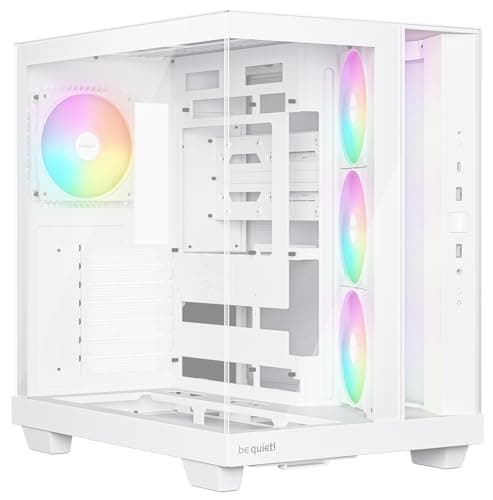
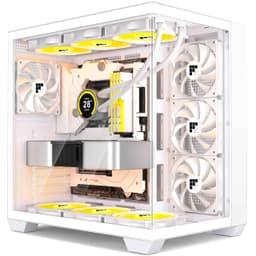
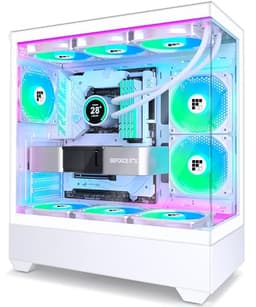
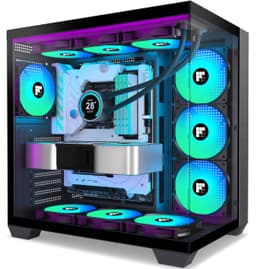
Marketing photos of budget PC cases are basically lies. Six fans, tempered glass, RGB everywhere, and then you dig into the owner feedback and find out the cable routing is a mess, the steel flexes like cardboard, and half those fans sound like a hair dryer on full blast. The FOIFKIN K6 sits somewhere more interesting than that, though. It's not a disaster, but it's not a hidden gem either. The ★★★★☆ (4.0) from 36 owners tells you exactly what you're dealing with: a case that does more than you'd expect for the money, with some compromises that will matter depending on how fussy you are about the build experience.
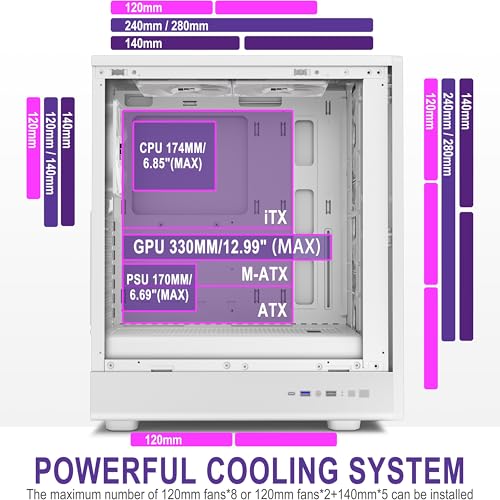
What the K6 actually brings to the table is a pre-installed six-fan ARGB setup (three 140mm at the front, three 120mm elsewhere), tool-less snap-off glass panels, a Type-C port on the front I/O, and clearances that will handle most mainstream builds without drama. The GPU limit is 330mm, CPU cooler height tops out at 174mm, and the whole chassis measures 370 x 220 x 450mm. For a budget mid-tower, that's a decent package. The FOIFKIN K6 PC Case with Pre-Installed 6 PWM ARGB Fan (3x 140mm and 3x120mm), ATX Mid-Tower Gaming PC Case, With Type-C, Black (White, K6) is clearly aimed at first-time builders or anyone doing a budget gaming build who wants RGB out of the box without buying fans separately. Whether it earns that sale is what we're here to work out.
The brand itself is not exactly a household name. FOIFKIN isn't in the same conversation as Fractal Design, Lian Li, or even Phanteks. But unknown brands can still make decent cases, and the specs here are at least honest about what you're getting. So let's go through it properly, section by section, and see where the value is and where the cracks appear.
Core Specifications
The K6 is a mid-tower chassis built around a vertical bar design with a rectangular body. The external dimensions are 370 x 220 x 450mm (roughly 14.6 x 8.7 x 17.7 inches), which puts it on the slimmer side for a mid-tower. That 220mm width is worth noting if you're planning a chunky build, because narrower cases mean tighter rear-panel clearance for cable management. It supports ATX, Micro-ATX, and Mini-ITX motherboards, and there are seven expansion slots, so you're not losing anything there compared to a standard ATX chassis.
Fan support is one of the headline numbers. Six fans come pre-installed, and the side, top, and PSU area fan mounting points can accommodate up to eight 120mm fans total. Radiator support goes up to 240mm or 280mm at the top. GPU length is capped at 330mm, CPU cooler height at 174mm, and the PSU length limit is 170mm ATX. Storage options are either two HDDs plus two SSDs, or one HDD plus three SSDs depending on configuration. That's a decent spread for a mid-range build.
The front I/O includes a Type-C 3.0 port, one USB 3.0, one USB 2.0, combined microphone and audio, plus power and restart buttons. That's a solid port selection for this price tier. A lot of budget cases still skip Type-C entirely, so getting it here is a genuine plus. Price-wise, check the current figure below since it moves around, but this sits firmly in the budget segment.
| Specification | Detail |
|---|---|
| Form Factor | Mid-Tower |
| Dimensions | 370 x 220 x 450mm (14.6 x 8.7 x 17.7 in) |
| Motherboard Support | ATX, Micro-ATX, Mini-ITX |
| Included Fans | 6x ARGB PWM (3x 140mm front, 3x 120mm) |
| Max Fan Mounts | Up to 8x 120mm (side, top, PSU area) |
| Radiator Support | Top: 240mm / 280mm |
| Max GPU Length | 330mm |
| Max CPU Cooler Height | 174mm |
| PSU Type / Max Length | ATX, up to 170mm |
| Drive Bays | 2x HDD + 2x SSD or 1x HDD + 3x SSD |
| Expansion Slots | 7 |
| Front I/O | 1x Type-C 3.0, 1x USB 3.0, 1x USB 2.0, Mic/Audio, Power, Reset |
| Panel Design | Tool-less snap-on tempered glass side panels |
| Current Price | Check price |
Form Factor and Dimensions
At 370 x 220 x 450mm, the K6 is a mid-tower that leans toward the compact end of the spectrum. The 220mm width is notably narrower than cases like the Fractal Design Pop Air (230mm wide) or the Corsair 4000D Airflow (453mm tall with more breathing room). That slimmer profile is actually a selling point if you're tight on desk space, but it does have knock-on effects for the build experience, particularly around cable routing behind the motherboard tray.
The vertical bar design is the visual hook here. Instead of a big mesh or glass front panel, the K6 uses a strip-style panel that the marketing says improves airflow and RGB visibility at the same time. In practice, this kind of design tends to limit the front intake area compared to a full mesh front. That's worth keeping in mind when we get to thermals. The chassis is described as having good sound insulation, which often means there's some foam or dampening material involved, though how effective that is at budget price points varies a lot from case to case.
The footprint is genuinely reasonable for a desk. It won't dominate your workspace the way a full-tower would, and it's not so small that you'll be fighting for space inside during the build. For most people building a standard gaming rig with an ATX board, a mid-range GPU, and a 240mm AIO or a decent tower cooler, the dimensions here are fine. Just don't go expecting the internal space of something like a Fractal Meshify 2 at this price.
Motherboard Compatibility
The K6 supports ATX, Micro-ATX, and Mini-ITX motherboards. That covers the vast majority of what anyone building a gaming or office PC will be using. Standard ATX boards (305 x 244mm) are the primary target here, and the chassis dimensions suggest the tray is sized accordingly. Micro-ATX and Mini-ITX will fit with room to spare, though you might find cable routing gets a bit awkward with smaller boards since the cutouts and tie-down points are usually positioned for ATX layouts.
There's no mention of Extended ATX (E-ATX) support, which isn't a surprise at this price point. E-ATX boards (typically 305 x 330mm or wider) are for high-end workstation and HEDT builds, and they need a bigger chassis with wider standoff spacing. If you're running something like an AMD Threadripper board or a dual-socket server board, the K6 is not your case. But for the Intel Core or AMD Ryzen mainstream platforms, you're fine.
Seven expansion slots is the standard ATX count, so you can fit a full-length GPU plus additional PCIe cards without any issues. That matters if you're adding a capture card, a PCIe sound card, or a Wi-Fi card on a board that doesn't have it built in. Nothing unusual here, just a confirmation that the K6 doesn't cut corners on the expansion side. The PCI-SIG standard ATX layout is fully supported.
GPU Clearance
The K6 supports GPUs up to 330mm in length. That's enough for a lot of current cards, but not all of them. To put it in context: the Nvidia RTX 4070 Super Founders Edition comes in at around 336mm, which would be too long. The RTX 4070 (non-Super) at around 244mm is fine. Most AMD RX 7700 XT and RX 7800 XT cards from third-party vendors sit in the 270mm to 310mm range, so those are generally okay. But the bigger triple-fan flagship cards from ASUS, MSI, and Gigabyte often push past 330mm, so you need to check your specific card's dimensions before buying.
The 330mm limit is honestly a bit tight for a case that's pitching itself at gamers. The Corsair 4000D Airflow, for comparison, goes up to 360mm. The Phanteks Eclipse P300A handles up to 355mm. If you're pairing the K6 with a high-end GPU, measure twice. That said, most people buying a budget mid-tower are pairing it with a mid-range GPU, and 330mm covers the majority of those cards without any issue.
There's no mention of a vertical GPU mount option in the spec sheet, which is pretty standard for budget cases. Vertical mounts typically require a riser cable and specific bracket support, and they're more of a premium feature. If showing off your GPU through the glass is the priority, you'll want to look at cases specifically designed for that. For the K6, the GPU sits horizontally in the standard orientation, visible through the side panel but not the centrepiece of the build.
CPU Cooler Clearance
The maximum CPU cooler height is 174mm. That's actually quite generous for a mid-tower of this width. Popular tower coolers like the Noctua NH-D15 (165mm tall) and the be quiet! Dark Rock Pro 5 (163mm) both fit comfortably. Even some of the taller single-tower coolers that push toward 170mm should be fine. You'd have to go out of your way to pick a cooler that's too tall for this case.
For AIO liquid coolers, the top of the chassis supports up to 280mm radiators. That means a 240mm AIO fits easily, and a 280mm AIO should also work. There's no front radiator support mentioned in the spec sheet, which is a notable limitation. Most cases with a mesh or open front panel can accommodate a 360mm radiator at the front, which is the preferred mounting position for CPU cooling because it draws in fresh cool air rather than exhausting warm air from the case. If you're planning a 360mm AIO, this is not the case for it.
The 280mm top mount is still a solid option for most AIO builds. A 240mm or 280mm AIO mounted at the top works well as long as your RAM doesn't have tall heatspreaders that conflict with the radiator. That's a common issue in narrower cases, so worth checking your RAM height if you're going that route. Overall, the cooling clearances here are decent for a budget mid-tower, especially if you're sticking with a tower air cooler or a compact AIO.
Storage Bay Options
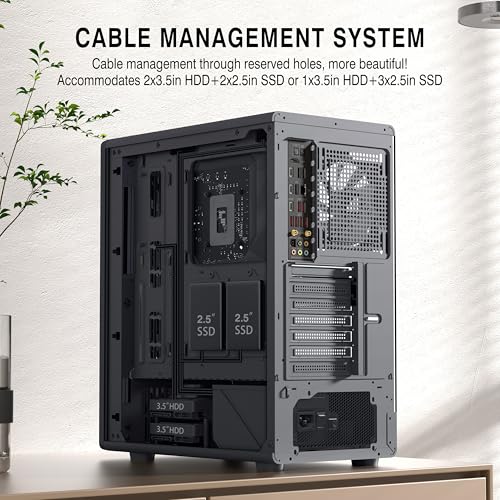
The K6 offers two storage configurations: either two 3.5-inch HDD bays plus two 2.5-inch SSD bays, or one 3.5-inch HDD bay plus three 2.5-inch SSD bays. That's a reasonable amount of storage flexibility for a budget build. If you're going all-SSD (which most people are these days), the second configuration gives you three M.2 or 2.5-inch slots to work with, which should be enough for most setups.
The spec sheet doesn't go into detail about whether the SSD mounting is tool-less or screw-based. At this price point, tool-less SSD mounting is rare, so expect to use screws. That's not a problem, just something to be aware of when planning your build. HDD mounting in budget cases can sometimes be a bit fiddly, particularly if the trays are flimsy or the rubber grommets that reduce vibration are poorly fitted. Owner reviews don't flag this as a specific issue with the K6, which is a reasonable sign.
For a first gaming build or a budget office machine, the storage options here are more than adequate. You're not going to be running a NAS or a content creation rig with five drives out of this case, but that's not who it's aimed at. Two to three drives is the sweet spot for most gaming builds, and the K6 covers that without drama. The PSU shroud (if present, which is typical for this style of case) would help hide cabling from the HDD area, though the spec sheet doesn't explicitly confirm its presence.
Cable Management
This is where the 220mm width starts to matter. Narrower cases have less depth behind the motherboard tray, which means less room to bundle and route cables. A good cable management experience typically needs at least 25mm to 30mm of clearance behind the tray. In a 220mm wide case, after accounting for the tray itself and the side panel, you're working with a tighter margin than in a 230mm or 240mm wide chassis. Some owner reviews mention that getting the side panel back on after routing cables can be a bit of a squeeze, which is consistent with this.
The snap-on tool-less glass panels are a genuine quality-of-life feature. Being able to pop the side panel off without a screwdriver makes accessing the build much easier, especially if you're the type who likes to tweak things after the initial build. The spec mentions this as a feature for both sides, which is useful during the build process when you need access from both directions to route cables properly.
There's no specific mention of Velcro straps or dedicated cable management channels in the spec sheet. Budget cases often include a few basic tie-down points but nothing as organised as what you'd find in a Fractal Design or Lian Li chassis. If clean cable management is important to you, you'll want to pick up some cable ties or Velcro straps separately. That's a small extra cost but worth it for keeping the build tidy and maintaining good airflow behind the tray. The good news is that with six fans already included, you're saving money there, so a few cable ties won't break the budget.
Airflow and Thermal Design
Six pre-installed ARGB PWM fans is the headline feature of the K6, and it's a genuinely strong value proposition. Three 140mm fans at the front and three 120mm fans elsewhere. That's a substantial amount of airflow for a budget case. Most budget competitors ship with two or three fans, sometimes just one. Getting six out of the box means you don't need to spend extra on fans immediately, which is a real saving.
The vertical bar design on the front panel is the main concern for thermals. Unlike a full mesh front (like the Corsair 4000D Airflow or the Phanteks P300A), a strip or bar-style front panel restricts the intake area. The three 140mm front fans are pulling air through whatever gaps the panel design allows. If those gaps are limited, you'll get more airflow resistance, which means the fans have to spin faster to move the same amount of air, which means more noise. Owner reviews mention fan noise as a concern for some buyers, which is consistent with this kind of design.
The top and PSU area fan mounts add flexibility for exhaust configuration. With the front fans as intake and top/rear as exhaust, you can set up a solid positive pressure airflow path through the case. The spec says the side, top, and PSU mounting points can accommodate up to eight 120mm fans total. That's a lot of potential airflow if you want to add more fans later, though six is already plenty for most builds. Dust filtration isn't mentioned in the spec sheet, which is a common omission in budget cases. Dust filters on the front and top intakes are worth adding if you want to keep the inside clean long-term.
Front I/O and Connectivity
The front I/O on the K6 is one of its stronger points relative to the price. You get a Type-C 3.0 port, one USB 3.0 Type-A, one USB 2.0 Type-A, a combined microphone and headphone jack, plus the power and reset buttons. That's a proper modern front I/O layout. A lot of cases at this price point either skip Type-C entirely or include it but only wire it to USB 2.0 speeds, which is basically useless. The spec here says Type-C 3.0, which is the USB 3.2 Gen 1 standard at 5Gbps. That's fast enough for external SSDs, USB hubs, and most peripherals.
Having both USB 3.0 and USB 2.0 Type-A ports alongside the Type-C is sensible. USB 2.0 is still fine for mice, keyboards, and other low-bandwidth peripherals, and keeping those on a 2.0 port frees up the 3.0 port for faster devices. The combined mic and headphone jack is standard for gaming cases. It's not audiophile-grade, but it works for headsets and it means you don't need to reach around to the back of the PC every time you want to plug in headphones.
The power and reset buttons are listed but their placement isn't described in detail. On vertical bar design cases, these are typically on the top panel or the front strip, which is usually fine for desktop placement. One thing worth noting: there's no mention of a built-in fan or RGB controller hub on the front I/O. With six ARGB fans, you'll need to connect those to your motherboard's ARGB headers or use a separate hub. Most modern motherboards have two or three ARGB headers, so six fans might require daisy-chaining or a hub. Something to plan for during the build.
Build Quality and Materials
The K6 is a budget case, and the build quality reflects that. Steel thickness and panel rigidity are not specified, which is typical for this price tier. Budget cases generally use 0.5mm to 0.6mm steel, compared to 0.8mm to 1.0mm in premium options like Fractal Design or Lian Li. Thinner steel means more panel flex, which can affect how solid the case feels when you're moving it around or installing components. Owner reviews don't flag major structural issues, but a few mention that the case feels lighter and less premium than expected, which is consistent with thinner steel construction.
The tempered glass side panels with snap-on tool-less removal are a highlight. Tempered glass is standard even on budget cases now, and the tool-less snap mechanism is a genuine convenience feature. The concern with snap-on glass panels is longevity. Clips and latches on budget cases can wear over time or break if you're not careful when removing the panel. That said, if you're not constantly pulling the side panel off, this shouldn't be an issue in normal use.
Sharp edges are a common complaint in budget cases, and a few K6 owners mention this. When you're routing cables or installing components, catching your hand on a sharp metal edge is genuinely unpleasant and occasionally draws blood. This isn't unique to the K6 but it's worth knowing. The finish on the panels and the overall build consistency seem acceptable based on owner feedback, with most issues being minor rather than deal-breaking. The ★★★★☆ (4.0) average from 36 reviews suggests a split between people who are happy with what they got and a meaningful minority who had issues, whether with fit and finish, fan noise, or the build experience.
How It Compares
The obvious competitors at this price level are the Phanteks Eclipse P300A and the Aerocool Cylon Pro. The P300A is a proper mesh-front case with solid airflow credentials and a reputation for being easy to build in. It typically ships with one fan, though, so you'd need to buy more. The Aerocool Cylon Pro comes with fans pre-installed and an RGB front panel, making it a more direct comparison to the K6 in terms of out-of-the-box experience.
Where the K6 wins is fan count. Six fans pre-installed is genuinely hard to beat at this price, and if you're building a budget gaming rig and don't want to spend extra on fans, that's a real advantage. The Type-C front port is also a plus that not all budget competitors offer. Where it loses ground is airflow design. The vertical bar front panel is not as thermally efficient as the full mesh front on the P300A, and that matters if you're pushing a mid-range GPU hard in gaming sessions.
The 3.7 average rating is lower than you'd ideally want. The Phanteks P300A typically sits around 4.3 to 4.5 on Amazon, and even the Aerocool Cylon Pro tends to score higher. That gap in owner satisfaction is worth taking seriously. It doesn't mean the K6 is bad, but it does suggest there are enough people who had a frustrating experience to bring the average down noticeably. For a first build where budget is tight and you want fans included, the K6 is a reasonable option. For someone who values build quality and ease of use above all else, the P300A is probably the better call even if it means buying extra fans.
| Feature | FOIFKIN K6 | Phanteks Eclipse P300A | Aerocool Cylon Pro |
|---|---|---|---|
| Form Factor | Mid-Tower ATX | Mid-Tower ATX | Mid-Tower ATX |
| Included Fans | 6 (3x 140mm + 3x 120mm ARGB) | 1x 120mm | 3x 120mm ARGB |
| Front Panel | Vertical bar design | Full mesh | ARGB mesh |
| Max GPU Length | 330mm | 355mm | 330mm |
| Max CPU Cooler Height | 174mm | 160mm | 165mm |
| Top Radiator Support | 240mm / 280mm | 240mm | 240mm |
| Type-C Front I/O | Yes (USB 3.0) | Yes (USB 3.1) | No |
| Tool-Less Glass Panel | Yes (snap-on) | Thumbscrew | Thumbscrew |
| Amazon Rating | ★★★★☆ (4.0) (36 reviews) | ~★★★★☆ (4.0) | ~★★★★☆ (4.0) |
| Drive Bays | 2x HDD + 2x SSD (or 1+3) | 2x HDD + 3x SSD | 1x HDD + 2x SSD |

Final Verdict
The FOIFKIN K6 PC Case with Pre-Installed 6 PWM ARGB Fan (3x 140mm and 3x120mm), ATX Mid-Tower Gaming PC Case, With Type-C, Black (White, K6) is a case that punches above its weight on paper and lands somewhere in the middle in practice. Six ARGB fans out of the box, a Type-C 3.0 front port, tool-less glass panels, and a 174mm CPU cooler clearance are all genuinely good things to have at this price. The dimensions are reasonable, the storage options cover most builds, and the front I/O is more complete than a lot of budget competitors.
The problems are real, though. The vertical bar front panel is not ideal for airflow compared to a full mesh design, and that matters if you're running a warm GPU. The 330mm GPU limit will catch some people out if they're pairing this with a newer flagship card. The 220mm width means cable management behind the tray is tighter than you'd like. And the ★★★★☆ (4.0) average from 36 owners is a genuine signal that a meaningful chunk of buyers had issues, whether with build quality, fan noise, or fit and finish. This isn't a case you buy for the long term or for a high-end build. It's a case you buy when you need something functional, ARGB-equipped, and reasonably priced right now.
Who is this for? Someone building their first gaming PC on a tight budget who wants fans included and doesn't want to spend extra. Someone doing a secondary build or an office machine where thermals aren't critical. Someone who likes the vertical bar aesthetic and is happy to live with the airflow trade-off. Who should skip it? Anyone pairing it with a GPU over 330mm, anyone doing a high-performance build where thermals matter, or anyone who values build quality and a smooth cable management experience above all else. At the current price (check below for the live figure), the K6 is a fair deal with eyes open. Just know what you're buying.
Our editorial score: 6.5 out of 10. Decent value for a fan-inclusive budget build, held back by a restrictive front panel design, a tighter-than-ideal GPU limit, and owner satisfaction scores that suggest more variance in quality than you'd want.
What works. What doesn’t.
5 + 4What we liked5 reasons
- Six ARGB PWM fans pre-installed (3x 140mm + 3x 120mm) is exceptional value at this price
- Type-C 3.0 front port included when many budget rivals still skip it
- 174mm CPU cooler clearance is generous for a narrow mid-tower
- Tool-less snap-on glass panels make panel removal genuinely quick
- Seven expansion slots and flexible storage configurations cover most builds
Where it falls4 reasons
- Vertical bar front panel restricts intake airflow compared to full mesh designs
- 330mm GPU limit will exclude some newer triple-fan flagship cards
- 220mm width leaves tight cable management clearance behind the motherboard tray
- 3.7/5 average from 36 owners suggests inconsistent quality control
Full specifications
11 attributes| Form factor | Mid-Tower |
|---|---|
| Airflow type | mesh |
| MAX GPU length | 319 |
| MAX cooler height | 174 |
| CPU cooler clearance MM | 165 |
| Drive bays | 2x HDD & 2x SSD or 1x HDD & 3x SSD |
| Fans included | 6 |
| GPU clearance MM | 400 |
| MAX radiator MM | 360 |
| Side panel | tempered glass |
| Supported motherboard | ATX, M-ATX, Mini-ITX |
Frequently asked
5 questions01Is the FOIFKIN K6 PC Case - Pre-Installed 6 PWM ARGB Fan(3x 140mm and 3x120mm), ATX Mid-Tower Gaming PC Case, With Type-C,Black (White, K6) good for airflow?+
It's a mixed picture. Six pre-installed fans (three 140mm front intake, three 120mm elsewhere) is a strong starting point, and having PWM control means they can ramp up under load. The main limitation is the vertical bar front panel design, which restricts the intake area compared to a full mesh front panel. This means the front fans have to work harder to pull in the same volume of air, which can increase noise levels. For a budget gaming build with a mid-range GPU, it's adequate. For a high-performance build where thermals are critical, a full mesh alternative like the Phanteks Eclipse P300A would serve you better. Dust filtration is not specified, so adding aftermarket filters to the front and top intakes is worth considering for long-term maintenance.
02What's the GPU clearance on the FOIFKIN K6 PC Case - Pre-Installed 6 PWM ARGB Fan(3x 140mm and 3x120mm), ATX Mid-Tower Gaming PC Case, With Type-C,Black (White, K6)?+
The maximum GPU length is 330mm. That covers a wide range of mid-range cards including most AMD RX 7700 XT and RX 7800 XT variants, and Nvidia RTX 4070 models. However, some triple-fan flagship GPUs from Nvidia and AMD exceed 330mm, including certain RTX 4070 Super and RTX 4080 models from ASUS, MSI, and Gigabyte. Always check your specific card's dimensions before buying. There is no vertical GPU mount option mentioned in the specifications.
03Can the FOIFKIN K6 PC Case - Pre-Installed 6 PWM ARGB Fan(3x 140mm and 3x120mm), ATX Mid-Tower Gaming PC Case, With Type-C,Black (White, K6) fit a 360mm AIO?+
No. The K6 supports radiators up to 240mm or 280mm at the top panel only. There is no front radiator mounting listed in the specifications, which rules out a 360mm AIO. If you want a 360mm AIO, you need a case with front radiator support, such as the Fractal Design Meshify 2 or similar. For the K6, a 240mm or 280mm AIO mounted at the top is the recommended liquid cooling option. If you're going with air cooling, the 174mm CPU cooler clearance is generous enough for most high-end tower coolers.
04Is the FOIFKIN K6 PC Case - Pre-Installed 6 PWM ARGB Fan(3x 140mm and 3x120mm), ATX Mid-Tower Gaming PC Case, With Type-C,Black (White, K6) easy to build in?+
It's decent but not exceptional. The tool-less snap-on glass panels are a genuine convenience, making access quick without needing a screwdriver. The main challenge is the 220mm width, which leaves less clearance behind the motherboard tray for cable routing than wider mid-towers. Some owners report that getting the rear panel back on after routing cables requires a bit of patience. There are no confirmed Velcro straps or dedicated cable management channels mentioned in the specs, so picking up some cable ties separately is a good idea. A few owners also mention sharp edges inside the chassis, so take care when routing cables or installing components.
05What warranty and returns apply to the FOIFKIN K6 PC Case - Pre-Installed 6 PWM ARGB Fan(3x 140mm and 3x120mm), ATX Mid-Tower Gaming PC Case, With Type-C,Black (White, K6)?+
Amazon offers 30-day hassle-free returns if the case doesn't suit your build. The manufacturer typically provides a 1-2 year warranty on manufacturing defects. The product listing directs buyers to contact the seller FOIFKIN directly via Amazon for support queries. Check the current product listing for exact warranty terms as these can vary.