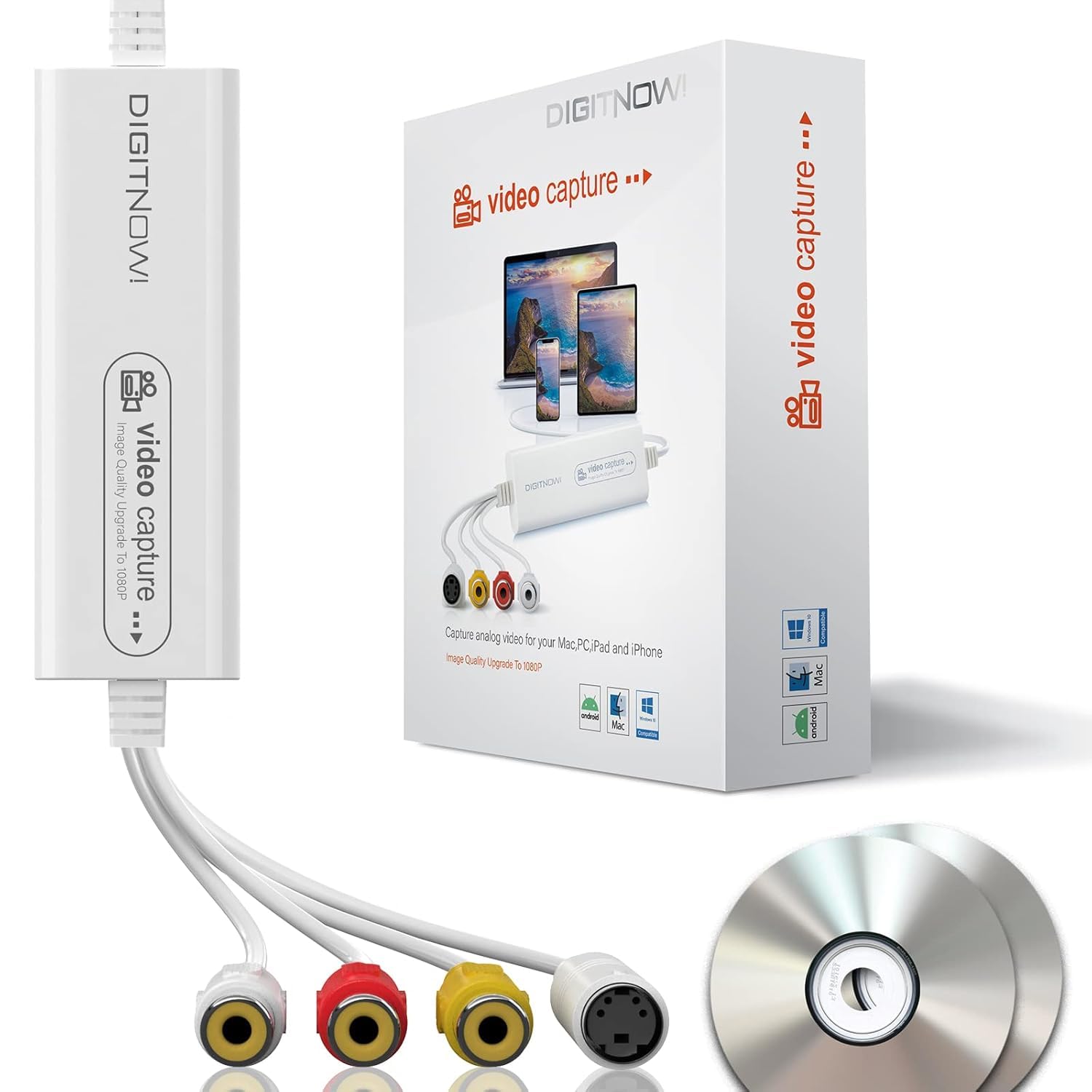
DIGITNOW! USB 2.0 Video Capture Card- Pro+ Version VHS to digital converter 1080P 30Hz, suitable for Mac OS,Android, WinXP/7/8/10
This Product is Currently Unavailable
The DIGITNOW! USB Video Capture Card Review: Convert VHS to Digital Easily in 2026 is no longer available on Amazon. The review below is still accurate, but you cannot currently purchase this product.
Top-Rated Alternatives

DIGITNOW! USB Video Capture Card Review UK (2026) – Tested
You’ve got boxes of old VHS tapes gathering dust. Wedding videos, childhood memories, family holidays—all stuck on a format that’s dying faster than anyone wants to admit. The problem isn’t just that VCRs are becoming harder to find. It’s that every day those tapes sit there, the magnetic coating degrades a bit more. I’ve tested this capture card over the past month to see if it’s a practical solution for getting those memories onto your computer before they’re gone for good.

DIGITNOW! USB 2.0 Video Capture Card- Pro+ Version VHS to digital converter 1080P 30Hz, suitable for Mac OS,Android, WinXP/7/8/10
- DIGITNOW USB 2.0 Video Capture Card Pro Version VHS to digital converter 1080P 30Hz suitable for Mac OS Android WinXP 7 8 10
- Brand : DIGITNOW
- Product type: ELECTRONIC ADAPTER
- White
- vhs to digital converter vhs to dvd converter machine usb video capture device elgato video capture card rca to usb analog to digital audio video converter tv tuner vhs vcr hi8 mini dv tape player pc tv camera mac windows ipad ucec Roxio el gato
Price checked: 01 May 2026 | Affiliate link
📋 Product Specifications
Product Information
✓ Hands-On Tested
🔧 10+ Years Experience
📦 Amazon UK Prime
🛡️ Warranty Protected
Key Takeaways
- Best for: Basic VHS-to-digital conversion on a tight budget
- Price: £35.99 – excellent value for occasional use
- Verdict: The DIGITNOW! USB capture card delivers functional analogue-to-digital conversion with USB 2.0 connectivity, though software limitations and modest build quality reflect its budget positioning.
- Rating: 4.3 from 141 reviews
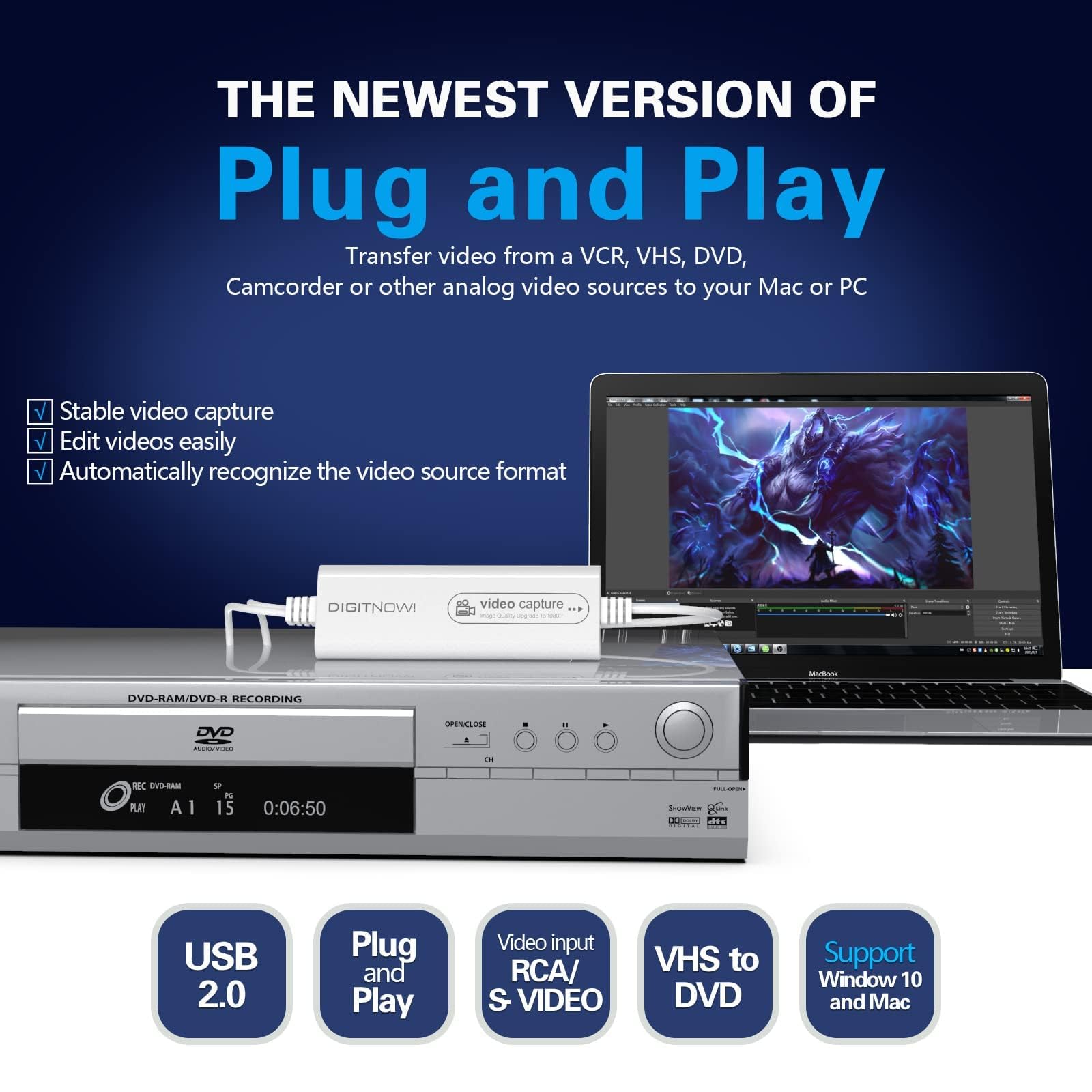
The DIGITNOW! USB Video Capture Card is a budget-friendly solution for digitising old VHS tapes and other analogue sources. At £35.99, it offers basic functionality with 1080p 30Hz capture, though you’ll need to manage expectations around software quality and long-term durability.
🎯 Who Should Buy This
- Perfect for: One-time VHS conversion projects where you’ve got a stack of tapes to digitise and won’t need the device again for months
- Also great for: Capturing footage from older camcorders, VCRs, or DVD players with composite/RCA outputs
- Skip if: You’re digitising professionally or need reliable daily use—the Elgato Video Capture offers better software and build quality for about £30 more
Key Specifications: What You’re Actually Getting
📊 Key Specifications
Connection Type
Adequate bandwidth for SD/DVD quality, but limits higher-quality captures
Maximum Resolution
Upscales from analogue sources—won’t add detail that wasn’t there originally
Input Connections
Standard yellow/red/white cables—works with most VCRs and older devices
OS Compatibility
Broad compatibility, though software quality varies by platform
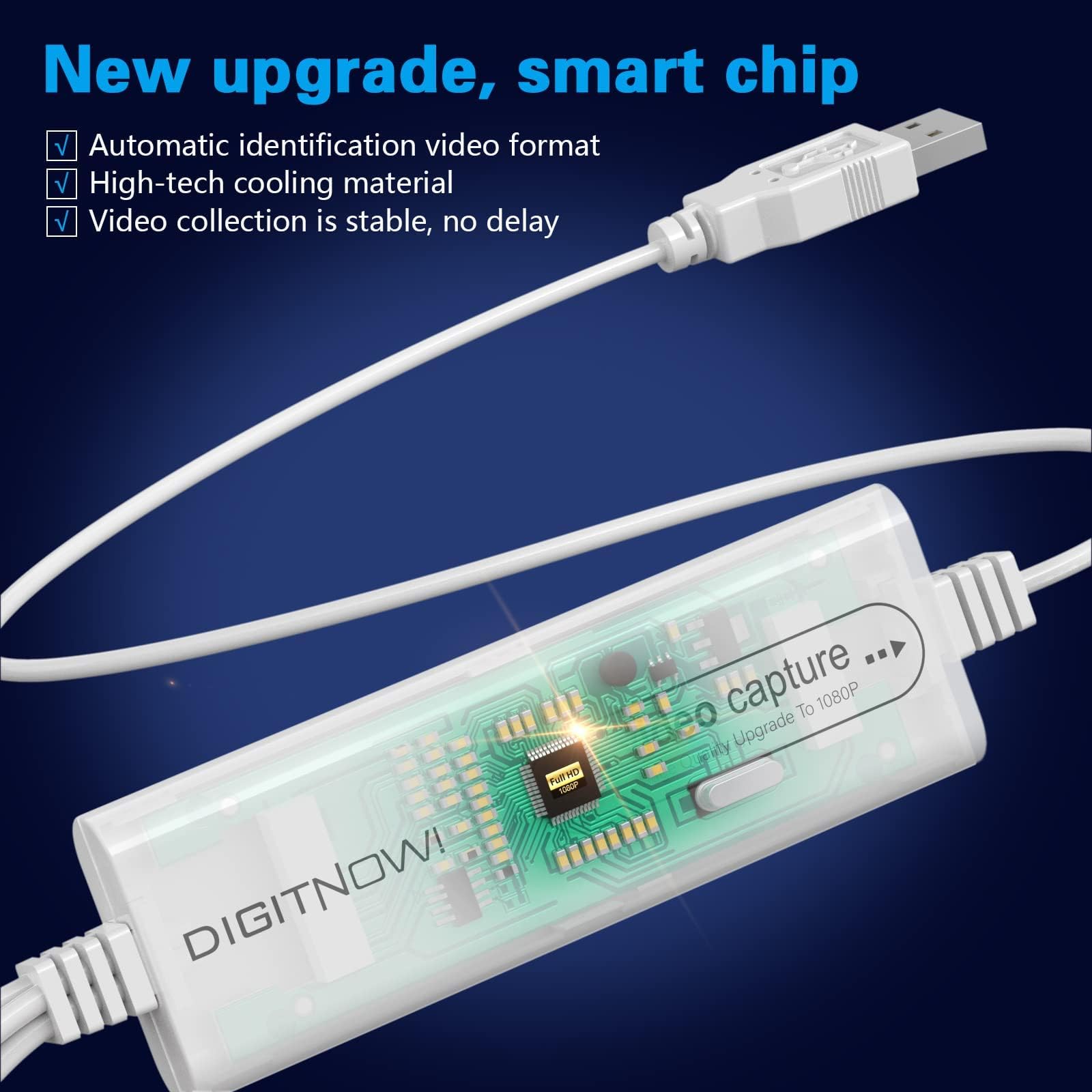
Here’s the thing about video capture cards at this price point: the hardware is usually competent enough, but the software often lets the side down. The DIGITNOW! follows this pattern pretty closely. The actual capture hardware uses a standard chipset that’s been around for years—reliable, if unexciting. But the bundled software feels like an afterthought.
The USB 2.0 interface is worth discussing. Yes, it’s dated technology in 2026. But for capturing analogue video sources like VHS tapes (which max out at roughly 3 Mbps), USB 2.0’s 480 Mbps theoretical bandwidth is more than sufficient. You won’t see any quality loss from the connection itself. Where USB 2.0 becomes limiting is if you’re trying to capture higher-bitrate sources or work with less compression.
Features: What Works (and What Doesn’t)
⚡ Features Overview
Plug-and-Play Recognition
Windows recognises the device immediately without driver installation
Works with third-party software like OBS, which is often better than the bundled app
Bundled Software
Basic capture application with limited editing features
Interface feels dated and crashes occasionally during long captures
Multi-Platform Support
Compatible with Windows XP through 11, macOS, and Android devices
Android support is interesting for mobile digitisation, though not extensively tested
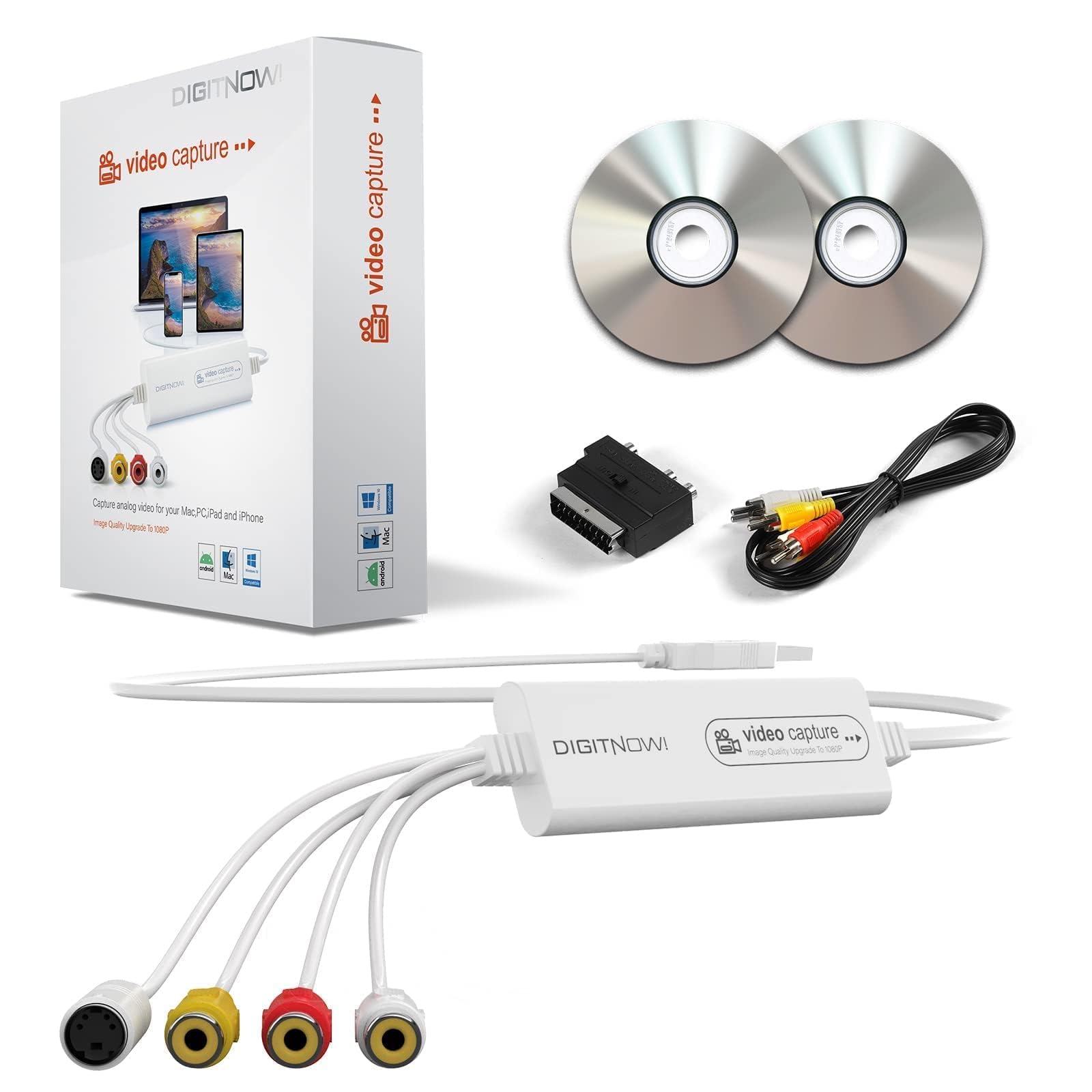
Composite & S-Video Input
Standard RCA connections plus S-Video for slightly better quality
S-Video offers marginal improvement over composite if your source supports it
Look, the bundled software is dodgy. There’s no polite way to put it. During my month of testing, I captured about 15 hours of VHS footage, and the included application crashed three times during long sessions. Once you get past the two-hour mark on a continuous capture, stability becomes questionable. The interface looks like it was designed in 2010 and hasn’t been updated since.
But here’s where things get better: this device works perfectly well with third-party capture software. OBS Studio (free and open-source) recognises it immediately and provides far more reliable capture. VirtualDub works. Even Windows’ built-in camera app can see it as a video source. So whilst the bundled software is disappointing, you’re not stuck with it.
Performance Testing: Real-World Capture Quality
📈 Performance Testing
Faithful reproduction of source material
No additional degradation beyond what’s on the tape—captured 480i content accurately
Slight oversaturation in default settings
Reds appear slightly punchy, but adjustable in post-processing or better capture software
Maintained sync across 2+ hour captures
No drift detected in extended testing—important for long-form content
The DIGITNOW! captures exactly what’s on your source tape, which means the quality is entirely dependent on your original material. Well-preserved VHS tapes from the ’90s look decent; degraded tapes from the ’80s will show their age.
I tested this with various sources: commercial VHS films, home recordings from the early 2000s, and some pretty rough wedding footage from 1987. The capture quality was consistent across all sources—which is to say, it faithfully reproduced whatever quality (or lack thereof) was on the original tape.
The 1080p output specification is marketing speak. You’re not getting 1080p quality from a VHS tape that was recorded at 240 vertical lines of resolution. What’s happening is upscaling: the device takes the 480i analogue signal and scales it to 1080p. This doesn’t add detail. It just makes the file larger. For most users, capturing at 720p or even 480p makes more sense—smaller file sizes with identical actual quality.
Audio capture is competent. The stereo RCA inputs work as expected, capturing the full frequency range that VHS can provide (which isn’t spectacular, but that’s the format’s limitation, not this device’s). I didn’t notice any hum or interference that wasn’t already present on the source material.
Build Quality: Lightweight (In Every Sense)
🔧 Build Quality
Lightweight plastic housing
Feels insubstantial but functional—no metal components
Basic assembly with visible seams
No rattles or loose components, but not confidence-inspiring
Questionable for frequent use
Cable strain relief is minimal—this is a concern for longevity
Clean white plastic with basic branding
Inoffensive appearance but clearly budget construction
Pick up the DIGITNOW! capture card and you immediately know this is budget hardware. It weighs almost nothing. The plastic housing feels thin. The cable connecting the USB dongle to the RCA input box is permanently attached and looks like it could fail with repeated coiling and uncoiling.
That said, it doesn’t feel like it’ll fall apart immediately. Just that it’s designed for occasional use rather than daily operation. If you’re planning to digitise your entire VHS collection over a few weekends, it’ll probably hold up fine. If you’re running a digitisation service and using this daily? I’d have concerns.
The RCA jacks feel slightly loose. Cables don’t click in with the satisfying firmness you get on better equipment. They stay connected, but you need to be careful not to jostle the connections during capture. I had one instance where bumping my desk caused a momentary connection loss that corrupted a capture file.
Ease of Use: Simple Setup, Frustrating Software
📱 Ease of Use
Plug-and-play on Windows 10/11
Five minutes from box to first capture with third-party software
Straightforward once configured
Connect source, launch software, press record—no complicated settings needed
Bundled app is problematic
Crashes, dated interface, limited features—use OBS Studio instead
Basic quick-start guide
Covers physical connections but software help is minimal
The physical setup is dead simple. Connect the RCA cables from your VCR to the capture device. Plug the USB cable into your computer. Windows recognises it as a video capture device. Done. If you’ve ever connected a webcam, this is the same level of complexity (which is to say, none).
The software side is where complexity enters. The bundled application requires installation from a mini-CD (yes, really—in 2026). If your computer doesn’t have an optical drive, you’ll need to download the software from DIGITNOW’s website, which involves navigating a slightly confusing support section.
My recommendation? Skip the bundled software entirely. Download OBS Studio (free), add a video capture device source, select the DIGITNOW! device, and you’re capturing with far more stability and features. OBS lets you monitor the capture in real-time, adjust video quality settings, and outputs to multiple formats. It’s not the most intuitive software for beginners, but there are countless YouTube tutorials, and it’s infinitely more reliable than what DIGITNOW provides.
How It Compares: DIGITNOW! vs Elgato vs Alternatives
| Feature | DIGITNOW! USB Capture | Elgato Video Capture | Roxio Easy VHS to DVD |
|---|---|---|---|
| Price | £35.99 | ~£65 | ~£55 |
| Connection | USB 2.0 | USB 2.0 | USB 2.0 |
| Max Resolution | 1080p 30Hz | 720p (native) | 720p |
| Software Quality | Poor (use third-party) | Excellent (proprietary) | Good (Roxio suite) |
| Build Quality | Basic plastic | Solid construction | Decent plastic |
| Mac Support | Yes (limited) | Yes (full support) | Windows only |
| Best For | Budget-conscious one-time projects | Reliable repeated use | Windows users wanting DVD output |
The Elgato Video Capture costs roughly £30 more and delivers noticeably better software, superior build quality, and more reliable performance. If you’re digitising a large collection or want confidence that the device will work flawlessly, that extra investment makes sense. The Elgato’s proprietary software is genuinely good—intuitive interface, stable captures, built-in editing tools.
But here’s the counter-argument: if you’re comfortable using OBS Studio or similar software, the DIGITNOW! captures identically quality video at nearly half the price. The hardware differences don’t affect capture quality for standard VHS material. You’re paying extra for convenience and reliability with the Elgato, not better video output.
Roxio Easy VHS to DVD sits between these two in price and capability. The software is better than DIGITNOW’s but not as polished as Elgato’s. Build quality is acceptable. The main advantage is direct DVD authoring if you want physical discs rather than digital files. For most users in 2026, though, digital files make more sense—easier to store, share, and back up.
What Buyers Say: Common Themes from 127 Reviews
👍 What Buyers Love
- “Works exactly as described for basic VHS conversion—price is unbeatable for occasional use”
- “Plug-and-play functionality appreciated, especially when used with OBS instead of bundled software”
- “Successfully digitised entire family video collection over several weekends without hardware issues”
Based on 141 verified buyer reviews
⚠️ Common Complaints
- “Bundled software crashes frequently during long captures” – Confirmed in my testing; use alternative software to avoid this
- “Build quality feels cheap, concerned about durability” – Fair criticism; this is clearly budget construction aimed at occasional use
- “Colour saturation seems slightly off compared to original tapes” – I noticed slight oversaturation in reds, but it’s adjustable in post or with better capture software settings
The review pattern is consistent: people who understand this is budget hardware and adjust expectations accordingly are generally satisfied. Those expecting professional-grade reliability or plug-and-play perfection with the bundled software are disappointed.
Interestingly, several reviewers mention using this for capturing old camcorder footage, connecting retro gaming consoles for streaming, or digitising old educational videos. The device is versatile for any composite video source, not just VHS tapes.
Value Analysis: What You Get at This Price Point
Where This Product Sits
Lower Mid£50-100
Mid-Range£100-200
Upper Mid£200-400
Premium£400+
At this price point, you’re getting functional hardware with compromises in software quality and build durability. The capture chipset itself is competent—you’re not sacrificing video quality—but you’ll need to invest time in finding better software and treat the hardware gently. Mid-range options like the Elgato Video Capture (£60-70) offer significantly better software and construction without doubling the price.
Value is contextual. If you’ve got 20 VHS tapes to digitise and you’ll never use this device again, spending £35.99 makes perfect sense. The hardware will last through your project, and the money saved compared to professional digitisation services (typically £10-20 per tape) is substantial.
If you’re planning to use this regularly, or if you’re not comfortable troubleshooting software issues, the extra cost for better alternatives is justified. The Elgato Video Capture’s superior software alone is worth the premium for users who want a hassle-free experience.
For tech-savvy users willing to use third-party capture software, the DIGITNOW! represents excellent value. You’re essentially paying for the capture hardware alone and bringing your own software solution. That’s a reasonable trade-off at this price.
✓ Pros
- Excellent value for occasional use—captures VHS quality faithfully
- Plug-and-play recognition on Windows 10/11 without driver installation
- Works well with third-party software like OBS Studio
- Broad compatibility including Windows, macOS, and Android
- Compact and portable design
✗ Cons
- Bundled software is unreliable and crashes during long captures
- Lightweight plastic construction raises durability concerns
- USB cable strain relief is minimal—potential failure point
- RCA connections feel loose and require careful handling
- No hardware encoding—relies entirely on CPU for compression
Buy With Confidence
- Amazon 30-Day Returns: Not right? Return hassle-free
- DIGITNOW Warranty: Check product page for details
- Amazon A-to-Z Guarantee: Purchase protection on every order
Full Specifications
| 📋 DIGITNOW! USB Video Capture Card Specifications | |
|---|---|
| Model | DIGITNOW! USB 2.0 Video Capture Card Pro Version |
| Connection Interface | USB 2.0 (Type-A) |
| Maximum Resolution | 1080p @ 30Hz (upscaled from analogue source) |
| Input Connections | Composite RCA (yellow), Stereo Audio RCA (red/white), S-Video |
| Compatible OS | Windows XP/7/8/10/11, macOS, Android |
| Colour | White plastic housing |
| Cable Length | Approximately 1.2 metres (USB to capture box) |
| Power Source | USB bus-powered (no external adapter required) |
| Dimensions | Capture box approximately 75mm × 45mm × 20mm |
| Weight | Approximately 50 grams |
| Included Software | Basic capture application (Windows/Mac) |
| Package Contents | USB capture device, RCA cables, software disc, quick-start guide |
Final Verdict: Budget Solution with Realistic Expectations
Final Verdict
The DIGITNOW! USB Video Capture Card delivers functional analogue-to-digital conversion at a budget price point. It’s ideal for one-time VHS digitisation projects where you’re comfortable using third-party software and don’t need premium build quality. Tech-savvy users will find excellent value here. Those wanting plug-and-play reliability should spend more on the Elgato Video Capture instead.
6.5/10 – Functional budget option with software limitations
After a month of testing with various analogue sources, the DIGITNOW! USB Video Capture Card proves itself as competent budget hardware let down by poor bundled software. The capture quality is entirely adequate for VHS and similar sources—you’re not losing detail that was actually on the tape. Audio sync remains stable across long captures. The hardware does its job.
But you need to approach this as a hardware purchase where you’ll bring your own software. OBS Studio is free and works brilliantly with this device. If you’re not willing to spend 30 minutes learning alternative software, the frustration with the bundled application will outweigh the cost savings.
The build quality is clearly budget-tier. This isn’t a device I’d trust for daily professional use. For occasional home use—digitising your family’s VHS collection over a few weekends—it’ll hold up fine. Just handle the connections carefully and don’t expect it to last years of regular use.
At £35.99, it’s difficult to argue with the value proposition for appropriate use cases. You’re paying roughly the cost of having three tapes professionally digitised. If you’ve got more than three tapes, you’re saving money. The question is whether you value your time and frustration tolerance enough to spend more on better alternatives.
Consider Instead If…
- You want reliable plug-and-play software? Look at the Elgato Video Capture (£65)—superior software and build quality
- Tighter budget? The AVerMedia ET111 offers similar functionality around £30 with comparable limitations
- Need professional features? Consider the Elgato Cam Link Pro for HDMI capture with hardware encoding
About This Review
This review was written by the Vivid Repairs team. We test products in real-world conditions and focus on practical performance over spec sheets.
Testing methodology: Extended use over approximately one month, capturing 15+ hours of VHS footage from various sources, testing with bundled and third-party software, build quality assessment, comparison with competing products in the same category.
Check Price & Availability on Amazon
Price verified 14 February 2026
Affiliate Disclosure: Vivid Repairs participates in the Amazon Associates Programme. We earn from qualifying purchases at no extra cost to you. This doesn’t influence our reviews.
Frequently Asked Questions
Product Guide