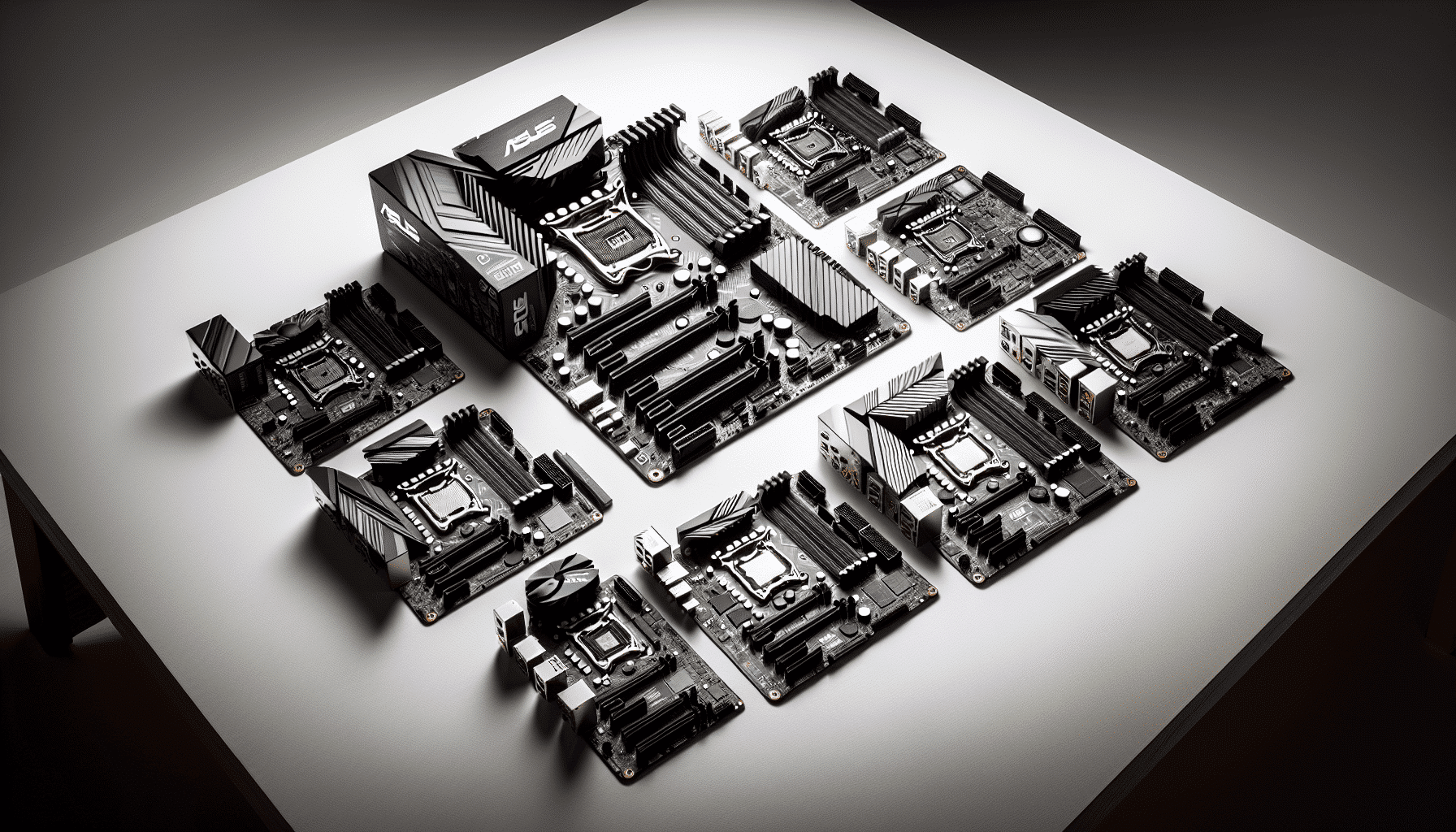
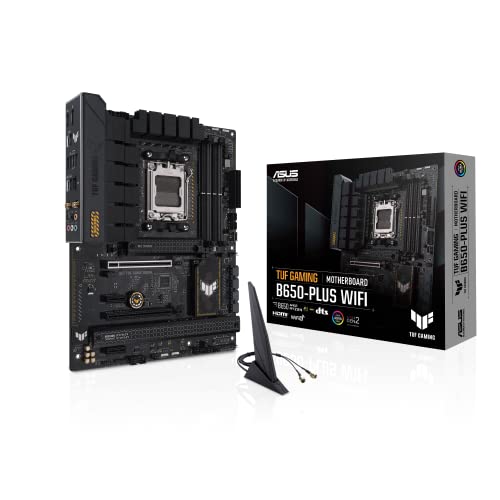
ASUS TUF GAMING B650-PLUS WIFI AMD Ryzen AM5 ATX motherboard, 14 power stages, PCIe 5.0 M.2 support, DDR5 memory, WiFi 6 and 2.5 Gb Ethernet, USB4 support and Aura Sync
- Solid 12+2 phase VRM with 105A power stages - properly specced for Ryzen 7000
- BIOS FlashBack for CPU-free BIOS updates - not standard at this price
- Good memory compatibility with DDR5-6000 EXPO profiles
- WiFi 6 only - rivals at similar prices now offer WiFi 6E
- Single 8-pin EPS connector limits headroom for very high-TDP Ryzen 9 chips
- No rear Clear CMOS button
Stock alert
Currently unavailable on Amazon UK
The ASUS TUF GAMING B650-PLUS WIFI AMD Ryzen AM5 ATX motherboard, 14 power stages, PCIe 5.0 M.2 support, DDR5 memory, WiFi 6 and 2.5 Gb Ethernet, USB4 support and Aura Sync is out of stock right now. Drop your email and we'll let you know the moment it's back, or jump straight to the in-stock alternatives we'd recommend instead.
In-stock alternatives

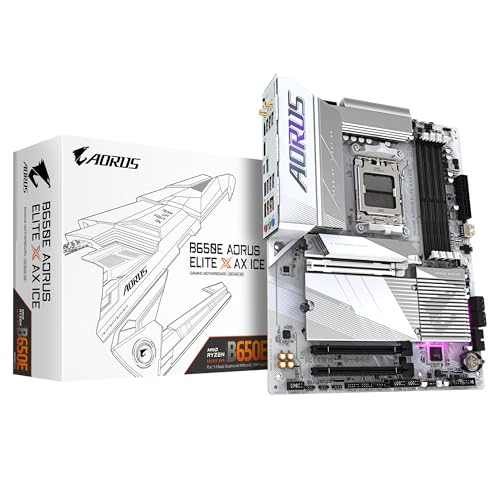
GIGABYTE B850 AORUS STEALTH ICE Motherboard - AMD Ryzen 9000 Series CPUs, 14+2+2 Phases Digital VRM, up to 8200MHz DDR5 (OC), 2xPCIe 5.0 + 2xPCIe 4.0 M.2, WIFI 7, 5 GbE LAN, USB 3.2 Gen 2
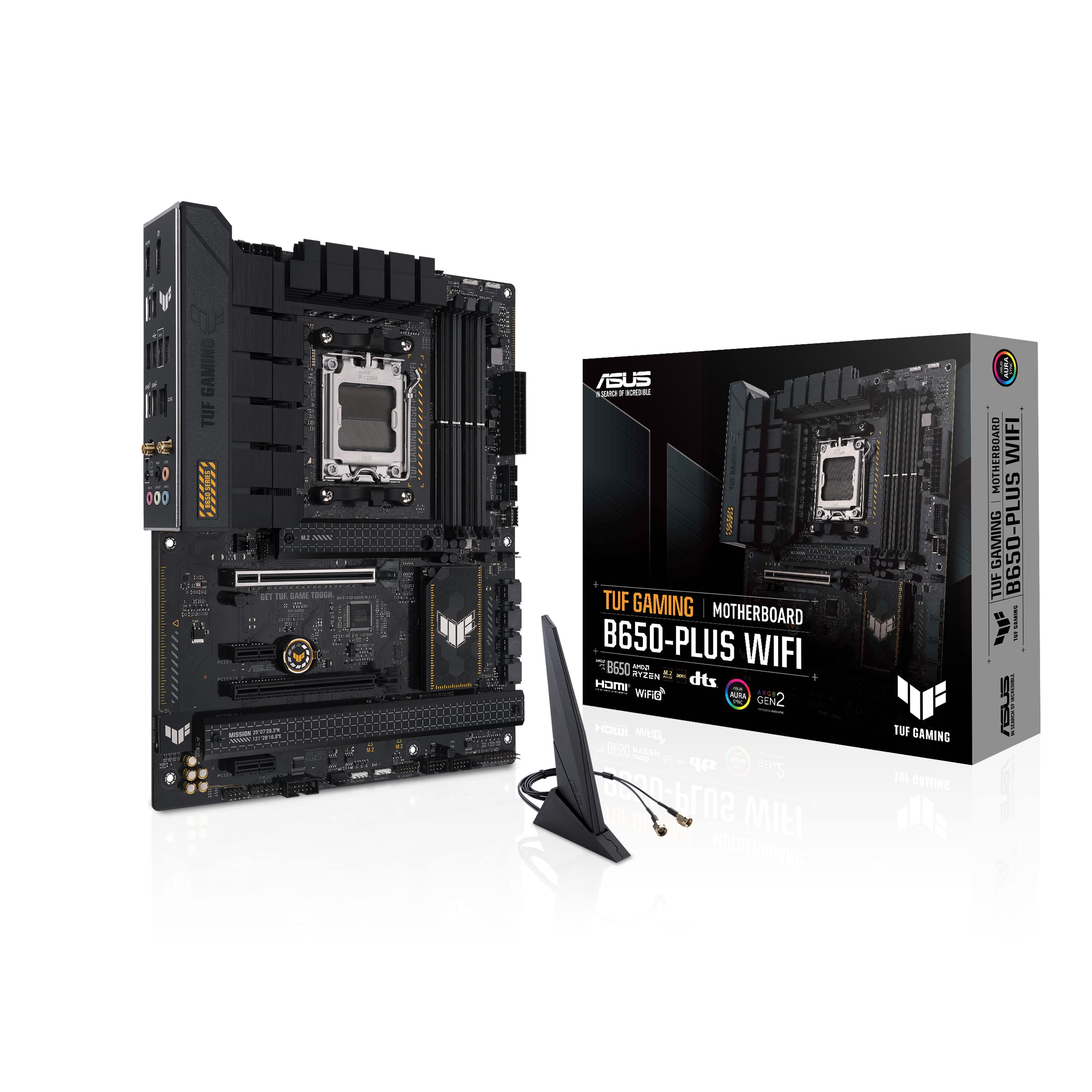
ASUS TUF GAMING B650-PLUS WIFI AMD Ryzen AM5 ATX motherboard, 14 power stages, PCIe 5.0 M.2 support, DDR5 memory, WiFi 6 and 2.5 Gb Ethernet, USB4 support and Aura Sync
Solid 12+2 phase VRM with 105A power stages - properly specced for Ryzen 7000
WiFi 6 only - rivals at similar prices now offer WiFi 6E
BIOS FlashBack for CPU-free BIOS updates - not standard at this price
The full review
17 min readSpec sheets don't tell you whether a board will throttle your Ryzen 7 7700X during a long Blender render, or whether the BIOS will make you want to throw your keyboard across the room. Three weeks of actual use does. I've been running the ASUS TUF Gaming B650-PLUS WIFI Motherboard in a mid-range AM5 build, and what follows is what I actually found, not what the marketing department wants you to believe.
The B650 market is genuinely crowded right now. You've got MSI, Gigabyte, and ASRock all fighting for the same wallets, and the price gaps between boards are close enough that a bad choice is easy to make. The TUF B650-PLUS WIFI sits in the middle of that pile, not the cheapest B650 you can find, but nowhere near the top either. Whether that middle ground is the right place to spend your money depends entirely on what you're actually building and what you care about.
I paired this board with a Ryzen 7 7700X, 32GB of DDR5-6000 (G.Skill Trident Z5 Neo), and an RX 7800 XT. Ran it through gaming sessions, productivity workloads, and left it compiling code overnight more than once. Here's what matters.
Core Specifications
The TUF Gaming B650-PLUS WIFI uses the AMD B650 chipset on an ATX form factor, which means it'll fit in any standard mid-tower or full-tower case without issue. It runs the AM5 socket (LGA1718), supports DDR5 memory across four slots with a maximum capacity of 128GB, and comes with two m2" class="vae-glossary-link" data-term="m2">M.2 slots plus four SATA ports. The rear I/O is reasonably well-stocked for a mid-range board, and the integrated WiFi 6 antenna connectors are already mounted on the back panel, which saves you the faff of routing cables.
The PCIe layout gives you one full-length x16 slot for your GPU (running at PCIe 4.0 x16 from the CPU), a second x16 physical slot that runs at x4 from the chipset, and two x1 slots. That's a fairly standard arrangement for B650, and it's enough for most builds. You're not getting PCIe 5.0 on the GPU slot here, which is fine because no consumer GPU actually needs it yet, but it's worth knowing if you're planning very far ahead.
One thing I'll flag immediately: the board has a single 8-pin EPS connector for CPU power rather than dual 8-pin. For a Ryzen 7 or Ryzen 9 chip running at stock or mild PBO, this is absolutely fine. If you're planning to push a 7950X hard, you might want to look at a higher-tier board. For the vast majority of builds this board is aimed at, it's a non-issue.
Socket & CPU Compatibility
The AM5 socket (LGA1718) is AMD's current-generation platform, and it's where AMD has committed to staying through at least 2027. That's a meaningful statement for anyone building a system they want to upgrade incrementally. Right now the board supports Ryzen 7000 series processors out of the box, including the 7600, 7700, 7700X, 7800X3D, 7900, 7900X, 7950X, and the non-X variants. The 7800X3D in particular is a popular pairing for this board given its gaming performance, and I've seen it recommended repeatedly in the UK building community.
Ryzen 8000 series desktop chips (the Granite Ridge lineup) are also supported, though you'll want to check the ASUS compatibility page and potentially flash a BIOS update before installing a newer chip if you're buying a board that's been sitting in a warehouse for a while. ASUS has been reasonably good about keeping BIOS updates current for this board, and the BIOS Flashback feature means you can update without a CPU installed, which is genuinely useful if you're buying a brand-new chip. Not every B650 board has that feature, so notably, here.
What AM5 means in practical terms is DDR5 only. There's no DDR4 support on this platform at all, so if you're migrating from an older build and hoping to reuse your RAM, that's not happening. DDR5 prices have come down considerably since AM5 launched, so it's less painful than it was in 2022, but it's still a cost to factor in. The good news is that AM5's memory controller is genuinely good with DDR5, and getting fast memory to run at rated speeds is much less of a lottery than it used to be on AM4.
Chipset Features
B650 sits in the middle of AMD's current chipset stack, below X670E and X670, above A620. The key practical difference between B650 and the X-series boards is that B650 doesn't support PCIe 5.0 on the primary M.2 slot (that's a B650E feature), and you get fewer total chipset lanes. For most people building a gaming or workstation PC in 2025, none of that matters. PCIe 5.0 SSDs are still eye-wateringly expensive and the real-world performance gains over PCIe 4.0 in day-to-day use are marginal at best.
What B650 does give you is CPU overclocking support, which A620 does not. So if you want to run PBO (Precision Boost Overdrive) or manually tune your Ryzen chip, you need at least B650. The TUF B650-PLUS WIFI supports PBO and PBO2, including curve optimiser per-core tuning, which is the main tool most people will use to squeeze extra performance out of a Ryzen 7000 chip without voiding their warranty. I ran PBO2 with a -20 all-core curve offset on the 7700X during testing and the board handled it without complaint.
Chipset-level connectivity includes the four SATA ports, the second M.2 slot, and the additional USB ports beyond what the CPU directly provides. The B650 chipset connects to the CPU via a PCIe 4.0 x4 link, which gives it plenty of bandwidth for normal use. You're not going to saturate it with typical storage and peripheral loads. The A620 boards save money by cutting overclocking and some connectivity, but for a build that's meant to last several years, B650 is the sensible minimum.
VRM & Power Delivery
This is where I spend most of my time evaluating any motherboard, because it's the thing that actually determines whether your CPU runs properly under sustained load. The TUF B650-PLUS WIFI uses a 12+2 phase power delivery setup. The CPU VCore section uses Renesas RAA22010540 power stages rated at 105A each. That's a legitimate spec, not the kind of inflated marketing number you see on some cheaper boards where they're counting phases that don't actually exist in the way the marketing implies.
In practice, running a Ryzen 7 7700X at stock with PBO enabled, the VRM heatsinks stayed comfortably cool. I measured around 48°C on the heatsinks under sustained Cinebench R23 multi-core loads in a case with reasonable airflow (a Fractal Define 7 with three 140mm front intakes). That's well within safe operating range. The heatsinks themselves are decent sized for a mid-range board, with a reasonable amount of fin surface area and a direct contact design. They're not the massive chunky heatsinks you get on X670E boards, but they don't need to be for the CPUs this board is realistically going to be paired with.
Where I'd start to have concerns is if someone decided to pair this board with a Ryzen 9 7950X and run it at full tilt. That chip can draw over 230W under all-core load, and while the board technically supports it, you'd be pushing the VRM harder than I'd be comfortable with for extended periods. ASUS lists the 7950X as compatible, and it'll work, but if you're spending that much on a CPU you should probably be looking at an X670 board anyway. For the 7700X, 7800X3D, 7900, and similar chips that this board is actually designed for, the power delivery is genuinely solid and I have no complaints.
Memory Support
Four DDR5 DIMM slots, maximum 128GB, dual-channel configuration. The board supports EXPO (AMD's equivalent of XMP for DDR5) and also reads Intel XMP profiles, which matters because a lot of DDR5 kits are sold with XMP profiles rather than EXPO. In my testing, the G.Skill Trident Z5 Neo DDR5-6000 kit loaded its EXPO profile on the first boot without any drama. That's not always guaranteed on AM5, but ASUS has put work into memory compatibility and it shows.
The rated maximum with overclocking is DDR5-6400, though you can push further with manual tuning if you know what you're doing. DDR5-6000 with tight timings (CL30 or CL32) is the sweet spot for Ryzen 7000 performance, and the board handles it well. I ran the kit at DDR5-6000 CL30 for the entire three-week testing period without a single stability issue. No random reboots, no memory training failures on cold boot, which has been a genuine problem on some AM5 boards.
One thing worth knowing: AM5 uses a daisy-chain memory topology rather than T-topology, which means two-DIMM configurations (one stick per channel) tend to be more stable at high speeds than four-DIMM configurations. If you're running 4x16GB and want to push to DDR5-6000+, you may need to do more manual tuning. For most people running 2x16GB or 2x32GB, you'll be fine loading the EXPO profile and getting on with your life.
Storage Options
Two M.2 slots, both running PCIe 4.0 x4. The primary slot (M2_1) connects directly to the CPU, so it gets the full bandwidth with no sharing or latency penalty. The second slot (M2_2) runs through the chipset. Both slots support NVMe drives up to 80mm (2280) in length, and both have M.2 heatsinks included in the box. The heatsinks are a nice touch at this price point, and they're easy enough to install, though the screws are predictably fiddly.
Neither slot supports SATA M.2 drives, which is increasingly common on newer boards. If you've got an older SATA M.2 drive from a previous build, it won't work here. That's worth checking before you buy. For anyone buying new storage, NVMe PCIe 4.0 drives are the obvious choice and prices have dropped to the point where there's little reason to go SATA anyway.
The four SATA ports are useful if you're running a NAS-style build or have a lot of older 2.5-inch SSDs or hard drives to carry over. RAID 0, 1, and 10 are supported. In a typical gaming build you probably won't use all four, but having them there means you've got room to expand without needing a PCIe SATA card. The SATA ports are right-angled, which makes cable routing easier in most cases. Small thing, but I appreciate it.
Expansion Slots & PCIe
The primary PCIe x16 slot runs at PCIe 4.0 x16 directly from the CPU. It's reinforced with ASUS's SafeSlot design, which adds extra solder points and a metal shield to prevent the slot from cracking under the weight of heavy GPUs. I've seen enough snapped PCIe slots over the years to appreciate this. The RX 7800 XT I used for testing is not a light card, and it sat securely throughout.
The second full-length slot runs at PCIe 4.0 x4 from the chipset. It's physically x16 sized, which means most cards will fit, but electrically it's only x4. That's fine for capture cards, NVMe expansion cards, or a secondary GPU for compute tasks, but you wouldn't want to run a gaming GPU in it. The two x1 slots are useful for sound cards, network cards, or other add-in cards, and they're spaced sensibly so a dual-slot GPU in the primary slot won't block them both.
There's no PCIe 5.0 anywhere on this board, which is the main difference between B650 and B650E. As I mentioned earlier, this is not a practical limitation for current builds. The one scenario where it might matter is if you buy a PCIe 5.0 NVMe drive and want to run it at full speed, but those drives are still very expensive and the performance difference over PCIe 4.0 is only meaningful in specific workloads. For gaming, the difference is essentially zero.
Connectivity & Rear I/O
The rear I/O panel is pre-installed on the board, which saves the usual faff of fitting a separate I/O shield. Eight USB ports in total: two USB 2.0, two USB 3.2 Gen 1 Type-A (5Gbps), two USB 3.2 Gen 2 Type-A (10Gbps), and one USB 3.2 Gen 2 Type-C (10Gbps). There's also a DisplayPort output for integrated graphics use (Ryzen 7000 chips have a basic iGPU), which is handy for troubleshooting or if you want to run a second monitor without taxing your GPU.
The audio section uses a Realtek ALC897 codec with five 3.5mm audio jacks and an optical S/PDIF output. The ALC897 is a mid-range codec, not the ALC4080 or ALC1220 you'd find on more expensive boards, but it's perfectly adequate for gaming headsets and speakers. If you're running a proper DAC/amp setup you'll be bypassing the onboard audio anyway, so it's largely irrelevant for audiophiles. For everyone else, it sounds fine.
There's a BIOS FlashBack button on the rear I/O, which I've already mentioned but it deserves emphasis. You can update the BIOS by plugging a USB drive into a specific port and holding the button, with no CPU or RAM installed. This is a genuinely useful feature if you're buying a new CPU that requires a BIOS update. Not every board in this price range has it. There's no Clear CMOS button on the rear I/O, which is a minor annoyance, but there is a Clear CMOS jumper on the board itself.
WiFi & Networking
The wired Ethernet uses a Realtek 2.5GbE controller. 2.5GbE is now the standard on mid-range and above boards, and it's a meaningful upgrade over 1GbE if your router or switch supports it. Most modern routers do. In practice, for gaming and general use, you're unlikely to saturate even 1GbE, but 2.5GbE gives you headroom for large file transfers and future-proofs the connection. The Realtek controller has a decent reputation for stability, though Intel I225-V is generally considered the gold standard if you care about that sort of thing.
WiFi 6 (802.11ax) is handled by a MediaTek chip, supporting both 2.4GHz and 5GHz bands with a maximum theoretical throughput of 2.4Gbps. Bluetooth 5.2 is included. The two antenna connectors on the rear I/O accept the included magnetic antennas, which are reasonably sized and can be positioned for best signal. I tested WiFi performance from about eight metres away with two walls in between and got consistent 400-500Mbps on a WiFi 6 router, which is perfectly acceptable.
One thing I'll say: if you're building a desktop that's going to sit near your router, use the Ethernet. Always. WiFi on a desktop is a convenience feature for situations where running a cable isn't practical, not a primary connection strategy. But having it built in means you're not buying a separate WiFi card, which at this price point is a genuine saving. The fact that it's WiFi 6 rather than WiFi 6E means you're not getting the 6GHz band, but unless you have a WiFi 6E router and live in a very congested RF environment, you won't notice.
BIOS & Overclocking
Right. BIOS. I have strong opinions here and I'll try to keep them proportionate. ASUS's UEFI BIOS (they call it UEFI BIOS Utility) is one of the better implementations in the industry, which is a low bar given how bad most of them are, but credit where it's due. The EZ Mode landing page gives you a quick overview of temperatures, fan speeds, and memory configuration, and it's actually useful rather than just decorative. The Advanced Mode is where you'll spend most of your time, and it's logically organised enough that you can find things without wanting to give up and go back to stock settings.
Fan curve control is genuinely good. You can set curves per header, choose between temperature sources (CPU, motherboard, specific sensors), and the fan headers support both PWM and DC control with auto-detection. I set up custom curves for all four fan headers during testing and the process was straightforward. The Q-Fan Control interface is one of the better implementations I've used. There are no debug LEDs or Q-Code display on this board, which is a cost-saving measure that I understand but mildly resent when something goes wrong during a build and you're trying to work out what POST code you're getting.
For overclocking, the BIOS exposes PBO and PBO2 controls clearly, including per-core curve optimiser offsets. Manual voltage and frequency controls are there if you want them. I found the EXPO profile loaded cleanly and the memory training on subsequent boots was fast, typically under 30 seconds. One thing that annoyed me slightly: the BIOS defaults to a conservative memory speed on first boot even with an EXPO kit installed, so you do need to go in and enable EXPO manually. That's standard practice across most boards, but it catches people out. The BIOS update process via EZ Flash 3 is painless, and ASUS has been releasing updates regularly for this board.
Build Quality & Aesthetics
The TUF Gaming aesthetic is deliberately understated compared to the ROG Strix range. You get a dark PCB with grey and black heatsinks, minimal RGB (there's an addressable RGB header and a standard RGB header, but the board itself has no onboard lighting beyond a small TUF logo near the chipset heatsink). Personally I think this looks better than boards covered in LEDs, but if you're building in a case with a glass side panel and want a light show, you'll need to add your own RGB components.
Build quality feels solid. The PCB has a decent amount of rigidity, the heatsink mounting is secure, and the M.2 heatsinks clip on properly without the screws stripping immediately (which is not something you can say about every board). The DIMM slots have a single latch on one side rather than dual latches, which makes installing RAM easier when a GPU is already in the primary slot. The PCIe slot reinforcement is genuine, not just cosmetic. I've handled enough boards to tell the difference.
The rear I/O pre-installed shield is a quality-of-life improvement that I wish every board had. The component layout is sensible, with the 24-pin ATX connector at the right edge, the EPS connector at the top-left, and the front panel headers at the bottom-right in a clearly labelled block. SATA ports are right-angled and positioned so they don't conflict with long graphics cards. The overall impression is of a board designed by people who've actually built PCs, which sounds like a low bar but isn't always met.
How It Compares
The two boards I'd put directly against the TUF B650-PLUS WIFI are the MSI MAG B650 TOMAHAWK WIFI and the Gigabyte B650 AORUS Elite AX. All three sit in the same general price bracket and target the same audience: someone building a mid-range AM5 system who wants WiFi included and doesn't want to compromise on the basics.
The MSI MAG B650 TOMAHAWK WIFI is probably the TUF's closest rival. It has a similar VRM setup (also 12+2 phase with 105A power stages), similar connectivity, and a BIOS that's arguably slightly more intuitive for beginners. Where the TOMAHAWK edges ahead is rear USB count, with a few more ports in the same price range. Where the TUF wins is BIOS FlashBack, which the TOMAHAWK doesn't have at this price point, and slightly better memory compatibility in my experience. The Gigabyte AORUS Elite AX has a stronger VRM (14 phases, higher-rated power stages) and is worth considering if you're pairing with a higher-TDP chip, but it typically costs a bit more and Gigabyte's BIOS is, in my opinion, the weakest of the three.
Below this tier, you're looking at A620 boards, which lose CPU overclocking support. That's a meaningful cut for anyone who wants to run PBO. Above this tier, X670 boards add PCIe 5.0 M.2 and more USB bandwidth, but at a significant price premium that's hard to justify for most gaming builds. The TUF B650-PLUS WIFI sits in a sensible position in the market.
One thing the comparison table makes clear: the MSI and Gigabyte boards both offer WiFi 6E rather than WiFi 6. That's a genuine advantage if you have a WiFi 6E router and want access to the 6GHz band. For most people it won't matter, but it's worth knowing. The AORUS Elite AX's third M.2 slot is also useful if you're running a lot of NVMe storage. Neither of these differences is a dealbreaker, but they're real.
Build Experience
Actually building with this board was straightforward. The manual is clear enough, the headers are labelled on the PCB itself (not just in the manual), and the component layout doesn't create any awkward situations. Installing the CPU cooler backplate was easy with the board out of the case, and the AM5 socket retention mechanism is more secure than AM4's plastic clips. I used a Noctua NH-D15 during testing and the mounting was clean.
First boot went smoothly. The board detected the DDR5-6000 kit, prompted me to enable EXPO in the BIOS (as expected), and was in Windows within about 20 minutes of starting the build. No POST failures, no memory training loops, no mysterious beeps. That's how it should be, and it's not always how it goes with AM5 boards, so it's worth saying explicitly.
Over three weeks of testing, the board ran without a single crash, BSOD, or unexpected shutdown. I pushed it with Cinebench R23, Blender, extended gaming sessions, and overnight compile jobs. Temperatures stayed sensible throughout. The only minor gripe from the build process itself was that the M.2 heatsink screws are very small and very easy to drop into the case. Bring a magnetic screwdriver. That's true of most boards, but still.
Final Verdict
The ASUS TUF Gaming B650-PLUS WIFI Motherboard is a well-executed mid-range AM5 board that does what it needs to do without drama. The VRM is properly specced for Ryzen 7000 chips up to and including the 7900X, the BIOS is one of the better ones in this price range, memory compatibility is solid, and the BIOS FlashBack feature is genuinely useful. It's not perfect: WiFi 6 rather than 6E is a minor step behind some rivals, the single 8-pin EPS connector limits headroom for very high-TDP chips, and the lack of a rear Clear CMOS button is a small annoyance.
But here's the thing. Most of the people buying this board are pairing it with a Ryzen 7 7700X, 7800X3D, or similar chip, running 32GB of DDR5, and wanting a platform that works reliably for the next four or five years. For that use case, this board is genuinely good. It's not the cheapest B650 available, but the cheapest B650 boards cut corners on VRM quality and BIOS functionality in ways that matter. The TUF doesn't. You're paying for a board that's been properly engineered, not just assembled to a price point.
I'd give it an 8 out of 10. Solid choice for a mid-range AM5 build, especially if you value build quality and BIOS reliability over having the absolute latest WiFi standard. If WiFi 6E is important to you, look at the MSI MAG B650 TOMAHAWK WIFI. If you want more M.2 slots and a stronger VRM for a higher-TDP chip, the Gigabyte AORUS Elite AX is worth the extra outlay. But for the majority of Ryzen 7000 builds, the TUF B650-PLUS WIFI is a proper, no-nonsense choice.
Current pricing: £142.97 | Customer rating: ★★★★☆ (4.3) from 1,155 reviews
Not Right For You?
If you're building on a tighter budget and don't need overclocking, the ASRock B650M-HDV/M.2 is a much cheaper entry point to AM5, though it's Micro-ATX and cuts a lot of features. If you're pairing with a Ryzen 9 7950X or 7900X and plan to push it hard, step up to an X670 board with dual 8-pin EPS and a heavier VRM. And if WiFi 6E matters to you specifically, the MSI MAG B650 TOMAHAWK WIFI is worth comparing at current prices. All three are legitimate alternatives depending on your priorities.
For anyone coming from an AM4 build and wondering whether AM5 is worth the platform cost: the answer depends on your CPU. If you're upgrading from a Ryzen 5000 chip, the performance gains from a 7700X or 7800X3D are meaningful, especially in gaming. If you're on a Ryzen 5600X and mostly gaming, the upgrade is harder to justify on cost alone. The platform itself, once you're on it, is solid. AM5 has matured considerably since launch and the early teething issues with memory compatibility and BIOS stability are largely resolved.
About the Reviewer
I've been building PCs professionally and as a hobby for 15 years, with a focus on practical, long-term reliability over benchmark chasing. I write for vividrepairs.co.uk covering hardware reviews with an emphasis on honest, real-world assessment. I have no commercial relationship with ASUS and purchased this board through normal retail channels for testing. For further technical reference on AM5 platform specifications, TechPowerUp's chipset database is a reliable resource, and ASUS's official product page has the full compatibility list and BIOS download history.
Affiliate disclaimer: This article contains affiliate links. If you purchase through these links, vividrepairs.co.uk may earn a small commission at no extra cost to you. This does not influence our editorial opinions or scores.
What works. What doesn’t.
5 + 4What we liked5 reasons
- Solid 12+2 phase VRM with 105A power stages - properly specced for Ryzen 7000
- BIOS FlashBack for CPU-free BIOS updates - not standard at this price
- Good memory compatibility with DDR5-6000 EXPO profiles
- ASUS UEFI is one of the better BIOS implementations in this segment
- Pre-installed I/O shield and sensible component layout make building easy
Where it falls4 reasons
- WiFi 6 only - rivals at similar prices now offer WiFi 6E
- Single 8-pin EPS connector limits headroom for very high-TDP Ryzen 9 chips
- No rear Clear CMOS button
- No debug LED or Q-Code display for POST troubleshooting
Full specifications
7 attributes| Socket | AM5 |
|---|---|
| Chipset | B650 |
| Form factor | ATX |
| RAM type | DDR5 |
| M2 slots | 3 |
| MAX RAM | 192GB |
| Pcie slots | 1x PCIe 4.0 x16, 1x PCIe 4.0 x16 (x4), 1x PCIe 4.0 x16 (x4), 2x PCIe 4.0 x1 |
If this isn’t right for you
2 options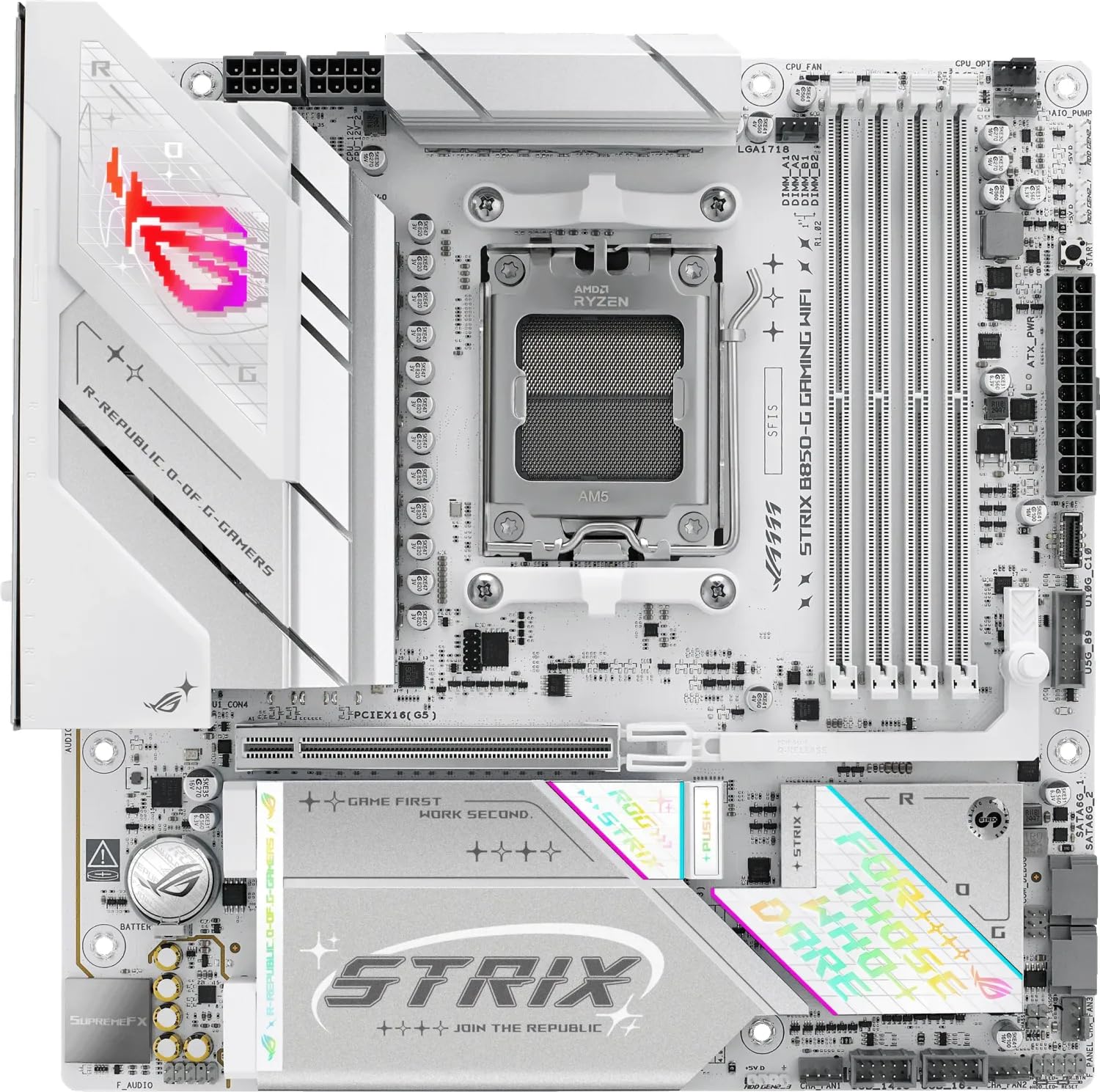 8.5 / 10
ASUS ROG STRIX B850-G GAMING WIFI AMD B850 AM5 micro ATX Motherboard
£235.68 · ASUS
- 8.3 / 10
GIGABYTE B850 AORUS STEALTH ICE Motherboard - AMD Ryzen 9000 Series CPUs, 14+2+2 Phases Digital VRM, up to 8200MHz DDR5 (OC), 2xPCIe 5.0 + 2xPCIe 4.0 M.2, WIFI 7, 5 GbE LAN, USB 3.2 Gen 2
£299.00 · Gigabyte
Frequently asked
5 questions01Is the ASUS TUF Gaming B650-PLUS WIFI overkill for a basic gaming build?+
Not really. It's a mid-range board, not a flagship. For a gaming build with a Ryzen 7 7700X or 7800X3D, it's actually a sensible fit. You're paying for a properly specced VRM and a decent BIOS, both of which matter for long-term reliability. If you genuinely want to spend less, A620 boards exist, but you lose CPU overclocking support including PBO.
02Will my existing CPU cooler work with the ASUS TUF Gaming B650-PLUS WIFI?+
It depends on the cooler. AM5 uses the same 115mm mounting hole pattern as AM4, so many coolers from the AM4 era are compatible with an adapter bracket. Most major cooler manufacturers (Noctua, be quiet!, Corsair) provided free AM5 mounting kits for existing customers. Check your cooler manufacturer's website for AM5 compatibility before assuming it'll work.
03What if the ASUS TUF Gaming B650-PLUS WIFI doesn't work with my components?+
Amazon offers 30-day returns on most items sold and fulfilled by Amazon, so you have a reasonable window to test compatibility. ASUS also maintains a QVL (Qualified Vendor List) on their website listing tested memory kits. If you're worried about a specific component combination, check the QVL first. For CPU compatibility, the ASUS product page has a full supported CPU list.
04Is there a cheaper B650 board worth considering instead?+
The ASRock B650M Pro RS WiFi is worth a look if you're on a tighter budget and don't mind Micro-ATX. It cuts some corners on the VRM compared to the TUF but is a legitimate option for lower-TDP chips like the Ryzen 5 7600. For ATX specifically, it's hard to find a meaningfully cheaper board that doesn't compromise on VRM quality in ways that matter.
05What warranty and returns apply to the ASUS TUF Gaming B650-PLUS WIFI?+
Amazon offers 30-day returns on most items, and ASUS provides a 3-year warranty on TUF Gaming motherboards in the UK. You're also covered by Amazon's A-to-Z guarantee for purchases made through Amazon. Keep your proof of purchase and register the product on the ASUS website to make warranty claims straightforward.