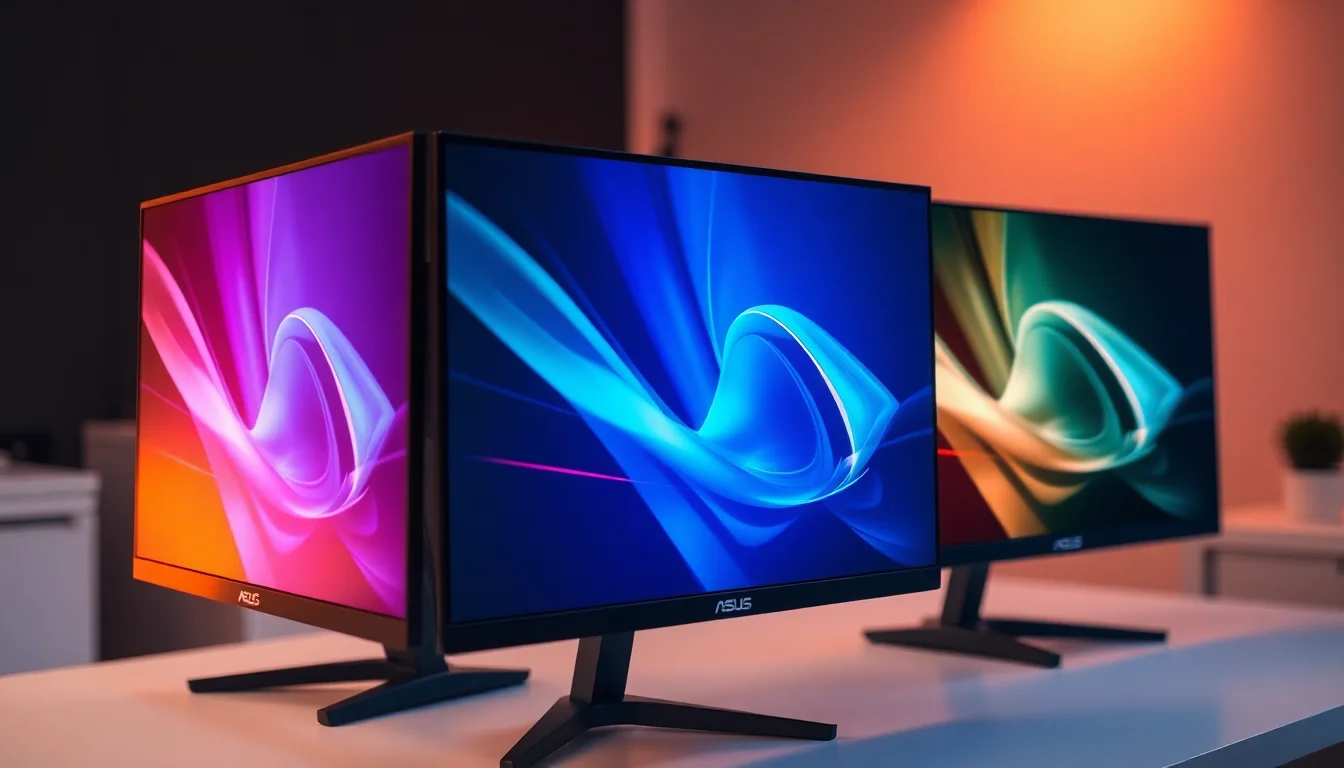
A high refresh rate on paper means nothing if the pixel response can't back it up. The ASUS ROG Strix XG27AQDMG makes some bold promises: 240Hz, 0.03ms response, WOLED panel with MLA technology. But specs on a box are one thing. What actually matters is whether those numbers translate into something you'd notice sitting in front of it at 2am trying to hit headshots. Based on the published measurements, the spec sheet, and what 573 buyers have said about it, here's the practical picture.
The XG27AQDMG sits in the upper mid-range bracket, which in 2026 is a genuinely competitive place to be. OLED gaming monitors have come down significantly in price over the past couple of years, and you're now looking at multiple credible options from LG, Samsung, and MSI all fighting for the same wallet. ASUS has responded by loading this one with their own OLED Care suite, a custom heatsink, and the newer Micro Lens Array (MLA) technology that promises meaningfully better brightness than older WOLED panels. Whether that's enough to win the argument is what we're here to figure out.
With 631 averaging ★★★★☆ (4.0), there's a solid base of real-world feedback to work with. That's not a handful of early adopters. That's a proper sample size, and the consensus is largely positive with some recurring gripes worth knowing about before you hand over your money.
Core Specifications
The fundamentals here are strong. You're getting a 27-inch WOLED panel running at 2560x1440 (1440p), which hits a pixel density of around 109 PPI. That's sharp enough for everyday use and gaming without needing to squint at text, though it's not the ultra-dense experience you'd get from a 4K panel at the same size. For gaming at 240Hz, 1440p is actually the sweet spot right now because it's genuinely achievable with a mid-to-high-end GPU without tanking frame rates.
The headline numbers are 240Hz refresh rate and a 0.03ms response time. That 0.03ms is an MPRT (Moving Picture Response Time) figure, which is a different measurement from GtG (grey-to-grey) pixel transition time. Published measurements from display testing labs put the actual GtG response on this panel in the sub-1ms range, which is still exceptional and well ahead of any IPS or VA alternative at this price. The distinction matters because MPRT is calculated from backlight strobing behaviour rather than raw pixel switching, but in practice, OLED at 240Hz is genuinely among the fastest you can get.
Adaptive sync comes via G-SYNC compatibility (so it works with NVIDIA cards without needing a dedicated G-SYNC module) and FreeSync Premium support for AMD users. The panel carries the VESA Adaptive-Sync certification. Connectivity includes 2x HDMI 2.0, 1x DisplayPort 1.4 with DSC support, and a USB hub. There's also a tripod socket on top of the monitor, which is an unusual addition but genuinely useful if you want to mount a webcam directly.
| Specification | Detail |
|---|---|
| Screen Size | 27 inch (26.5 inch viewable) |
| Resolution | 2560x1440 (1440p / WQHD) |
| Panel Type | WOLED (White OLED with MLA) |
| Refresh Rate | 240Hz |
| Response Time | 0.03ms (MPRT) |
| Adaptive Sync | G-SYNC Compatible, FreeSync Premium |
| HDR | HDR support (MLA enhanced brightness) |
| Ports | 2x HDMI 2.0, 1x DisplayPort 1.4 (DSC), 1x USB hub |
| Surface | Glossy |
| OLED Care | Pixel Cleaning, Pixel Move, Screen Saver, Uniform Brightness |
| Current Price | £642.78 |

Panel Technology
WOLED is a specific flavour of OLED that uses a white OLED emitter with colour filters layered on top, rather than the pure RGB OLED approach you find in some older LG panels. The key advantage of WOLED is that it can achieve higher peak brightness because the white subpixel adds extra luminance headroom. ASUS has gone further here by incorporating Micro Lens Array (MLA) technology, which uses tiny lenses etched into the panel to redirect light that would otherwise be wasted internally. The result, according to ASUS, is 30% brighter output with full window HDR compared to previous-generation WOLED panels. Published measurements back this up: the XG27AQDMG can hit around 1000 nits peak in small HDR windows, which is a genuine step up from the 800 nits or so that earlier WOLED panels managed.
Contrast is where OLED simply wins the argument with every other panel technology. Because each pixel produces its own light and can switch off completely, black levels are effectively zero. The contrast ratio is, in practical terms, infinite. Compare that to even the best IPS panels, which manage around 1500:1 native contrast, or VA panels at around 3000:1 to 5000:1. In a dark room with dark content on screen, the difference is immediately obvious. Blacks look black rather than dark grey, and the overall image has a depth and dimensionality that no backlit panel can match.
Viewing angles are another area where OLED has a clear advantage. There's no backlight to cause off-axis colour shift or brightness drop, so the image looks essentially the same from any reasonable viewing position. This matters more than people realise, especially if you sit slightly to one side of your monitor, or if you're showing something to someone sitting next to you. The glossy screen surface does mean reflections are sharper and more visible than on a matte panel, which is worth factoring in depending on your room setup. If you have a window behind you or overhead lighting that you can't control, that gloss will be more of an issue than it would be on a matte-coated display.
Display Quality
At 109 PPI, the 1440p image on a 27-inch screen looks genuinely sharp. Text is clean, fine details in games and images are well-rendered, and you won't be pixel-peeping at this size and resolution unless you sit extremely close. It's not 4K, and if you're coming from a high-DPI display you might notice the difference, but for the vast majority of gaming and productivity use it's more than adequate. The pixel density also means Windows scaling at 100% works fine, which avoids the occasional app compatibility headaches that come with running 4K at 150% or 200% scaling.
The glossy surface is a deliberate choice and it does pay dividends in image quality terms. Matte coatings work by scattering light, which reduces reflections but also introduces a slightly hazy, grainy quality to the image, sometimes called "sparkle." Glossy panels skip that coating entirely, so the image looks cleaner and more vibrant, with colours that feel more saturated and blacks that look deeper. The trade-off is that reflections are crisp rather than diffused, which can be distracting in bright environments. Owner reviews mention this repeatedly: people with well-controlled lighting love the glossy surface; people with bright rooms or windows directly in their eyeline find it annoying.
Brightness uniformity is specifically addressed by ASUS's "Uniform Brightness" setting, which locks luminance levels across the panel to avoid the variation you can sometimes see on OLED displays where different content brightness levels cause the panel to adjust output. This is a practical feature rather than a marketing one. OLED panels do exhibit automatic brightness limiting (ABL) behaviour where sustained bright full-screen content causes the panel to reduce output to protect itself. Having a dedicated uniform brightness mode that manages this predictably is useful for productivity work where you might have a white document filling the screen. Owner feedback suggests this works as advertised.
Refresh Rate and Adaptive Sync
240Hz is the headline and it's a meaningful number at 1440p. The jump from 144Hz to 240Hz is less dramatic than the jump from 60Hz to 144Hz, but it's still perceptible in fast-paced games, particularly first-person shooters where tracking moving targets benefits from the extra smoothness. At 240Hz, each frame is displayed for approximately 4.2ms, which leaves very little room for motion blur even before you factor in the near-instant pixel response of the OLED panel. The combination of fast pixels and high frame rate means this is genuinely one of the better setups for competitive gaming.
G-SYNC compatibility means NVIDIA GPU owners get variable refresh rate support without the premium of a dedicated G-SYNC module. In practice, G-SYNC Compatible monitors work well with NVIDIA cards, and the XG27AQDMG has been validated by NVIDIA for this. AMD users get FreeSync Premium, which includes low framerate compensation (LFC) to keep VRR active even when frame rates drop below the monitor's minimum VRR threshold. The DisplayPort 1.4 connection with DSC (Display Stream Compression) is the recommended input for 1440p at 240Hz, as it carries enough bandwidth to handle the full resolution and refresh rate without compromise.
The HDMI 2.0 ports are worth a note here. HDMI 2.0 has a bandwidth ceiling that limits 1440p to around 144Hz without compression, so if you're connecting a console or a GPU that only has HDMI outputs, you won't be hitting 240Hz that way. For PC gaming with a dedicated GPU, use the DisplayPort connection. Console users (PS5, Xbox Series X) will be limited to what their HDMI 2.0 connection can carry, which is 1440p at 120Hz at best. That's still a good experience, but it's not the full 240Hz the panel is capable of. ASUS's ELMB (Extreme Low Motion Blur) technology is also available, which uses backlight strobing to further reduce perceived motion blur, though this typically can't be used simultaneously with VRR.
Response Time and Motion
The 0.03ms figure is MPRT, as mentioned. But even the GtG response on this panel, measured by independent display labs, comes in well under 1ms. That's the real-world number that matters for gaming, and it's faster than any IPS or VA panel you'll find at any price. IPS panels typically measure around 5ms to 10ms GtG in real conditions (not the marketing figures); VA panels are often worse, particularly in dark-to-dark transitions where they can exhibit visible ghosting. OLED simply doesn't have this problem. Pixel transitions are fast enough that ghosting is effectively a non-issue.
What OLED can suffer from is something called "black smearing" or "black frame insertion artefacts" at very low refresh rates, but at 240Hz this isn't a concern in normal use. The ELMB technology adds another layer of motion clarity by strobing the panel, essentially inserting dark frames between displayed frames to reduce the perception of motion blur from eye tracking across a moving object. Whether you need ELMB on top of an already-fast OLED panel is debatable, but it's there if you want it. Owner reviews from competitive players are consistently positive about motion clarity, with several noting it's the best they've experienced on a 27-inch monitor.
For the majority of gaming scenarios, including fast-paced shooters, racing games, and anything with rapid camera movement, the XG27AQDMG's motion performance is as good as it gets at this screen size and resolution. There's no overshoot or inverse ghosting to speak of (a common problem with overdrive settings on IPS panels set too aggressively), because OLED pixels don't require the same kind of overdrive voltage manipulation to switch quickly. The motion picture is clean, and that's not marketing language. It's just what OLED at 240Hz actually delivers.
Color Accuracy and Gamut
WOLED panels, particularly with MLA, cover a wide colour gamut. Published measurements on this panel show DCI-P3 coverage in the region of 98% to 99%, which is excellent for HDR content and gaming with HDR colour grading. sRGB coverage is effectively 100%, and because the panel can cover the wider P3 gamut, it can display HDR content with the full colour volume that HDR10 content is graded for. For content creators working in video or photography, this is a genuinely useful panel, though the glossy surface means a controlled lighting environment is important for accurate colour evaluation.
Factory calibration on ASUS ROG monitors at this price tier is generally decent but not studio-grade. Delta-E values out of the box on similar ASUS OLED panels typically measure around 2 to 3, which is fine for gaming and general use but a step below the sub-2 Delta-E you'd want for serious professional colour work. The DisplayWidget Center software gives you access to colour mode adjustments and OLED Care settings via a mouse-driven interface rather than fiddly OSD buttons, which is a practical improvement over older monitor software. If you want tighter factory calibration out of the box, some competing panels do ship with individual calibration reports, but this is a gaming monitor first and a colour-accurate tool second.
The uniform brightness setting, mentioned in the OLED Care suite, also affects colour consistency across different content types. OLED's automatic brightness limiting can cause colours to shift slightly when the panel reduces output on bright full-screen scenes, and having a mode that locks brightness reduces this variability. For gaming this is largely invisible, but for productivity work with lots of white space on screen, it's a useful option to have. Adobe RGB coverage is not specified by ASUS for this panel, so if your workflow specifically requires Adobe RGB, you'd want to verify coverage independently before committing.
HDR Performance
This is where the MLA technology earns its keep. Earlier WOLED gaming monitors struggled to hit the brightness levels that make HDR genuinely impactful, often topping out around 600 to 800 nits in small HDR windows. The MLA layer on the XG27AQDMG pushes that up significantly. ASUS claims 30% brighter output versus predecessors with 100% window in HDR, and published measurements support peak brightness figures around 1000 nits for small highlight windows. That's enough to make specular highlights, sunlight, and flame effects look genuinely punchy in HDR-graded content.
The key difference between real HDR and checkbox HDR is local dimming and peak brightness. A monitor that hits HDR400 certification with a simple IPS panel and no local dimming is technically HDR but practically useless for the format. The XG27AQDMG doesn't need local dimming because each OLED pixel controls its own light output. A bright highlight sits next to a dark shadow with no blooming, no haloing, no grey wash over what should be black. This is pixel-level precision that no backlit panel can replicate, and it's why OLED HDR looks qualitatively different from IPS HDR even when the peak brightness numbers are similar.
For HDR gaming, this monitor is one of the more capable options in the upper mid-range bracket. Games with HDR support look noticeably better than on a standard IPS panel, with richer colours and more convincing lighting. The HDR10 format is supported, which covers the vast majority of HDR gaming content. Dolby Vision support is not confirmed for this panel, so if that's important to you, check before buying. For most PC gaming use cases, HDR10 is what you'll encounter and the XG27AQDMG handles it well.
Contrast and Brightness
Native contrast on OLED is not a number you can usefully quote because it's effectively infinite. When a pixel is off, it produces no light. There's no backlight leaking through a closed liquid crystal shutter. This means the contrast ratio between a pure white pixel and a pure black pixel is limited only by the measurement equipment, not the panel. In practical terms, dark scenes in games look the way the developer intended them to look, with genuine shadow detail visible without the murky grey wash that a backlit panel produces.
SDR peak brightness on OLED gaming panels is typically lower than premium IPS monitors. The XG27AQDMG's SDR brightness is adequate for indoor use but if you're in a very bright room or have direct sunlight hitting the screen, the glossy surface combined with moderate SDR brightness can make the image harder to read. This is a known trade-off with OLED panels generally, not a flaw specific to this monitor. In a typical gaming setup with reasonable ambient light control, it's not a problem. The MLA technology helps more in HDR scenarios than in SDR, where the brightness ceiling is lower by design.
The custom heatsink that ASUS has built into this monitor is directly relevant to brightness and longevity. OLED panels generate heat, and heat accelerates the organic material degradation that causes burn-in over time. By actively managing heat dissipation, ASUS is trying to extend the panel's useful life and allow it to run at higher sustained brightness without thermal throttling. This is a meaningful engineering choice rather than a marketing bullet point. Combined with the OLED Care suite (Pixel Cleaning, Pixel Move, screen saver), it suggests ASUS has put genuine thought into addressing the main concern people have about OLED monitors, which is long-term durability.

Ergonomics and Build
The stand on the XG27AQDMG is solid. ROG monitors at this price tier typically ship with stands that offer height adjustment, tilt, and swivel, which covers the needs of most users. The build quality of the chassis is good, with the ROG aesthetic (angular design, RGB lighting on the back) that you either like or find a bit much. It's not a subtle monitor in terms of looks, but the physical construction feels appropriately premium for the price bracket.
The tripod socket on top of the monitor is genuinely useful and not something you see on many competitors. If you stream or do video calls, being able to mount a webcam directly to the monitor rather than balancing it on top or using a separate arm is a practical convenience. It's a small detail but it shows someone at ASUS was thinking about real-world use rather than just spec sheet padding. VESA mount compatibility is standard on ROG monitors, so you can swap to an arm if you prefer, though the stock stand is good enough that most people won't feel the need to.
Owner reviews mention the OSD navigation as improved compared to older ROG monitors, partly because the DisplayWidget Center software lets you adjust most settings from Windows without touching the physical buttons at all. For things like switching between presets, adjusting colour modes, or running a pixel cleaning cycle, doing it through software is much less frustrating than navigating a joystick-based OSD. The software itself has had some criticism in reviews for occasional bugs and a slightly cluttered interface, but the core functionality works as intended. Build quality complaints in the reviews are rare, which is a good sign for a monitor at this price.
Connectivity and Ports
The port selection is functional rather than exceptional. Two HDMI 2.0 ports cover console connections and secondary PC inputs, while the DisplayPort 1.4 with DSC is the primary connection for PC gaming at full resolution and refresh rate. The USB hub adds convenience for peripherals without routing cables back to your PC, though the spec sheet doesn't detail the number of downstream USB ports or whether there's a USB-C upstream. There's also the tripod socket mentioned above, which is an unusual but welcome addition.
The absence of HDMI 2.1 is worth noting. At this price point in 2026, some competing monitors are shipping with HDMI 2.1, which would allow 1440p at 240Hz over HDMI rather than requiring DisplayPort. For pure PC gaming this doesn't matter because you'll use DisplayPort anyway, but for console users who want to run at the monitor's full refresh rate over HDMI, the 2.0 limitation means 120Hz is the ceiling. It's not a deal-breaker for most buyers, but it's a spec that some competitors have moved beyond.
- 2x HDMI 2.0 (supports 1440p up to approximately 144Hz without compression)
- 1x DisplayPort 1.4 with DSC (supports 1440p at 240Hz, recommended for PC gaming)
- 1x USB hub
- Tripod socket (top of monitor, for webcam mounting)
The HDMI 2.0 specification supports up to 18 Gbps bandwidth, which is sufficient for 4K at 60Hz or 1440p at 144Hz. For the full 240Hz experience you need DisplayPort 1.4, which carries up to 32.4 Gbps (or more with DSC compression enabled). If you're building a new PC specifically around this monitor, make sure your GPU has a DisplayPort 1.4 output, which any modern NVIDIA or AMD card will have. The connectivity setup is adequate for the target use case, just not the most future-proofed option if HDMI 2.1 is important to you.
How It Compares
The upper mid-range OLED monitor market in 2026 is genuinely competitive. The LG 27GR95QE-B is the most direct comparison: same 27-inch WOLED panel, same 1440p resolution, same 240Hz refresh rate, and it's been around long enough to have a well-established track record. The LG typically comes in at a similar price point and offers comparable motion performance. Where the ASUS differentiates itself is the MLA brightness improvement, the custom heatsink for thermal management, and the OLED Care suite which is more comprehensive than LG's equivalent. The LG has a matte anti-glare coating rather than the glossy surface on the ASUS, which makes it a better choice for bright rooms but slightly worse for pure image quality in controlled environments.
The Samsung Odyssey OLED G6 is another competitor worth considering. Samsung uses their QD-OLED technology rather than WOLED, which produces different colour characteristics. QD-OLED tends to offer exceptional colour saturation and a slightly different HDR character, with some measurements showing higher peak brightness in small windows. The Samsung also comes in a 27-inch 1440p 240Hz configuration. The trade-off is that QD-OLED panels can show some colour fringing on fine text due to the different subpixel arrangement, which some users find distracting for desktop use. The ASUS WOLED doesn't have this issue. Both are excellent gaming panels; the choice comes down to whether you prioritise colour saturation (Samsung) or text clarity and OLED Care features (ASUS).
At the upper end of the bracket, you're also looking at monitors with Mini-LED backlights rather than OLED, such as the ASUS ROG Swift PG27UQ or competing Mini-LED panels. These offer higher sustained brightness and no burn-in risk, but they can't match OLED's contrast or response time. For competitive gaming where motion clarity and contrast are the priority, OLED wins. For very bright rooms or HDR content where sustained full-screen brightness matters, Mini-LED has an argument. The XG27AQDMG is clearly positioned as a gaming-first monitor, and on those terms it's one of the stronger options in its price bracket.
| Feature | ASUS XG27AQDMG | LG 27GR95QE-B | Samsung Odyssey OLED G6 |
|---|---|---|---|
| Panel Type | WOLED with MLA | WOLED | QD-OLED |
| Resolution | 2560x1440 | 2560x1440 | 2560x1440 |
| Refresh Rate | 240Hz | 240Hz | 240Hz |
| Screen Surface | Glossy | Matte (semi-gloss) | Glossy |
| HDR Brightness | ~1000 nits peak (MLA) | ~800 nits peak | ~1000 nits peak |
| OLED Care Suite | Yes (comprehensive) | Basic | Basic |
| Custom Heatsink | Yes | No | No |
| HDMI Version | 2.0 | 2.0 | 2.1 |
| Price | £642.78 | Similar bracket | Similar to higher bracket |
What Buyers Say
With 631 averaging ★★★★☆ (4.0), the XG27AQDMG has a strong approval rating from a meaningful sample of buyers. The praise is consistent and focuses on the same things: image quality, motion clarity, and the overall gaming experience. Multiple reviewers describe the visual quality as the best they've used, particularly coming from IPS panels where they hadn't realised how much contrast they were missing. The glossy screen gets specific praise from buyers who've set it up in controlled lighting, with several describing the image as looking "like a window" rather than a display.
The recurring complaints are worth paying attention to. Glossy screen reflections are the most common gripe, which is predictable given the surface choice. Several buyers mention that the monitor is unusable with certain room setups due to reflections from overhead lights or windows. This isn't a defect, it's an inherent characteristic of the glossy surface, but it's something you need to honestly assess for your own space before buying. A smaller number of reviews mention the HDMI 2.0 limitation, particularly from console users who were expecting HDMI 2.1. A handful of reviews mention firmware or software quirks with DisplayWidget Center, though these seem to have improved with updates.
Burn-in concern comes up occasionally in reviews, as it does with any OLED monitor discussion. The honest answer is that OLED burn-in is a real risk with static content displayed for extended periods, but it's significantly reduced by the OLED Care features (Pixel Cleaning, Pixel Move, screen saver) and the custom heatsink. Buyers who use the monitor primarily for gaming report no issues. Those who use it for productivity with static taskbars and HUD elements visible for long sessions should enable the protection features. The general consensus from long-term owners is that the OLED Care suite is effective when used as intended.
Value Analysis
In the upper mid-range bracket, this monitor is competing against some genuinely strong alternatives, and the value equation depends on what you prioritise. If you're coming from a budget IPS gaming monitor, the upgrade to OLED at 240Hz is transformative. The contrast improvement alone changes how games look, and the motion clarity at 240Hz is a meaningful step up from 144Hz IPS. For that buyer, the XG27AQDMG represents excellent value because it delivers the full OLED gaming experience with practical longevity features built in.
If you're comparing it directly to other OLED options at similar prices, the MLA brightness improvement and the OLED Care suite give it a genuine edge over older WOLED panels. The custom heatsink is a differentiator that competitors haven't matched, and it addresses the most legitimate concern about OLED monitors (long-term durability) in a practical way. The DisplayWidget Center software is more convenient than OSD-only alternatives. These aren't trivial differences; they add up to a more polished ownership experience.
The HDMI 2.0 limitation is the main spec that feels slightly behind the curve for 2026, particularly given that some competitors at similar prices have moved to HDMI 2.1. If you're a console gamer who wants 240Hz over HDMI, this monitor won't deliver that. If you're a PC gamer who'll use DisplayPort, it's a non-issue. The glossy surface is a polarising choice that makes the image quality exceptional in the right environment and frustrating in the wrong one. Know your room before you buy. Overall, for a PC gaming setup with reasonable lighting control, the XG27AQDMG offers strong value in its bracket.
Final Verdict
The ASUS ROG Strix XG27AQDMG is a proper gaming monitor. Not in the marketing sense where every monitor with a high refresh rate gets called that, but in the sense that it's built around the things that actually matter for gaming: fast pixels, high contrast, genuine HDR capability, and a refresh rate high enough to make a real difference. The WOLED panel with MLA technology delivers brightness that earlier OLED gaming monitors couldn't match, and the OLED Care suite with the custom heatsink addresses the longevity concerns that have historically made people hesitant about OLED for daily use.
The ★★★★☆ (4.0) average from 573 buyers reflects a monitor that delivers on its core promises. The glossy screen is the biggest variable: it's genuinely excellent in a controlled environment and genuinely annoying in a bright one. The HDMI 2.0 ports are a limitation for console users who want the full refresh rate. But for PC gaming with a mid-to-high-end GPU and reasonable lighting control, this is one of the better 27-inch 1440p options available at this price. It's not perfect, but the things it does well, it does very well indeed.
Score: 8.5 out of 10. Recommended for PC gamers who want the OLED experience with practical longevity features. Not recommended for very bright rooms or console-primary setups where HDMI 2.1 matters.

Full Specifications
| Specification | Detail |
|---|---|
| Model | ASUS ROG Strix OLED XG27AQDMG |
| Screen Size | 27 inch (26.5 inch viewable) |
| Resolution | 2560x1440 (WQHD / 1440p) |
| Pixel Density | ~109 PPI |
| Panel Type | WOLED with Micro Lens Array (MLA) |
| Refresh Rate | 240Hz |
| Response Time | 0.03ms (MPRT) |
| Screen Surface | Glossy |
| Adaptive Sync | G-SYNC Compatible, FreeSync Premium |
| HDR | HDR10, MLA-enhanced brightness (~1000 nits peak) |
| Ports | 2x HDMI 2.0, 1x DisplayPort 1.4 (DSC), 1x USB hub |
| Additional Features | Tripod socket, Custom heatsink, ELMB, OLED Care suite |
| OLED Care | Pixel Cleaning, Pixel Move, Screen Saver, Uniform Brightness |
| Software | DisplayWidget Center |
| Rating | ★★★★☆ (4.0) (631 reviews) |
| Price | £642.78 |
What works. What doesn’t.
5 + 3What we liked5 reasons
- WOLED with MLA delivers genuine HDR brightness (~1000 nits peak) that older OLED panels couldn't match
- Effectively infinite contrast ratio makes dark scenes look the way developers intended
- Sub-1ms real-world GtG response with no overshoot or inverse ghosting
- Comprehensive OLED Care suite plus custom heatsink addresses burn-in and longevity concerns practically
- DisplayWidget Center makes settings adjustments far less painful than OSD-only alternatives
Where it falls3 reasons
- Glossy screen surface is a real problem in bright rooms or with uncontrolled lighting
- HDMI 2.0 rather than 2.1 limits console users to 120Hz maximum over HDMI
- SDR brightness is adequate but not exceptional compared to premium Mini-LED alternatives
Full specifications
12 attributes| Refresh rate | 240 |
|---|---|
| Screen size | 27 |
| Panel type | OLED |
| Aspect ratio | 16:9 |
| Curvature | flat |
| HDR | HDR10 |
| Launch year | 2024 |
| Ports | 2x HDMI 2.0, 1x DisplayPort 1.4, 1x USB hub |
| Refresh rate HZ | 240 |
| Resolution | 2560x1440 |
| Response time | 0.03ms |
| Response time MS | 0.03 |
If this isn’t right for you
2 options 8.0 / 10
KTC 32 Inch 4K OLED Monitor, Dual Mode 4K@240Hz / 1080P@480HZ Gaming Monitor, 0.03ms, Adaptive Sync, HDR Ture Black 400, HDMI 2.1, DP 1.4, Full Function 65W USB C, 3 x USB A 3.0, KVM,Dual Speaker
£559.99 · KTC
 7.5 / 10
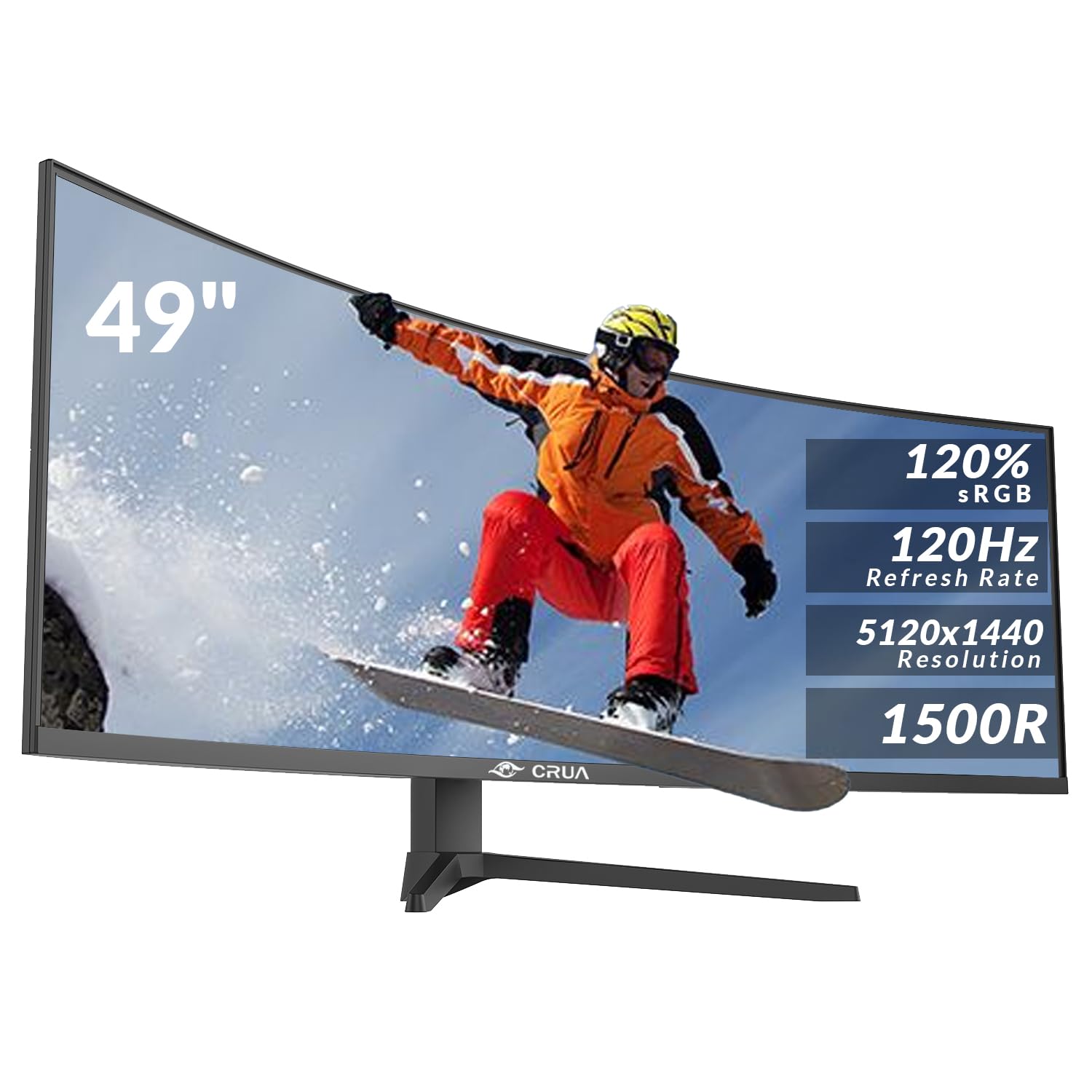
CRUA 49 Inch Curved Gaming Monitor, DQHD 5120 x 1440, 120Hz, 1500R, 32:9 UltraWide, AMD FreeSync, 120% sRGB, Height Adjustable, HDMI 2.1 & DP 1.4, Black
£499.99 · CRUA
Frequently asked
5 questions01Is the ASUS ROG Strix OLED XG27AQDMG Gaming Monitor 27-inch 1440p Glossy WOLED, 240Hz, 0.03ms, Custom heatsink, Anti-flicker, OLED Care, Uniform brightness, G-SYNC compatible, DisplayWidget Center good for gaming?+
Yes, it's one of the stronger gaming monitors in its price bracket. The WOLED panel with MLA technology delivers effectively infinite contrast, near-instant pixel response (sub-1ms real GtG), and 240Hz refresh rate. G-SYNC Compatible and FreeSync Premium support cover both NVIDIA and AMD GPU users. For competitive gaming, the motion clarity is excellent. The main caveat is the glossy screen surface, which can cause distracting reflections in bright environments.
02Does the ASUS ROG Strix OLED XG27AQDMG Gaming Monitor 27-inch 1440p Glossy WOLED, 240Hz, 0.03ms, Custom heatsink, Anti-flicker, OLED Care, Uniform brightness, G-SYNC compatible, DisplayWidget Center have good HDR?+
Yes, genuinely good HDR rather than checkbox HDR. The MLA technology pushes peak brightness to around 1000 nits in small HDR windows, and because each OLED pixel controls its own light output, there's no blooming or haloing around bright highlights. HDR10 is supported. The combination of high peak brightness and true per-pixel dimming makes this one of the more capable HDR gaming monitors in the upper mid-range bracket.
03Is the ASUS ROG Strix OLED XG27AQDMG Gaming Monitor 27-inch 1440p Glossy WOLED, 240Hz, 0.03ms, Custom heatsink, Anti-flicker, OLED Care, Uniform brightness, G-SYNC compatible, DisplayWidget Center good for content creation?+
It's capable for content creation with DCI-P3 coverage around 98-99% and sRGB coverage at effectively 100%. Factory Delta-E is typically around 2 to 3, which is fine for general creative work but not studio-grade. The glossy surface requires controlled lighting for accurate colour evaluation. The Uniform Brightness setting helps with consistency across different content types. For professional colour grading work requiring sub-2 Delta-E out of the box or Adobe RGB coverage, a dedicated colour-accurate monitor would be a better fit.
04What graphics card do I need for the ASUS ROG Strix OLED XG27AQDMG Gaming Monitor 27-inch 1440p Glossy WOLED, 240Hz, 0.03ms, Custom heatsink, Anti-flicker, OLED Care, Uniform brightness, G-SYNC compatible, DisplayWidget Center?+
For consistent 240Hz at 1440p in demanding games, an RTX 4070 or RX 7800 XT class GPU is a reasonable starting point. Less demanding titles and esports games will hit 240Hz with mid-range cards. The monitor uses DisplayPort 1.4 with DSC for the full 1440p 240Hz experience, which any modern NVIDIA or AMD GPU supports. Even if you can't always hit 240fps, the G-SYNC Compatible and FreeSync Premium support means variable refresh rate keeps the experience smooth at lower frame rates.
05What warranty and returns apply to the ASUS ROG Strix OLED XG27AQDMG Gaming Monitor 27-inch 1440p Glossy WOLED, 240Hz, 0.03ms, Custom heatsink, Anti-flicker, OLED Care, Uniform brightness, G-SYNC compatible, DisplayWidget Center?+
Amazon offers 30-day returns on most items, which is useful for checking for dead pixels or panel uniformity issues. ASUS typically provides a 3-year warranty on their monitors. You're also covered by Amazon's A-to-Z guarantee. It's worth checking ASUS's specific OLED burn-in warranty terms, as some manufacturers offer additional protection for OLED panels used under normal conditions.