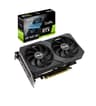
So you're looking at the ASUS GeForce RTX 3060 12G DUAL V2 OC and wondering if it actually makes sense to buy one in 2026. Fair question. The RTX 3060 has been around long enough that the hype has settled, the real-world numbers are well established, and you can make a genuinely informed decision without wading through launch-day marketing nonsense. Here's the short version: it's a solid 1080p card with a genuinely useful 12GB of VRAM, and ASUS's Dual cooler keeps things quiet enough that you won't hate your own PC. But the value picture is complicated, and at the mid-range price point this now occupies, it needs scrutiny.
The verdict up front: the ASUS GeForce RTX 3060 12G DUAL V2 OC is a competent, well-built card for 1080p gaming, and it handles 1440p better than most people expect given its price tier. The 12GB VRAM advantage over cards like the RTX 4060's 8GB is real and matters more as time goes on. But if you're buying new in 2026, you need to think hard about whether this Ampere-generation card is the right call when newer Ada Lovelace alternatives exist. It isn't automatically the wrong call. It just needs justification.
Core Specifications
The RTX 3060 sits on NVIDIA's Ampere architecture, built on Samsung's 8nm process node. It ships with 3,584 CUDA cores, 28 RT cores (second-generation), and 112 Tensor cores (third-generation). The VRAM situation is one of the card's genuine selling points: 12GB of GDDR6 on a 192-bit memory bus, giving you 360GB/s of bandwidth. That's not going to set the world on fire for bandwidth-hungry tasks, but 12GB of headroom is genuinely useful. The ASUS Dual V2 OC variant boosts that base specification with a factory overclock to 1867MHz boost clock, nudging it past the reference 1777MHz. The card draws 170W TGP, which is manageable for most mid-range PSU setups.
Connectivity on this card covers the practical bases: one DisplayPort 1.4a, one HDMI 2.1, and one DVI-D port. That DVI-D port is a bit of a relic in 2026, but there are still monitors out there that use it, and it's there if you need it. The HDMI 2.1 connection means you can push 4K at 120Hz to a compatible display, which is a meaningful advantage over older HDMI 2.0 implementations. The card uses a 2-slot design, which ASUS specifically highlights as a feature for small chassis compatibility. And it connects via PCIe Gen 4, so it'll slot into any modern motherboard without bottlenecking the interface.
Over 3,067 owner reviews have given this card a 4.6-star average, which is a meaningful signal at that sample size. That's not a handful of enthusiasts who got lucky with their silicon lottery. That's a broad cross-section of buyers who've lived with this card across a wide range of systems and use cases. When a product holds 4.6 stars across thousands of reviews, the cooler works, the drivers behave, and the card does what it says on the box. That doesn't mean it's perfect, but it does mean the fundamentals are sorted.
| Specification | Detail |
|---|---|
| GPU Architecture | NVIDIA Ampere (GA106) |
| CUDA Cores | 3,584 |
| RT Cores | 28 (2nd Generation) |
| Tensor Cores | 112 (3rd Generation) |
| Boost Clock (OC) | 1867MHz |
| VRAM | 12GB GDDR6 |
| Memory Bus | 192-bit |
| Memory Bandwidth | 360 GB/s |
| TGP | 170W |
| PCIe Interface | Gen 4 |
| Display Outputs | 1x DisplayPort 1.4a, 1x HDMI 2.1, 1x DVI-D |
| Cooler | Axial-tech Dual Fan, 2-slot |
| Current Price | £398.98 |

Architecture and Cores
The ASUS GeForce RTX 3060 12G DUAL V2 OC runs on NVIDIA's Ampere architecture, and it's worth understanding what that actually means rather than just nodding at the name. Ampere brought a significant redesign to the streaming multiprocessor structure. NVIDIA's own positioning highlights that the Ampere SM delivers twice the FP32 throughput compared to the previous Turing generation. In plain terms, that means the card can handle more floating-point operations per clock cycle, which translates directly to better gaming and compute performance per watt than the RTX 20-series cards it replaced.
The second-generation RT cores are a meaningful upgrade over the first-gen implementation in Turing cards. NVIDIA rates them at twice the throughput of their predecessors, and crucially they support concurrent RT and shading workloads. On Turing, ray tracing essentially monopolised the hardware pipeline in ways that hammered frame rates. On Ampere, the card can handle both simultaneously, which is why ray tracing performance on the 3060 is noticeably better than the raw core count comparison to older cards would suggest. It's still not an RTX 4080, obviously, but it's a proper implementation rather than a marketing checkbox.
The third-generation Tensor cores handle AI workloads, and specifically DLSS. NVIDIA claims up to twice the throughput versus the second-gen Tensor cores, partly through structural sparsity, which is a technique that skips zero-value calculations in neural network operations. For gaming, this matters because DLSS 2 and later versions run on these cores, and better Tensor core throughput means the AI upscaling pipeline runs more efficiently. The 3,584 CUDA cores sit across 28 streaming multiprocessors on the GA106 die, manufactured on Samsung's 8nm node. It's not TSMC 4nm like Ada Lovelace, and that does have efficiency implications, but the architecture itself is genuinely capable rather than just a rebadge.
Clock Speeds and Boost
ASUS's Dual V2 OC variant runs a factory overclock to 1867MHz boost clock. The reference RTX 3060 boost clock sits at 1777MHz, so ASUS has pushed it up by 90MHz out of the box. That's not a dramatic overclock, and you shouldn't expect transformative performance gains from it, but it's a free bump that puts this card slightly ahead of reference-clocked 3060s in the same price bracket. In practice, the difference between 1777MHz and 1867MHz works out to roughly a 5% performance advantage, which shows up as a handful of extra frames in GPU-bound scenarios.
Real-world boost behaviour on Ampere cards is generally good. NVIDIA's GPU Boost 4.0 algorithm adjusts clocks dynamically based on power limits, temperature headroom, and voltage, and the 3060 tends to sustain its boost clock reasonably well under load when the cooler is doing its job. The ASUS Dual cooler on this card gives it enough thermal headroom that the boost clock doesn't get throttled back under sustained gaming loads, which is exactly what you want. A card that advertises a 1867MHz boost but spends most of its time at 1600MHz because it's cooking itself is worse than a reference card with a sensible cooler. This isn't that.
If you're the sort of person who wants to push further, the 3060 does have manual overclocking headroom beyond the factory OC. Published community results suggest the GA106 die responds reasonably well to additional voltage and power limit adjustments, with many owners reporting stable operation at boost clocks above 1900MHz with memory overclocks on top. That's not something you should factor into a buying decision, but it's there if you want it. The 2-slot cooler design does impose some thermal limits compared to a beefier triple-fan card, so don't expect the same headroom as a 3060 Ti with a massive heatsink.
VRAM Analysis
This is genuinely one of the most interesting things about the RTX 3060. Twelve gigabytes of GDDR6 on a mid-range card was unusual when this launched, and it remains relevant in 2026. For context, the RTX 4060 that nominally replaced it in NVIDIA's lineup ships with 8GB. The RTX 4060 Ti 8GB also ships with 8GB. You're looking at a situation where NVIDIA's newer, more efficient Ada Lovelace architecture got paired with less VRAM than the older card it was supposed to supersede. That's a real problem in modern titles, and it's the main reason the RTX 3060 12GB still gets recommended by people who know what they're talking about.
At 1080p, 12GB is more than you need for virtually everything available right now. But at 1440p with high texture settings, modern titles are increasingly pushing past 8GB in VRAM usage. Games like Hogwarts Legacy, Cyberpunk 2077 with ray tracing enabled, and Alan Wake 2 have all been documented exceeding 8GB at 1440p with maximum texture settings. The 3060's 12GB means you don't hit that wall. Whether that matters to you depends on whether you're gaming at 1440p and whether you play the sort of open-world or graphically demanding titles that chew through VRAM. If you do, the 12GB advantage is real and not theoretical.
The 192-bit memory bus is the less flattering part of this story. Bandwidth sits at 360GB/s, which is adequate for 1080p and fine for 1440p in most titles, but it's narrower than you'd ideally want for 4K gaming. The card officially supports 4K output via its HDMI 2.1 and DisplayPort 1.4a connections, and it can push 4K frames in less demanding titles or with DLSS doing the heavy lifting. But native 4K at high settings in demanding games is not this card's comfort zone. The VRAM capacity is there for 4K textures; the bandwidth and raw shader performance are the limiting factors. Think of 4K as a bonus capability rather than a primary use case.
Ray Tracing and Upscaling
The second-generation RT cores in Ampere make ray tracing on the RTX 3060 a genuine option rather than a party trick. That said, you still need to be realistic. Turning on full ray tracing in Cyberpunk 2077 or Alan Wake 2 at 1440p without upscaling will tank your frame rate to unplayable levels. The 3060 doesn't have the raw RT throughput to brute-force those workloads. What it can do is handle lighter RT implementations, like ambient occlusion, shadows, and reflections in titles that use ray tracing more conservatively, without completely falling over. And with DLSS enabled, the picture changes considerably.
DLSS 2 support is where the card earns its keep in RT scenarios. NVIDIA's DLSS technology uses the Tensor cores to reconstruct a higher-resolution image from a lower-resolution render, and the quality at the DLSS Quality preset is genuinely good. You're not giving up much visual fidelity compared to native resolution, and you're reclaiming a substantial chunk of performance. In practice, pairing medium RT settings with DLSS Quality at 1440p gives you a playable, good-looking result in many titles that would otherwise be a slideshow. That's a realistic use case for this card, not a theoretical one.
DLSS 3 with Frame Generation is not available on Ampere cards. That's an Ada Lovelace exclusive feature, and it's a meaningful gap if you're considering this card against newer RTX 4000 options. DLSS 3 Frame Generation can effectively double frame rates in supported titles, which is a significant advantage for the 4060 and above in the Ada lineup. The 3060 supports DLSS 2 Super Resolution, which is the core upscaling feature, but not the frame interpolation layer. For most buyers at this price point, DLSS 2 is sufficient. But if Frame Generation is important to you, this card doesn't have it, and you should factor that in.
Video Encoding
The RTX 3060 includes NVIDIA's NVENC encoder, which handles hardware-accelerated video encoding without touching your CPU. The Ampere generation NVENC is a solid implementation that produces good quality output at reasonable bitrates, and it's widely supported by streaming software including OBS, Shadowplay, and most professional video tools. For streamers running at 1080p60, the Ampere NVENC encoder is more than capable, and offloading encoding to the GPU rather than the CPU keeps your game performance intact while you stream.
AV1 encode support is not present on Ampere. That's an Ada Lovelace addition, and it matters if you're doing serious content creation or streaming to platforms that support AV1 for better quality at lower bitrates. The 3060 handles H.264 and H.265 (HEVC) encoding via NVENC, which covers the vast majority of streaming and recording use cases in 2026. YouTube, Twitch, and most video platforms still primarily ingest H.264 and H.265, so the lack of AV1 encode is a gap rather than a dealbreaker for most users. If AV1 encode is a priority, you're looking at Ada Lovelace cards.
For content creators doing video editing rather than gaming, the 3060's 12GB VRAM is actually a meaningful advantage over 8GB Ada alternatives. Premiere Pro, DaVinci Resolve, and similar tools benefit from VRAM headroom when handling high-resolution footage with multiple effects layers. A 3060 with 12GB can handle 4K editing workflows that would cause an 8GB card to start swapping to system RAM, which slows things down noticeably. So if your use case is a mix of gaming and video work rather than pure gaming, the VRAM advantage of the 3060 carries over into your creative workload too. That's a practical consideration that doesn't get enough attention in gaming-focused reviews.

Power Consumption
The RTX 3060 has a 170W TGP rating, and ASUS's Dual V2 OC variant sits within that envelope given the modest factory overclock. In the context of a mid-range card, 170W is reasonable. It's not a power-sipping Ada Lovelace card (the RTX 4060 manages similar performance at around 115W TGP), but it's also not the 350W monster that higher-end cards demand. A quality 550W to 600W PSU is sufficient for a typical gaming system built around this card, assuming you're not also running a power-hungry CPU. Most mid-range system builders in that PSU range will be fine.
The card connects via standard 8-pin power connectors, which is a genuine practical advantage over the 12VHPWR connector that higher-end Ada Lovelace cards use. The 12VHPWR connector has had well-documented issues with melting in certain configurations, and while NVIDIA and board partners have addressed this in later revisions, the fact that the 3060 just uses conventional 8-pin connectors means you don't have to think about it at all. Older PSUs with modular 8-pin cables work fine. No adapter drama, no worrying about connector seating. It just plugs in and works.
The efficiency gap between Ampere and Ada Lovelace is real and worth acknowledging. The RTX 4060 delivers comparable gaming performance at roughly 115W, which means meaningfully lower electricity costs over time and less heat pumped into your case. If you're in a hot climate, running a small form factor build, or just care about your electricity bill, that 55W difference adds up. Over a year of moderate gaming use, that's not trivial. The 3060 isn't inefficient by any objective standard, but it's less efficient than what came after it, and honest value analysis has to include that.
Thermal Performance
ASUS's Axial-tech fan design is the headline feature of the Dual cooler on this card. The design uses a smaller fan hub to allow longer blades, combined with a barrier ring around the fan that increases downward air pressure over the heatsink fins. ASUS has used variations of this design across their GPU lineup for several generations, and it's genuinely well-engineered rather than just a marketing description. More blade surface area and better directed airflow translates to more effective heat transfer at a given noise level, which is the core trade-off in cooler design.
Owner feedback across the 3,073 consistently points to good thermal behaviour under gaming loads. The 2-slot design keeps the footprint compact, which is useful for smaller cases, but it does mean the heatsink has less mass than a triple-slot cooler. In practice, the card runs warm under sustained load but not hot, which is the right outcome. Ampere cards generally have a higher thermal target than Ada Lovelace cards, and the 3060 is no exception. The GPU will boost up toward its thermal limit and sit there, which is normal behaviour and not a sign of a problem. If you're in a well-ventilated case with decent airflow, the card manages itself without drama.
The 2-slot form factor is for small form factor builders specifically. Many compact cases struggle to accommodate triple-slot cards, and the 3060 Dual V2's slim profile makes it compatible with a wider range of chassis than most of its performance class. That's a real practical benefit that doesn't show up in benchmark comparisons. If you're building in a Mini-ITX or compact Micro-ATX case, the ability to fit a capable mid-range GPU without compromising on case choice is genuinely valuable. Owners in smaller builds report that the card runs fine as long as the case itself has reasonable intake airflow, which is true of any GPU in a compact chassis.
Acoustic Performance
The Axial-tech dual-fan setup on this card is, by consistent owner account, a quiet cooler. The barrier ring design that directs air pressure downward means the fans don't have to work as hard to move the same volume of air, which keeps noise levels low at typical gaming loads. Under light or idle conditions, the fans can stop entirely, which ASUS refers to as their 0dB technology. So if you're browsing the web or doing light work, the card is completely silent. The fans only spin up when the GPU temperature reaches a threshold that requires active cooling.
Under sustained gaming load, the fans do spin up and you'll hear them, but owner feedback consistently describes the noise character as acceptable rather than intrusive. It's not whisper-quiet under full load, because no dual-fan 2-slot cooler is going to be completely inaudible when it's managing 170W of heat. But the consensus is that it's not the kind of fan noise that makes you want to wear headphones just to block out your own PC. For an open-air case setup in a quiet room, you'll be aware of the fans under load. For a closed case or any gaming scenario where you're wearing headphones anyway, it's a non-issue.
The 2-slot design does impose some acoustic trade-offs compared to larger coolers. A triple-slot card with a bigger heatsink can run its fans at lower RPM to shift the same amount of heat, which generally means quieter operation. The 3060 Dual V2 isn't loud, but if absolute silence under load is your priority, a card with a larger cooler will always have an advantage. That said, for the majority of users in typical gaming scenarios, the noise level of this cooler is perfectly liveable. The owner review consensus of 4.6 stars across thousands of reviews strongly suggests that noise is not a common complaint. If it were, you'd see it in the reviews.
Gaming Performance
At 1080p, the RTX 3060 is a proper 1080p high-settings card. In the vast majority of current titles at 1080p maximum settings, published benchmark results place it comfortably above 60fps and often well above it in less demanding games. Competitive titles like Valorant, CS2, and Apex Legends run at extremely high frame rates on this card, which matters if you have a high-refresh monitor. More demanding titles like Cyberpunk 2077, Hogwarts Legacy, and The Witcher 3 with ray tracing off run at playable high-settings frame rates at 1080p. That's the baseline expectation, and the 3060 meets it without issue.
At 1440p, the card is more of a mixed picture. In well-optimised titles and games that aren't particularly demanding, 1440p high settings is achievable at good frame rates. In the most demanding modern titles, you'll want to dial settings back from maximum or lean on DLSS Quality mode to maintain smooth performance. The 12GB VRAM means you won't hit memory limits at 1440p with high texture settings, which is a genuine advantage over 8GB alternatives. But raw shader performance is the bottleneck in demanding 1440p scenarios, not VRAM. With DLSS Quality enabled, the 3060 becomes a much more capable 1440p card because the internal render resolution drops while image quality stays high.
At 4K, be realistic. Native 4K at high settings in demanding games is beyond what this card does well. The bandwidth constraints of the 192-bit memory bus and the raw shader count both work against it at that resolution. Where 4K becomes viable on this card is with DLSS Performance or Balanced mode, which drops the internal render resolution significantly. In less demanding titles, native 4K at medium settings is achievable. But if your primary goal is 4K gaming, this isn't the card to buy. The HDMI 2.1 output supports 4K displays, which is great for media consumption and lighter gaming, but the GPU itself isn't a 4K gaming card in any serious sense.
How It Compares
The two most relevant comparisons for the ASUS GeForce RTX 3060 12G DUAL V2 OC in 2026 are the RTX 4060 and the RX 7600. The RTX 4060 is NVIDIA's direct successor in the mainstream segment, offering Ada Lovelace efficiency, DLSS 3 Frame Generation, and AV1 encode support. The RX 7600 is AMD's competing option, running on the RDNA 3 architecture with FSR 3 upscaling and solid rasterisation performance. Both are legitimate alternatives that deserve honest comparison rather than being dismissed.
The RTX 4060 wins on efficiency, features, and future-proofing. Its Ada architecture is more power-efficient, DLSS 3 Frame Generation is a real performance multiplier in supported titles, and AV1 encode is increasingly useful. Where it loses is VRAM: 8GB versus 12GB is a meaningful gap in 2026 and will only become more relevant. If you're gaming at 1440p in texture-heavy titles, the 3060's extra VRAM headroom is a practical advantage. The RX 7600 offers competitive rasterisation performance with 8GB VRAM and FSR 3 support, but lacks the ray tracing capability and DLSS quality of the NVIDIA options. AMD's FSR 3 is more widely compatible than DLSS (it works on any GPU), but DLSS 2 image quality at the Quality preset is generally regarded as superior.
| Feature | ASUS RTX 3060 12G Dual V2 OC | RTX 4060 (reference) | RX 7600 |
|---|---|---|---|
| Architecture | Ampere (GA106) | Ada Lovelace (AD107) | RDNA 3 (Navi 33) |
| VRAM | 12GB GDDR6 | 8GB GDDR6 | 8GB GDDR6 |
| Memory Bus | 192-bit | 128-bit | 128-bit |
| TGP | 170W | ~115W | ~165W |
| Upscaling | DLSS 2 | DLSS 3 (incl. Frame Gen) | FSR 3 |
| AV1 Encode | No | Yes | Yes |
| RT Generation | 2nd Gen RT Cores | 3rd Gen RT Cores | 2nd Gen Ray Accelerators |
| PCIe Interface | Gen 4 | Gen 4 | Gen 4 |
| HDMI Version | 2.1 | 2.1 | 2.1 |
| Cooler Slots | 2-slot | Varies by AIB | Varies by AIB |
The comparison table makes the trade-offs clear. The 3060 has more VRAM and a wider memory bus than both competitors, but it's behind on efficiency, upscaling features, and encoding capabilities. Whether those trade-offs work in your favour depends entirely on your priorities. For a pure 1080p gaming build where VRAM headroom matters, the 3060 makes sense. For a build where efficiency and future features matter more, the 4060 is the better choice despite the 8GB limitation. The RX 7600 is the budget-conscious option that competes on rasterisation but lacks DLSS quality.

Final Verdict
The ASUS GeForce RTX 3060 12G DUAL V2 OC is a card that makes most sense to a specific type of buyer: someone who games primarily at 1080p or 1440p, plays texture-heavy titles where 8GB VRAM genuinely causes problems, and wants a quiet, compact cooler that fits in a range of cases. For that buyer, this card delivers. The Axial-tech dual-fan cooler keeps things manageable acoustically, the 12GB VRAM advantage over newer 8GB competitors is real and growing in relevance, and the 4.6-star average across over 3,067 owner reviews tells you that the fundamentals work. It's not a lottery card. It's a known quantity with a good track record.
Who should skip it? Anyone building a system where long-term efficiency matters, because the 170W TGP versus the RTX 4060's ~115W is a meaningful ongoing cost. Anyone who wants DLSS 3 Frame Generation, because Ampere doesn't support it and there's no workaround. Anyone doing AV1 encoding for streaming or content creation. And anyone whose primary target is 4K gaming, because the 192-bit memory bus and shader count make this a card that struggles at native 4K in demanding titles regardless of the VRAM capacity.
The value question is genuinely complicated at the mid-range price point this card now occupies. In the mid-range GPU segment, you're competing directly with newer Ada Lovelace and RDNA 3 options that offer better efficiency and more modern features. The 3060's VRAM advantage is its strongest card, and it's a real one. But if VRAM isn't your primary concern and you're not playing the specific titles that hammer through 8GB at 1440p, the RTX 4060 is the smarter buy. It's more efficient, supports DLSS 3, and its 8GB limitation matters less than the VRAM discourse suggests for 1080p gaming in most titles available right now. Don't buy the 3060 because it's newer or because the numbers look bigger. Buy it because 12GB of VRAM solves a specific problem you actually have.
As a card, this ASUS implementation is one of the better ways to own a 3060. The Axial-tech cooler is a genuine design rather than a cosmetic exercise, the factory overclock adds a small but real performance bump, and the 2-slot form factor makes it genuinely versatile for different build scenarios. ASUS's build quality and driver support track record are solid. The ASUS Dual series has earned its reputation as a reliable mid-range option rather than a budget cut. If you've decided the 3060 is the right card for your situation, this variant is a sensible way to buy one. Score: 7.5 out of 10. Competent, honest, and held back only by its age in a market that's moved on in meaningful ways.
What works. What doesn’t.
6 + 5What we liked6 reasons
- 12GB GDDR6 VRAM provides genuine headroom over 8GB competitors at 1440p with high texture settings
- Axial-tech dual-fan cooler runs quietly under typical gaming loads, with full fan stop at idle
- Compact 2-slot design fits a wider range of cases including Mini-ITX and smaller Micro-ATX chassis
- Factory overclock to 1867MHz boost clock adds a small but real performance advantage over reference 3060 cards
- HDMI 2.1 output supports 4K at 120Hz for compatible displays, useful for media and lighter gaming
- 12GB VRAM benefits video editing workflows in DaVinci Resolve and Premiere Pro, not just gaming
Where it falls5 reasons
- Ampere architecture is less power-efficient than Ada Lovelace, drawing 170W versus around 115W for the RTX 4060
- No support for DLSS 3 Frame Generation, which is exclusive to Ada Lovelace and can effectively double frame rates in supported titles
- AV1 hardware encode is absent, limiting appeal for streamers and content creators who need it
- 192-bit memory bus constrains bandwidth and makes native 4K gaming in demanding titles unrealistic
- Older Samsung 8nm process node versus TSMC 4nm on Ada Lovelace results in a meaningful efficiency gap over time
Full specifications
12 attributes| Vram GB | 12 |
|---|---|
| Boost clock MHZ | 1867 |
| Chipset | RTX 3060 |
| Cooler type | dual-fan |
| Core clock MHZ | 1328 |
| Generation | RTX 30 Series |
| Interface | PCIe 4.0 |
| Length MM | 200 |
| Memory BUS BIT | 192 |
| Memory type | GDDR6 |
| Power connectors | 1x 8-pin |
| Slot width | 2 |
Will it run on what you have?
Free toolIf this isn’t right for you
2 options
Frequently asked
7 questions01Does the ASUS RTX 3060 12G DUAL V2 OC support DLSS 3 Frame Generation?+
No. DLSS 3 Frame Generation is exclusive to NVIDIA's Ada Lovelace architecture, which means RTX 4000 series cards and above. The RTX 3060 supports DLSS 2 Super Resolution, which is the core AI upscaling feature and works well at the Quality preset, but the frame interpolation layer introduced with DLSS 3 is not available on Ampere cards. If Frame Generation is important to you, you need an RTX 4060 or higher.
02Is 12GB of VRAM actually useful, or is it mostly a marketing figure?+
It is genuinely useful in specific scenarios. At 1440p with maximum texture settings in modern open-world and graphically demanding titles, several games including Cyberpunk 2077 with ray tracing, Hogwarts Legacy, and Alan Wake 2 have been documented exceeding 8GB of VRAM. The 3060's 12GB means you do not hit that limit. At 1080p, 12GB is more than you need for virtually everything currently available. The advantage is real but context-dependent: it matters most if you game at 1440p in texture-heavy titles.
03What power supply do I need for the ASUS RTX 3060 DUAL V2 OC?+
A quality 550W to 600W PSU is sufficient for a typical gaming system built around this card, provided you are not also running an extremely power-hungry CPU. The card has a 170W TGP and connects via standard 8-pin power connectors, so any PSU with an 8-pin PCIe cable is compatible. There are no 12VHPWR adapter concerns with this card, which simplifies installation with older or modular PSUs.
04How does the 2-slot cooler affect thermals and noise compared to triple-slot designs?+
The 2-slot Axial-tech cooler manages thermals adequately under typical gaming loads, and owner feedback consistently describes noise as acceptable rather than intrusive. The fans stop entirely at idle and light workloads. Under sustained load the fans spin up audibly, but the consensus across over 3,000 reviews is that the noise is not a common complaint. A triple-slot cooler with more heatsink mass can run fans at lower RPM for the same heat output, so if absolute silence under full load is a priority, a card with a larger cooler has an inherent advantage.
05How does this card compare to the RTX 4060 in 2026?+
The RTX 4060 wins on efficiency (around 115W versus 170W), features (DLSS 3 Frame Generation, AV1 encode, third-generation RT cores), and architecture modernity. The RTX 3060 wins on VRAM (12GB versus 8GB) and memory bus width (192-bit versus 128-bit). For pure 1080p gaming where VRAM is not a bottleneck, the RTX 4060 is the more forward-looking purchase. For 1440p gaming in texture-heavy titles where 8GB is a genuine constraint, the 3060's extra memory headroom is a practical advantage. The right choice depends on your resolution target and the titles you play.
06Can the ASUS RTX 3060 DUAL V2 OC handle 1440p gaming?+
Yes, with nuance. In well-optimised titles and moderately demanding games, 1440p at high settings is achievable at good frame rates. In the most demanding modern titles, you will need to reduce settings from maximum or use DLSS Quality mode to maintain smooth performance. The card's 12GB VRAM means you will not hit memory limits at 1440p with high textures, which is an advantage over 8GB alternatives. Enabling DLSS Quality effectively boosts 1440p performance considerably, making the card more capable at that resolution than raw shader count comparisons might suggest.
07Is the ASUS RTX 3060 DUAL V2 OC a good choice for video editing as well as gaming?+
It is a reasonable dual-purpose card if your editing work involves 4K footage in DaVinci Resolve, Premiere Pro, or similar tools. The 12GB VRAM provides headroom that 8GB alternatives lack when working with high-resolution timelines and multiple effect layers. Ampere NVENC handles H.264 and H.265 encoding capably. The main limitation for content creators is the absence of AV1 hardware encode, which Ada Lovelace and newer AMD RDNA 3 cards support. If AV1 encode is part of your workflow, you would be better served by a newer card.