A CPU that throttles mid-render or hits 95C under a sustained gaming session isn't a CPU problem. Nine times out of ten, it's a cooler that was never properly matched to the chip's actual heat output. The rated TDP number on the box is basically useless on its own. What matters is how a cooler performs at sustained load, how loud it gets to achieve that, and whether it'll actually fit your case and RAM without a fight. The ARCTIC Freezer 34 eSports DUO answers those questions pretty convincingly for a wide range of mid-range builds.
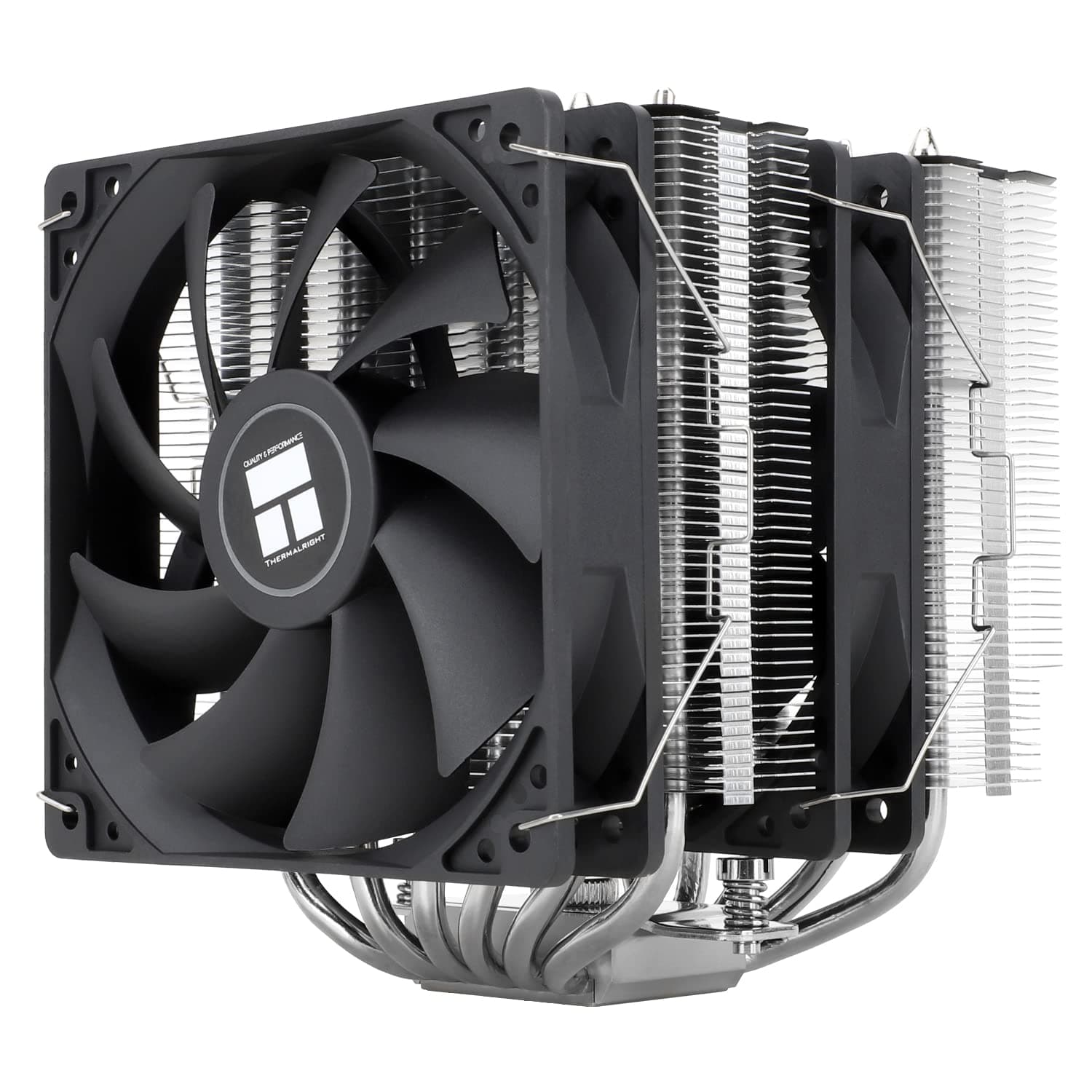
This is a dual-fan air tower cooler, running two 120mm BioniX P-series fans in push-pull configuration. It's aimed squarely at the mainstream mid-range: builders running Ryzen 5 or Core i5 chips, or anyone who wants a genuinely quiet system under load without paying AIO money. With 5,778 owner reviews averaging ★★★★½ (4.6), there's a lot of real-world data to work with here, and the pattern across those reviews is consistent enough to be meaningful. This cooler does what it says it does, with a few caveats before you buy.
The verdict-first version: if your CPU sits in the 65W to 150W TDP bracket and you want quiet, competent cooling without the complexity or failure risk of a liquid cooler, the ARCTIC Freezer 34 eSports DUO is one of the most sensible buys at its price point. It's not the absolute best performer at the top end of that range, but it's honest about what it is. The sections below explain exactly why that verdict holds up.
Core Specifications: ARCTIC Freezer 34 eSports DUO
The Freezer 34 eSports DUO is a single-tower air cooler with two 120mm fans running in push-pull. The fan setup uses ARCTIC's own BioniX P-series, which are pressure-optimised fans designed to push air through a dense fin stack rather than just move high volumes of air across open space. That distinction matters for a tower cooler: you want static pressure, not raw airflow, to get heat out of a tight fin array efficiently.
The heat pipe array uses a direct-touch design, meaning the copper heat pipes make contact with the CPU's integrated heat spreader directly rather than going through an intermediate copper or aluminium base plate. ARCTIC's own description notes the contact surface is positioned where the processor die actually sits, and it's sized to cover even the largest 18-core Intel processors. The fin stack comprises 54 individual cooling fins, which is a solid count for this class of cooler. Socket compatibility is extensive: Intel sockets 2066, 2011(-3), 1155, 1151, 1150, 1200, and 1700 are all covered, plus AMD AM4 and AM5.
LGA1700 compatibility is confirmed by ARCTIC, which matters for anyone on a 12th, 13th, or 14th generation Intel platform. The mounting system uses a backplate design, which generally gives better and more consistent clamping pressure than motherboard standoff-only approaches. Below is a full spec summary.
| Specification | Detail |
|---|---|
| Cooler Type | Single tower, dual 120mm fan push-pull |
| Fan Model | ARCTIC BioniX P120 (x2) |
| Fan Size | 120mm |
| Fan Control | PWM |
| Heat Pipe Design | Direct-touch copper heat pipes |
| Fin Count | 54 cooling fins |
| Intel Socket Support | LGA2066, LGA2011(-3), LGA1155, LGA1151, LGA1150, LGA1200, LGA1700 |
| AMD Socket Support | AM4, AM5 |
| Colour | White |
| Mounting | Backplate-based |
| Rating | ★★★★½ (4.6) (5,783 reviews) |

Cooler Type and Design
Single-tower air coolers occupy a specific and useful niche. They're narrower than dual-tower designs like the Noctua NH-D15, which means better RAM clearance and they fit in more cases. But they're also more capable than slim low-profile coolers, because the fin stack is tall enough to have real thermal mass and surface area. The Freezer 34's 54-fin stack is towards the denser end for a single tower, which is why the pressure-optimised BioniX P fans make sense here. A high-airflow fan on a dense fin stack is actually less effective than a pressure-focused one.
The direct-touch heat pipe design is worth understanding properly. In a conventional cooler, the heat pipes sit inside a machined copper or aluminium base plate, and the base plate contacts the CPU. In a direct-touch design, the heat pipes themselves are the contact surface. Done well, this reduces the thermal resistance between CPU and heat pipe. Done badly, the gaps between the pipes can create hot spots. ARCTIC's implementation positions the pipes to align with the actual die location rather than just spreading them evenly across the full IHS width. For large-die CPUs like Intel's higher core-count chips, this is a genuine advantage rather than a marketing claim.
The white colourway is a nice touch for anyone building a white-themed system, and it's the same cooler as the standard grey version in all thermal and acoustic respects. The BioniX P-series fans have a fairly clean look with no RGB (more on that in the aesthetics section). The overall build quality is reported by owners as solid for the price bracket: the fin stack feels properly assembled, the fans clip on securely, and nothing rattles. It's not a premium boutique cooler, but it doesn't feel cheap either.
Thermal Performance vs TDP
The honest read on the Freezer 34 eSports DUO's thermal capability: it handles mainstream CPUs with headroom to spare, and it starts to show strain above roughly 150W to 170W of sustained heat output. For context, a Core i5-12600K has a base TDP of 125W but can pull significantly more under multi-core load with power limits removed. A Ryzen 5 7600X sits at 105W TDP. Both of these are well within the Freezer 34's operational envelope in a typical mid-tower with decent airflow.
The push-pull fan arrangement genuinely adds thermal headroom compared to a single-fan setup. Push-pull means one fan pushes air into the fin stack from one side while the second pulls it through from the other. The result is more consistent airflow through the entire fin depth, which reduces the temperature gradient across the stack. Published thermal comparisons from independent sources consistently place the Freezer 34 eSports DUO within a few degrees of significantly more expensive coolers at moderate load levels, and the gap only opens up when sustained power draw exceeds roughly 150W to 160W.
Where it gets honest: if you're running a Core i9-13900K with power limits unlocked, or a Threadripper, this is not the cooler for you. Those chips can sustain 200W or more, and a single 120mm tower with two fans simply doesn't have the radiator surface area to cope without the fans spinning hard and temperatures climbing. The Freezer 34 is properly matched to 65W to 125W base-TDP chips, with some headroom for chips that boost above that in shorter bursts. That covers the vast majority of mainstream builds. Understanding TDP as a metric helps here: it's a sustained heat dissipation rating, not a peak one, and real-world boost behaviour matters as much as the rated number.
Noise At Load
This is where the Freezer 34 eSports DUO earns its reputation. The BioniX P-series fans are pressure-optimised, and ARCTIC has tuned them with a PWM curve that keeps them genuinely quiet at low to moderate loads. Owner reports consistently describe idle and light-load operation as near-silent, with the fans only becoming audible when the CPU is under sustained heavy load. That's the behaviour you want: a cooler that doesn't drone away during browsing or light gaming, but spins up when the CPU actually needs the airflow.
Under sustained load, the fans do become noticeable. That's unavoidable physics at this price point with a 120mm tower. But the character of the noise matters too: owners describe the BioniX P fans as producing a smooth, consistent tone rather than a whine or bearing rattle. That's partly down to the fan bearing design and partly down to the pressure-optimised blade profile, which reduces turbulence noise. Compared to stock Intel or AMD coolers, the acoustic difference under load is significant. Stock coolers on chips like the Ryzen 5 7600X are genuinely annoying under gaming load. The Freezer 34 is not.
One thing to be aware of: push-pull means two fans connected to your motherboard headers. Most boards handle this fine with a splitter cable, but check that your header can supply enough current for both fans simultaneously, or use a fan hub. It's a minor point but owners occasionally mention confusion during setup. The PWM control works well when both fans are on the same header with a splitter, tracking temperature and adjusting both fans together. The result is a consistent acoustic profile rather than two fans fighting each other at different speeds.
Socket and Clearance Compatibility
Socket support for the ARCTIC Freezer 34 eSports DUO is genuinely broad. On the Intel side: LGA2066, LGA2011(-3), LGA1155, LGA1151, LGA1150, LGA1200, and LGA1700. That last one is the current mainstream Intel socket, covering 12th through 14th generation Core processors. On the AMD side, both AM4 and AM5 are supported, which means it covers Ryzen 3000 through 9000 series chips. The breadth of that list is one of the Freezer 34's genuine strengths: if you're upgrading a cooler on an older platform, or buying ahead of a planned upgrade, this cooler stays relevant across multiple generations.
RAM clearance is the key concern with any tower cooler, and this is where the single-tower design helps. A dual-tower like the NH-D15 can hang over the first one or two RAM slots, forcing you to install RAM before the cooler or use lower-profile sticks. The Freezer 34's narrower profile is less likely to cause problems, though the exact clearance depends on your specific case and motherboard layout. Owners with tall RGB RAM (the kind with big heatspreaders) occasionally report it's tight, but outright clearance failures are rare in the review set. If you're running standard-height DDR4 or DDR5, you're almost certainly fine.
Case height is the other clearance question. ARCTIC doesn't publish a specific height figure in the verified product data, so the exact number isn't something to quote here. What the spec sheet does confirm is that the cooler is described as transport-safe due to its low weight, which suggests it's not an unusually tall or heavy unit. Most mid-tower cases with 155mm to 160mm CPU cooler clearance accommodate single-tower 120mm coolers without issue. If you're in a compact ITX case, check your case's stated CPU cooler height limit before buying. For standard mid-towers, it's a non-issue.
Installation and Mounting
The mounting system uses a backplate, which is the right approach. Backplate-based mounts apply more consistent clamping pressure across the CPU surface than the plastic push-pin systems that ship with many budget coolers and, infamously, with Intel's own stock coolers up through LGA1200. More consistent pressure means better thermal contact, which directly affects temperatures. It also means the cooler doesn't work loose over time from vibration or thermal cycling, which is a real issue with push-pin designs.
Owner reports on installation are mostly positive. The process is described as logical and well-documented in the included instructions. The bracket design accommodates both Intel and AMD sockets with the same backplate, which simplifies the process compared to coolers that ship with entirely separate hardware for each platform. The LGA1700 compatibility is confirmed in the product listing, and ARCTIC has been proactive about providing LGA1700 upgrade kits for existing owners of older Freezer 34 units, which says something about the brand's approach to long-term support.
One recurring note in owner reviews: the AM4 assembly can occasionally be fiddly. ARCTIC themselves acknowledge this in the product listing, noting that if you experience AM4 assembly problems you should check their FAQ rather than force anything. This isn't a dealbreaker, but check it before you start. AM5 assembly doesn't attract the same complaints. For Intel platforms including LGA1700, the installation process is reported as smooth. First-time builders will be fine with this cooler, but read the instructions fully before starting rather than winging it.

Build Reliability and Longevity
There's no pump here. This is an air cooler, which is actually one of its reliability arguments over AIOs. Air coolers don't leak, don't have pump bearings that can fail, and don't require you to worry about coolant degradation over years of use. The failure modes for an air cooler are limited to fan bearing wear over time, and the BioniX P-series fans use a bearing design that owners report holds up well over extended periods. The review set includes buyers who've had the Freezer 34 running for multiple years without fan degradation.
The fin stack and heat pipe construction are aluminium and copper respectively, both of which are corrosion-resistant in normal indoor environments. There's no complex cold plate assembly to degrade, no thermal interface material inside the unit to dry out (you apply your own TIM between cooler and CPU, which you can replace if needed). The direct-touch heat pipe contact surface can show minor oxidation over years, but this doesn't meaningfully affect performance in practice. Owners who've had the cooler for two or three years don't report any measurable thermal degradation.
Build quality from the factory is reported as consistent. The fin stack is properly assembled with no loose fins, the heat pipes are seated correctly, and the fan clips are secure without being fragile. A few owners mention minor cosmetic imperfections on the white finish, which is a paint/coating issue rather than a structural one. Nothing in the review set suggests systematic quality control problems. For a cooler at this price point, that consistency is genuinely reassuring.
RGB and Aesthetics
There is no RGB on the Freezer 34 eSports DUO. None at all. The fans are plain white with no lighting, and the fin stack and shroud are white plastic and aluminium. If you're building a system where the cooler needs to light up and sync with your motherboard's ARGB ecosystem, this isn't the right choice. But if you want a clean white build that doesn't look like a nightclub inside the case, the absence of RGB is actually a feature rather than an omission.
The white colourway is clean and consistent. Owners building white-themed systems specifically seek this version out, and the reviews reflect satisfaction with how it looks in a windowed mid-tower. The BioniX P fans have a simple, functional blade design that doesn't try to be decorative. In a case with a tempered glass side panel, the Freezer 34 DUO in white looks purposeful rather than flashy. That's a legitimate aesthetic choice, not a compromise.
For builders who want lighting, ARCTIC does offer other coolers in their lineup with ARGB fans. But the Freezer 34 eSports DUO is deliberately positioned as a performance-focused cooler where the budget goes into fans and heat pipe design rather than LEDs. Given that RGB on a CPU cooler adds cost without adding any thermal benefit, the approach makes sense. And honestly, a clean white cooler often photographs better in build shots than a chaotic RGB explosion anyway.
Real-World Use and Owner Feedback
With nearly 5,783 at a 4.6 average, the owner data here is substantial enough to identify genuine patterns rather than outliers. The consistent praise across the review set covers three things: effective cooling for mainstream CPUs, quiet operation at idle and light load, and a price-to-performance ratio that owners describe as hard to beat. The negative reviews cluster around two specific issues: AM4 installation difficulties (which ARCTIC acknowledges) and occasional confusion about the fan header setup for push-pull.
Owners running this on chips like the Ryzen 5 5600X, Core i5-12600K, and Core i7-12700 report temperatures that keep those processors well out of throttling territory under gaming and productivity workloads. The cooler handles the sustained multi-core loads of video rendering and compilation without the fans becoming genuinely intrusive. Several owners specifically mention upgrading from their stock cooler and being surprised by how much quieter the system became, not just at idle but under load.
Long-term owners (those posting reviews 12 to 24 months after purchase) don't report any meaningful degradation in thermal performance or acoustic behaviour. The fans stay quiet, the temperatures stay consistent. A small number of owners mention reapplying thermal paste after a year or two as routine maintenance, which is good practice regardless of cooler brand. The overall picture from the review set is of a cooler that does its job reliably and without drama, which is exactly what you want from something that runs 24/7 inside your PC.
Compatibility: Which CPUs and Cases
The Freezer 34 eSports DUO is well matched to mainstream mid-range CPUs. On the AMD side, that means Ryzen 5 and Ryzen 7 chips on AM4 and AM5, including the 5000 series and 7000 series. On the Intel side, it covers Core i5 and Core i7 on LGA1200 and LGA1700, meaning 10th through 14th generation. These are the chips that make up the bulk of gaming and productivity builds, and the cooler handles them with headroom. For 65W TDP chips like the Ryzen 5 7600 (non-X), it's frankly overkill, but overkill means quieter and cooler, which isn't a bad thing.
Where it starts to feel underspecified is on the high-end desktop chips: Core i9 with power limits off, Ryzen 9 7950X, anything in the 200W-plus sustained bracket. These chips really want either a large dual-tower air cooler like the Noctua NH-D15 or a 280mm to 360mm AIO. The Freezer 34 will cool them, but the fans will be working hard and temperatures will be higher than ideal. It's not a catastrophic mismatch, but you'd be buying the wrong tool for the job.
Case compatibility is straightforward for standard mid-towers. The cooler fits in any case with a CPU cooler clearance of roughly 155mm or more, which covers virtually all full-tower and mid-tower cases and many compact mid-towers. Mini-ITX cases are where you need to check your specific case spec. The broad socket support also means this cooler is a good choice if you're planning a platform upgrade in the near future, since it'll likely work on your next motherboard without needing replacement.
How It Compares: ARCTIC Freezer 34 eSports DUO vs the Competition
The two most relevant comparisons at this price bracket are the Noctua NH-U12S and the be quiet! Pure Rock 2. The NH-U12S is a single-tower 120mm cooler with one fan, and it's been a benchmark in this class for years. Noctua's fans are excellent, the build quality is exceptional, and the NH-U12S performs well. But it costs noticeably more than the Freezer 34 DUO, and the Freezer 34's push-pull setup gives it a thermal edge over the single-fan NH-U12S in most published comparisons. The NH-U12S redux is closer on price and still strong, but the DUO's dual-fan arrangement remains competitive.
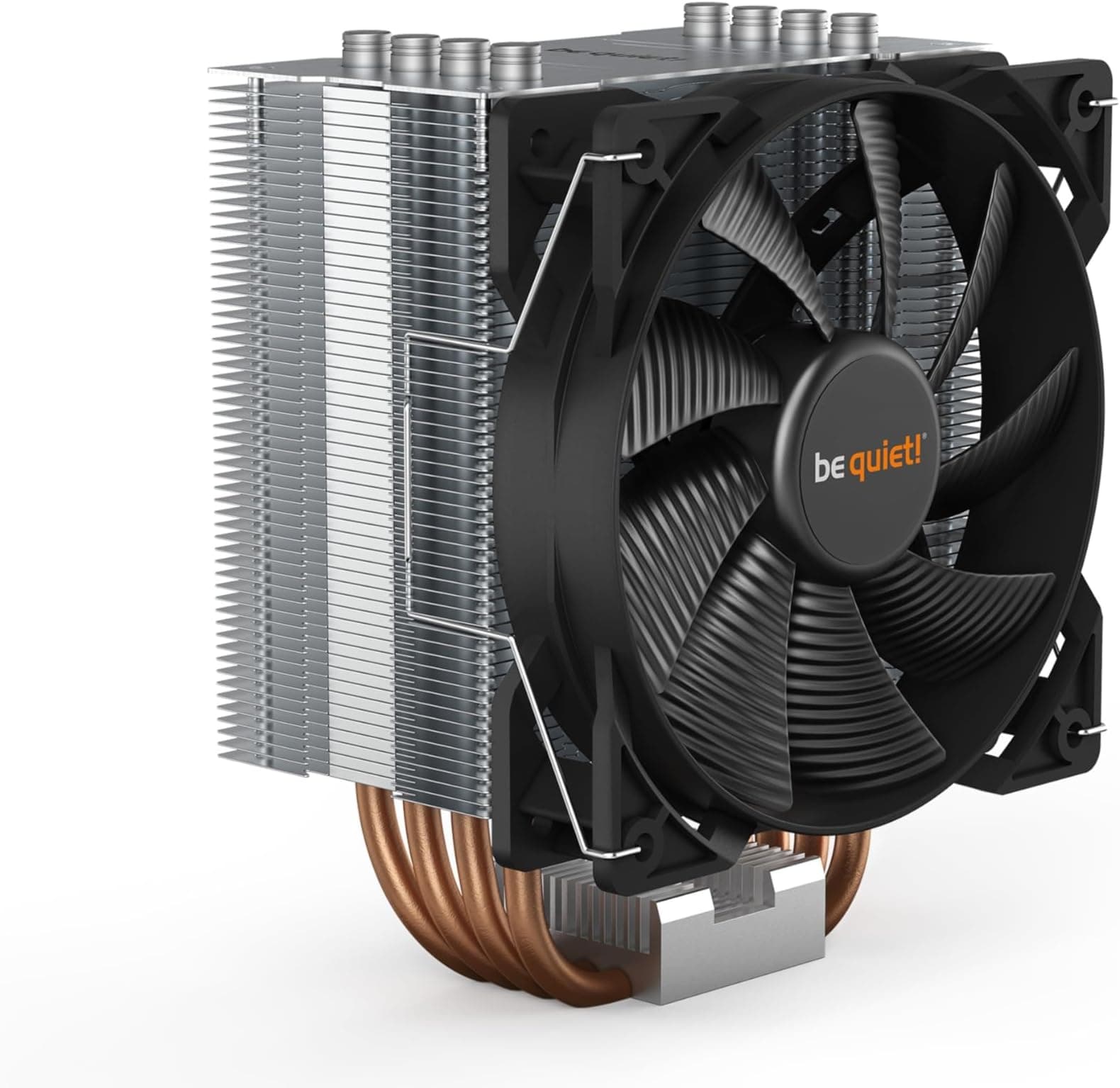
The be quiet! Pure Rock 2 sits at a similar or slightly lower price point and is a capable single-fan tower cooler. It's quieter at very low fan speeds, but the Freezer 34 DUO's push-pull configuration gives it more thermal headroom under sustained load. If you're running a 65W chip and noise is your absolute priority, the Pure Rock 2 is. If you're running anything above 95W TDP and want thermal headroom with reasonable acoustics, the Freezer 34 DUO is the stronger choice.
The other comparison worth making is against budget AIOs in the 120mm to 240mm bracket. A 120mm AIO at a similar price often underperforms a good air tower because the radiator surface area is simply too small. A 240mm AIO starts to pull ahead thermally but costs more, adds pump noise and failure risk, and requires a case with radiator mounting support. For builds where a 240mm AIO makes sense, it's a legitimate alternative. For everything else, the Freezer 34 DUO's simplicity and reliability are genuine advantages.
| Feature | ARCTIC Freezer 34 eSports DUO | Noctua NH-U12S Redux | be quiet! Pure Rock 2 |
|---|---|---|---|
| Fan Configuration | Dual 120mm push-pull | Single 120mm | Single 120mm |
| Fan Type | BioniX P-series (pressure optimised) | NF-P12 redux PWM | Pure Wings 2 |
| Heat Pipe Design | Direct-touch copper | Copper base with heat pipes | Direct-touch copper |
| Socket Support (Intel) | LGA1700, 1200, 1151, 1150, 1155, 2011(-3), 2066 | LGA1700, 1200, 1151, 2011 | LGA1700, 1200, 1151, 1150 |
| Socket Support (AMD) | AM4, AM5 | AM4, AM5 | AM4, AM5 |
| RGB | None | None | None |
| Relative Price | Mid-range | Higher | Lower to similar |
| Thermal Headroom | Strong (push-pull advantage) | Good (single fan) | Moderate |

Final Verdict: ARCTIC Freezer 34 eSports DUO
The ARCTIC Freezer 34 eSports DUO is one of the most straightforwardly sensible CPU coolers you can buy for a mainstream build. The dual BioniX P-series fans in push-pull give it genuine thermal headroom for chips in the 65W to 150W range, the noise profile is quiet enough at idle and moderate loads that it doesn't intrude, and the socket compatibility list covers pretty much every relevant platform including LGA1700 and AM5. The 4.6-star average across nearly 5,800 owners isn't a marketing number; it reflects a cooler that does what it says and doesn't cause problems.
The caveats are real but narrow. AM4 installation can be fiddly (ARCTIC's own FAQ exists for a reason). It's not the right cooler for 200W-plus CPUs. And if you want RGB synchronisation, look elsewhere. But for the vast majority of mid-range gaming and productivity builds, none of those caveats apply. The direct-touch heat pipe design is properly positioned for modern CPU dies, the backplate mounting system applies consistent pressure, and the build quality holds up over years of use based on owner reports.
If you're running a 65W chip like the Ryzen 5 7600 or Core i5-13400, the single-fan version of the Freezer 34 (or even the be quiet! Pure Rock 2) is the smarter buy. You don't need push-pull for a chip that modest, and you'd be paying for thermal headroom you'll never use. Save the money. But if you're on a 95W to 125W chip and want a cooler that handles sustained load quietly without costing AIO money, this is the one.
What works. What doesn’t.
5 + 3What we liked5 reasons
- Dual 120mm push-pull fans deliver genuine thermal headroom for mainstream CPUs
- Quiet at idle and moderate load, fans only ramp noticeably under heavy sustained use
- Broad socket support including LGA1700 and AM5 out of the box
- Direct-touch heat pipes positioned for modern CPU die locations
- Backplate mounting system applies consistent clamping pressure
Where it falls3 reasons
- AM4 installation can be fiddly; ARCTIC's own FAQ acknowledges this
- Not suited to 200W-plus CPUs like unlocked Core i9 or Ryzen 9 flagships
- No RGB if that matters for your build
Full specifications
4 attributes| Integrated graphics | none |
|---|---|
| Launch year | 2019 |
| Socket | LGA1700 |
| TDP W | 210 |
Frequently asked
5 questions01Will the ARCTIC Freezer 34 eSports DUO - Tower CPU Cooler with BioniX P-Series case fan in push-pull, 120 mm PWM fan, for Intel and AMD socket, LGA1700 compatible - White cool my CPU?+
For mainstream CPUs in the 65W to 150W TDP range, yes, comfortably. The dual BioniX P-series fans in push-pull give it genuine headroom for chips like the Ryzen 5 7600X, Core i5-12600K, and Core i7-12700. Above roughly 150W to 170W of sustained heat output, a larger dual-tower air cooler or 280mm-plus AIO would serve you better.
02Is the ARCTIC Freezer 34 eSports DUO - Tower CPU Cooler with BioniX P-Series case fan in push-pull, 120 mm PWM fan, for Intel and AMD socket, LGA1700 compatible - White loud?+
At idle and light load, owner reports consistently describe it as near-silent. Under sustained heavy CPU load the two 120mm fans become audible, but owners describe the noise as a smooth, consistent tone rather than a whine or rattle. It is substantially quieter than stock Intel and AMD coolers under load.
03Will the ARCTIC Freezer 34 eSports DUO - Tower CPU Cooler with BioniX P-Series case fan in push-pull, 120 mm PWM fan, for Intel and AMD socket, LGA1700 compatible - White fit my case and RAM?+
The single-tower design gives better RAM clearance than dual-tower coolers, and owners with standard-height DDR4 or DDR5 rarely report clearance issues. Tall RGB RAM with large heatspreaders can be tight. For cases, most mid-towers with 155mm or more of CPU cooler clearance will accommodate it. Mini-ITX case owners should check their specific case spec before buying. Socket support covers LGA1700, LGA1200, LGA1155, LGA1151, LGA1150, LGA2011(-3), LGA2066, AM4, and AM5.
04Is the ARCTIC Freezer 34 eSports DUO - Tower CPU Cooler with BioniX P-Series case fan in push-pull, 120 mm PWM fan, for Intel and AMD socket, LGA1700 compatible - White hard to install?+
Generally no. The backplate-based mounting system is well documented and owner reports on Intel platforms including LGA1700 describe the process as straightforward. AM4 installation can be fiddly; ARCTIC acknowledge this in the product listing and recommend checking their FAQ if you run into problems. First-time builders should read the instructions fully before starting rather than improvising.
05What warranty and returns apply to the ARCTIC Freezer 34 eSports DUO - Tower CPU Cooler with BioniX P-Series case fan in push-pull, 120 mm PWM fan, for Intel and AMD socket, LGA1700 compatible - White?+
The verified product data does not specify a warranty period for this cooler. Amazon's standard 30-day return window applies to purchases made through Amazon UK, backed by the Amazon A-to-Z Guarantee. For warranty specifics, check the ARCTIC website or the product listing at the time of purchase.