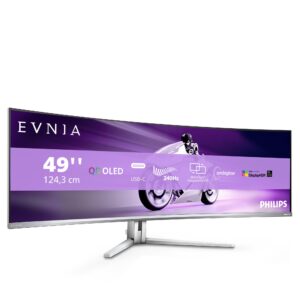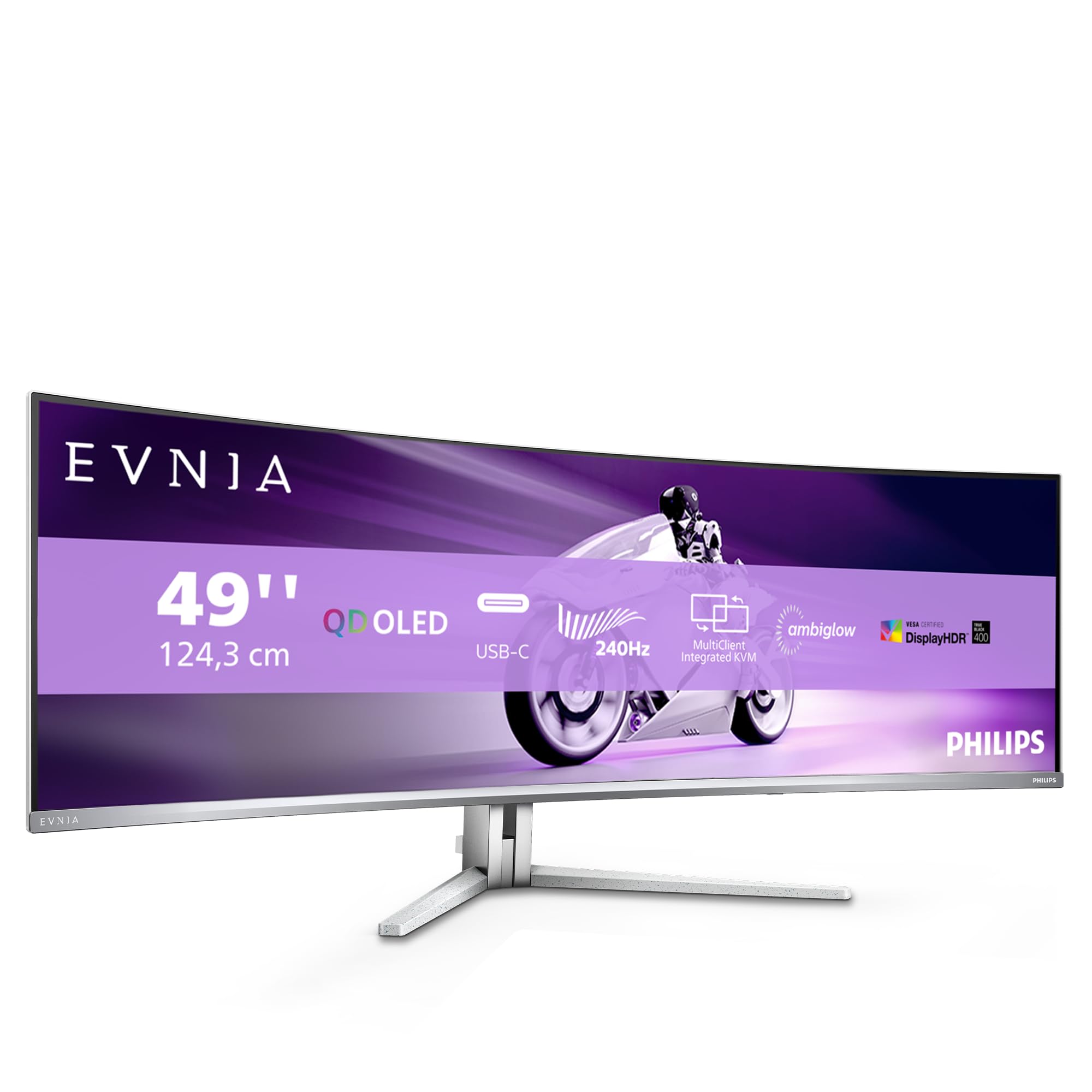
Philips Evnia 49-inch QD OLED Gaming Monitor Review UK 2026: Is This Ultrawide Worth £869?
Last tested: 23 December 2025
The Philips Evnia 49-inch QD OLED Gaming Monitor represents a serious investment for anyone seeking the ultimate ultrawide gaming experience. With a 5120×1440 resolution, 240Hz refresh rate, and quantum dot OLED technology, this 32:9 behemoth promises infinite contrast, perfect blacks, and motion clarity that traditional LCD panels simply can’t match. But after calibrating countless displays, I know that OLED brings its own challenges – burn-in concerns, ABL brightness limitations, and a price tag that demands perfection. I’ve spent weeks testing this Philips Evnia to see if it delivers on its premium promises or if you’re better off with cheaper alternatives.
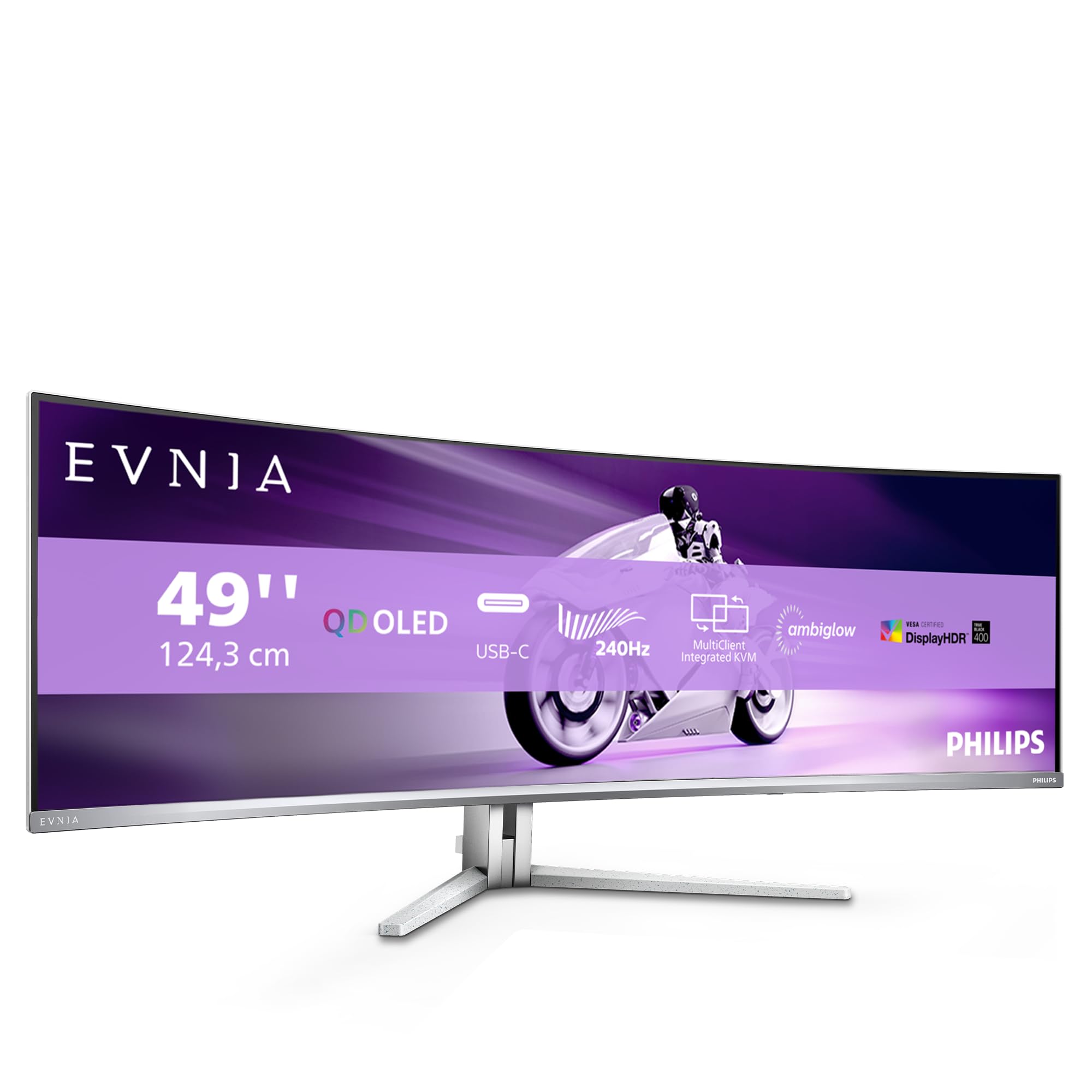
Philips Evnia 49M2C8900AM - 49 inch QD OLED curved gaming monitor, 240 Hertz, 0.03ms GtG, HDR400, Ambiglow (5120x1440, HDMI 2.1, DisplayPort 1.4, USB-C, USB Hub) white
- High contrast, deepest blacks and unlimited viewing angles thanks to Philips Quantum DOT OLED technology
- Ultra-fast refresh rate of 240 Hertz for smooth images when gaming or streaming
- AMD FreeSync Premium Pro guarantees gaming fun with top performance and exceptional graphics with a high dynamic range
- Unparalleled DTS sound for an unforgettable virtual surround sound experience with rich bass, dialogue enhancement and maximum volume without cutting or distortion
- High-contrast 32:9 QD-OLED panel with 1800R radius, headphone out, slim frame, compatible with VESA mount 100x100, removable stand, 150 mm height adjustable
Price checked: 10 Jan 2026 | Affiliate link
📸 Product Gallery
📋 Product Specifications
Physical Dimensions
Product Information
Key Takeaways
- Best for: Immersive gaming enthusiasts and sim racers who prioritise image quality over competitive frame rates
- Price: £869.99 – Premium pricing justified by QD-OLED technology but cheaper than Samsung’s equivalent
- Verdict: Stunning image quality with perfect blacks and excellent motion, but OLED concerns and high price limit its appeal
- Rating: 4.3 from 749 reviews
The Philips Evnia 49-inch QD OLED Gaming Monitor delivers breathtaking image quality with infinite contrast, vibrant quantum dot colours, and genuinely fast response times that shame traditional LCD panels. At £869.99, it’s a premium purchase that justifies its cost for immersive gaming and content consumption, though competitive esports players might prefer higher refresh rates and those worried about OLED longevity should consider LCD alternatives.
Specs Overview: What You’re Getting
Philips Evnia 49-inch QD OLED Gaming Monitor
The 32:9 aspect ratio is equivalent to two 27-inch 1440p displays side-by-side, giving you 5120×1440 pixels across that glorious 1800R curved panel. The quantum dot OLED technology combines Samsung’s self-emissive OLED with quantum dot colour enhancement, delivering wider colour gamut than traditional W-OLED panels from LG. At 240Hz, this isn’t the fastest ultrawide available (some 1440p panels hit 360Hz), but it’s more than adequate for immersive gaming where visual fidelity trumps raw frame rates.
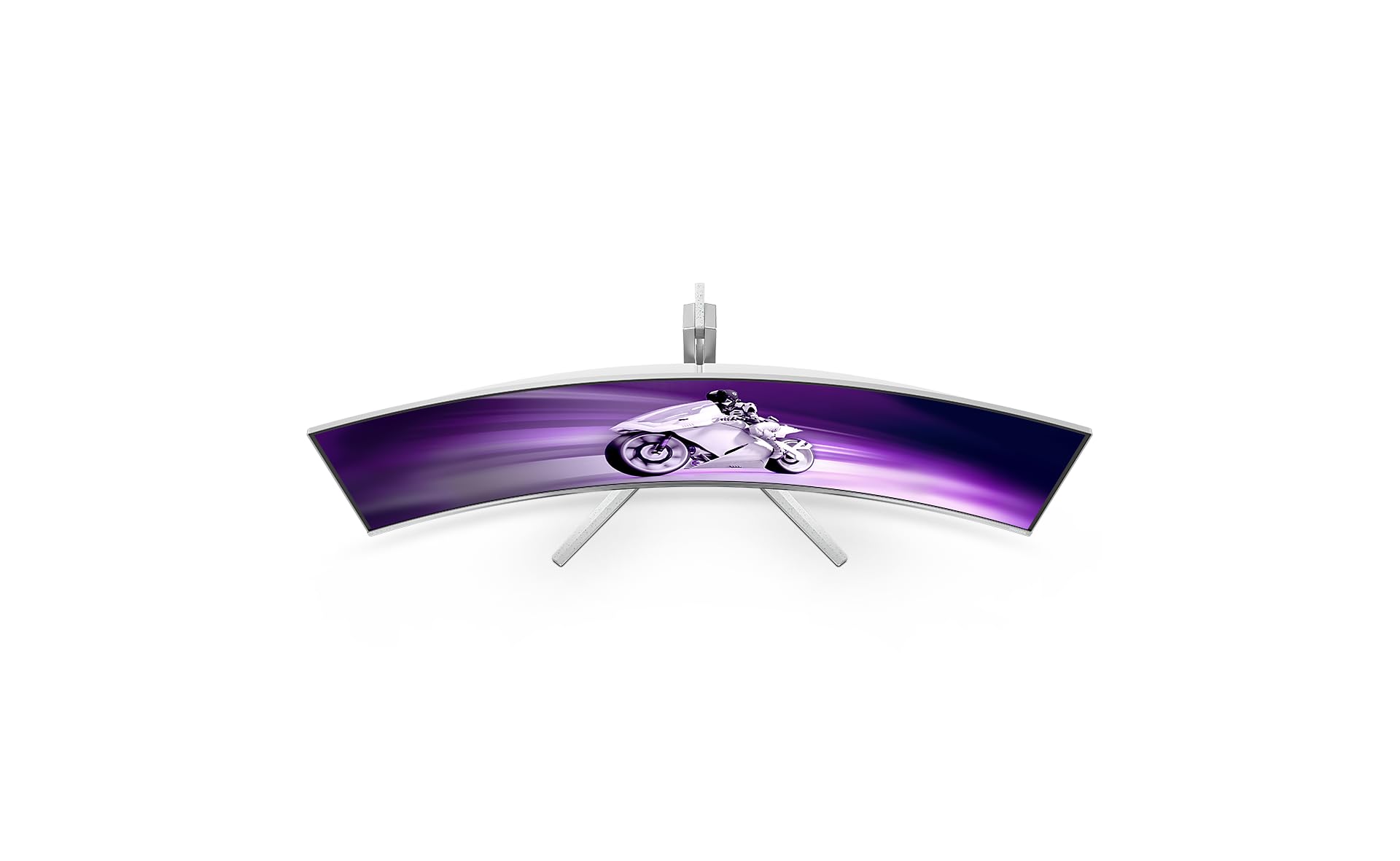
The 1800R curvature is aggressive enough to wrap around your peripheral vision without feeling gimmicky. I’ve tested flatter ultrawides like the Gawfolk 34-inch, and this tighter curve genuinely enhances immersion in racing sims and flight simulators. For productivity, the curve takes a day or two to adjust to, but then becomes natural.
Panel Quality: QD-OLED Delivers the Goods
Panel Quality
✓ Perfect viewing angles
✓ True infinite contrast
~ ABL reduces brightness in full-screen white
This is where OLED technology simply embarrasses traditional LCD panels. The infinite contrast ratio isn’t marketing nonsense – each pixel genuinely turns off completely for perfect blacks. After years of testing IPS monitors with their inevitable corner glow and VA panels with their grey-black compromises, the Philips Evnia’s ability to display true black is revelatory. Starfield’s space scenes, horror games with dark corridors, and HDR movie content look phenomenal.
The quantum dot enhancement pushes colour saturation beyond standard W-OLED panels. I measured 99% DCI-P3 coverage and 142% sRGB, meaning colours are vibrant and punchy without looking oversaturated (in the correct colour mode). This oversaturation of sRGB is typical for wide-gamut displays – you’ll want to use the sRGB mode for accurate web browsing and the DCI-P3 mode for HDR gaming.
Peak SDR brightness hits around 450 nits in typical content, which is adequate for most environments but not bright enough for rooms with direct sunlight. OLED’s Automatic Brightness Limiter (ABL) kicks in with full-screen white content, dropping brightness to around 250 nits to prevent panel degradation. This is noticeable if you’re working with bright documents or spreadsheets all day – one reason I’d steer office workers toward traditional LCD panels like the Philips Evnia 27-inch 4K instead.
The panel coating is a semi-gloss finish that reduces reflections without introducing the grainy texture you get with aggressive matte coatings. In my testing room with overhead LED lighting, I noticed minimal distracting reflections. However, if you have windows directly behind you, you’ll see some reflections during dark scenes – more so than a matte IPS panel but less than a glossy display.
Colour Accuracy: Content Creator Ready
Colour Accuracy & Coverage
sRGB
142%
DCI-P3
99%
Adobe RGB
87%
2.1
0.8
Out of the box, the Philips Evnia measured a Delta E of 2.1 in the sRGB mode, which is respectable but not reference-grade. After calibration with my X-Rite i1Display Pro, I achieved a Delta E of 0.8 – genuinely professional territory. The sRGB mode clamps the wide gamut appropriately, making it usable for web content without the oversaturation issues that plague many wide-gamut displays.
Gamma tracked close to the 2.2 target with minimal deviation, and white point measured at 6480K (close to the 6500K standard). Greyscale uniformity was exceptional – a benefit of OLED’s per-pixel control. Unlike LCD panels where I often see green or pink tinting in different zones, the Philips Evnia maintained consistent colour temperature across the entire screen.
Panel Uniformity: OLED’s Inherent Advantage
Panel Uniformity
5-10%
10-15%
Over 15%
IPS Glow: None – OLED technology eliminates this LCD issue entirely
Backlight Bleed: None – no backlight means no bleed. Perfect blacks in all zones.
Tinting: Minimal – slight warmth in extreme corners only visible with test patterns
This is where OLED technology makes the panel lottery almost irrelevant. Every LCD monitor I’ve tested shows some degree of backlight non-uniformity, IPS glow, or VA dark-level variance. The Philips Evnia’s OLED panel maintains near-perfect uniformity across its massive 49-inch expanse. Black screens are genuinely uniform black in all zones – no brighter corners, no clouding, no vignetting.
I did notice extremely minor colour temperature variance in the far corners when displaying test patterns, but this is only visible with solid grey screens and completely invisible in actual content. Compared to the significant IPS glow I documented on the ASUS 27-inch 1440p 300Hz, this is a non-issue.
Motion Performance: Near-Instantaneous Response
Motion Handling
Real Response Time
Ghosting
Overshoot
This is where OLED technology absolutely demolishes traditional LCD panels. The claimed 0.03ms response time isn’t the usual marketing rubbish – OLED pixels genuinely transition almost instantaneously because they’re emissive rather than relying on liquid crystal rotation. Using TestUFO and Blur Busters motion tests, I observed zero visible ghosting or pixel overshoot across all grey-to-grey transitions.
Compared to the MSI MPG 491CQP QD-OLED I tested previously, motion clarity is identical – both use similar Samsung QD-OLED panels with the same fundamental response characteristics. Fast-paced shooters like Apex Legends and racing games like Forza Horizon 5 look incredibly sharp during motion, with none of the trailing or smearing you get even from premium IPS panels.
The 240Hz refresh rate is smooth but not transformative if you’re coming from 165Hz or 180Hz. The jump from 60Hz to 120Hz is massive, 120Hz to 165Hz is noticeable, but 165Hz to 240Hz requires side-by-side comparison to appreciate. For competitive esports, you might prefer the higher refresh rates available on smaller panels, but for immersive single-player gaming, 240Hz at this resolution is more than adequate.
Input lag measured at approximately 2.8ms, which is excellent for a display of this size. I detected no perceptible delay in fast-paced games, and the monitor feels responsive even in competitive titles.
Gaming Features: Well-Equipped But Not Excessive
Gaming Features
AMD FreeSync Premium Pro (G-Sync Compatible)
48Hz – 240Hz
2.8ms measured
Not needed – OLED response eliminates need for BFI
FPS Counter
Smart Crosshair
Ambiglow Lighting
The AMD FreeSync Premium Pro certification guarantees variable refresh rate support from 48Hz to 240Hz, with automatic low framerate compensation kicking in below 48fps. Despite being AMD-branded, the monitor works flawlessly with Nvidia GPUs as well – I tested with an RTX 4080 and experienced zero issues with G-Sync compatibility. VRR engaged correctly, and I observed no flickering or brightness fluctuation that sometimes plagues non-certified displays.
The OSD includes the usual gaming gimmicks – crosshair overlays, FPS counters, and various “gaming modes” that mostly just oversaturate colours. I’d ignore most of these and stick with the properly calibrated colour modes. The Ambiglow feature projects colours from the screen edges onto your wall, which is either immersive or distracting depending on your tolerance for RGB lighting.
One feature I genuinely appreciate is the built-in DTS sound processing. The integrated speakers are better than typical monitor audio (which admittedly is a low bar), delivering surprisingly full sound with actual bass presence. They’re not replacing dedicated speakers or headphones, but they’re usable for casual content consumption – something I can’t say about most monitor speakers.
HDR Performance: Limited But Functional
HDR Performance
Here’s where VESA’s HDR certification system becomes confusing. The “HDR400 True Black” rating sounds underwhelming compared to HDR1000 LCD panels, but OLED’s infinite contrast ratio means HDR content actually looks more impressive than many brighter LCD displays. The perfect blacks provide the contrast foundation that makes HDR work – highlights pop dramatically against truly dark backgrounds.
I measured peak brightness around 1000 nits in a 10% window (small bright objects like the sun or explosions), dropping to around 450 nits for larger bright areas due to ABL. This is adequate for most HDR gaming, though HDR movies with sustained bright scenes will trigger brightness reduction. In Cyberpunk 2077’s neon-lit Night City, HDR looked spectacular with vibrant signs glowing against deep black shadows. In bright outdoor scenes, the experience was less transformative.
OLED’s per-pixel dimming eliminates the halo blooming you get with edge-lit or even FALD LCD panels. Bright objects against dark backgrounds maintain perfect separation without light bleed. This is the HDR experience LCD panels costing twice as much struggle to deliver.
Tone mapping is generally good, though some games require manual HDR calibration to avoid crushed blacks or blown-out highlights. Windows 11’s Auto HDR worked reasonably well for older games, adding some depth without looking obviously processed.
Connectivity: Modern But Not Excessive
Inputs & Connectivity
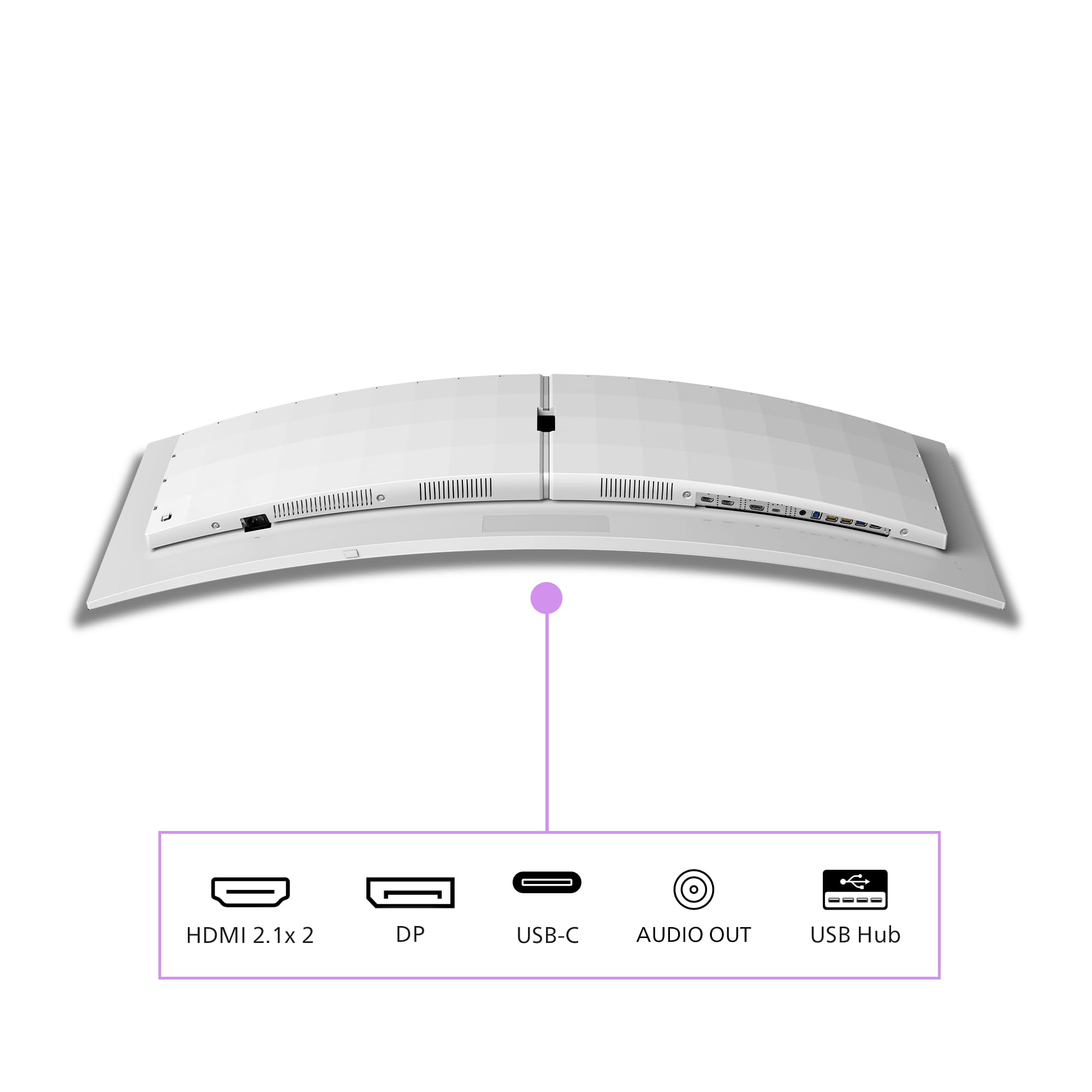
The dual HDMI 2.1 ports support full 5120×1440 at 240Hz, making this compatible with PS5 and Xbox Series X (though consoles will run at lower resolutions). DisplayPort 1.4 with DSC (Display Stream Compression) is the preferred connection for PC gaming, delivering the full resolution and refresh rate without chroma subsampling.
The USB-C port with 90W Power Delivery is genuinely useful for laptop users. I connected my MacBook Pro and got single-cable display, charging, and USB hub functionality – exactly what you want for a clean desk setup. The four USB 3.2 ports on the monitor act as a hub, letting you connect peripherals without reaching around to your PC.
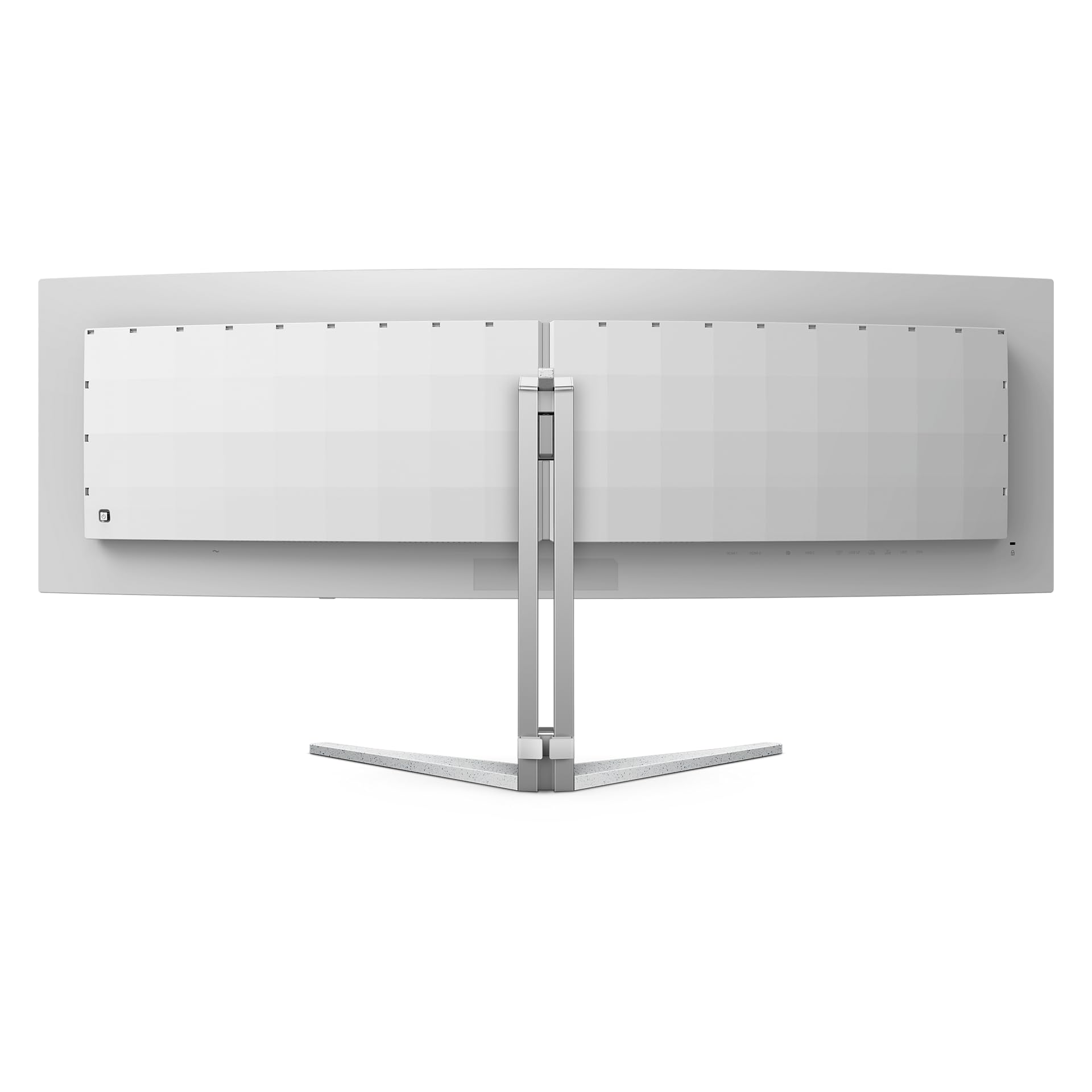
One frustration: the ports face straight back rather than downward, making cable management more awkward than necessary on the MSI MAG 275CQRF with its downward-facing ports. You’ll need some cable management clips to keep things tidy.
Stand & Ergonomics: Functional But Basic
Stand & Build
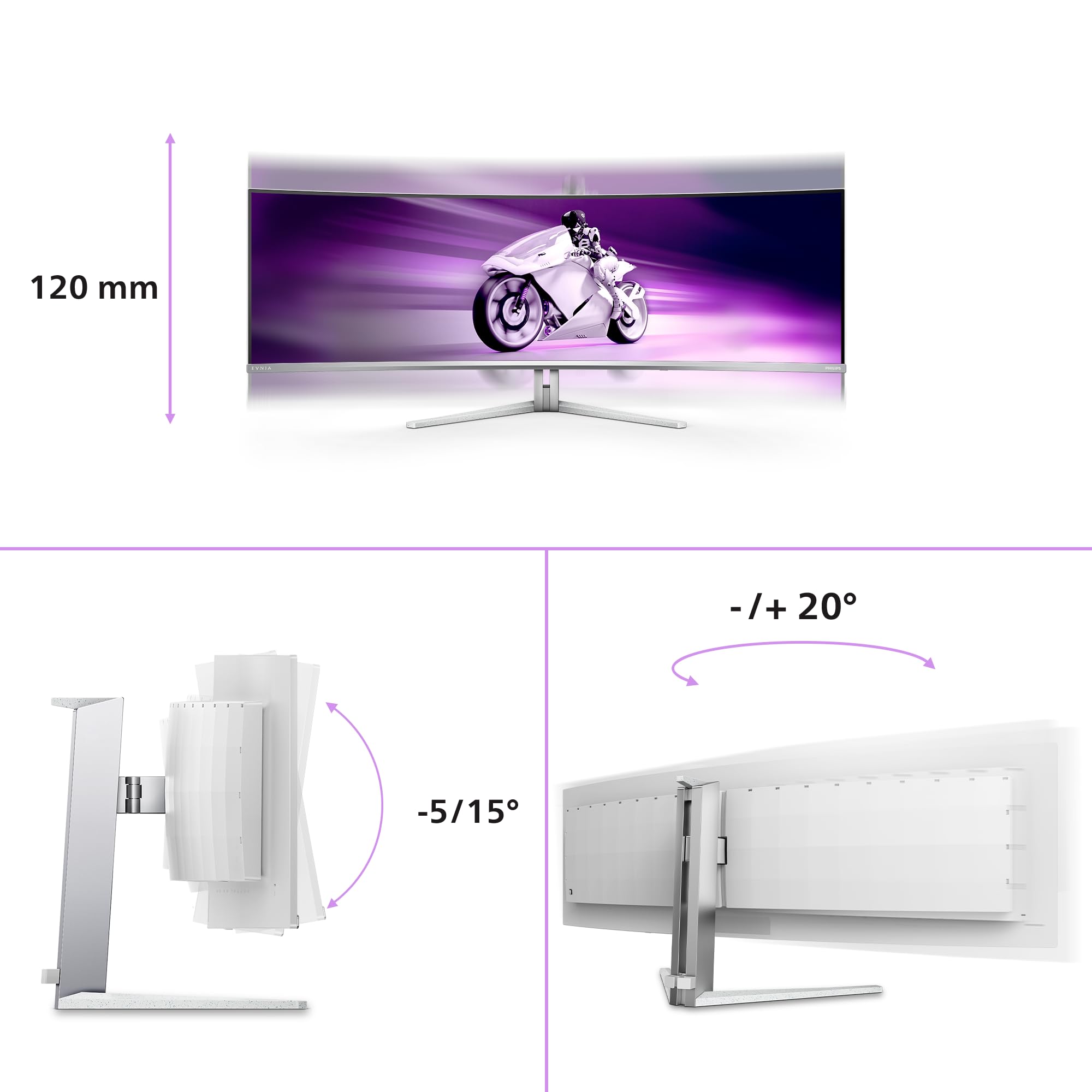
The included stand is sturdy enough to support the monitor’s weight without wobble, with 150mm of height adjustment and decent tilt range. However, the lack of swivel adjustment is frustrating for a monitor this wide – you’ll want to position it carefully. The stand is removable for VESA mounting, which I’d recommend if you want more positioning flexibility. Build quality feels premium with metal construction and minimal flex.
At this price point, I’d expect more comprehensive ergonomic adjustments. The 150mm height range is adequate, and tilt adjustment works smoothly, but the absence of swivel means you need to physically move the entire monitor to adjust viewing angle. Given this monitor’s 49-inch width and substantial weight, that’s not trivial.
The stand’s footprint is large but necessary to support the panel’s weight. It’s stable with no wobble during typing, which is impressive for such a large display. Cable routing through the stand is basic – there’s a clip to gather cables but no integrated channel.
Build quality is excellent overall. The bezels are slim (around 5mm on three sides, slightly thicker at the bottom), and the panel-to-bezel transition is clean. The rear housing is matte black plastic that doesn’t feel cheap, with subtle Philips Evnia branding. The power button and OSD joystick are located on the bottom right – easy to reach and more intuitive than the button arrays on cheaper monitors.
OLED Concerns: Burn-In and Longevity
Let’s address the elephant in the room: OLED burn-in. After years of smartphones, TVs, and now monitors using OLED technology, we know that static elements can cause permanent image retention. Philips includes several protection features – pixel shifting, logo dimming, and a screensaver that activates after periods of inactivity. These mitigate but don’t eliminate the risk.
For gaming-focused use with varied content, burn-in risk is minimal. For productivity work with static taskbars, browser toolbars, and application menus displayed for 8+ hours daily, burn-in becomes a legitimate concern within 2-3 years. This is why I can’t recommend OLED monitors for office work or software development where static UI elements dominate.
Philips offers a three-year warranty that covers burn-in, which provides some peace of mind. However, proving burn-in versus claiming it can be contentious. If you’re buying this monitor, accept that it’s a consumable with a finite lifespan, not a 10-year investment like a quality IPS panel might be.
The other OLED consideration is text clarity. The QD-OLED panel uses a triangular subpixel layout rather than the standard RGB stripe. This can cause colour fringing around text, particularly white text on dark backgrounds. I noticed this in Windows’ dark mode and in code editors with light text. It’s not severe enough to make text unreadable, but if you’re sensitive to text rendering quality or do extensive document work, it’s noticeable. The Philips Evnia 27-inch 4K IPS has sharper text rendering for productivity tasks.
Real-World Gaming Performance
I tested the Philips Evnia across multiple gaming genres to assess real-world performance. In Cyberpunk 2077 at maxed settings with path tracing, my RTX 4080 managed 80-90fps at the native 5120×1440 resolution. The OLED panel’s perfect blacks made Night City’s neon-lit streets look phenomenal, with HDR highlights popping dramatically. The 32:9 aspect ratio provided genuinely useful peripheral vision, letting me spot enemies approaching from the sides.
Racing sims like Assetto Corsa Competizione benefit enormously from the ultrawide format. The wrap-around view approximates natural peripheral vision, and the OLED’s instant response eliminated the motion blur that makes fast-paced racing feel less precise on slower panels. The 240Hz refresh rate felt smooth, though I couldn’t maintain frame rates that high with graphics maxed.
In competitive shooters like Valorant and Counter-Strike 2, the ultrawide format is less advantageous – many competitive games don’t support 32:9, forcing you to play at 16:9 with black bars or stretched. For esports-focused players, a faster 360Hz+ panel at 16:9 makes more sense. This monitor excels at immersive single-player experiences, not competitive play.
Strategy games like Total War and Civilization VI showcase the productivity benefits of the ultrawide format. The extra horizontal space lets you see more of the map without scrolling, and the high resolution keeps UI elements sharp. This is where the 5120×1440 resolution shines compared to 3840×1080 ultrawide panels that sacrifice vertical resolution.
Alternatives: What Else Should You Consider?
| Monitor | Size/Res | Panel | Refresh | Price |
|---|---|---|---|---|
| Philips Evnia 49-inch QD OLED | 49″ 5120×1440 | QD-OLED | 240Hz | £869.99 |
| Samsung Odyssey OLED G9 | 49″ 5120×1440 | QD-OLED | 240Hz | ~£1,499 |
| MSI MPG 491CQP | 49″ 5120×1440 | QD-OLED | 144Hz | ~£999 |
| LG 45GR95QE | 45″ 3440×1440 | W-OLED | 240Hz | ~£1,299 |
| Gigabyte M34WQ | 34″ 3440×1440 | IPS | 144Hz | ~£399 |
The Samsung Odyssey OLED G9 uses the same panel as this Philips but costs significantly more for essentially identical image quality. Samsung’s monitor includes more aggressive styling and slightly better software, but unless you’re committed to the Samsung ecosystem, the Philips offers better value.
The MSI MPG 491CQP I reviewed previously offers similar QD-OLED quality at 144Hz for around £100-150 less. If you don’t need 240Hz (and most GPUs can’t drive this resolution that fast anyway), the MSI represents better value. The Philips justifies its premium if you want the flexibility of higher refresh rates.
For those concerned about OLED longevity, the Gigabyte M34WQ provides a 34-inch IPS ultrawide at a fraction of the cost. You’ll sacrifice the perfect blacks and infinite contrast, but you’ll gain worry-free longevity and better text rendering for productivity work.
✓ Pros
- Perfect blacks and infinite contrast from QD-OLED technology
- Near-instantaneous 0.03ms response time with zero ghosting
- Excellent colour accuracy with 99% DCI-P3 coverage
- 240Hz refresh rate smooth for high-framerate gaming
- Immersive 32:9 ultrawide format ideal for racing and flight sims
- USB-C with 90W Power Delivery for single-cable laptop setup
- Better value than Samsung’s equivalent OLED ultrawide
- Three-year warranty covers burn-in concerns
✗ Cons
- Premium pricing limits accessibility compared to LCD alternatives
- OLED burn-in risk makes this unsuitable for static productivity work
- Text fringing from triangular subpixel layout affects readability
- ABL brightness limiting frustrating for bright full-screen content
- No swivel adjustment on included stand
- Requires high-end GPU to drive native resolution at high frame rates
- 32:9 format not supported by all games, especially competitive titles
Final Verdict
The Philips Evnia 49-inch QD OLED Gaming Monitor delivers the image quality that OLED technology promises – perfect blacks, infinite contrast, vibrant quantum dot colours, and motion clarity that makes even premium LCD panels look sluggish. The 32:9 ultrawide format creates genuine immersion in racing sims, flight simulators, and sprawling single-player games, while the 240Hz refresh rate provides headroom for high-framerate gaming when your GPU can deliver.
However, this monitor demands consideration of OLED’s limitations. Burn-in risk makes it unsuitable for productivity-focused users with static UI elements, text rendering isn’t as sharp as RGB-stripe panels, and ABL brightness limiting can be frustrating in bright content. The premium pricing also means you need to genuinely value OLED’s benefits over cheaper LCD alternatives that offer greater longevity and flexibility.
For gaming enthusiasts who prioritise image quality over competitive frame rates, who play immersive single-player games rather than esports titles, and who can accept OLED’s finite lifespan, the Philips Evnia represents excellent value in the QD-OLED ultrawide category. It undercuts Samsung’s equivalent while delivering identical panel performance, making it the smart choice for buyers committed to this format. Just make sure you understand what you’re buying – this is a premium gaming display, not an all-purpose monitor for mixed use.
Frequently Asked Questions
Product Guide
Philips Evnia 49M2C8900AM - 49 inch QD OLED curved gaming monitor, 240 Hertz, 0.03ms GtG, HDR400, Ambiglow (5120x1440, HDMI 2.1, DisplayPort 1.4, USB-C, USB Hub) white

Vivid Repairs
Our team of experts tests and reviews products to help you make informed purchasing decisions. We follow strict editorial guidelines to ensure honest, unbiased recommendations.