MSI MAG FORGE 100R Gaming Case Review UK 2026: Budget Airflow Champion or Compromise?
Last tested: 22 December 2025
The MSI MAG FORGE 100R Gaming Case has been a budget staple for years, but does it still hold up in 2026? I’ve built in dozens of cases at this price point, and I know the compromises that come with budget territory. Sharp edges, flimsy panels, and terrible airflow are common sins. After building a complete system in the MAG FORGE 100R, I can tell you exactly where MSI cut corners and where they surprised me.
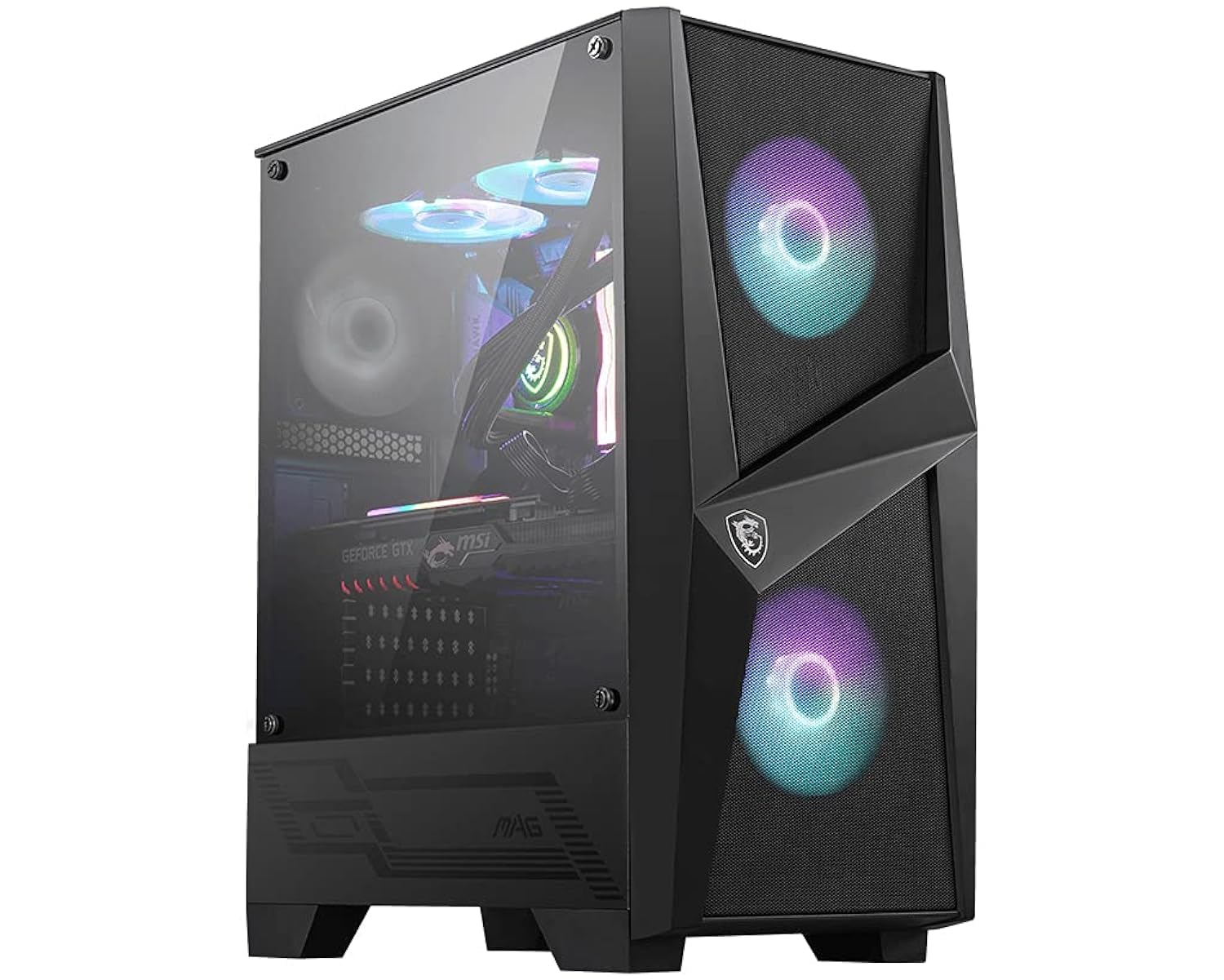
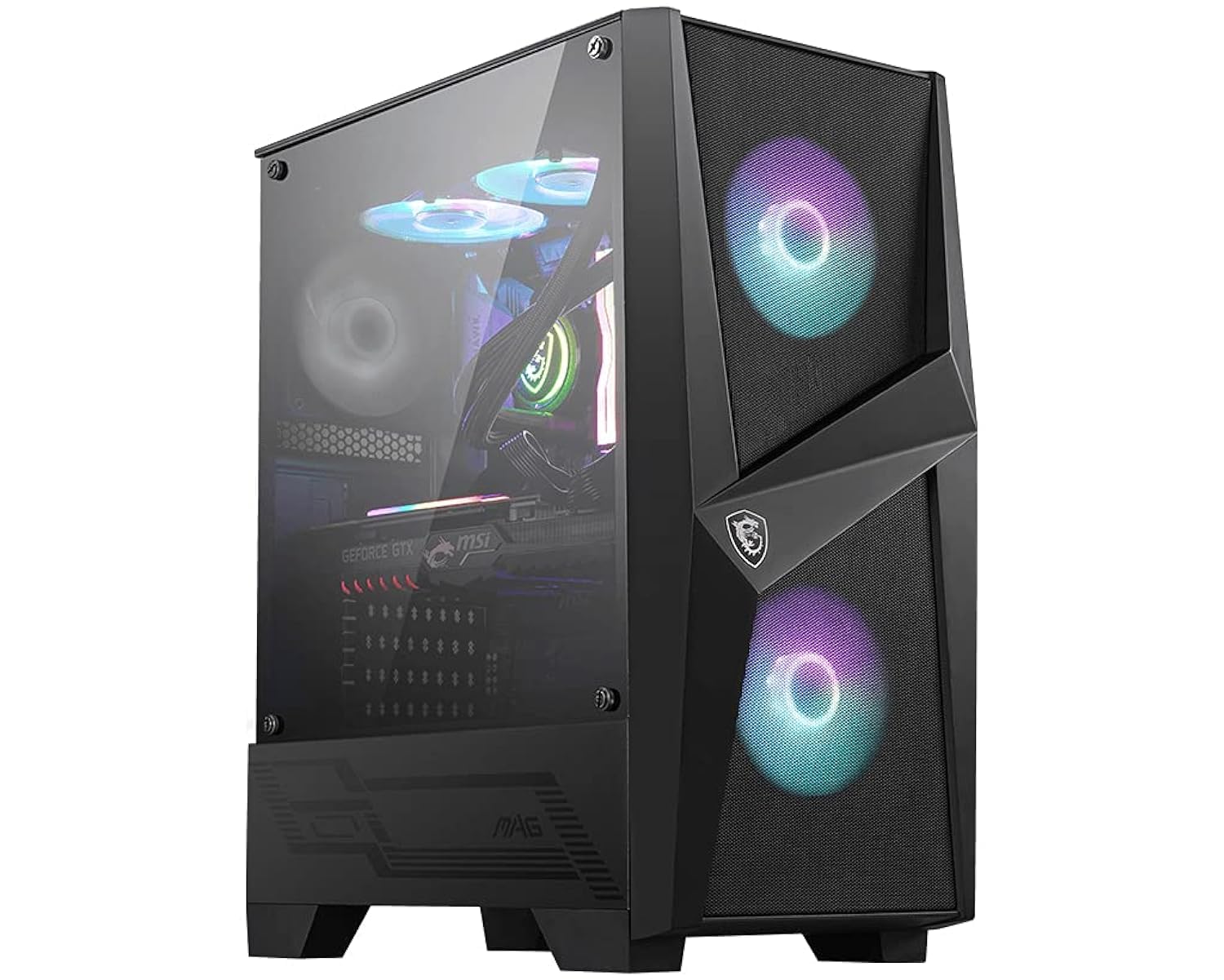
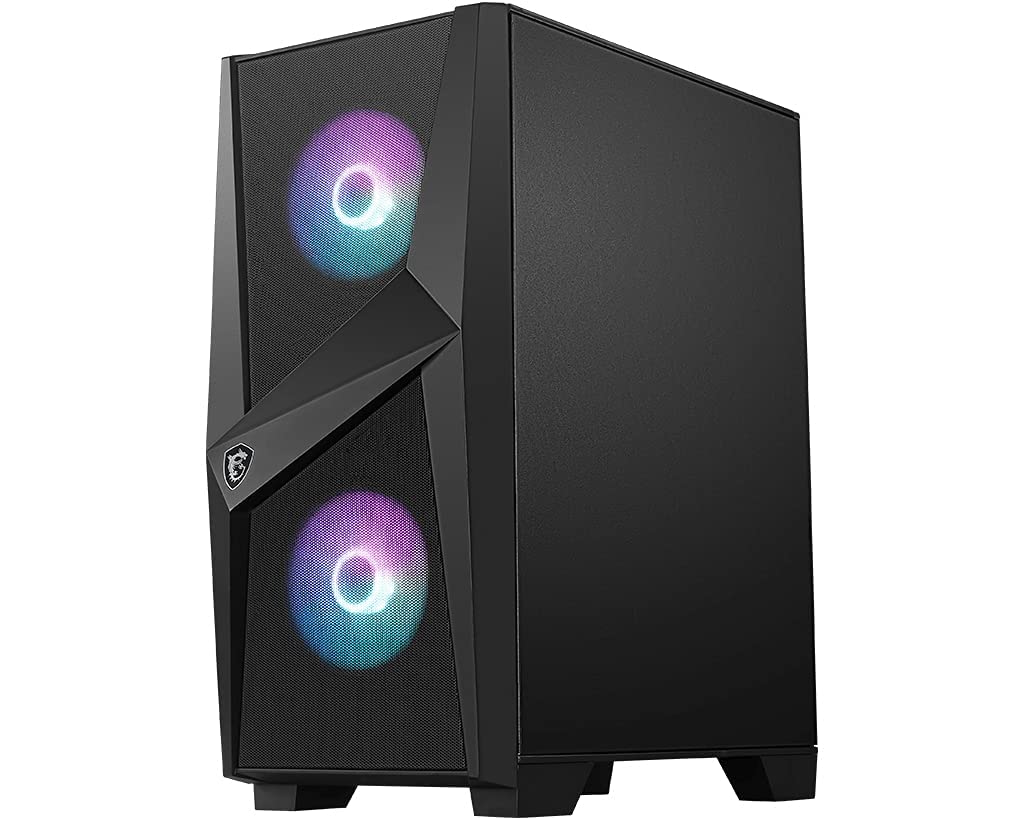
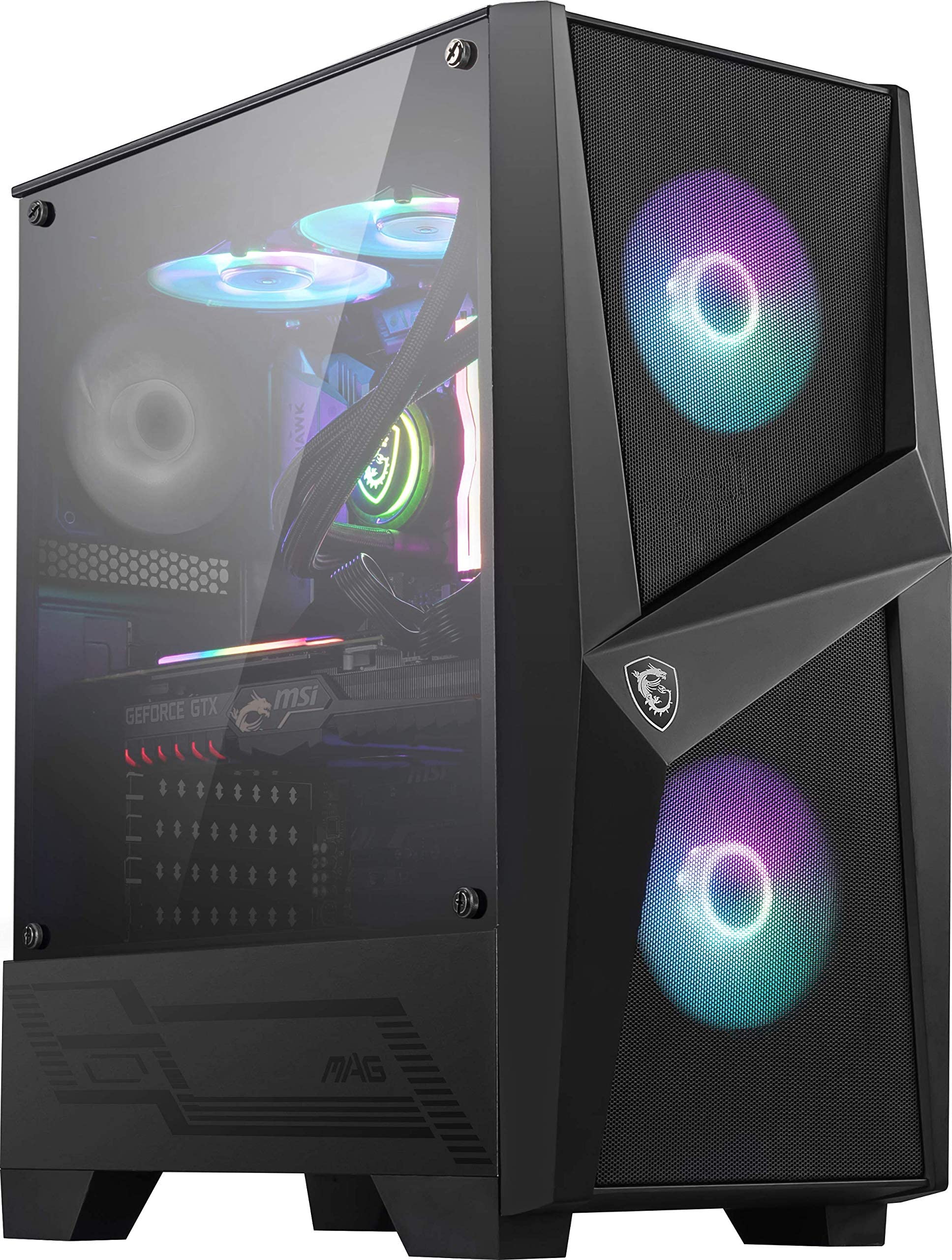
MSI MAG FORGE 100R Mid Tower Gaming Computer Case (Black, 2x 120mm ARGB PWM Fan, 1x 120mm Fan, 1-6 ARGB Hub, Tempered Glass, MSI Center, ATX, mATX, mini-ITX)
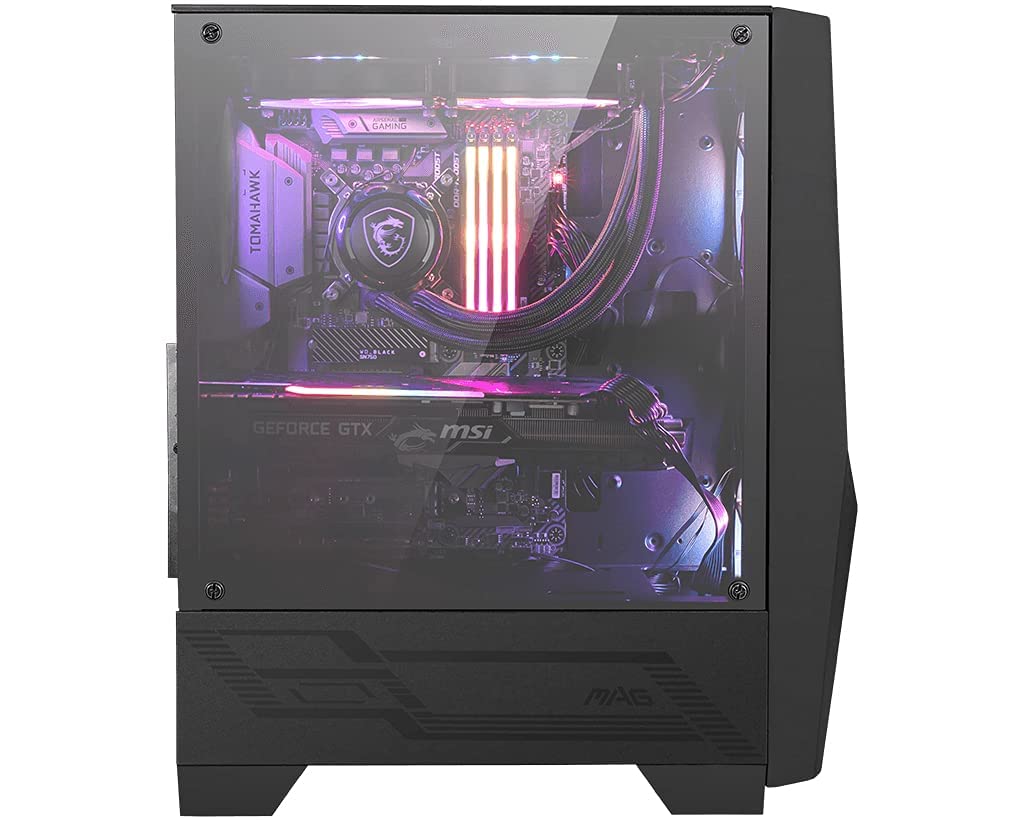
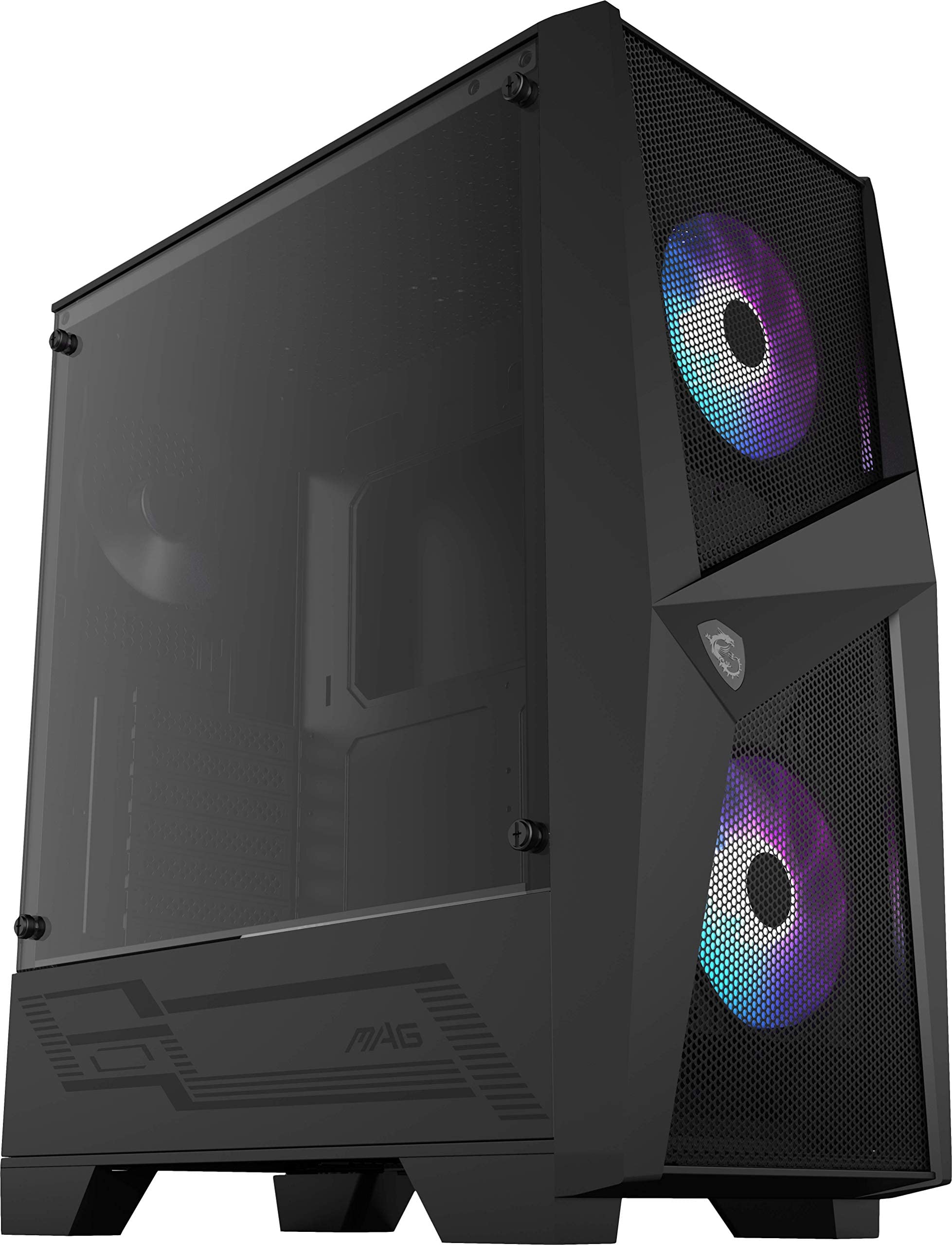
- 4mm tinted tempered glass side panel, making it ideal for showcasing your build with (RGB) lighting
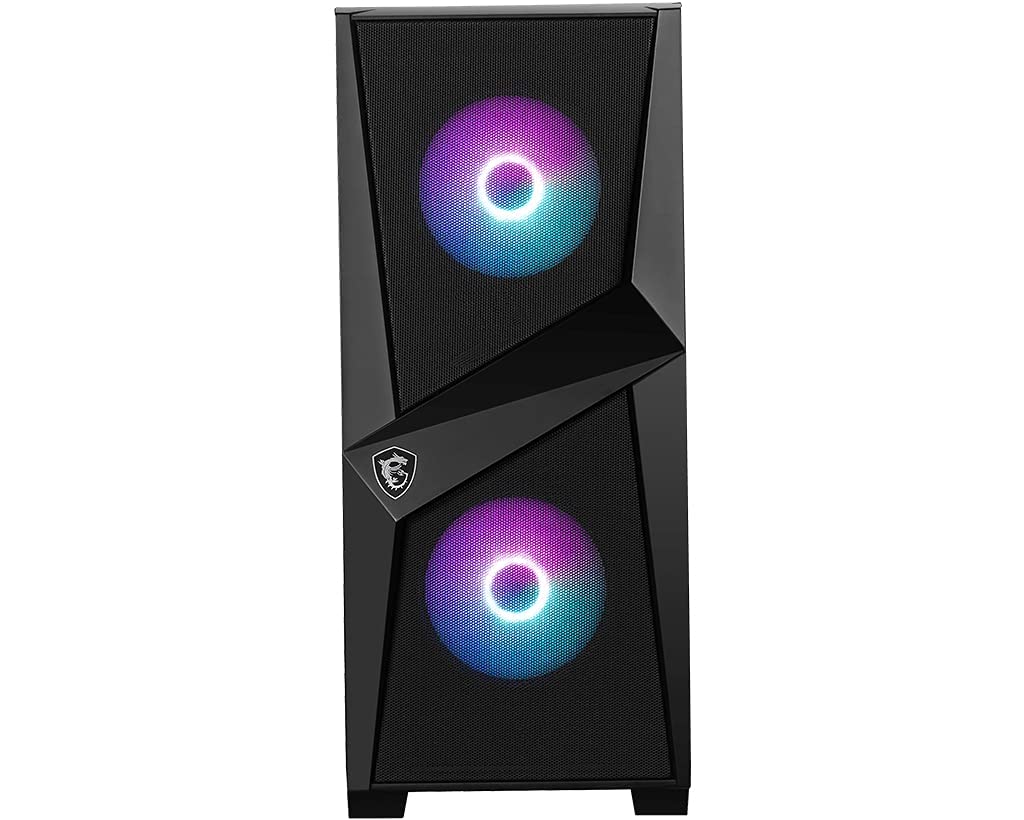
- Packed with 2 x 120mm addressable RGB fans support MSI Mystic Light and 1 x 120mm System fan for unlimited customization options. Bundle with 1 to 6 ARGB LED control board that can allow you to have more attractive ways to decorate your gaming rig by LED strips. Mystic Light Sync Ready
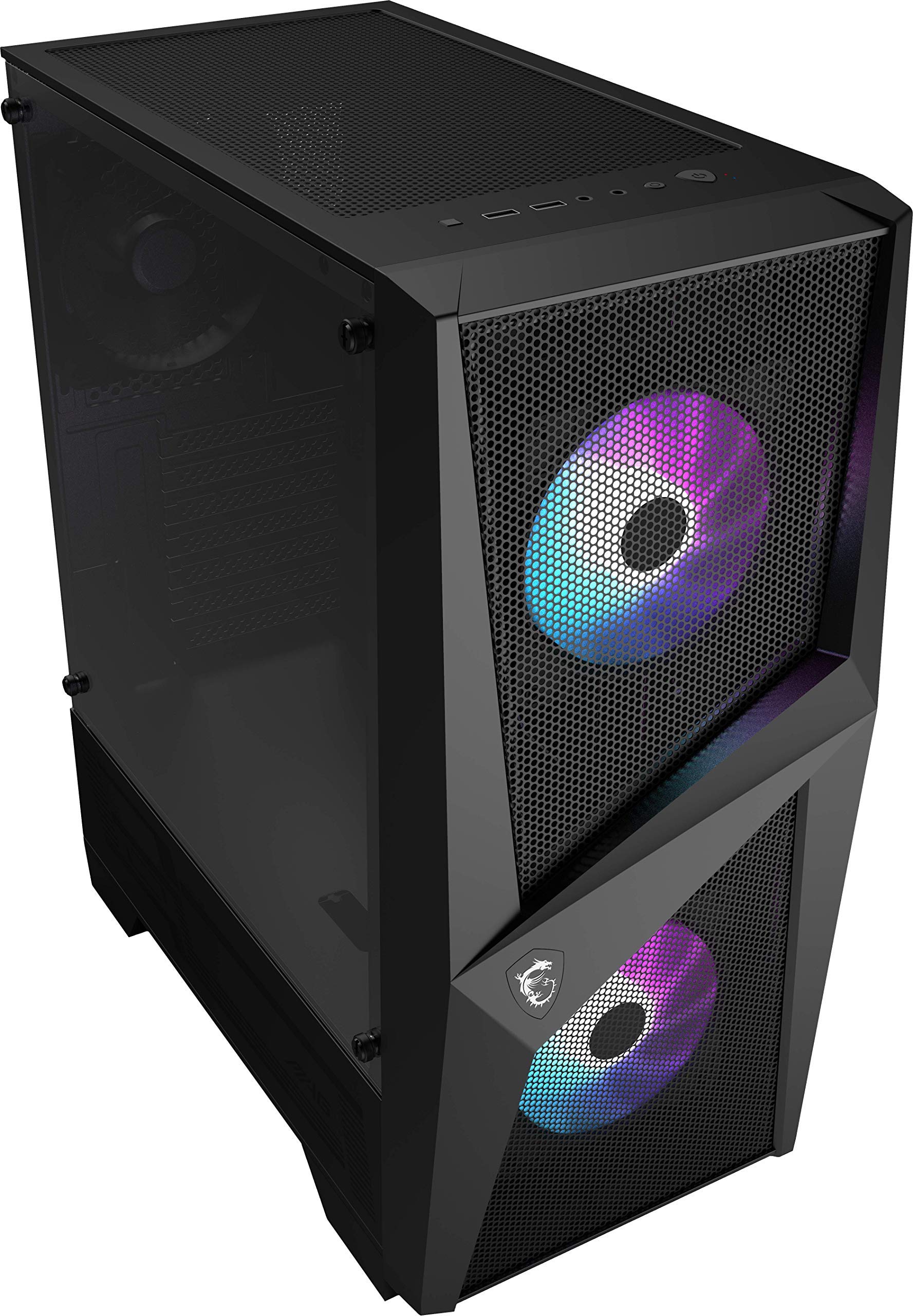
- The case of magnetic dust filter on top side is designed to give users the best experience in un-installing and cleaning
- Room for up to six system cooling fans, supporting up to 240mm at the front/top and up to 120mm at the rear. Supports CPU air tower coolers with heights of up to 160 mm
- MSI MAG FORGE 100R chassis can support ATX, mATX and mini-ITX motherboard
Price checked: 10 Jan 2026 | Affiliate link
📸 Product Gallery
📋 Product Specifications
Physical Dimensions
Product Information
Key Takeaways
- Best for: Budget-conscious builders who need decent airflow and RGB lighting without breaking the bank
- Price: £42.99 – excellent value with included ARGB fans
- Verdict: Solid budget case with good airflow potential, but limited cooler clearance and basic cable management
- Rating: 4.6 from 4,094 reviews
MSI MAG FORGE 100R Gaming Case Specs Overview
The MAG FORGE 100R sits in MSI’s budget FORGE lineup, positioned below the more premium MAG FORGE 120A AIRFLOW. It’s a mid-tower ATX case that prioritises RGB lighting and reasonable airflow over premium materials. Let’s look at what you actually get for your money.
MSI MAG FORGE 100R Gaming Case Specifications
Form Factor
Max GPU Length
Max Cooler Height
Front Fan Support
Top Radiator
Pre-installed Fans
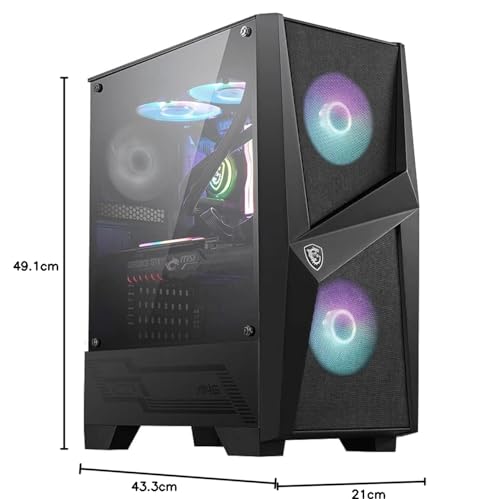
The case measures 415mm (H) × 210mm (W) × 411mm (D), making it a standard mid-tower footprint. MSI includes two 120mm ARGB fans in the front and one 120mm non-RGB fan at the rear. That’s genuinely good value at this price point, though I would have preferred three matching ARGB units. The tempered glass side panel is 4mm thick with a dark tint, which helps hide cable management sins if you’re not meticulous.
One specification that immediately concerns me is the 160mm CPU cooler height limit. That rules out popular tower coolers like the Noctua NH-D15 (165mm), be quiet! Dark Rock Pro 4 (163mm), and even some mid-range towers. You’re looking at 240mm AIOs or compact air coolers only. For more flexibility, consider the MSI MAG PANO 130R PZ, which supports up to 170mm coolers.
Airflow & Thermal Performance: Better Than Expected
Budget cases often sacrifice airflow for aesthetics, but the MAG FORGE 100R strikes a reasonable balance. The front panel uses a mesh design with a plastic shroud that allows air intake from the sides and bottom. It’s not unrestricted mesh like premium airflow cases, but it’s vastly better than solid glass fronts.
Airflow Assessment
Front Intake
Top Exhaust
GPU Ventilation
Dust Filtering
Suitable for mid-range builds
I tested the MAG FORGE 100R with an RTX 4070 Super and Ryzen 7 5800X with a 240mm AIO. GPU temperatures sat around 72°C under sustained load (Heaven Benchmark for 30 minutes), which is respectable. CPU temperatures with the AIO mounted at the front were excellent at 68°C during Cinebench R23 runs. When I moved the AIO to the top as exhaust, CPU temps improved by 3°C but GPU temps increased by 5°C due to reduced front intake.
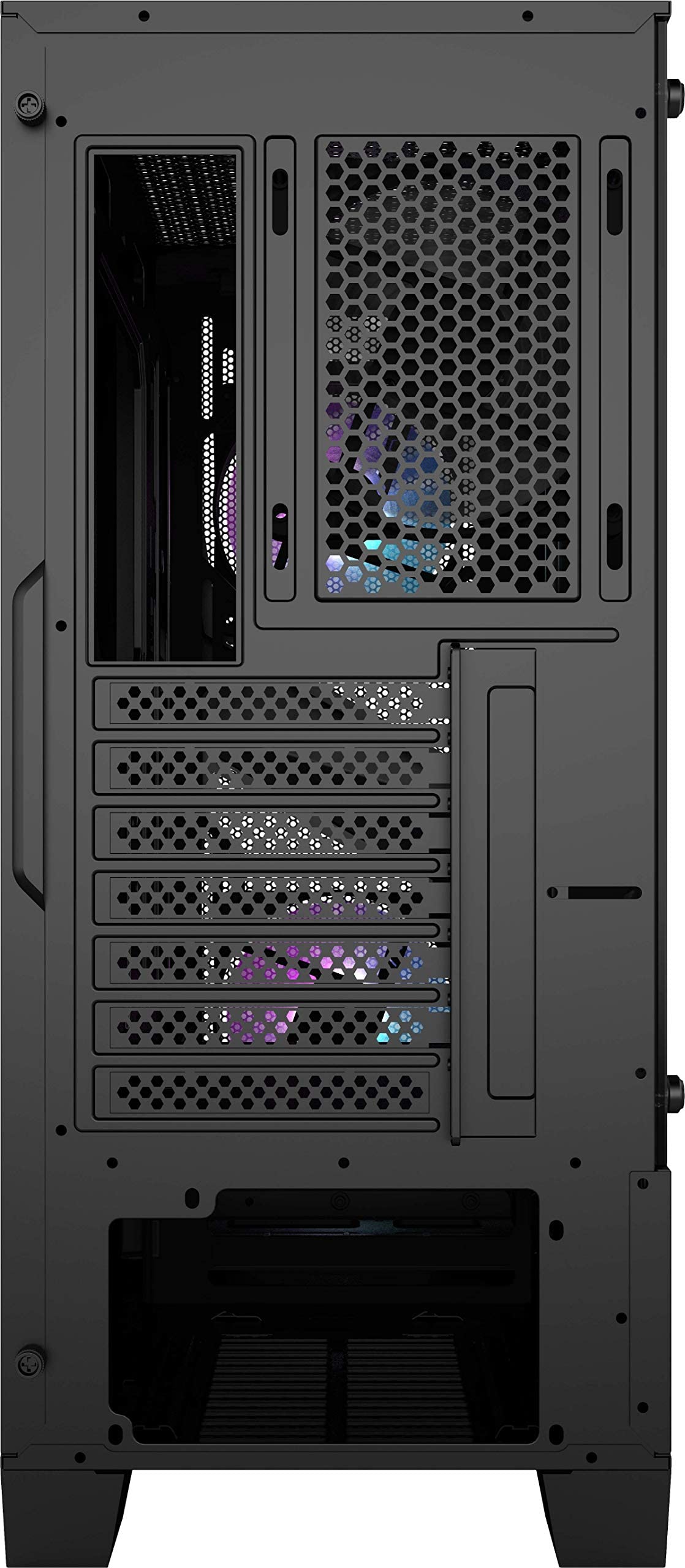
The magnetic dust filter on top is genuinely convenient to remove and clean, but the front filter requires removing the entire front panel. It’s a simple clip-on design, but you’ll need to do this every few months if you have pets or a dusty environment. The PSU filter slides out from the rear, which is standard and works fine.
One thermal concern: there’s no PSU shroud ventilation cutouts for bottom-mounted GPU fans. If you’re running a three-fan GPU that extends below the motherboard tray, the bottom fans will struggle for air. This isn’t unique to this case, but it’s worth noting if you’re considering a chunky RTX 4080 or 4090.
Component Compatibility: Tight but Manageable
The 160mm cooler height limitation is my biggest compatibility concern with the MSI MAG FORGE 100R Gaming Case. Let’s break down what actually fits and what doesn’t.
📏 Component Clearance
Large GPUs (330mm)
Fits RTX 4070 Ti Super, 4080, and most three-fan cards. RTX 4090 FE (304mm) fits with room to spare. Remove front fans for 360mm+ cards.
Tall Tower Coolers (165mm+)
NH-D15, Dark Rock Pro 4, and similar towers won’t fit. Maximum 160mm rules out most premium air coolers. Stick to 240mm AIOs or compact towers like the Hyper 212.
240mm AIO Radiator
Front and top support 240mm radiators comfortably. No 360mm support at all. Front mounting is ideal for CPU temps but warms GPU slightly.
ATX PSU
Standard ATX PSU up to 160mm fits fine. Cable management space behind the motherboard tray is tight at 18mm, so modular PSUs help significantly.
GPU clearance of 330mm is genuinely good for a budget case. I tested with an MSI RTX 4070 Super Ventus 3X (308mm), and there was comfortable clearance to the front fans. If you’re running a longer card like the ASUS TUF RTX 4080 (348mm), you’ll need to remove the front fans or mount them higher, which impacts airflow.
The lack of 360mm radiator support isn’t surprising at this price, but it does limit upgrade paths. If you’re planning a high-end CPU like the 14900K or 7950X, you’ll want 360mm cooling capability. Consider the GAMDIAS AURA GC2 ELITE if 360mm support is essential at a similar budget.
RAM clearance is non-issue with AIO cooling, but if you do squeeze in a 160mm air cooler, tall RGB RAM may interfere. I tested with Corsair Vengeance RGB (51mm tall) and a be quiet! Pure Rock 2 (155mm), and it was tight but functional.
Build Experience: Budget Reality Check
This is where budget cases reveal their compromises, and the MAG FORGE 100R is no exception. I’ve built in genuinely awful cases where I’ve sacrificed blood to sharp edges and fought with non-existent cable management. The FORGE 100R isn’t that bad, but it’s not pleasant either.
🔧 Build Experience
Cable Management
Panel Fitment
Included Hardware
Tool-less Design
Cable management space behind the motherboard tray measures just 18mm, which is tight for non-modular PSUs. There are five velcro straps and a few routing holes with rubber grommets, but no channels or dedicated cable bar. The rear panel bows slightly when cables are routed, which is typical for budget cases. Standoffs come pre-installed for ATX boards, which saves time. Side panels use thumbscrews (good), but the tempered glass panel requires careful alignment to avoid stress on the glass. I encountered one sharp edge on the top panel cutout that caught my hand during installation. Overall, it’s a functional but unremarkable build experience that takes patience.
The lack of a PSU shroud is both good and bad. Good because it allows bottom airflow to the GPU, bad because it means your PSU cables are visible through the tempered glass. Cable management becomes more important aesthetically, but the limited space makes it challenging. I spent an extra 20 minutes routing cables neatly, and the rear panel still bulged slightly.
MSI includes all necessary screws, standoffs, and cable ties. The ARGB controller is a basic 1-to-6 hub that connects to your motherboard’s 3-pin ARGB header or runs standalone with the included SATA power cable and front panel button. It works with MSI Mystic Light if you have an MSI motherboard, but compatibility with ASUS Aura Sync or Gigabyte RGB Fusion requires motherboard control.
One frustration: the front panel I/O cable is quite short. If you’re using a long motherboard like an ASUS TUF Gaming Plus, the cable barely reaches the bottom headers. This isn’t unique to MSI, but it’s annoying when you’re trying to route cables cleanly.
Front I/O & Storage Configuration
The front I/O panel sits on the top front edge, angled for easy access. It’s a basic but functional layout that covers the essentials without USB-C, which is the expected compromise at this price point.
🔌 Front Panel I/O
The lack of USB-C is disappointing in 2026, even at this price. Budget cases like the GAMDIAS AURA GC1 Elite manage to include USB-C, so it’s not impossible. If you regularly connect USB-C devices, you’ll be reaching around to your motherboard I/O, which gets old quickly.
Storage configuration is adequate for modern builds that prioritise SSDs over mechanical drives.
💾 Storage Configuration
3.5″ HDD Bays
2.5″ SSD Mounts
Drive Cages
The two 3.5″ HDD bays sit in a fixed cage at the bottom front of the case. They’re tool-less with sliding trays, which is convenient. The two 2.5″ SSD mounts are on the back of the motherboard tray and require screws. There are no additional SSD mounting points, so you’re limited to four drives total (plus M.2 slots on your motherboard).
The fixed HDD cage does restrict airflow slightly to the GPU, but removing it isn’t an option without permanent modification. If you’re running an all-SSD build, that wasted space is frustrating. More modern designs like the MSI MAG PANO M100R offer removable drive cages for better flexibility.
Alternatives: What Else Should You Consider?
The budget case market is crowded, and the MAG FORGE 100R faces stiff competition. Here’s how it compares to obvious alternatives at similar price points.
| Case | Form Factor | GPU Clearance | Airflow | Price |
|---|---|---|---|---|
| MSI MAG FORGE 100R Gaming Case | ATX/mATX | 330mm | Mixed Front | £42.99 |
| GAMDIAS AURA GC1 Elite | ATX/mATX | 350mm | Mesh Front | ~£50 |
| Corsair 4000D Airflow | ATX/mATX | 360mm | Full Mesh | ~£75 |
| MSI MAG FORGE M100R | mATX | 315mm | Mixed Front | ~£45 |
The GAMDIAS AURA GC1 Elite offers better GPU clearance and full mesh front panel for similar money, but build quality is comparable and it lacks the included ARGB fans. If airflow is your absolute priority, it edges ahead.
The Corsair 4000D Airflow is the gold standard in this category, but it costs £30-35 more and doesn’t include any fans. By the time you add two fans, you’re spending £100+ total. The build quality and cable management are noticeably better, but you’re paying for it.
MSI’s own MAG FORGE M100R is a Micro-ATX version that’s slightly cheaper and more compact. If you don’t need full ATX support, it’s worth considering for small form factor builds.
For external perspectives on budget case airflow design, Gamers Nexus has excellent thermal testing methodology that influenced my testing approach. Their case reviews are exhaustive and worth watching if you’re serious about thermals.
✓ Pros
- Excellent value with three included fans (two ARGB)
- Decent airflow performance for a budget case
- 330mm GPU clearance handles most modern cards
- Tempered glass side panel at this price point
- Magnetic top dust filter is convenient
- MSI Mystic Light ARGB compatibility
✗ Cons
- 160mm cooler height rules out popular tower coolers
- No USB-C on front I/O in 2026
- Tight 18mm cable management space
- No 360mm radiator support
- Fixed HDD cage restricts airflow
- Average build quality with some sharp edges
Final Verdict
The MSI MAG FORGE 100R Gaming Case delivers exactly what you’d expect from a budget case in 2026: decent airflow, adequate build quality, and genuine value with included ARGB fans. It’s not exciting, and the build experience won’t inspire poetry, but it gets the job done for mid-range gaming builds without embarrassing itself.
The 160mm cooler height limitation is my biggest concern. If you’re committed to air cooling or want upgrade flexibility, this restriction will frustrate you within a year. The case is clearly designed around 240mm AIO cooling, which is fine for most gaming builds but limits your options. Cable management is tight enough to be annoying but not impossible, and the lack of USB-C feels outdated even at this price.
At £42.99, the MAG FORGE 100R offers genuine value if you accept its limitations. The included ARGB fans alone save you £20-30, and thermal performance is respectable for the price. It’s a solid foundation for a budget gaming PC with an RTX 4060 Ti or 4070 and mid-range CPU. Just don’t expect premium features, and budget extra time for cable management. For more serious builds or enthusiast features, save another £30 and step up to the Corsair 4000D Airflow. For official specifications and support, visit the MSI MAG FORGE 100R product page.
Frequently Asked Questions
Product Guide
MSI MAG FORGE 100R Mid Tower Gaming Computer Case (Black, 2x 120mm ARGB PWM Fan, 1x 120mm Fan, 1-6 ARGB Hub, Tempered Glass, MSI Center, ATX, mATX, mini-ITX)

Vivid Repairs
Our team of experts tests and reviews products to help you make informed purchasing decisions. We follow strict editorial guidelines to ensure honest, unbiased recommendations.