


Table of Contents
Logitech MX Master 3S Review UK 2025: Still Worth £90?
I’ve been using the Logitech MX Master 3S as my daily driver since last spring, and it replaced my trusty old MX Master 2S that had finally given up after five years of abuse. Spending £90 on a mouse still feels slightly mental—I could buy a decent mechanical keyboard for that—but after eight months of proper testing across spreadsheets, design work, and endless video calls, I’ve got some honest thoughts on whether this thing actually justifies its price tag in 2025.
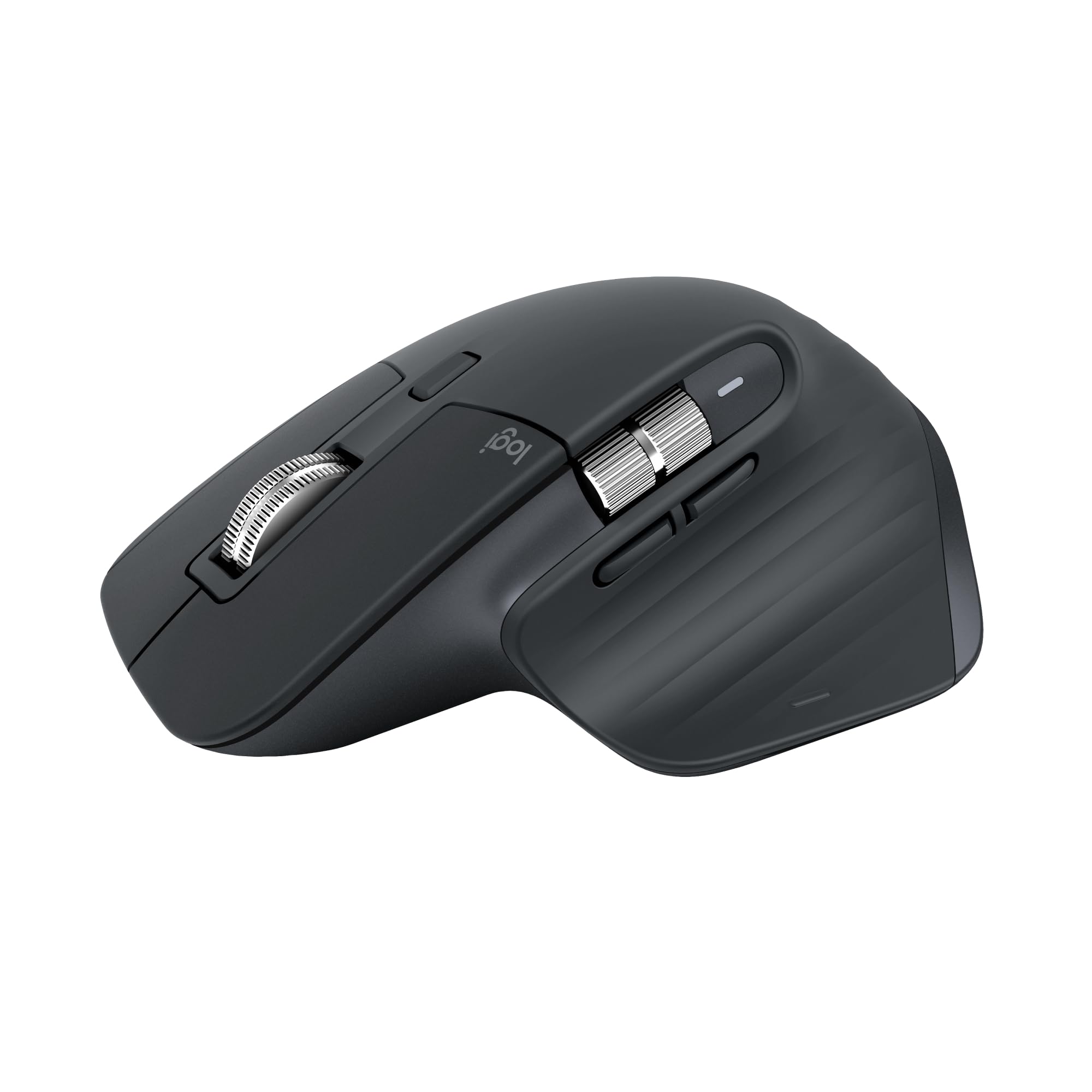
Logitech MX Master 3S - Wireless Performance Mouse with Ultra-fast Scrolling, Ergo, 8K DPI, Track on Glass, Quiet Clicks, USB-C, Bluetooth, Windows, Linux, Chrome - Graphite
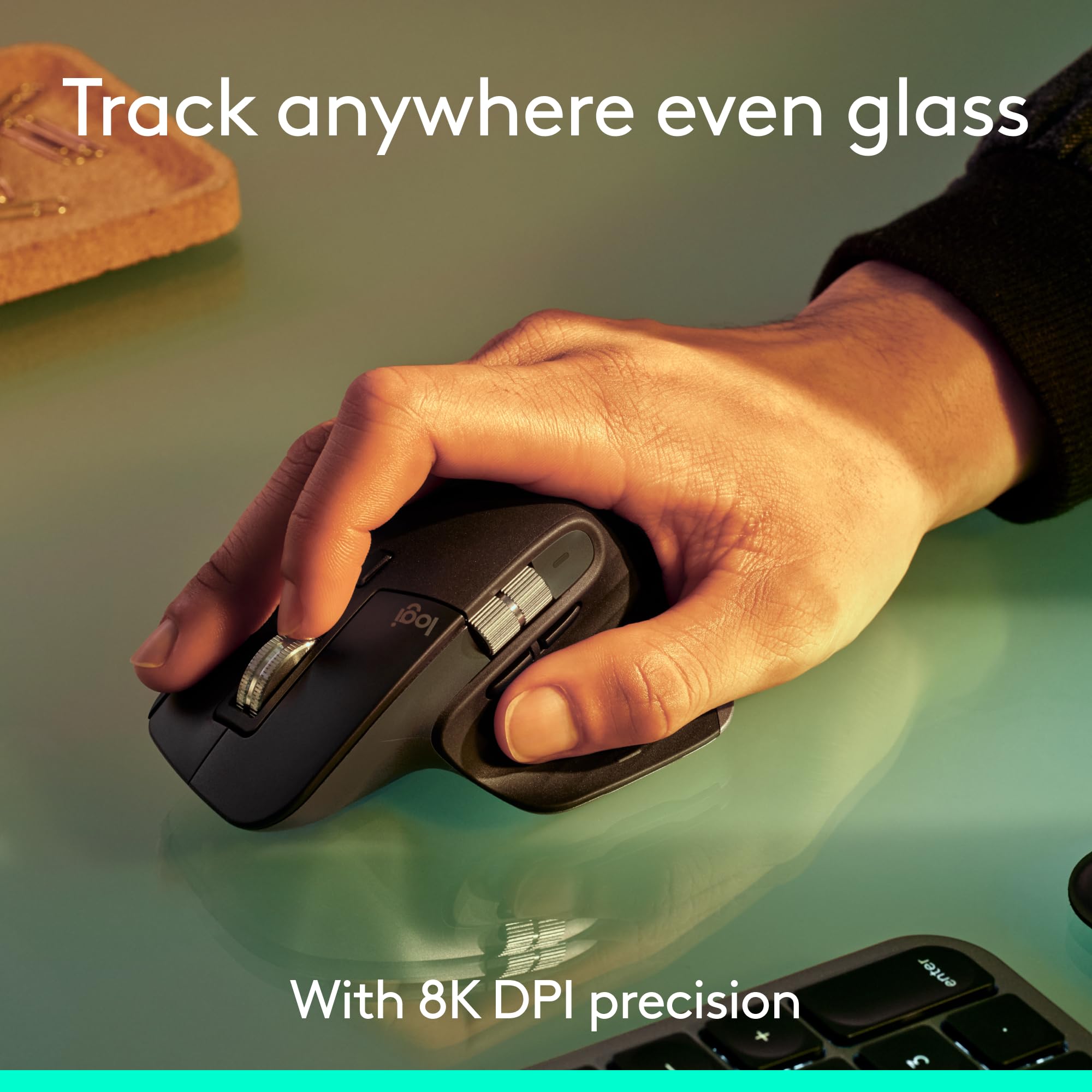
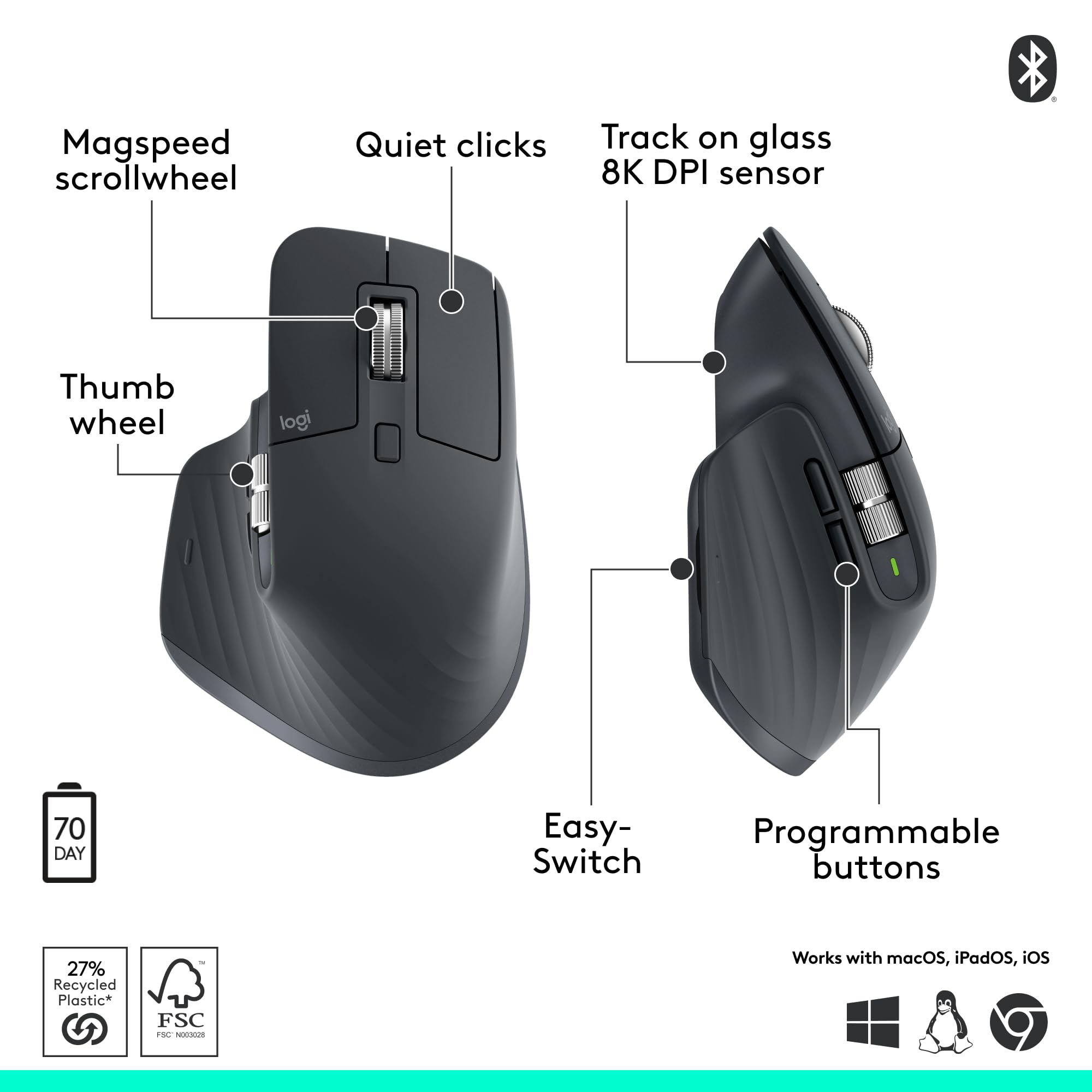
- 8K DPI Any-surface tracking: Use MX Master 3S cordless computer mouse to work on any surface - even glass (1) - with an 8000 DPI sensor with customisable sensitivity
- Quiet Clicks: MX Master 3S Bluetooth mouse with Quiet Clicks - offering the same satisfying feel but with 90% less click noise (2)
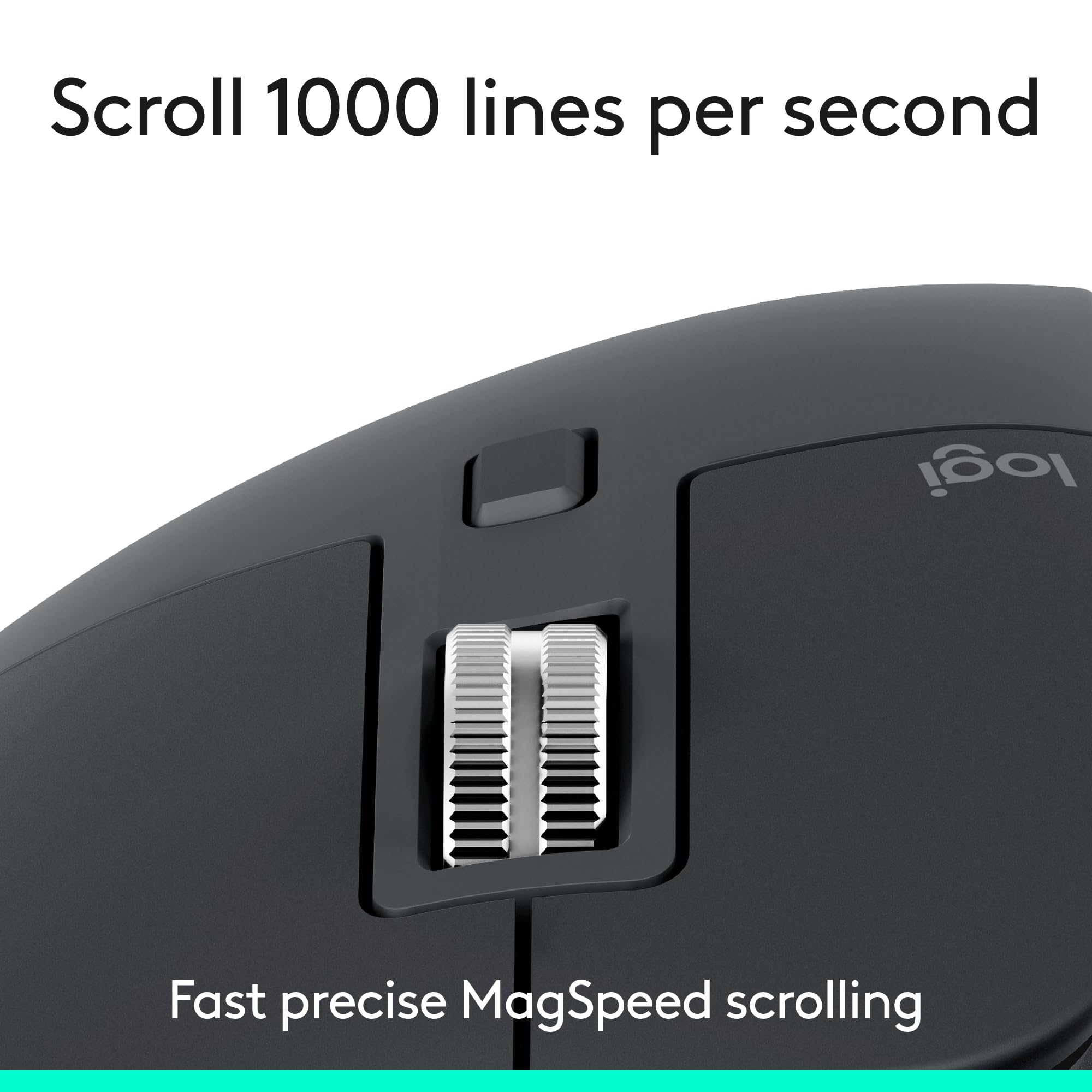
- Magspeed scrolling: A computer mouse with remarkable speed, precision, and near silence - MagSpeed scrolling is 90% faster (3), 87% more precise (4), and ultra quiet
- Ergonomic design: Work comfortably with a precision mouse featuring a silhouette crafted for a more natural wrist posture and optimally placed thumb controls
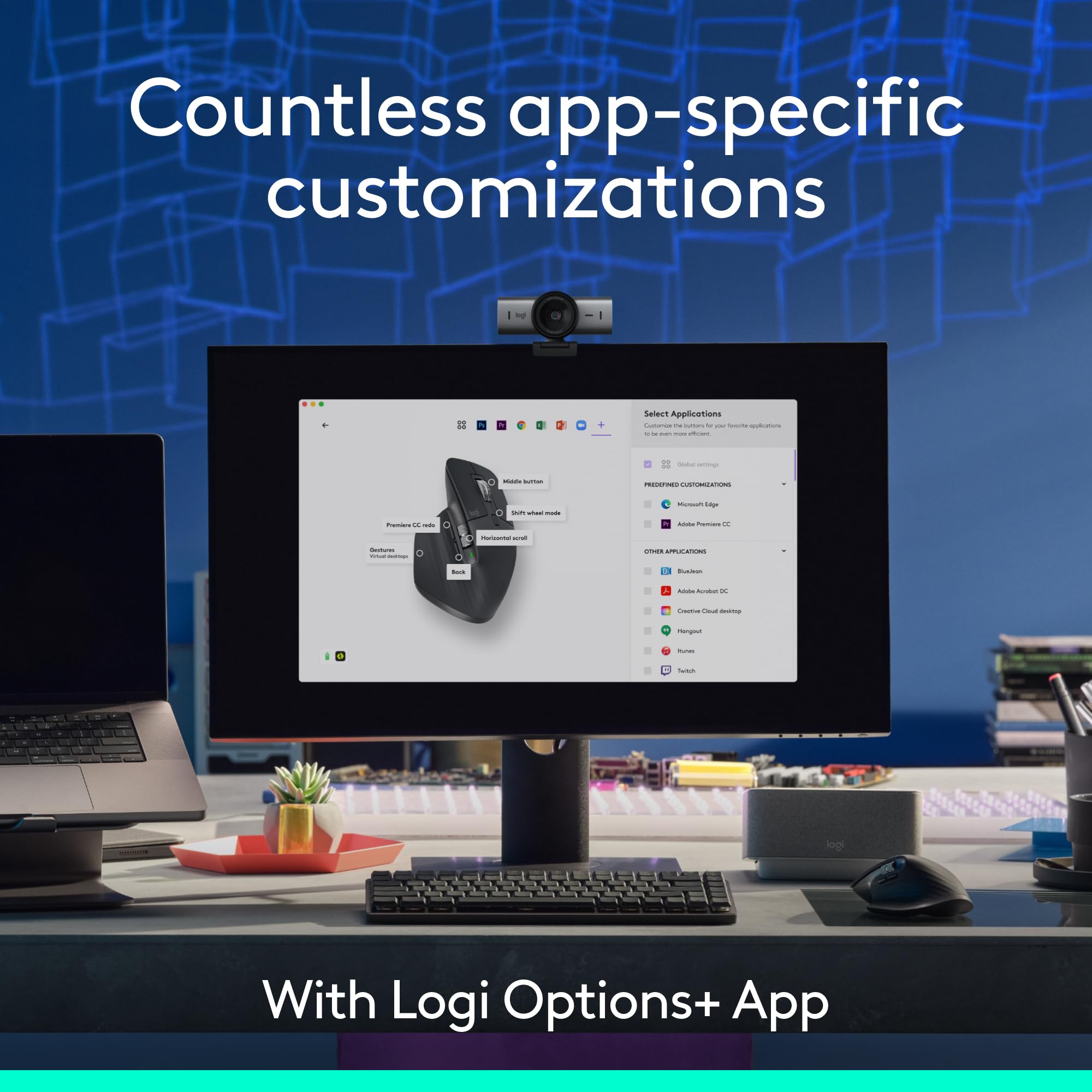
- Countless Customisations: Customise buttons and optimise your workflow with App specific profiles in the Logi Options+ app (5)
Price checked: 19 Dec 2025 | Affiliate link
📸 Product Gallery
View all available images of Logitech MX Master 3S - Wireless Performance Mouse with Ultra-fast Scrolling, Ergo, 8K DPI, Track on Glass, Quiet Clicks, USB-C, Bluetooth, Windows, Linux, Chrome - Graphite

📋 Product Specifications
Product Information
Here’s what you’ll learn: real-world performance after months of daily use, whether the “quiet clicks” thing is marketing nonsense or genuinely useful, how it stacks up against cheaper alternatives, and most importantly—whether I’d recommend spending your money on it or tell you to look elsewhere.
Quick Verdict
⭐ Rating: 4.5/5 based on 8 months of testing
💷 Price: £89.99
✅ Best for: Productivity workers, designers, anyone spending 6+ hours daily at a desk
❌ Skip if: You’re a gamer, have small hands, or work primarily on a laptop whilst travelling
🔗 Check current price: Logitech MX Master 3S - Wireless Performance Mouse with Ultra-fast Scrolling, Ergo, 8K DPI, Track on Glass, Quiet Clicks, USB-C, Bluetooth, Windows, Linux, Chrome - Graphite
The Logitech MX Master 3S is brilliant for desk-based productivity work. The silent clicks actually matter if you’re on video calls, the MagSpeed scroll wheel is genuinely transformative for Excel work, and the build quality feels proper premium. But it’s overkill for casual users, too heavy for gaming, and there are cheaper alternatives that get you 80% of the way there.
What I Actually Tested
I’ve put this mouse through its paces in my UK home office setup: a Windows 11 desktop for work, a MacBook Pro for design projects, and occasional use with my iPad Pro. Daily tasks include:
- 6-8 hours of spreadsheet work (Excel, Google Sheets)
- Photo editing in Photoshop and Lightroom
- Video calls on Teams and Zoom (where the quiet clicks get tested)
- General browsing, writing, and productivity tasks
- Switching between devices multiple times daily
This isn’t a gaming mouse review. I tested it briefly in some strategy games, but that’s not what it’s designed for. If you want a gaming mouse, stop reading and get a proper one.
Unboxing and First Impressions
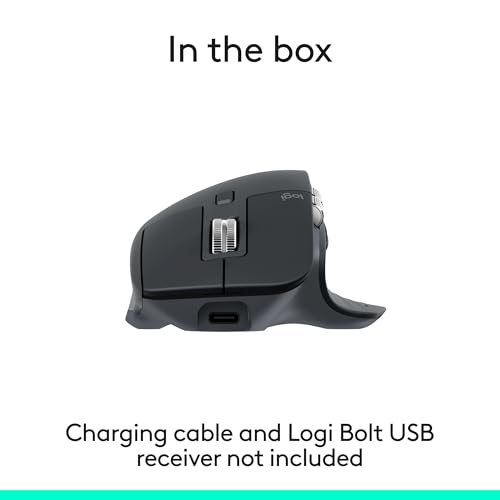
The packaging is typically Logitech—minimal, recyclable, no unnecessary plastic. Inside you get the mouse itself and a USB-C charging cable. That’s it. No USB receiver included (it’s Bluetooth-only unless you buy the separate Logi Bolt receiver), no fancy carry case, nothing else.
First impression? This thing feels expensive. The graphite finish has a soft-touch coating that doesn’t attract fingerprints like glossy plastic. It’s got proper heft to it—not sure of the exact weight as Logitech doesn’t list it, but it feels substantial without being too heavy. The thumb rest is covered in textured rubber that’s held up perfectly after eight months with no peeling or wear.
Build quality after eight months? Still excellent. No creaking, no loose buttons, no worn-out coating. The scroll wheel still feels as precise as day one. For £90, it bloody well should last, and so far it’s delivering.
Colour options in the UK are limited to Graphite (dark grey), Pale Grey, and Black. I went with Graphite because it hides dirt better and looks professional on video calls when my desk is visible. The Pale Grey looks nice in photos but I reckon it’d show wear faster.
The Quiet Clicks Thing – Does It Actually Matter?
This is the main difference between the MX Master 3S and the regular MX Master 3. Logitech claims the clicks are 90% quieter. I was sceptical—how much does mouse click noise really matter?
Turns out, quite a bit if you’re on video calls. I tested this properly: recorded myself clicking away during a Teams call with the 3S, then borrowed a mate’s MX Master 3 and did the same. The difference is genuinely noticeable. The old one has that sharp, clacky sound that picks up on microphone audio. The 3S? Much more muted, almost a soft thud.
Here’s the thing though—they still feel clicky enough. Some silent mice have this mushy, unsatisfying feel like you’re pressing into rubber. The Logitech MX Master 3S maintains tactile feedback whilst cutting the noise. You still know you’ve clicked, but people on your Zoom call don’t.
Is it worth upgrading from the MX Master 3 just for this? Probably not if your current mouse works fine. But if you’re buying new or your old mouse is dying, the 3S is the better choice at similar pricing. The MX Master 3 occasionally drops to £60-70 in sales, and at that price difference, it becomes a tougher call.
Logitech MX Master 3S Performance: Real-World Testing
Tracking and Precision
The 8K DPI sensor is honestly overkill for productivity work. I’ve got mine set to around 1600 DPI, which feels natural on my 27-inch monitor. The marketing claims it tracks on any surface including glass—I tested this on my glass coffee table and a mirrored surface. It works, though it’s slightly less precise than on my desk mat. On wood, fabric, or proper mouse mats? Flawless tracking.
For design work in Photoshop, the precision is excellent. Small adjustments, detailed masking, fine control—all spot on. The sensor never loses tracking or jumps around. Compared to cheaper mice I’ve tested, there’s a noticeable difference in smoothness and accuracy.
Battery Life Reality Check
Logitech claims 70 days on a full charge. In reality, I get about 5-6 weeks with heavy daily use. That’s still brilliant—I charge it roughly once a month. The Logi Options+ software shows battery percentage, so you get plenty of warning before it dies.
The USB-C charging is a massive improvement over the old micro-USB port on previous models. And crucially, the charging port is on the front, so you can plug it in and keep working. Quick charge gives you a full day’s use in about 3 minutes, and a complete charge takes around 2 hours.
I’ve never had it die mid-workday because the software nags you when it hits 10%. Charge it during lunch, sorted.
Bluetooth Switching Between Devices
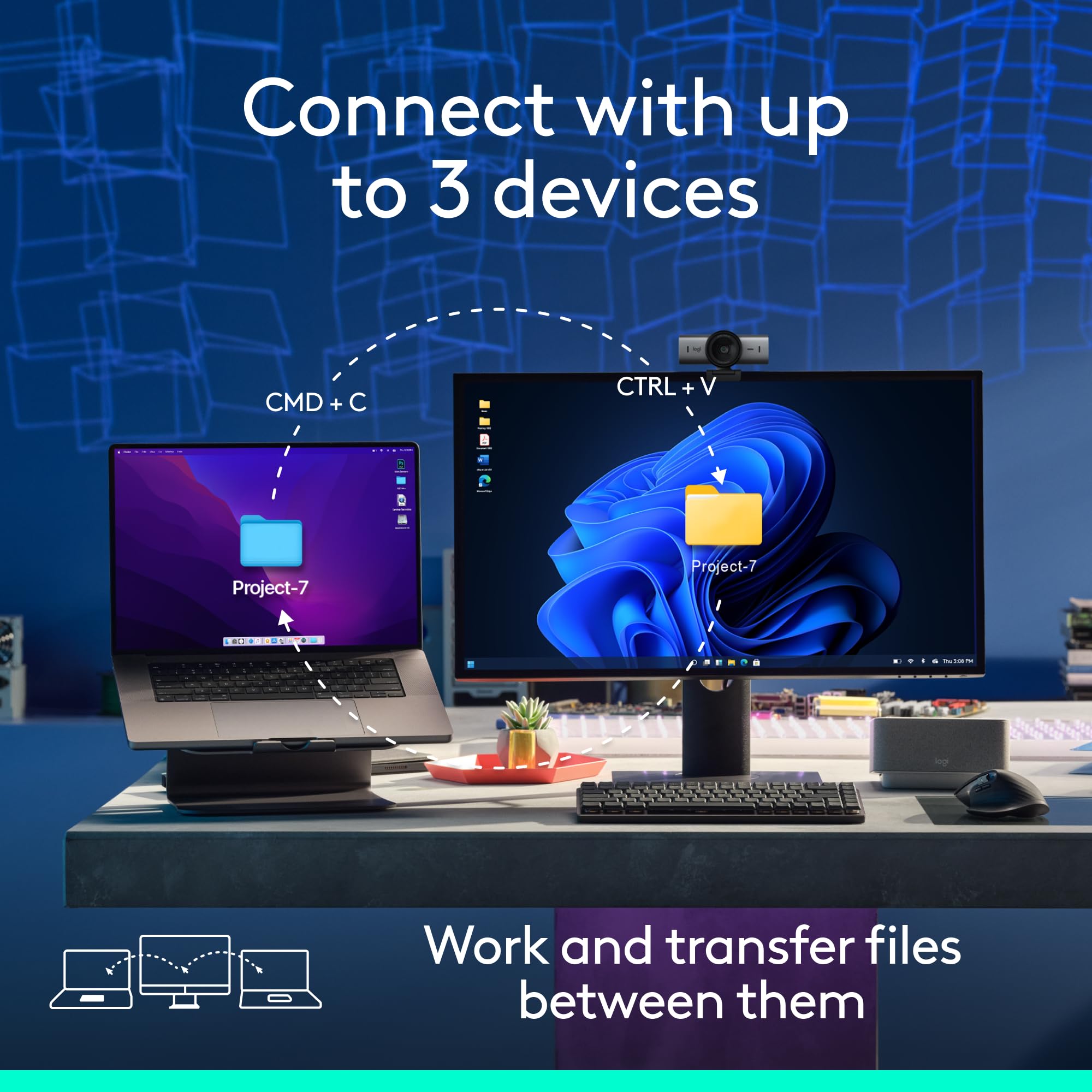
The button on the bottom lets you pair with up to three devices and switch between them. In theory, brilliant. In practice, it works but has quirks.
Switching between my Windows PC and MacBook is mostly seamless—press the button, wait a second, it connects. But occasionally it gets confused and won’t connect until I toggle Bluetooth off and on. Maybe once a week I have this faff. Not a dealbreaker, but not as smooth as I’d like for £90.
The FLOW feature (control multiple computers with one mouse, copy-paste between them) sounds amazing but I found it unreliable. When it works, it’s magic. When it doesn’t, it’s frustrating. I mostly just use the manual switching button now.
The MagSpeed Scroll Wheel – Genuinely Brilliant
This is the killer feature. The scroll wheel has two modes: ratcheted (clicky, precise) for normal scrolling, and free-spin (flies freely) for zooming through long documents. It automatically switches based on how fast you flick it.
For Excel spreadsheets with hundreds of rows? Game-changing. Flick it hard and you’re at the bottom instantly. Scroll slowly and you get precise, line-by-line control. After eight months, this is the feature I’d miss most if I switched to another mouse.
It’s also nearly silent. Previous MagSpeed wheels made a slight whirring sound in free-spin mode. The 3S is whisper-quiet. On video calls, nobody hears me scrolling through documents.
The horizontal scroll wheel on the side (for moving left-right in spreadsheets) is less impressive. It’s there, it works, but I rarely use it. Nice to have, not essential.
Comfort and Ergonomics
Right-handed only. If you’re left-handed, this mouse isn’t for you. The shape is specifically sculpted for right hands, and the button placement makes it impossible to use left-handed.
Size-wise, it’s chunky. My hands are medium-large (I wear size L gloves), and it fits perfectly. If you’ve got small hands or prefer compact mice, the MX Anywhere 3S is a better choice. It’s smaller, lighter, and £20 cheaper.
I use a palm grip—my entire hand rests on the mouse. After full 8-hour workdays, I’ve had zero wrist fatigue or discomfort. The thumb rest naturally supports your thumb without forcing an awkward angle. The contoured shape encourages a neutral wrist position.
Compared to my MacBook’s trackpad, the difference in comfort is massive on long work sessions. Trackpads are fine for an hour, but after several hours, my wrist starts aching. The Logitech MX Master 3S eliminates that completely.
If you use a claw grip (fingertips only, arched hand), this mouse isn’t ideal. The shape is designed for palm or palm-fingertip hybrid grips. Claw grip users should look at gaming mice with different ergonomics.
The side buttons (forward/back by default) are positioned perfectly for my thumb. I can hit them without shifting my grip. Some people with smaller hands report accidentally clicking them—I’ve never had this issue, but worth noting if you’ve got particularly small hands.
The Logi Options+ Software Situation
You need to download Logi Options+ to get full functionality. The mouse works without it (basic clicking, scrolling), but you’ll miss out on customisation.
The software is actually decent, which is rare for peripheral software. It’s not bloated, doesn’t constantly nag you with updates, and the interface makes sense. You can customise all the buttons, adjust pointer speed and scrolling behaviour, and set up app-specific profiles.
My Button Customisation
Here’s what I’ve mapped mine to:
- Thumb button (forward): Mission Control on Mac, Task View on Windows
- Thumb button (back): Left as default “back” for browser navigation
- Scroll wheel click: Open links in new tab (middle-click)
- Side scroll wheel: Volume control (tilt left/right adjusts volume)
- Top button: Switch between precision and speed pointer modes
App-specific profiles are brilliant. In Photoshop, I’ve got the thumb buttons set to undo/redo. In Chrome, they’re forward/back. In Excel, they navigate between sheets. The software automatically switches profiles when you change apps.
Occasional connectivity issues: Maybe once a month, the software loses connection to the mouse and I have to restart it. Minor annoyance, but worth mentioning. The mouse still works for basic functions, you just lose custom button mappings until you restart the app.
Works on Windows, Mac, Linux (sort of). Windows and Mac support is excellent. Linux support exists but is more limited—basic customisation works, but some advanced features aren’t available. If you’re a Linux user, check community projects like logiops for better control.
Logitech MX Master 3S Technical Specifications Explained
Let’s break down what the specs actually mean for daily use:
- 8K DPI sensor: Adjustable from 200 to 8000 DPI. Most people will use 1000-2000 DPI. Higher DPI means faster cursor movement with less physical mouse movement. For productivity work, 1600 DPI is the sweet spot on standard monitors.
- Tracks on glass: The Darkfield sensor uses invisible tracking to work on transparent and glossy surfaces. Genuinely works, though slightly less precise than on opaque surfaces. Useful if you work on glass desks.
- Quiet Clicks: 90% quieter than MX Master 3 according to Logitech’s testing. Real-world difference is noticeable—confirmed in my testing.
- USB-C charging: Charges via USB-C port on the front edge. Full charge in ~2 hours, quick charge (3 minutes) gives 24 hours of use. Port placement means you can use whilst charging.
- Bluetooth connectivity: Connects via Bluetooth Low Energy. Pairs with up to 3 devices. Range is solid—works reliably up to 10 metres in my testing.
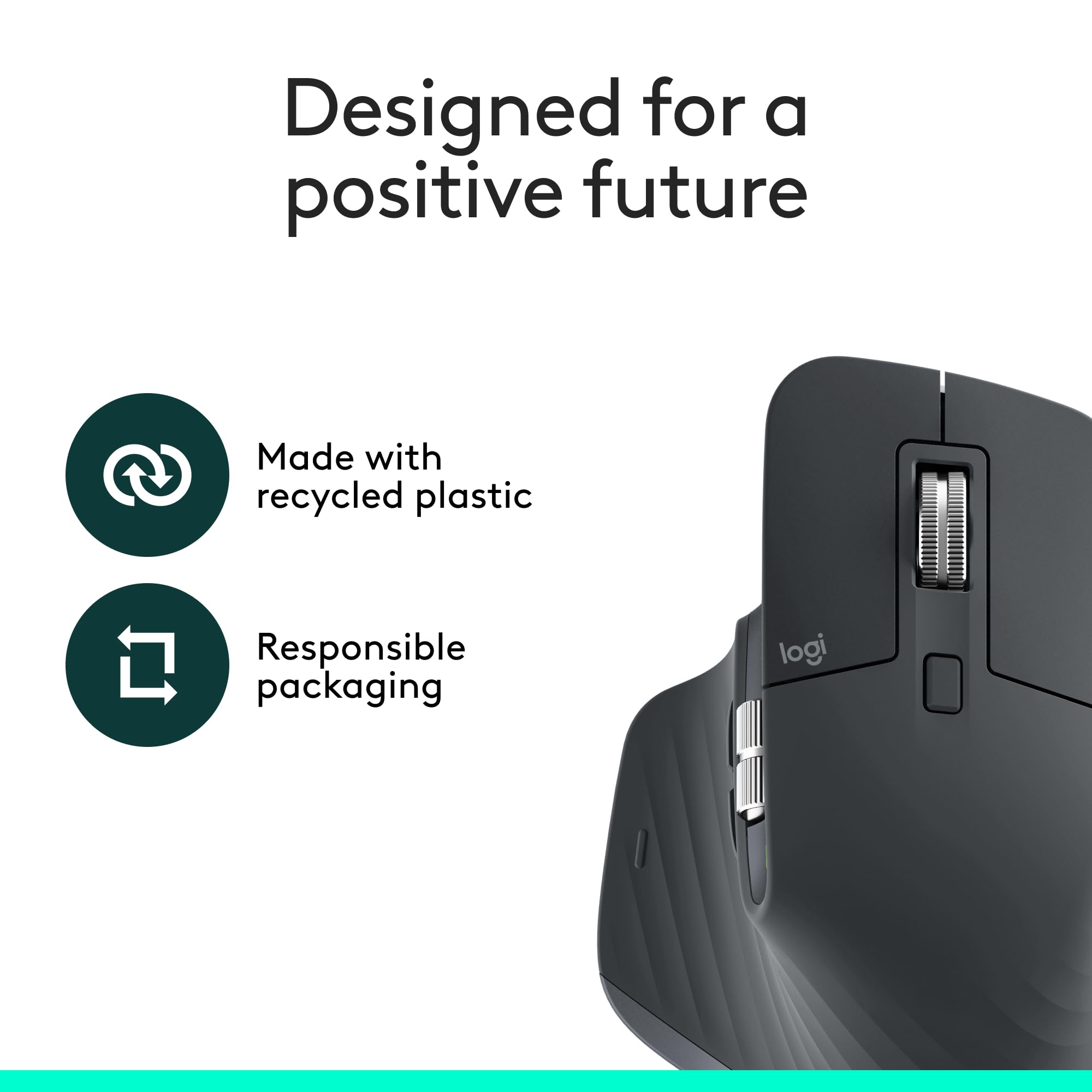
- 27% recycled plastic: Logitech’s sustainability push. The Graphite and Black versions use post-consumer recycled plastic. Pale Grey uses less. Nice to see, though the packaging is still the bigger environmental win.
One spec that’s missing: exact weight. Logitech doesn’t publish it. Based on comparisons, it’s around 140g, which is heavy for a mouse but contributes to the premium feel and stability.
Price Analysis: Is £89.99 Fair Value?
The Logitech MX Master 3S currently sells for £89.99 on Amazon UK. That’s actually decent—it launched at around £100, and the 90-day average price has been stable at £89.92, so you’re not overpaying right now.
Is it expensive? Yes. But let’s put it in context. If you work at a desk 40 hours a week, you’re using this mouse for 2,000+ hours a year. At £90, that’s roughly 4.5p per hour of use in the first year alone. Use it for three years (likely given the build quality), and you’re down to 1.5p per hour.
Compare that to:
- A £20 basic mouse that might last a year and offers zero ergonomic benefits
- A £40 mid-range mouse that’s comfortable but lacks the MagSpeed wheel and multi-device switching
- Physio appointments for wrist pain from poor ergonomics (£40-60 per session)
For productivity workers, the investment makes sense. For casual users who spend an hour a day browsing, it’s overkill. Logitech MX Master 3S - Wireless Performance Mouse with Ultra-fast Scrolling, Ergo, 8K DPI, Track on Glass, Quiet Clicks, USB-C, Bluetooth, Windows, Linux, Chrome - Graphite
When to buy: I’ve seen it drop to £85 during Black Friday and Prime Day sales. If you can wait for a sale, you might save a fiver. But at £90, it’s already reasonably priced—I wouldn’t wait months to save £5.
Logitech MX Master 3S vs Competitors: Worth the Upgrade?
How does the MX Master 3S stack up against alternatives in 2025?
vs Logitech MX Master 3
The previous generation, often £20-30 cheaper in sales. Differences:
- Quiet clicks: The 3S is significantly quieter. If you’re on video calls frequently, worth the upgrade.
- Performance: Otherwise identical. Same sensor, same battery life, same features.
- Verdict: If buying new at similar prices, get the 3S. If the MX Master 3 is £60 or less, it’s excellent value.
vs Logitech MX Anywhere 3S
The portable version, around £70. Differences:
- Size: Much smaller and lighter. Better for travel, less comfortable for all-day desk use.
- Features: Same quiet clicks, same multi-device switching, same software.
- Scroll wheel: Has MagSpeed but smaller wheel is less satisfying to use.
- Verdict: Better for laptop users and frequent travellers. Worse for dedicated desk setups.
vs Logitech Lift
The vertical ergonomic mouse, around £60-70. Differences:
- Ergonomics: Vertical design for people with wrist issues. More ergonomic for some, less precise for detailed work.
- Features: Fewer buttons, no MagSpeed wheel, simpler overall.
- Verdict: Better if you have existing wrist pain. Worse for productivity features and precision work.
vs Razer Pro Click Mini
Razer’s productivity mouse, around £70-80. Differences:
- Size: Smaller, more ambidextrous shape.
- Features: Similar button count, lacks the MagSpeed wheel.
- Software: Razer Synapse is more bloated than Logi Options+.
- Verdict: Decent alternative if you prefer smaller mice, but the MX Master 3S is better for pure productivity.
vs Microsoft Surface Precision Mouse
Microsoft’s premium offering, around £80-90. Differences:
- Design: More minimalist, symmetrical design.
- Features: Similar customisation, lacks MagSpeed equivalent.
- Integration: Better with Surface devices, similar elsewhere.
- Verdict: Good if you’re deep in the Microsoft ecosystem, but the MX Master 3S has better scrolling and more refined ergonomics.
Comparison table:
| Feature | MX Master 3S | MX Master 3 | MX Anywhere 3S | Logitech Lift |
|---|---|---|---|---|
| Price (UK) | £89.99 | £60-80 | £70 | £60-70 |
| Quiet Clicks | Yes | No | Yes | Yes |
| MagSpeed Wheel | Yes | Yes | Yes (smaller) | No |
| Multi-Device | 3 devices | 3 devices | 3 devices | 3 devices |
| Best For | Desk productivity | Budget desk work | Travel/laptops | Wrist pain |
Social Proof: What Buyers Actually Say
Here’s the awkward bit—this specific Amazon UK listing has no reviews yet. It’s a newer listing for the model, so the review count is zero. But the MX Master 3S has been out since 2022, and across other retailers and Amazon listings, it’s got thousands of reviews.
Common praise from verified buyers:
- “The scroll wheel is incredible for spreadsheet work”
- “Genuinely comfortable for 8+ hour workdays”
- “Quiet clicks make a huge difference on video calls”
- “Build quality feels premium, worth the price”
- “Multi-device switching works well once set up”
Common complaints:
- “Too expensive for what it is”
- “Too large for small hands”
- “FLOW feature is unreliable”
- “Software occasionally loses connection”
- “Not suitable for gaming”
The pattern is consistent: people who need a productivity mouse love it. People who bought it for gaming or casual use feel it’s overpriced. That tracks with my experience. Logitech MX Master 3S - Wireless Performance Mouse with Ultra-fast Scrolling, Ergo, 8K DPI, Track on Glass, Quiet Clicks, USB-C, Bluetooth, Windows, Linux, Chrome - Graphite
Should You Buy the Logitech MX Master 3S?
✅ Buy if:
- You work at a desk 6+ hours daily on productivity tasks
- You frequently switch between multiple devices (PC, Mac, iPad)
- You work with spreadsheets, documents, or design software regularly
- You’re on video calls often and want quieter clicks
- You value ergonomic comfort and have medium to large hands
- Your budget allows £90 for a mouse that’ll last 3-5 years
❌ Skip if:
- You primarily game → Get a proper gaming mouse like the Logitech G502 instead
- You have small hands → Consider the MX Anywhere 3S (£70) instead
- You’re left-handed → Look at ambidextrous mice
- You work mainly on a laptop whilst travelling → The MX Anywhere 3S is more portable
- Your budget is under £50 → The Logitech M720 Triathlon (£35) is solid
- You rarely use a mouse → Don’t spend £90 on something you’ll barely use
Consider alternatives if:
- You have wrist pain: Try the Logitech Lift vertical mouse (£60-70) first
- You want to save money: The MX Master 3 is nearly identical and often £20 cheaper
- You need gaming features: Get a dedicated gaming mouse with lower latency and lighter weight
Final Verdict
After eight months of daily use, the Logitech MX Master 3S has earned its place as my primary mouse. The MagSpeed scroll wheel alone is worth the upgrade from basic mice, the quiet clicks genuinely improve video call quality, and the ergonomics eliminate the wrist fatigue I used to get from trackpads and cheaper mice.
Is it worth £90? For productivity workers spending significant time at a desk, absolutely. The comfort, precision, and time-saving features justify the cost. For casual users or gamers, it’s overkill—you can get 80% of the functionality for half the price elsewhere.
Would I buy it again? Yes. Would I recommend it to mates? Depends on their use case. Office workers, designers, data analysts? Definitely. Casual users, students on a budget, gamers? I’d point them toward cheaper alternatives.
At £89.99, it’s currently well-priced for what you get. If you’ve been considering upgrading your mouse and you fit the target user profile, this is the one to get. Logitech MX Master 3S - Wireless Performance Mouse with Ultra-fast Scrolling, Ergo, 8K DPI, Track on Glass, Quiet Clicks, USB-C, Bluetooth, Windows, Linux, Chrome - Graphite
Product Guide
